Alt text is the rare SEO field that is genuinely an accessibility requirement first. That is not a caveat, it is the reason it works. Write a description that would actually help someone who cannot see the photo, and you have automatically given Google a clear, honest signal about what is in it. Write it as a place to stuff keywords and you fail both audiences at once.
Why alt text matters for SEO
Search engines read text far more reliably than they read pixels. Google's own guidance is explicit that it combines alt text with computer vision and the content of the surrounding page to work out what an image depicts and whether it is relevant to a query. Alt text is the part of that you control directly.
For a local business with a real photo library, finished jobs, the team, the premises, before-and-afters, that is a meaningful amount of untapped surface area. Those images can surface in Google Images, and the descriptions add topical context to the pages they sit on.
- Helps images appear in Google Images results
- Gives crawlers clear context for a page's visual content
- Makes your content usable for people relying on screen readers
- Displays as fallback text when an image does not load
- Contributes to a page's overall topical relevance alongside the copy around it
One thing to be clear about: alt text is a supporting signal, not a lever. It will not push a service page into the local pack on its own. It is one of several things that, done consistently across a site, add up.
How alt text works
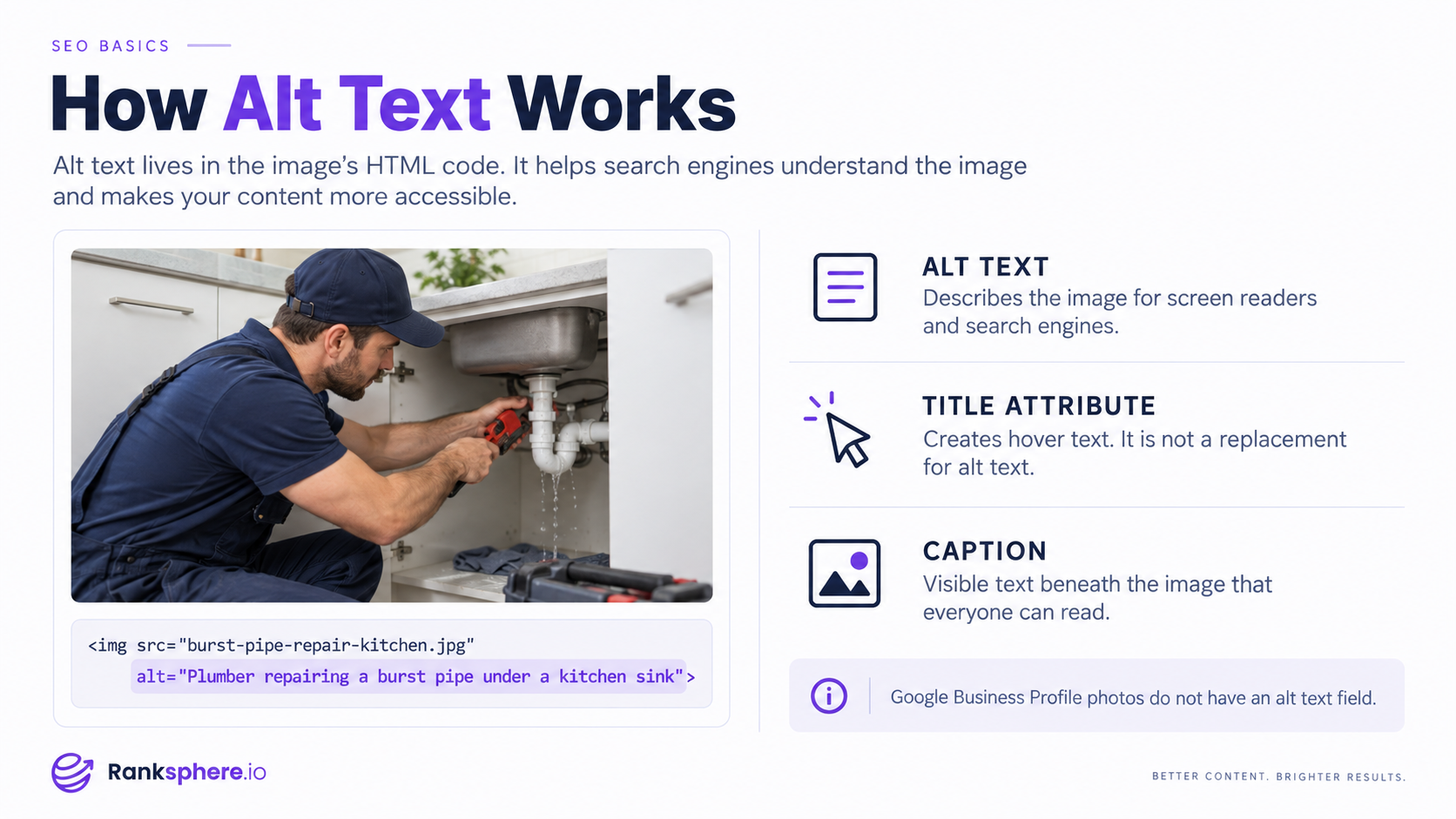
Alt text lives in the alt attribute of the <img> element:
<img src="burst-pipe-repair-kitchen.jpg"
alt="Plumber repairing a burst pipe under a kitchen sink">
You rarely touch that markup directly. Every major CMS and site builder exposes a plain text field in the media library or the image settings panel, and that field writes the attribute for you.
Two adjacent things get confused with alt text and should not be. The title attribute produces a hover tooltip, it is not read by most screen readers and carries little SEO weight. A caption is visible body copy that sits under the image, it is read by everyone, and it is often the better place for context that all readers want.
Worth knowing for local work: photos uploaded to a Google Business Profile have no alt text field. Google infers their content on its own. Descriptive file names before upload are the only handle you get, and their effect is modest. Alt text is a website concern, not a GBP one.
Google's image SEO documentation covers the full picture, including file names, sitemaps and structured data.
How to write and check it
Describe the image accurately, as if explaining it to someone on the phone who cannot see it. Be specific. Include a keyword only where it is genuinely what the image shows.
On length, keep it to roughly a sentence. Not because of a hard character limit, but because a screen reader reads it aloud in one pass and a paragraph is exhausting to listen to. The widely repeated 125-character cutoff is a myth from long-obsolete screen reader behaviour. There is no hard limit. Concision is still the right instinct.
- Add it in your CMS media library or image settings
- Read it aloud with the image hidden and ask whether it makes sense
- Confirm the attribute is actually present using a browser inspector
- Give purely decorative images an empty alt="" so screen readers skip them
- Crawl the site periodically to catch images that have no alt attribute at all
Ranksphere's website audit will flag images missing alt text across every page, which is the only practical way to find them on a site of any size.
Common mistakes
The two failure modes are opposite and equally common: ignoring the field, or treating it as a keyword box.
- Keyword stuffing, plumber plumbing plumber near me best plumber. Reads as spam to Google and is genuinely unpleasant to hear read aloud.
- Leaving it blank on meaningful images, a missed signal and an accessibility failure
- Starting with “image of” or “picture of”, a screen reader already announces it as an image
- Pasting the file name, IMG_4521 tells nobody anything
- Writing long alt text on decorative graphics, spacers, dividers and background flourishes should have alt="", not a description
- Describing the image but ignoring its purpose, an image used as a link should describe where the link goes, since its alt text functions as the anchor text
Best practices
Treat it as a description first and an SEO field second. For a local business that usually means naming what is actually happening in the photo, plus the service or location where it is genuinely part of the image.
A dental practice photo reads better as “Hygienist cleaning a patient's teeth at our downtown Portland office” than as “teeth cleaning.” The first is accurate, useful to a screen reader user, and picks up relevant context honestly. The second is neither descriptive nor optimised.
- Be specific about the actual content of the image
- Add service or location context only where it is true of the photo
- Keep it to about a sentence
- Use descriptive, hyphenated file names that reinforce the description
- For image links, describe the destination rather than the picture
- Accuracy over keywords, every time
Example
“Ridgeline Plumbing photographs a technician repairing a burst pipe under a kitchen sink and adds it to their emergency call-out page.
- Missing: alt="" on a meaningful image, invisible to Google, silent to a screen reader
- Lazy: alt="IMG_2093.jpg", a filename read aloud, letter by letter
- Stuffed: alt="plumber emergency plumber pipe repair plumber near me best plumber", spam to a crawler, gibberish to a listener
- Good: alt="Plumber repairing a burst pipe under a kitchen sink"
The last one describes the photo, reads naturally aloud, and gives Google honest context. Paired with the file name burst-pipe-repair-kitchen.jpg and a page that is genuinely about emergency pipe repair, the image has a real chance of appearing in Google Images, and the page picks up a small amount of supporting relevance.”
See also
- Image SEO, optimising file names, size, format and alt text together
- Title attribute, hover tooltip text, distinct from alt text
- Caption, visible text below an image, read by all users
- Anchor text, what alt text becomes when the image is a link
- Structured data, markup that gives search engines extra image context
- On-page SEO, the broader set of signals alt text feeds into