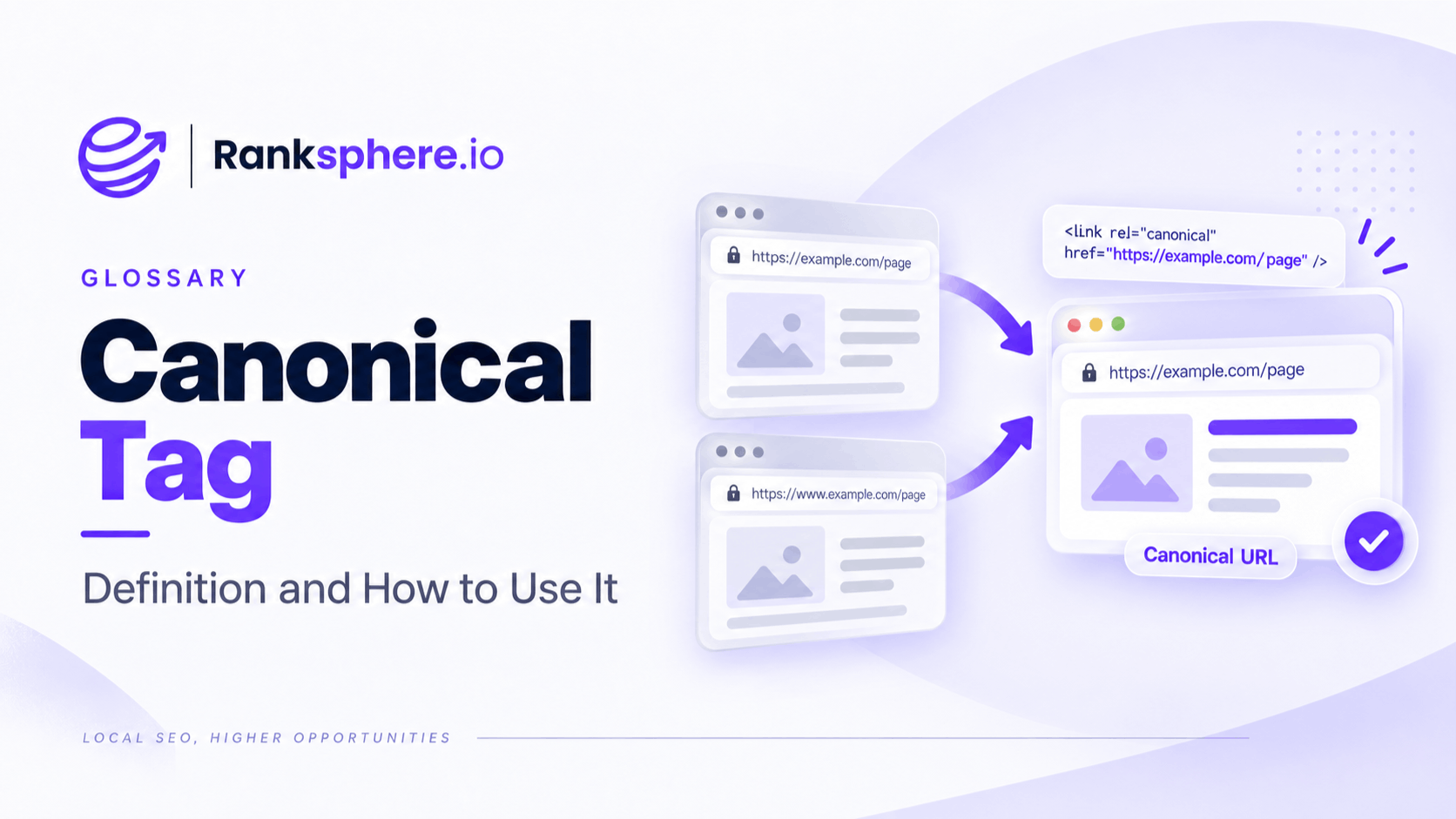
A canonical tag is an HTML element that tells search engines which URL you prefer when the same or very similar content can be accessed through more than one address.
It is written using rel="canonical" and normally points from duplicate or alternate URLs to the version you want search engines to treat as the main page.
Unlike a 301 redirect, a canonical does not send visitors somewhere else. Both URLs can remain accessible, while the canonical provides search engines with a preferred version for indexing and consolidation.
That distinction is important.
Use a redirect when an old URL should no longer be used. Use a canonical when several URLs need to remain available but represent substantially the same content.
Why canonical tags exist
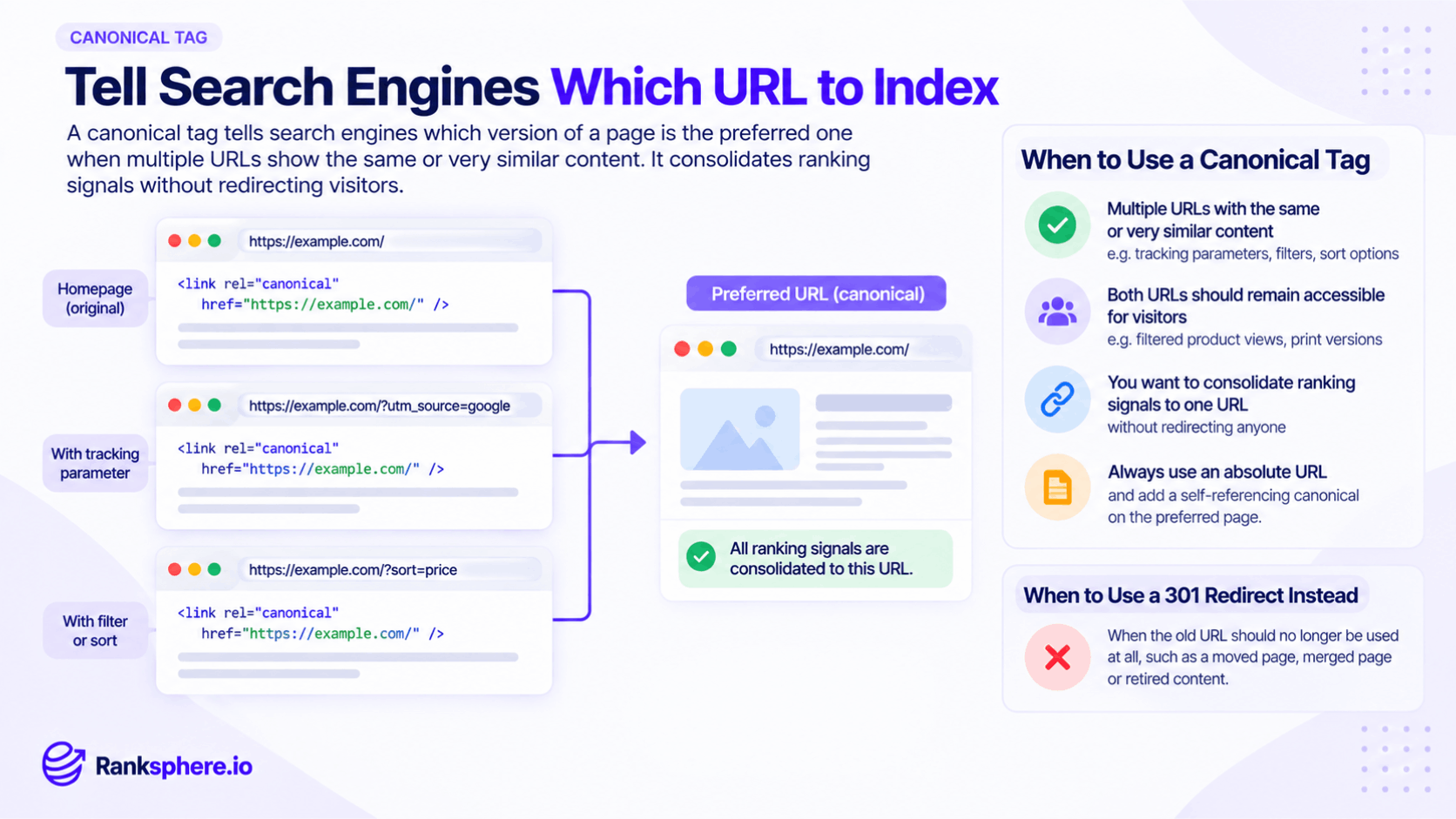
Duplicate URLs are common, even when nobody deliberately creates duplicate pages.
The same content can appear through:
- Tracking parameters
- Sort and filter URLs
- Session parameters
- Print versions
- Product variants
- HTTP and HTTPS versions
- www and non-www versions
- URLs with and without trailing slashes
- Syndicated or republished content
To a search engine, each URL can potentially look like a separate page.
Canonicalisation helps make it clear which version should be treated as the preferred URL.
A well-implemented canonical setup can help:
- Consolidate signals around a preferred URL
- Reduce confusion between duplicate or near-duplicate pages
- Keep unnecessary URL variations out of search results
- Make indexing more consistent
- Reduce duplicate crawling on larger or parameter-heavy websites
- Allow useful alternate URLs to remain available to visitors
The important word is preferred. Google treats the canonical tag as a strong signal, but not an absolute instruction.
What does a canonical tag look like?
The canonical tag sits inside the <head> of the page.
For example:
<link rel="canonical" href="https://example.com/flat-roof-repair">
If several URLs contain substantially the same content, they can all point to:
https://example.com/flat-roof-repair
The preferred page can also contain a canonical pointing to itself:
<link rel="canonical" href="https://example.com/flat-roof-repair">
This is known as a self-referencing canonical.
It may look unnecessary, but it helps establish the preferred URL clearly and can make canonicalisation more consistent when parameters or alternate URLs are generated.
Canonical tags are a hint, not a directive
A canonical tag tells Google which URL you prefer, but Google can choose another one.
This can happen when other signals strongly disagree with your canonical.
For example:
- The canonical points to a page with substantially different content
- Internal links consistently point to another URL
- The XML sitemap lists a different version
- Redirects point somewhere else
- HTTPS and HTTP signals conflict
- The canonical target is not indexable
- Several conflicting canonical tags exist
Google weighs these signals together when selecting what it considers the canonical URL.
This is why canonicalisation should be consistent across the site rather than treated as one isolated tag.
Declared canonical vs Google-selected canonical
There are effectively two versions worth knowing:
User-declared canonical The URL you specify through the canonical tag or another canonicalisation method.
Google-selected canonical The URL Google ultimately chooses as the representative version.
These are often the same.
When they are not, it usually means Google found stronger signals pointing somewhere else.
Google Search Console's URL Inspection tool can help you compare your declared canonical with Google's selected version.
If Google repeatedly ignores your canonical, investigate the wider setup rather than simply adding the tag again.
Canonical tag vs 301 redirect
A canonical tag and a 301 redirect solve related problems, but they are not interchangeable.
Use a canonical tag when
Both URLs still need to remain accessible to visitors but contain the same or substantially similar content.
Examples can include:
- Tracking parameter URLs
- Certain product variations
- Print-friendly versions
- Syndicated copies
- Duplicate URLs created by a CMS
Use a 301 redirect when
The old URL should no longer be used.
Examples include:
- A page permanently moved to a new URL
- Two pages consolidated into one
- An obsolete page replaced by a new page
- An old URL structure after a migration
- A retired duplicate page
A 301 redirect sends both users and search engines to the new destination.
A canonical leaves the alternate URL accessible.
The simplest question is:
Does the visitor still need this URL?
If not, a redirect is often the cleaner option.
Canonical tag vs noindex
Canonical and noindex also solve different problems.
A canonical says:
“This page exists, but this other URL is the preferred version.”
A noindex directive says:
“Do not include this page in search results.”
Use noindex when a page genuinely should not appear in search but still needs to exist for visitors or site functionality.
Do not routinely combine noindex with a canonical as a way to choose between duplicates.
If the goal is consolidation, use canonicalisation.
If the goal is exclusion from search, use noindex.
Canonical tags and duplicate content
Canonical tags are commonly used for duplicate content.
Imagine an ecommerce page available through:
example.com/mens-shoes
and:
example.com/mens-shoes?sort=price-low
If the sorted version contains essentially the same products and should not exist as a separate search result, it may canonicalise to:
example.com/mens-shoes
That tells search engines that the clean category URL is the preferred version.
However, do not canonicalise pages simply because they share some content.
The pages should be duplicates or substantially similar enough that treating one as the representative version makes sense.
Canonical tags and URL parameters
Tracking and campaign parameters often create multiple URLs pointing to the same underlying page.
For example:
https://example.com/roof-repair
and:
https://example.com/roof-repair?utm_source=newsletter
The campaign URL still needs to work for visitors and analytics, but there is usually no reason for it to become a separate indexed page.
A canonical pointing back to the clean URL helps reinforce the preferred version.
This is one of the most common and appropriate uses of canonicalisation.
Canonical tags and keyword cannibalisation
Canonical tags are sometimes suggested as a fix for keyword cannibalisation, but they are only appropriate in certain cases.
If two pages serve essentially the same intent and one no longer needs to exist, consolidation and a redirect may be cleaner.
If two substantially similar pages must remain accessible but only one should be treated as the main search version, canonicalisation may be appropriate.
If the pages serve genuinely different intents, neither may need a canonical.
Do not use canonicals simply because two pages happen to target similar keywords.
Canonicalisation is primarily about duplicate or substantially similar content, not keyword targeting by itself.
Ranksphere's website audit flags canonical conflicts and duplicate content across a site, helping uncover template mistakes, conflicting tags and duplicate URL patterns that can otherwise go unnoticed.
Self-referencing canonical tags
A self-referencing canonical is a canonical tag that points to the page's own preferred URL.
For example, on:
https://example.com/services/roof-repair
you might use:
<link rel="canonical" href="https://example.com/services/roof-repair">
This reinforces which version should be treated as canonical when the same page can be reached through parameters or alternate URL forms.
Self-referencing canonicals are generally a good default for important indexable pages.
They also make site-wide canonical rules easier to manage consistently.
Canonicals and XML sitemaps
Your XML sitemap should normally list the URLs you want indexed.
If a page canonicalises to another URL, the canonical target is generally the URL that belongs in the sitemap.
For example:
Page A canonicalises to Page B.
Your sitemap should normally list Page B, not both A and B.
This keeps your signals aligned.
Search engines should not have to choose between:
- One canonical URL
- Another sitemap URL
- A different internal-link destination
The cleaner the signals, the easier canonicalisation is to understand.
Canonicals and internal links
Internal links should also point to the preferred canonical URL wherever practical.
Suppose:
example.com/roof-repair
is canonical.
But your navigation, blog posts and footer all link to:
example.com/roof-repair?location=kent
You are creating unnecessary mixed signals.
Your canonical tag says one URL is preferred while your internal linking repeatedly promotes another.
Use the preferred URL consistently in:
- Navigation
- Breadcrumbs
- Contextual links
- Sitemaps
- Important CTAs
- Related-content modules
The tag should support the wider site structure rather than fight against it.
Absolute vs relative canonical URLs
Canonical URLs can technically be written in different forms, but absolute URLs are usually safer.
For example:
<link rel="canonical" href="https://example.com/roof-repair">
is clearer than:
<link rel="canonical" href="/roof-repair">
Using the full protocol and domain reduces the risk of errors during migrations, staging deployments or domain changes.
So while relative canonicals are not automatically invalid, absolute canonical URLs are generally the better default.
Canonical chains
Avoid canonical chains.
For example:
Page A → canonical to Page B Page B → canonical to Page C
Instead, both A and B should point directly to the final preferred URL:
Page A → Page C Page B → Page C Page C → Page C
This keeps the relationship clear and avoids unnecessary processing.
The same principle applies if the canonical target redirects.
Do not canonicalise Page A to Page B if Page B immediately redirects to Page C.
Point the canonical directly to Page C.
Cross-domain canonical tags
Canonical tags can also point to a page on another domain.
This is known as a cross-domain canonical.
It can be useful when substantially the same content is legitimately published on more than one website, such as syndicated articles.
For example, a republished article on Site B may point its canonical to the original article on Site A.
That tells search engines which version the publisher considers primary.
Cross-domain canonicals should only be used where the content is genuinely the same or substantially similar.
Common canonical tag mistakes
- Canonicalising every page to the homepage. This can cause search engines to treat important pages as duplicates of the homepage.
- Pointing to unrelated content. Canonical targets should represent the same or substantially similar content.
- Creating canonical chains. Point directly to the final preferred URL.
- Canonicalising to a redirect. Use the final destination instead.
- Using conflicting canonical tags. A page should not declare several different preferred URLs.
- Combining noindex and canonicalisation without a clear reason. They communicate different indexing intentions.
- Listing non-canonical URLs in the sitemap. Keep your sitemap aligned with preferred URLs.
- Internally linking mainly to non-canonical variants. Link directly to the preferred URL where possible.
- Assuming the tag forces Google to obey. Canonicals are signals, not absolute directives.
- Leaving old template canonicals after a migration. Site-wide mistakes can affect hundreds or thousands of URLs at once.
Canonical tag best practices
- Use a clear canonical URL for important indexable pages.
- Add self-referencing canonicals where appropriate.
- Use absolute URLs as the safer default.
- Point directly to the final indexable destination.
- Keep internal links aligned with canonical URLs.
- List canonical URLs in your XML sitemap.
- Avoid canonicalising pages with substantially different content.
- Use redirects when the alternate URL no longer needs to exist.
- Use noindex when the real goal is exclusion rather than consolidation.
- Check Google-selected canonicals in Search Console when indexing looks wrong.
- Audit canonical tags after redesigns, migrations and CMS changes.
Example
“Thornfield Garden Centre rebuilds its website on a new platform.
A few weeks later, organic visibility drops sharply even though the site appears to work perfectly.
There are no broken navigation links. Pages load normally. Customers can still browse products and categories.
The problem sits in the HTML.
A template setting has placed the same canonical on every page:
<link rel="canonical" href="https://thornfield.example/">
Product pages, category pages and guides are all telling search engines that the homepage is their preferred version.
Search Console begins showing many important URLs as alternate pages associated with another canonical.
The fix is not a rewrite or a new SEO campaign.
The template is corrected so each indexable page points to its actual preferred URL.
Internal links and the XML sitemap are checked at the same time to make sure they agree.
Google then needs time to recrawl the affected URLs and reassess the canonical signals.
The website had looked completely normal to visitors throughout.
That is why canonical problems can be so easy to miss: the page can work perfectly for a person while quietly telling search engines to index something else.”
See also
- 301 redirect — when the old URL should no longer remain accessible
- Duplicate content — one of the main reasons canonicalisation is used
- Indexing — how search engines decide which URLs appear in search
- Keyword cannibalisation — page competition that sometimes requires consolidation
- XML sitemap — which should normally contain preferred canonical URLs
- Technical SEO — the wider discipline covering crawling, indexing and site configuration