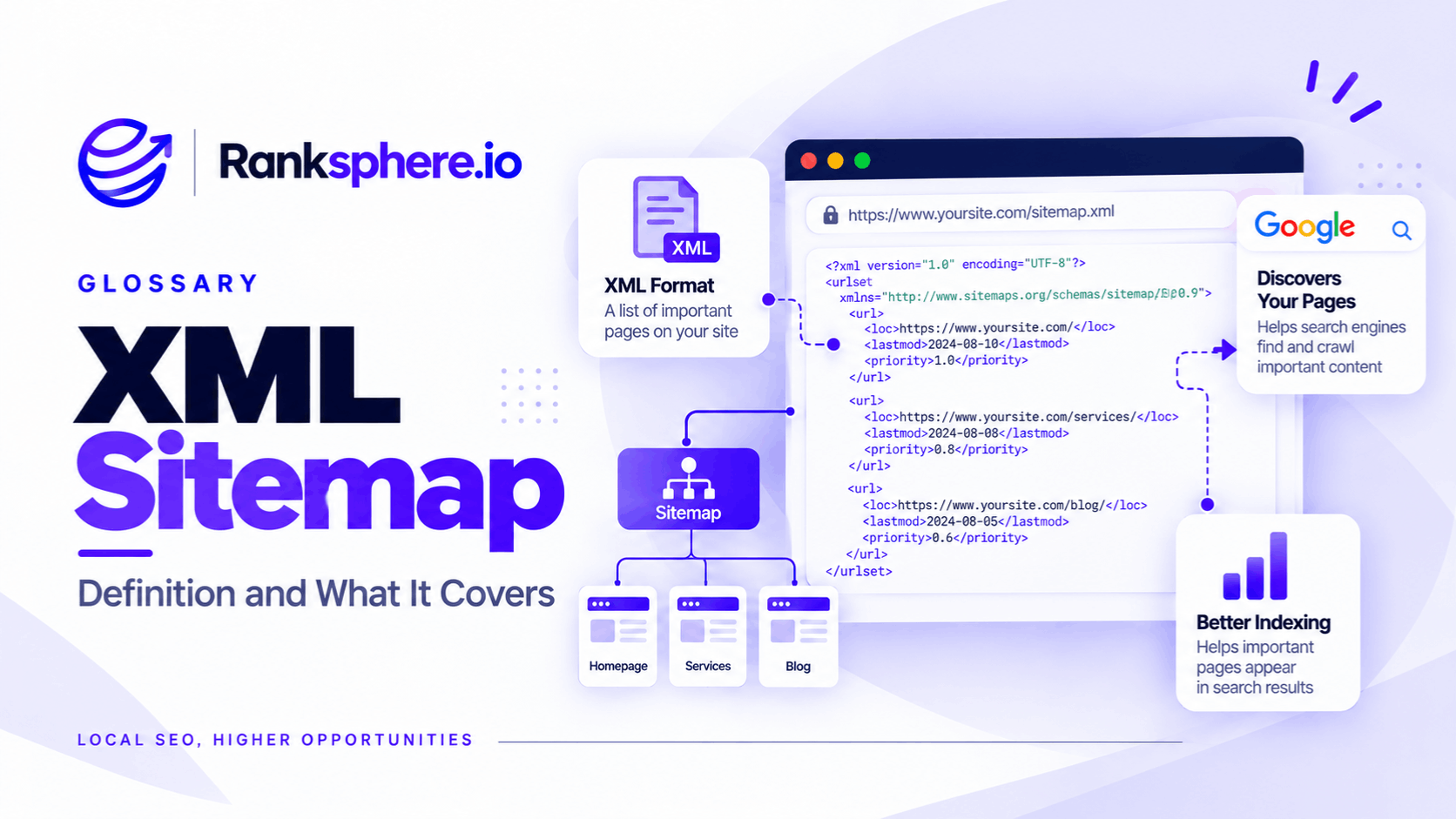
An XML sitemap is a file that lists important URLs on a website so search engines can discover them more easily.
It can also include information such as when a page was last significantly updated.
A sitemap helps search engines understand which URLs you want them to know about, but it does not guarantee that those pages will be crawled, indexed or ranked.
That distinction is important.
Submitting a URL in a sitemap is essentially saying:
“This is an important page on my site and I would like search engines to discover it.”
Google still decides whether to crawl the URL, whether to index it and where it should appear in search.
What does an XML sitemap do?
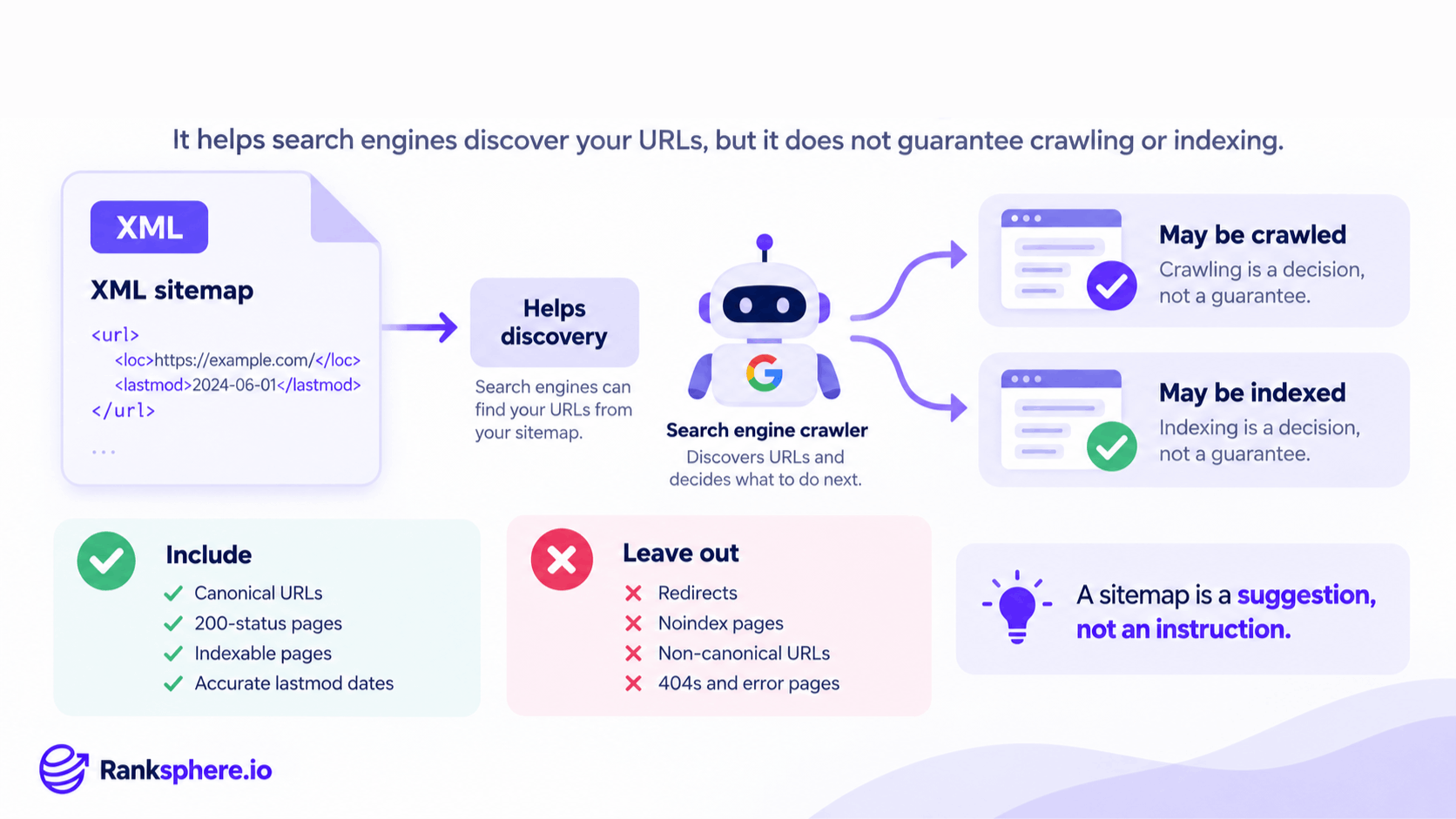
The main purpose of an XML sitemap is URL discovery.
Search engines normally find pages by following links, but a sitemap gives them another structured source of URLs.
This can be particularly useful for:
- New websites
- Recently published pages
- Large websites
- Sites with complex navigation
- Pages with relatively few internal links
- Websites that publish or update content frequently
A sitemap can also help reinforce which URLs you consider the preferred versions of your pages when it is consistent with your canonical tags, internal links and redirects.
It can help search engines:
- Discover important URLs
- Find recently updated content
- Understand which pages you are actively presenting for indexing
- Compare submitted URLs with indexing data in Google Search Console
The sitemap should support the rest of your site architecture rather than replace it.
What an XML sitemap does not do
An XML sitemap is useful, but it is often given more power than it actually has.
Submitting a URL does not mean Google must crawl or index it.
A sitemap does not:
- Guarantee crawling
- Guarantee indexing
- Guarantee rankings
- Make weak content more useful
- Replace internal links
- Override a noindex directive
- Override a canonical pointing somewhere else
If an important page appears in the sitemap but is not being indexed, investigate the page and the wider technical setup rather than repeatedly resubmitting the sitemap.
Possible causes could include:
- Poor or duplicate content
- Weak internal linking
- Incorrect canonicalisation
- noindex directives
- Crawl problems
- Server errors
- Rendering problems
The sitemap is one piece of the system.
What should be included in an XML sitemap?
As a general rule, include URLs that you genuinely want search engines to consider for indexing.
That usually means URLs that are:
- Canonical
- Indexable
- Live
- Returning a successful 200 status
- Important enough to appear in search
For example:
- Main service pages
- Product pages
- Important category pages
- Location pages
- Blog posts
- Core informational content
The sitemap should represent the clean version of the site you want search engines to understand.
What should not be included?
Avoid including URLs that you do not want indexed or that are not the preferred version.
These commonly include:
- noindex pages
- Redirected URLs
- 404 pages
- Server-error URLs
- Non-canonical variants
- Tracking parameter URLs
- Internal search-result pages
- Duplicate filtered views
- Thank-you pages
- Old URLs that have been replaced
If a URL appears in the sitemap while also telling Google:
“Do not index me”
or:
“Another URL is the canonical version”
you are sending conflicting signals.
Keep the sitemap aligned with your canonical tags, internal links and redirects.
What does an XML sitemap look like?
A simple sitemap entry looks like this:
<urlset xmlns="http://www.sitemaps.org/schemas/sitemap/0.9">
<url>
<loc>https://example.com/flat-roof-repair</loc>
<lastmod>2026-08-14</lastmod>
</url>
</urlset>
The <loc> element contains the page URL.
The optional <lastmod> element indicates when the page was last meaningfully updated.
A sitemap may contain many <url> entries.
XML sitemap limits
A single sitemap file can contain up to:
- 50,000 URLs
- 50 MB uncompressed
Larger websites can create multiple sitemap files and list them inside a sitemap index.
For example:
<sitemapindex xmlns="http://www.sitemaps.org/schemas/sitemap/0.9">
<sitemap>
<loc>https://example.com/page-sitemap.xml</loc>
</sitemap>
<sitemap>
<loc>https://example.com/post-sitemap.xml</loc>
</sitemap>
</sitemapindex>
Most small business websites will never come close to these limits.
Should you split sitemaps by content type?
You can.
For larger or more complex websites, separate sitemaps can make monitoring much easier.
For example:
- page-sitemap.xml
- post-sitemap.xml
- product-sitemap.xml
- location-sitemap.xml
This can help when investigating indexing issues.
If most general pages are indexed but location pages are not, a separate location sitemap can make the pattern easier to identify.
For a small site with only a few dozen URLs, one clean sitemap may be perfectly sufficient.
Split the files when it improves management or reporting, not simply because an SEO checklist says you should.
The lastmod field
The optional lastmod field tells search engines when a page was last significantly modified.
For example:
<lastmod>2026-08-14</lastmod>
This can be useful when it accurately reflects meaningful changes.
For example:
- The page content was substantially updated
- New information was added
- Product details changed
- A service page was rewritten
Avoid automatically changing lastmod every time the website rebuilds if the actual page content has not changed.
If every URL claims to have been updated today regardless of whether anything changed, the signal becomes much less useful.
If your CMS cannot produce reliable modification dates, leaving lastmod out may be better than supplying misleading information.
What about priority and changefreq?
Older sitemap implementations often include fields such as:
<changefreq>weekly</changefreq>
<priority>0.8</priority>
Google does not use these values as meaningful instructions for crawling or ranking.
Do not spend time assigning arbitrary priorities such as:
- Homepage = 1.0
- Services = 0.9
- Blog = 0.7
They will not make those pages rank better.
Focus instead on maintaining:
- Accurate URLs
- Correct canonicalisation
- Useful internal links
- Reliable lastmod values where available
XML sitemaps and Google Search Console
You can submit your sitemap through Google Search Console.
This helps Google discover the sitemap and gives you useful reporting around it.
Search Console can help you see:
- Whether Google successfully fetched the sitemap
- How many URLs it discovered
- Whether sitemap processing produced errors
- Which submitted pages are indexed or excluded when reviewing indexing reports
This makes the sitemap useful for diagnostics as well as discovery.
If you submit 100 important URLs and only a small percentage become indexed, you now have a clearly defined set of pages to investigate.
The answer is not necessarily that the sitemap is broken.
It may reveal a wider indexing or content issue.
Should the sitemap be added to robots.txt?
You can reference the sitemap inside your robots.txt file.
For example:
Sitemap: https://example.com/sitemap.xml
This gives crawlers another way to locate it.
You can also submit the sitemap directly through Search Console.
Doing both is common and perfectly reasonable.
XML sitemap vs internal linking
A sitemap and internal links perform different jobs.
The sitemap says:
“This URL exists.”
Internal links help say:
“This URL belongs here and is connected to these other pages.”
Important pages should generally not depend entirely on an XML sitemap for discovery.
For example, if you have a page for boiler repair, it should normally receive internal links from relevant areas such as:
- Main navigation
- Service pages
- Related articles
- Location pages
- Homepage content where appropriate
A page that appears only in the sitemap but nowhere else on the website may be harder for users to discover and gives search engines less context about where it fits.
XML sitemap vs canonical tags
Your sitemap should normally contain the canonical versions of your URLs.
Suppose:
https://example.com/roof-repair?source=facebook
canonicalises to:
https://example.com/roof-repair
The clean canonical URL is the one that belongs in the sitemap.
Avoid listing both.
The same applies when several URL versions exist because of:
- Parameters
- Sorting
- Tracking
- HTTP/HTTPS variations
- www/non-www variations
Your sitemap, canonical tags, redirects and internal links should all point towards the same preferred version where possible.
XML sitemaps after a website migration
Sitemaps should always be reviewed after a migration or redesign.
Old CMS platforms often leave behind URLs that no longer exist.
After migrating, check for:
- Old URLs
- Redirecting URLs
- 404 pages
- Old domains
- Staging URLs
- Non-canonical pages
- noindex pages
- Duplicate URL variations
Do not simply assume the new CMS generated the sitemap correctly.
Open the file and inspect what it actually contains.
Ranksphere's website audit checks sitemap accuracy against what is actually on the site, helping identify stale, redirected or otherwise unsuitable URLs that have remained in generated sitemap files.
Automatically generated XML sitemaps
Most modern CMS platforms and SEO plugins can generate sitemaps automatically.
That is convenient, but automation does not guarantee the output is correct.
A plugin might include:
- Tag archives
- Author archives
- Attachment pages
- Old content types
- Duplicate taxonomy pages
- Pages you deliberately set to noindex
Review the configuration and make sure the generated sitemap represents what you actually want indexed.
Automation should reduce maintenance, not replace checking.
Common XML sitemap mistakes
- Including non-canonical URLs. The sitemap should normally contain the preferred version.
- Listing redirects. Point directly to the final live URL instead.
- Including 404 or error pages. Remove outdated URLs from the sitemap.
- Including noindex pages. Do not submit URLs you explicitly do not want indexed.
- Treating sitemap submission as an indexing request that must be obeyed. Google still decides whether to crawl and index each page.
- Using inaccurate lastmod values. Only report real modification dates.
- Relying on the sitemap instead of internal linking. Important pages should be part of the site's structure.
- Leaving old URLs after a migration.
- Never checking automatically generated sitemaps.
- Trying to manipulate priority values. They do not improve rankings.
XML sitemap best practices
- Include only canonical, indexable URLs that return a successful response.
- Keep the sitemap current.
- Use accurate lastmod dates where possible.
- Leave unreliable modification dates out rather than inventing them.
- Submit the sitemap through Google Search Console.
- Reference it in robots.txt where useful.
- Split large or complex sites into logical sitemap groups.
- Keep internal links, canonicals and sitemap URLs consistent.
- Audit the sitemap after redesigns and migrations.
- Review what your CMS or plugin generates rather than assuming it is correct.
Example
“Bexley Motors moves its website to a new platform.
The new CMS automatically creates and submits an XML sitemap containing more than 400 URLs.
Search Console shows that only around a quarter of them are indexed, which initially looks like a serious indexing problem.
When the sitemap is reviewed, the explanation is much simpler.
It includes:
- Author archives
- Tag pages
- Image attachment URLs
- Paginated archives
- Old URLs that now redirect
- Other CMS-generated pages the business never intended to rank
Only around 100 URLs represent genuine pages the company actually wants in search.
The sitemap settings are cleaned up so it includes only those important canonical URLs.
The number of indexed pages barely changes.
What changes is the reporting.
Instead of comparing 96 indexed pages against more than 400 irrelevant URLs, the business can now compare those 96 pages against a clean set of roughly 100 pages it genuinely wants Google to consider.
Nothing magical happened to indexing.
The sitemap simply became accurate.
That is what a good XML sitemap should do: give search engines a clean, reliable list of the URLs that matter without pretending that submission alone guarantees anything.”
See also
- Crawling — how search engines discover and access URLs
- Indexing — the decision about whether a page becomes eligible to appear in search
- Canonical tag — identifying the preferred version of duplicate URLs
- Google Search Console — where sitemaps can be submitted and monitored
- Technical SEO — the wider work involved in crawling, rendering and indexing
- 301 redirect — how permanently moved URLs should point to their replacements