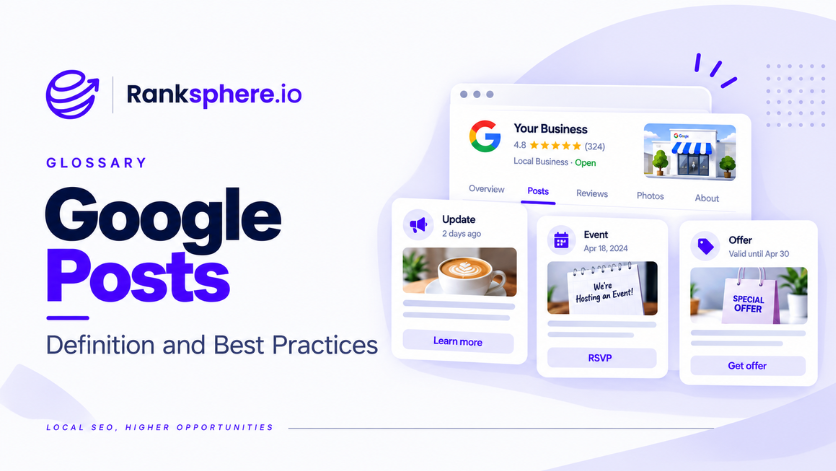
Google Posts are updates you can publish directly to a Google Business Profile. They appear within the profile on Google Search and Maps and can include text, images, video and a call-to-action button.
They look a little like social media posts, but people see them in a very different context. Someone viewing your Business Profile is usually already considering your business, comparing options or looking for a reason to get in touch. That makes Google Posts particularly useful for promoting an offer, sharing an update or giving someone a clear next step.
Their main value is engagement and conversion rather than rankings. A well-written post can help turn profile views into clicks, calls or bookings, but posting regularly on its own is unlikely to change where the business appears in local results.
Why Google Posts are important?
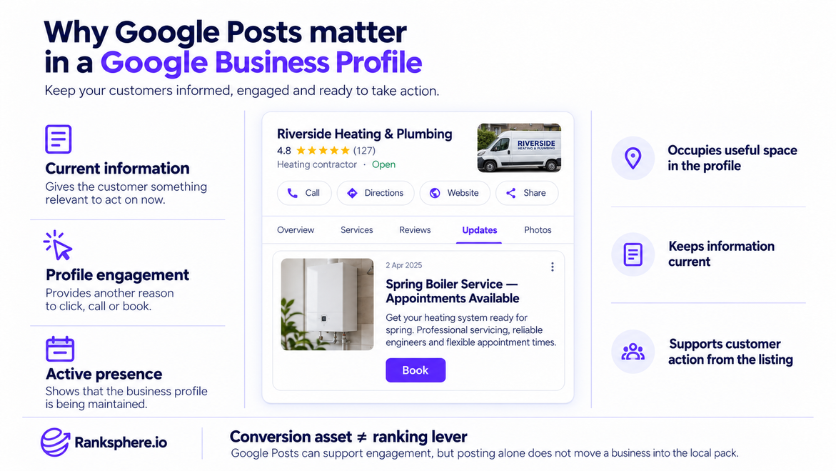
Google Posts give you a place to highlight information that is useful right now.
Someone checking your profile may already know what you do. A current promotion, new service, seasonal update or upcoming event can give them the extra information they need before making a decision.
They can help you:
- Put current offers and updates directly in front of potential customers
- Encourage more clicks and interaction with the profile
- Keep your Business Profile looking current and maintained
- Highlight information that may not fit naturally elsewhere on the profile
- Give customers a clear route to book, buy, learn more or get in touch
They are useful, but they should not be treated as a shortcut into the local pack. Think of Google Posts as part of the customer journey rather than a direct ranking tactic.
Types of GBP Posts
Google offers different post formats depending on what you want to share.
Choosing the right one matters because an offer, an event and a general business update are not intended to work in exactly the same way.
- Update (What's New), suitable for general news, announcements, tips, service updates and other timely information.
- Offer, built for promotions. You can add start and end dates, a coupon code and a redemption link where needed.
- Event, useful for something happening on a specific date or over a set period. You can include a title, date and time.
- Product, designed to highlight individual products with details such as a name, price or price range, description and link.
The type you choose should match the message. If a promotion is running for several weeks, for example, an Offer usually makes more sense than publishing it as a general Update.
How to Write a Google Post
You have more room to write than most customers will see at first glance, so the beginning of the post matters.
The opening line should tell the reader why they should care. Avoid wasting it on introductions such as “We are pleased to announce” when you could start immediately with the offer, update or benefit.
A few useful points to keep in mind:
- Body text can contain up to 1,500 characters, although only part of it may be visible before someone expands the post
- Put the main message near the beginning
- Event and Offer titles have their own character limits
- Use clear, high-quality images that support the message
- Available CTA buttons can include options such as Book, Order online, Buy, Learn more, Sign up and Call now
- Use the appropriate CTA rather than placing unnecessary contact details in the body
- Add UTM parameters to linked buttons when you want to track visits from individual posts
Managing this manually becomes much more time-consuming when you have several locations. Ranksphere's Google Posts tool drafts with AI, schedules and auto-publishes across locations, with board, list and calendar views and approval workflows for agency teams.
Common mistakes
- Hiding the main message too far down. People should understand the point of the post without having to read several lines first.
- Copying social media posts word for word. Someone viewing a Google Business Profile is usually much closer to making a decision than someone casually scrolling a feed.
- Leaving the profile untouched for long periods. Old updates can make an otherwise well-managed profile feel neglected.
- Using the wrong post format. A promotion is usually better suited to an Offer than a general Update.
- Forgetting the call to action. If the goal is a booking, purchase or website visit, make the next step obvious.
- Failing to track linked traffic. Without tagged URLs, it is harder to tell whether a Google Post is actually sending visitors to the website.
- Treating posts as a ranking tactic. Their stronger role is helping customers engage with the business once they find the profile.
Best practices
- Start with the useful information. Lead with the offer, announcement, availability or reason someone should pay attention.
- Write for someone who is already considering the business. Give them information that helps them make a decision.
- Use the right post type. Offers, Events and general Updates each serve a different purpose.
- Use real business photos where possible. Images of the team, premises, products or completed work usually feel more relevant than generic stock photography.
- Post about things that are actually happening. Seasonal services, new products, special availability and current promotions give customers a reason to engage.
- Add a clear CTA. Match the button to what you want the customer to do next.
- Use UTM parameters for important links. This makes post traffic easier to measure.
- Plan content in batches. Scheduling several posts at once is usually more efficient than creating each one at the last minute.
Example
“Alderwood Garden Centre publishes two Google Posts each month.
The information is useful, but every post begins with the same introduction:
“Here at Alderwood Garden Centre, we're pleased to announce...”
That opening does not tell the customer anything they do not already know. They are already looking at the Alderwood Garden Centre profile.
A stronger version gets straight to the point:
“Spring bulbs are 3 for 2 until the end of March.”
The promotion is also published as an Offer rather than a general Update, with the relevant dates and a clear call to action.
The business does not need to publish more often. It simply needs to make better use of the space it already has.
That is a good way to approach Google Posts in general. Focus less on filling a posting schedule and more on whether each update gives the customer something useful at the moment they are considering the business.”
See also
- Google Business Profile, where posts are published
- UTM parameters, how to track traffic from post links
- Content velocity, planning how often new content is published
- Google Business Profile suspension, post content must still follow Google's policies
- Local SEO, the wider strategy Google Posts sit within