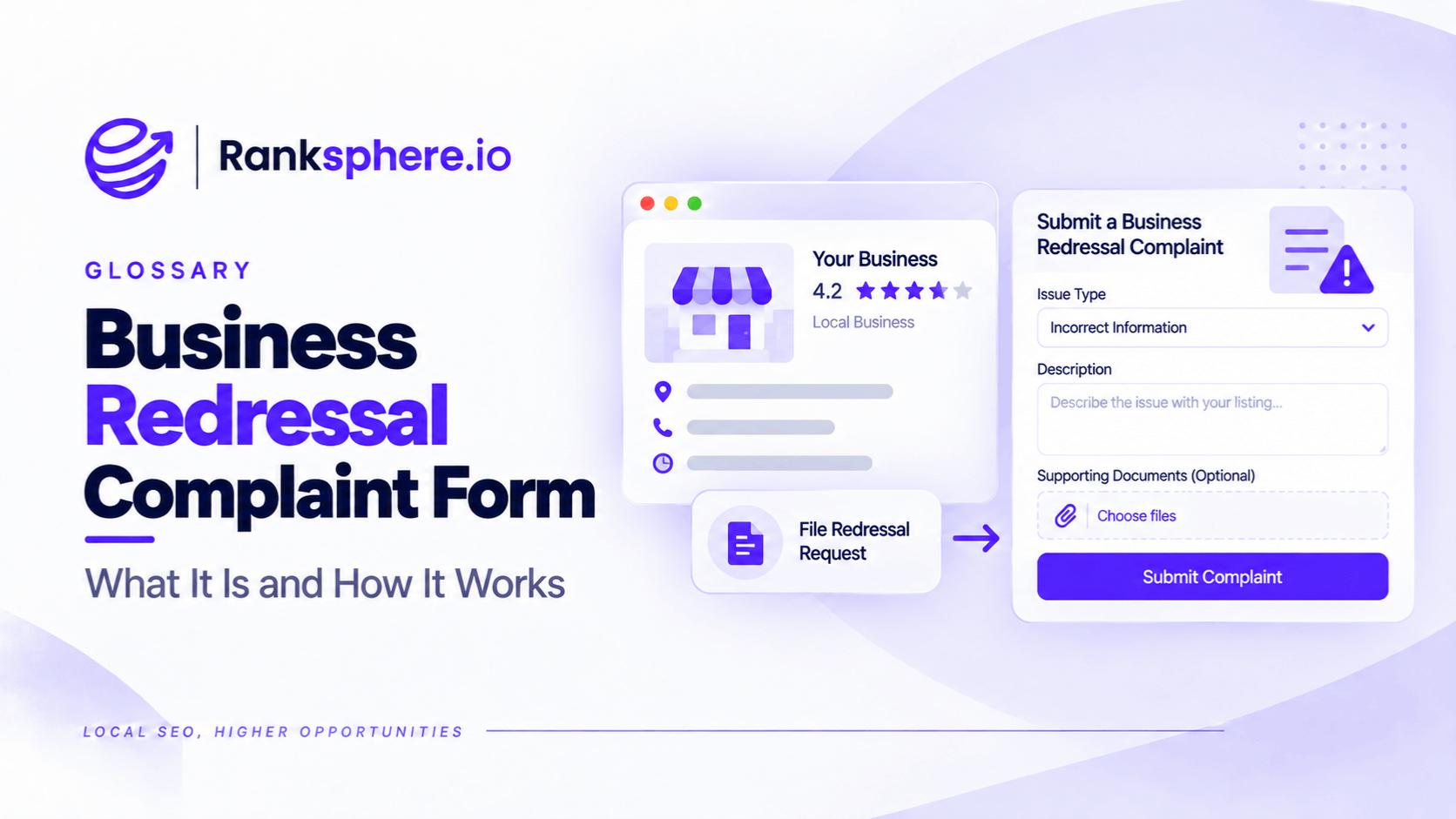
The Business Redressal Complaint Form is Google's official tool for reporting suspected fraudulent or misleading business information on Google Maps.
It allows people to report business listings that may violate Google's guidelines, including fake businesses, misleading names, incorrect addresses, and profiles impersonating legitimate companies.
For example, a roofing contractor might discover several Google Maps listings using misleading business names and false locations to attract customers.
Rather than treating this as an ordinary ranking issue, the contractor can report the suspected policy violations to Google.
The form is particularly useful when multiple listings appear to be connected to the same fraudulent operation.
However, submitting a complaint doesn't guarantee that Google will remove or suspend a listing.
Google reviews the information and determines whether the business violates its policies.
When Should You Use the Business Redressal Complaint Form?
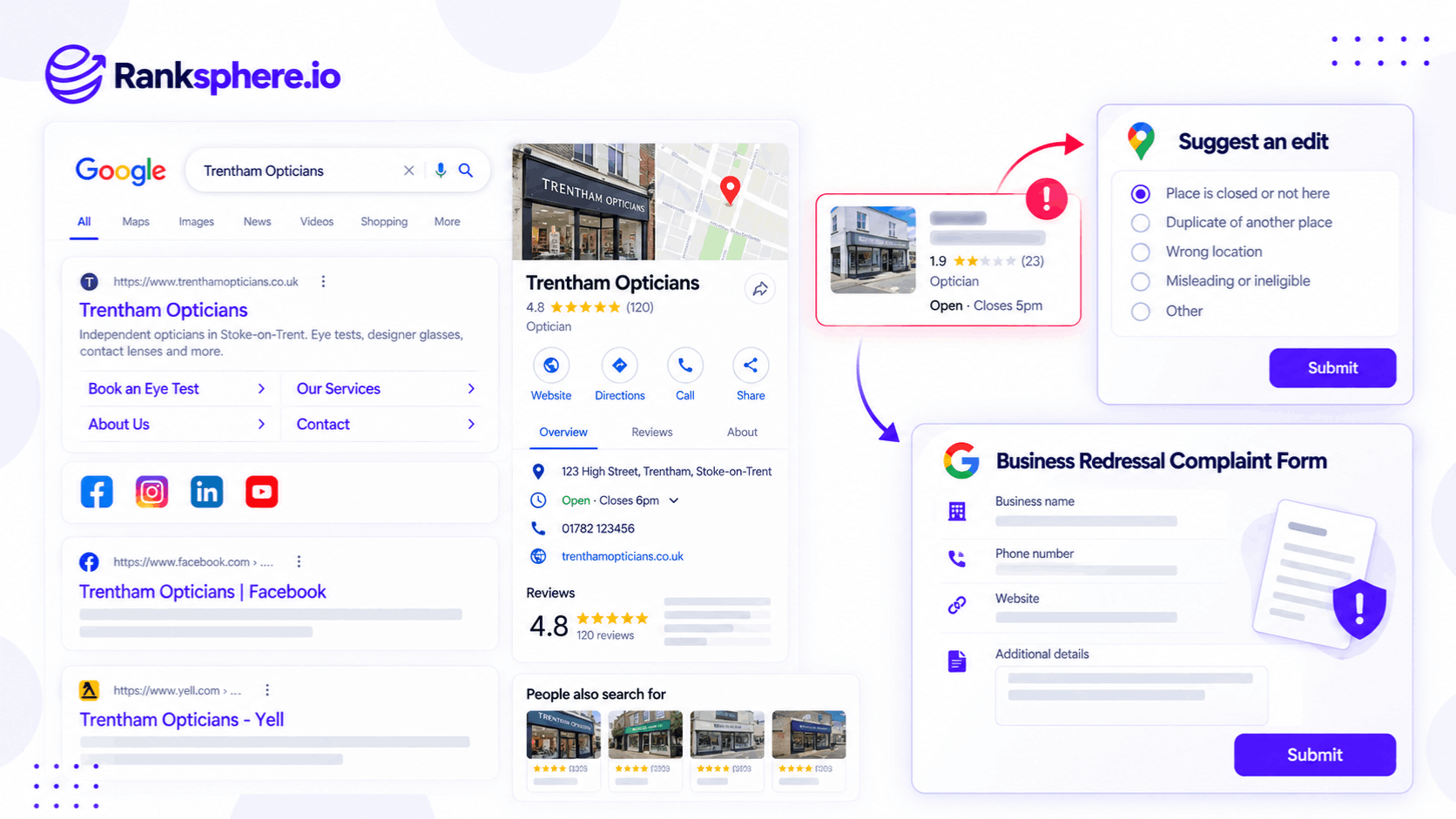
The form is intended for suspected business information fraud or misleading listings.
Common situations include:
- A business using a name that doesn't reflect its real-world identity
- A listing representing a business that doesn't appear to exist
- An address falsely presented as a customer-facing location
- Multiple misleading listings created for the same operation
- A business impersonating another company
- A misleading telephone number or website associated with suspected fraud
For example, a company might create several listings under names such as "Best Emergency Electrician Manchester" and "24 Hour Electrician Manchester."
If these names aren't the company's genuine business names, the listings may violate Google's business representation guidelines.
However, a keyword-rich business name isn't automatically a violation.
Some genuine registered business names naturally contain services or geographic terms.
The question is whether the name accurately represents the business as it operates in the real world.
Business Redressal Form vs Suggest an Edit
Google offers different ways to report incorrect or misleading business information.
Choosing the appropriate method depends on the problem.
| Reporting method | Best suited for |
|---|---|
| Suggest an Edit | Correcting ordinary business information, reporting duplicates, and flagging individual listings |
| Business Redressal Complaint Form | Reporting suspected fraudulent or misleading business names, addresses, phone numbers, or websites |
| Review reporting tools | Reporting individual Google reviews that violate content policies |
Suggest an Edit
Suggest an Edit is available through Google Maps.
It allows users to suggest corrections to business information.
For example, you can report:
- An incorrect business name
- A business that has closed
- A duplicate listing
- An incorrect address
- A business that doesn't exist at the listed location
Google also provides reporting options for misleading or fraudulent places directly within Maps.
For individual, straightforward problems, this may be an appropriate starting point.
Business Redressal Complaint Form
The Redressal form is designed for suspected fraudulent or misleading business information.
For example, an agency might find several apparently connected businesses using different names and locations but directing customers to the same misleading operation.
The agency can submit a complaint explaining the suspected violations and providing supporting evidence.
Google also allows multiple businesses to be reported together, including through a spreadsheet containing the relevant URLs.
The form isn't necessarily restricted to cases where Suggest an Edit has already failed.
If there is credible evidence of fraud or misleading information, it can be an appropriate reporting route from the outset.
How to Submit a Business Redressal Complaint
You can access Google's official form here:
Google Business Redressal Complaint Form
Before submitting a complaint, gather enough information to explain the suspected violation clearly.
Step 1 — Identify the Business Listing
Find the business on Google Maps.
Copy its listing URL.
If you're reporting several listings, collect the URL for each one.
Using the actual Maps listings helps Google identify the businesses involved.
Step 2 — Identify the Suspected Violation
Determine what information appears to violate Google's guidelines.
For example:
- The listed business name differs from the name used publicly by the company.
- The address appears to represent a location where the business doesn't operate.
- Several profiles appear to represent the same ineligible business location.
- The listing uses another company's identity or contact information.
Be specific about what is inaccurate.
Avoid simply describing the listing as spam without explaining why.
Step 3 — Gather Supporting Evidence
Useful evidence depends on the suspected violation.
It may include:
- Google Maps listing URLs
- Screenshots of the reported information
- Photographs of relevant business signage
- The company's official website
- Public business registration information
- Evidence connecting apparently duplicate listings
- Documentation showing that another company's details are being used
For example, if a listing uses a different business name from the one displayed on the company's official website and signage, those sources may help establish the discrepancy.
However, differences alone don't always prove fraud. Businesses can have legitimate trading names, multiple locations, and shared facilities.
Step 4 — Explain the Issue Clearly
Describe the suspected violation in factual terms.
For example:
"This listing displays the business name 'Emergency Plumbing Manchester,' but the company's website and publicly displayed business information identify it as 'Northfield Plumbing Ltd.' The listing also appears to share the same telephone number and website as another profile. Please review whether these listings comply with Google's business name and location requirements."
This is more useful than:
"This competitor is taking our rankings. Please remove them."
Google's role is to evaluate business information against its policies, not resolve ordinary competition between businesses.
Step 5 — Submit the Complaint
Complete the form using the information and evidence available.
If you're reporting a group of connected listings, organise the details so Google can review each one.
A spreadsheet can be useful for documenting:
- Business name
- Google Maps URL
- Listed address
- Suspected violation
- Supporting evidence
- Relevant notes
Google's current guidance permits reporting multiple businesses through the form, including spreadsheet-based submissions.
Step 6 — Monitor the Listings
After submitting, periodically check whether the reported information has changed.
Google may correct, restrict, or remove a listing if it identifies a violation.
However, Google doesn't guarantee a particular review timeframe or provide detailed investigation outcomes for every third-party complaint.
Avoid submitting repeated identical reports simply because no immediate action is visible.
If new, material evidence becomes available, review the appropriate reporting or support options.
What Evidence Helps Support a Complaint?
Strong reports identify a specific issue and explain why the available evidence supports it.
Misleading Business Names
A business name should reflect how the business is genuinely represented.
For example, compare the name displayed on Google Maps with:
- The company's official website
- Permanent signage
- Public business documentation
- Other reliable business information
A name containing several services or towns may warrant investigation.
However, keyword-rich wording isn't conclusive evidence of a violation.
Invalid Business Addresses
Some fraudulent listings use addresses where the advertised business doesn't operate.
Google Maps and Street View can help identify possible inconsistencies.
However, a residential address without storefront signage doesn't automatically mean the business is fake.
Many legitimate electricians, plumbers, cleaners, and other service-area businesses work from home.
Under Google's rules, a service-area business that doesn't serve customers at its address should generally hide that address.
A stronger report explains why the displayed address appears misleading under the applicable business eligibility requirements.
Duplicate or Connected Listings
Several listings may appear to represent the same operation.
For example, they might use:
- The same telephone number
- The same website
- Identical photographs
- Similar business names
- Different addresses without evidence of separate operations
These details may justify investigation.
However, legitimate businesses can have multiple eligible locations, and separate practitioners or departments may qualify for their own profiles under Google's rules.
Impersonation
A fraudulent listing may copy a legitimate business's name, branding, photographs, or contact details.
For example, someone might create a fake listing using the identity of an established local contractor.
Evidence from the genuine company's website, business records, and original listing can help demonstrate the suspected impersonation.
Can You Report Multiple Fake Google Business Profiles?
Yes.
Google supports reporting multiple businesses through the Redressal process, including by providing a spreadsheet of affected listings.
This is useful when the problem involves a suspected network rather than one isolated listing.
For example, a local SEO agency may discover several listings that appear to direct customers to the same misleading lead-generation operation.
Instead of preparing an unrelated explanation for every profile, the agency can organise the evidence into one documented case.
Each listing should still be identified individually.
Include the relevant Google Maps URLs and explain what makes each listing potentially misleading.
The objective is to make the suspected pattern understandable and verifiable.
Does Reporting Google Maps Spam Improve Local Rankings?
Removing ineligible or fraudulent listings can change the competitive environment in local search results.
For example, if Google removes a fake business that previously appeared in the local pack, other businesses may become more visible.
However, that outcome isn't guaranteed.
Google determines local rankings using relevance, distance, and prominence.
A legitimate business doesn't automatically inherit a position previously occupied by a removed listing.
The reason to submit a Redressal complaint should be to report suspected policy violations and protect the accuracy of business information.
It shouldn't be used as a method of removing competitors simply because they rank above your business.
What Happens After Submitting a Complaint?
Once a complaint is submitted, Google evaluates the reported information.
Possible outcomes include:
- Business information being corrected
- A listing being restricted or removed
- Google deciding that no policy violation has been established
- No visible change to the reported listing
The time required can vary.
Some reports may take longer to assess because the information is difficult to verify.
There is no guaranteed removal timeframe.
Businesses should avoid treating the absence of an immediate change as proof that the report was ignored.
Also remember that the Redressal form is not the appropriate process for every Google Business Profile problem.
For example, individual fake reviews should be reported through Google's review reporting tools.
See review removal for more information.
How to Identify Potential Google Maps Listing Spam
When reviewing competitors or local search results, look for patterns that may justify further investigation.
These include:
- Business names containing unnecessary service and location keywords
- Several listings representing what appears to be one business
- Addresses that don't match the claimed business operations
- Identical websites or contact information across suspicious listings
- Businesses using another company's identity
- Listings that appear to represent lead-generation operations rather than eligible businesses
However, these are investigation clues, not automatic proof of fraud.
For example, two legitimate businesses can operate from the same building.
A contractor may legitimately use a residential address as its operational base while hiding that address from public view.
Before reporting, check the relevant Google Business Profile guidelines and gather evidence supporting the specific concern.
Business Redressal Complaints and GBP Management
Monitoring a business's local search environment can help identify inaccuracies, duplicates, and other problems.
For agencies managing several business locations, it is also important to keep client profiles accurate and review unexpected changes.
Ranksphere's GBP Management helps businesses manage and monitor their connected Google Business Profiles across locations.
This supports accurate business information and ongoing profile management.
However, managing your own profiles is different from investigating third-party listings.
The Business Redressal Complaint Form is a separate Google process for reporting suspected fraudulent or misleading business information.
Common Business Redressal Complaint Mistakes
- Reporting competitors simply because they rank higher. Competitive position is not evidence of a policy violation.
- Submitting vague complaints. Google needs enough information to identify the suspected problem.
- Assuming residential addresses are automatically fraudulent. Legitimate service-area businesses may operate from home.
- Relying on Street View alone. Images can be outdated or fail to show relevant business activity.
- Reporting every keyword-rich business name. The name must be evaluated against the business's genuine identity.
- Submitting inaccurate information. Reports should be factual and made in good faith.
- Expecting guaranteed removal. Google decides whether a violation has occurred.
- Repeatedly submitting identical reports. Duplicate submissions don't guarantee faster review.
- Using the form for individual fake reviews. Review complaints have a separate process.
Business Redressal Complaint Best Practices
- Review Google's business representation guidelines before reporting.
- Identify the specific suspected violation.
- Collect the correct Google Maps listing URLs.
- Verify business information using reliable public sources.
- Document relevant evidence clearly.
- Avoid making assumptions based solely on photographs or addresses.
- Explain how the listing may mislead customers.
- Group connected listings where the form supports it.
- Keep a record of submitted complaints.
- Monitor outcomes without expecting guaranteed timelines.
- Use separate reporting tools for review-related violations.
- Submit reports only when there is a genuine basis for believing information violates Google's policies.
The most useful complaint is one that makes the suspected violation easy to understand and investigate.
Example of a Business Redressal Complaint
Consider a hypothetical electrical contractor called Copperline Electrical.
The business notices several unfamiliar companies appearing prominently for searches such as "emergency electrician near me."
At first, the owner assumes they are simply new competitors.
However, a closer review raises questions about whether the listings represent genuine, separately eligible businesses.
What the Agency Discovers
The agency identifies four listings with different business names.
Several contain service and location keywords that don't appear on their linked websites.
The listings also share contact information and direct visitors to closely related websites.
Some display addresses that appear inconsistent with the services advertised.
These findings suggest a possible connection between the listings.
However, the agency doesn't assume that shared contact details or residential addresses alone prove fraud.
How the Agency Investigates
The team collects:
- Each Google Maps listing URL
- The business names displayed
- The associated websites
- Publicly available contact information
- Screenshots showing relevant inconsistencies
- Evidence suggesting the listings represent one operation
It then compares the findings with Google's business representation guidelines.
The agency identifies the specific issues it believes Google should investigate.
Submitting the Report
The agency prepares a spreadsheet documenting the four listings.
It submits the available evidence through the Business Redressal Complaint Form, explaining the apparent pattern and suspected violations.
The report focuses on potentially misleading information rather than the fact that these businesses rank above Copperline Electrical.
What Happens Next?
Google reviews the submission according to its policies.
It may take action against listings that violate the guidelines.
However, the agency cannot assume that all four profiles will be removed or that Copperline Electrical's rankings will improve.
The team continues monitoring the search results while maintaining the accuracy of Copperline Electrical's own business information.
Example Shows
“The agency's responsibility wasn't to prove that every competing listing was fraudulent.
It was to identify credible concerns, document the available evidence, and submit a factual report for Google's review.
The final enforcement decision belongs to Google.
The Business Redressal Complaint Form is a way to report suspected business listing fraud, not a tool for removing competitors from Google Maps.
For local businesses and SEO agencies, the best approach is to investigate carefully, report genuine policy concerns, and provide clear supporting evidence.”
See Also
- Google Business Profile Suspension — Understanding formal enforcement actions against business profiles.
- Duplicate Listing — Identifying multiple listings representing the same business.
- Listing Suppression — Investigating unexplained Google Business Profile visibility problems.
- Local Pack — Business listings appearing in local Google search results.
- Review Removal — Reporting reviews that violate Google's content policies.
- Competitor Analysis — Researching other businesses appearing in relevant search results.