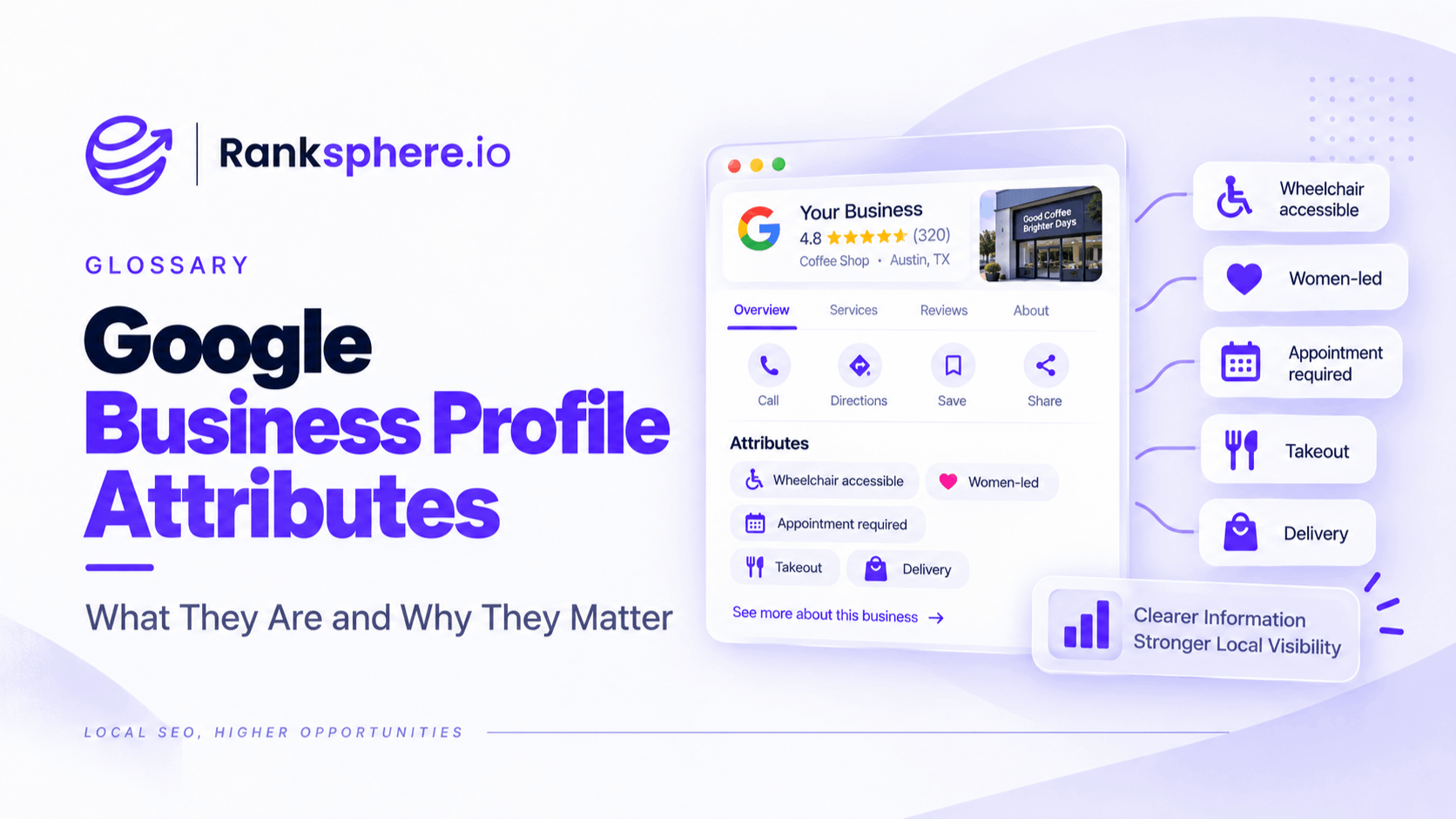
Google Business Profile attributes are descriptive details that tell customers more about a business, such as its accessibility features, amenities, payment options, service options and other practical characteristics.
Depending on the business, attributes might include information such as:
- Wheelchair-accessible entrance
- Free parking
- Wi-Fi
- Outdoor seating
- Appointment required
- Contactless payments
- Online appointments
- Women-owned
The attributes available to a business vary according to factors including its category and location. Some can be edited directly by the business, while others may be populated from feedback provided by Google users.
They are easy to overlook because they sit behind the main profile information.
But they can be useful for both customers and Google's understanding of a place.
What are Google Business Profile attributes?
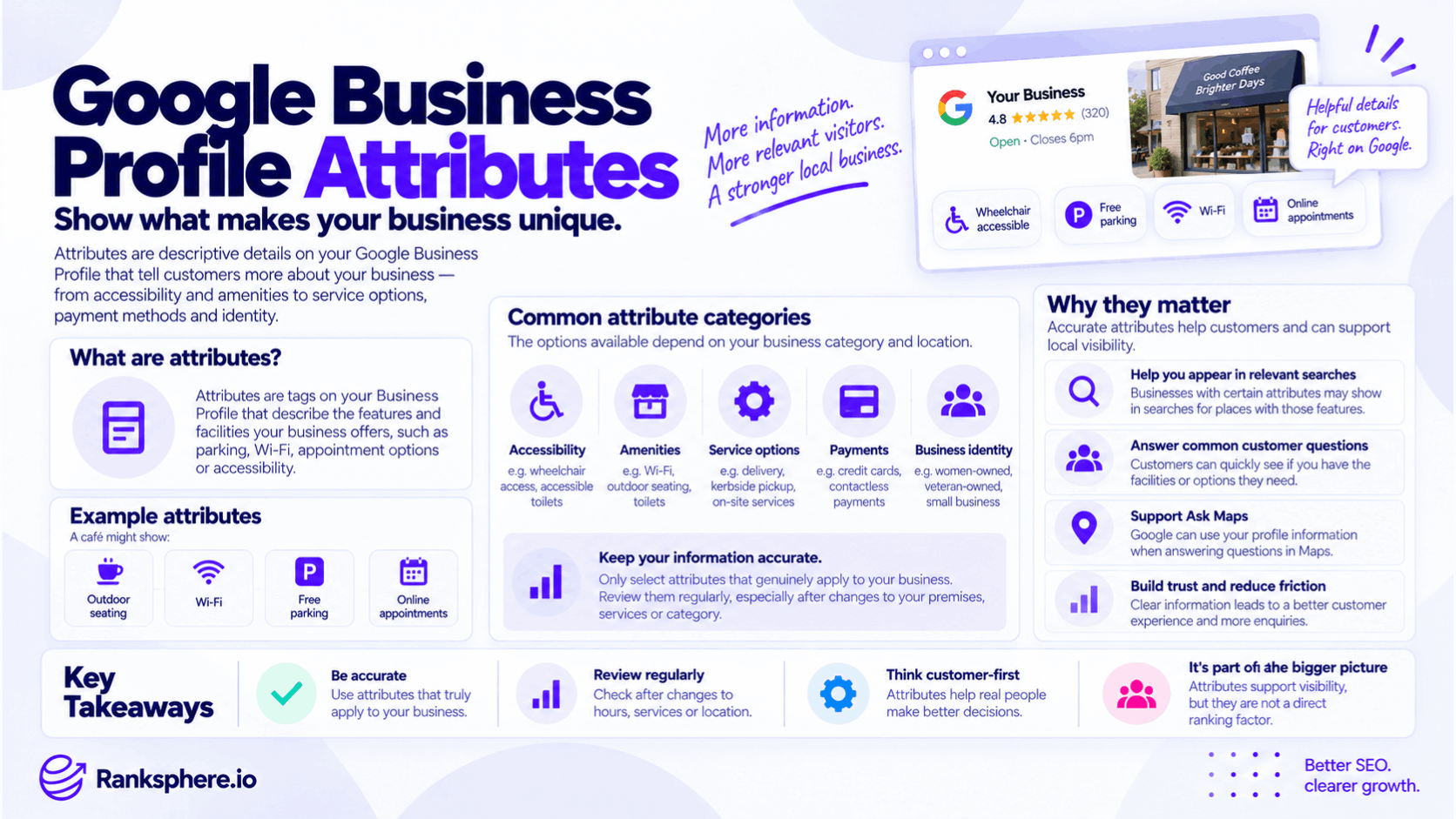
Attributes provide additional factual information about a business beyond its:
- Name
- Address
- Phone number
- Opening hours
- Category
For example, knowing that a café exists tells a customer very little about whether it:
- Has Wi-Fi
- Offers outdoor seating
- Accepts contactless payments
- Has wheelchair-accessible facilities
Attributes can provide those extra details.
Google says attributes may appear on Business Profiles across Search, Maps and other Google platforms. Certain attributes may also help a business appear when people search for places with those characteristics.
Why Google Business Profile attributes matter
Attributes are useful because they answer practical questions customers often have before visiting or contacting a business.
For example:
Does this restaurant have outdoor seating?
Is the entrance wheelchair accessible?
Can I pay by card?
Is there parking?
A correctly maintained attribute can make that information easier to find.
That matters for both customer experience and local search discovery.
Attributes can influence search discovery
Google explicitly says that adding certain attributes may help a business appear in searches for places with those attributes.
For example, someone may search for:
wheelchair accessible restaurant
or filter places according to a particular characteristic.
If the business genuinely provides that feature but has never supplied the information, Google has less explicit profile data available to describe it.
That does not mean attributes should be treated as a simple ranking lever.
They are better understood as business information that can improve relevance to specific customer needs.
Attributes are not a standalone ranking factor
Do not turn attributes into:
“Fill in every attribute and rank higher.”
Google describes local ranking broadly in terms of relevance, distance and prominence.
Attributes can help describe whether a business matches what someone is looking for, but there is no published Google formula assigning a fixed ranking value to:
- Parking
- Wi-Fi
- Accessibility
- Payment methods
Use them because they accurately describe the business and help customers.
Any search benefit should follow from that accuracy.
Google Business Profile attributes and Ask Maps
Ask Maps gives people another way to ask detailed questions about places using conversational language.
For example:
Does this clinic have wheelchair access?
Is there parking?
Can I make an appointment online?
Google Maps can now use Gemini to answer questions about places using information within the wider Maps ecosystem.
That makes accurate business information increasingly useful.
But avoid assuming:
attribute missing = Ask Maps cannot answer
or:
attribute present = Ask Maps will always use it.
Google may have information from several sources.
The practical goal is simply to make the information you control as accurate and complete as possible.
Attributes and the old Google Q&A workflow
The shift towards AI-generated place answers has changed how local businesses should think about factual information.
In the past, businesses sometimes relied heavily on public Q&A to answer questions such as:
- Is there parking?
- Do you accept walk-ins?
- Is the premises accessible?
With Maps becoming more conversational, businesses should make sure these facts are represented in the appropriate underlying fields rather than relying on one manually written Q&A response.
See Ask Maps for the wider change.
Which attributes are available?
There is no universal list that appears for every business.
Google says available attributes can vary according to:
- Business category
- Location
- Country or region
Some attributes may therefore appear for one business but not another.
For example, a restaurant may receive attributes that would make no sense for:
- A plumber
- A dental practice
- A law firm
Likewise, certain identity or service attributes may only be available in particular markets.
Business category and attributes
Your Google Business Profile categories influence which profile features are available.
Google confirms that categories can affect the special features shown for a profile. Restaurants, hotels and health businesses, for example, may receive different profile options.
That means a legitimate category change may alter the available attribute set.
However, do not change your primary category simply to unlock an attribute.
The category should describe:
what the business is
not which attributes you want access to.
Accessibility attributes
Accessibility information is particularly important because inaccurate information can create a serious customer problem.
Depending on the profile, accessibility attributes may include details such as:
- Wheelchair-accessible entrance
- Wheelchair-accessible parking
- Wheelchair-accessible toilet
- Wheelchair-accessible seating
- Wheelchair-accessible lift
Google provides specific guidance for what these accessibility attributes mean.
For example, do not mark an entrance as wheelchair accessible simply because staff can help someone over a step.
Use the attribute according to Google's definition and the actual conditions at the premises.
Amenities
Amenities describe useful facilities available at the location.
Depending on the business, examples can include:
- Wi-Fi
- Toilets
- Outdoor seating
These may matter significantly to a customer even though they are not the primary service the business sells.
A café's coffee may be excellent, but someone planning to work there for two hours may care just as much about:
Does it have Wi-Fi?
Service options
Service-option attributes can describe how customers interact with the business.
Depending on category, this may include options such as:
- Delivery
- Kerbside pickup
- In-store shopping
- On-site services
- Online appointments
Only select options that genuinely apply.
Do not add delivery simply because it produces another profile field if the business does not actually deliver.
Payment attributes
Payment attributes can help customers understand how they can pay.
Options vary, but may include:
- Credit cards
- Debit cards
- Contactless payments
- Mobile payments
These details are straightforward but useful.
Someone should not arrive expecting card payments because the profile says:
Credit cards accepted
if the business is actually cash-only.
Parking attributes
Parking can be especially important for:
- Clinics
- Restaurants
- Shops
- Professional services
Depending on the business and location, profile options may distinguish between types of parking.
Be precise.
For example:
Street parking nearby
is not the same as:
Free customer car park.
If parking is important to customers, explain more detail on the website where necessary.
Planning and appointment attributes
Some businesses may receive attributes relating to appointments or customer access.
For example:
- Appointment required
- Accepts new patients
- Online appointments
Availability varies by business type.
These can be particularly useful for:
- Dentists
- Clinics
- Salons
- Professional services
Keep them current.
An attribute saying:
Accepting new patients
is unhelpful if the practice stopped accepting new patients three months ago.
Business identity attributes
Google also provides optional business identity attributes.
Its current documented options include:
- Asian-owned
- Black-owned
- Latino-owned
- LGBTQ+ owned
- Disabled-owned
- Indigenous-owned
- Veteran-owned
- Women-owned
- Small business
Google says businesses can opt in or out of these identity attributes, and more than one may be selected where applicable.
Availability may still vary by market and business.
Identity attributes are optional
Identity attributes should be treated as business information, not an SEO tactic.
If the attribute accurately describes the business and the owner wants that information displayed, it may be useful.
If not, there is no reason to select it simply because:
“the profile should have more attributes.”
The decision should be based on:
- Accuracy
- Business preference
- Customer relevance
not on trying to manufacture local rankings.
Some attributes come from customers
Not every attribute is controlled directly by the business.
Google explains that businesses can edit certain factual attributes, while other attributes may be populated based on customer input.
For example, Google users may contribute information about:
- Accessibility
- Place characteristics
- Other observed features
This means profile information should be reviewed periodically rather than assumed to remain exactly as originally configured.
Factual vs subjective attributes
It is useful to distinguish between two broad types.
Factual attributes
These describe verifiable characteristics such as:
- Outdoor seating
- Wi-Fi
- Accessibility
- Payment methods
Businesses may be able to edit these directly.
Subjective attributes
These can depend on customer opinion or community feedback.
Google gives:
popular with locals
as an example of an attribute based on user opinions.
Businesses do not control every subjective label attached to a place.
How to edit Google Business Profile attributes
Google currently directs businesses to:
Business Profile → Edit profile → More
and then the relevant attribute section, such as:
- Amenities
- Payments
- Accessibility
Businesses can then update available factual attributes.
The exact interface can vary by:
- Category
- Country
- Device
- Profile type
If you do not see an attribute, do not assume every other business has access to it.
Use Yes and No accurately
For some factual attributes, Google allows an explicit:
Yes
or:
No
rather than simply leaving the field empty.
Where that option exists, answer accurately.
For example:
Wheelchair-accessible entrance: No
may be more useful to a customer than leaving accessibility information ambiguous.
Do not avoid an accurate negative answer simply because you think it makes the business look less attractive.
Customer safety and expectations matter more.
Blank does not always mean “No”
A blank attribute can mean:
- Nobody has set it
- Google does not have enough information
- The option is unavailable to the business
- The business has not reviewed the field
It does not necessarily mean the feature is absent.
That distinction is particularly important when auditing competitors.
Do not assume:
Competitor has no parking attribute → competitor has no parking.
You only know that the profile does not clearly confirm it.
Attributes should be location-specific
For a multi-location business, do not automatically copy every attribute across every branch.
One location may have:
- Free parking
- Wheelchair-accessible entrance
- Ground-floor treatment rooms
while another may not.
Profile information should reflect the real conditions at each location.
Ranksphere's GBP management keeps attributes and other profile fields consistent across locations, while still allowing individual branches to reflect genuine differences.
Consistency does not mean identical
For multi-location SEO, consistency means:
each profile accurately follows the same management standard.
It does not mean:
every profile must contain exactly the same values.
A chain with 30 branches might need:
Wi-Fi: Yes
at 28 locations
and:
Wi-Fi: No
at two.
That is more useful than forcing all 30 locations into the same template.
Recheck attributes after category changes
If the business legitimately changes its category, review the available attributes again.
Different categories can expose different profile features.
But remember:
the category change should happen because the original category was inaccurate or the business itself changed.
Do not change categories purely to unlock a more attractive attribute set.
Recheck after premises changes
Attributes should also be reviewed when the physical business changes.
For example:
- New wheelchair ramp
- New customer parking
- Refurbished toilets
- New payment terminal
- Added online appointment system
If the business changes but the profile does not, customers may continue seeing outdated information.
Recheck when services change
Service options can also become outdated.
For example:
A restaurant may stop offering:
kerbside pickup
after a temporary programme ends.
A clinic may begin:
online appointments.
A profile audit should check whether those options still reflect reality.
Attributes are useful beyond SEO
One of the biggest mistakes is looking at every Google Business Profile field through the question:
Will this make us rank higher?
Sometimes the more important question is:
Will this help the customer make the right decision?
An accurate accessibility attribute can prevent someone travelling to a venue they cannot enter.
Accurate payment information can prevent an awkward checkout.
Correct parking information can make a visit easier.
That value exists even if rankings do not move.
Attributes and local search filters
Attributes can also become useful when Google allows people to search or filter according to specific characteristics.
Google states that businesses with certain attributes may appear in searches for places that have those attributes.
This creates a straightforward reason to maintain them:
If the characteristic is genuinely important to the searcher, Google needs reliable information to identify businesses that match it.
Attributes and relevance
Attributes can support Google's understanding of whether a business matches a customer's requirements.
But I would not describe this as:
“Attributes increase your relevance score.”
Google does not publish such a score.
A safer interpretation is:
attributes give Google and customers more explicit information about what the place offers.
That can help in searches where those characteristics matter.
Attributes and reviews
Reviews may sometimes confirm or contradict profile information.
For example, a profile may say:
wheelchair accessible
while several recent customers describe steps at the entrance.
That deserves investigation.
Do not blindly trust either source.
Check the business itself.
If an attribute is wrong:
correct the fact
rather than trying to outweigh it with additional reviews.
Common Google Business Profile attribute mistakes
- Ignoring the attributes section entirely.
- Treating attributes as a direct ranking formula.
- Assuming every business has access to the same attributes.
- Setting attributes that are not true.
- Being careless with accessibility information.
- Changing categories purely to unlock more attributes.
- Copying the same attributes across every branch when locations differ.
- Assuming a blank attribute means “No”.
- Ignoring attributes populated from customer feedback.
- Never reviewing attributes after a premises or service change.
- Treating identity attributes as an SEO tactic.
- Assuming one attribute is the sole source used by Ask Maps.
Google Business Profile attribute best practices
- Review every attribute currently available to the profile.
- Set factual attributes accurately.
- Use explicit Yes or No values where the interface provides them and you know the answer.
- Be especially careful with accessibility information.
- Keep attributes location-specific for multi-branch businesses.
- Review the section after legitimate category changes.
- Update attributes when premises, payment options or service models change.
- Use identity attributes only when they are accurate and the business wants them displayed.
- Monitor customer-populated attributes for mistakes.
- Treat attributes as useful customer information first and an SEO opportunity second.
- Periodically test important customer questions in Ask Maps where available, without assuming the AI answer comes from one field alone.
Example
“Beckford Physiotherapy has spent time optimising its Google Business Profile.
Its:
- Categories
- Services
- Business hours
- Photos
- Description
are all current.
But nobody has reviewed the attributes.
The clinic has:
- A wheelchair-accessible entrance
- Accessible toilet facilities
- Dedicated accessible parking
- Ground-floor treatment rooms
Yet several relevant profile fields are either blank or incomplete.
For most customers, that may never matter.
For someone specifically searching for an accessible physiotherapy clinic, it can matter a great deal.
The practice reviews every available attribute and updates only the ones it can verify.
It does not add:
wheelchair-accessible seating
simply because another clinic displays it.
It checks the premises first.
The team also updates parking information and confirms its current payment and appointment options.
Later, when checking Ask Maps, it notices that Google's description of the clinic's accessibility is clearer.
That does not prove one attribute directly caused one AI answer or one ranking change.
The more important improvement is simpler:
Google and prospective patients now have more accurate information about what the clinic actually offers.
That is the right way to think about Google Business Profile attributes.
They are not boxes to tick for an SEO score. They are structured facts about the business that can help customers find places that meet their needs, understand what to expect and make better decisions before they visit.”
See also
- Google Business Profile — where business attributes are managed
- Google Business Profile categories — one factor affecting which profile features and attributes are available
- Ask Maps — conversational questions and recommendations in Google Maps
- Local ranking factors — the broader relevance, distance and prominence framework
- Google Business Profile services — describing what the business actually provides
- Business hours — another important factual field customers rely on