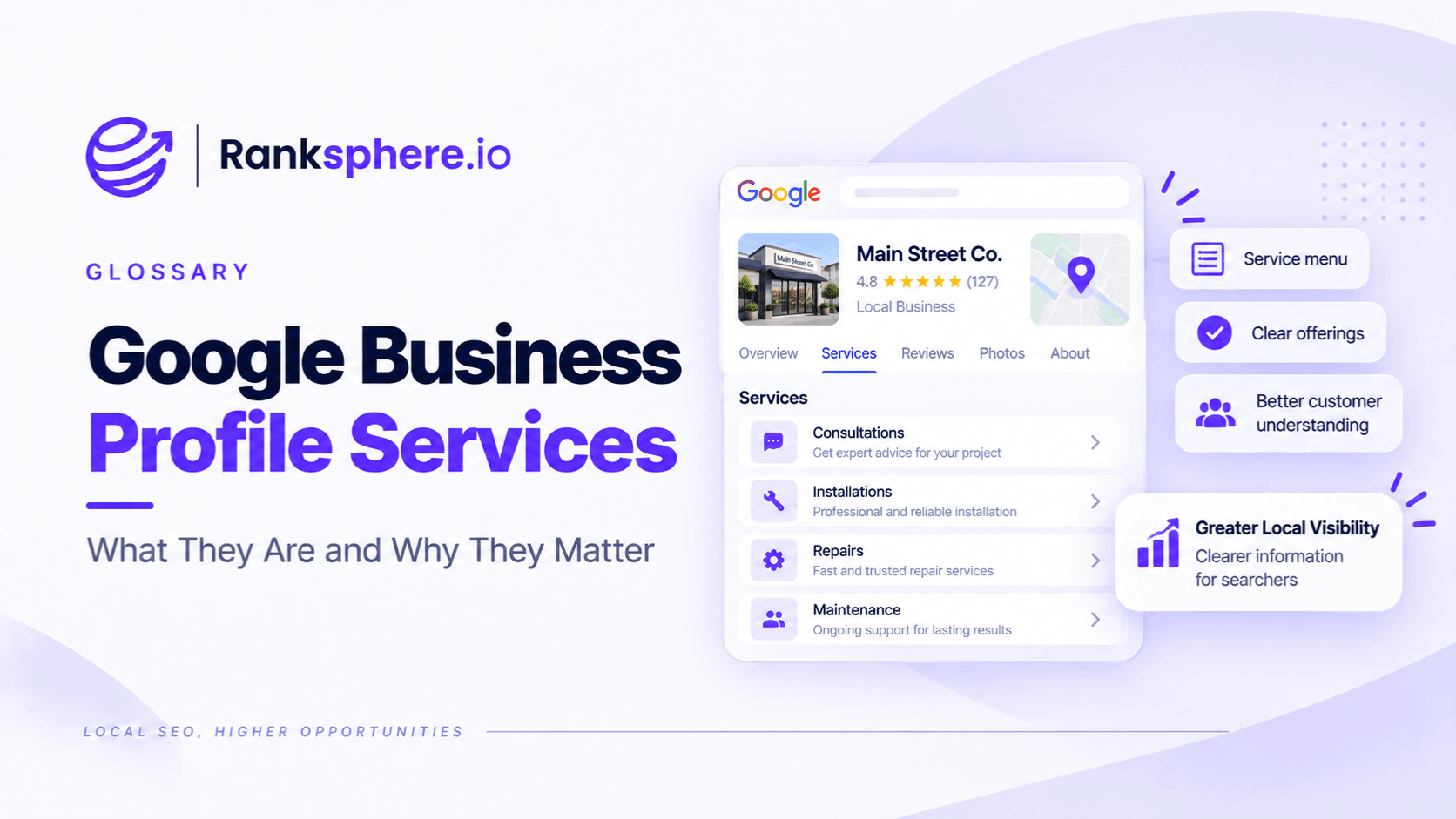
Google Business Profile services let eligible businesses show customers what they offer directly on their profile in Google Search and Maps.
Depending on the business type, Google may suggest relevant services that can be selected, and businesses can also create custom services when an appropriate option is missing.
Individual services can also include additional information such as:
- A description
- A price
Google says that when customers search locally for an offering a business provides, that service may be highlighted on the Business Profile.
That makes the Services section useful for both customers and local search visibility.
The aim is not to fill the profile with every phrase you want to rank for.
It is to give Google and potential customers a clear, accurate picture of what the business actually provides.
What are Google Business Profile services?
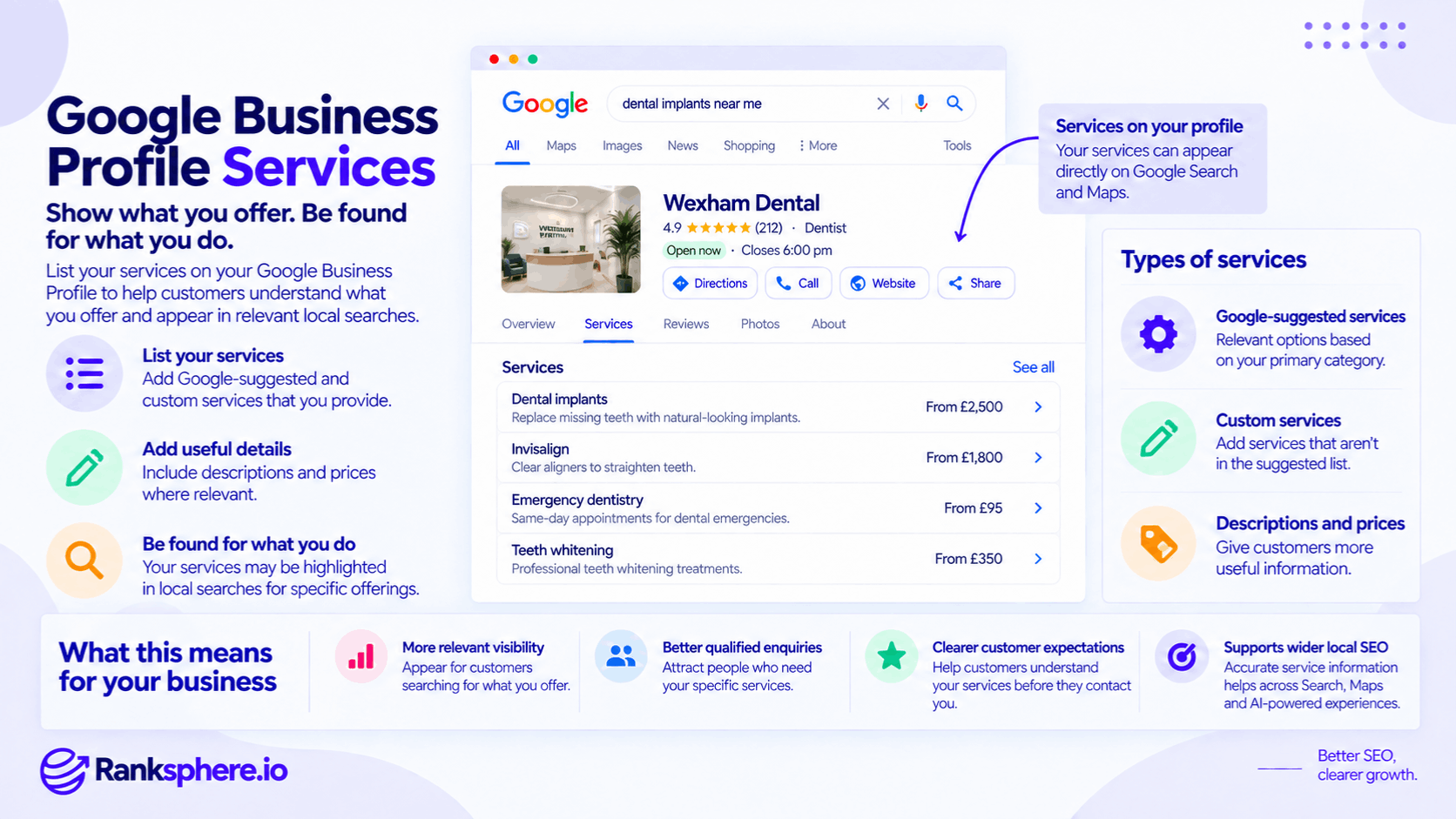
The Services section is a structured part of Google Business Profile that allows eligible businesses to list individual offerings.
For example, a plumber might list:
- Boiler repair
- Boiler installation
- Emergency plumbing
- Tap repair
- Toilet repair
A dental practice might list:
- Dental implants
- Emergency dentistry
- Dental hygiene
- Teeth whitening
- Invisalign treatment
The exact options available depend on the business and its profile setup.
Google currently says businesses in certain categories may be able to display services directly on their profile.
Why Google Business Profile services matter
A primary category tells Google broadly what the business is.
Services provide more detail about what it actually does.
For example:
Category
Plumber
Services
- Boiler repair
- Leak detection
- Tap replacement
- Emergency plumbing
- Radiator installation
That additional detail can make the profile more useful to someone looking for a specific service.
Google also says an individual service may be highlighted when a local customer searches for an offering the business provides.
Services and local relevance
Services can help describe the connection between a business and a specific customer need.
Suppose two businesses are both categorised as:
Dentist
One clearly lists:
Dental implants
while another provides implants but has never added them to the profile.
The first profile gives Google and customers more explicit information about that treatment.
That does not mean:
adding the service guarantees higher rankings for dental implants.
Local rankings involve a much broader set of factors.
The safer interpretation is that services help provide Google with more accurate information about what the business offers.
See local ranking factors for the wider context.
Services are not a ranking shortcut
Do not treat the Services section as a place to insert every keyword you want to target.
Google's Business Profile guidelines require businesses to represent themselves accurately and avoid irrelevant or misleading content.
The goal is:
describe genuine services clearly
not:
build a keyword list inside Google Business Profile.
If a business does not provide a service, it should not add it merely because the term has search volume.
Suggested services
Google may provide suggested services based on the business type.
For example, Google gives the example of a plumbing business being offered options such as:
- Install faucet
- Repair toilet
Businesses can select the suggested services that genuinely apply.
You do not need to select everything Google suggests.
Choose only the services the business actually provides.
Custom services
If an appropriate service is not available in Google's suggested list, businesses can create a custom service.
For example, a physiotherapy clinic might offer a specialist treatment that is not represented in the standard options.
In that case, a custom service can make the profile more accurate.
Custom services are particularly useful for businesses with:
- Specialist treatments
- Niche trade services
- Unusual professional services
- Region-specific terminology
Again, accuracy matters more than quantity.
Custom service names have rules
Google automatically reviews custom service names and can reject ones that violate policy.
Google specifically says custom service names should not contain things such as:
- Prices
- Phone numbers
- Personal information
- Profanity
- Gibberish
So instead of:
Emergency plumber £79 – Call 01234 567890
use:
Emergency plumbing
Pricing and additional detail can be added in the appropriate service fields instead.
Services and business categories
Your Google Business Profile categories affect which profile features are available.
Google confirms that different categories can unlock different Business Profile features, including service-related functionality for certain health, beauty and service businesses.
That means it is sensible to review the Services section after a legitimate category change.
But do not change the primary category purely to gain access to a different service list.
Google advises businesses to choose the category that best describes the business itself.
Suggested vs custom services
A practical approach is:
Suggested services
Review Google's available options and select the ones that accurately apply.
Custom services
Add genuine services that are missing from the suggested list.
You do not need to choose between the two.
A well-maintained profile may contain both.
Use the language customers understand
A service name should be clear to the person who might buy it.
That does not mean avoiding all professional terminology.
It means avoiding language that only people inside the industry understand.
For example:
Root canal treatment
will often be clearer to patients than:
Endodontic therapy
even though both may describe the same broad treatment area.
You can still use technically correct terminology where customers genuinely use it.
The aim is clarity.
Do not force keywords into service names
Avoid turning:
Boiler repair
into:
Best Emergency Boiler Repair London Local Gas Engineer
That does not improve the usefulness of the profile.
Service names should describe services.
Geographic targeting, supporting information and broader search optimisation belong elsewhere.
Be specific where specificity is useful
Broad terms can sometimes hide what the business actually offers.
For example:
Heating
is vague.
Depending on the business, clearer services might include:
- Boiler repair
- Boiler installation
- Radiator repair
- Heating system maintenance
Specificity helps customers determine whether the business provides what they need.
But do not create dozens of near-identical service variations purely to cover keywords.
Avoid duplicate service variations
These are unlikely to help:
- Emergency plumber
- Emergency plumbing
- Emergency plumbing service
- Emergency plumber service
- 24-hour emergency plumber
if they all describe the same offering.
Choose the clearest version.
A clean service list is easier for customers to understand and easier for the business to maintain.
Service descriptions
Google allows businesses to add descriptions to individual services.
Use the description to explain:
- What the service involves
- Who it is for
- What is included
- Important limitations
Keep it practical.
For example:
Boiler repair
Diagnosis and repair of common boiler faults, including loss of pressure, heating failures, leaks and error codes.
That is more useful than:
We provide the very best professional boiler repair services with outstanding quality and customer satisfaction.
Describe the service rather than praising yourself.
Do descriptions improve rankings?
Do not assume that adding more text to service descriptions directly produces higher rankings.
Google has not published a rule saying:
longer service description = greater local relevance = higher ranking.
Descriptions are worth completing because they give customers more useful information.
Any search benefit should be treated as secondary rather than promised.
Pricing
Google also allows additional service information such as pricing.
Pricing can be especially useful when:
- The service has a fixed price
- A reliable starting price can be given
- Customers frequently ask about cost
For example:
Initial consultation — £75
can remove uncertainty before a customer contacts the business.
But price information needs to remain accurate.
Do not add a price simply to fill the field
Many services cannot be priced responsibly without inspecting the work first.
For example:
Roof replacement
may depend on:
- Roof size
- Materials
- Access
- Existing damage
- Location
In that situation, leaving the price blank may be better than publishing an amount that creates the wrong expectation.
You can explain pricing properly on the website instead.
Keep service prices current
If you choose to display a price, include the profile in your pricing-update process.
A service showing:
From £80
when the actual minimum is now:
£140
creates an unnecessary customer problem.
Update profile information whenever:
- Prices change
- Services change
- Packages are withdrawn
Local SEO information should reflect the real business.
Google can highlight services
Google says that when local customers search for a service a business provides, the service may be highlighted on the profile.
This is a more defensible reason to maintain the section than claiming services have a particular ranking weight.
For example, someone searching for:
toilet repair
may find it useful to see that service associated with a plumbing business.
The service helps the customer understand:
Yes, this business actually does what I need.
Services and local-result justifications
Google can display different explanatory text in local results to help users understand why a business may be relevant.
These can include references to:
- Website content
- Reviews
- Business information
But avoid saying a particular:
“Their website mentions…”
justification comes directly from the Services section.
Google uses several sources when constructing local-result information.
The Services field should be maintained for what it actually is: structured information about what the business offers.
Google Business Profile services and Ask Maps
Ask Maps lets users ask conversational questions about places and businesses.
A customer might ask:
Does this dentist offer implants?
or:
Can this plumber repair a boiler today?
Accurate service information can strengthen the overall information Google has about the business.
But there is no published Google rule saying:
Ask Maps reads the Services field directly for every answer.
Ask Maps operates across a broader Maps information ecosystem.
So the right strategy is not:
fill the Services section to manipulate AI answers.
It is:
make the business information as complete and accurate as possible.
A missing service does not mean Google knows nothing about it
Suppose a dental practice provides implants but has not added:
Dental implants
to its profile.
Google might still encounter that information through:
- The website
- Reviews
- Other business information
So it would be too strong to say:
“The service is missing, therefore Google cannot answer whether the practice provides it.”
The better conclusion is:
the profile is missing one useful structured confirmation of that service.
That gap is worth fixing.
Services should match the website
Significant services should normally also be represented appropriately on the business's website.
For example, if a dental practice actively promotes:
Dental implants
customers should probably be able to find useful information about implants on the site.
A dedicated service page may be appropriate when the service has enough distinct information and search intent to justify one.
But do not create a separate page for every minor profile service.
Does every GBP service need a website page?
No.
Suppose a plumber lists:
- Tap replacement
- Toilet repair
- Sink repair
- Leaking pipe repair
Those may all sit naturally within one comprehensive plumbing-repair page.
Creating four near-identical pages purely because four services exist on the Business Profile can create thin, repetitive content.
Use website architecture according to search intent and customer need.
Not according to the number of GBP fields.
Website and profile information should agree
You want customers to encounter a coherent story.
If Google Business Profile says:
Emergency appointments available
but the website says:
We do not provide emergency appointments
one of those sources is wrong.
Audit:
- Profile services
- Service pages
- Pricing
- Availability
together.
The goal is factual alignment, not word-for-word duplication.
Services and long-tail searches
Specific service information can be useful for more detailed searches.
For example:
dentist
is broad.
emergency dentist
is more specific.
emergency dentist for broken tooth
is more specific again.
The service list can help clearly describe what the practice offers.
But avoid treating custom services as a way to manufacture coverage for every possible long-tail keyword.
Your website remains the better place for detailed explanation and broader topic coverage.
Service selection should start with reality
A good services audit begins with:
What does the business genuinely offer?
Then ask:
- Which services matter commercially?
- Which services do customers frequently ask about?
- Which services are missing from the profile?
- Is the terminology clear?
- Have any services been discontinued?
Do not begin with a keyword tool and work backwards into services the business may or may not provide.
Include commercially important services
A service may deserve particular attention when it:
- Produces substantial revenue
- Generates frequent enquiries
- Represents an important growth area
If a dental practice earns much of its revenue from:
- Implants
- Invisalign
- Cosmetic dentistry
but its profile only lists:
- General dentistry
- Hygiene
the profile is not representing the business particularly well.
Add the genuine missing services.
Do not add aspirational services
There is an important difference between:
We want more enquiries for this service
and:
We actually provide this service.
Only the second belongs on the Business Profile.
If the business plans to launch something later, wait until it is genuinely available.
Google's guidelines require Business Profiles to represent the business accurately.
Services for multi-location businesses
For multi-location companies, services should reflect what each branch genuinely provides.
For example:
Location A
- Dental implants
- Orthodontics
- Hygiene
Location B
- General dentistry
- Hygiene
Do not automatically copy the implant service to Location B simply because the brand offers it somewhere else.
Local customers need location-specific information.
Ranksphere's GBP management keeps services complete and consistent across locations, while still allowing individual branches to reflect genuine differences in what they offer.
Consistent does not mean identical
For multi-location businesses, good governance means:
- Consistent naming conventions
- Consistent review processes
- Consistent quality standards
It does not mean every branch needs the same service list.
Accuracy at location level is more important than identical profiles.
Review services after a category change
Because Business Profile features and suggested options can depend on business categories, review the Services section after changing a Google Business Profile category.
You may find:
- Different suggested services
- New available profile functionality
Again, the category should only change when another category genuinely describes the business better.
Do not change categories simply to unlock more service options.
Review services when the business changes
Services should also be checked when the company:
- Launches a new service
- Stops offering something
- Changes pricing
- Changes locations
- Adds new staff or specialists
A profile can become outdated even when nobody makes an obvious mistake.
It simply stops reflecting reality.
Services and attributes are different
Google Business Profile attributes describe characteristics of the business.
Examples might include:
- Wheelchair accessibility
- Parking
- Payment options
- Online appointments
Services describe what the business actually provides.
For example:
Dental implants
is a service.
Wheelchair-accessible entrance
is an attribute.
Both provide useful information, but they answer different customer questions.
Services and categories are different
A category describes:
what the business is.
A service describes:
what the business does.
For example:
Primary category
Physiotherapist
Services
- Sports injury rehabilitation
- Post-operative rehabilitation
- Back pain treatment
Do not add business categories simply to represent every service.
Google specifically advises businesses not to choose a category for every product or service they provide.
Use categories for the business type and services for individual offerings.
Services and suspension risk
Avoid saying:
“One inaccurate service will get your profile suspended.”
That is too absolute.
Google can reject custom services that violate policy, and Business Profiles are expected to represent businesses accurately. Serious or repeated violations of Google's guidelines can result in enforcement, including profile suspension.
The practical advice is simpler:
do not list services the business does not genuinely provide.
Common Google Business Profile service mistakes
- Leaving important genuine services off the profile.
- Assuming the Services section has a confirmed ranking position immediately below the primary category.
- Selecting every Google-suggested service even when some do not apply.
- Adding custom services purely to target keywords.
- Using several near-identical versions of the same service.
- Putting prices or phone numbers inside custom service names.
- Using internal terminology customers are unlikely to understand.
- Listing services the business does not actually offer.
- Assuming a missing service means Google cannot discover the offering anywhere else.
- Claiming Ask Maps uses the Services field as its sole or direct answer source.
- Creating a separate website page for every minor GBP service.
- Leaving old prices or discontinued services live.
- Copying identical service lists across locations that offer different things.
- Forgetting to review services after legitimate category or business changes.
Google Business Profile services best practices
- Review Google's suggested services and select only those that apply.
- Add custom services for genuine offerings the suggested list misses.
- Use clear customer-facing terminology.
- Keep service names concise and specific.
- Avoid duplicate keyword variations.
- Add useful descriptions where they help customers understand the offering.
- Add prices when they can be kept accurate and are genuinely helpful.
- Keep significant services aligned with the information on the website.
- Create dedicated service pages only where the topic and search intent justify them.
- Review the Services section after category changes.
- Remove discontinued services promptly.
- Manage services separately for branches that genuinely differ.
- Treat the section as customer information first and an SEO opportunity second.
Example
“Wexham Dental's Google Business Profile lists only three services:
- General dentistry
- Dental hygiene
- Cosmetic dentistry
But the practice actually provides a much broader range of treatments, including:
- Dental implants
- Clear aligners
- Emergency appointments
- Nervous-patient care
Several of those treatments are commercially important to the practice.
The problem is not that Google is completely unaware of them.
Some already appear on the website and in customer reviews.
The problem is that the Business Profile itself gives customers an incomplete picture.
The practice reviews Google's suggested services and adds the genuine options that apply.
Where an important treatment is missing from the suggested list, it uses an appropriate custom service.
The team also adds concise descriptions to the most commercially significant treatments and includes pricing only where the practice can state it accurately.
The website is reviewed at the same time.
Major treatments such as dental implants already have detailed service pages.
Smaller related services remain grouped where that structure makes more sense rather than creating unnecessary new pages.
Three months later, the practice sees stronger visibility and more enquiries around several priority treatments.
But it does not claim:
“Adding GBP services caused the ranking increase.”
Other work happened during the same period, and local rankings depend on more than one profile field.
What the practice can say with confidence is simpler:
its Google Business Profile now represents what the practice actually offers far more accurately than it did before.
That is the right way to use Google Business Profile services.
They are not a hidden keyword field or a shortcut to local rankings. They are structured business information that helps customers understand what you provide and gives Google clearer information about the services associated with your business.”
See also
- Google Business Profile categories — describing what the business is
- Google Business Profile attributes — describing characteristics and facilities
- Ask Maps — conversational place discovery in Google Maps
- Service page — detailed website content for important individual services
- Local ranking factors — the broader context behind local visibility
- Google Business Profile — where services are managed