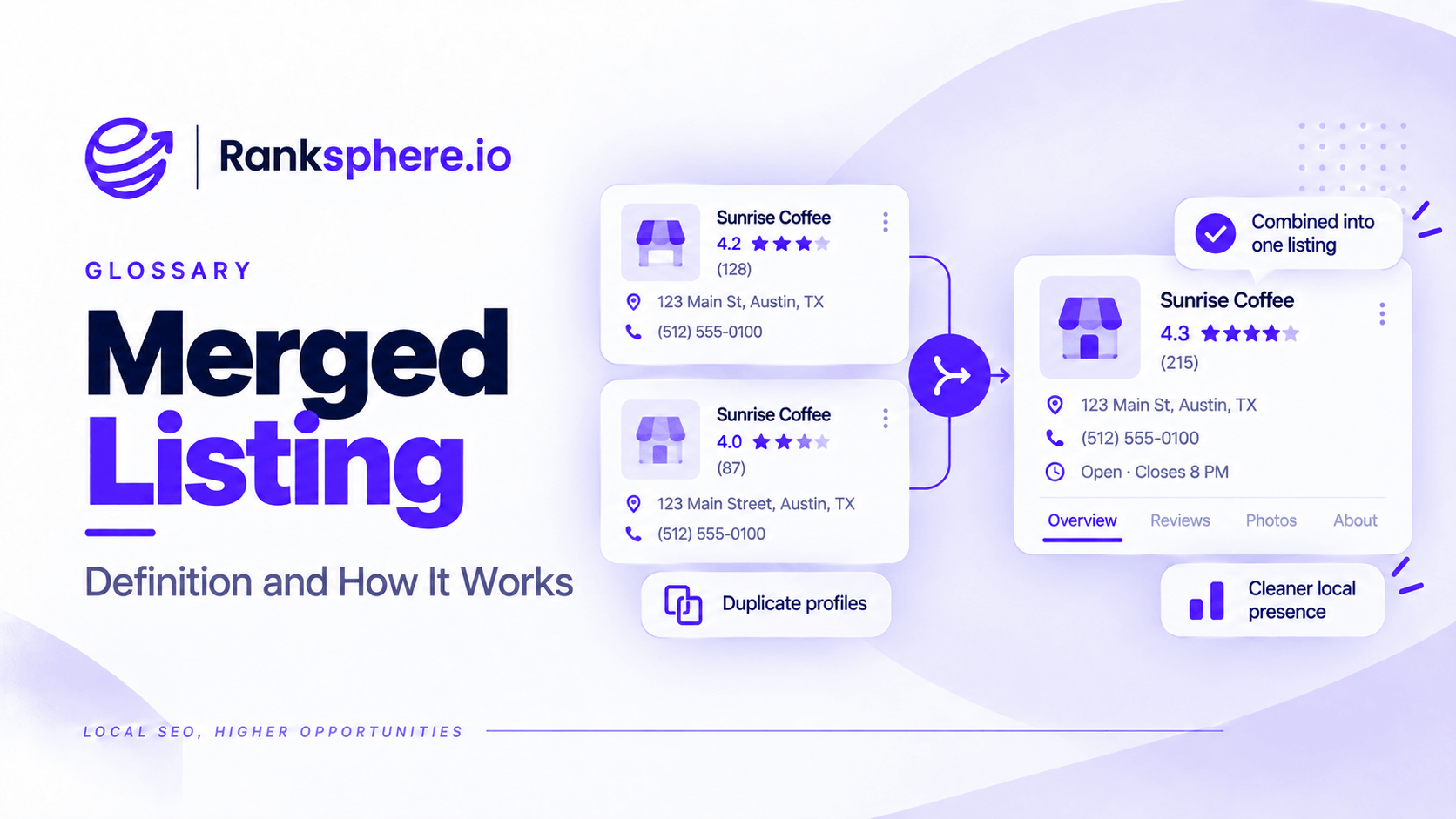
A merged listing is the result of two Google Business Profiles being combined because they represent the same business. Instead of having multiple profiles for one business, Google consolidates them into a single listing.
For example, a dental practice may discover that two profiles appear on Google Maps with the same business name, address, and phone number.
One profile may have been created by the practice owner, while the other was created years earlier or appeared through information Google collected from other sources.
When Google confirms that both profiles represent the same business, it may merge them.
The aim is to prevent duplicate listings from confusing customers and splitting business information across multiple profiles.
Google confirms that reviews are combined when eligible profiles are merged, although replies to those reviews may be lost.
However, not every duplicate-looking profile should be merged.
Two separate businesses can legitimately operate from the same address. If Google mistakenly combines them, the error can affect their visibility, reviews, and business information.
For local SEO, understanding when to merge profiles, how to request a merge, and how to resolve an incorrect one is important for maintaining accurate business listings.
What Is a Merged Google Business Profile?
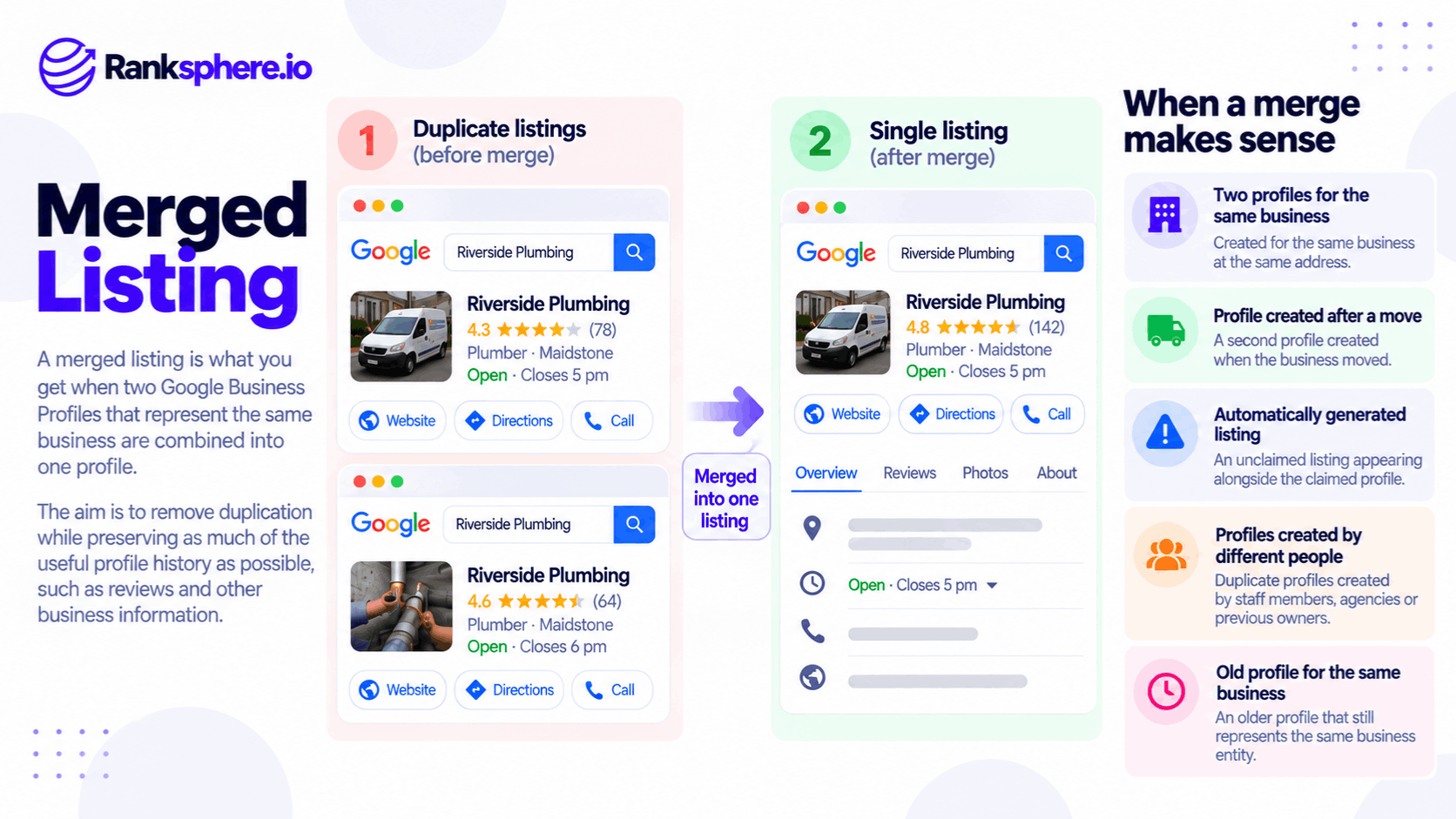
A merged Google Business Profile is a single listing representing a business that previously had two or more profiles.
This commonly happens when Google identifies multiple listings that appear to represent the same business.
For example, a physiotherapy clinic might have:
- An older Google Business Profile created by a previous manager.
- A newer profile created by another employee.
- Similar business information on both listings.
- Customer reviews distributed between the profiles.
Instead of maintaining two competing records, the business can request that Google merge the duplicate profiles.
If Google approves the request, the reviews from both profiles are combined.
However, the merge process doesn't guarantee that every piece of content, photograph, historical record, or profile setting will transfer exactly as expected.
Businesses should review the surviving listing carefully after the merge.
When Should Google Business Profiles Be Merged?
A merge is appropriate when multiple profiles genuinely represent the same business.
Google's guidelines generally allow one Business Profile per eligible business location, with specific exceptions for separately eligible businesses, departments, and individual practitioners.
1. Two Profiles for the Same Business
The clearest example is when the same business appears twice on Google Maps.
For example, a roofing company might have two listings with:
- The same business name
- The same address or business location
- The same telephone number
- The same services
If both represent the same business, they may qualify for merging.
However, the business should confirm that the profiles are genuinely duplicates before submitting a request.
2. A Duplicate Created After Relocation
Businesses sometimes create a new profile when they move premises.
For example, a dental practice moving to another building might create a second listing instead of updating its existing profile.
This can leave the business with two profiles representing its old and new locations.
Google advises businesses that relocate to update the existing profile rather than create a new one.
If a duplicate has already been created, the business may need to resolve the duplicate and request a review transfer where appropriate.
3. An Unclaimed or Automatically Created Listing
A business may discover an existing listing on Google Maps that it didn't create.
Google can obtain business information from multiple sources, so a listing may exist before the owner claims it.
If the business then creates another profile without finding the original, duplicate listings can result.
The correct approach may involve claiming the existing profile or requesting a merge, depending on the situation.
4. Profiles Created by Different Employees or Agencies
Duplicate listings sometimes appear because several people have managed the business's online presence.
For example, a business owner may create a listing without knowing that a previous marketing agency already created one.
Over time, the business can end up with multiple profiles.
These should be reviewed to establish which listing represents the legitimate business and how to resolve the duplication.
What Happens to Reviews When Google Business Profiles Are Merged?
Customer reviews are one of the main concerns when resolving duplicate listings.
A business may have collected reviews on both profiles over several years.
Google states that when eligible duplicate profiles are merged, their reviews are combined.
However, replies to reviews may be lost during the process.
This is why businesses should review and document their existing profile information before requesting a merge.
Do Reviews Always Transfer?
No. Review transfers depend on the situation.
Google may transfer reviews following certain business changes, such as qualifying relocations.
However, not all changes qualify, and Google may remove reviews that are no longer relevant after significant business changes.
For example, a business that has moved premises while keeping the same name may qualify for automatic review transfer.
A completely different business taking over the premises shouldn't assume that it can inherit the previous occupant's reviews.
Should You Delete a Duplicate Listing?
Avoid deleting or removing a profile without first understanding which Google action you're taking.
There is an important difference between:
- Removing a Business Profile from your Google account.
- Requesting removal of a public listing from Google Maps.
- Requesting a merge of two profiles representing the same business.
These actions have different consequences.
Removing a profile from your account doesn't necessarily mean the public business listing disappears from Google Maps.
However, removing a managed profile can remove associated management access and content.
Requesting removal of a public listing can also have consequences for its reviews and other information.
If two public listings genuinely represent the same business and their reviews need to be preserved, investigate Google's merge process before taking action.
When Can Google Business Profiles Be Merged Incorrectly?
Not every profile that shares an address or similar business name is a duplicate.
Some businesses are separate entities operating from the same building.
Google recognises that multiple eligible businesses can have their own profiles at one address.
Problems arise when distinct businesses are incorrectly identified as duplicates.
Businesses Sharing the Same Address
For example, a medical building might contain:
- A general dental practice
- An orthodontic practice
- A physiotherapy clinic
These businesses may share an entrance or building address while operating independently.
If they meet Google's eligibility requirements, each may qualify for its own Business Profile.
A shared address alone doesn't mean their listings should be merged.
Businesses with Similar Names
Two businesses in the same area may have similar trading names.
For example, two professional practices could share a common surname.
If other information is also similar, confusion may arise about whether they represent the same organisation.
Accurate names, telephone numbers, websites, and other identifying details can help distinguish them.
Different Businesses Occupying the Same Premises
A property may have housed several businesses over time.
For example, a dental practice may close, and another independent practice may open at the same location.
The new business shouldn't automatically inherit the previous business's profile or reviews.
Whether an existing profile can be updated depends on the nature of the business change and Google's guidelines.
Individual Practitioner Listings
Google has specific eligibility rules for individual practitioners, including certain doctors, dentists, lawyers, and other professionals.
An eligible practitioner may have a separate Business Profile from the organisation where they work.
However, not every employee or practitioner qualifies for an individual listing.
If an eligible practitioner profile is incorrectly merged with a practice profile, the business may need to appeal the duplicate classification.
How to Merge Duplicate Google Business Profiles
If two profiles genuinely represent the same business, follow Google's current process to request a merge.
Step 1 — Identify Both Profiles
Find the duplicate listings on Google Search or Google Maps.
Record the available information for each profile, including:
- Business name
- Address
- Telephone number
- Website
- Business category
- Google Maps URL
- Business Profile ID, if accessible
- Customer reviews
Check that both profiles represent the same business rather than two separate eligible businesses.
Step 2 — Check Profile Ownership
Determine who currently manages each profile.
If another person or agency owns the existing profile, you may need to request access.
If an unclaimed listing already represents the business, claiming it may be more appropriate than creating another listing.
For additional guidance, see Google Business Profile ownership.
You don't necessarily need ownership of both profiles to submit a duplicate suggestion through Google Maps.
Step 3 — Decide Which Profile Should Remain
Review the existing listings before submitting the request.
A business may prefer to retain the profile with the most complete and accurate information or an established review history.
However, the business cannot assume Google will preserve its preferred profile or automatically select the one with the most reviews.
The final outcome depends on Google's review of the profiles.
Step 4 — Request a Merge Through Google Maps
Google's official process allows businesses to report duplicate profiles through the Google Maps suggestion feature.
The request must concern profiles representing the same business.
Google reviews merge requests before making changes.
There isn't a guarantee that every submitted request will be approved.
If the situation is more complicated, such as an accidental duplicate created after relocation, contacting Google Business Profile support may be appropriate.
Google's current guidance is available here:
Resolve duplicate profiles and ownership issues
Step 5 — Check the Result
After Google processes the request, review the remaining profile.
Check:
- Business name
- Address
- Telephone number
- Website
- Categories
- Opening hours
- Customer reviews
- Photographs
- Other relevant business information
Confirm whether expected reviews have been combined and whether any information needs correcting.
If something is missing or inaccurate, investigate it through the appropriate Google Business Profile support or editing process.
How to Fix an Incorrectly Merged Google Business Profile
An incorrect merge requires a different approach from resolving a genuine duplicate.
If two separate businesses have been combined, the objective is to establish that both are independently eligible for their own profiles.
1. Confirm the Businesses Are Separate
Start by checking that the businesses have distinct identities and meet Google's eligibility requirements.
For example, two dental practices operating in the same building may have different:
- Trading names
- Telephone numbers
- Websites
- Professional registrations
- Signage
- Staff
- Services
Not every difference is mandatory in every situation, but the overall evidence should establish that the businesses are genuinely distinct.
2. Gather Supporting Evidence
Google may request evidence when reviewing incorrectly merged businesses.
For businesses sharing an address, permanent signage is particularly important.
Supporting information may include:
- Photographs of permanent business signage
- Business registration documents
- Separate websites
- Distinct contact information
- Accurate address details
- Evidence of separate business operations
Provide truthful, relevant documentation.
Do not alter business information simply to make two listings appear different if the changes don't reflect the actual businesses.
3. Appeal the Duplicate Status
Google advises businesses to contact support when profiles for two distinct, eligible businesses have been incorrectly merged.
Explain that the profiles represent separate businesses rather than duplicates.
Provide the supporting evidence requested.
Google reviews these situations individually, and a successful appeal isn't guaranteed.
4. Check Reviews and Business Information
If Google restores separate listings, review both profiles.
Check whether:
- Each business has the correct name
- Categories accurately reflect its services
- Contact details are correct
- Addresses identify the appropriate premises
- Reviews are associated with the appropriate business
If reviews remain incorrectly associated, raise the issue through Google Business Profile support.
Don't assume review attribution will be corrected automatically.
5. Monitor the Profiles After Resolution
Continue checking both profiles after the issue is resolved.
This is especially important for businesses sharing a building or operating under similar names.
A recurring duplicate classification may require further investigation.
How to Prevent Incorrect Google Business Profile Merges
Not every incorrect merge can be prevented, but accurate business information can reduce confusion.
Use the Correct Business Name
Each profile should represent the business using its genuine trading name.
Avoid adding unnecessary keywords or location phrases simply to make the listing different.
Google requires business names to reflect how businesses are represented in the real world.
Keep Contact Details Accurate
Where possible, use a telephone number that connects directly to the individual business location.
For separate businesses sharing a building, distinct direct contact details may help customers and Google distinguish them.
However, a shared telephone number alone doesn't prove that two profiles represent the same business.
Include Accurate Suite or Unit Information
Businesses operating from shared premises should use the correct address details.
For example:
- Ground Floor, Unit 1
- First Floor, Suite 3
Google allows appropriate suite, floor, or building information where relevant.
However, suite numbers shouldn't be invented merely to distinguish profiles.
Maintain Consistent Business Information
Keep the business's name, address, and phone number (NAP) accurate across important business listings.
Consistency helps reduce customer confusion and makes it easier to identify which records belong to which business.
However, exact text matching across every directory isn't a standalone guarantee against incorrect merges.
Check for Duplicates During Onboarding
Agencies should review existing Google Business Profiles before creating or claiming new ones.
This is particularly useful during client onboarding.
Check whether the business already has:
- A verified profile
- An unclaimed listing
- An old profile from a previous address
- A duplicate managed by another agency
- A separately eligible practitioner profile
Finding these issues early can prevent unnecessary profile creation.
Ranksphere's GBP Management helps teams manage Google Business Profile information across locations. Duplicate checks should also include direct verification in Google Search or Maps and Google's official support process.
Common Merged Listing Mistakes
Several mistakes can make duplicate profile problems more difficult to resolve.
- Removing a profile without understanding the consequences. Account removal, public listing removal, and merging are different actions.
- Assuming reviews are always preserved. Reviews are combined in eligible merges, but transfers aren't guaranteed in every situation.
- Assuming the profile with more reviews will survive. Google determines the outcome.
- Failing to check the remaining profile. Incorrect information may still need updating.
- Trying to merge distinct businesses. Two independently eligible businesses shouldn't be combined merely because they share an address.
- Creating a new profile after moving. Google recommends updating the existing profile when a business relocates.
- Ignoring incorrect duplicate classifications. A business mistakenly marked as a duplicate may lose visibility on Search and Maps.
- Using inaccurate address information. Invented suite numbers or other artificial differences can create additional problems.
- Expecting an incorrect merge to resolve automatically. Businesses should report problems and provide evidence when necessary.
Merged Listing Best Practices
When managing Google Business Profile duplicates:
- Check whether the profiles genuinely represent the same business.
- Review existing profiles before creating new ones.
- Record important information before requesting a merge.
- Use Google's official duplicate reporting process.
- Avoid removing public listings without understanding the implications.
- Confirm whether reviews have been combined after an eligible merge.
- Review the surviving profile for inaccuracies.
- Keep real-world business names and contact details accurate.
- Use genuine suite or unit information when appropriate.
- Appeal incorrect merges involving separate eligible businesses.
- Gather evidence before contacting Google support.
- Include duplicate checks in regular local SEO audits.
The main objective is to ensure that each eligible business has the correct Google Business Profile and that customers aren't misled by duplicated or incorrectly combined information.
Example of an Incorrectly Merged Google Business Profile
Consider a hypothetical building containing two dental businesses.
The ground floor is occupied by a general dental practice, while an independently operated orthodontic practice occupies the first floor.
Both businesses share the same street address.
For a period, they also use a shared reception telephone number.
However, they operate under different trading names and have their own staff and services.
What Happens?
Google incorrectly identifies the orthodontic practice as a duplicate of the general dental practice.
The orthodontic listing stops appearing independently in Google Search and Maps.
Some information associated with the two businesses appears to have been combined.
Patients searching for the orthodontic practice may now encounter the general dental practice instead.
This creates confusion because the businesses provide different services and aren't the same organisation.
How the Practices Investigate the Problem
The businesses compare their profile information.
They identify several details that could help establish their separate identities:
- Different trading names
- Separate business registrations
- Distinct services
- Permanent signage for both practices
- Separate locations within the building
They collect photographs of their signage and other evidence showing that both businesses operate independently.
How They Request a Correction
The practices contact Google Business Profile support and explain that the listings were incorrectly merged.
They provide the requested evidence and clarify that both practices meet the requirements for separate profiles.
Google reviews the appeal.
If the duplicate classification is overturned, the practices can review their restored profiles and request further corrections where necessary.
However, the process may require follow-up, and Google doesn't guarantee a specific resolution timeframe.
Example Shows
“The problem wasn't that the businesses needed one consolidated profile.
They were separate businesses that happened to share a building.
Their listings needed to represent that distinction accurately.
The case also illustrates why agencies should check eligibility before requesting a merge.
A merged listing is appropriate when multiple profiles represent the same business. When the profiles belong to different eligible businesses, merging them creates a problem rather than solving one.
For local businesses and agencies, the safest approach is to confirm the facts, use Google's official processes, and check the results carefully.”
See Also
- Duplicate Listing — Understanding duplicate business profiles and when they need resolving.
- Google Business Profile Ownership — Managing access and ownership of business profiles.
- NAP — Keeping business names, addresses, and telephone numbers accurate.
- Citation Audit — Identifying inaccurate and duplicated business information across directories.
- Google Business Profile — Managing how a business appears on Google Search and Maps.
- Client Onboarding — Reviewing business access and existing profiles before starting local SEO work.