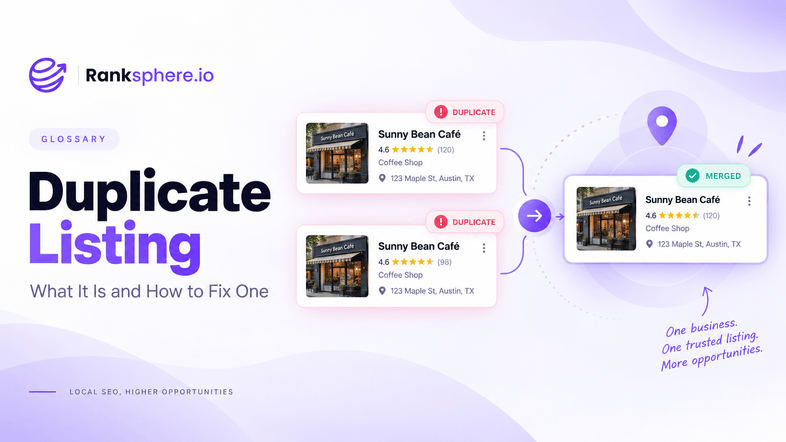
A duplicate listing is an additional online profile that represents the same business or location on the same platform.
Duplicates usually happen by accident. A business moves and someone creates a new profile instead of updating the old one. A former employee sets up a listing that nobody else knows about. A directory creates another record from third-party data. Over time, the business ends up with two profiles representing what should really be one location.
That can create problems for both customers and search platforms. Reviews may be split between profiles, contact details can conflict, and customers may not know which listing is current.
The first step is finding every version of the business and working out whether each one is genuinely a duplicate or a legitimate separate listing.
Why duplicate listings matter
Local business information works best when customers and search engines can clearly identify one business at one location.
Duplicate listings make that harder.
One profile may show the current address while another still displays the old one. Reviews may be spread across two listings. Opening hours can differ. In some cases, one listing may continue appearing in search even though nobody at the business is managing it.
That can lead to:
- Reviews being divided between different profiles
- Conflicting business information across the web
- Customers calling an old phone number or visiting the wrong address
- Problems with NAP consistency
- Difficulty managing the business's local presence
- Potential issues with Google Business Profile suspension when profiles do not meet Google's eligibility rules
Duplicates can also make performance harder to understand. If two listings represent the same location, local visibility, reviews and customer actions may be spread across both.
How duplicate listings happen
Most duplicate listings are not created deliberately.
Common causes include:
- Creating a new profile after a move instead of updating the existing one
- A previous employee or agency setting up a listing on an account nobody currently controls
- Slightly different business names creating separate records
- Old profiles remaining live after a rebrand
- Data from a data aggregator creating another listing downstream
- Platforms generating business records from publicly available information
- Duplicate profiles being created during acquisitions or ownership changes
- Multiple team members creating listings without checking whether one already exists
There are also cases where two similar profiles may both be legitimate.
For example, certain practitioner or department listings may be allowed alongside the main business profile when they meet the platform's requirements. That is why it is important to check what the listing represents before trying to remove or merge it.
How to find duplicate listings
Do not rely on a search for the current business name alone.
Older listings may use a previous address, a different phone number or an old version of the business name.
Search using:
- The current business name
- Previous business names
- The current address
- Previous addresses
- The current phone number
- Old phone numbers
- Common variations of the business name
You should also check the main platforms directly rather than assuming all duplicates will appear in a standard Google search.
For businesses with several branches, this becomes more difficult because an old or duplicate profile can easily be overlooked among dozens of legitimate locations.
Ranksphere's GBP management surfaces duplicates across every location you manage, helping you identify profiles that may represent the same business or location. This makes it easier to review duplicate listings from one place instead of checking every branch manually.
Once a possible duplicate is found, confirm what it represents before taking action.
Duplicate Listing Cleanup Guide
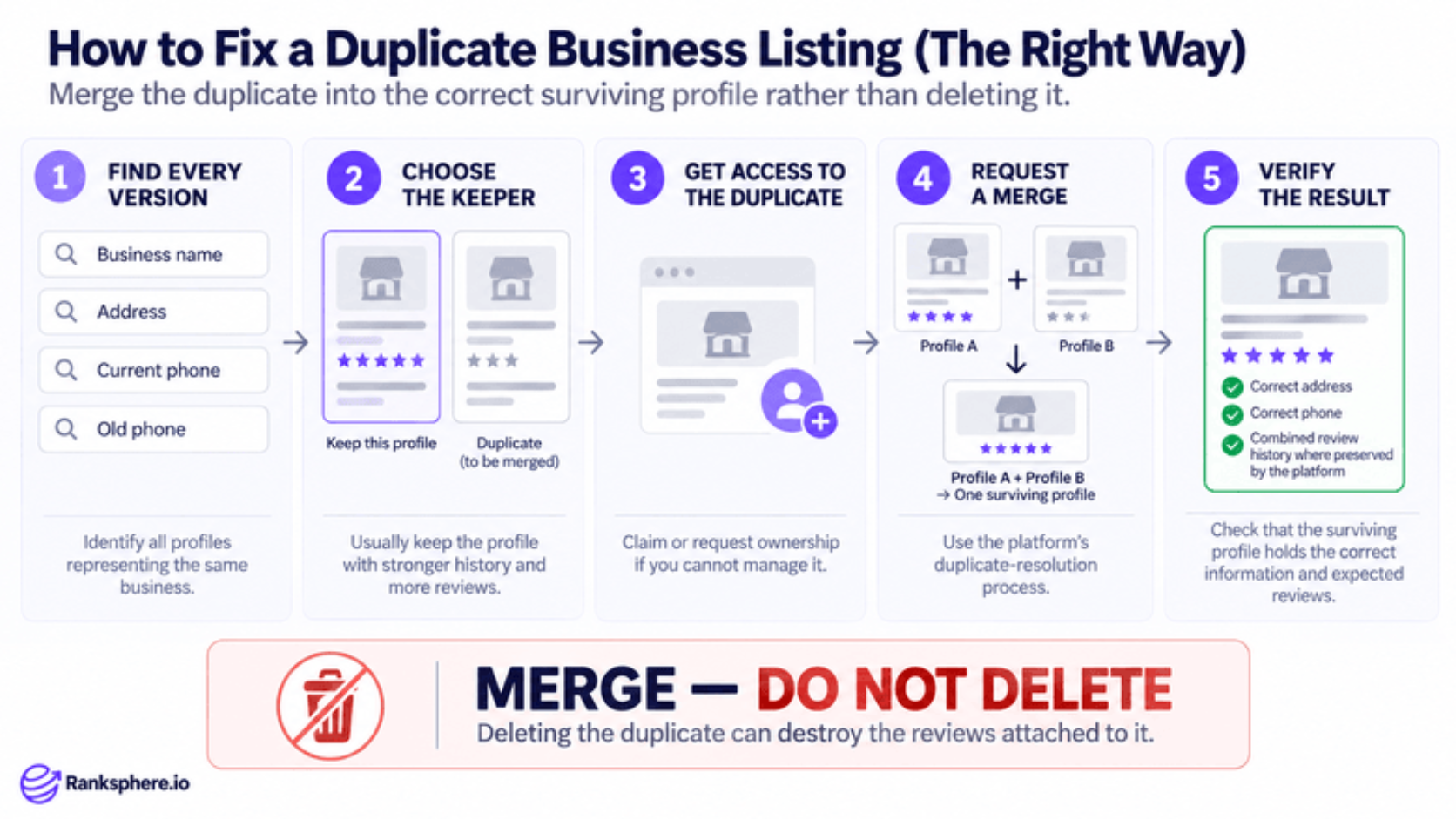
The right fix depends on the platform and the reason the duplicate exists.
For Google Business Profile, start by checking whether both profiles genuinely represent the same business at the same location.
Then:
- Compare the business name, address and phone information
- Check which profile is current and accurately represents the business
- Review the history and reviews on both profiles
- Confirm whether you have access to both
- Recover or request ownership where necessary
- Follow Google's process for resolving or reporting the duplicate
- Check the surviving profile afterwards to make sure the business details are correct
Do not automatically delete a listing simply because it looks duplicated.
Depending on the circumstances, Google may merge profiles, mark one as a duplicate, move reviews where eligible, or handle the profiles in another way.
Google's documentation on removing duplicate listings explains the current process and should be checked before making changes.
The main objective is to finish with one accurate profile for each eligible business location, unless Google specifically allows more than one.
When merging is appropriate
A merge may make sense when two profiles clearly represent the same business at the same location and both contain useful history or reviews.
However, merging is not something to assume will always happen automatically or that every review will necessarily move.
Before requesting a merge, check:
- Whether both listings represent the same business
- Whether the address and business type are compatible
- Whether one profile relates to an old location
- Whether one is a legitimate practitioner or department listing
- Whether the reviews belong to the same business experience
If you are unsure, it is safer to investigate first than to remove a listing that may contain valuable history.
Common mistakes
- Deleting a listing without checking what it contains. You may lose useful history, reviews or access that could have been preserved another way.
- Creating another profile because the existing ones are confusing. This usually makes the problem worse.
- Assuming every similar listing is a duplicate. Some practitioner, department or location profiles may be legitimate.
- Fixing Google but ignoring other platforms. Duplicate listings can appear across directories, review sites and map services too.
- Ignoring an unclaimed profile. Customers can still find and interact with a listing even if nobody at the business currently manages it.
- Failing to investigate why the duplicate appeared. If the source is an old aggregator record or business move, another duplicate may appear later.
- Looking only at the current business details. Older names, phone numbers and addresses can reveal listings you would otherwise miss.
Best practices
- Check for duplicates during every citation audit. It is easier to fix them before building new listings.
- Search using historical business information. Old phone numbers and addresses often uncover forgotten profiles.
- Confirm that the listing is actually a duplicate before acting.
- Recover access where possible. Managing both profiles makes resolution easier.
- Keep the strongest, most accurate business profile where the platform gives you a choice.
- Follow the platform's official resolution process rather than simply deleting profiles.
- Investigate the source of the duplicate. Fixing the underlying problem reduces the chance of it returning.
- Check again after a move, rebrand, acquisition or location change.
Example
“Stonebridge Chiropractic moved to a new premises several years ago.
Instead of updating the existing Google Business Profile, a new profile was created for the new address. The old listing remained live.
Over time, both profiles continued appearing in search. The older one still had customer reviews and showed the previous address, while the newer profile collected reviews of its own.
Patients occasionally found the wrong listing, and the practice no longer had access to the account that originally managed it.
The business first confirmed that both profiles represented the same practice rather than two separate locations. It then requested access to the older profile and followed Google's
duplicate-resolution process instead of deleting it immediately.
Once the issue was resolved, the practice was left with one clear, current listing for the business.
The important part was not simply finding the duplicate. It was understanding what each profile represented before making changes.
That is the safest approach to duplicate listings: identify them, confirm what they are, fix the underlying cause and then resolve them using the platform's own process.”
See also
- Citation, the wider network of business listings across the web
- Citation audit, how duplicate and outdated listings are identified
- NAP, the business information duplicates often make inconsistent
- Google Business Profile, where duplicate listings can create significant management issues
- Google Business Profile suspension, a possible consequence of profiles that do not meet Google's rules
- Data aggregator, one possible source of duplicate business records