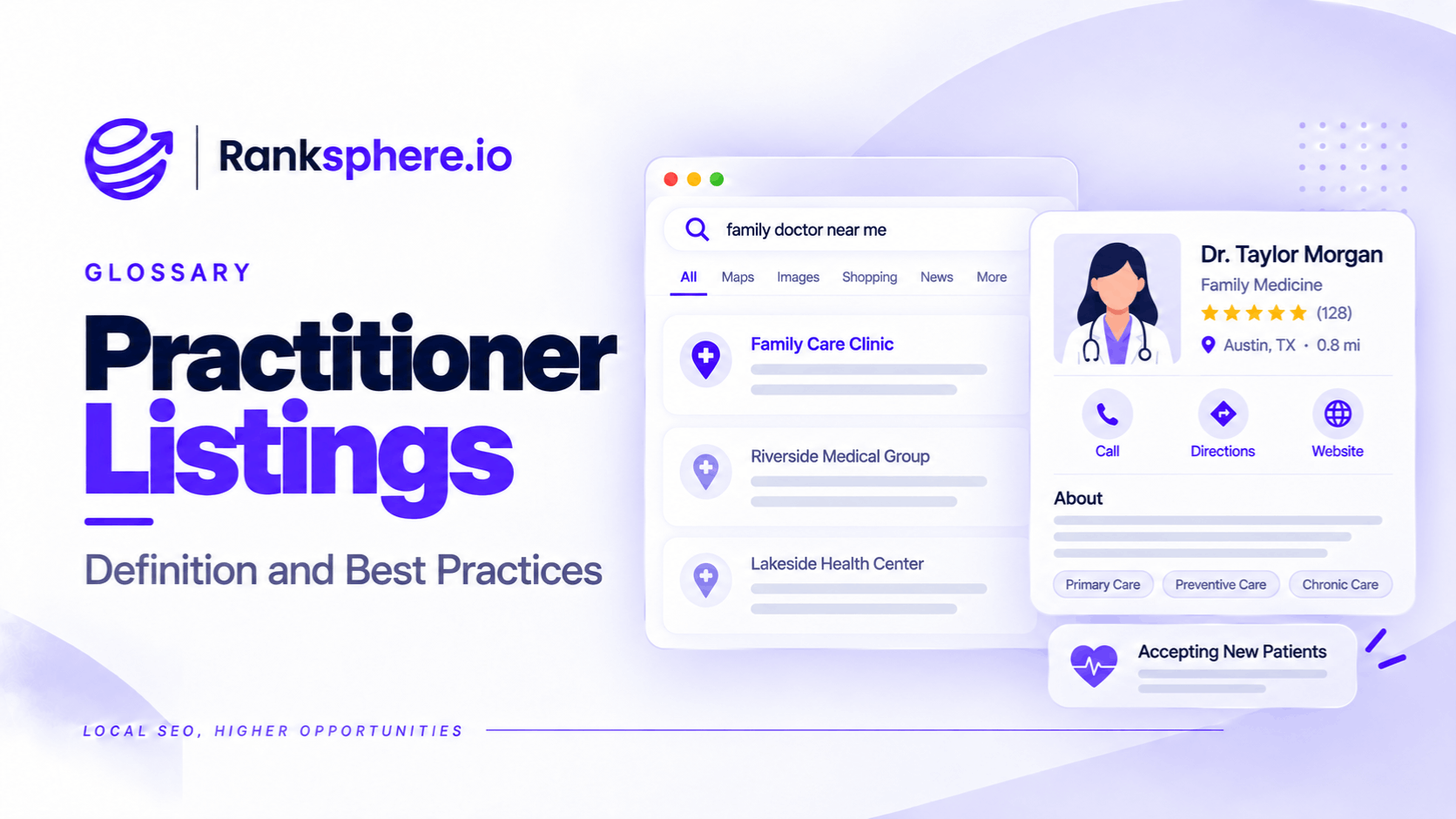
A practitioner listing is a Google Business Profile created for an individual professional rather than the business or practice where they work.
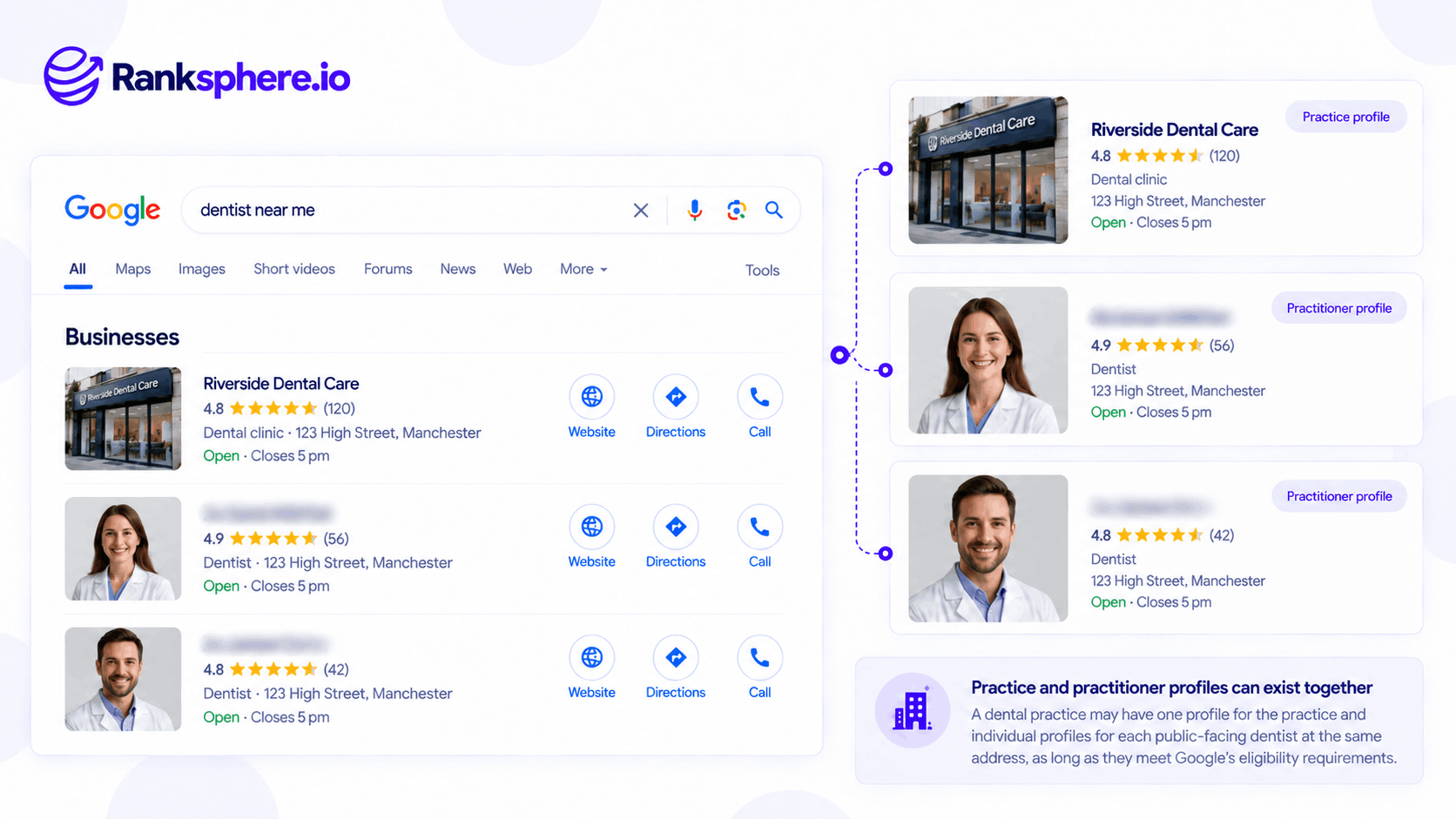
For example, a dental practice may have its own Google Business Profile, while individual dentists working there may also have separate profiles under their professional names.
Google permits this arrangement for eligible public-facing professionals, including doctors, dentists, lawyers, financial planners, and estate agents.
However, not every employee qualifies for an individual profile, and not every practice needs separate listings for its practitioners.
The distinction matters because a legitimate practitioner listing can share an address with a practice without being a duplicate.
Problems arise when practices create unnecessary profiles, leave former practitioners listed at outdated addresses, or fail to agree on who manages the profiles.
When Does Google Allow Practitioner Listings?
Google's guidelines allow individual practitioners to have dedicated Business Profiles when they meet specific conditions.
The practitioner must:
- Work in a public-facing professional role.
- Be directly contactable at the verified business location during their stated hours.
- Represent an individual professional rather than a department or general business.
- Use an appropriate professional name on the listing.
For example, a dentist working at a practice with several other dentists may qualify for an individual Google Business Profile.
Patients may search specifically for that dentist by name, rather than searching for the practice.
A separate profile can help them find information about the professional they want to contact.
Which Professionals Can Have Practitioner Listings?
Google explicitly identifies several professional categories, including:
- Doctors
- Dentists
- Lawyers and solicitors
- Financial planners
- Insurance agents
- Real estate agents
Other public-facing professionals may also qualify when they meet Google's eligibility requirements.
However, having a professional job title doesn't automatically make someone eligible.
The person must be publicly contactable at the verified location and genuinely operate in the relevant professional capacity.
When Should a Practitioner Not Have a Separate Listing?
Google also identifies situations where an individual profile isn't appropriate.
Solo Practitioners
If one professional is the only public-facing practitioner at a branded organisation's location, Google recommends a single shared Business Profile.
For example, a sole practitioner operating under a branded firm shouldn't automatically create one profile for the business and another for themselves.
For a qualifying branded organisation, Google recommends a combined naming format such as:
Brand Name: Practitioner Name
This is particularly relevant to professionals operating independently under a larger brand.
The correct configuration depends on how the business is represented in the real world.
Non-Public-Facing Employees
Support staff aren't eligible for individual practitioner profiles simply because they work at a business.
Examples include:
- Receptionists
- Administrative employees
- General support staff
- Technicians who aren't independently eligible public-facing practitioners
For example, a dental receptionist shouldn't have a separate Google Business Profile for their role at the practice.
Sales and Lead Generation Staff
Google states that ordinary sales associates and lead generation agents working for corporations aren't eligible as individual practitioners.
However, eligible insurance and real estate agents are specifically included in its practitioner guidance.
The distinction depends on the professional role and how the individual serves customers.
Multiple Profiles for One Professional's Specialisations
Google doesn't allow a practitioner to create separate profiles simply to target every service or specialisation they offer.
For example, a dentist shouldn't create one listing for cosmetic dentistry, another for dental implants, and a third for general dentistry at the same location.
The individual practitioner profile should represent the professional, not a collection of keyword-targeted services.
Can a Practitioner and Practice Have Profiles at the Same Address?
Yes.
Google specifically allows eligible practitioner profiles to exist alongside an organisation's profile when several public-facing practitioners work at the same location.
For example, consider a dental practice with four dentists.
The practice may have a Google Business Profile under its business name.
Each eligible dentist may also have a practitioner profile under their own professional name.
This can result in several legitimate profiles sharing the same address.
However, the listings should represent distinct eligible entities.
The practice profile represents the organisation.
The practitioner profiles represent individual professionals.
This is why an address match alone isn't enough to determine whether a listing is a duplicate.
How to Set Up a Practitioner Listing Correctly
A practitioner profile should accurately represent the individual professional.
Use the Practitioner's Professional Name
For locations with multiple practitioners, Google specifies that the individual profile name should contain the practitioner's name rather than the practice name.
For example:
Dr Sarah Mitchell
rather than:
Dr Sarah Mitchell – Best Dentist at Riverside Dental
Google permits recognised professional titles or qualifications where appropriate, such as Dr., MD, JD, or Esq.
However, adding service keywords or promotional phrases to the name can violate its guidelines.
Choose an Appropriate Business Category
The category should describe the practitioner's actual professional activity.
For example, a dental specialist may qualify for a category reflecting that specialisation.
However, a separate category isn't required merely to make the practitioner profile different from the practice profile.
Google Business Profile categories should reflect the services genuinely provided.
Use Accurate Location Information
The practitioner should be directly contactable at the verified location during the hours stated on the profile.
For example, a doctor with appointments at a medical centre may use that practice address when it meets Google's requirements.
Don't create additional profiles for locations where the practitioner doesn't genuinely operate.
Use Appropriate Contact Details
Contact information should help customers reach the practitioner.
For example, a dentist may use the practice's booking number if patients can contact the dentist through that number.
A separate telephone line isn't necessarily required.
However, the details should not mislead patients about where the practitioner works or how appointments are arranged.
Link to a Relevant Website Page
Where possible, the website link should lead to a page that helps visitors learn about or contact the practitioner.
For example, a dentist's profile could link to their biography or appointment page on the practice website.
This is often more useful than sending every practitioner search to a generic homepage.
However, Google doesn't require every practitioner to have a dedicated website.
Why Practitioner Listings Cause Local SEO Problems
Even legitimate practitioner profiles can create management challenges.
Duplicate Listing Confusion
A practice and its practitioners may share:
- The same address
- The same telephone number
- Similar business categories
- Related website URLs
These similarities can make it harder to distinguish the profiles during an audit.
However, Google's guidelines explicitly permit qualifying practitioner listings.
The correct response isn't to remove every profile sharing an address.
It's to determine whether each listing represents an eligible professional or organisation.
Practitioner and Practice Rankings Can Overlap
A practitioner profile may appear for searches related to the practice or its services.
For example, someone searching for a dentist in a particular area may see an individual dentist's profile rather than the dental practice.
That doesn't automatically mean something is wrong.
The practitioner and practice may both be legitimate results.
However, the practice should understand which profiles customers encounter and ensure that their information is accurate.
Reviews May Be Spread Across Profiles
Patients may review the dental practice, an individual dentist, or both.
This can lead to different ratings and review counts across the profiles.
The practice shouldn't assume that reviews from the practitioner profile can simply be transferred to the organisation.
Google controls review transfers and determines which changes qualify.
Ownership Can Become Complicated
A practitioner may create and manage their own profile.
The practice may also want access to keep contact details and appointment information accurate.
This raises questions about Google Business Profile ownership.
The appropriate arrangement should be agreed between the practice and the practitioner.
There is no universal Google rule requiring the practice to be the primary owner of every individual practitioner's profile.
In particular, the practice should consider what happens if the professional leaves.
Who Should Own a Practitioner Listing?
Ownership should reflect the legitimate business relationship.
For example, a dental practice may help create and manage profiles for its employed dentists.
However, the individual profile represents the professional.
If that dentist later joins another practice, the profile may need to be updated to reflect the new location.
An arrangement that gives the former practice complete control without a clear handover process can create problems.
A practical management agreement should establish:
- Who holds primary ownership
- Who has manager or additional owner access
- Who can update contact details
- Who responds to reviews
- How changes are approved
- What happens when the practitioner leaves
- How access will be transferred if necessary
Google supports primary owner, owner, and manager roles.
These permissions can help practices coordinate profiles, but they don't replace the need for agreed responsibilities.
What Happens When a Practitioner Leaves a Practice?
This is one of the most important parts of practitioner listing management.
For example, a dentist may leave an established practice and begin working at a new clinic.
If their old listing remains attached to the previous address, patients searching for them may be directed to the wrong location.
The solution depends on whether the practitioner is relocating, retiring, or no longer eligible.
When the Practitioner Moves to Another Practice
If the same practitioner continues practising at a new eligible location, the existing profile may be updated to reflect the move.
Google generally advises businesses not to create entirely new profiles simply because their location changes.
For example, a dentist relocating from one clinic to another should investigate updating their existing practitioner profile rather than immediately creating a duplicate.
Relevant details may include:
- Practice address
- Telephone number
- Website link
- Appointment information
- Opening or consultation hours
The professional should still meet Google's practitioner eligibility requirements at the new location.
When the Practitioner Retires
If the practitioner permanently stops operating, marking the profile permanently closed may be appropriate.
However, this shouldn't be used when the individual has simply moved to another eligible practice.
A relocated practitioner and a permanently closed professional practice are different situations.
When a Practitioner Leaves the Organisation
The former practice should remove outdated practitioner information from its website and booking systems.
For example, a dental clinic shouldn't continue advertising appointments with a dentist who no longer works there.
The practice should also coordinate the appropriate profile changes with the practitioner or authorised owner.
What Happens to the Reviews?
Google generally retains reviews when the same business relocates and its existing profile is updated.
However, review handling depends on the circumstances, and Google determines whether reviews qualify for transfer or removal.
Reviews shouldn't be treated as assets the former practice can automatically claim.
Likewise, a practitioner shouldn't expect every review to transfer to a newly created profile.
The safest approach is usually to maintain and update the legitimate existing profile where applicable.
How to Audit Practitioner Listings
Practices with several professionals should periodically check which practitioner profiles appear in Google Search and Maps.
For example, a dental practice might compare its current staff list against the practitioner profiles associated with its address.
The audit should identify:
- Current practitioners with eligible profiles
- Former practitioners still listed at the practice
- Possible duplicate profiles
- Incorrect professional names
- Outdated contact details
- Incorrect website links
- Profiles with unclear ownership
- Ineligible employee listings
However, not every practitioner needs an individual Business Profile.
Eligibility should be assessed before creating or removing listings.
Ranksphere's GBP Management helps businesses manage their connected profiles across locations.
Practices can use their location records alongside Google Maps checks to identify which profiles require attention.
Google's own ownership and support processes may still be needed for practitioner profiles that the practice doesn't control.
Common Practitioner Listing Mistakes
- Creating separate profiles for every staff member. Only eligible public-facing professionals qualify.
- Creating unnecessary profiles for solo practitioners. Google recommends a shared profile in certain branded solo-practitioner arrangements.
- Adding service keywords to practitioner names. Listings should represent the professional's real-world name.
- Creating separate profiles for specialisations. One practitioner shouldn't have multiple listings solely to target different services.
- Assuming profiles sharing an address are duplicates. Eligible practitioners can work at the same practice.
- Using identical categories simply to match the practice. Categories should reflect the actual professional activity.
- Leaving outdated information after someone moves. Patients may contact the wrong practice.
- Marking relocated practitioners as permanently closed. A move isn't the same as retirement.
- Assuming the practice must own every practitioner profile. Ownership arrangements should reflect the legitimate relationship.
- Expecting automatic review transfers. Google determines how reviews are handled.
Practitioner Listing Best Practices
To manage practitioner profiles accurately:
- Confirm eligibility before creating an individual profile.
- Use the professional's real-world name.
- Avoid unnecessary service keywords in the profile title.
- Choose categories that reflect the practitioner's actual work.
- Use accurate addresses and contact details.
- Link to a relevant practitioner page where available.
- Agree on ownership and access responsibilities.
- Keep practitioner and practice information consistent.
- Review profiles when employees join or leave.
- Update existing profiles when practitioners relocate.
- Avoid creating unnecessary duplicates.
- Investigate potential merges before requesting changes.
- Review current practitioner listings periodically.
The goal is to represent both the organisation and its eligible professionals accurately without creating unnecessary or misleading profiles.
Example of Practitioner Listings at a Dental Practice
Consider a hypothetical dental practice called Riverside Dental.
The practice has a Google Business Profile under its business name.
Four dentists have also been listed individually.
However, two of those dentists left the practice in previous years.
Their practitioner profiles still display Riverside Dental's address.
What Goes Wrong?
Patients searching for the former dentists see their old profiles associated with Riverside Dental.
Some contact the practice expecting to book appointments with professionals who no longer work there.
Reception staff have to explain that the dentists have moved.
One former dentist also appears to have another profile at a new practice.
The practice now needs to determine whether the older listing should have been updated instead of a new one being created.
How the Practice Investigates
The management team reviews the existing profiles.
It checks:
- Which dentists still work at Riverside Dental
- Which profiles are eligible
- Whether former practitioners continue working elsewhere
- Whether duplicate listings exist
- Who currently owns or manages each profile
The practice doesn't immediately request that every former practitioner's profile be marked permanently closed.
A dentist who is still practising at a new location may need their existing profile updated.
How the Practice Resolves the Issues
For current practitioners, Riverside Dental verifies that professional names, contact details, and website links are correct.
For departed practitioners, the practice coordinates with the relevant profile owners or Google support where necessary.
It also removes outdated staff information from its website and appointment booking system.
Where the same professional has duplicate profiles, the practice investigates the appropriate correction process rather than assuming the profiles should be merged into the organisation's listing.
Preventing Future Problems
Riverside Dental introduces a practitioner listing checklist for staff changes.
When a dentist joins, the practice checks whether an eligible profile already exists.
When someone leaves, the team reviews the website, contact information, and relevant Google Business Profile details.
Ownership and access arrangements are discussed before problems occur.
Example
“The practice's problem wasn't simply that several professionals shared the same address.
Google allows that when the practitioners meet its guidelines.
The real issue was outdated information and a lack of a clear process for managing practitioner changes.
A practitioner listing should represent an eligible individual professional, not create another listing for the same practice.
For medical practices, law firms, estate agencies, and other professional businesses, accurate practitioner profiles can help customers find the people they are looking for. But eligibility, ownership, and changes of practice need to be managed carefully.”
See Also
- Duplicate Listing — Understanding when multiple Google Business Profiles represent the same business.
- Merged Listing — What happens when Google combines or treats profiles as duplicates.
- Google Business Profile Ownership — Managing ownership and access to business profiles.
- Google Business Profile Categories — Choosing accurate categories for practices and practitioners.
- Multi-Location SEO — Managing business information across several eligible locations.
- Citation Audit — Identifying inconsistent and outdated business listings.