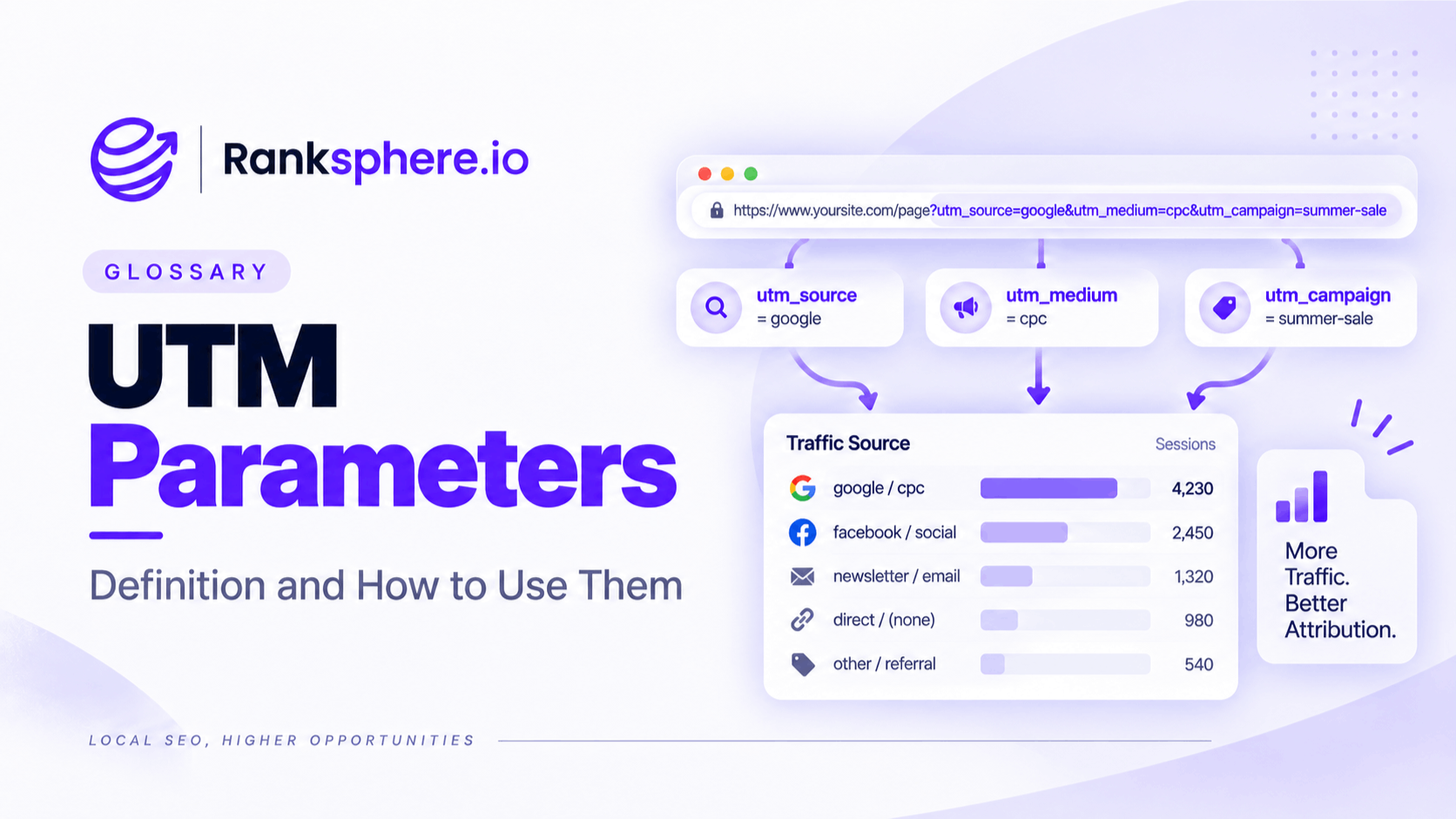
UTM parameters are tracking tags added to the end of a URL to help analytics platforms understand where website traffic came from.
They are commonly used to identify the source, channel and campaign behind a visit. When someone clicks a tagged link, tools such as Google Analytics 4 can use that information to help attribute the visit correctly.
UTM tracking is particularly useful when several campaigns send people to the same page. Instead of seeing one large block of traffic, you can separate visits from email, social media, Google Business Profile, paid campaigns or individual promotional links.
The setup itself is straightforward. The part that usually causes problems is inconsistency.
The main UTM parameters
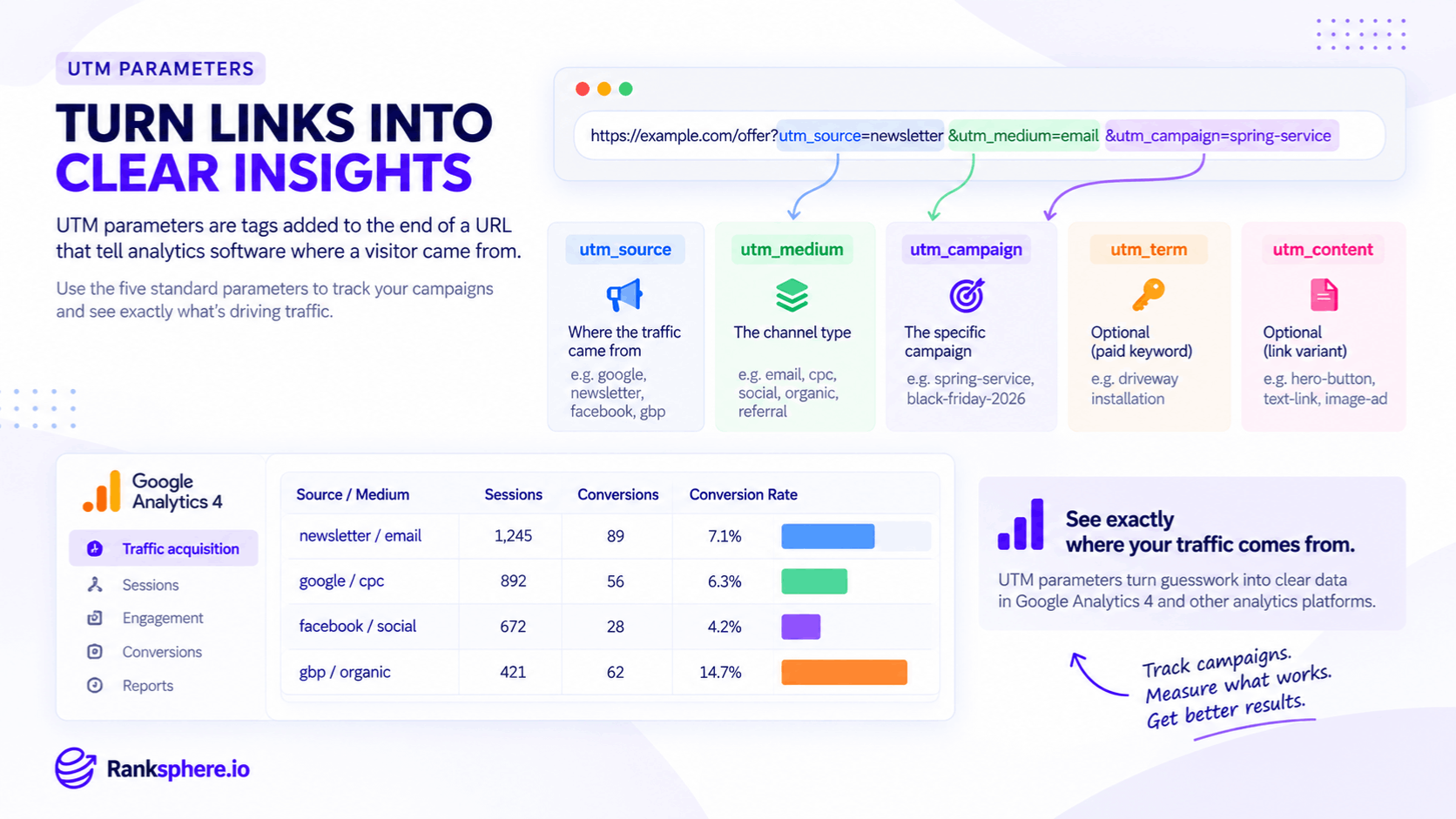
A tagged URL might look like this:
https://example.com/offer?utm_source=newsletter&utm_medium=email&utm_campaign=spring-service
The five commonly used UTM parameters are:
- utm_source — identifies where the visitor came from, such as google, newsletter, facebook or gbp
- utm_medium — describes the marketing channel, such as email, cpc, social or referral
- utm_campaign — identifies the specific campaign, such as spring-service or black-friday-2026
- utm_term — often used to record a paid search keyword or another useful targeting detail
- utm_content — helps distinguish different links or creative variations within the same campaign
For most everyday tracking, source, medium and campaign do most of the work.
The other parameters are useful when you need more detail, such as comparing two buttons in the same email or different ads within one campaign.
Why UTM parameters matter
Without consistent campaign tagging, it can be difficult to tell which links are actually producing traffic, leads or sales.
Analytics platforms can often identify some traffic automatically, but not every visit is attributed in the level of detail you need for campaign reporting.
UTM parameters give you more control over that information.
They can help you answer questions such as:
- Which email campaign sent the most visitors?
- Did a Google Post generate website traffic?
- Which social platform produced enquiries?
- Did a directory listing send any customers?
- Which campaign converted best?
- Which CTA within a campaign received the most clicks?
The value is not simply knowing where traffic came from. It is being able to compare the quality of that traffic afterwards.
UTM parameters for local SEO
UTM tracking is especially useful for local businesses because a significant amount of traffic can come through a Google Business Profile.
If the website link on your Business Profile is not tagged, it may be difficult to separate those visits cleanly from other Google organic traffic in your reporting.
Adding UTM parameters allows you to identify traffic from the profile more clearly.
For example:
?utm_source=google&utm_medium=organic&utm_campaign=gbp
You can also use UTM tracking for other Business Profile links where appropriate.
Google Business Profile website links
Tag the main website URL so you can distinguish visits from the Business Profile from other organic Google traffic.
Google Posts
Tag links in Google Posts so you can see which posts actually send people to the website.
Different campaigns or post types can use different utm_campaign or utm_content values.
Booking and service links
If your profile includes booking, appointment or service links, tracking them separately can show which actions are driving visits.
Directory and citation links
Where a directory allows you to control the destination URL, UTM parameters can help measure referral traffic from that individual source.
Ranksphere's Google Posts tool lets you attach tracking to post call-to-action links as you schedule them, making it easier to measure post traffic without creating each tagged URL manually.
Creating a UTM naming convention
The most important part of UTM tracking is consistency.
If one person uses Facebook, another uses facebook, and someone else uses fb, your analytics can end up treating them as different values.
Before creating lots of tagged links, decide how your business will name each field.
A simple convention might look like:
- utm_source=facebook
- utm_medium=social
- utm_campaign=spring-offer-2026
Then use the same structure every time.
Use lowercase consistently
Campaign values can be case-sensitive in reporting.
Facebook and facebook may appear separately, so choose one format and stick to it.
Lowercase is usually the simplest approach.
Use clear separators
Hyphens make campaign names easier to read:
spring-service-2026
is cleaner than:
Spring Service Campaign 2026
Avoid unnecessary spaces and inconsistent punctuation.
Keep medium values controlled
Decide on a short list of approved medium values.
For example:
- social
- cpc
- referral
- organic
Avoid using email in one campaign, e-mail in another and newsletter as the medium somewhere else unless those distinctions are intentional.
Use names people will understand later
A campaign called:
camp-3
may make sense today and mean nothing six months from now.
Something like:
summer-boiler-service-2026
is much easier to understand when reviewing old reports.
Keep a campaign log
Maintain a shared record of the UTM links your team creates.
At minimum, record:
- Destination URL
- Source
- Medium
- Campaign
- Content or term where used
- Date created
- Person responsible
This prevents people from inventing new naming conventions each time a campaign launches.
How UTM parameters appear in Google Analytics 4
Google Analytics 4 uses UTM values to help populate acquisition reporting.
You can use them to compare:
- Traffic sources
- Marketing channels
- Campaigns
- Website engagement
- Key events
- Leads
- Sales
The useful question is not simply:
“Which campaign generated the most sessions?”
It is:
“Which campaign generated the most valuable actions?”
A source sending 500 visits but no enquiries may be less useful than one sending 80 visits and ten qualified leads.
UTM tracking gives you the attribution detail needed to make that comparison.
Do not use UTM parameters on internal links
UTM parameters are designed for links bringing visitors into your website.
Avoid adding them to navigation, buttons or links between pages on the same site.
Doing so can interfere with campaign attribution and make it harder to understand where the original visit came from.
For example, this is a poor internal link:
example.com/contact?utm_source=homepage&utm_medium=internal
If you need to measure clicks on internal buttons or navigation, use event tracking in GA4 instead.
Keep UTMs for external or campaign links that send traffic to the website.
Common UTM tracking mistakes
- Using inconsistent capitalisation. Facebook and facebook can fragment reporting.
- Changing source and medium names between campaigns. A naming convention only works when everyone follows it.
- Using UTM parameters on internal website links. This can interfere with attribution.
- Adding unnecessary personal information to the URL. UTM values are visible in the address bar and should never contain sensitive customer data.
- Forgetting the Google Business Profile website link. It is one of the most useful local SEO links to track.
- Using campaign names nobody will understand later. Make names descriptive enough to survive staff changes.
- Creating tagged URLs without recording them. A shared log makes long-term reporting much easier.
- Looking only at traffic volume. The real value comes from comparing conversions and business outcomes.
UTM parameter best practices
- Create a naming convention before launching campaigns.
- Use lowercase consistently.
- Keep source, medium and campaign values simple and descriptive.
- Use UTMs for inbound links, not internal navigation.
- Tag your Google Business Profile website link.
- Tag Google Posts and other campaign CTAs individually where useful.
- Keep a shared record of tagged URLs.
- Review GA4 source and campaign reports for fragmented naming.
- Measure key events and conversions alongside traffic.
- Test links before publishing them.
Example
“Kingsley Opticians has been investing in local SEO for several months.
Google Analytics shows that organic Google traffic is increasing, but the practice cannot tell how much of that traffic is coming from standard organic search and how much is coming from its Google Business Profile.
The Business Profile website link has never been tagged.
The team updates the URL with: ?utm_source=google&utm_medium=organic&utm_campaign=gbp
From that point forward, visits from the profile can be analysed separately from other Google organic traffic.
The business can now compare:
- Sessions from the profile
- Website key events
- Appointment enquiries
- Engagement
- Conversion rate
The important change is not that UTM parameters create more traffic.
They make the traffic easier to understand.
That is the real purpose of UTM tracking: giving each campaign a clear label so you can see what is driving visits, leads and customers instead of relying on guesswork.”
See also
- Google Analytics 4 — where UTM campaign data can be analysed
- Google Business Profile — an important local source worth tracking separately
- Google Posts — campaign links that can be tagged individually
- Attribution — understanding which marketing activity contributed to a visit or conversion
- Conversion rate — comparing how effectively different traffic sources produce valuable actions
- Referral traffic — visits arriving from links on other websites