Google Analytics 4, commonly called GA4, is Google's analytics platform for measuring how people interact with websites and apps. It can show where visitors came from, which pages they viewed, what actions they took and whether they completed important actions such as submitting a form, making a purchase or booking an appointment.
GA4 uses an event-based measurement model. Instead of treating pageviews and sessions as the main building blocks of analytics, interactions such as page views, clicks and purchases are recorded as events.
GA4 replaced Universal Analytics as Google's standard analytics platform. Standard Universal Analytics properties stopped processing new data on 1 July 2023, while Universal Analytics 360 properties received an extension until July 2024.
For businesses moving from Universal Analytics, the important point is that GA4 is not simply a redesigned version of the old platform. Several metrics are calculated differently, so historical Universal Analytics numbers should not automatically be compared directly with GA4 data.
Google Analytics 4 Setup Checklist
In GA4, an event represents an interaction or occurrence on your website or app.
That might include:
- Viewing a page
- Clicking a link
- Starting a form
- Submitting an enquiry
- Making a purchase
- Playing a video
- Tapping a telephone link
- Completing a booking
Google collects some events automatically, while others need to be configured based on what matters to the business.
Events
An event records something that happened.
A page load, click or purchase can all be measured as events in GA4. Events can also contain additional information that explains what happened.
Event parameters
Parameters provide extra detail about an event.
For example, a link-click event might include information about:
- The page where the click happened
- The URL that was clicked
- The link text
- The type of interaction
This makes it possible to analyse actions in much more detail than simply counting pageviews.
Key events
A key event is an event that you have identified as particularly important to the business.
Google describes a key event as an action that is important to the success of your business. Any suitable event you collect can be marked as a key event.
For a local business, useful key events might include:
- Contact form submissions
- Appointment bookings
- Quote requests
- Phone-number taps on the website
- Completed purchases
- Important lead-generation actions
The useful part is deciding which actions actually represent business value rather than marking every interaction as important.
Engagement rate and bounce rate in GA4
GA4 introduced engagement rate as an important way to understand whether visitors meaningfully interact with a site.
An engaged session is one that meets at least one of these conditions:
- Lasts longer than 10 seconds
- Contains a key event
- Includes at least two page or screen views
Engagement rate is the percentage of sessions that qualify as engaged sessions. In GA4, bounce rate is simply the percentage of sessions that were not engaged.
This is different from how bounce rate was understood in Universal Analytics, so historical comparisons need to be handled carefully.
A high or low engagement rate also needs context. A visitor who lands on a local business page, immediately finds the phone number and calls may be highly valuable even if their website interaction is brief.
GA4 metrics that need context
Some familiar analytics terms still exist in GA4, but they should not automatically be interpreted the same way they were in Universal Analytics.
Users
GA4 reports several user metrics, and the way users are counted can depend on the report you are viewing.
Rather than relying on one user number in isolation, look at the metric being used and what question you are trying to answer.
Sessions
Sessions still exist in GA4.
A session begins when someone starts interacting with the website or app and there is no existing active session. Google defines sessions differently from Universal Analytics in several respects, so numbers between the two systems should not be expected to match exactly.
Key events
Key events are particularly useful when you want to understand whether website traffic is producing meaningful outcomes.
For an SEO campaign, the question should not simply be:
“Did organic traffic increase?”
It should also be:
“Did that traffic generate more enquiries, bookings or other valuable actions?”
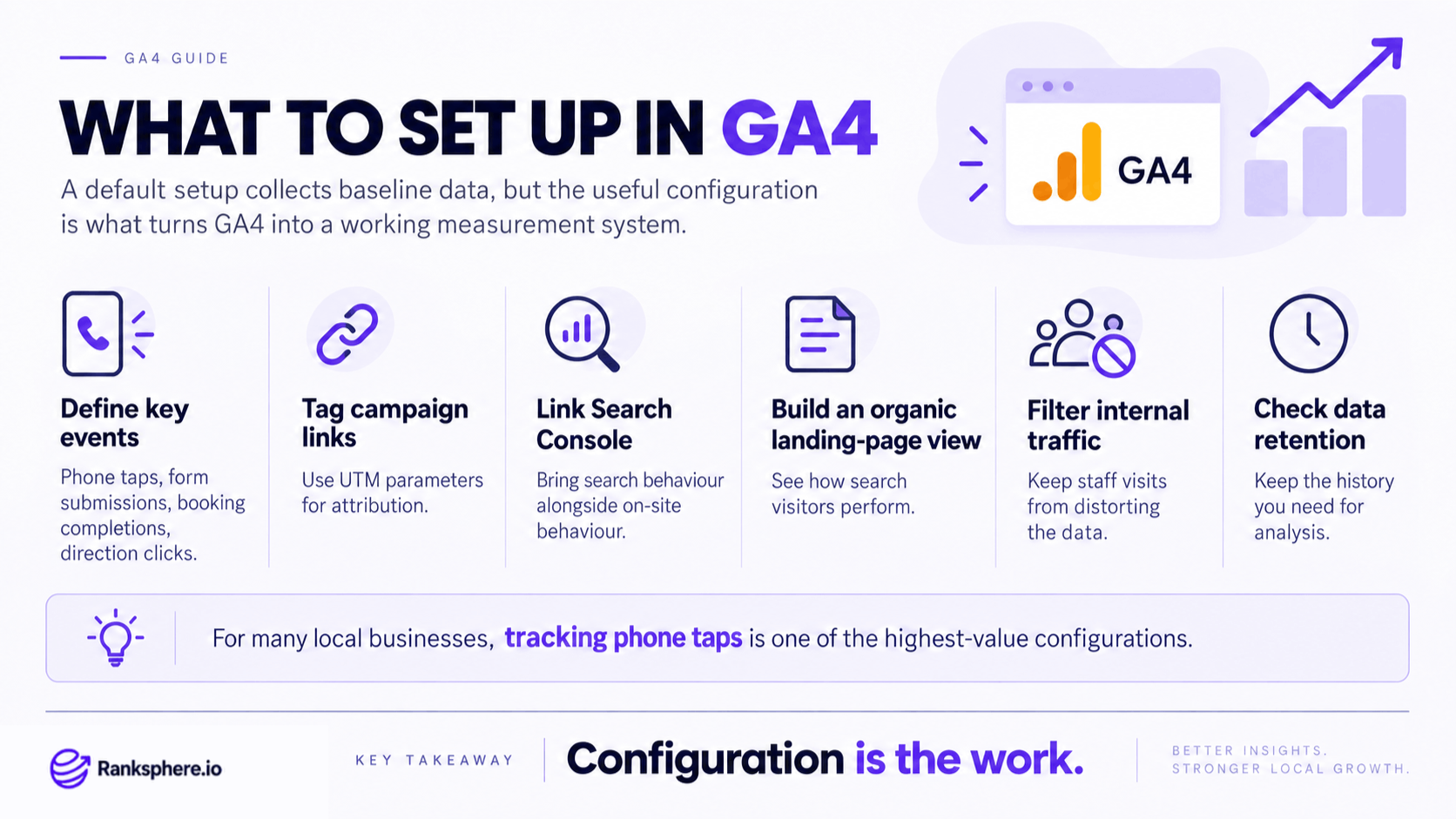
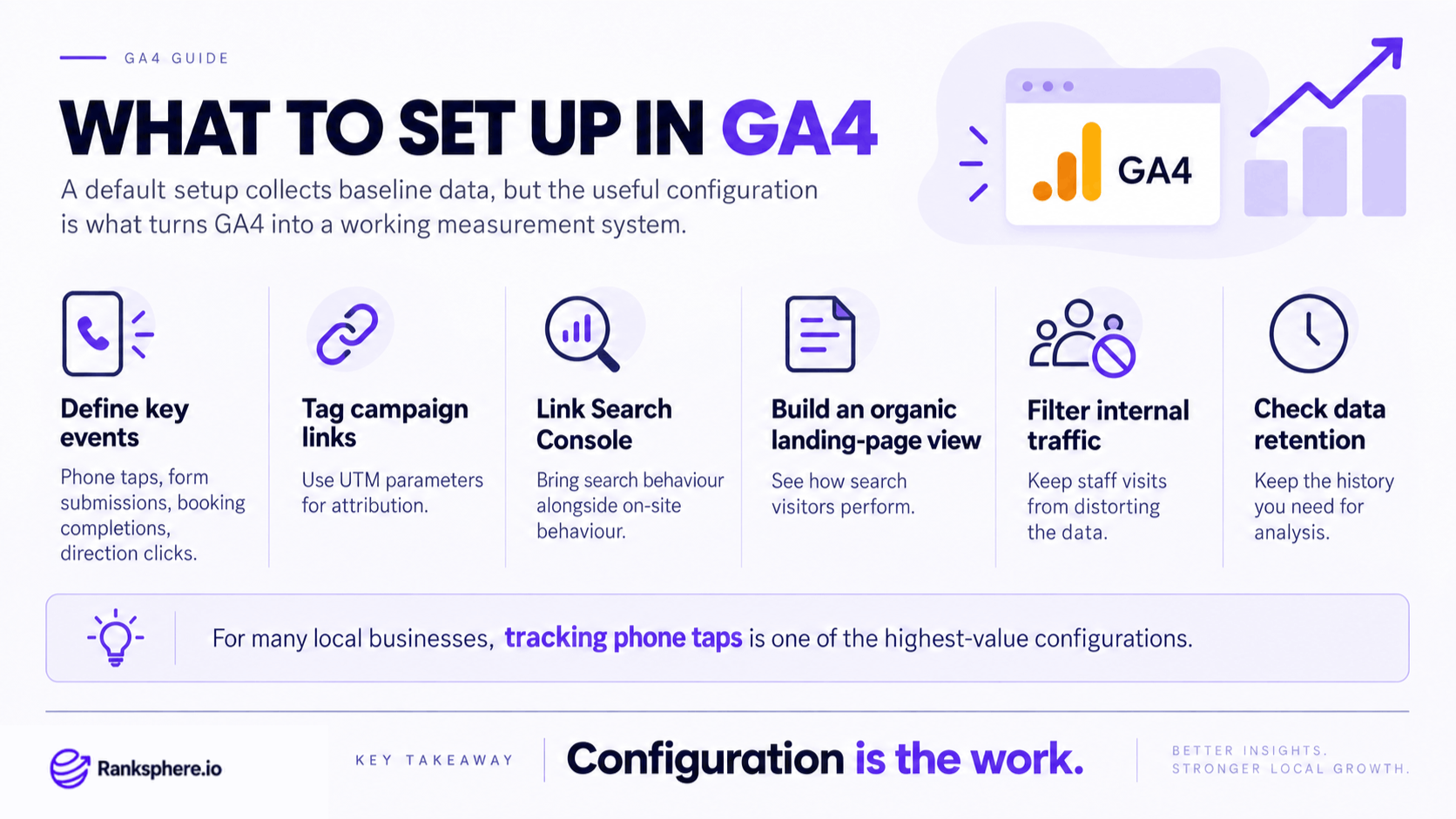
What to set up in Google Analytics 4
Installing GA4 is only the beginning.
For a local business, the real value comes from configuring it around the actions customers actually take.
Track meaningful key events
Start with the actions most closely connected to enquiries and revenue.
These may include:
- Contact form submissions
- Booking confirmations
- Quote requests
- Phone-link taps
- Email-link clicks
- Purchases
- Lead form completions
Do not create key events simply because something can be measured. Prioritise actions that tell you whether marketing is producing real business activity.
Use UTM parameters
Add UTM parameters to campaign links so GA4 can identify where visitors came from.
This is particularly useful for:
- Email campaigns
- Social media
- Paid advertising
- Google Business Profile links
- Partnerships
- Offline campaigns using QR codes
Without clear campaign tagging, useful traffic can end up grouped into broader or less helpful acquisition categories.
Link Google Search Console
Connect GA4 with Google Search Console so search performance and website behaviour can be analysed together.
The two tools answer different questions.
Search Console tells you more about what happened before the click — impressions, search queries, clicks and search visibility.
GA4 tells you what happened after someone reached the website.
Used together, they provide a much more useful view of organic search performance.
Filter internal traffic
Visits from employees, developers and agencies can distort reporting, particularly on websites with relatively modest traffic.
Configure internal traffic carefully so routine staff activity does not make engagement or conversion numbers look healthier than they really are.
Using GA4 for local SEO
GA4 is valuable for local SEO, but it only measures what happens on the website or app.
A large part of the local customer journey can happen without a website visit.
Someone may:
- Find the business in the local pack
- View the Google Business Profile
- Call directly from the listing
- Request directions
- Read reviews
- Visit the business without opening the website
Those actions do not automatically become GA4 website activity.
This is why local SEO should never be judged from website sessions alone.
A more complete reporting setup combines:
- GA4 website behaviour and key events
- Google Search Console data
- Google Business Profile performance
- Local rank tracking
- Geo-grid visibility
- Leads, calls and bookings
Ranksphere's white-label reports pull local performance into client-ready documents, helping bring website metrics together with the local visibility and profile data that GA4 does not cover by itself.
Traffic acquisition in GA4
The Traffic acquisition report helps you understand how website sessions were acquired.
You can use it to compare channels such as:
- Organic Search
- Direct
- Referral
- Paid Search
- Organic Social
But traffic alone does not tell you whether a channel is working.
Compare acquisition data with key events and business outcomes.
For example, one channel might generate 2,000 sessions and very few enquiries, while another produces only 300 visits but consistently generates bookings.
For most businesses, the second channel deserves more attention.
What Google Analytics 4 cannot tell you
GA4 is powerful, but it does not answer every marketing question.
On its own, it cannot tell you:
- Where your Google Business Profile ranks across your service area
- How visible you are in the local pack
- How many people requested directions directly from your Business Profile
- Every call made without visiting the website first
- Why a ranking improved or declined
- Whether a traffic increase actually produced profitable customers unless the right events and business data are being tracked
Analytics tells you what was measured.
Understanding why something happened usually requires additional SEO, search, profile and business data.
Common GA4 mistakes
- Comparing GA4 directly with old Universal Analytics reports. The underlying measurement models differ.
- Installing GA4 and leaving everything at the default setup. Important business actions often still need deliberate configuration.
- Tracking traffic without tracking outcomes. More sessions do not automatically mean better marketing.
- Failing to track phone interactions. For many local businesses, phone enquiries are among the most valuable actions.
- Using website sessions as the only measure of local SEO. Many local conversions take place directly through Google Business Profile.
- Ignoring internal traffic. Staff activity can distort smaller datasets.
- Marking too many events as key events. Reserve them for actions that genuinely matter to the business.
- Looking at engagement metrics without context. A short visit can still produce a valuable enquiry.
GA4 best practices
- Define meaningful key events first. Know what a successful website visit looks like.
- Track lead-generation actions properly. Include forms, bookings, purchases and relevant phone interactions.
- Connect Google Search Console. Use search visibility and website behaviour together.
- Use UTM parameters consistently. Make campaign traffic easier to attribute.
- Review acquisition alongside key events. Traffic quality matters more than traffic volume alone.
- Exclude internal traffic where appropriate. Keep staff activity from distorting reports.
- Test event tracking regularly. A broken form-tracking event can quietly create months of inaccurate reporting.
- Combine GA4 with local search data. Website analytics is only one part of local SEO measurement.
Example
“Bellwood Dental sees that organic website sessions have fallen slightly compared with the previous year.
Looking only at GA4, the practice could easily assume its local SEO performance has declined.
But the wider data tells a different story.
The clinic has become more visible in the local pack, and more patients are finding the information they need directly through the Google Business Profile. Some call or request directions without visiting the website at all.
At the same time, the practice discovers that phone-link taps on the website were never configured as a key event.
Once tracking is improved, the reporting becomes much more useful.
Instead of asking only whether website sessions went up or down, Bellwood now looks at:
- Organic website traffic
- Website enquiries
- Phone interactions
- Appointment bookings
- Business Profile activity
- Local search visibility
That gives the practice a clearer picture of whether local search is producing customers rather than simply producing visits.”
See also
- Google Search Console — search visibility and query data that complements GA4
- UTM parameters — tags used to identify campaign traffic
- Conversion rate — measuring how often visitors complete valuable actions
- Click-through rate — search performance data usually analysed in Search Console
- Google Business Profile — where many local customer actions happen before a website visit
- Local pack — an important part of local search visibility that GA4 cannot measure by itself