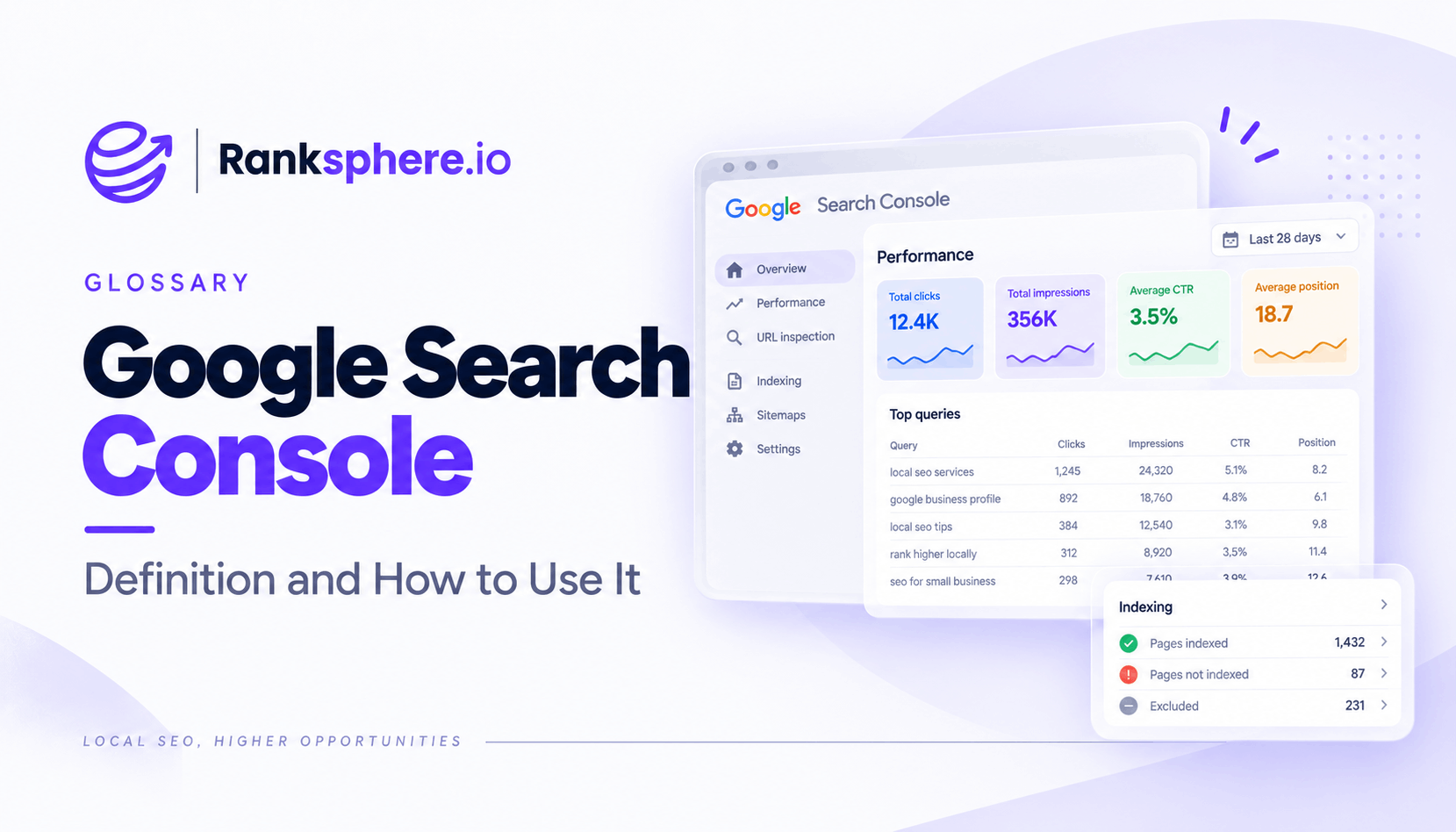
Google Search Console is a free Google tool that shows how a website performs in Google Search. It provides data on the queries people use to find your pages, how often those pages appear, how many clicks they receive and their average position in search results.
It also helps you monitor indexing, submit sitemaps, inspect individual URLs, review Core Web Vitals and identify certain technical or manual-action issues.
For SEO, Search Console is one of the most useful sources of first-party search performance data available. Keyword tools estimate demand and rankings. Search Console shows how your own website has actually appeared and performed in Google Search.
That makes it particularly useful for finding opportunities you may never discover through keyword research alone.
The main Google Search Console metrics
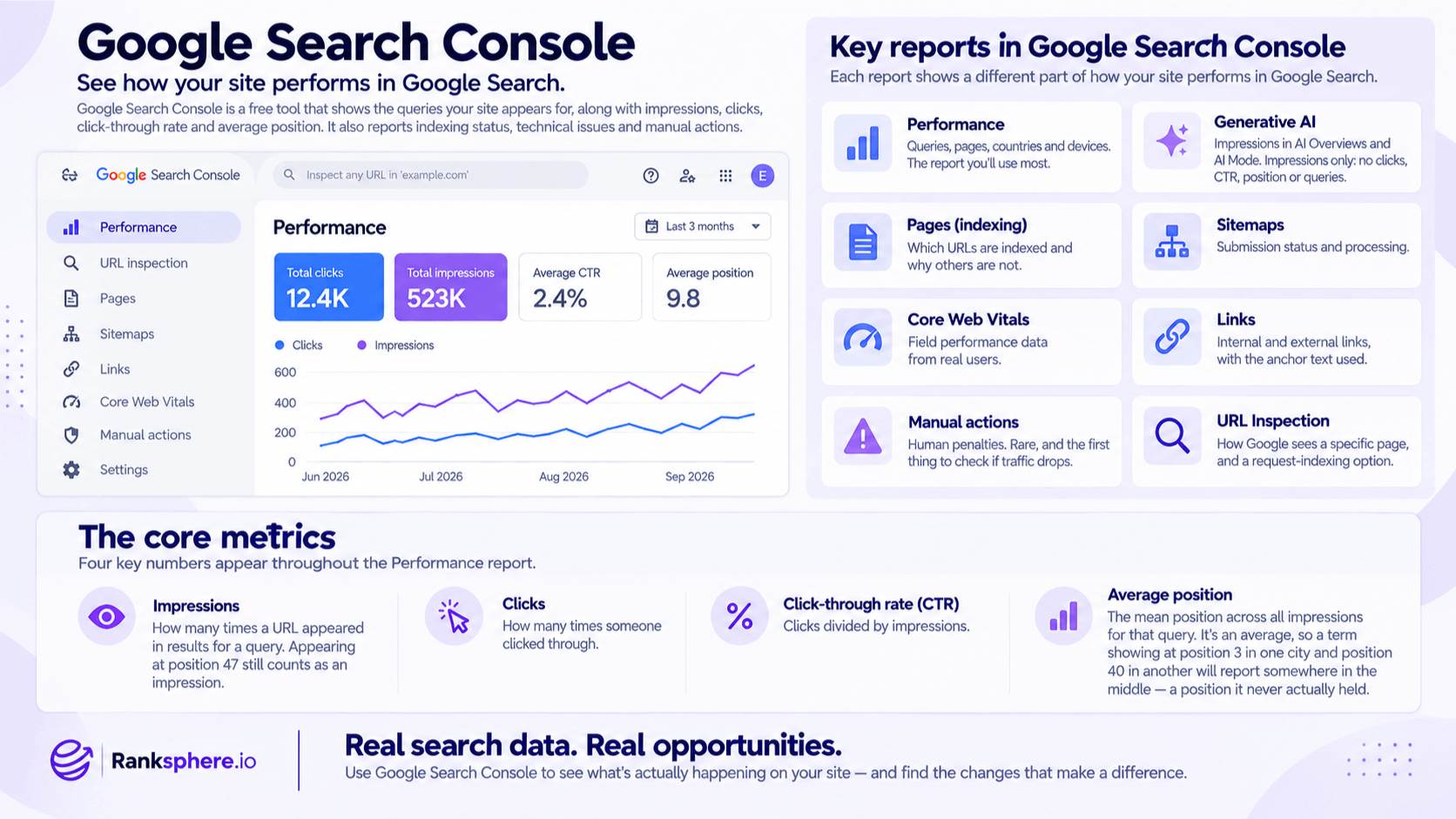
The Performance report revolves around four core metrics: impressions, clicks, click-through rate and average position.
Understanding what each one means will help you avoid drawing the wrong conclusions from the data.
Impressions
An impression is recorded when a link to your website is shown in Google according to the rules for that particular search result type.
A page does not need to receive a click for an impression to count.
Impressions are useful for understanding how much search visibility a page or query is receiving.
Clicks
A click is recorded when someone clicks a Google Search result and visits your website.
Clicks tell you how much actual traffic Google Search is sending to your pages.
Click-through rate
Click-through rate, or CTR, is the percentage of impressions that result in a click.
A page with 1,000 impressions and 50 clicks has a 5% CTR.
CTR can help identify pages that are being seen in search but are not attracting as many clicks as expected.
Average position
Average position is often misunderstood.
It does not necessarily mean your page sat at one fixed ranking throughout the selected period. Search results can vary according to factors such as location, device, time and the individual search context.
Search Console reports an average based on the positions recorded across impressions, so use it to understand trends rather than treating it as an exact rank. Google itself recommends paying close attention to clicks and impressions rather than relying on position alone.
For local businesses, this limitation is particularly important because rankings can change significantly from one part of a service area to another. That is why geo-grid tracking can provide additional local context.
The Google Search Console reports worth using
You do not need to use every report every day. A handful provide most of the value for ongoing SEO.
Performance
The Performance report shows how your site appears in Google Search.
You can analyse data by:
- Query
- Page
- Country
- Device
- Date
- Search appearance
This is usually where you will spend the most time when researching keywords, monitoring organic traffic and finding pages with room to improve.
Generative AI performance
Search Console also provides reporting for Google's generative AI search features.
The Generative AI performance report currently includes impression data from AI Overviews and AI Mode, helping you see which pages are being surfaced in these experiences and where those impressions come from.
This is useful alongside your wider reporting on AI Overviews, but it should be treated as another visibility signal rather than a replacement for standard Search performance data.
Page indexing
The indexing reports help you understand which URLs Google has indexed and why other pages may not be included.
Check them after:
- Website migrations
- Large redesigns
- URL changes
- New sections being launched
- Significant technical SEO work
Not every non-indexed page represents a problem, so review the reason before trying to force every URL into the index.
Sitemaps
The Sitemaps report lets you submit an XML sitemap and check whether Google has successfully processed it.
A sitemap does not guarantee indexing, but it gives Google a clear list of URLs you want it to discover.
Core Web Vitals
Core Web Vitals reporting uses real-world performance data to highlight groups of URLs with user experience issues.
It can help you identify areas that need further investigation, although you will usually need additional diagnostic tools to understand the exact cause.
Links
The Links report shows information about internal and external links Google has found.
It can be useful when reviewing site architecture, important pages and anchor text.
Manual actions
The Manual Actions report shows whether Google has applied a manual action to the site.
These are relatively uncommon, but the report is worth checking if you suspect the site has received a manual penalty.
URL Inspection
URL Inspection lets you check how Google sees a particular page.
It can show information about indexing, the canonical URL and crawl status, and it also provides a way to request indexing after important changes.
How to use Google Search Console for SEO
The real value in Search Console appears when you go beyond the headline traffic graph.
Instead of only checking whether total clicks increased or decreased, look at the queries and pages behind those numbers.
Find high-impression queries with low clicks
Look for searches where your site receives plenty of impressions but relatively few clicks.
Then investigate why.
The issue may be:
- A weak or unclear title
- Search intent mismatch
- A page ranking lower than expected
- A competing SERP feature
- A title that does not reflect what the page actually offers
Do not assume low CTR is always a meta-description problem. Search layout, ranking position and intent all affect whether people click.
Find pages close to stronger positions
Pages already receiving visibility around the first page or upper second page may deserve closer attention.
Review:
- Content quality
- Search intent
- Internal links
- Title and headings
- Competing pages
- Whether the content is still current
Small improvements to an established page can sometimes be more productive than publishing another new article.
Find keyword cannibalisation
Search Console can help identify potential keyword cannibalisation.
Filter the Performance report to a specific query and then open the Pages tab. Google officially supports this workflow for seeing which URLs have appeared for a particular search.
If several pages repeatedly compete for the same intent or the ranking URL keeps changing, investigate further.
Do not assume multiple URLs automatically mean cannibalisation. The pages may legitimately serve different intents.
Find long-tail keyword opportunities
Your Search Console query data can reveal long-tail keywords you never deliberately targeted.
Look for:
- Specific questions
- Service variations
- Problem-based searches
- Unexpected location terms
- Queries receiving impressions but few clicks
These searches can help you improve an existing page or identify a genuinely useful new content opportunity.
Compare performance around major changes
Use date comparisons when reviewing:
- Website redesigns
- Content updates
- Migrations
- Technical fixes
- Google algorithm updates
Comparing similar periods is generally more useful than simply looking at a graph and guessing what caused a rise or fall.
Ranksphere's website audit pairs technical findings with fixes, helping bridge the gap between identifying a website issue and understanding what needs to be corrected.
Google Search Console and local SEO
Search Console is useful for local businesses, but it does not show the whole local search picture.
It tracks how your website performs in Google Search. Your Google Business Profile has its own performance data.
That means actions such as Business Profile calls and direction requests are not measured as standard website Search Console conversions.
You should therefore look at Search Console alongside:
- Google Business Profile performance
- Local rank tracking
- Geo-grid data
- Google Analytics
- Lead and enquiry data
Search Console tells you what is happening with your website in Google Search. Local SEO reporting needs additional sources to show what is happening with your Business Profile and across your geographic market.
Google Search Console limitations
Search Console provides valuable data, but it has limits.
Not every query is shown
Google omits some low-volume query data for privacy reasons, so the visible query table may not add up perfectly to the totals shown elsewhere in the report.
Data is not always immediate
Standard Search Console data can have a processing delay, although very recent preliminary data is also available in parts of the interface. Google notes that collected data is commonly available within around two to three days.
Average position is not a fixed rank
Ranking varies between searches, so an average position should not be read as “this page ranks number seven everywhere.”
This matters particularly in local SEO.
Search Console and Analytics measure different things
Do not expect Search Console clicks to match Google Analytics sessions exactly.
The platforms use different measurement methods, processing rules and definitions.
It does not replace local rank tracking
Search Console can tell you that a website appeared for a query, but it does not give you a detailed geographic map of rankings throughout your service area.
Use dedicated local tracking when location-by-location visibility matters.
Common Google Search Console mistakes
- Treating average position as an exact ranking. It is an average across recorded impressions.
- Looking only at total clicks. Much of the useful SEO insight sits at query and page level.
- Expecting Search Console and Google Analytics to match exactly. They measure different things.
- Ignoring indexing reports until traffic drops. Check them after significant site changes.
- Assuming Search Console represents all local performance. Google Business Profile activity needs to be monitored separately.
- Trying to fix every excluded URL. Some pages are intentionally or correctly not indexed.
- Looking at CTR without considering position and SERP layout. A low CTR does not automatically mean your title is poor.
- Using only a URL-prefix property when you need full domain coverage. A Domain property can include subdomains as well as HTTP/HTTPS and www/non-www versions under one property.
Google Search Console best practices
- Set up a Domain property where appropriate. This provides broader coverage across protocols and subdomains.
- Submit your XML sitemap. Check that Google can process it successfully.
- Review query and page data regularly. Do not wait for traffic to fall before opening Search Console.
- Look for high-impression opportunities. These show where Google already associates your site with a topic.
- Monitor indexing after significant changes. Especially after migrations, redesigns and large publishing updates.
- Use Search Console alongside other SEO data. Combine it with analytics, rank tracking and Business Profile performance.
- Compare meaningful time periods. Account for seasonality and major site changes before drawing conclusions.
- Use trends rather than obsessing over individual daily movements. SEO performance is easier to understand over a sensible period.
Example
“Greenhaven Landscapes notices that organic traffic has remained fairly flat for several months.
Looking only at total clicks does not explain much, so the team opens the Search Console Performance report and reviews individual pages.
A garden drainage guide stands out.
It receives a large number of impressions and already appears reasonably well for several relevant searches, but relatively few people are clicking through.
Instead of immediately trying to build links or publish another article, the team looks at how the page appears in search.
The title is vague and does not explain what the guide actually answers.
It is rewritten to describe the topic more clearly, while the page itself is reviewed to make sure it still matches the queries producing impressions.
The team then monitors clicks, CTR and impressions over the following weeks rather than expecting an immediate result.
That is where Google Search Console is most useful.
It does not simply tell you how much organic traffic you received. It helps you see where Google is already giving your website visibility and where there may be an opportunity to make better use of it.”
See also
- Click-through rate — the percentage of search impressions that result in a click
- Impressions — how often your pages are shown in Google
- Keyword cannibalisation — competing URLs that can be investigated through query and page data
- Long-tail keyword — specific searches that can often be discovered through Search Console
- Google Analytics 4 — complementary data for what visitors do after reaching the website
- Google algorithm update — changes that can be compared against Search Console performance trends