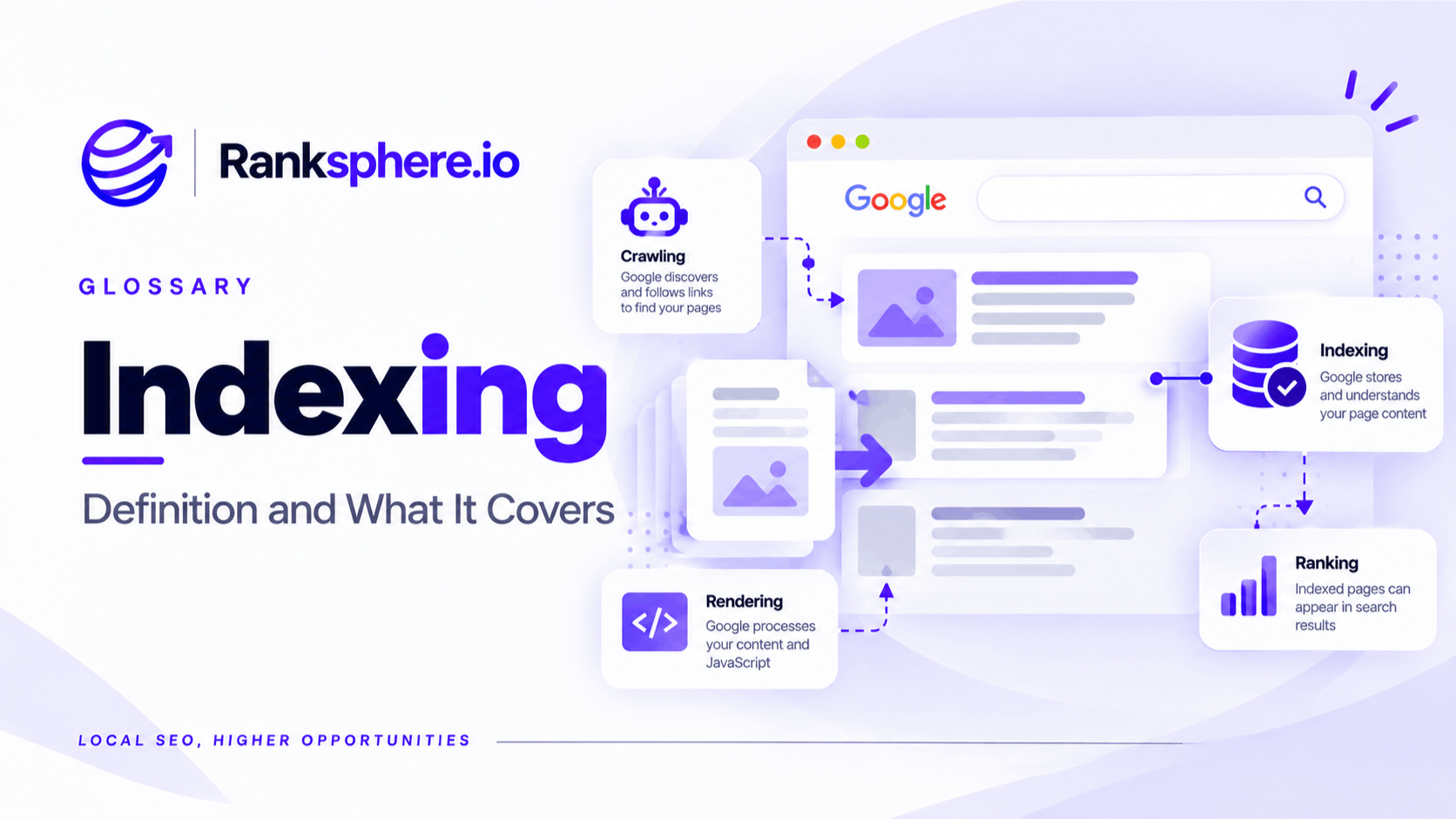
Indexing is the process by which a search engine analyses a webpage and decides whether to store it in its search index.
A page usually needs to be discovered and crawled before it can be considered for indexing, but crawling does not guarantee that the page will appear in search.
Google may discover a URL, fetch it successfully and still decide not to index it.
That distinction is important.
A page can be technically accessible and contain no obvious error while remaining absent from search results because Google has chosen not to include it in the index.
Crawling vs indexing
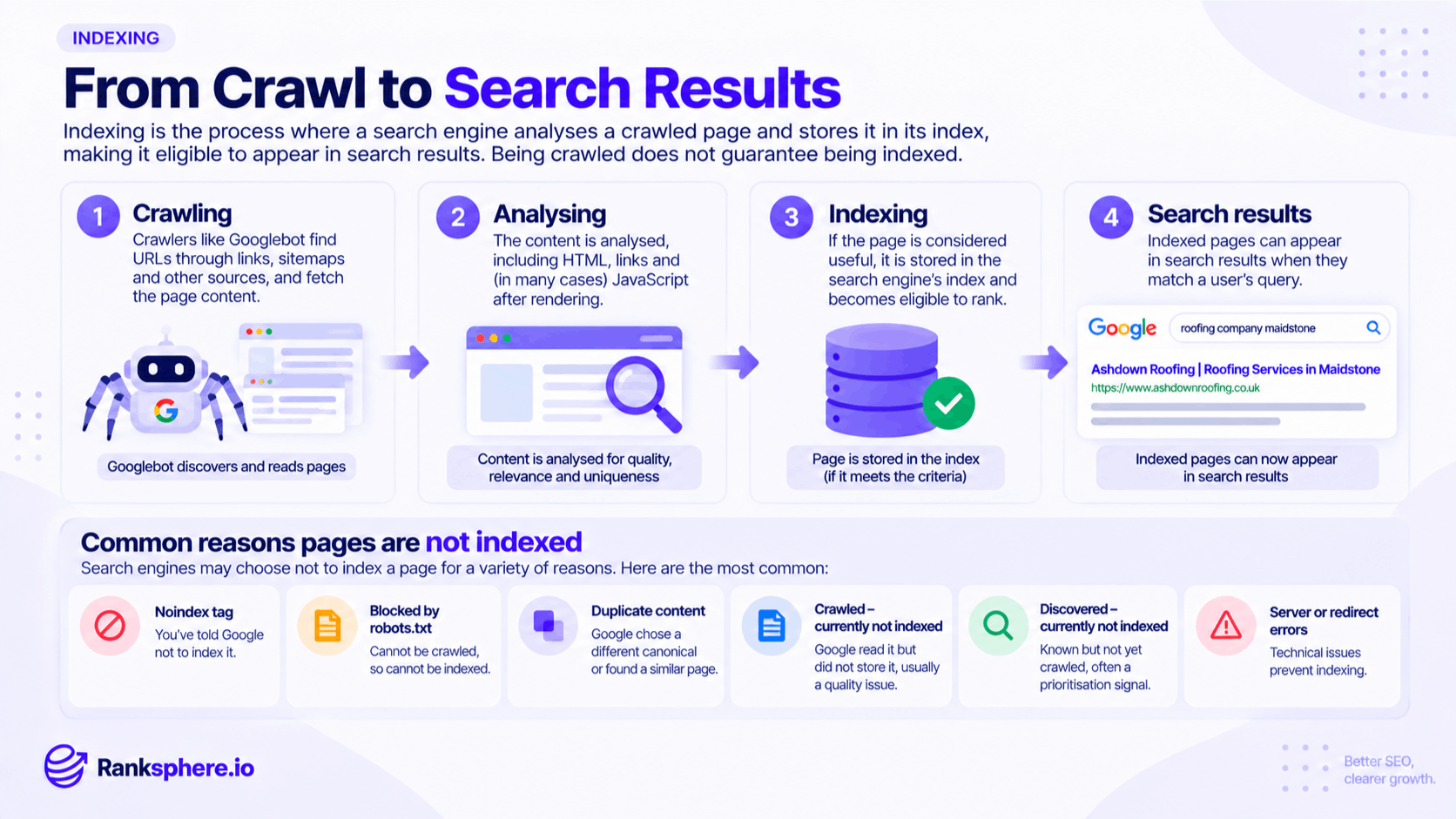
Crawling and indexing are closely related, but they are not the same thing.
Crawling is how Google discovers and fetches a page.
Indexing is the stage where Google processes that page and decides whether it should be stored and become eligible to appear in search.
A simplified version looks like this:
Discovery → Crawling → Processing → Indexing → Ranking
Not every URL reaches every stage.
For example:
- Google can know about a URL without crawling it
- Google can crawl a page without indexing it
- An indexed page may still rank poorly
- A page can later be removed from the index
This is why an SEO problem should not automatically be described as a “ranking issue.” Sometimes the page is not even eligible to rank yet.
Why a page might not be indexed
There are several reasons Google may exclude a URL from its index.
Some come from instructions on the site. Others reflect Google's own processing or canonicalisation decisions.
Excluded by a noindex directive
A page containing a noindex directive tells search engines not to include it in search results.
This can be intentional for pages such as:
- Thank-you pages
- Account areas
- Internal search results
- Temporary landing pages
It becomes a problem when the directive appears accidentally on an important page.
This often happens after a redesign, staging migration or CMS configuration change.
Blocked by robots.txt
A robots.txt rule can stop Googlebot from crawling a URL.
Because Google cannot fetch the page, it may also be unable to see directives placed inside it.
This is why robots.txt should not normally be used as the main method for removing a publicly accessible page from Google's index.
Alternative page with a canonical
If a page points to another URL using a canonical tag, Google may treat the other URL as the preferred version.
That is usually expected behaviour when the pages are duplicates or substantially similar.
Crawled – currently not indexed
This means Google successfully crawled the page but has not added it to the index.
There is no single reason this happens.
Possible causes include:
- Very similar or duplicate content
- Thin or low-value content
- Weak internal linking
- Canonicalisation signals
- Content Google does not consider useful enough to index
- Rendering or processing issues
- A page that Google may reconsider later
It should be treated as a signal to investigate rather than proof of one specific problem.
Discovered – currently not indexed
This means Google knows the URL exists but has not crawled it yet.
The URL may have been discovered through:
- Internal links
- An XML sitemap
- External links
- Previous crawling
Google may crawl it later.
If important pages remain in this state for a long time, investigate site quality, crawlability, internal linking, server performance and whether the URL is genuinely important.
Duplicate, Google chose different canonical
This means Google considers another URL the better representative version, even if you declared a different canonical.
That can happen when other signals point elsewhere.
Check:
- Canonical tags
- Redirects
- Internal links
- XML sitemaps
- Content similarity
The goal is to make these signals agree.
Errors
Some URLs fail to index because of genuine technical problems.
Examples include:
- Server errors
- Redirect loops
- Broken redirects
- Soft 404s
- Invalid responses
These should be investigated separately from pages Google simply chooses not to index.
What does “Crawled – currently not indexed” mean?
This is one of the most misunderstood indexing statuses.
It does not automatically mean there is a technical fault.
Google has already accessed the page.
The question is why it has not been selected for indexing.
Start by looking at the page itself.
Ask:
- Does it offer anything genuinely useful?
- Is it substantially different from other pages on the site?
- Does it match a real search intent?
- Does it have meaningful internal links pointing to it?
- Is it part of the normal site structure?
- Is another page covering the same topic better?
- Is the canonical correct?
- Is the content available when Google renders the page?
For local websites, templated location pages are a common place to see this status.
A page that changes only the city name while keeping the same service copy may not offer enough distinct value to justify separate indexing.
See multi-location SEO for more on building useful location pages.
Should you request indexing again?
Google Search Console allows you to request indexing through URL Inspection.
That can be useful when:
- A new important page has been published
- A major content update has been made
- A technical problem has been fixed
- A page has recently become crawlable again
But repeated submission is not a substitute for improving the page.
If Google crawls the URL again and still chooses not to index it, investigate the reason rather than repeatedly clicking “Request indexing.”
The page may need:
- Better content
- Stronger internal linking
- Clearer differentiation
- Correct canonicalisation
- Technical fixes
How to check whether a page is indexed
There are several ways to investigate indexing status.
Google Search Console
Google Search Console is the most useful source for understanding how Google sees your URLs.
Its indexing reports can show:
- Indexed pages
- Non-indexed pages
- Reasons for exclusion
- Canonicalisation information
- Crawling problems
URL Inspection
URL Inspection is useful when checking one specific page.
It can show:
- Whether the URL is indexed
- Whether Google crawled it
- Google's selected canonical
- The last crawl date
- Other indexing information
site: searches
A site: search can give a rough indication of whether a page or domain appears in Google.
For example:
site:example.com/service-page
This should not be used as an exact index count.
Search Console is much more reliable for diagnosis.
Indexing and internal links
Internal links can influence how easily Google discovers and understands important pages.
A page that you want indexed should normally be connected to the rest of the site through meaningful links.
Use descriptive anchor text where appropriate.
For example, a roof repair service page might receive internal links from:
- The main services page
- Roofing guides
- Related location pages
- The homepage
- Other relevant services
A page that appears only in an XML sitemap but nowhere in the site's internal structure may look much less important.
Internal links do not guarantee indexing, but they provide useful discovery and context signals.
Indexing and XML sitemaps
An XML sitemap should contain the URLs you want search engines to discover and consider for indexing.
That usually means listing:
- Canonical URLs
- Important indexable pages
- Current live content
Avoid filling a sitemap with:
- Redirected URLs
- noindex pages
- Duplicate parameter URLs
- Broken pages
- Non-canonical variants
A sitemap is a discovery aid, not an indexing command.
Submitting a URL through a sitemap does not guarantee that Google will index it.
Indexing and canonical tags
A canonical tag tells Google which version of a duplicate or substantially similar page you prefer.
If:
/roof-repair?campaign=spring
canonicalises to:
/roof-repair
Google will normally consider the clean version the main URL.
This is expected.
Problems arise when:
- Important pages canonicalise to the wrong URL
- Every page canonicalises to the homepage
- Canonicals point to redirects
- Internal links contradict the canonical
- The sitemap contains a different URL
When indexing behaves unexpectedly, canonicalisation should be one of the first things checked.
How to control indexing deliberately
Not every page belongs in Google.
Pages that often do not need indexing include:
- Thank-you pages
- Account pages
- Checkout steps
- Internal search results
- Staging content
- Certain filtered views
Use noindex when a page should not appear in search
A meta robots directive can be used:
<meta name="robots" content="noindex">
The page needs to remain crawlable for Google to see this directive.
Use canonicalisation for genuine duplicates
If several URLs need to remain accessible but represent substantially the same content, canonicalisation may be more appropriate.
Do not rely on robots.txt to remove indexed pages
Blocking crawling does not necessarily remove a URL from Google's index.
If Google cannot crawl the page, it also cannot reliably see the noindex directive inside it.
The method you choose should match the problem you are trying to solve.
Why thin pages often struggle to index
A website does not automatically need every URL indexed.
If several pages provide almost the same information, Google may decide that indexing all of them adds little value.
This often happens with:
- Templated location pages
- Near-identical service pages
- Tag archives
- Thin product variations
- Automatically generated content
- Duplicate category pages
Instead of asking:
“How do I force Google to index this page?”
ask:
“Why does this page deserve to exist as its own search result?”
That question usually leads to better SEO decisions.
Ranksphere's website audit surfaces thin, duplicate and orphaned pages, helping identify URLs that may need improvement before indexing becomes the priority.
Common indexing mistakes
- Assuming crawling guarantees indexing. Google can crawl a page and still choose not to index it.
- Treating every non-indexed page as a technical problem. Sometimes the issue is content, duplication or page purpose.
- Using robots.txt to remove pages from search. It controls crawling rather than indexing.
- Repeatedly requesting indexing without improving the page.
- Leaving accidental noindex tags after launch.
- Including non-canonical URLs in the sitemap.
- Ignoring internal linking. Important pages should be part of the site structure.
- Treating “Crawled – currently not indexed” as proof of low quality. It is a status that requires investigation, not a definitive diagnosis.
- Trying to index every URL. Some pages simply do not need to appear in search.
- Checking indexing only after traffic falls. Problems can remain unnoticed for weeks or months.
Indexing best practices
- Review indexing reports regularly in Search Console.
- Check important pages after launches, migrations and redesigns.
- Keep pages crawlable when using noindex.
- Make canonicals, sitemaps and internal links point consistently to preferred URLs.
- Link internally to pages that matter.
- Keep XML sitemaps clean and current.
- Investigate long-term “Crawled – currently not indexed” URLs individually.
- Consolidate weak or duplicate pages where appropriate.
- Avoid creating pages purely to target tiny keyword variations.
- Focus on making each indexable page useful enough to deserve its place in search.
Example
“Kingsmead Cleaning creates twenty-two city pages covering towns across its service area.
Several months later, only a small number appear in Google's index.
The others have been crawled but remain unindexed.
At first, the owner looks for a technical fix.
But the pages all follow almost exactly the same template.
Each contains the same short service description, the same stock image and the same list of services, with only the town name changed.
Rather than repeatedly requesting indexing, the business reviews whether every location genuinely needs its own page.
It chooses a smaller group of priority towns and rebuilds those pages properly.
Each one now includes useful local information such as:
- Areas covered
- Real projects completed nearby
- Relevant photographs
- Service details
- Customer examples
- Practical information specific to the location
The remaining low-value pages are consolidated where appropriate.
The result is a smaller set of pages with a much clearer reason to exist.
That is the right way to think about indexing: the goal is not to get every URL into Google. It is to make sure the pages that deserve to be found are crawlable, useful, distinct and easy for search engines to understand.”
See also
- Crawling — how search engines discover and access webpages
- Canonical tag — identifying the preferred version of duplicate URLs
- XML sitemap — helping search engines discover important URLs
- Google Search Console — where page indexing status can be investigated
- Thin content — pages with too little unique or useful information
- Technical SEO — the wider work involved in crawling, rendering and indexing