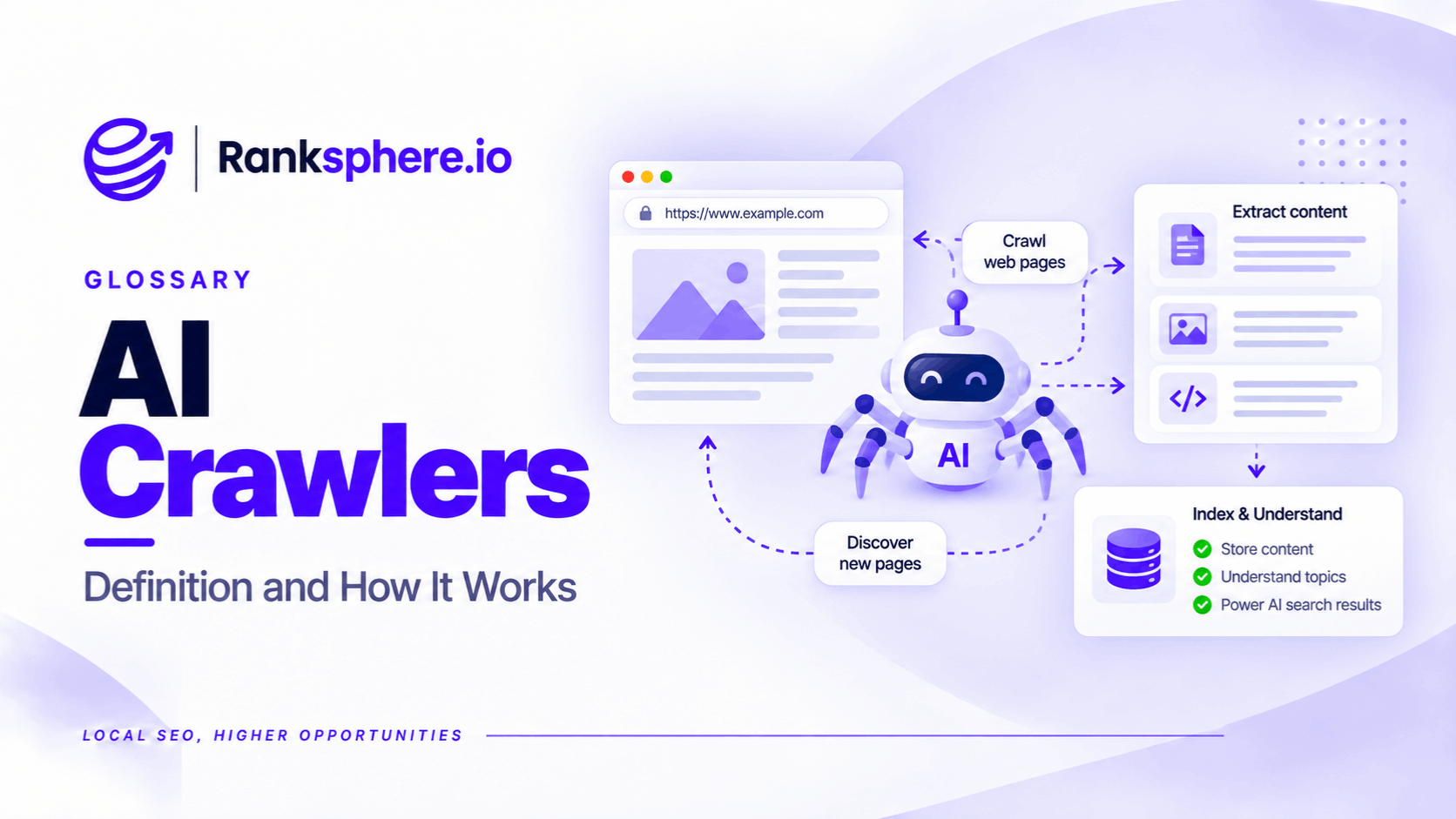
AI crawlers are automated programs used by artificial intelligence companies to discover, collect, or retrieve content from websites.
They serve three main purposes: collecting training data, discovering content for AI-powered search, and fetching webpages when someone asks an AI assistant for information.
For example, an AI assistant might access a dental practice's website to find information about its services, location, or appointment options.
However, not every AI crawler performs the same function.
Some collect information for future model development. Others help AI search tools discover websites that may be useful when answering questions.
The distinction matters because blocking an AI training crawler isn't necessarily the same as blocking access to AI search.
For local businesses that want to appear in AI-generated recommendations, understanding which crawlers can access their website is increasingly important.
The Three Types of AI Crawlers
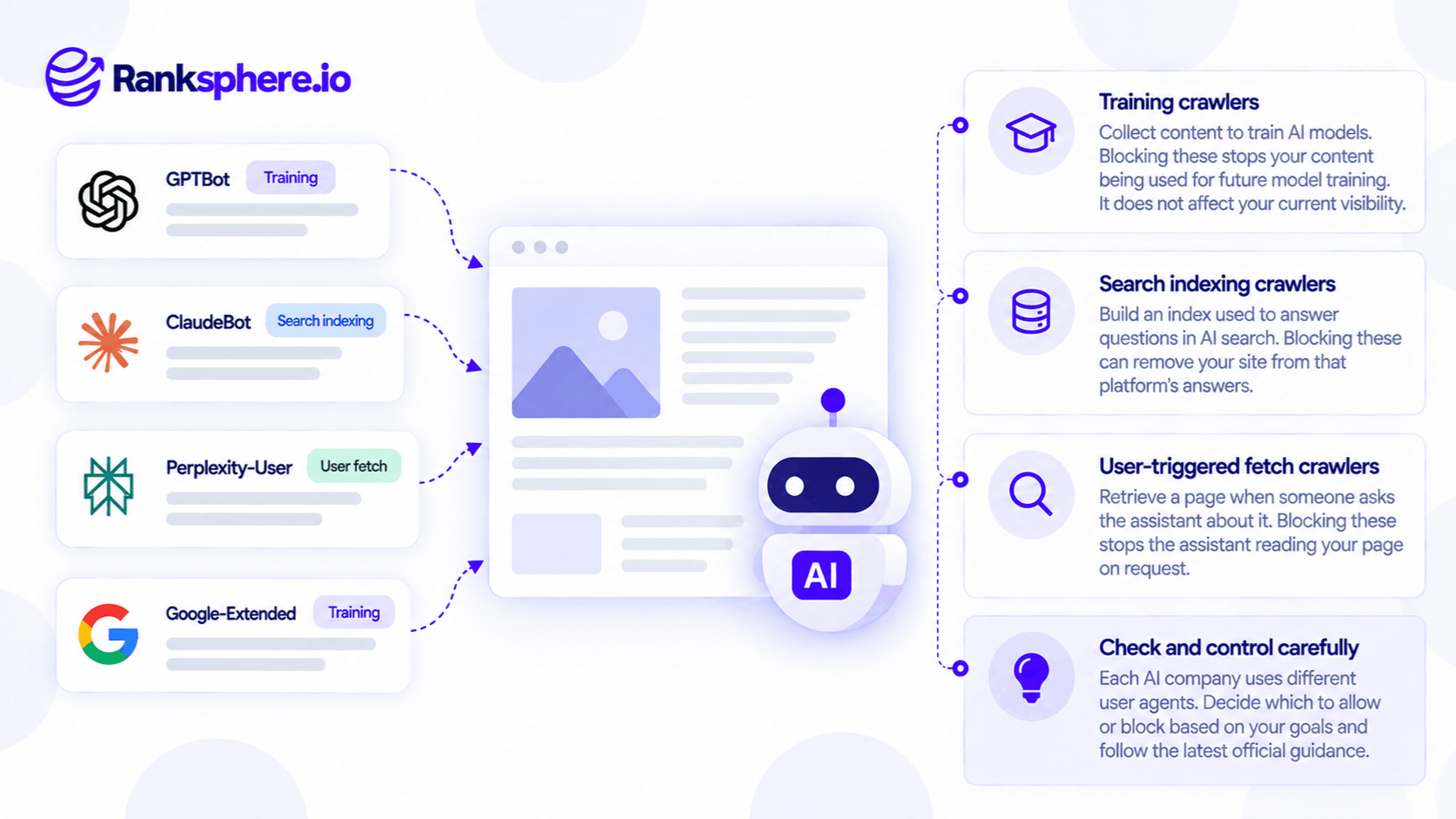
AI companies often operate separate agents for different activities.
1. AI Training Crawlers
Training crawlers collect publicly available content that may be used to develop or improve AI models.
For example, OpenAI uses GPTBot for content that may contribute to training its generative AI models.
Blocking a training crawler can restrict that provider's future collection through the documented agent.
However, it doesn't necessarily remove information already collected or used in previous training.
2. AI Search Crawlers
Search crawlers discover content that may be used in AI-powered search results.
For example, OpenAI's OAI-SearchBot supports ChatGPT search.
Allowing this crawler can help make a website eligible to appear as a source in supported ChatGPT search experiences.
Blocking it can limit that opportunity.
However, crawler access doesn't guarantee that a website will be selected or cited. AI systems may also use other indexes and information sources.
3. User-Initiated Retrieval Agents
Some agents fetch webpages because an individual user asks an AI assistant to retrieve information.
For example, a user might ask ChatGPT to examine a roofing company's website.
OpenAI's ChatGPT-User may be involved in retrieving that content.
These requests differ from automatic crawling, and providers may handle robots.txt restrictions differently.
OpenAI states that robots.txt rules may not apply to ChatGPT-User because the requests are user-initiated.
Common AI Crawlers and Their Purposes
The following agents are useful to recognise when reviewing website access.
| Provider | Agent or control | Purpose |
|---|---|---|
| OpenAI | GPTBot | AI training |
| OpenAI | OAI-SearchBot | ChatGPT search |
| OpenAI | ChatGPT-User | User-requested retrieval |
| Anthropic | ClaudeBot | AI model development |
| Anthropic | Claude-SearchBot | Search-related crawling |
| Anthropic | Claude-User | User-initiated retrieval |
| Perplexity | PerplexityBot | Search discovery |
| Perplexity | Perplexity-User | User-initiated requests |
| Common Crawl | CCBot | Open web dataset collection |
Other crawlers and controls include Bytespider, Amazonbot, Applebot-Extended, and meta-externalagent.
Their purposes aren't identical, and not every provider follows the same crawling policies.
Always check current vendor documentation before making access-control changes.
What About Google-Extended?
Google uses Google-Extended as a robots.txt control token for certain AI-related uses of website content, including specified Gemini training and grounding activities.
It is not a separate crawler with its own HTTP user-agent identity.
Google states that restricting Google-Extended doesn't affect ordinary Google Search inclusion or rankings.
However, because it also controls specified grounding uses, blocking it shouldn't be described as having no possible effect on AI-powered experiences.
Googlebot Is Different
Googlebot is Google's standard web crawler.
It is responsible for discovering and accessing content used by Google Search.
Blocking Googlebot can prevent Google from crawling important website pages, potentially harming their search visibility.
Businesses should not accidentally block Googlebot when attempting to restrict AI-specific activity.
Should Local Businesses Allow AI Crawlers?
For most local businesses seeking greater visibility in AI-powered search, allowing legitimate search crawlers is a reasonable starting point.
For example, a plumbing company may want its website to be available when someone asks an AI assistant to recommend plumbers in their town.
Blocking search discovery crawlers could reduce opportunities for the website to be used as a source.
However, allowing a crawler doesn't guarantee that an AI assistant will recommend the business.
The answer may depend on the query, location, available sources, relevance, and how the AI system retrieves information.
Training crawlers are a separate decision.
Some businesses may allow them, while others may have legitimate reasons to restrict training-related collection.
The important thing is to make that choice deliberately rather than blocking every AI agent through a generic security setting.
How to Control AI Crawlers With Robots.txt
The robots.txt file provides crawling instructions to automated agents that honour the standard.
For example, a website that wants to restrict GPTBot while allowing OAI-SearchBot could use:
User-agent: GPTBot
Disallow: /

User-agent: OAI-SearchBot
Allow: /
The first group requests that GPTBot not crawl the website.
The second permits OAI-SearchBot.
These controls are independent in OpenAI's published documentation.
Can Multiple Crawlers Share One Rule?
Yes.
For example:
User-agent: GPTBot
User-agent: ClaudeBot
Disallow: /
This is valid robots.txt syntax for applying the same restriction to both agents.
You don't need a separate group for every crawler when the rules are identical.
Do Specific Rules Override Wildcard Rules?
Under standard robots.txt matching, the most specific applicable user-agent group takes precedence over a general wildcard group.
For example, a specific block for GPTBot isn't cancelled simply because another group permits User-agent: *.
Does Robots.txt Physically Block Access?
No.
Robots.txt communicates instructions rather than enforcing access through authentication.
Responsible crawlers generally follow applicable rules, but malicious bots may ignore them.
A user-agent string can also be spoofed.
For stronger restrictions, website owners can use appropriate authentication, server, or firewall controls.
However, these should be configured carefully to avoid blocking legitimate visitors or search engines.
How to Audit AI Crawler Access
Before changing any settings, review what the website already allows or blocks.
Check Robots.txt
Open:
https://yourwebsite.com/robots.txt
Look for crawler-specific restrictions.
For example, a security plugin may have added AI crawler rules that the website owner doesn't remember approving.
Review CDN and Firewall Settings
A crawler may be permitted by robots.txt but blocked by a security system.
For example, a web application firewall may challenge or reject requests identified as automated traffic.
This means robots.txt isn't the only place to investigate access problems.
Check Server Logs
Log file analysis can reveal requests identifying themselves as particular AI crawlers.
However, the user-agent name alone isn't proof of identity.
Where available, use the provider's published IP ranges or verification guidance to confirm legitimate requests.
Review Website Changes
Check crawler access after significant updates to:
- Security plugins
- Hosting configurations
- CDN settings
- Firewall rules
- Robots.txt
- Website infrastructure
Ranksphere's Website Audit Tool helps identify technical crawling and website configuration issues worth investigating.
However, a technical audit cannot establish whether an AI system has indexed or recommended your website.
Do AI Crawlers Affect LLM Visibility?
AI crawler access can influence whether a system can discover or retrieve website content.
But it isn't the only factor affecting LLM visibility.
For example, a dental practice may allow all documented AI search crawlers and still be absent from recommendations for nearby dentists.
Possible reasons include:
- The assistant relies on different sources.
- Competing businesses are considered more relevant.
- The query's location affects the results.
- The website doesn't clearly explain the services offered.
- The AI system hasn't discovered or selected the website's content.
Different AI providers also use different retrieval methods.
Some combine web indexes with business listings and third-party information.
For this reason, fixing crawler access should be treated as removing a possible technical barrier, not as a guaranteed AI visibility improvement.
Common AI Crawler Mistakes
- Treating every AI crawler as a training bot. Search and retrieval agents may perform different functions.
- Blocking AI search crawlers unintentionally. This can limit opportunities for website content to appear in supported AI search experiences.
- Confusing Googlebot with Google-Extended. Their roles and controls differ.
- Assuming robots.txt guarantees blocking. It isn't a security mechanism.
- Using outdated crawler names. Providers may change their agents and documentation.
- Ignoring firewall restrictions. A crawler allowed in robots.txt may still be unable to access the server.
- Trusting unverified user-agent strings. Automated requests can be spoofed.
- Assuming crawler access guarantees citations. Access and visibility are different.
- Copying another website's AI blocking strategy. Its business needs may not match yours.
AI Crawler Best Practices
- Identify the AI search platforms relevant to your business.
- Distinguish training, search, and user-initiated retrieval agents.
- Check official documentation before editing robots.txt.
- Avoid unintentionally blocking Googlebot.
- Allow appropriate search crawlers when AI discoverability is a goal.
- Make separate decisions about training crawler access.
- Review security plugins, CDN settings, and firewall rules.
- Check server logs for relevant crawler activity.
- Verify crawler identity where possible.
- Recheck access after major website changes.
- Monitor AI search visibility separately from crawling activity.
The goal isn't to allow or block every AI bot. It's to understand which agents need access for the activities your business wants to support.
Example of AI Crawlers Affecting a Dental Practice
Consider a hypothetical dental practice that wants to improve its visibility in AI-generated local recommendations.
The practice's marketing team notices that its website rarely appears as a source when testing relevant questions.
An initial technical audit reveals that a security plugin has added restrictions for several AI agents.
What the Agency Finds
The website's robots.txt file contains rules blocking documented AI search crawlers.
The agency also discovers that certain automated requests are being challenged by the website's firewall.
These settings were introduced as part of an earlier security configuration.
What the Agency Changes
After checking the providers' current documentation, the agency updates the crawling rules and reviews the firewall restrictions.
It keeps necessary security protections while permitting approved search crawler access.
The team then checks server logs to confirm whether legitimate requests can reach the website.
What Happens Next?
The logs indicate that certain search crawlers can now request the website successfully.
This confirms that one technical access issue has been resolved.
It doesn't guarantee that the dental practice will appear in future AI recommendations.
The agency continues investigating the practice's website content, business information, and visibility across relevant AI search queries.
Example
“The website had restrictions that conflicted with the practice's goal of being discoverable through AI search.
Correcting them removed a possible obstacle.
The wider question of whether an AI system recommends the practice still depends on other factors.
AI crawler access is a technical foundation for some AI search experiences, not a guarantee of inclusion.
For local businesses, the priority is to avoid accidental restrictions, understand the purpose of each crawler, and monitor actual visibility rather than assuming every successful crawl produces a citation.”
See Also
- Robots.txt — Instructions controlling access for participating crawlers.
- LLM Visibility — How businesses appear in AI-generated answers.
- Retrieval-Augmented Generation — How AI systems retrieve information to support responses.
- Generative Engine Optimisation — Improving content visibility in AI-powered search.
- Log File Analysis — Identifying crawler requests in server logs.
- llms.txt — A proposed AI-facing content file that doesn't replace robots.txt.