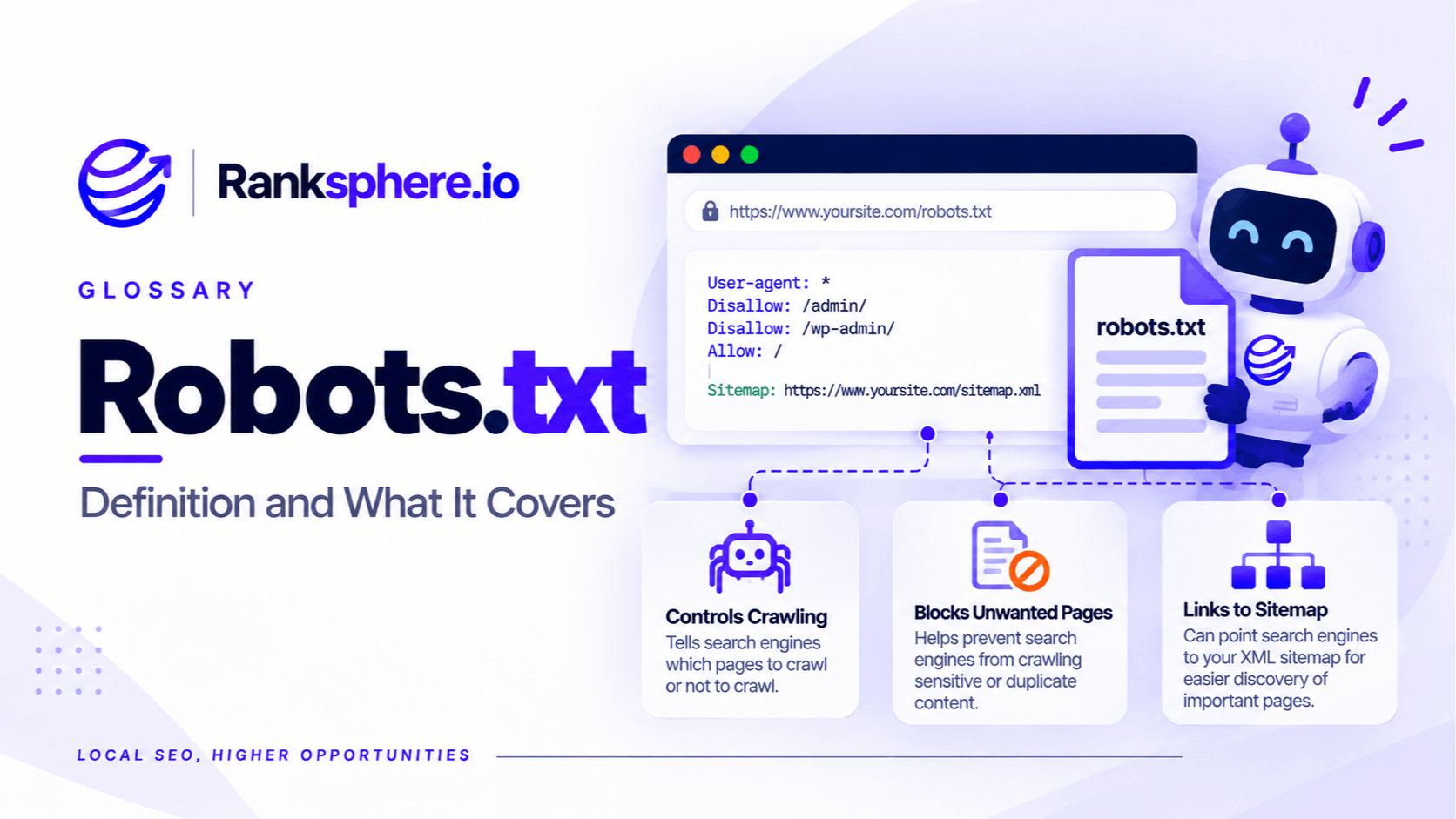
A robots.txt file tells search engine crawlers which parts of a website they are allowed or not allowed to crawl.
It normally sits at the root of the site, for example:
https://example.com/robots.txt
Robots.txt controls crawling, not indexing.
That distinction is one of the most important things to understand about the file. Blocking a URL in robots.txt can stop a compliant crawler from fetching the page, but it does not necessarily prevent that URL from appearing in search results.
Robots.txt is also publicly accessible. Anyone can open the file in a browser, so it should never be used to protect confidential or sensitive information.
How robots.txt works
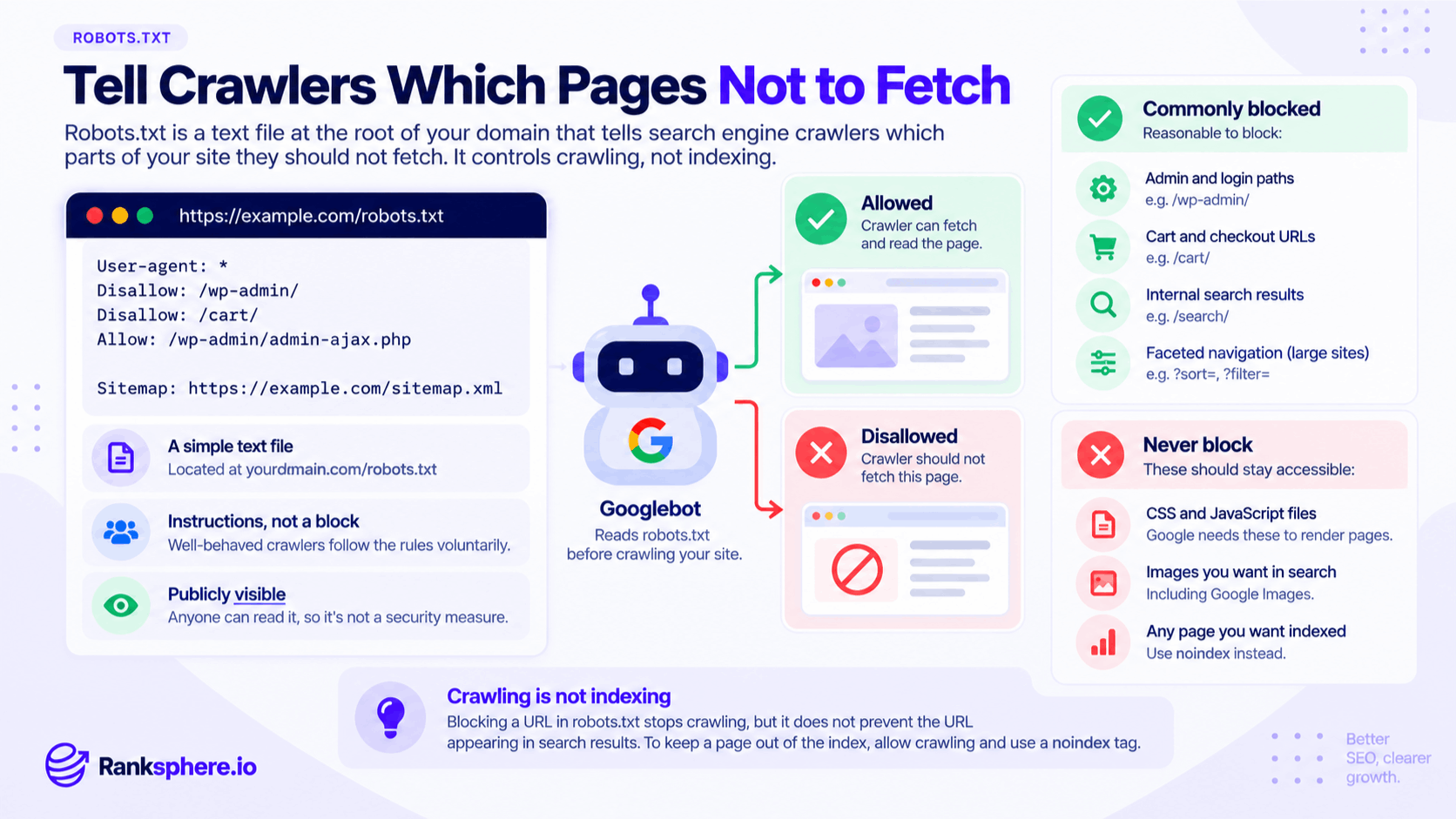
A robots.txt file contains rules directed at specific crawlers.
A simple example might look like this:
User-agent: *
Disallow: /wp-admin/
Disallow: /cart/
Allow: /wp-admin/admin-ajax.php
Sitemap: https://example.com/sitemap.xml
The main directives are:
- User-agent — identifies which crawler the rule applies to. * generally means all crawlers.
- Disallow — tells the crawler not to access a particular path.
- Allow — creates an allowed exception within a broader blocked path.
- Sitemap — points crawlers towards your XML sitemap.
The file should be placed at the root of the relevant website host.
A file at:
https://example.com/robots.txt
can control crawling for that host.
A robots.txt file buried inside a folder such as:
https://example.com/folder/robots.txt
does not control the whole site.
Robots.txt controls crawling, not indexing
This is where many technical SEO mistakes begin.
A robots.txt rule can stop Googlebot from crawling a page.
It does not automatically tell Google:
“Do not show this URL in search.”
Google can sometimes discover a blocked URL through:
- Internal links
- External links
- An XML sitemap
- Previously crawled versions
If Google knows the URL exists but cannot crawl it, the URL may still appear in search results with limited information.
If your goal is to prevent a page from being indexed, robots.txt is usually not the right tool.
See indexing for the difference between crawling and appearing in Google's index.
Robots.txt vs noindex
A noindex directive tells search engines not to include a page in search results.
For example:
<meta name="robots" content="noindex">
For Google to see that instruction, it normally needs to be able to crawl the page.
This is where the conflict appears.
If your robots.txt file says:
User-agent: *
Disallow: /private-page/
and /private-page/ contains:
<meta name="robots" content="noindex">
Google may be unable to fetch the page and therefore unable to see the noindex instruction.
If the goal is deindexing, the usual approach is:
- Allow Google to crawl the URL
- Add the appropriate noindex directive
- Allow Google time to recrawl and process it
Do not rely on robots.txt as a replacement for noindex.
Robots.txt is not a security tool
Anything listed in robots.txt is publicly visible.
If you add:
Disallow: /confidential-reports/
you have not protected that folder.
You have actually published its path inside a public text file.
Compliant search crawlers may avoid it, but someone can still type the URL directly into a browser if the server allows access.
For content that genuinely needs to remain private, use proper access controls such as:
- Authentication
- Password protection
- User permissions
- Server-level restrictions
Robots.txt manages crawling. It does not secure files.
What should you block in robots.txt?
For many small business websites, robots.txt can remain relatively simple.
There is often no need to create a long list of blocked paths.
Depending on the website, reasonable candidates for crawl restrictions may include:
Internal search results
Site-search systems can generate large numbers of low-value URLs.
For example:
/search?q=boiler
/search?q=plumber
/search?q=roofing
On larger sites, preventing unnecessary crawling of these URL patterns can make sense.
Faceted navigation
Ecommerce and directory websites can generate thousands or millions of filtered URLs.
For example:
/shoes?colour=black&size=9
/shoes?colour=blue&size=10
Careful crawl management can help prevent search engines spending excessive resources on endless combinations.
This is usually much more important for large ecommerce sites than a typical local-business website.
Certain administrative areas
Some CMS administrative URLs may reasonably be blocked from crawling.
WordPress installations, for example, commonly contain rules around /wp-admin/.
But remember: robots.txt does not make those areas secure.
Authentication still does that job.
What should you avoid blocking?
Be particularly careful with anything search engines need to understand your public pages.
Important indexable pages
Do not block pages you want Google to crawl and index.
For example, your:
- Homepage
- Service pages
- Location pages
- Product pages
- Blog articles
should normally remain crawlable if you want them to compete in search.
Important CSS and JavaScript
Modern search engines use page resources to understand and render websites.
Blocking important CSS or JavaScript files can make it harder for Google to see the page as users experience it.
There may be individual resources that do not need crawling, but do not block entire CSS or JavaScript directories simply because they are not visible content.
Images you want discovered
If image search matters to the business, make sure the relevant image files are accessible to crawlers.
Blocking an image directory can prevent search engines from properly discovering those assets.
The danger of Disallow: /
One of the most important robots.txt rules to recognise is:
User-agent: *
Disallow: /
The / represents the entire site.
This rule effectively asks compliant crawlers not to crawl anything on that host.
It can be useful on a staging site that should not be crawled, although authentication is a better way to protect genuinely private staging environments.
It can be disastrous when accidentally moved to production.
This is why robots.txt should always be checked after:
- Website launches
- Redesigns
- Migrations
- Hosting changes
- CMS changes
A single line can make a crawlable website suddenly inaccessible to search engines.
Robots.txt and XML sitemaps
The robots.txt file can include the location of your XML sitemap.
For example:
Sitemap: https://example.com/sitemap.xml
This gives search engines another way to discover the sitemap.
It does not replace submitting the sitemap through Google Search Console, and the sitemap itself still does not guarantee crawling or indexing.
But referencing it in robots.txt is a simple and useful practice.
How robots.txt path matching works
Robots.txt rules are based on URL paths.
For example:
Disallow: /cart/
targets URLs beginning with that path, such as:
/cart/
/cart/checkout/
Be deliberate with the pattern you use.
A small difference in the rule can affect many more URLs than expected.
Wildcards and end-of-URL matching can also be used by major search engines, but increasingly complex rules should be tested carefully before being deployed.
For a small website, simpler rules are usually safer.
Robots.txt and crawl budget
Robots.txt can be useful for reducing unnecessary crawling on very large websites.
If an ecommerce platform generates millions of filtered URLs, blocking or otherwise controlling low-value crawl paths may help search engines spend more time on useful content.
For most local-business websites, this is rarely the priority.
A site with 30 or 50 important URLs generally does not need an elaborate crawl-budget strategy.
Focus first on making sure:
- Important pages are crawlable
- Internal links work
- The sitemap is accurate
- No accidental blocks exist
- Indexing directives are correct
Complex crawl-control rules can create more problems than they solve on a small site.
Robots.txt and site migrations
Website migrations are one of the highest-risk moments for robots.txt mistakes.
Development and staging environments are often configured to discourage crawling.
When that configuration is copied into production, the crawl restriction can come with it.
After any migration or launch, check:
https://yourdomain.com/robots.txt
and confirm that important areas of the site are not accidentally blocked.
Also review:
- noindex directives
- Canonical tags
- Redirects
- XML sitemap
- Internal links
These settings often change together during migrations.
How to check robots.txt
You can open the file directly in a browser:
https://example.com/robots.txt
Then review whether important directories are blocked.
You can also use Google Search Console to investigate robots.txt information and crawling problems.
For important URLs, URL Inspection can help determine whether Google was able to access the page and whether crawling was restricted.
Ranksphere's website audit checks robots.txt and flags blocked resources, helping identify crawl restrictions and configuration mistakes that may affect important parts of the site.
Common robots.txt mistakes
- Leaving Disallow: / on a live website. A staging rule can accidentally block crawling across the whole site.
- Using robots.txt to remove a page from search. Crawl blocking and indexing control are different things.
- Blocking a page that contains a noindex directive. Google may not be able to crawl the page and see the directive.
- Treating robots.txt as security. The file is public and does not prevent direct access.
- Blocking important CSS or JavaScript resources. This can interfere with proper rendering.
- Blocking pages you actually want indexed.
- Creating overly complicated rules on a small website. Simpler configurations are easier to maintain safely.
- Forgetting to check the file after a deployment.
- Assuming every crawler will respect it. Robots.txt depends on crawler compliance.
- Changing rules without checking which URLs they affect.
Robots.txt best practices
- Keep the file as simple as possible.
- Allow crawling of pages you want indexed.
- Use noindex rather than robots.txt when the goal is to keep a crawlable page out of search.
- Never rely on robots.txt to protect confidential information.
- Avoid blocking resources required to render important pages.
- Include your XML sitemap location where useful.
- Review the file after launches, migrations and major deployments.
- Check important URL patterns before adding broad Disallow rules.
- Use proper authentication for private or staging content.
- Investigate robots.txt whenever important pages suddenly stop being crawled.
Example
“Wexford Physiotherapy launches a redesigned website.
Everything appears normal.
The pages load, navigation works and appointment forms function correctly.
A few weeks later, organic visibility begins to fall.
The problem is not the content or the redesign itself.
The staging website had used this robots.txt rule:
User-agent: *
Disallow: /
When the new site was moved into production, the same file was published with it.
Visitors could still use the website normally, but compliant search engine crawlers were being asked not to crawl any of its pages.
The team removes the accidental rule, checks the sitemap and important URLs, and monitors crawling and indexing through Search Console.
The mistake was only one line long.
That is why robots.txt deserves a permanent place on every website launch and migration checklist: it is a small file with the ability to create very large crawling problems when configured incorrectly.”
See also
- Crawling — the process robots.txt directly controls
- Indexing — whether a page becomes eligible to appear in search
- XML sitemap — a file that can be referenced from robots.txt
- Technical SEO — the wider work involved in crawling, rendering and indexing
- Google Search Console — where crawling and indexing issues can be investigated
- Orphan page — a page that lacks internal links rather than being deliberately crawl-blocked