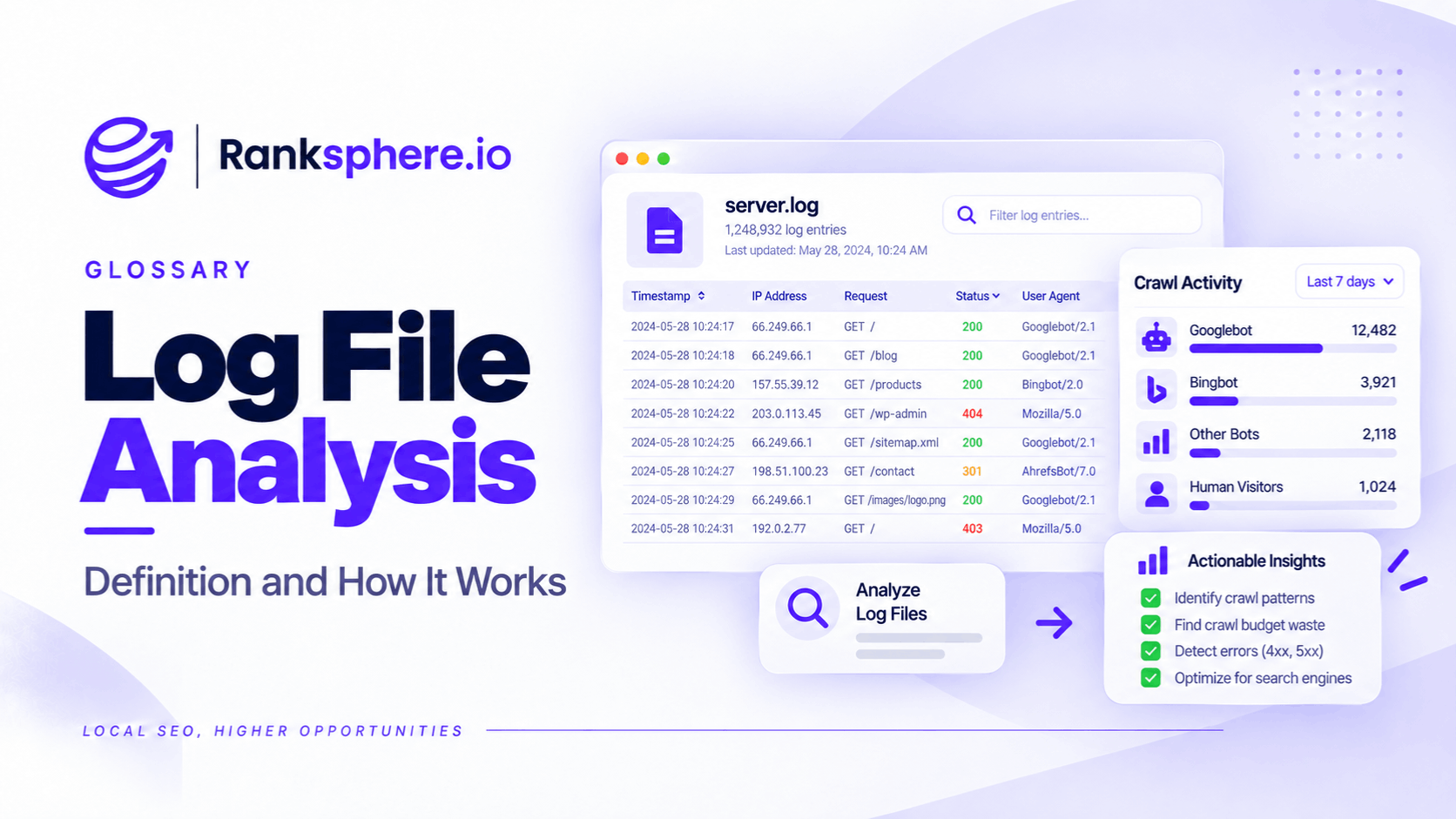
Log file analysis is the process of examining server access logs to understand how search engine crawlers interact with a website. It shows which URLs crawlers requested, when they visited, how frequently they returned, and what response the server provided.
Unlike a website crawler that simulates how search engines might navigate a site, server logs record requests that actually reached the server or logging system.
This makes log file analysis particularly useful for investigating crawling problems that aren't obvious in other SEO tools.
For example, Google Search Console provides crawl statistics and indexing information, but its reports don't provide a complete, request-by-request export of Googlebot activity.
Server logs can reveal that level of detail, provided the relevant requests were recorded and the logs have been retained.
However, log file analysis isn't necessary for every website. For most small local businesses, a technical SEO audit and Search Console will usually provide enough information to identify common crawling and indexing issues.
What Do Server Log Files Contain?
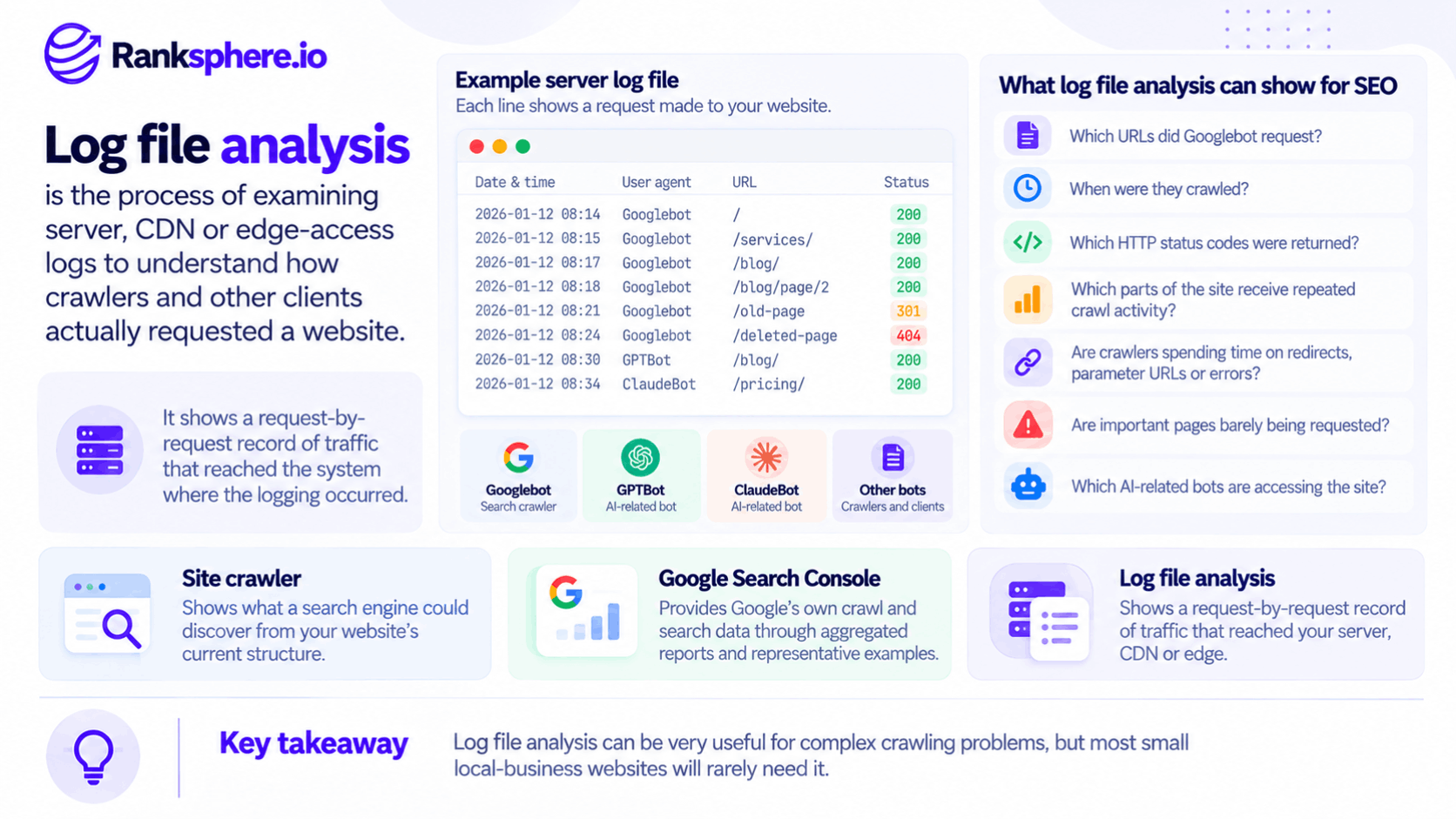
A server access log records requests made to a website.
Depending on the hosting configuration and logging format, each entry may contain:
- IP address — The address from which the request originated.
- Timestamp — When the request occurred.
- Requested URL — The page or resource being accessed.
- HTTP method — Whether the request used GET, HEAD, or another method.
- HTTP status code — The response returned by the server, such as 200, 301, 404, or 500.
- User agent — Information identifying the software making the request, which may claim to be Googlebot, Bingbot, or another crawler.
- Response size — How much data was transferred.
- Response time — How long the server took to respond, if that information is recorded.
When these records are filtered to verified search engine crawlers, they show which requests those crawlers made during the available logging period.
That distinction matters. A URL appearing in a sitemap doesn't prove Google has crawled it, and a page passing a technical audit doesn't guarantee Googlebot has visited it.
Log files can help establish whether the request actually happened.
What Can Log File Analysis Reveal for SEO?
Log file analysis is most useful when you need to understand crawler activity rather than simply check whether a page is technically accessible.
1. Which Pages Search Engines Actually Crawl
A website might contain hundreds of pages, but Googlebot won't necessarily request all of them at the same frequency.
Server logs can show which URLs were requested during a particular period and which weren't.
This helps identify situations where important pages receive little crawling activity while less useful URLs are requested repeatedly.
However, a URL missing from a month's logs doesn't necessarily mean Google has never crawled it. It only means no matching request was found in the logs available for that period.
2. How Often Crawlers Visit Each URL
Logs allow you to count crawler requests for individual pages.
You may discover that:
- Popular pages are requested frequently.
- Older articles are crawled occasionally.
- Some important pages receive very few requests.
- Parameter-based URLs are crawled repeatedly.
Crawl frequency can help you understand how Google allocates crawling activity across the site.
But more crawling doesn't automatically mean a page is more important or more likely to rank.
Google considers factors such as crawl demand, content changes, and server capacity when deciding what to request.
3. Where Crawling Resources Are Being Used
One of the main reasons to analyse logs is to identify unnecessary crawling.
For example, a website may generate thousands of URLs through:
- Sorting parameters
- Faceted navigation
- Booking calendars
- Session identifiers
- Duplicate URLs
- Redirect chains
- Expired or invalid pages
If Googlebot repeatedly requests these URLs, they may consume crawling resources that could otherwise be used elsewhere.
This becomes more important on large websites or those generating many URL variations.
For a small website with only a few dozen pages, crawl budget is usually not a significant concern unless the site's systems are creating a much larger crawlable URL space.
4. What HTTP Status Codes Crawlers Receive
Server logs show the status codes returned to crawlers for recorded requests.
That can help identify:
- 200 responses — URLs successfully served.
- 301 and 302 responses — URLs redirecting elsewhere.
- 404 responses — Requested resources that weren't found.
- 500-level responses — Server problems that may interfere with crawling.
These responses may differ from what you see during a later manual browser test.
For example, a server might have returned an error when Googlebot visited, even though the page loads normally when you check it the following day.
Logs help explain what happened at the time of the request.
5. Important Pages with Limited Internal Links
Log analysis can also support investigations into orphan pages.
An orphan page is a URL with no internal links pointing to it.
Logs alone cannot prove that a page is orphaned. A crawler may discover a URL through a sitemap, an external link, or a previous version of the website.
However, comparing logged URLs against a website crawl and its internal linking data can reveal pages that search engines know about but the current website navigation doesn't expose.
That comparison is more useful than relying on server logs alone.
6. How Quickly the Server Responds to Crawlers
Some log configurations record how long each request takes to complete.
This can reveal whether search engine crawlers regularly encounter slow responses.
Server performance matters because Google adjusts crawling activity partly according to how reliably and quickly a website responds.
A site experiencing frequent server errors or slow responses may have less available crawl capacity.
Logs can help identify whether those problems occur consistently or only during particular periods.
Can Log File Analysis Track AI Crawlers?
Yes. This is becoming another reason website owners examine their server logs.
Logs can show requests from crawlers associated with AI companies and AI-powered search products.
Depending on the provider, examples include:
- GPTBot
- OAI-SearchBot
- ClaudeBot
- PerplexityBot
However, these crawlers don't all serve the same purpose.
For example, OpenAI distinguishes between GPTBot, which is associated with collecting content that may be used to improve AI models, and OAI-SearchBot, which supports discovery for ChatGPT's search features.
Identifying a request from one crawler doesn't establish that another system has used your content.
What AI Crawler Logs Can Tell You
Once crawler identities have been verified, logs can help answer questions such as:
- Which AI crawlers have requested the website?
- How frequently are they visiting?
- Which URLs are they requesting?
- Are they receiving successful responses?
- Are they encountering errors or crawling restrictions?
This information can help website owners understand automated access to their content.
However, a crawler visit does not prove that the page was used for AI training, cited in an AI-generated answer, or included in an AI search result.
Logs show requests, not what a provider ultimately does with the retrieved information.
How to Verify Search Engine Crawlers
A user agent is a piece of information supplied with a request.
It might identify the requester as Googlebot, Bingbot, or another crawler.
The problem is that user-agent information can be spoofed.
A scraper can identify itself as Googlebot without actually being operated by Google.
If you analyse every request containing "Googlebot" without verifying the source, your results may include unrelated automated traffic.
How to Verify Googlebot
Google documents two main verification methods.
Reverse DNS and forward DNS verification
Check the requesting IP address using a reverse DNS lookup. Then confirm that the hostname resolves back to the original IP address and matches Google's documented requirements.
Google's published crawler IP ranges
Alternatively, compare the source IP address against Google's published crawler IP ranges.
Other crawler providers may publish their own verification methods or IP lists.
For accurate analysis, use the verification process recommended by the relevant provider rather than assuming every claimed crawler identity is genuine.
Who Needs Log File Analysis?
Not every website needs regular log file analysis.
For many local businesses, it would add complexity without uncovering problems that couldn't be identified through simpler tools.
The value depends on the size of the website, the technical issues involved, and the questions you're trying to answer.
When Log File Analysis Is Worth Doing
Consider analysing logs when:
- Your website is large. Websites with thousands of pages or extensive URL generation may need a clearer view of crawling activity.
- You have a crawl budget problem. Logs can reveal whether crawlers are repeatedly requesting unnecessary URLs.
- You've completed a website migration. Request data can help confirm whether crawlers are visiting new URLs and encountering the expected redirects.
- Important pages aren't being crawled. Logs may explain where crawler activity is going instead.
- Your website uses complex filters or booking systems. These can generate large numbers of crawlable URL combinations.
- You want to investigate AI crawler activity. Logs can show which verified bots have requested your website during the recorded period.
Log file analysis is particularly valuable when Search Console and a standard technical audit don't fully explain the issue.
When Log File Analysis Usually Isn't Necessary
For a small business website with 40 or 50 pages, analysing server logs may not be the best use of time.
If important pages are indexed, the website is functioning correctly, and Search Console shows no significant crawling problems, there's probably little reason to investigate individual requests.
Start with the basics:
- Check whether important pages are indexable.
- Review Google Search Console.
- Inspect internal links.
- Check redirects and broken pages.
- Run a technical website audit.
Ranksphere's website audit tool can help identify common technical SEO issues without requiring access to raw server logs.
If those checks reveal an unusual crawling problem that remains unexplained, log file analysis may be a useful next step.
How to Access Website Server Logs
Accessing logs is often more difficult than analysing them.
The process depends on your hosting provider, server configuration, and whether a content delivery network (CDN) is involved.
Managed Hosting
Some hosting providers offer access logs through their control panels.
Others provide downloadable files or require a support request.
Log retention varies, so historical data may only be available for a limited period.
Content Delivery Networks
Websites using a CDN may have separate records at the CDN and origin server.
This matters because some requests may be handled at the CDN without reaching the origin.
If you analyse only the origin server logs, you may miss requests served entirely from the CDN's cache or edge infrastructure.
For a complete investigation, you may need the relevant records from both systems.
Log File Size and Analysis Tools
Busy websites can generate large log files.
A month of requests may produce files too large to analyse comfortably in a standard spreadsheet.
Specialised log analysis tools can help group requests by:
- Crawler
- URL
- Status code
- Date
- Response time
- URL pattern
For smaller datasets, spreadsheets or scripts may be sufficient.
The important thing is to collect the right data before deciding which tool to use.
Request Log Access During Client Onboarding
If you're an SEO agency managing a technically complex website, discuss log availability during client onboarding.
You don't necessarily need to download logs immediately.
But knowing who controls access, how long records are retained, and whether a CDN keeps separate logs can save time later.
Server logs may also contain IP addresses and other request information, so they should be handled securely and accessed only by authorised people.
Common Log File Analysis Mistakes
Even accurate request data can lead to misleading conclusions if it's interpreted incorrectly.
Common mistakes include:
- Not verifying crawler identity. A user agent claiming to be Googlebot doesn't prove the request came from Google.
- Using an incomplete logging source. Origin logs may exclude requests handled by a CDN.
- Analysing too short a period. A few days may not reveal meaningful patterns for pages crawled infrequently.
- Starting with logs before checking simpler problems. Search Console and a technical audit should usually come first.
- Treating crawl frequency as a ranking signal. Frequent crawling doesn't guarantee better rankings.
- Assuming a missing request proves a page has never been crawled. Historical requests may fall outside the available logging period.
- Confusing crawling with indexing. A page can be crawled without being indexed.
- Assuming AI crawler visits mean AI citations. Logs don't show whether a page was subsequently cited or used in an AI-generated answer.
Log data is most useful when combined with a clear technical SEO question.
Log File Analysis Best Practices
A practical log file analysis should focus on findings that can lead to useful improvements.
- Verify crawler IP addresses using the provider's documented methods.
- Use enough historical data to identify meaningful crawling patterns.
- Check whether logs include CDN and origin-server requests.
- Compare crawler activity against your important pages and XML sitemap.
- Look for excessive requests to parameters, redirects, errors, and duplicate URLs.
- Investigate important pages that receive little or no crawling activity.
- Review response codes and server performance.
- Keep log access secure.
- Use Search Console and technical audits alongside request data.
- Avoid treating every low-frequency crawl pattern as an SEO problem.
A month of data is often a useful starting point, but the right period depends on website size, crawler activity, and the issue being investigated.
Example of Log File Analysis in Practice
Consider a hypothetical veterinary group operating several clinics.
The website has 52 main pages, including service information, clinic locations, and contact details.
The business recently publishes eleven additional location pages.
These pages are included in the XML sitemap, have internal links, and aren't blocked by robots.txt or noindex directives.
However, after several weeks, Google Search Console continues to report them as Discovered – currently not indexed.
This indicates that Google knows about the URLs but has not yet crawled them, or has not recorded a completed crawl for them in the report.
The team checks the usual technical issues first but doesn't find an obvious explanation.
It then reviews the available server logs.
What the Logs Reveal
After verifying Googlebot requests, the team discovers that a large proportion of crawling activity is going to booking-system URLs.
The booking platform generates a separate URL for combinations of:
- Clinic
- Service
- Appointment date
Although the main website contains only a few dozen pages, the booking system has created thousands of additional URLs.
Many contain similar information or represent appointment dates that are no longer available.
The logs also show that the eleven new location pages have received very few requests during the period examined.
This doesn't prove that booking URLs are the only reason the new pages haven't been crawled.
However, it provides evidence that Google's crawling activity is heavily concentrated on URLs with little independent search value.
Example
“The developers review how the booking system generates its URLs.
They identify combinations that don't need independent search visibility and change the implementation to avoid exposing unnecessary crawlable URLs.
Where appropriate, they also use robots.txt to restrict crawling of unwanted parameter patterns.
The team keeps the main clinic and service pages crawlable and ensures the new location pages remain linked from relevant parts of the website.
Over the following weeks, they monitor Google Search Console and the server logs to see whether crawler activity changes.
The changes may help Google spend less time requesting unnecessary booking URLs, but they don't guarantee that all eleven location pages will be indexed or that crawling will be redirected to them immediately.
Those outcomes need to be measured.
The important lesson is that the number of visible website pages doesn't always reflect the number of URLs search engines can discover.
A relatively small business website can still create a substantial crawling problem through filters, booking systems, or dynamically generated URLs.
Log file analysis helps identify where crawler requests are going, making it easier to investigate problems that aren't obvious from the website's visible structure.
For most small websites, it isn't something you'll need regularly. But when a technical SEO problem remains unexplained, server logs can provide the request-level evidence needed to investigate it.”
See Also
- Crawling — How search engines discover and request website content.
- Crawl Budget — How crawling capacity and demand affect website discovery.
- Faceted Navigation — How filters can generate large numbers of crawlable URLs.
- HTTP Status Codes — Understanding the server responses recorded in access logs.
- Indexing — How eligible webpages enter a search engine's index.
- Technical SEO — Improving the technical factors that affect crawling and indexing.