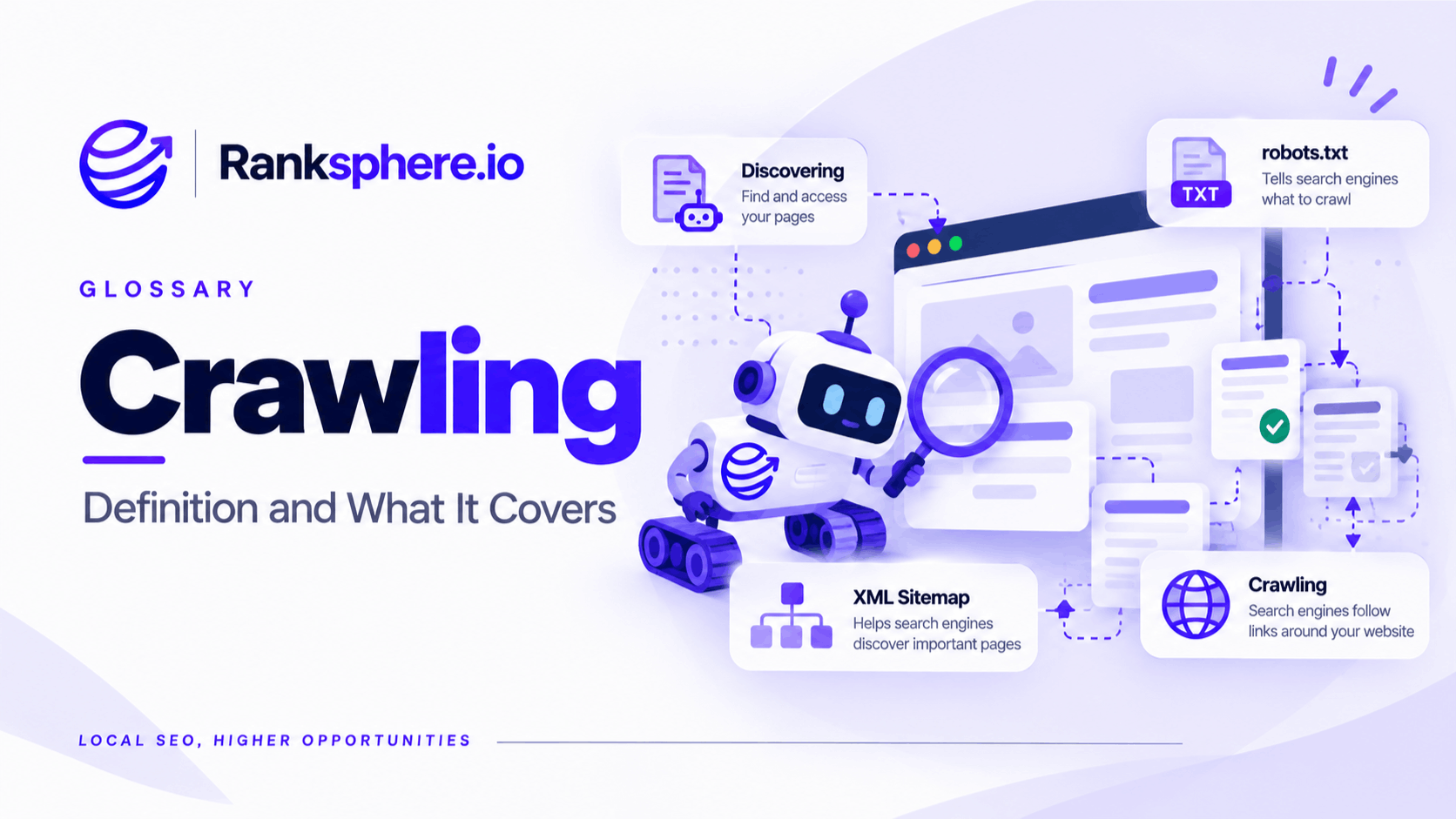
Crawling is the process search engines use to discover and access webpages.
Search engines use automated programs known as crawlers or bots to follow links, read sitemaps and revisit URLs they already know about. Google’s main crawler is called Googlebot.
Once a page has been crawled, Google can process its content and decide whether it should be indexed.
That distinction matters.
A page cannot perform properly in organic search if Google cannot discover or access it. Good content, strong title tags and useful internal links will not help much if the page itself is effectively invisible to the crawler.
Search Engine Page Discovery
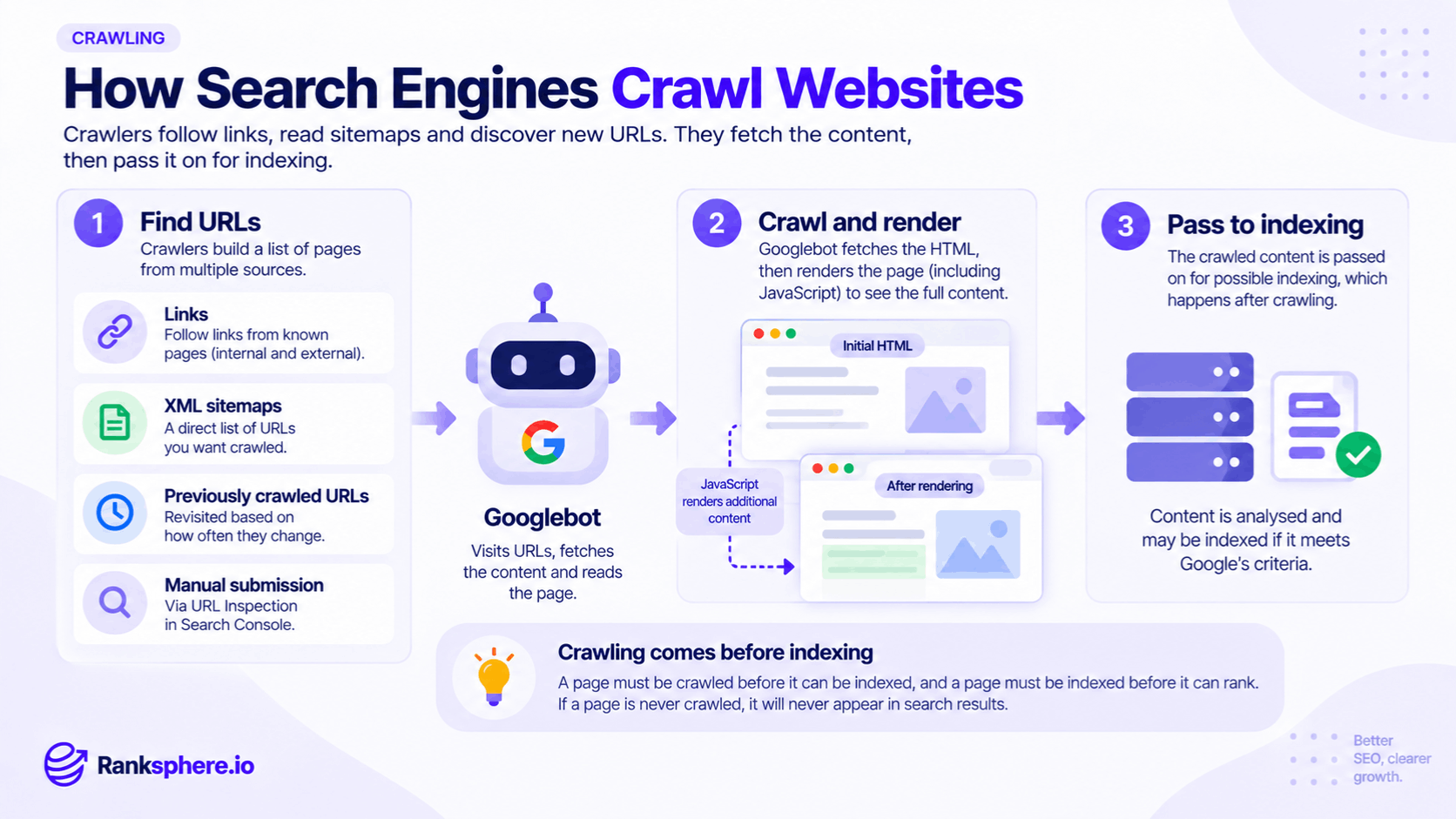
Googlebot can discover URLs in several ways.
Internal links
Links between pages on your own website are one of the most important discovery paths.
If Google already knows about your homepage and that page links to your services, Googlebot can follow those links and discover the service pages.
This is one reason internal linking matters beyond rankings.
It helps search engines understand:
- Which pages exist
- How pages relate to one another
- Which pages appear important within the site
- How visitors can move through the website
Important pages should not rely solely on a sitemap for discovery.
External links
Links from other websites can also introduce Google to a page it has not seen before.
If another indexed website links to a new page on your site, Google may discover the URL while crawling that external page.
XML sitemaps
An XML sitemap provides search engines with a list of URLs you want them to know about.
It is particularly useful for:
- New websites
- Large sites
- Pages that are difficult to discover through navigation
- Recently published content
- Sites with complex structures
A sitemap helps discovery, but it does not guarantee that every submitted URL will be crawled or indexed.
Previously discovered URLs
Google also revisits URLs it already knows about.
How often a page is recrawled can depend on factors such as:
- How frequently it changes
- How important Google appears to consider it
- Server performance
- Previous crawl behaviour
- Site structure
Pages that change regularly may be revisited more often than pages that remain unchanged for long periods.
URL Inspection
Google Search Console also provides URL Inspection tools that can help you check an individual URL and request indexing after important changes.
A request does not guarantee immediate crawling or indexing, but it can be useful when you have published or significantly updated an important page.
Why internal linking matters for crawling
Internal links are one of the most controllable parts of crawlability.
Imagine a website has a service page at:
/emergency-roof-repair/
The URL appears in the XML sitemap, but nothing else on the website links to it.
That page is effectively an orphan page from the perspective of the site's internal navigation.
Google may still discover it through the sitemap or an external link, but the website itself provides little context about where that page belongs or how important it is.
A better setup would link to it naturally from:
- The main services page
- Relevant navigation
- Related blog content
- Other roofing pages
- Location pages where appropriate
Use descriptive anchor text so the relationship between pages is clear.
What is an orphan page?
An orphan page is a page with no internal links pointing to it.
People can still reach it if they know the exact URL, and search engines may discover it through a sitemap or external link.
But important pages should generally be part of the website's internal structure.
Orphan pages can make it harder for search engines and visitors to understand:
- Where the page belongs
- How it relates to other content
- Whether it is still important
- How to reach it naturally
Not every orphan URL is a problem. Some utility pages may intentionally sit outside normal navigation.
For commercially important pages, however, internal linking is usually preferable.
Crawling and rendering
Modern websites often rely on JavaScript to create or modify content.
This introduces another part of the process: rendering.
Google can initially fetch the page's HTML and may then render it so JavaScript can execute and additional content becomes available.
For most websites, Google can process a considerable amount of JavaScript.
But that does not mean every implementation is equally easy to crawl and understand.
The safest approach is to make important content and links accessible without depending on unusual interactions or fragile scripts.
Content in the HTML
Important text and links available directly in the HTML are generally straightforward for crawlers to access.
JavaScript-generated content
Google can render JavaScript, but rendering adds complexity.
Problems can arise when:
- Scripts fail
- Resources are blocked
- Content loads only after unusual events
- Important links are not represented in crawlable markup
- Rendering becomes excessively slow or complicated
Content behind user interactions
Do not assume Googlebot will behave exactly like a human visitor.
Content that appears only after someone:
- Clicks a button
- Scrolls to a particular point
- Logs in
- Submits a form
- Changes an interactive filter
may not always be discovered in the same way as content readily available when the page loads.
Important SEO content should not depend unnecessarily on an interaction before it becomes accessible.
How to check what Google can crawl
Google Search Console is one of the best places to investigate crawling problems.
Useful areas include:
URL Inspection
Check an individual page to see whether Google knows about it and whether it has been indexed.
Page indexing reports
These can help identify URLs that Google has:
- Discovered
- Crawled
- Indexed
- Excluded for a particular reason
The wording in these reports should be interpreted carefully.
A page listed as discovered but not indexed does not automatically mean the website has a serious crawl problem. Google may simply not have crawled or indexed it yet, or may not consider it worth prioritising.
Crawl statistics
For larger sites, crawl statistics can help show how Googlebot is accessing the website over time.
For most small local-business sites, detailed crawl-log analysis is rarely the first thing to investigate unless there is a clear technical problem.
What can block crawling?
Several technical issues can prevent or discourage search engines from accessing a page.
robots.txt
A robots.txt file can tell compliant crawlers not to fetch particular areas of a website.
For example:
User-agent: *
Disallow: /private/
This asks crawlers not to access URLs within /private/.
Use these rules carefully.
A small mistake can block an entire section of the website.
Server errors
Repeated server errors can make crawling difficult.
Common examples include:
- 500 Internal Server Error
- 502 Bad Gateway
- 503 Service Unavailable
If Googlebot repeatedly encounters server problems, it may reduce crawling until the server becomes more reliable.
Very slow server responses
Extremely slow responses can also make crawling less efficient.
Performance matters for visitors first, but consistently poor server performance can also affect how efficiently search engines access the site.
Login-protected content
Content behind authentication cannot normally be crawled in the same way as publicly available pages.
This is expected for private areas such as:
- Customer dashboards
- Admin systems
- Account pages
- Internal tools
But important public SEO content should not accidentally sit behind a login requirement.
Broken internal links
If your navigation points to missing URLs, crawlers and visitors hit dead ends.
Regularly check for broken internal links, especially after:
- Redesigns
- URL changes
- Migrations
- Content deletions
Poor internal structure
Pages buried deep within the site or poorly connected to other pages may be harder to discover and understand.
The goal is not to force every page into the main navigation.
It is to make sure important content has a sensible route through the site.
robots.txt vs noindex
One of the most important technical SEO distinctions is the difference between blocking crawling and preventing indexing.
robots.txt controls crawling.
A noindex directive controls whether a crawled page should appear in search results.
These are not the same thing.
If you block a URL in robots.txt, Google may be unable to crawl the page and therefore may not see a noindex directive placed inside it.
In some circumstances, Google can still know that a blocked URL exists because other pages link to it. The URL may even appear in search without Google having crawled the content.
So if you want a publicly accessible page removed from Google's index, the usual approach is to allow Google to crawl it and expose the appropriate noindex directive.
Do not use robots.txt as a general replacement for noindex.
Should you block CSS and JavaScript?
Usually, no.
Search engines may need CSS and JavaScript resources to render a page accurately.
Blocking important resources can make it harder for Google to understand how the page works or what users actually see.
There are legitimate reasons to block certain technical resources, but doing so simply because they “do not contain content” is usually unnecessary.
If Google needs the resource to render an important page, let it access it.
What is crawl budget?
Crawl budget describes the amount of crawling Google is willing and able to perform on a website over a period of time.
It matters most on very large or technically complicated websites.
Examples include:
- Large ecommerce sites
- Marketplaces
- News websites
- Sites with millions of parameter URLs
- Websites with complex faceted navigation
For a typical local-business website with dozens or even a few hundred URLs, crawl budget is unlikely to be the main SEO problem.
You are generally better off focusing on:
- Strong internal linking
- Accurate sitemaps
- Clean URL structures
- Working pages
- Correct indexing controls
Crawl-budget optimisation becomes important when a site generates so many unnecessary URLs that search engines spend substantial time crawling duplicates or low-value variations.
URL parameters and crawl waste
Large sites can accidentally create enormous numbers of URLs through parameters.
For example:
/shoes?colour=black
/shoes?colour=black&size=9
/shoes?size=9&sort=price
/shoes?sort=price&colour=black
If every combination produces a crawlable URL, the number of pages can grow quickly.
On large sites, this can lead search engines to spend time crawling numerous near-duplicate URLs instead of more important content.
This is where canonicalisation, internal-link control and good faceted-navigation design become important.
For a 30-page local business site, this is usually not where the SEO effort belongs.
XML sitemaps and crawling
An XML sitemap supports discovery, but it should not be treated as a substitute for good site architecture.
Important pages should normally have both:
- A place in the XML sitemap
- Meaningful internal links
The sitemap tells search engines:
“These URLs exist and we would like you to know about them.”
Internal links help explain:
“This page belongs here, relates to these pages and matters within the site.”
Both are useful for different reasons.
Crawling after a website migration
Website migrations are a common source of crawl problems.
After changing platforms, domains or URL structures, check:
- robots.txt
- Redirects
- Internal links
- XML sitemap
- Canonical tags
- noindex directives
- Server errors
- JavaScript rendering
- Important page accessibility
A staging-site setting such as:
User-agent: *
Disallow: /
should never accidentally remain in place when the website goes live.
The site may look perfectly normal to visitors while search engines are being told not to crawl it.
Common crawling mistakes
- Using robots.txt to remove pages from search. It controls crawling, not indexing.
- Accidentally blocking the entire site. A staging configuration can become a production problem very quickly.
- Relying only on an XML sitemap. Important pages should also be connected through internal links.
- Leaving important pages orphaned. Search engines may discover them, but the site provides little context about their importance.
- Blocking useful CSS or JavaScript resources unnecessarily.
- Making important content dependent on user interaction.
- Worrying about crawl budget on a small website. There are usually more important issues to solve.
- Assuming discovery means indexing. Google can know a page exists without deciding to index it.
- Ignoring crawl problems after a redesign or migration.
- Assuming every crawl warning means a page should rank. Crawling is only one part of the search process.
Crawling best practices
- Link internally to every important page.
- Use descriptive anchor text where it helps users understand the destination.
- Keep important pages reasonably easy to reach.
- Maintain an accurate XML sitemap.
- Review robots.txt after launches and migrations.
- Allow search engines access to resources needed for proper rendering.
- Avoid unnecessary orphan pages.
- Check server errors and broken internal links regularly.
- Use Search Console when an important page is not appearing in Google.
- Keep crawl-budget work proportional to the size and complexity of the website.
Ranksphere's website audit crawls a site the way a search engine does, helping surface issues such as broken links, inaccessible pages and other crawlability problems that may need investigation.
Example
“Larchmont Legal launches a new website with eight main practice-area pages.
Several weeks later, only a small number of those pages are appearing in Google.
The XML sitemap contains every URL, so the team initially assumes Google simply needs more time.
A closer review finds another issue.
The practice-area pages are accessible through a JavaScript-heavy menu, but the site's main content contains almost no normal internal links pointing to them.
The sitemap tells Google that the pages exist, but the wider website gives very little context about how those pages fit into the structure.
The team adds clear HTML links to the main practice areas from relevant sections of the website and introduces contextual links between related pages.
The pages become much easier for both visitors and crawlers to discover.
The important lesson is not that XML sitemaps do not work.
It is that discovery works best when important URLs are supported by a clear site structure rather than depending on one technical signal alone.”
See also
- Indexing — what happens when search engines process and store eligible webpages
- XML sitemap — a file that helps search engines discover important URLs
- Technical SEO — the wider work involved in crawling, rendering and indexing
- Anchor text — descriptive text used within links
- Orphan page — a page with no internal links pointing to it
- Google Search Console — where crawling and indexing problems can be investigated