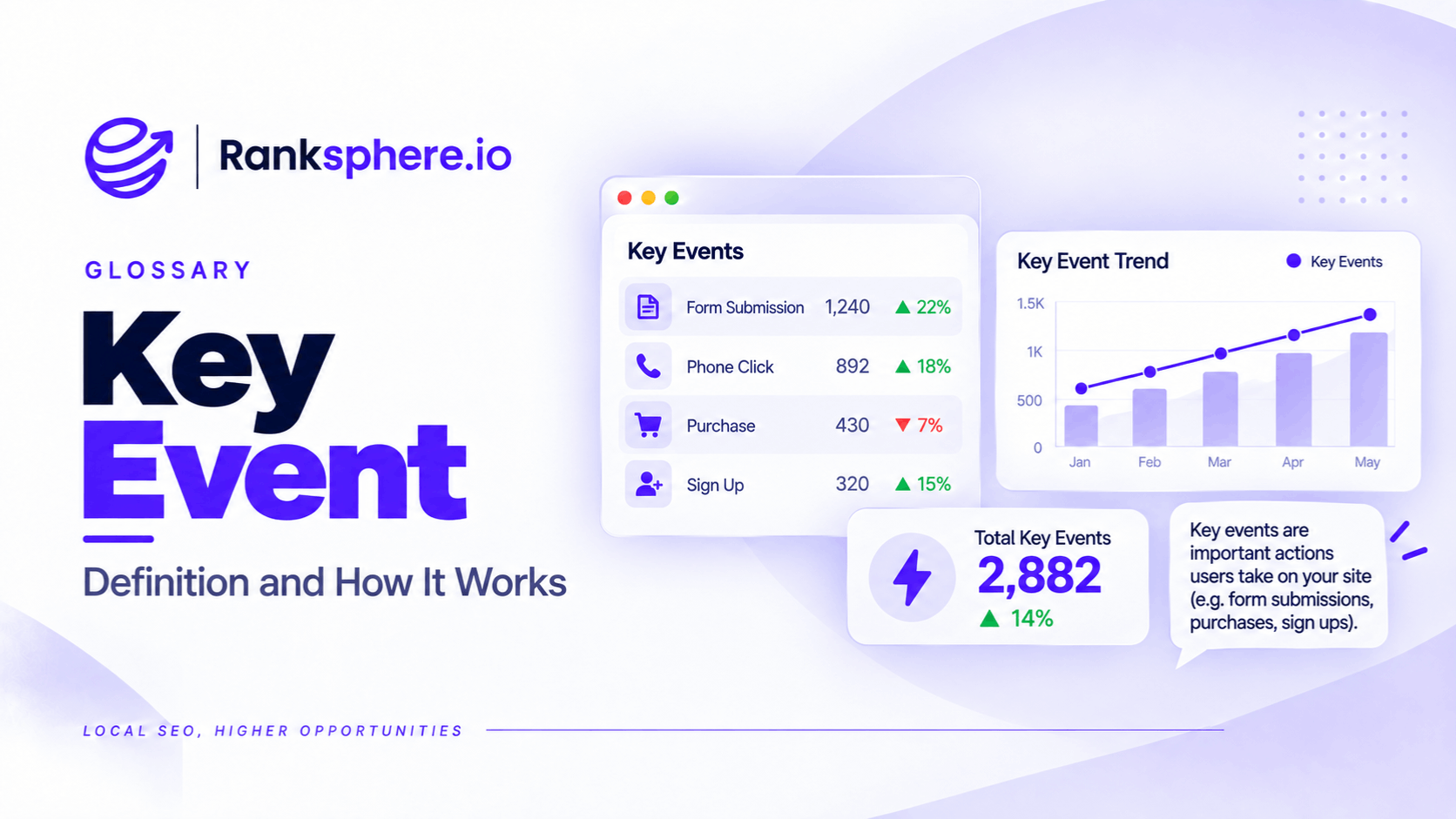
A key event in Google Analytics 4 (GA4) is an event that a business marks as important to its goals. Examples include submitting an enquiry form, clicking a phone number, or completing an appointment booking.
GA4 collects many events automatically, but not all of them represent meaningful business outcomes.
A visitor might view several pages, scroll through an article, or spend time reading about a service without contacting the business.
Those interactions can help you understand visitor behaviour. However, they don't necessarily tell you whether your website is generating customers.
Key events help make that distinction.
For local businesses, they are especially useful for measuring actions that may lead to enquiries and appointments.
The challenge is choosing the right events to track and making sure they're recorded correctly.
What Are Key Events in GA4?
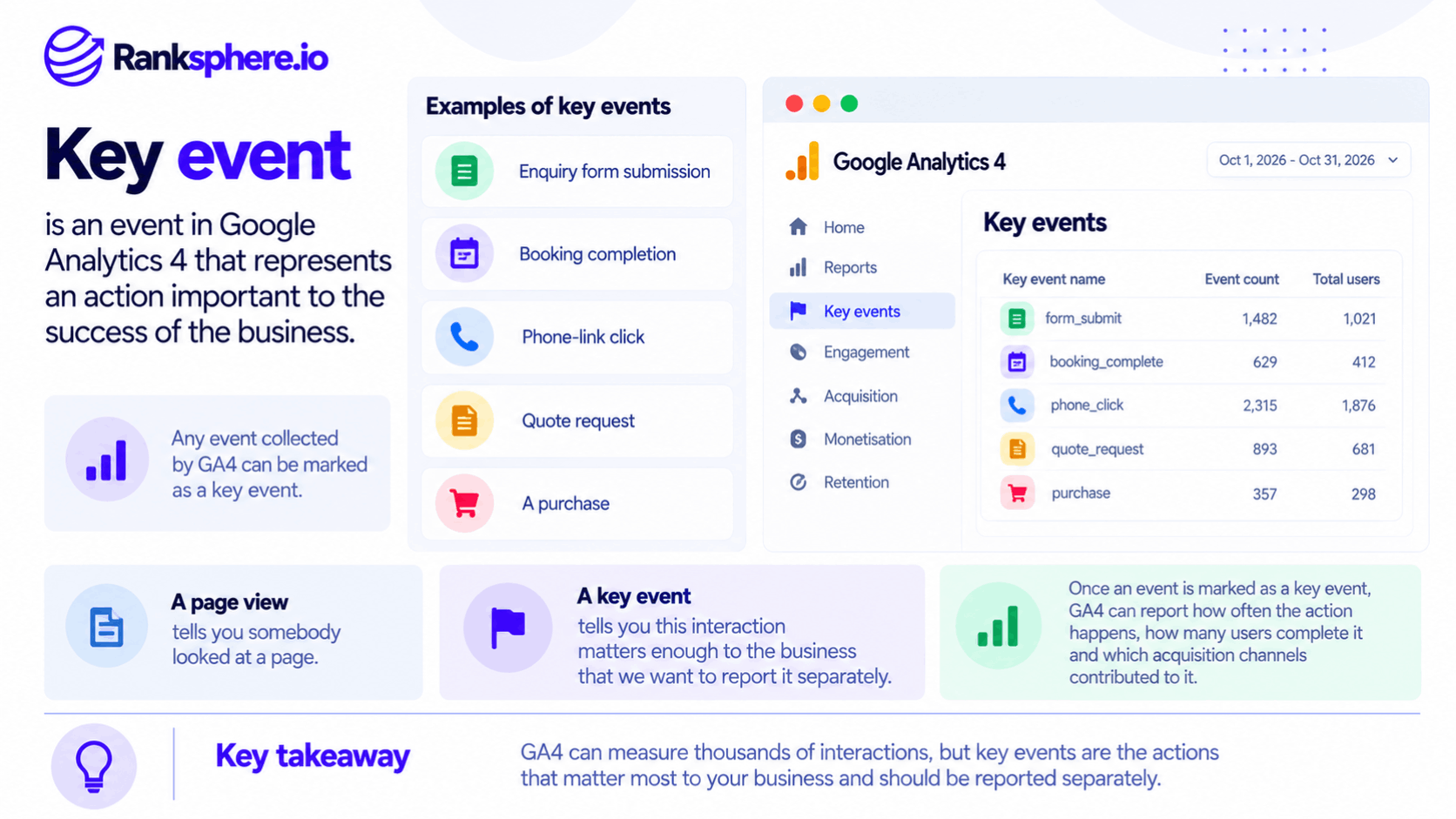
Google Analytics 4 uses an event-based measurement system.
Events represent interactions with a website or application, such as:
- Page views
- Button clicks
- Form submissions
- File downloads
- Purchases
- Appointment bookings
Some events are collected automatically. Others require additional tracking configuration.
When an event represents something important to the business, it can be marked as a key event.
For example, a dental practice might track an appointment booking as a key event because it represents a meaningful step toward acquiring a patient.
A plumbing company might track quote requests and phone-number clicks.
The event being recorded depends on the action the business wants to measure.
Key Events vs Conversions in GA4
Google previously used the term conversions for important events in GA4.
In 2024, Google introduced the term key events to distinguish important actions measured in Analytics from conversions used in Google Ads.
The distinction matters because the two systems can use different attribution settings and counting methods.
In GA4, a key event represents an event marked as important to the business.
In Google Ads, a conversion is an action used to measure and optimise advertising performance. GA4 key events can be used to create Google Ads conversions, but they shouldn't automatically be treated as identical metrics.
If you're reviewing an older GA4 guide that refers to marking an event as a conversion, it may be describing what is now called a key event.
How GA4 Counts Key Events
GA4 can count multiple occurrences of the same key event within a single session.
For example, someone might submit an enquiry form twice during one visit.
Depending on the key event's counting settings, GA4 can record both submissions.
This differs from Universal Analytics goals, which generally counted a particular goal completion only once per session.
GA4 also provides counting options for key events, including:
- Once per event — Counts every occurrence of the key event.
- Once per session — Counts the key event once during a session, even if it occurs multiple times.
This is why it's important to understand how a key event is configured before comparing reports.
Two websites tracking the same action may report different totals if their counting settings differ.
Which Key Events Should Local Businesses Track?
There isn't one universal list of key events for every business.
A restaurant, dental practice, roofing contractor, and law firm may all have different ways of generating enquiries.
However, most service-based local businesses benefit from tracking a small number of meaningful actions.
1. Phone Number Clicks
Phone clicks are particularly important for businesses that receive enquiries by telephone.
Examples include:
- Plumbers
- Roofers
- Dental practices
- Private clinics
- Electricians
- Legal services
On mobile websites, visitors can often tap a phone number to open their device's calling application.
These interactions can be tracked through links using the tel: format.
GA4's standard enhanced measurement doesn't automatically provide a dedicated phone-call conversion for every website. Tracking these links generally requires additional configuration.
However, a phone click is not the same as a completed phone call.
Someone may tap the number without placing the call, or the call may go unanswered.
For more accurate call attribution, businesses may need a dedicated call-tracking system.
2. Contact Form Submissions
Contact forms are another common source of enquiries.
Examples include:
- General enquiries
- Quote requests
- Callback requests
- Appointment enquiries
- Service consultations
GA4 can collect certain form interactions through enhanced measurement, but these events aren't always reliable indicators of successful submissions.
For example, a form interaction event may fire even when the submission fails, depending on the website implementation.
Where possible, track a confirmed successful form submission rather than simply a button click.
This gives you a more accurate measure of genuine enquiries.
3. Appointment and Booking Completions
For businesses offering online bookings, a completed appointment reservation is often one of the most valuable key events.
Examples include:
- Dental appointments
- Medical consultations
- Restaurant reservations
- Service appointments
- Initial consultations
Ideally, the event should fire only after the booking is successfully confirmed.
Tracking someone clicking a "Book Now" button is useful for understanding interest, but it shouldn't be confused with a completed booking.
If the booking process takes place through a third-party platform, additional configuration may be required to measure the completion accurately.
4. Email Link Clicks
Some businesses encourage visitors to contact them through email.
An email link may open the visitor's preferred email application when clicked.
These interactions can be tracked as key events when email enquiries are important to the business.
However, just like phone-number clicks, an email click doesn't prove that the visitor sent a message.
It measures the attempt to initiate contact.
5. Directions and Map Clicks
Local businesses may also want to track visitors clicking a map or directions link on their website.
This can be useful for:
- Clinics
- Restaurants
- Retail shops
- Showrooms
- Offices receiving in-person visitors
A directions click can indicate interest in visiting the location.
However, it doesn't confirm that the person actually travelled to the business.
Directions requests made directly through Google Business Profile are also separate from website events.
6. Live Chat Enquiries
If a website uses live chat, tracking meaningful chat interactions can help identify another source of enquiries.
For example, a business might track when someone starts a conversation or submits their contact information.
Where possible, distinguish between opening the chat widget and submitting a genuine enquiry.
Not every chat interaction represents a potential customer.
What GA4 Key Events Don't Capture
Key events measure actions that your GA4 implementation is able to record.
For local businesses, this creates an important reporting limitation.
Many customers contact businesses directly through Google Search or Maps without ever visiting the website.
Google Business Profile Actions
Someone might find your company in the local pack, read its reviews, and call directly from the listing.
That action doesn't create a website key event.
The same applies to interactions such as:
- Phone call button clicks on Google Business Profile
- Direction requests
- Eligible booking interactions
- Other actions completed directly through the profile
These activities are measured separately through Google Business Profile performance, where supported.
Website key events and Business Profile actions should therefore be reviewed together rather than treated as interchangeable.
Why This Matters for Local SEO Reporting
Imagine a dental practice receiving most of its enquiries through calls from Google Maps.
Its website might record relatively few key events, even though the business is attracting customers through local search.
If the agency reports only GA4 key events, it may underestimate the activity generated by the practice's Google Business Profile.
That doesn't mean every profile action is a confirmed customer.
A phone button click isn't necessarily a connected call, and a direction request doesn't prove someone visited.
But these metrics provide additional context that website analytics alone cannot capture.
Ranksphere's white-label AI reports help agencies present website and Google Business Profile insights in client reporting, making it easier to evaluate local SEO performance beyond website traffic alone.
How to Set Up Key Events in GA4
Before configuring key events, decide which actions genuinely matter to the business.
A useful starting question is:
What do we want visitors to do after reaching the website?
For a roofing company, the answer may be requesting a quote or making a phone call.
For a dental practice, it could be booking an appointment.
For an online store, it may be completing a purchase.
Once those actions are clear, you can configure the tracking.
Step 1. Identify Your Most Important Actions
Start with the actions closest to a business outcome.
For many local service businesses, these include:
- Successful enquiry form submissions
- Phone-number clicks
- Confirmed appointment bookings
Additional events, such as email clicks or directions clicks, may also be useful depending on the business.
The objective isn't to track everything as a key event.
It's to identify which actions deserve particular attention in reporting.
Step 2. Configure the Events
Some events may already be collected by GA4.
Others require configuration through Google Tag Manager, website code, or another supported integration.
For example, phone clicks may require a custom event that detects interactions with telephone links.
A booking completion may require an event triggered after the booking platform confirms an appointment.
Check that the event represents the intended action before marking it as important.
Step 3. Mark the Events as Key Events
In GA4, events can be designated as key events through the property's event management settings.
Once configured, these events can be used in relevant Analytics reports.
Keep the event names clear and consistent.
For example:
- generate_lead
- phone_click
- appointment_booking
- email_click
Clear naming makes reports easier to understand and maintain.
Step 4. Test the Tracking
Don't assume an event works simply because it has been configured.
Test it.
For example:
- Submit a test enquiry form.
- Tap the phone number on a mobile device.
- Complete a test booking.
- Click an email link.
- Verify that the expected events appear in GA4's debugging tools.
Check both desktop and mobile behaviour where relevant.
This is particularly important for local businesses because visitors often use mobile devices to contact nearby companies.
Step 5. Exclude Internal and Test Traffic Where Appropriate
Staff members, developers, and agencies may generate activity while testing or updating the website.
If that activity is included in reporting, it can distort results, especially for small websites with relatively few conversions.
GA4 provides ways to identify and filter internal and developer traffic.
However, filters should be configured carefully because excluded data may not be recoverable in standard reports.
Test the configuration before applying permanent exclusions.
Step 6. Document What Each Key Event Measures
Every key event should have a clear definition.
For example:
Phone click: A visitor clicked a telephone link on the website.
Form submission: A contact form was successfully submitted.
Booking completion: An appointment was confirmed through the booking process.
This prevents someone reviewing the report from assuming a phone click means a completed call or that every form interaction represents a genuine lead.
Clear definitions are particularly important when several people manage the same GA4 property.
How Many Key Events Should You Track?
There isn't a fixed number that works for every website.
A small local service business may need only three or four primary key events.
A larger website with multiple services or transaction types may need more.
The important distinction is between events that represent meaningful outcomes and events that simply describe engagement.
For example:
- A page view shows that someone opened a page.
- A scroll event shows that someone reached part of a page.
- A phone click shows an attempt to contact the business.
- A completed appointment booking represents a confirmed action.
All four events may provide useful information.
But they shouldn't automatically have equal importance in reporting.
Marking every interaction as a key event can make overall key event rates less meaningful, because the metric may combine actions with very different levels of business value.
Where necessary, report important key events individually rather than relying on one combined figure.
Common GA4 Key Event Mistakes
Several problems can make key event reporting inaccurate or misleading.
- Not tracking phone-number clicks. Businesses that rely heavily on telephone enquiries may miss an important website contact action.
- Treating every engagement event as a conversion. Scrolls and page views don't necessarily represent meaningful business outcomes.
- Marking too many unrelated events as key events. Combining routine interactions with genuine leads can make reporting difficult to interpret.
- Failing to test events. A tracking configuration may be incomplete or fire under the wrong conditions.
- Counting button clicks as successful form submissions. Clicking Submit doesn't prove the form was completed successfully.
- Ignoring internal traffic. Staff and agency testing can inflate recorded events.
- Confusing phone taps with completed calls. GA4 records the click unless additional call tracking is implemented.
- Reporting website key events as total local conversions. Google Business Profile actions and other offline enquiries may not appear in GA4.
- Comparing GA4 key events directly with Universal Analytics goals. The counting rules and measurement models differ.
GA4 Key Event Best Practices
To make key event tracking more useful:
- Define the business outcomes before configuring events.
- Prioritise successful form submissions, relevant contact actions, and booking completions.
- Track phone clicks when calls are important to the business.
- Distinguish contact attempts from confirmed enquiries.
- Keep key event names consistent and easy to understand.
- Test events on desktop and mobile devices.
- Review event counting settings before comparing performance.
- Filter internal and developer traffic carefully.
- Report important key events individually.
- Compare website key events with relevant Google Business Profile actions.
- Document what every key event means.
The goal is to make reporting reflect meaningful business activity rather than simply record as many interactions as possible.
Example of Key Events in Local SEO Reporting
Consider a hypothetical plumbing company called Aldermoor Plumbing.
The company has been using GA4 to measure website performance.
Its reports focus mainly on contact form submissions.
The website receives regular visitors, but the reported key event rate appears low.
The agency initially assumes the website isn't converting enough visitors into enquiries.
However, during a tracking review, it notices something important.
The company's most prominent contact option on mobile is a tap-to-call button.
Many customers prefer to call rather than complete a form, but those phone interactions have never been tracked.
What the Agency Changes
The team configures an event to record clicks on the website's telephone links.
It tests the event on mobile devices and marks it as a key event.
The existing contact form submission event remains in place.
During the following month, the reporting shows the following hypothetical results:
| Website action | Recorded events |
|---|---|
| Phone-number clicks | 94 |
| Contact form submissions | 11 |
| Total recorded contact actions | 105 |
Previously, the report included only the eleven form submissions.
The new setup captures an additional contact method that visitors were already using.
However, the 94 phone clicks don't necessarily represent 94 completed calls, and the 105 recorded actions don't necessarily represent 105 unique customers.
Some visitors may have clicked more than once or used multiple contact methods.
Example
“The additional tracking changes how the business understands website engagement.
It reveals that telephone links are an important part of the customer journey.
The agency can now compare phone clicks and form submissions over time rather than reporting only one contact method.
If the company wants to measure completed calls and qualified enquiries more accurately, it can consider dedicated call tracking.
The team also reviews Google Business Profile actions separately to understand contacts initiated directly from Search and Maps.
The example illustrates why key event configuration should reflect how customers actually contact the business.
A website may be generating useful actions that aren't visible in analytics simply because nobody configured the relevant tracking.
Key events help address that problem, but their value depends on accurate setup and clear interpretation.
For local SEO, the most useful reports combine website key events, Google Business Profile activity, and other measurable business outcomes rather than treating any single metric as the complete picture.”
See Also
- Conversion Rate — Measuring how often visitors complete meaningful actions.
- Google Analytics 4 — Understanding GA4's event-based measurement system.
- Google Business Profile Performance — Measuring customer interactions from Search and Maps.
- Call Tracking — Measuring and attributing phone enquiries.
- Engagement Rate — Understanding engaged sessions and website interactions.
- KPI — Choosing metrics that reflect business performance.