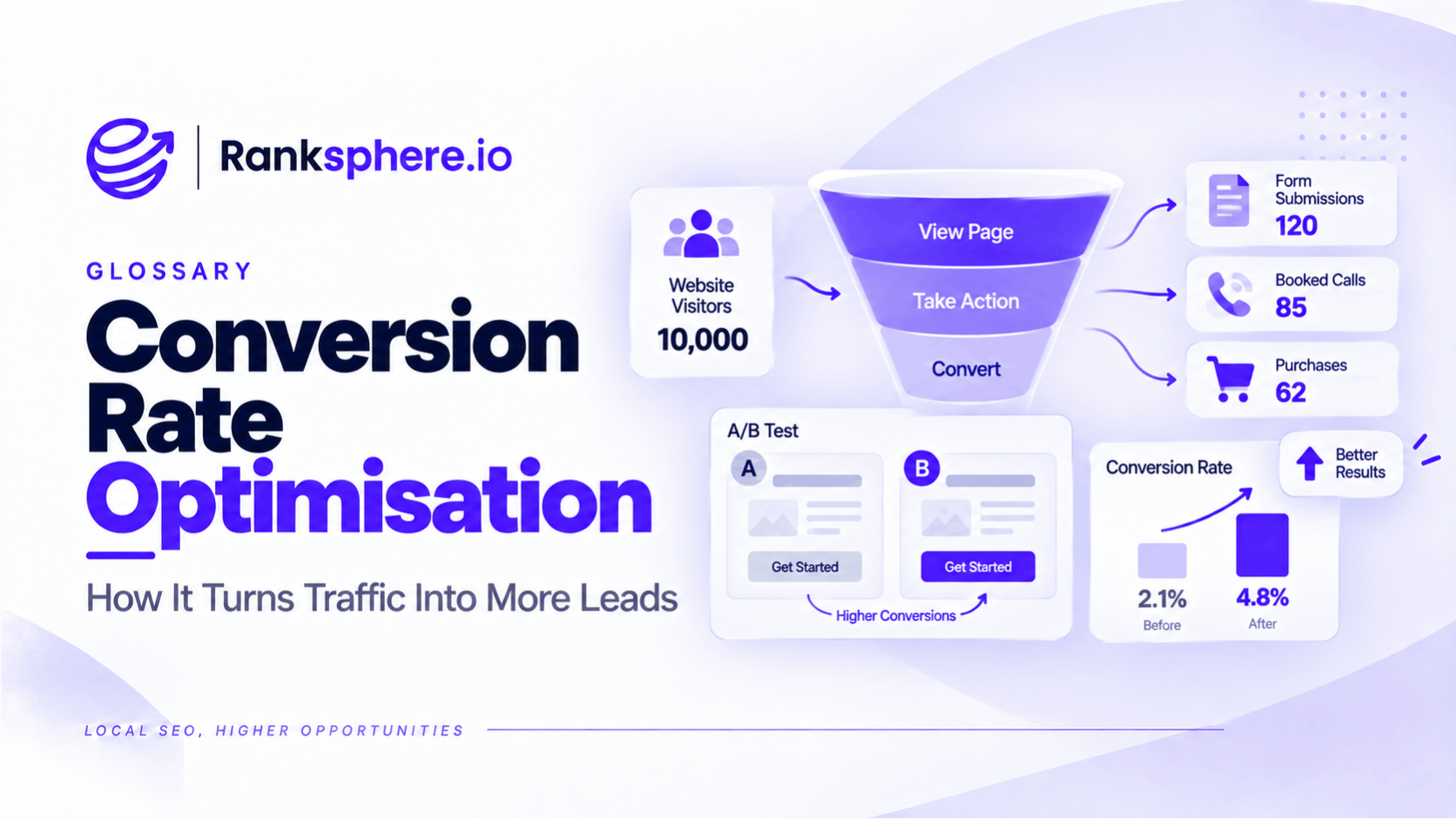
Conversion rate is the percentage of users, sessions or other defined opportunities that result in a desired action.
A conversion might be:
- A form submission
- A phone call
- An appointment booking
- A quote request
- A purchase
The basic formula is:
Conversion rate = (conversions ÷ opportunities to convert) × 100
The important part is defining both sides properly.
For example:
50 form submissions ÷ 1,000 website sessions × 100 = 5% website conversion rate
But for a local business, website conversions are only part of the picture.
A customer can discover the business through Google, read its reviews, check its opening hours and call directly from the search results without ever visiting the website.
That customer may have converted.
Google Analytics would never record a website session.
This is why local SEO conversion tracking needs to look beyond the website.
What is a conversion?
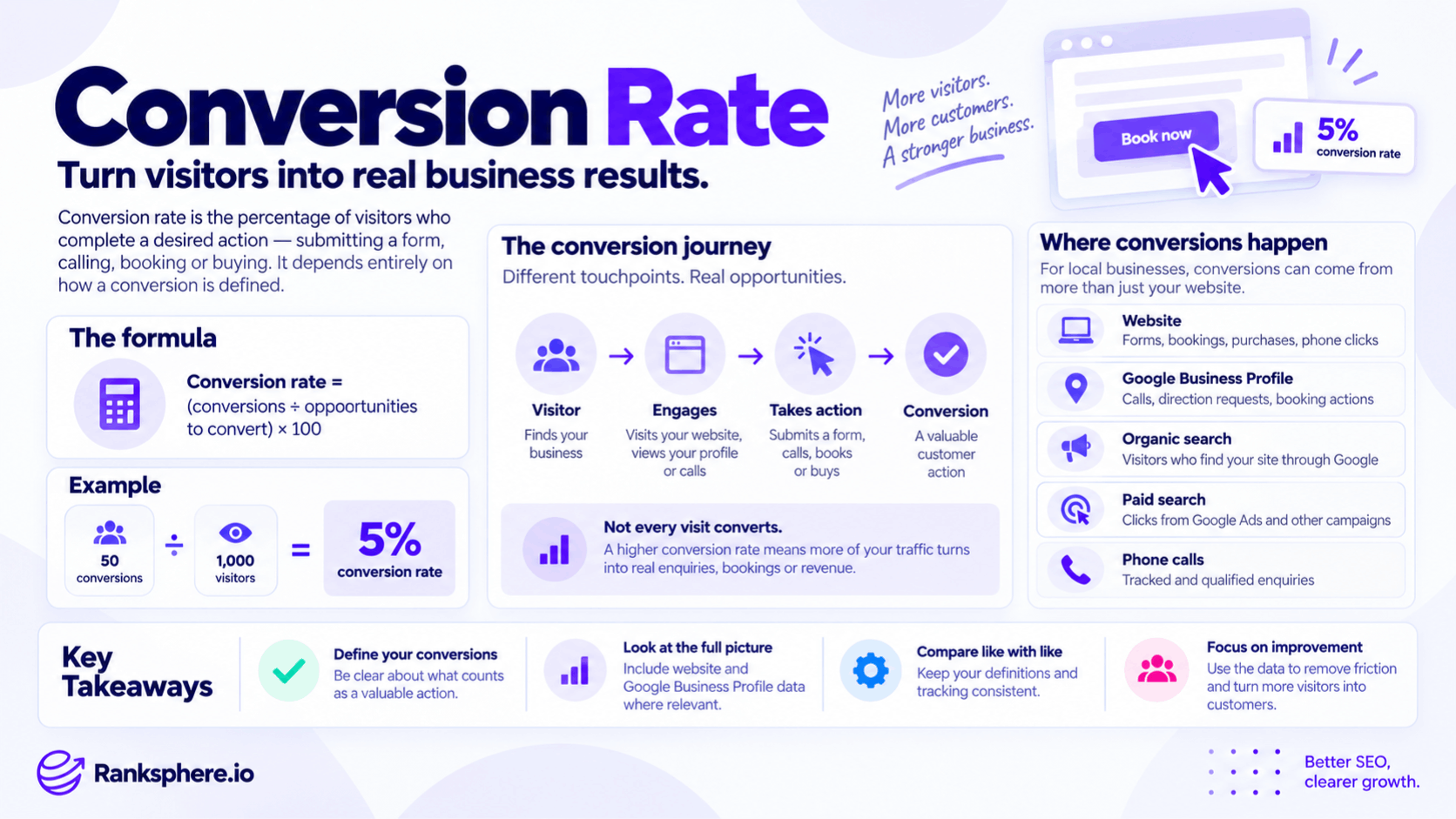
A conversion is an action that represents meaningful progress towards a business goal.
Depending on the business, that could be:
- Calling
- Booking
- Completing an enquiry form
- Purchasing
- Requesting a quote
- Scheduling a consultation
Not every interaction deserves to be called a final conversion.
For example:
Phone call
may be a lead.
Completed appointment booking
may be a stronger conversion.
Direction request
may indicate strong intent, but it does not prove the person visited.
This distinction matters because good reporting should separate:
business outcomes
from:
supporting actions.
What is conversion rate?
Conversion rate tells you how often people who had an opportunity to convert actually completed the desired action.
For example:
A service page receives:
800 sessions
and generates:
32 enquiry forms.
Its form conversion rate is:
32 ÷ 800 × 100 = 4%
That is useful.
But it measures only:
website sessions → form submissions.
It says nothing about customers who:
- Called directly from Google
- Requested directions
- Used an external booking system
- Converted through another channel
The definition determines what the metric means.
There is no single universal conversion rate
A business can have several conversion rates.
For example:
Website enquiry conversion rate
Website enquiries ÷ website sessions
Landing-page conversion rate
Conversions on page ÷ sessions to that page
Paid search conversion rate
Paid-search conversions ÷ paid-search clicks or sessions
Call conversion rate
Depending on the system, this could mean:
qualified calls ÷ tracked calls
or another clearly defined calculation.
So whenever someone says:
“Our conversion rate is 4.2%”
the next question should be:
Conversion of what into what?
Without that definition, the percentage means very little.
The local SEO measurement problem
Local search creates a particular attribution problem.
Imagine someone searches:
Italian restaurant near me
They see the local pack.
They choose a restaurant.
They:
- Read the reviews
- Check opening hours
- Tap the call button
They never visit the restaurant's website.
Google Analytics 4 records no website session because no website session occurred.
That does not mean local SEO produced no action.
It means the action happened on a different surface.
Google Business Profile conversions
A Google Business Profile can generate customer actions without sending the user to the website first.
Depending on the profile and business type, useful interactions can include:
- Phone calls
- Website clicks
- Direction requests
- Booking interactions
These should be reported separately from website conversions.
Some may qualify as actual conversions.
Others are better treated as high-intent interactions.
The business should decide which actions genuinely represent commercial value.
Ranksphere's GBP management surfaces profile actions across locations, helping businesses see the local-search activity that ordinary website analytics cannot capture.
Calls from Google Business Profile
For many local businesses, phone calls are one of the most commercially useful profile interactions.
This is particularly true for businesses such as:
- Plumbers
- Electricians
- Dentists
- Clinics
- Solicitors
- Tradespeople
But even a call should not automatically be treated as a sale.
A phone call may be:
- A new lead
- An existing customer
- A supplier
- A wrong number
- An unsuitable enquiry
Where possible, distinguish:
total calls
from:
qualified calls.
That gives a much more useful picture.
Direction requests
Direction requests can indicate strong local intent.
Someone asking Google for directions to:
- A restaurant
- A shop
- A clinic
- A showroom
may be relatively close to visiting.
But a direction request is not proof of a store visit or sale.
For that reason, it is often better treated as a:
micro-conversion
or:
high-intent action
rather than automatically counted as a completed conversion.
The classification should match the business model.
Booking interactions
Where a customer completes or initiates a booking through an integrated booking system, that can be one of the strongest local-search conversion signals available.
Examples include:
- Dental appointments
- Restaurant reservations
- Consultations
- Classes
Track completed bookings separately where the system allows it.
A booking click is not necessarily the same as a completed booking.
Again, define the event clearly.
Website conversions
Website conversion tracking should cover the important ways people contact or buy from the business.
Common examples include:
- Contact-form submissions
- Quote requests
- Appointment bookings
- Ecommerce transactions
- Phone number clicks
- Relevant live-chat actions
- Email clicks where useful
Not every website interaction should be promoted to a headline conversion.
Focus on actions that represent meaningful progress towards revenue.
Phone number clicks
Phone number clicks on mobile are particularly important for local service businesses.
A user may land on a plumber's service page and immediately tap:
Call now
If that click is not tracked, analytics can make the page look less effective than it really is.
Where appropriate, configure telephone-link clicks such as:
tel:
as events in analytics.
In GA4, an important event can then be marked as a key event where it genuinely represents a meaningful action.
A phone tap is not always a completed call
There is an important limitation.
Tracking a tap on:
01234 567890
shows that someone attempted to initiate a call.
It does not prove that:
- The call connected
- Someone answered
- The caller was a genuine prospect
- The caller became a customer
That is why click tracking and call tracking solve slightly different problems.
Call tracking
Call-tracking systems can provide more information than a simple phone-link click.
Depending on the setup, they may help record:
- Call source
- Duration
- Landing page
- Campaign
- Caller journey
More advanced setups may also classify whether the call was:
- Qualified
- Missed
- Existing customer
- New lead
This can give a local business a much clearer picture of which search activity actually produces useful calls.
Be careful with dynamic phone numbers
Call tracking needs to be implemented properly.
If dynamic numbers are used on a website, make sure they do not create inconsistent public business information for search engines or users.
The site's primary business details should remain accurate.
Tracking should support measurement without creating unnecessary NAP confusion.
Conversion rate vs number of conversions
Conversion rate and total conversions answer different questions.
Suppose:
Month 1
1,000 sessions 50 enquiries
Conversion rate:
5%
Month 2
2,000 sessions 80 enquiries
Conversion rate:
4%
The conversion rate fell.
But the business generated:
30 more enquiries.
That does not mean conversion rate no longer matters.
It means you should look at both:
efficiency
and:
volume.
A falling conversion rate is not always bad
Conversion rate can decline while the business grows.
This often happens when visibility expands.
Imagine a page initially ranks only for:
emergency boiler repair
Those visitors may have very high intent.
Later, the page also starts appearing for broader informational searches.
Traffic increases significantly.
Conversions increase too.
But because the new audience is less ready to buy, the conversion percentage declines.
The lower conversion rate does not necessarily represent worse performance.
Context matters.
A rising conversion rate is not always good
The reverse can also happen.
Suppose organic traffic collapses from:
2,000 sessions
to:
400
while conversions fall from:
60
to:
20.
Conversion rate moves from:
3%
to:
5%
The rate improved.
The business received far fewer leads.
This is why conversion rate should never be reported alone.
Conversion rate for local SEO
Local SEO reporting should normally combine several parts of the customer journey.
That might include:
Visibility
- Local pack coverage
- Organic impressions
- Rankings
Engagement
- Website clicks
- Calls
- Direction requests
Conversions
- Qualified calls
- Form submissions
- Bookings
- Purchases
Commercial outcomes
- Customers
- Revenue
The farther down that chain you can measure reliably, the more useful the reporting becomes.
Website conversion rate can understate local performance
For local businesses, website conversion rate should not automatically be treated as the overall conversion rate for SEO.
Imagine:
Website conversion rate: 3.2%
That may look mediocre.
But the business may also receive:
- 120 calls directly from Google
- 70 direction requests
- 25 bookings through an external platform
None of those necessarily appears in the website conversion-rate calculation.
That does not make the website metric wrong.
It means it measures only one part of the journey.
Local visibility can change the customer journey
As a business becomes more visible in Google's local results, some customers may be able to act without visiting the site.
They may already see:
- Reviews
- Hours
- Address
- Phone number
- Photos
Then they call.
That can change the relationship between:
website sessions
and:
business enquiries.
But it does not automatically cause website conversion rate to fall.
Monitor the data rather than assuming that pattern.
Define conversions before reporting them
Before creating a dashboard, decide what each action means.
For example:
Primary conversions
- Completed bookings
- Qualified calls
- Quote requests
- Purchases
Secondary conversions
- Form starts
- Direction requests
- Email clicks
- Booking-link clicks
Engagement metrics
- Page views
- Scroll depth
- Time on page
This prevents every interaction from being counted as equally valuable.
Micro-conversions
A micro-conversion is an action showing progress towards the main outcome without being the final desired result.
Examples might include:
- Direction request
- Downloading a guide
- Clicking a booking link
- Starting a form
Micro-conversions can be useful diagnostically.
For example:
Many users click:
Book appointment
but few complete the booking.
That suggests the issue may exist inside the booking journey rather than on the landing page.
Macro-conversions
A macro-conversion is closer to the primary business objective.
Examples include:
- Completed appointment
- Purchase
- Qualified lead
- Signed contract
When possible, reporting should distinguish macro- and micro-conversions.
Otherwise, ten low-value clicks may appear equivalent to ten new customers.
GA4 key events
In Google Analytics 4, important user actions can be marked as key events.
Examples might include:
- generate_lead
- purchase
- Appointment completion
- Phone-link click
Use key events selectively.
If every minor interaction is marked as important, conversion reporting becomes noisy and difficult to interpret.
Track form submissions correctly
Do not simply track visits to a generic:
thank-you page
without checking whether that page can be reached in other ways.
Where possible, use a reliable event tied to the actual successful form submission.
Also test:
- Mobile
- Desktop
- Different form types
A conversion report is only as good as the underlying tracking.
Avoid double-counting conversions
One customer can trigger several analytics events.
For example:
- Clicks a phone number.
- Calls.
- Later submits a form.
- Eventually books.
If every action is added together as:
4 conversions
the report may overstate the number of actual leads.
Decide whether you are reporting:
- Events
- Leads
- Customers
Those are different units.
Conversion rate by landing page
Site-wide conversion rate can hide useful differences.
Suppose:
Emergency plumbing page: 9%
Boiler guide: 1%
A blended site-wide rate of:
3.8%
does not tell you much.
The pages serve different intents.
Compare conversion performance at the page or page-type level where possible.
Conversion rate by traffic source
Different traffic sources also behave differently.
For example:
- Branded organic visitors
- Non-branded organic visitors
- Paid traffic
- Referral traffic
may convert at different rates.
Do not assume one source will always convert better than another.
Measure it.
The important thing is to compare like with like.
Conversion rate and search intent
Search intent strongly affects conversion rate.
Someone searching:
how does a heat pump work
is probably earlier in the journey than someone searching:
heat pump installer near me
The second group may convert at a much higher rate.
That does not mean the informational article is bad.
Its purpose may be:
- Education
- Brand discovery
- Supporting future demand
Judge pages according to the intent they serve.
Conversion rate optimisation
Conversion rate optimisation, or CRO, is the process of improving the likelihood that users complete a desired action.
For local businesses, useful improvements may include:
- Clear calls to action
- Prominent contact details
- Tappable mobile phone numbers
- Simpler forms
- Useful service information
- Trust evidence
- Clear booking processes
CRO should focus on removing genuine friction.
Not on manipulating users into taking actions they do not want.
Make contact options easy to find
For a service business, a visitor should not have to hunt for:
- Phone number
- Contact form
- Booking link
Make important actions clear.
On mobile, phone numbers should normally be tappable.
Buttons should also explain what happens next.
For example:
Request a quote
is clearer than:
Submit
Answer questions that block conversion
Customers may hesitate because they do not know:
- Price
- Timescale
- Availability
- Service area
- Process
Answer what you reasonably can.
For example:
Instead of hiding every pricing detail behind:
Contact us
you might explain:
Roof repair costs vary depending on the damage, access and materials. Small repairs can usually be assessed after photographs or an inspection, while larger problems require an on-site survey.
That gives the customer useful context without inventing a fixed price.
Keep forms proportionate
Do not ask for information you do not need.
A first-contact form may only require:
- Name
- Contact details
- Basic enquiry
If someone needs to complete 14 fields before asking a simple question, some will abandon the form.
But shorter is not universally better.
For high-value or complex services, qualification questions may save time for both parties.
Test what works for the business.
Page speed and conversion rate
Page speed can affect user experience, particularly on mobile.
Slow pages may create friction before someone:
- Reads the content
- Calls
- Completes a form
But do not assume every conversion problem is a speed problem.
If a page loads quickly but:
- Has unclear pricing
- Hides the phone number
- Targets the wrong search intent
speed improvements alone will not fix it.
Trust signals
Visitors often want evidence before contacting a local business.
Useful trust information may include:
- Genuine reviews
- Qualifications
- Professional memberships
- Real project photography
- Clear guarantees
- Named staff
Use evidence that is actually true.
Do not manufacture trust badges or testimonials.
Conversion-rate benchmarks
Published conversion-rate benchmarks can be interesting.
They are rarely a good performance target by themselves.
Two businesses may define a conversion very differently.
For example:
Business A
Counts every phone-number tap.
Business B
Counts only completed bookings.
Their conversion rates cannot be meaningfully compared without understanding the definitions.
Benchmarks also vary by:
- Industry
- Traffic source
- Device
- Offer
- Price
- Intent
Your own historical data is often the more useful benchmark.
Compare like with like
A useful comparison might be:
Service page conversion rate, Q2 2026 vs Q2 2025
provided:
- Tracking definition stayed the same
- Traffic source is comparable
- Seasonality is considered
A much weaker comparison is:
Our plumber converts at 6%, while a marketing article says the industry average is 8%.
The definitions may have nothing in common.
Keep conversion definitions stable
If last month:
phone taps + forms
counted as conversions
but this month:
forms + phone taps + direction requests + email clicks
count as conversions,
the rate cannot be compared directly.
If tracking changes, document it.
Ideally establish a new baseline.
Otherwise, measurement improvements can look like performance improvements.
Attribution is imperfect
A customer's journey may look like this:
- Searches Google.
- Sees the business.
- Reads reviews.
- Visits the website.
- Leaves.
- Returns two days later directly.
- Calls.
Which touchpoint gets credit?
No analytics system captures every customer journey perfectly.
This is part of the wider attribution problem.
Use the best available data while being clear about its limits.
Conversion rate and zero-click search
Local conversion measurement is closely connected to zero-click search.
A user may complete much of the decision process within Google.
They can see:
- Reviews
- Location
- Hours
- Phone number
without visiting the website.
Some may then take action directly.
This means website traffic alone can understate the role Search played in the customer journey.
Do not optimise conversion before understanding traffic
A poor conversion rate may not always be a page-design problem.
Perhaps the page is attracting:
- Irrelevant searches
- Informational traffic
- The wrong geography
Before redesigning the page, ask:
Who is visiting and why?
Conversion optimisation works best when traffic quality is understood first.
Low traffic makes conversion rates volatile
Suppose a page receives:
40 visits
and one person converts.
Conversion rate:
2.5%
If one additional person converts:
5%
The rate doubled.
Nothing fundamental may have changed.
Small samples produce large percentage swings.
Use longer periods or absolute conversion counts where volume is low.
Common conversion-rate mistakes
- Treating website conversion rate as the entire local SEO picture.
- Calling every Google Business Profile action a completed conversion.
- Counting direction requests as confirmed customers.
- Tracking phone taps but assuming every tap became a call.
- Failing to track important mobile phone interactions.
- Using an unclear conversion definition.
- Changing the conversion definition mid-reporting period.
- Comparing businesses using different conversion definitions.
- Relying on site-wide conversion rate instead of page-level context.
- Ignoring search intent.
- Counting several actions from the same lead as several customers.
- Reporting rate without total conversion volume.
- Assuming a falling conversion rate always means performance worsened.
- Assuming a rising conversion rate always means performance improved.
- Overreacting to tiny samples.
- Ignoring off-site local search actions and attribution limitations.
Conversion-rate best practices
- Define what counts as a primary conversion before reporting begins.
- Separate primary conversions from micro-conversions.
- Track important website actions accurately.
- Track phone-number clicks where they are commercially relevant.
- Use call tracking when deeper phone attribution is needed.
- Report Google Business Profile actions separately from website analytics.
- Treat direction requests as high-intent actions unless you can connect them reliably to visits.
- Segment conversion performance by landing page and traffic source.
- Keep definitions and tracking methods stable over time.
- Report total conversions alongside conversion rate.
- Use your own historical performance as the main benchmark.
- Account for search intent and seasonality.
- Be explicit about attribution limitations.
- Optimise pages based on genuine customer friction, not arbitrary benchmark percentages.
Example
Aldermoor Plumbing's monthly report shows that its website conversion rate has fallen.
A year ago it was:
2.6%
Now it is:
2.1%.
At first glance, that looks like a problem.
The agency proposes redesigning the landing pages.
Before doing that, the team reviews the wider local-search data.
During the same period, Aldermoor's local pack visibility expanded significantly across its target area.
Calls made directly from the Google Business Profile also increased.
That changes the interpretation.
Some customers who previously visited the website to find the company's phone number can now:
- Find Aldermoor in Google.
- Check its reviews.
- Call directly.
Those people never become website sessions.
The team also discovers that phone-number taps on the website were not being tracked properly.
Tracking is corrected.
The reporting is then separated into:
Website conversions
- Forms
- Phone taps
- Bookings
Google Business Profile actions
- Calls
- Direction requests
- Website clicks
and:
Qualified leads
where the business can identify them.
The original 2.1% website conversion rate was not wrong.
It was simply answering a much narrower question:
What percentage of website sessions completed one of the website actions we were tracking?
It could not answer:
How many customers did local search generate overall?
That is the key lesson with conversion rate.
Define exactly what is being measured, track the important paths customers actually use, and never let one percentage stand in for the entire customer journey.
See also
- Google Analytics 4 — measuring website events and key events
- Call tracking — attributing and qualifying phone enquiries
- Attribution — deciding which channels receive credit for conversions
- Google Business Profile — an important source of local customer actions
- KPI — deciding which conversion metrics belong in reporting
- Zero-click search — why local search can generate value without a website visit