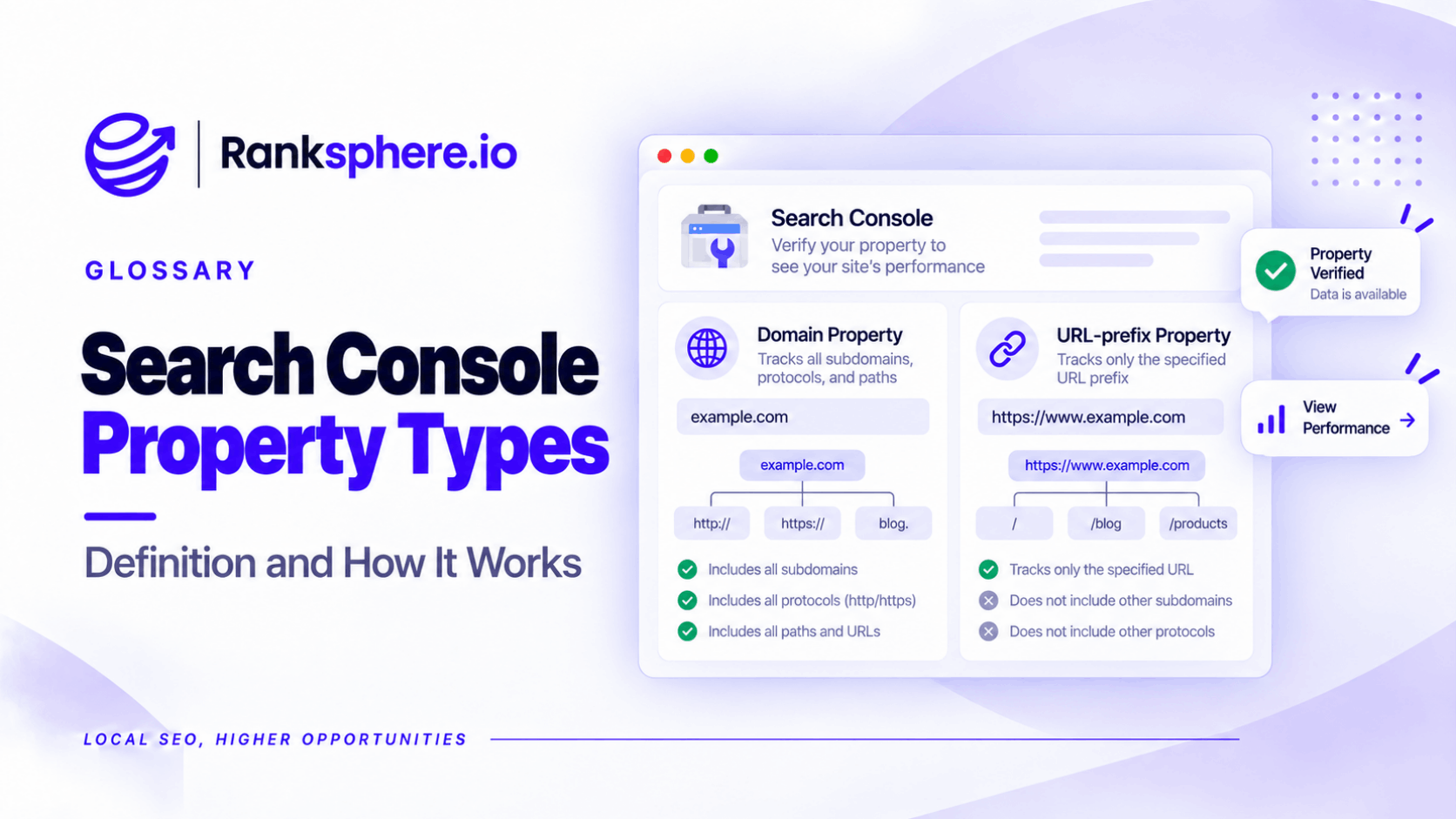
Google Search Console offers two website property types: Domain properties and URL-prefix properties.
Both allow website owners to monitor search performance, indexing and technical issues. The difference is which URLs each property includes.
A Domain property covers a domain across its subdomains and protocols. A URL-prefix property covers only URLs matching a specific prefix, such as https://www.example.com/.
Choosing the wrong property won't affect Google's rankings or indexing. It can, however, leave important data out of your reports.
For most businesses, a Domain property is the better starting point because it provides a broader view of the website.
Domain Property vs URL-Prefix Property
| Feature | Domain property | URL-prefix property |
|---|---|---|
| Example | example.com | https://www.example.com/ |
| HTTPS and HTTP | Both included | Only the specified protocol |
| WWW and non-WWW | Both included | Only matching URLs |
| Subdomains | Included | Separate unless covered by the specified prefix |
| Subdirectories | Included | Included when matching the prefix |
| Verification | DNS verification | Several verification methods |
| Best use | Complete domain monitoring | Monitoring a particular website version or section |
Both property types provide access to Google Search Console's relevant performance and indexing reports.
The main difference is the scope of the data.
What Is a Domain Property?
A Domain property includes all supported protocols, subdomains and URL paths under the specified domain.
For example, adding example.com covers:
- https://example.com/
- https://www.example.com/
- http://example.com/
- https://blog.example.com/
- https://shop.example.com/
This makes it useful when a business operates several sections of its website.
For example, a company might have its main website at example.com and a resource centre at blog.example.com.
A Domain property provides a combined reporting scope without requiring a separate property for each hostname.
Google Search Console also allows more specific properties when the business needs to examine those sections separately.
What Is a URL-Prefix Property?
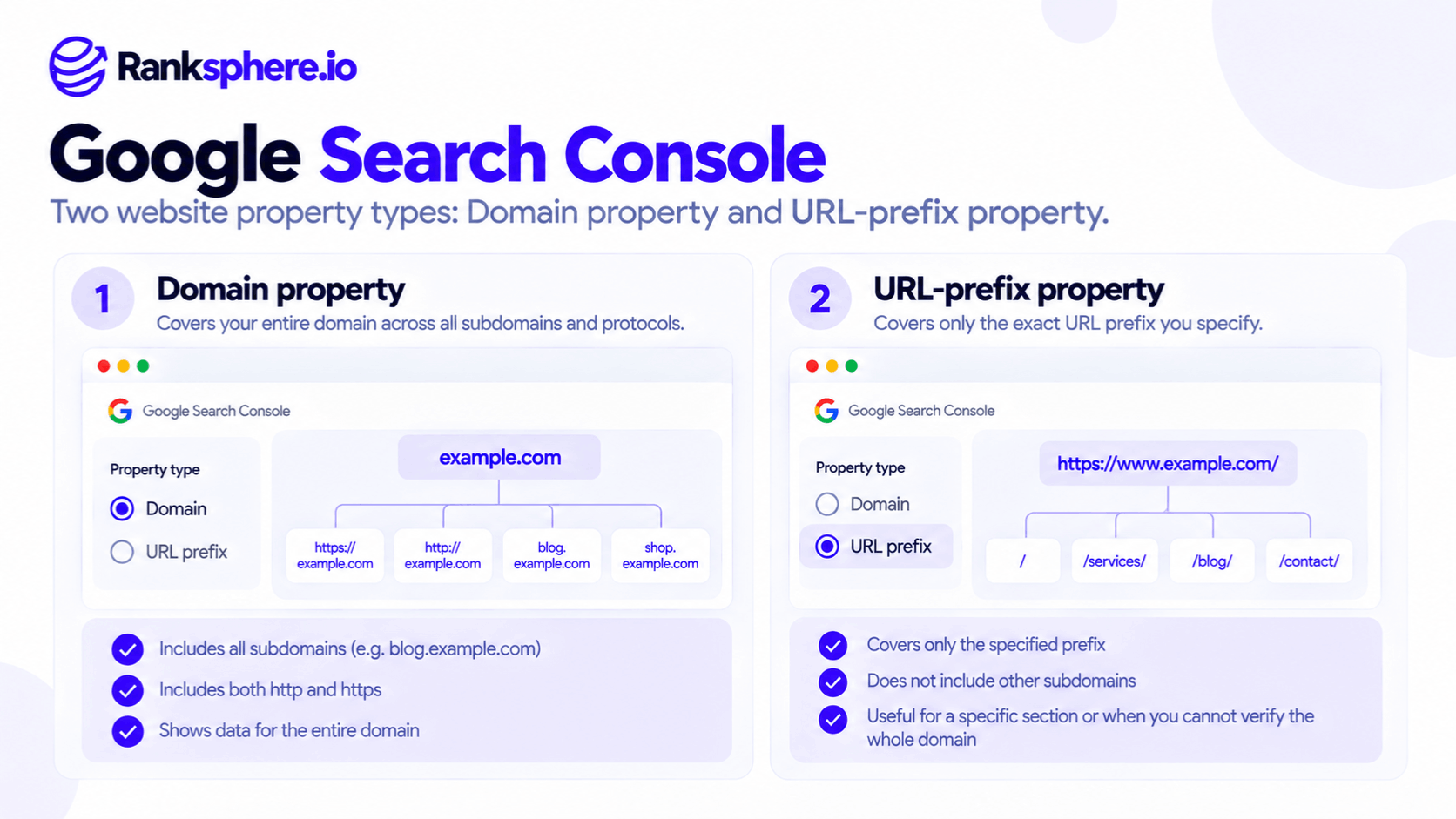
A URL-prefix property includes URLs matching the exact prefix entered during setup.
For example:
https://www.example.com/
This property covers pages below that prefix, such as:
https://www.example.com/services/
However, it doesn't include:
https://example.com/services/
or:
http://www.example.com/services/
The protocol and hostname must match.
URL-prefix properties can also be created for specific subdirectories.
For example:
https://example.com/blog/
This can be useful when an agency wants separate reporting for a particular content section.
See subdomain vs subdirectory for the wider website structure considerations.
Why Does Property Type Matter for SEO Reporting?
The main risk is incomplete reporting.
Suppose an agency monitors a website using a URL-prefix property for:
https://www.example.com/
The business later changes its main website to:
https://example.com/
If the agency continues reporting only from the original property, it may no longer see the full performance of the current website.
That can make a successful migration look like a traffic decline.
However, Search Console generally assigns clicks and impressions to Google's selected canonical URLs, not simply whichever URL a visitor opens.
This means reporting discrepancies depend on the URLs Google attributes performance to.
The problem isn't that Search Console loses the data. It's that the agency may be looking at a property that doesn't cover the relevant URLs.
This is particularly important after an HTTPS migration, WWW change or website restructuring.
Which Google Search Console Property Type Should You Use?
For most website owners, start with a Domain property if you can verify it.
It provides broader coverage and reduces the chance of overlooking an active website variant.
A URL-prefix property is useful when you need to:
- Monitor a particular subdomain independently.
- Examine a specific directory or section.
- Verify a website without DNS access.
- Use a Search Console feature that requires a URL-prefix property.
You can also use both.
For example, an SEO agency might maintain a Domain property for overall reporting and a URL-prefix property for a client's blog.
The properties don't compete or interfere with one another.
How to Verify a Domain Property
Domain properties require DNS verification.
Google provides a verification record that must be added through the domain's DNS provider.
In most cases, this is a TXT record, although Google's verification documentation also describes other supported DNS configurations.
The process generally involves:
- Open Google Search Console.
- Select Add property.
- Choose Domain.
- Enter the domain without https:// or a URL path.
- Follow Google's DNS verification instructions.
- Confirm ownership once the record is available.
The difficulty is often finding who controls DNS.
A business may have registered its domain years ago, while its hosting provider, developer or IT company manages the current records.
Agencies should identify DNS access during client onboarding, rather than waiting until verification becomes urgent.
How to Verify a URL-Prefix Property
URL-prefix properties support several ownership verification methods, including:
- HTML file upload
- HTML meta tag
- Google Analytics
- Google Tag Manager
- DNS verification
Each method has requirements.
For example, Google Tag Manager verification requires an appropriate container installation and account permissions.
If DNS access is unavailable, a URL-prefix property may be the most practical solution.
However, confirm that the prefix matches the site's actual canonical URLs.
What to Check When Taking Over an Existing Search Console Account
When an agency inherits a website, Search Console should be part of the initial access audit.
Check which properties exist and whether they cover the site's current URLs.
Review the following:
Property type: Is the business using a Domain property or only a URL-prefix property?
Canonical website version: Does the monitored property match the URLs Google selects for indexing?
Subdomains: Are important blogs, shops or other hostnames included in reporting?
Historical migrations: Is the agency still reporting from an old HTTP, WWW or domain variant?
Ownership: Do former agencies or developers still have unnecessary access?
Search Console ownership and permissions should also be reviewed during client offboarding.
Removing an agency's ordinary access is not necessarily enough if it retains a valid ownership verification method.
Ranksphere's Website Audit Tool can help identify technical issues involving URLs, redirects and website accessibility. Search Console property coverage and permissions should be checked directly within Google Search Console.
Common Search Console Property Mistakes
- Monitoring only one URL variant. Other canonical URLs may fall outside its scope.
- Using an old property after a migration. Reports may no longer represent the current website.
- Assuming subdomains are included in every property. URL-prefix coverage is limited.
- Confusing verification with indexing. Adding a property doesn't automatically improve rankings or cause Google to index pages.
- Assuming a Domain property requires a separate property for each subdomain. It already includes them.
- Failing to audit ownership. Former suppliers may retain access.
- Assuming adding a new property creates historical data that never existed. Reporting availability depends on the property's data collection history and Google's retention limits.
Best Practices
Use a Domain property for broad website reporting where DNS access is available.
Add URL-prefix properties when more focused analysis is useful.
Check canonical URLs and redirects before selecting the property used for reporting.
Review property coverage after protocol, hostname or domain changes.
Keep a record of who controls DNS and Search Console verification.
Audit owner permissions whenever a website changes agencies or developers.
Example of an Incorrect Search Console Property Setup
Consider a hypothetical dental practice whose website originally used:
The agency created a URL-prefix property for that address.
Two years later, the website was rebuilt using:
The old URLs correctly redirected to the new versions.
What the Agency Finds
During a reporting review, the team notices that clicks in the original Search Console property appear to have declined.
However, the website is still accessible and customer enquiries haven't fallen in the same way.
The agency checks Google's selected canonical URLs and discovers that the main website now uses the non-WWW hostname.
The existing URL-prefix property does not cover those canonical URLs.
What the Agency Changes
The agency verifies a Domain property for practice.co.uk.
It reviews the available performance data and confirms which URLs Google is using.
It also checks the site's redirects, canonical tags and indexing status.
Future reports use the Domain property for the overall picture.
Example
“The original reporting problem wasn't necessarily a decline in search visibility.
The agency had continued measuring a URL prefix that no longer represented the main website.
The correct property made reporting more reliable without changing how Google ranked the practice.
Google Search Console property types do not change SEO performance. They determine which website data you can see and manage.
Choosing the right scope helps businesses make decisions using a more complete picture of their search visibility.”
See Also
- Google Search Console — Monitoring website performance and indexing.
- HTTPS — Secure website connections and protocol changes.
- Site Migration — Managing website moves and reporting continuity.
- Subdomain vs Subdirectory — How website structure affects property coverage.
- Client Onboarding — Securing website and analytics access.
- Impressions — How often your pages appear in supported Google Search results.