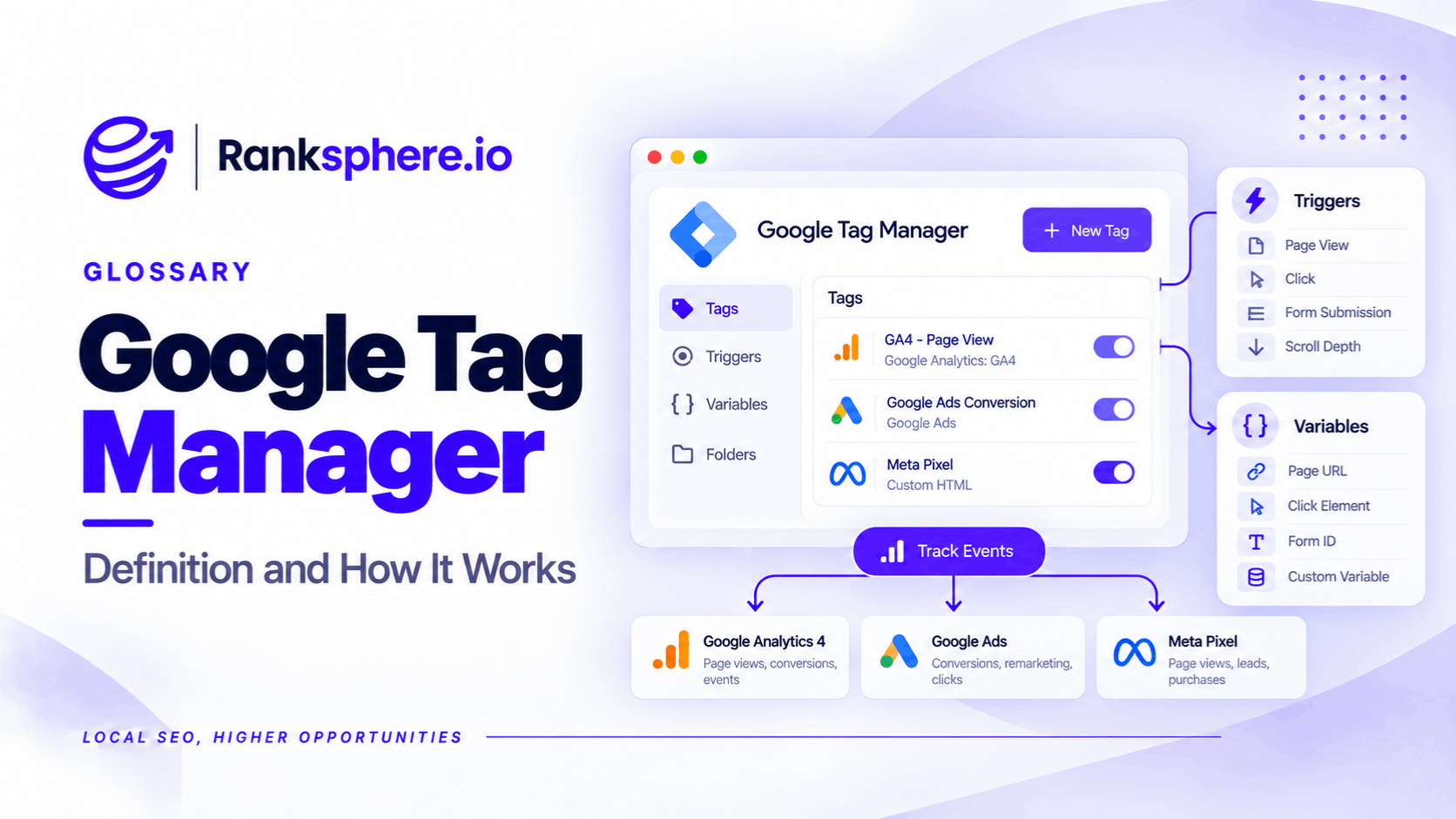
Google Tag Manager (GTM) is a free tool from Google that lets website owners add, manage and test tracking tags without editing the website's code every time something changes.
Once a GTM container is installed, authorised users can manage Google Analytics, conversion tracking and other supported scripts through a web interface.
For an SEO agency, its main advantage is straightforward: tracking changes no longer have to become developer tasks.
A local business can use GTM to measure telephone link clicks, form submissions and other customer interactions.
Google Tag Manager does not improve rankings directly. It helps businesses understand what visitors do after reaching their website.
For a small website using only basic analytics, however, GTM may add complexity without much benefit.
How Does Google Tag Manager Work?
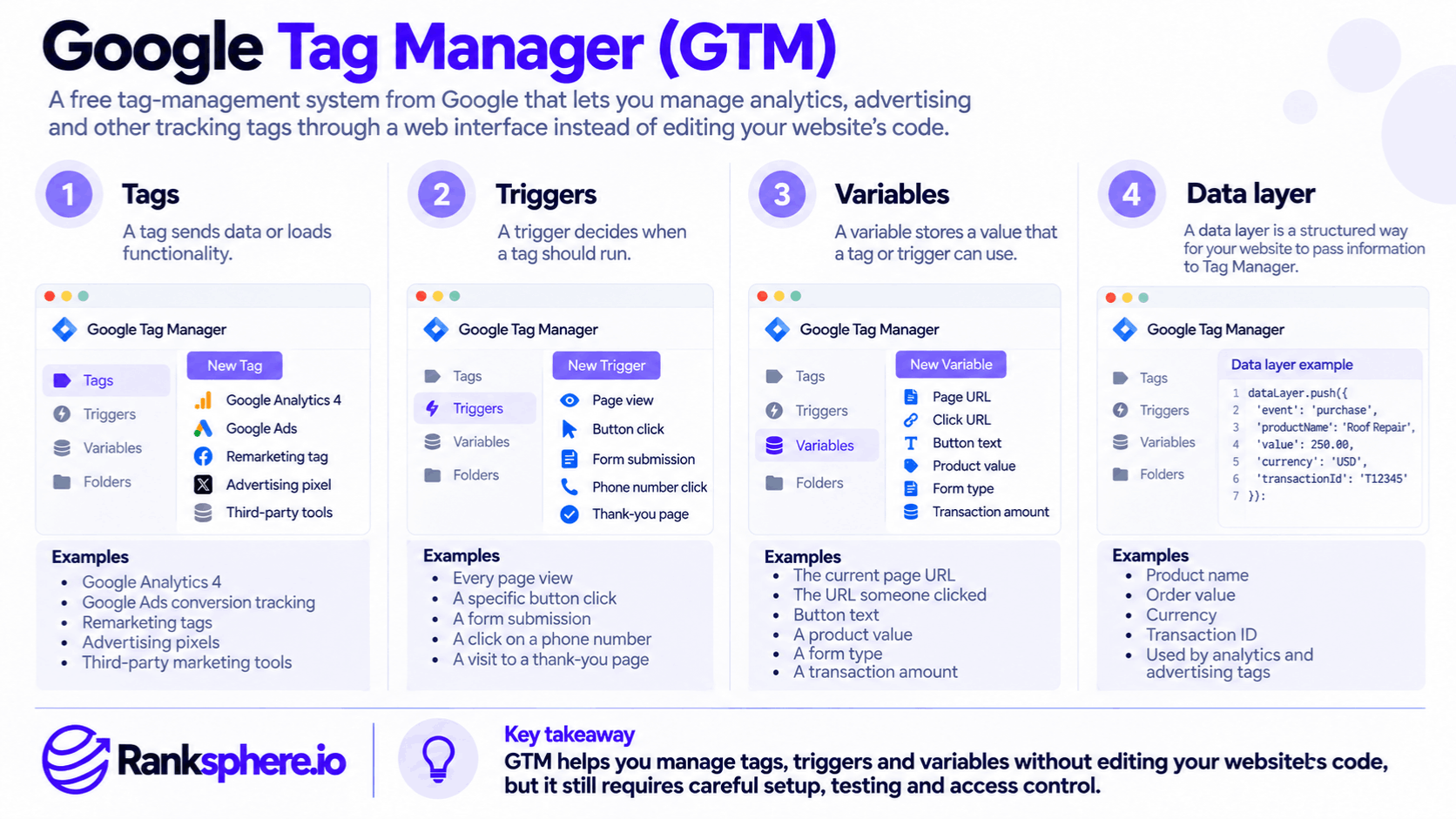
Google Tag Manager uses three main components.
Tags
Tags are pieces of code or configurations that send information to analytics, advertising and other services.
For example, GTM can deploy Google Analytics 4 (GA4) tracking without requiring a developer to add a separate script for every update.
Triggers
Triggers determine when a tag should fire.
For example, a dental practice might want to record when someone clicks its telephone number.
A GTM trigger can detect clicks on links beginning with tel: and activate a corresponding GA4 event tag.
The event can then be marked as a key event in GA4 if it represents an important customer interaction.
However, a telephone link click is not proof that the call connected or resulted in an appointment.
Variables
Variables provide information used by tags and triggers.
For example, a click URL variable can identify which telephone link a visitor selected.
These components work together to control which data is collected and when it is sent.
When Is Google Tag Manager Worth Using?
GTM is particularly useful when a website needs more than basic page-view tracking.
It can make sense when:
- An agency regularly updates tracking configurations.
- The business uses multiple analytics or advertising services.
- Important actions, such as form submissions or telephone clicks, need tracking.
- Developers aren't readily available for every tracking change.
- The website needs a coordinated Consent Mode implementation.
For example, a plumbing company might want to distinguish visitors who read a service page from those who click the emergency contact number.
GTM can help implement that measurement.
However, event tracking still needs testing. Not every form or website interaction can be tracked reliably through a simple built-in trigger.
When Is GTM Unnecessary?
Not every local business needs Google Tag Manager.
A small website using one GA4 integration provided by its CMS may already have the measurement it needs.
Adding GTM in that situation creates another system to maintain.
It can also increase the risk of duplicate tracking if the existing integration remains active.
Before installing a container, check what tracking already exists and whether GTM would solve a real problem.
Does Google Tag Manager Affect Website Speed?
GTM can affect website performance, but the impact depends largely on what it loads.
The container requires resources, and tags can trigger additional network requests or execute JavaScript.
A website with unnecessary advertising pixels, abandoned chat widgets and poorly configured tracking scripts may experience slower loading or interaction performance.
This can contribute to problems with Core Web Vitals, particularly when scripts occupy the browser's main thread.
However, GTM itself isn't automatically responsible for poor performance.
The better approach is to inspect the tags and scripts actually running on the page.
An annual container review is useful for identifying services that are no longer needed.
See page speed.
Google Tag Manager and Consent Mode
GTM can help businesses manage how Google and third-party tags behave according to visitor consent choices.
For example, a website may need analytics tags to behave differently depending on whether a visitor has accepted or rejected analytics cookies.
GTM supports built-in consent checks and configurations for tags that require additional consent settings.
However, Google Tag Manager is not a consent management platform.
It does not automatically provide a lawful cookie banner, collect valid consent or determine which privacy regulations apply.
Businesses still need an appropriate consent solution and correct configuration.
Who Should Own the Google Tag Manager Account?
For agencies, ownership is one of the most important operational considerations.
The business should normally control its GTM account, with its agency granted the permissions required to perform the work.
This is similar to the access issues involved in Google Business Profile ownership.
Google Tag Manager supports account-level and container-level permissions, including editing and publishing access.
Google also recommends maintaining at least two active account administrators to reduce the risk of losing access.
During client onboarding, agencies should check whether a GTM container is already installed, who administers it and which tags are active.
During client offboarding, the agency should ensure the client retains the access, documentation and tracking configuration it needs.
An agency-owned container that the client cannot access can become a serious problem when the working relationship ends.
Why Preview Mode Matters
Google Tag Manager includes a preview and debugging mode that allows users to test changes before publishing them.
For example, after setting up telephone click tracking, the agency can check whether the correct tag fires when the number is clicked.
Preview mode can also reveal tags that fire unexpectedly or more than once.
GTM maintains published container versions, allowing teams to inspect previous changes and restore an earlier configuration when necessary.
This makes it easier to manage changes, but it doesn't replace proper testing.
Common Google Tag Manager Mistakes
- Installing GA4 more than once. Duplicate configurations can send repeated events.
- Publishing without testing. Tags may fire incorrectly or fail to collect data.
- Leaving unused tags active. Old scripts can create performance and privacy problems.
- Giving agencies sole control. Businesses may lose access to their tracking.
- Tracking clicks as completed enquiries. A button click is not necessarily a conversion.
- Assuming GTM handles consent automatically. Consent configuration still requires care.
- Failing to document tags. Future administrators may not know why they exist.
Google Tag Manager Best Practices
Before adding GTM, check the website's existing tracking setup.
Keep the account under the business's control and assign permissions according to each person's responsibilities.
Use clear names for tags, triggers and variables.
Test new configurations in preview mode before publishing.
Check that analytics events aren't being sent multiple times, and review the container periodically for unused tags.
Document important tracking decisions so another developer or agency can maintain the setup.
Example of Duplicate GA4 Tracking
Consider a hypothetical dental practice whose website analytics reports appear unusually high.
A previous developer installed the Google tag directly through the website theme.
Later, another agency added GA4 tracking through Google Tag Manager without checking the existing installation.
What the Agency Finds
A tracking audit reveals that two configurations are sending page-view events to the same GA4 property.
This has inflated the recorded page-view count.
However, the agency doesn't assume sessions have doubled, because GA4's session calculations don't work in exactly the same way as page-view counts.
What the Agency Changes
The team removes the unnecessary duplicate implementation and uses Tag Assistant to verify that the correct events are collected.
It also reviews the GTM container and finds tags associated with marketing services the practice no longer uses.
Those tags are assessed and removed where appropriate.
Example
“The problem wasn't Google Tag Manager itself.
It was installing tracking without checking what was already present.
Correcting the implementation gives the practice more reliable analytics data and reduces unnecessary scripts.
Google Tag Manager is useful when it makes tracking easier to control and maintain. It becomes a problem when nobody understands what the container is doing.”
See Also
- Google Analytics 4 — Measuring website traffic and visitor activity.
- Key Event — Identifying important visitor interactions.
- Consent Mode — Adjusting tag behaviour according to consent choices.
- Page Speed — Understanding the performance impact of website scripts.
- Client Onboarding — Establishing tracking access and responsibilities.
- Client Offboarding — Ensuring tracking access and documentation remain with the client.