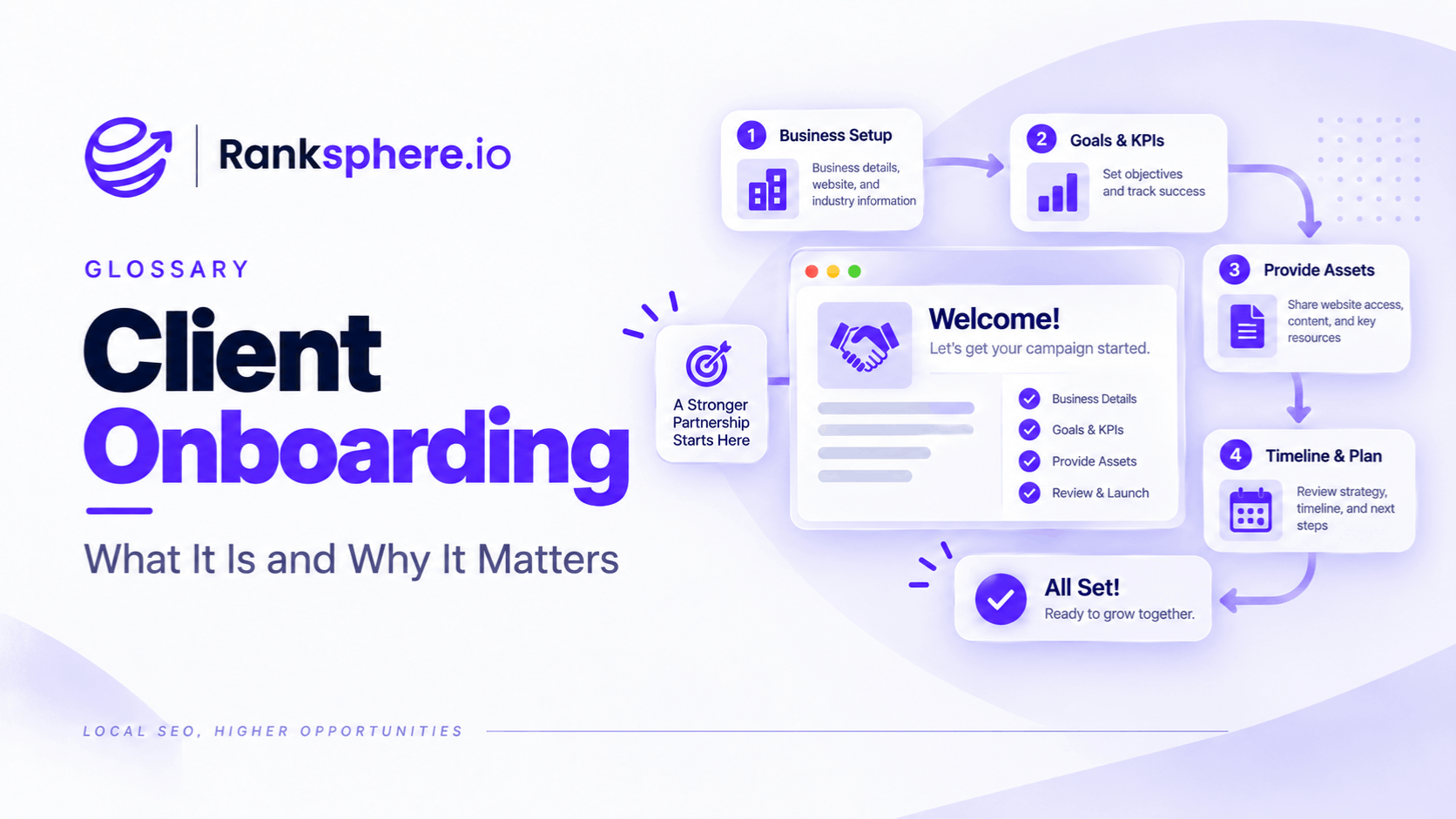
Client offboarding is the process of ending an agency or SEO engagement in an organised way.
A good offboarding process covers:
- Account access
- Ownership
- Data
- Documentation
- Work in progress
- Third-party tools
- Client-owned assets
- Outstanding responsibilities
The goal is simple:
the client should be able to continue operating without depending on the outgoing agency.
That matters especially in SEO, where an agency may have access to:
- Google Business Profile
- Search Console
- Google Analytics
- Google Tag Manager
- CMS accounts
- Directory listings
- Reporting tools
- Call tracking
- Content files
A clean handover protects the client, reduces security risk and leaves a clear record of what happened during the engagement.
Offboarding starts with ownership, not exports
The most important question is not:
“What files should we send?”
It is:
“Does the client independently control the systems that belong to its business?”
Before removing agency access, confirm that the client can administer the critical accounts without you.
That is the foundation of a proper handover.
Google Business Profile
Google Business Profile is one of the most important accounts to check during local SEO offboarding.
But the ideal setup should have been correct from the start.
Google's third-party policy says businesses using outside agencies must retain ownership or co-ownership of their profiles, and its guidance for agencies recommends making the business owner an owner while the agency acts as manager.
So the preferred arrangement is:
Client
Owner or primary owner
Agency
Manager, or another appropriate authorised role
rather than:
Agency
Permanent primary owner
If the agency is primary owner
If the outgoing agency currently holds primary ownership, correct the setup.
Google allows the primary owner to transfer primary ownership to an existing owner or manager.
However, newly added owners and managers must wait seven days before they can perform certain actions, including transferring primary ownership or removing other users.
That makes last-minute access correction risky.
Where possible, client ownership should be established well before an engagement ends.
Remove agency access once control is confirmed
After confirming that the client has the appropriate ownership and can manage the profile independently, remove unnecessary agency users.
Google's third-party policy requires agencies to provide clients with a straightforward way to end the relationship and regain exclusive control.
Do not leave:
- Former employees
- Ex-contractors
- Old agency addresses
on the profile indefinitely.
Google also recommends limiting profile access to people who genuinely need it.
Do not share passwords
A clean handover does not mean emailing account passwords around.
Google specifically advises that each person managing a Business Profile should use their own Google Account rather than sharing credentials.
Use:
- Role-based access
- Ownership transfer
- User invitations
where the platform supports them.
For other tools, move accounts to client-controlled credentials rather than leaving the client's business dependent on a shared agency login wherever possible.
Search Console
For Search Console, make sure the client has independent ownership before the agency removes itself.
Google distinguishes between:
Verified owner
Proves ownership through a verification method such as:
- DNS
- HTML file
- HTML tag
Delegated owner
Receives owner access from another owner.
Both have owner-level permissions, but a verified owner has its own verification proof.
For a long-term client handover, independent verified ownership is the more robust arrangement.
Check the client's verification
Before removing agency access:
- Confirm that the client's Google Account appears as an owner.
- Confirm that at least one client-controlled account is independently verified where practical.
- Check which verification method supports that ownership.
- Remove agency users and agency-owned verification tokens when no longer required.
Google warns that simply removing a verified owner from the user list may not be enough if that person's verification token remains in place, because they may be able to verify themselves again.
That is an important security step.
Google Analytics 4
For Google Analytics 4, avoid talking about:
“transferring ownership.”
GA4 uses user roles and permissions rather than a primary-owner model.
Google allows users with the required Administrator permissions to add, modify and remove other users at the relevant account or property level.
During offboarding:
- Confirm the client has Administrator access where appropriate
- Check account-level as well as property-level access
- Remove agency users who no longer need access
- Check external integrations linked to the property
Do not remove the agency until you know the client can administer the setup independently.
Google Tag Manager
Google Tag Manager deserves its own check.
An agency may have:
- Account administrator access
- Container publishing access
- Developer access
Google recommends planning account administration so the organisation does not become dependent on a single administrator.
During offboarding:
- Confirm client administrators
- Review account permissions
- Review container permissions
- Remove former agency users after handover
Do not leave the client unable to publish or manage its own tracking configuration.
CMS and website access
Check the site's CMS separately.
That may include:
- WordPress
- Shopify
- Webflow
- Custom CMS
- Hosting
- Domain registrar
- CDN
- DNS provider
Where the agency created accounts, move administrative control into client-controlled accounts where the contract and platform allow it.
Pay particular attention to:
- Domain ownership
- Hosting billing
- DNS access
A client losing access to those systems can create far more serious problems than losing access to an SEO tool.
Directory and citation accounts
For citation work, keep a record of the listings created or changed during the engagement.
The handover might include:
- Directory name
- Listing URL
- Account email
- Current status
- Notes on verification
Where possible, directory accounts should ultimately use client-controlled details rather than an outgoing employee's personal address.
Avoid sending one spreadsheet full of reusable passwords unless there is genuinely no safer transfer mechanism.
Canonical business information
The handover should include the business information that has been used consistently across the campaign.
For example:
- Business name
- Address
- Phone
- Website
- Opening hours
- Categories
- Services
The canonical NAP record is particularly useful where many directories have been updated.
This prevents the incoming team from having to guess which business information was considered authoritative.
Disavow files
If a disavow file has ever been submitted, document it.
Include:
- The current file
- When it was submitted
- Why it was created
- What types of links were included
- Any known manual-action context
This matters because uploading a new disavow file replaces the existing list for that property.
An incoming agency that does not know an existing disavow file is active can accidentally overwrite it.
Do not create a disavow file just for handover
Google considers the Disavow Tool an advanced feature and says most sites do not need it.
So:
“include the disavow file if one exists”
is the right instruction.
Not:
“every client should have one.”
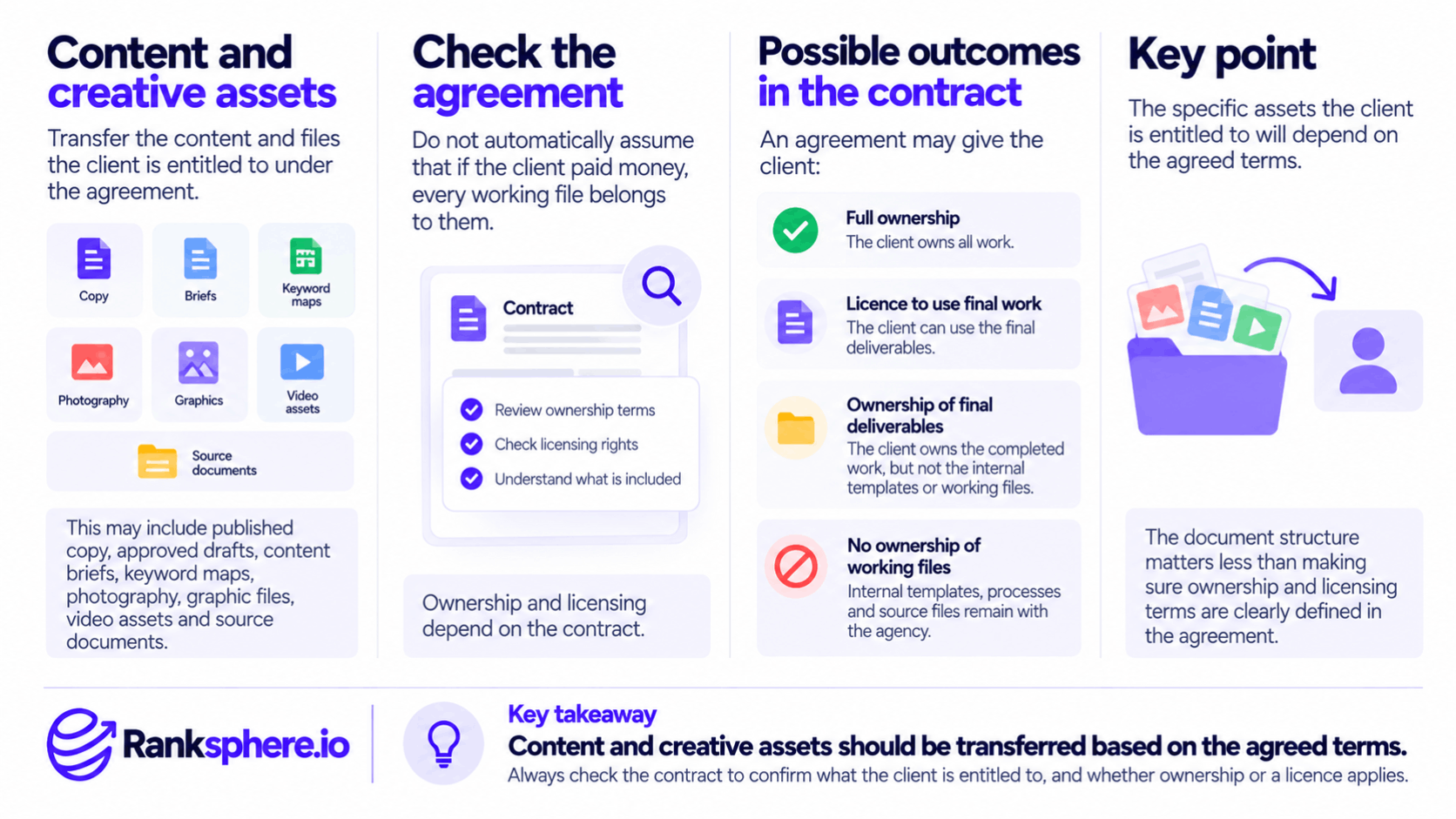
Content and creative assets
Transfer the content and files the client is entitled to under the agreement.
That may include:
- Published copy
- Approved drafts
- Content briefs
- Keyword maps
- Photography
- Graphic files
- Video assets
- Source documents
Do not automatically assume:
“if the client paid money, every working file belongs to them.”
Ownership and licensing depend on the contract.
For example, an agreement may give the client:
- Full ownership
- A licence to use final work
- Ownership of final deliverables but not internal templates
Check the agreed terms.
Keyword maps and SEO documentation
A good SEO handover should explain the structure that has already been built.
Include things such as:
- Primary page targets
- Keyword mapping
- Location-page strategy
- Internal-linking decisions
- Content already refreshed
- Planned content
That reduces the risk of the incoming team accidentally creating:
- Duplicate pages
- Cannibalisation
- Contradictory targeting
Documentation is valuable because it explains not only:
what exists
but:
why it exists.
Work completed, in progress and planned
A simple handover table can be enough.
Completed
Work finished and published.
In progress
Work started but not completed.
Planned
Work discussed but not yet started.
Blocked
Work waiting on:
- Client information
- Developer work
- Approval
- Third-party action
This prevents unfinished items from disappearing when responsibility changes.
Known issues
Document problems the next team should know about.
For example:
- Unresolved duplicate listing
- Pending Business Profile verification
- Canonical issue awaiting development
- Content awaiting legal approval
- Tracking limitation
- Migration risk
Do not hide unresolved problems simply because the relationship is ending.
A clean handover distinguishes:
“we knew about this and it is unresolved”
from:
“nobody noticed this.”
Baselines and historical reporting
Document where baseline information lives.
For example:
- Rank-tracking history
- Grid scans
- Search Console
- GA4
- Business Profile reporting
- Call tracking
- CRM
The next provider needs to know which data source was used when previous reports said:
visibility increased
or:
leads improved.
Search Console historical data
Be careful with the phrase:
“export all historical Search Console data.”
The standard Search Console Performance report provides up to 16 months of search-performance history. Google recommends using the Search Analytics API or bulk data export if you need to preserve a longer history externally.
So if an agency has stored:
three years of Search Console data
in:
- BigQuery
- A data warehouse
- Reporting software
then that stored dataset can be handed over where appropriate.
You cannot normally create a three-year historical Search Console export at the point of offboarding if it was never stored.
Analytics data
The same principle applies to GA4.
Do not assume every type of Analytics data is retained indefinitely.
GA4 data-retention settings affect user-level and event-level data used in areas such as Explorations. Standard properties can generally be configured for two or fourteen months of that detailed data, although standard aggregated reports are handled differently.
If detailed historical data is important to the client, review:
- Retention settings
- BigQuery exports
- External reporting storage
before removing access.
Reporting files
Where contractually appropriate, hand over:
- Final reports
- Dashboards
- Report definitions
- Data-source notes
If a Looker Studio or similar dashboard relies on an agency-owned data connector, make that dependency clear.
Otherwise the client may inherit a dashboard that stops working as soon as the agency account is removed.
Third-party tools and integrations
Review external services connected during the engagement.
Examples include:
- Rank trackers
- Call-tracking platforms
- Citation services
- Review tools
- Booking systems
- Reporting connectors
- API integrations
For each one, decide whether the correct outcome is:
- Transfer
- Export
- Reassign billing
- Remove access
- Cancel
Do not leave paid subscriptions running accidentally.
Billing
Offboarding should include a clear billing check.
Confirm:
- Final invoice
- Subscription end date
- Third-party charges
- Prepaid work
- Credits if applicable
- Renewal dates
This belongs in the commercial agreement, not an improvised email after the relationship has ended.
Remove access after the handover
The order matters.
Do not remove yourself first and then discover:
the client cannot get in.
A safer sequence is:
- Confirm client access.
- Confirm client administrative permissions.
- Transfer or document assets.
- Confirm the handover.
- Remove agency access that is no longer required.
That reduces the chance of an accidental lockout.
Security cleanup
After the client confirms access, review:
- Old users
- Former employees
- Shared credentials
- Recovery emails
- API permissions
- OAuth connections
- 2FA arrangements
The objective is not simply to give the client access.
It is to leave the account structure clean.
Do not keep access “just in case”
Once the engagement has ended and the client has confirmed that the handover is complete, unnecessary agency access should normally be removed.
Keeping:
- Administrator rights
- Publishing permissions
- Profile management access
indefinitely creates avoidable security and governance risk.
If short-term transition support is agreed, document:
- Who retains access
- To what
- Until when
The handover note
One of the most useful offboarding deliverables is a short handover document.
It does not need to be twenty pages.
A concise handover might cover:
Accounts
Where access exists and who controls it.
Business information
Canonical NAP, categories and services.
SEO structure
Keyword map and important page targets.
Completed work
What changed during the engagement.
Outstanding work
What still needs attention.
Known issues
Anything the incoming team should understand.
Reporting
Where historical baselines and dashboards live.
This saves the next team from reconstructing two years of decisions.
Exit conversations
An exit conversation can also be useful if the client is willing to have one.
Ask questions such as:
- What prompted the change?
- What worked well?
- What was frustrating?
- Was reporting clear?
- Were expectations aligned?
- What could have been handled differently?
Do not assume the answer will always be:
onboarding.
Client onboarding can certainly contribute to mismatched expectations, but churn can also be caused by:
- Results
- Communication
- Budget
- Service quality
- Leadership change
- Internal hiring
- Business closure
The purpose of the conversation is to learn, not to confirm a theory.
Keep the exit conversation separate from retention pressure
If the client has made a final decision, the offboarding call should not become:
one last aggressive sales pitch.
You can ask whether anything could have changed the outcome.
But once the answer is clear, move into transition mode.
A professional exit is more valuable than making the client defend the decision repeatedly.
The commercial value of offboarding well
Offboarding is not only administrative work.
It affects how the client remembers the engagement.
A former client may later:
- Refer another business
- Return under different circumstances
- Speak to other businesses in the market
- Brief the incoming agency
None of those outcomes is guaranteed.
So avoid claims such as:
“Former clients refer as often as current clients.”
or:
“They usually come back within eighteen months.”
There is no universal evidence for either.
The simpler point is enough:
the final experience still contributes to your reputation.
The incoming agency will see the account
This is especially true in SEO.
A new provider may inherit:
- Search Console
- Analytics
- Business Profiles
- Redirects
- Schema
- Content
- Disavow files
- Listing accounts
Good documentation makes that transition easier.
Poor documentation makes the incoming team spend time reverse-engineering previous work.
That does not mean you should optimise offboarding to impress another agency.
It means your work should be understandable to whoever legitimately inherits it.
Offboarding should be defined in the contract
The scope of work or wider service agreement should ideally explain:
- Notice period
- Final deliverables
- Access transfer
- Data handover
- Asset ownership
- Final billing
- Transition support
That makes the process less subjective when the relationship ends.
Offboarding and intellectual property
Make the ownership rules explicit before the engagement begins.
For example:
Client-owned
Final approved website copy.
Agency-owned
Internal templates and proprietary processes.
Licensed
Stock photography under applicable licence terms.
The exact model depends on the agreement.
Do not wait until offboarding to discover that both parties have different assumptions about who owns the files.
Offboarding checklist
A practical SEO offboarding checklist might include:
- Confirm client Business Profile ownership
- Remove unnecessary agency Business Profile access
- Confirm independent Search Console verified ownership
- Remove agency verification tokens where appropriate
- Confirm GA4 Administrator access
- Confirm Tag Manager administration
- Review CMS access
- Review domain, hosting and DNS access
- Transfer or document citation accounts
- Provide current disavow file if one exists
- Transfer contractually owned content and assets
- Provide keyword maps and SEO notes
- Document work completed and outstanding
- Export available reports and stored historical datasets
- Review third-party integrations and billing
- Remove unnecessary agency users
- Conduct the final handover call
Use the checklist as a framework.
Not every client will use every system.
Common client-offboarding mistakes
- Allowing the agency to remain the only meaningful owner of the Business Profile.
- Waiting until the final day to fix ownership.
- Removing agency access before confirming the client can administer the account.
- Giving the client only delegated Search Console access when no independent verified owner exists.
- Removing a Search Console owner but leaving the old verification token active.
- Talking about GA4 “ownership” instead of checking Administrator permissions.
- Forgetting Google Tag Manager access.
- Sharing passwords where role-based access would be safer.
- Failing to transfer directory and citation information.
- Not documenting an existing disavow file.
- Assuming every creative or source file belongs to the client regardless of the contract.
- Promising historical exports that the platform no longer retains.
- Leaving paid integrations or subscriptions running.
- Keeping agency administrator access indefinitely without a reason.
- Leaving no record of unfinished or deliberately postponed work.
- Using access or data as pressure in a commercial dispute.
Client-offboarding best practices
- Set up client ownership correctly during onboarding rather than fixing it during the exit.
- Confirm access before removing anyone.
- Use platform roles instead of shared credentials where possible.
- Make sure the client has independent Search Console verification.
- Document critical Business Profile, analytics and CMS access.
- Hand over current campaign documentation, not just account logins.
- Explain any active disavow file rather than handing over an unexplained text file.
- Transfer assets according to the contract's intellectual-property terms.
- Be clear about what historical data is actually available.
- Review third-party tools, billing and integrations.
- Remove unnecessary agency access after the client confirms the handover.
- Finish with a short written handover that an incoming team can understand without guessing.
Example
“Consider a hypothetical veterinary practice that ends a two-year SEO retainer.
Instead of waiting until the final day, the agency works through a formal offboarding checklist.
The practice already holds ownership of its Google Business Profile, as it should.
The agency confirms that the client's authorised account still has full control, then removes its own management access when the transition is complete.
There is no need for a dramatic last-minute ownership recovery.
The client has its own verified owner account.
The agency confirms the verification method and removes its own user access and any agency-controlled verification token that is no longer required.
The client is confirmed as an Administrator on the relevant GA4 and Tag Manager accounts.
Agency accounts are then removed.
The handover includes a list of the directory and citation work completed during the engagement, including listing URLs and account notes.
The agency provides a concise handover note covering:
- Canonical NAP
- Current Business Profile categories
- Keyword mapping
- Major page changes
- Work completed
- Work still outstanding
- One unresolved duplicate-listing issue
A historic disavow file exists.
The agency provides the current version together with notes explaining when and why it was created, because an incoming provider needs that context before replacing or removing it.”
“Search Console normally exposes 16 months of standard Performance history. If longer-term data has previously been stored in an external reporting system or bulk export, that dataset is included where the agreement allows.
The client receives one document showing:
- Account access
- Assets
- Open work
- Known issues
- Relevant historical reporting
The agency then removes access that is no longer needed.
No invented claim about:
- Two referrals fourteen months later
- Three years without complaints
- A specific amount of new business
is necessary.
The successful outcome is simpler:
the client leaves with independent control of its accounts, a clear record of the work and no unnecessary dependency on the outgoing agency.
That is what good client offboarding should achieve.”
See also
- Client onboarding — where account ownership and responsibilities should be established correctly
- Churn rate — measuring how often client relationships end
- Google Business Profile — one of the most important access checks in local SEO
- Disavow — an advanced setting that needs context if it exists
- Scope of work — where handover and exit responsibilities should be defined
- SEO retainer — the ongoing engagement being closed