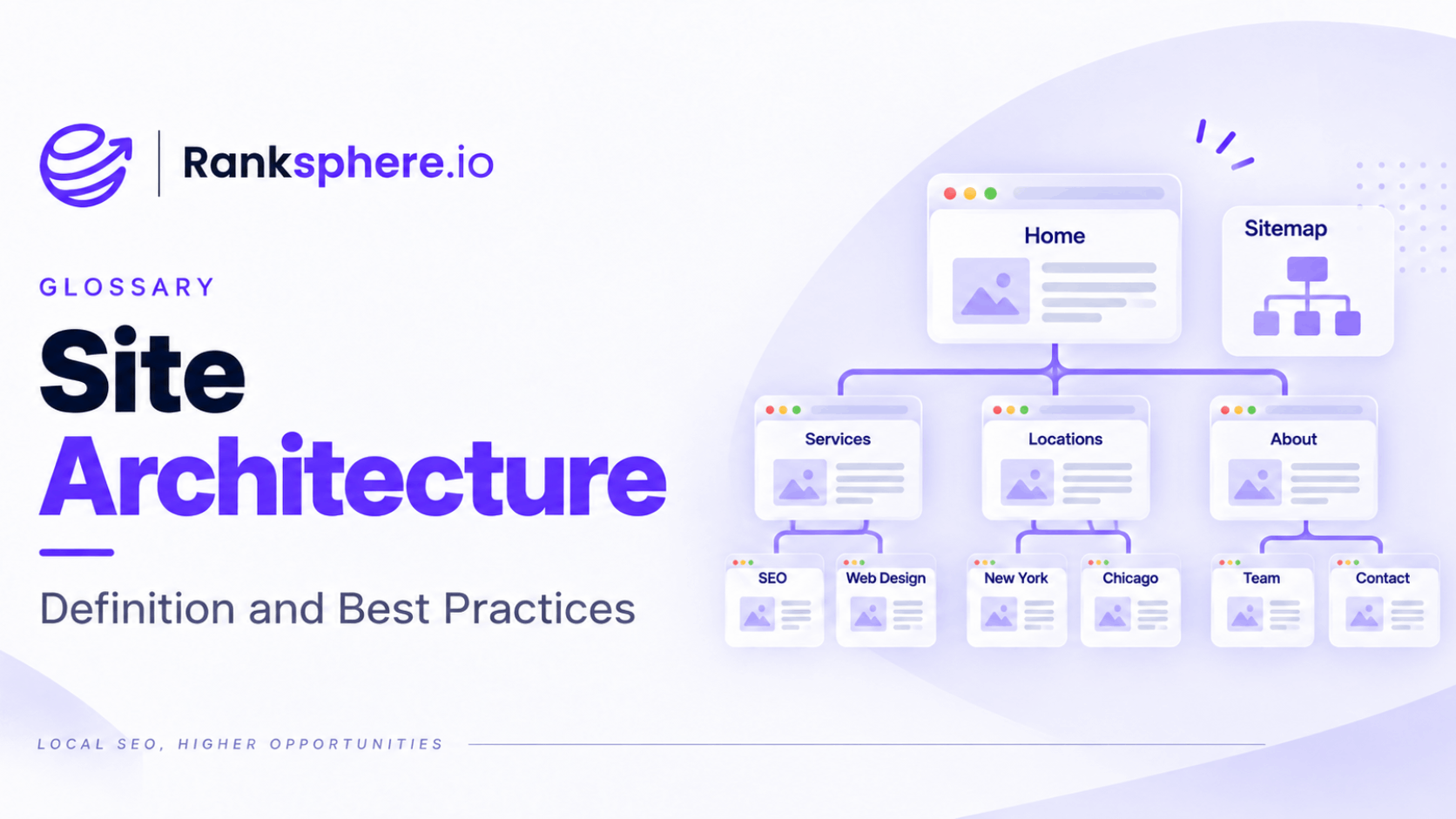
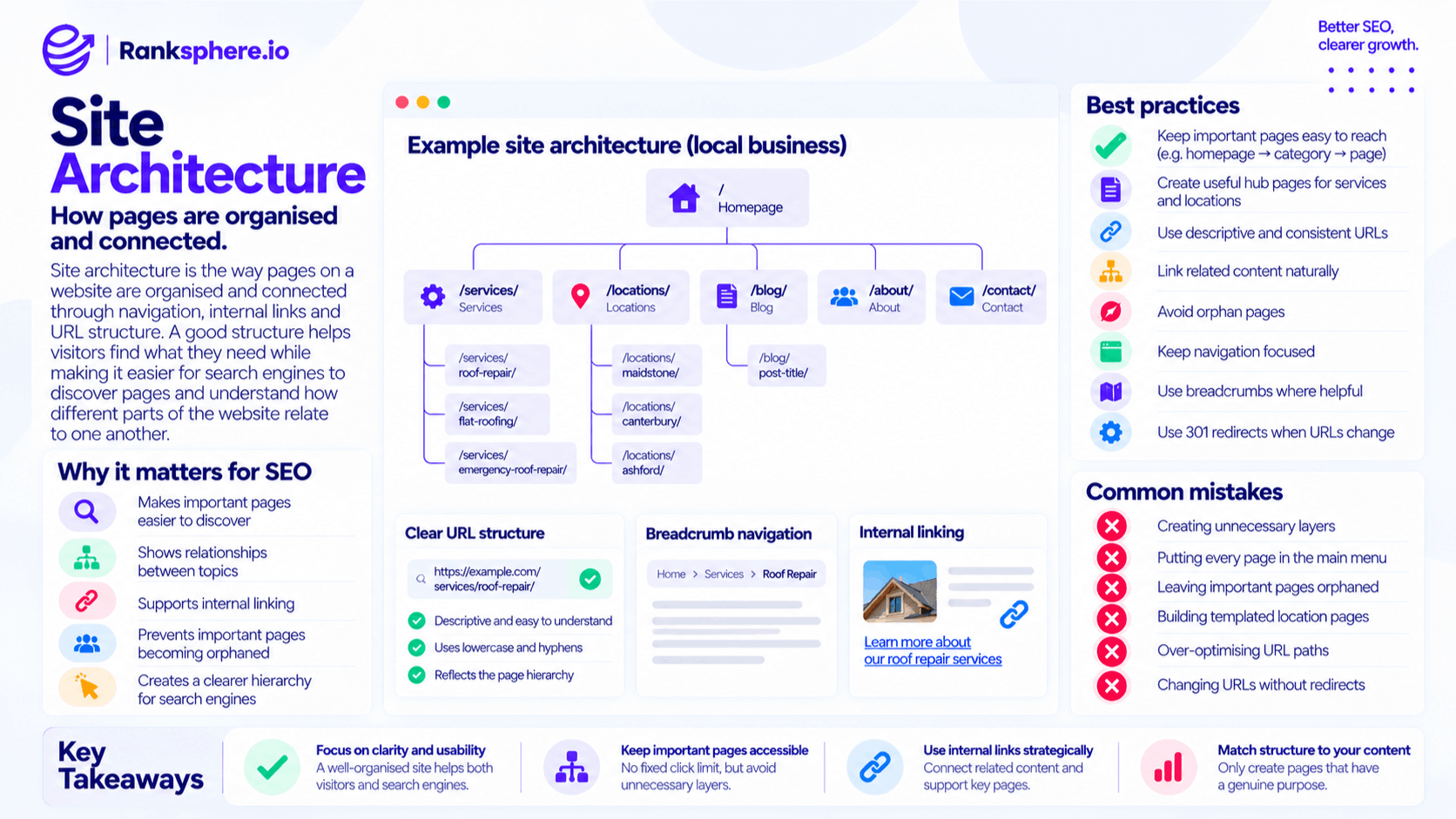
Site architecture is the way pages on a website are organised and connected through navigation, internal links and URL structure.
A good site architecture helps visitors find what they need while making it easier for search engines to discover pages and understand how different parts of the website relate to one another.
For SEO, the goal is not to make every page sit as close to the homepage as possible. It is to create a clear structure where important pages are easy to reach, related content is grouped logically and no valuable page is left isolated.
Planning that structure before a website is built is much easier than trying to reorganise hundreds of URLs later.
Why site architecture matters for SEO
Site architecture affects both discovery and context.
Search engines need to find pages before they can process them. A page that is linked clearly from other relevant pages is easier to discover than one buried in an obscure section of the site.
See crawling for more on how search engines discover URLs.
Architecture also helps explain relationships between pages.
For example, a roofing website might contain:
- A main roofing services page
- Roof repair
- Flat roofing
- Emergency roof repair
- Roof maintenance
- Related roofing guides
If those pages are organised and linked logically, it becomes clearer that they belong to the same subject area.
Site architecture can help:
- Make important pages easier to discover
- Show relationships between topics
- Support internal linking
- Prevent important pages becoming orphaned
- Make navigation easier for visitors
- Create a clearer hierarchy for search engines
- Make large websites easier to manage
The main purpose is usability and clarity. SEO benefits follow from having a website that is organised properly.
Site architecture and internal linking
Internal links are what turn a site structure from a diagram into something search engines and visitors can actually navigate.
A page can sit inside the correct folder but still be poorly connected.
For example:
/services/roof-repair/
may look perfectly organised from the URL alone.
But if nothing on the website links to it, the URL structure does very little by itself.
Important pages should receive relevant internal links from places such as:
- Navigation
- Parent pages
- Related services
- Blog articles
- Location pages
- Breadcrumbs
- Contextual body copy
The links should make sense to visitors rather than being inserted solely for SEO.
Good site architecture and good internal linking work together.
What is crawl depth?
Crawl depth usually describes how many links or clicks separate a page from the homepage.
For example:
Homepage → Services → Roof Repair
The roof repair page is two steps away from the homepage.
Keeping important pages reasonably easy to reach is a sensible principle, but there is no universal SEO rule saying every page must be within exactly three clicks.
For most small and medium-sized websites, important commercial pages should not require visitors to navigate through several unnecessary layers.
A practical structure might look like:
Homepage → Service category → Individual service
rather than:
Homepage → Department → Category → Subcategory → Service type → Individual service
The second structure may be justified on a very large site, but it would usually be unnecessarily complicated for a local business.
Does crawl depth affect rankings?
Crawl depth should not be treated as a direct ranking formula.
A page does not automatically rank poorly because it sits four clicks from the homepage.
The bigger issue is what deeper placement often represents.
A deeply buried page may have:
- Fewer internal links
- Less prominent navigation
- Poorer discoverability
- Weaker connections to related pages
- Less visibility to users
Those factors can make the page harder to find and understand.
So instead of obsessing over a specific number of clicks, ask:
Can visitors and search engines reach this important page easily through logical paths?
If the answer is yes, the architecture is probably doing its job.
A good site architecture for a local business
Most local-business websites do not need complicated architecture.
A simple structure often works well:
/
├── services/
│ ├── roof-repair/
│ ├── flat-roofing/
│ └── emergency-roof-repair/
│
├── locations/
│ ├── maidstone/
│ ├── canterbury/
│ └── ashford/
│
├── about/
├── contact/
│
└── blog/
└── post-title/
This gives the website a clear hierarchy without creating unnecessary layers.
Homepage
The homepage sits at the top of the structure and should make the main areas of the business easy to find.
It does not need to link to every URL on the website.
Instead, it should give visitors clear routes to the sections that matter most.
Services
A services hub can introduce the main services and link to the individual service pages.
For example:
/services/
could link to:
/services/roof-repair/
/services/flat-roofing/
/services/gutter-repair/
The individual pages can then link naturally to related services where useful.
Locations
For businesses serving several real locations, a locations section can keep geographically focused pages organised.
For example:
/locations/
/locations/maidstone/
/locations/canterbury/
See multi-location SEO when deciding whether individual location pages are genuinely necessary.
Blog or resources
Informational content can sit within a dedicated blog or resource area.
Relevant articles should also link naturally to the service or location pages they support.
This prevents the blog from becoming a separate part of the website with no connection to the commercial pages.
Service pages and location pages
Service and location pages are often organised as separate sections.
For example:
/services/roof-repair/
and:
/locations/maidstone/
This is usually easier to maintain than automatically creating every possible service-and-location combination.
A structure such as:
/services/roof-repair/maidstone/
may be appropriate when the business genuinely has something specific to say about roof repair in Maidstone.
But automatically creating combinations such as:
- Roof Repair Maidstone
- Roof Repair Canterbury
- Roof Repair Ashford
- Roof Repair Dover
- Roof Repair Folkestone
can quickly produce dozens of repetitive pages.
Create service-by-location pages only when each one has a genuine purpose and useful local information.
Architecture should reflect real content, not manufacture more URLs.
Flat vs deep site architecture
You will often hear that a website should have a flat architecture.
That does not mean every page should be one click from the homepage.
A completely flat structure can become difficult to navigate when the site grows.
The better goal is a clear and reasonably shallow hierarchy.
For a local business, that often means:
- Homepage
- Main category or section
- Individual page
For a large ecommerce website, several additional levels may be completely reasonable.
Structure should match the size and complexity of the site.
Do not add unnecessary hierarchy, but do not remove useful categories simply to reduce click depth.
URL structure and site architecture
URLs can reinforce the architecture by showing where a page sits.
For example:
/services/roof-repair/
is easier to understand than:
/page?id=47
Readable URLs are helpful for both visitors and site management.
Good URL practices include:
- Keep URLs short where practical
- Use descriptive words
- Use lowercase characters consistently
- Separate words with hyphens
- Avoid unnecessary parameters
- Keep URL patterns consistent
Do not turn the URL into a list of keywords.
Clarity is more important than squeezing every possible search term into the path.
Do parent pages need to exist?
A section such as /services/ or /locations/ can be useful as a hub page.
It can introduce the category and link visitors to the relevant child pages.
For example, a services page could briefly explain the company's work and provide clear links to:
- Roof repair
- Flat roofing
- Guttering
- Chimney repair
This creates a logical route through the site.
However, you do not need to create an empty index page simply to complete a folder structure.
A hub page should be useful in its own right.
Contextual internal links
Navigation links are useful, but contextual links inside the body of a page can provide stronger relevance and better routes for visitors.
For example:
A guide about signs of roof damage could naturally link to the company's roof repair service.
A Maidstone location page might link to the services genuinely available there.
A flat roofing page might link to a guide explaining common flat-roof problems.
These relationships help form topic clusters naturally.
Use descriptive anchor text rather than vague phrases such as:
Click here
For example:
Learn more about our roof repair services
gives the visitor more information about where the link leads.
What are orphan pages?
Orphan pages are pages with no internal links pointing to them.
They may still be discovered through:
- XML sitemaps
- External links
- Previous crawls
But important pages should normally be integrated into the wider site.
An orphan service or location page can indicate that the architecture has broken down.
Ask:
- Where should this page sit?
- Which parent page should link to it?
- Which related pages should mention it?
- Can visitors find it naturally?
If there is no sensible answer, reconsider whether the page needs to exist at all.
Main navigation and site architecture
Your main navigation should prioritise the areas visitors are most likely to need.
That does not mean adding every page.
A navigation menu containing 40 or 50 items does not necessarily make the site easier to use.
A clearer structure might contain:
Services | Locations | About | Blog | Contact
with relevant submenus underneath.
Navigation should reflect how customers think about the business rather than how the company is divided internally.
For example, customers may look for:
Roof Repair
rather than:
Residential Maintenance Division
Use language people recognise.
Breadcrumb navigation
Breadcrumbs show visitors where the current page sits within the site.
For example:
Home → Services → Roof Repair
They can be particularly useful on larger websites with several levels of content.
Breadcrumbs can:
- Help visitors navigate
- Reinforce page hierarchy
- Provide internal links
- Make site structure easier to understand
They should reflect a meaningful hierarchy rather than being added purely because an SEO audit recommends them.
Blog architecture
Blog content should not exist as an isolated collection of articles.
Relevant posts should support the rest of the site.
For example, an article about:
How to Spot a Leaking Roof
might link to:
Roof Repair
and:
Emergency Roof Repair
The service pages can also link to useful guides when they help visitors understand the service.
This creates a connected information structure rather than two separate websites — one commercial and one informational.
What about date-based blog URLs?
A blog URL such as:
/2026/09/how-to-repair-a-roof/
is not inherently bad for SEO.
Search engines can crawl and index date-based URLs perfectly well.
The main disadvantage is flexibility.
If the article is intended to remain evergreen for many years, a simpler URL such as:
/blog/how-to-repair-a-roof/
may be easier to maintain and does not visually tie the content to the year it was first published.
Choose a structure that makes sense for the type of content you publish, then keep it consistent.
Changing site architecture
Restructuring an existing website requires more care than planning a new one.
Changing URLs without proper redirects can turn a sensible architectural improvement into an SEO problem.
Before moving pages, map:
Old URL → New URL
Then use a 301 redirect where the page has permanently moved.
Also update:
- Internal links
- Canonical tags
- XML sitemap
- Navigation
- Breadcrumbs
- Structured data where relevant
Do not rely permanently on redirects where an internal link can simply be updated to the final destination.
Ranksphere's smart tasks prioritise structural findings by impact, helping distinguish architecture problems that need attention from lower-impact site-structure recommendations.
Common site architecture mistakes
- Creating unnecessary layers. Important pages should not sit behind several meaningless categories.
- Building navigation around internal company departments. Structure the site around what visitors actually need.
- Putting every page in the main menu. More navigation does not automatically mean better navigation.
- Leaving orphan pages. Important pages should be connected to the rest of the site.
- Creating hundreds of service-and-location combinations. Only build pages that have a genuine reason to exist.
- Depending only on menus for internal linking. Contextual links help connect related content.
- Over-optimising URL paths. Clear URLs matter more than keyword-heavy ones.
- Changing URLs unnecessarily. A prettier URL is not always worth a migration.
- Restructuring without redirects. Permanent URL changes need proper mapping.
- Assuming deeper pages cannot rank. Depth is only one part of how a page is connected and understood.
Site architecture best practices
- Plan the structure before building the website where possible.
- Keep important pages reasonably easy to reach.
- Use a clear hierarchy that reflects how visitors look for information.
- Create useful hub pages for major sections where appropriate.
- Use descriptive and consistent URLs.
- Link related content contextually.
- Avoid orphan pages.
- Keep navigation focused rather than overloaded.
- Build location and service pages only when they have a genuine purpose.
- Use breadcrumbs where they improve navigation.
- Update internal links after structural changes.
- Use 301 redirects for permanently changed URLs.
- Crawl the site periodically to verify the architecture you intended actually exists.
Example
“Redhill Dental has been expanded by several different agencies over the years.
Its dental implants page now sits at:
/treatments/cosmetic/restorative/dental-implants/
The URL itself is not necessarily a problem.
The bigger issue is how the page is connected.”
“Meanwhile, two blog articles discussing implants contain stronger internal-link connections through the site's automated related-post system.
During a site architecture review, the practice simplifies the treatment structure.
The implants page moves to:
/treatments/dental-implants/
A 301 redirect sends the old URL to the new one.
More importantly, the practice improves the page's position within the site:
- The treatments hub links directly to it
- Relevant articles link to it contextually
- Related treatment pages connect to it
- The navigation makes it easier for patients to find
The content itself needs little change.
What improves is its place within the website.
That is the real purpose of good site architecture: important pages should not merely exist. They should have a clear place in the site, meaningful connections to related content and an obvious route for both visitors and search engines to reach them.”
See also
- Internal linking — how pages are connected throughout the website
- Crawling — how search engines discover URLs
- Orphan page — a page with no internal links pointing to it
- Breadcrumb navigation — showing visitors where they are within the site
- 301 redirect — needed when URLs permanently change
- Technical SEO — the wider discipline covering crawlability, indexing and website structure