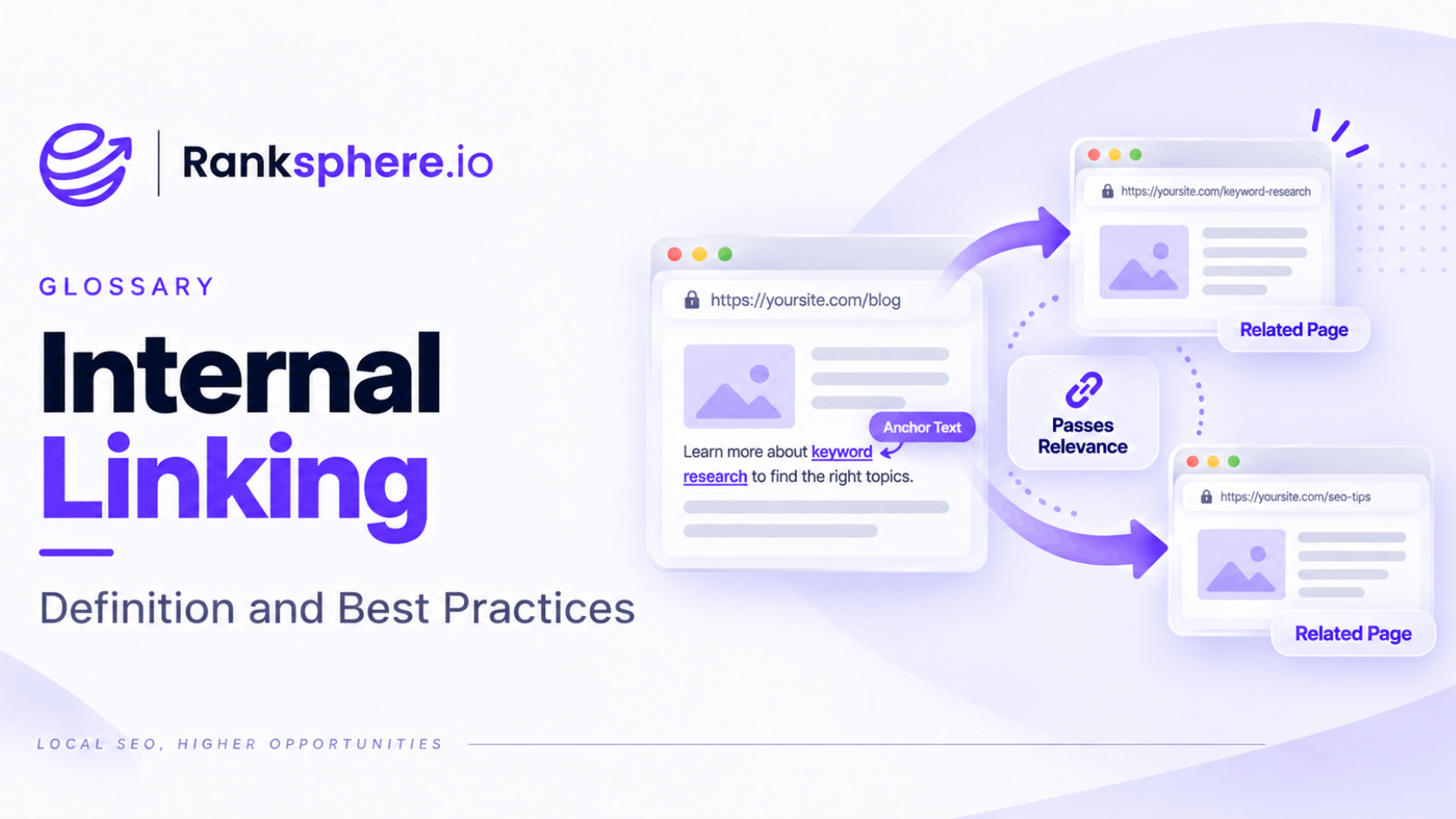
Internal linking is the practice of linking from one page on a website to another page on the same website.
Internal links help visitors move through a site, help search engines discover pages and provide context about how different pieces of content relate to one another.
They are also one of the parts of SEO you control completely.
You cannot decide which websites will link to you, but you can decide which of your own pages support each other, which pages sit at the centre of important topics and how easily visitors can reach your key services.
That makes internal linking a relatively simple but important part of SEO.
Why internal links matter
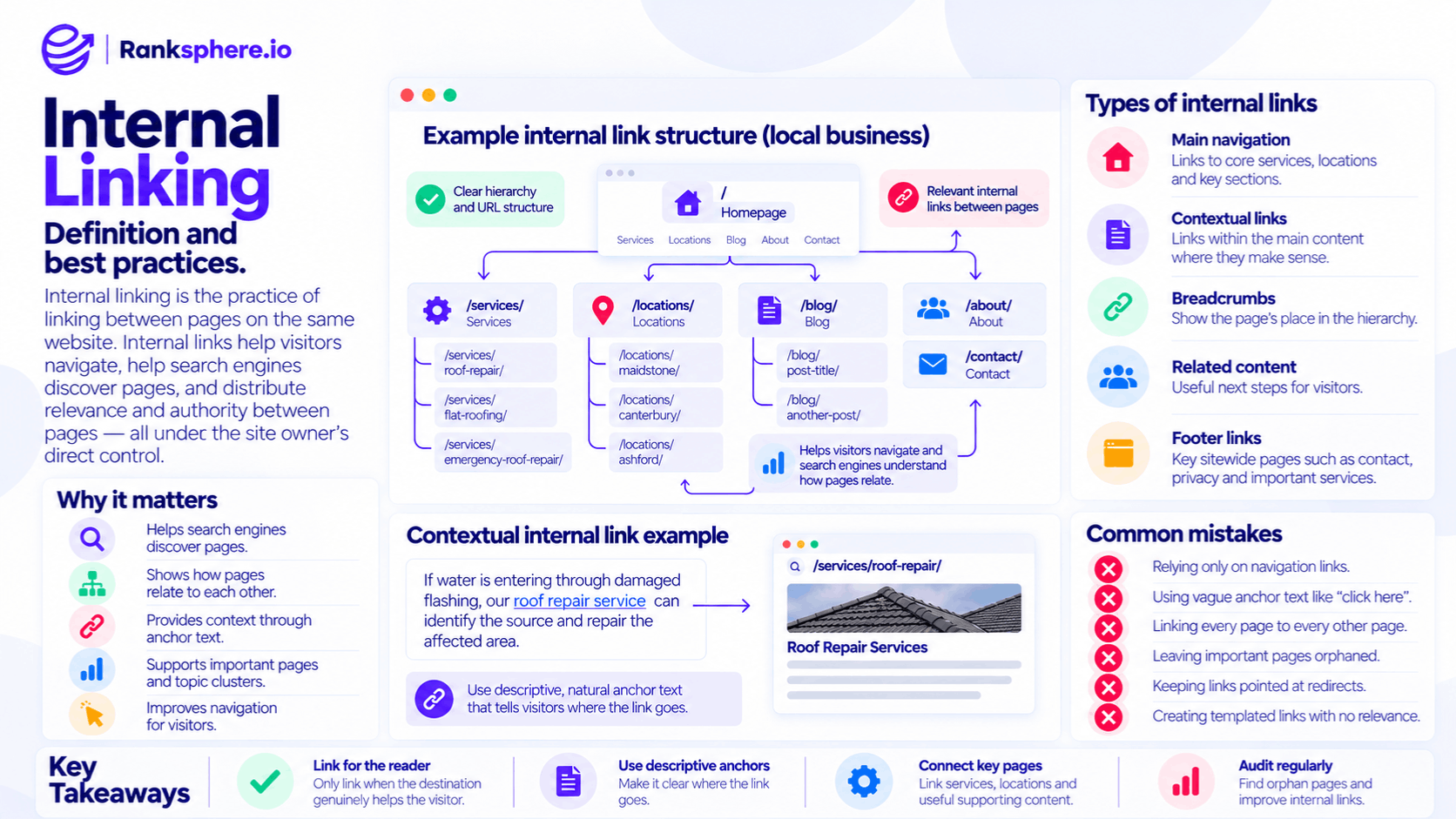
Internal links perform several jobs at the same time.
Discovery
Search engine crawlers follow links to find pages.
If an important page has no internal links pointing to it, it becomes an orphan page.
Google may still discover that page through an XML sitemap, an external link or a previous crawl, but it is not properly connected to the website's normal structure.
Internal links make important content easier to crawl and understand.
Site structure
Links show how pages relate to each other.
For example, a roofing website might have:
Roofing Services → Flat Roofing → Flat Roof Repairs
and related guides about:
- Flat roof leaks
- Roof maintenance
- Signs a flat roof needs replacing
Links between those pages help create a logical structure around the topic.
See site architecture for the wider structure those links help create.
Context
The words used in a link can help users and search engines understand what they will find on the destination page.
This is known as anchor text.
For example:
Learn more about our emergency AC repair service
is more descriptive than:
Click here
The first tells the reader what the destination contains before they open it.
Page importance
The way a website links internally can also help indicate which pages are important.
A core service page referenced naturally from the homepage, relevant guides and related services is more integrated into the site than a page with almost no internal links.
That does not mean adding dozens of links will automatically improve rankings.
The structure and relevance of those links matter more than simply increasing the count.
Internal linking and SEO
Internal linking can support SEO by helping search engines:
- Discover URLs
- Understand relationships between pages
- Interpret anchor text
- Identify broader topic clusters
- Navigate the website efficiently
- Understand which pages appear central within the site's structure
It can also help visitors reach useful next steps.
For a local business, that might mean moving from:
How to Spot a Roof Leak
to:
Roof Repair Services
or from:
Areas We Cover
to:
Roof Repair in Maidstone
The link should exist because it makes sense for the person reading the page.
The SEO benefit should follow that usefulness.
Contextual internal links
A contextual internal link is a link placed naturally within the main content of a page.
For example:
If water is entering through damaged flashing, our roof repair service can identify the source and repair the affected area.
The link appears exactly where the reader might want more information.
Contextual links are useful because the surrounding text provides additional information about why the destination is relevant.
That does not mean navigation, breadcrumbs or footer links are unimportant.
Each link type has a different job.
A strong internal-link structure normally uses several of them together.
Types of internal links
Internal links can appear throughout a website.
Main navigation
Navigation links help visitors reach the main sections of the site.
They are particularly useful for:
- Core services
- Main product categories
- Important locations
- Contact pages
- Major site sections
The menu should remain focused.
Adding every URL to the main navigation does not automatically make those pages more important or easier to use.
Contextual links
These appear within the main body of a page.
They are especially useful for connecting:
- Blog posts to services
- Services to supporting guides
- Related services
- Location pages
- Frequently asked questions to deeper resources
Contextual links should feel like part of the content rather than an SEO addition.
Breadcrumbs
Breadcrumbs show where a page sits within the site's hierarchy.
For example:
Home → Services → Roofing → Flat Roof Repair
They can help both visitors and search engines understand the relationship between parent and child pages.
Related-content sections
A related-articles or related-services component can help visitors continue exploring.
These can be useful when the recommendations are genuinely relevant.
Automatically showing the same unrelated pages everywhere is much less helpful.
Footer links
Footer links are useful for important sitewide destinations such as:
- Contact
- Privacy
- Key services
- Important locations
- Legal information
They are not inherently bad for SEO.
The problem comes when a footer becomes a large block of links added primarily to target keywords rather than to help visitors navigate.
Keep it useful rather than treating it as a place to list every page on the website.
How to choose internal links
Start with the reader.
Ask:
What would someone reasonably want to read or do next?
If you are writing a guide about boiler pressure, a link to your boiler repair service may be useful.
If you are writing about roof maintenance, linking to an unrelated bathroom renovation service probably is not.
Good internal links tend to share three qualities:
- The destination is relevant
- The anchor explains where the link goes
- The link appears where a reader might genuinely use it
Avoid adding links solely because a page “needs more internal links.”
Internal links to service pages
One of the most common opportunities on a local-business website is connecting informational content to commercial pages.
Suppose you have a guide called:
7 Signs Your Boiler Needs Repair
The article might naturally discuss:
- Strange noises
- Pressure loss
- No hot water
- Leaking components
Where appropriate, those sections could link to your boiler repair service.
This creates a useful route for someone who started by researching a problem and is now ready to contact a business.
Blog traffic should not exist in isolation from the pages that actually help customers take the next step.
Linking from service pages to useful content
Internal linking should not work only in one direction.
Service pages can also link to supporting guides when those resources help visitors make a decision.
For example:
Roof Repair
could link to:
Should I Repair or Replace My Roof?
and:
Signs of Storm Damage to a Roof
The service page remains commercially focused while giving visitors access to deeper information when they need it.
This also helps create a more connected topical structure.
Internal linking and anchor text
Anchor text is the clickable wording used for a link.
Good internal anchor text should make the destination clear.
For example:
Poor:
Click here
Better:
See our roof repair services
Also natural:
emergency roof repairs
our roofing team
roof leak repairs
You do not need every link to use exactly the same keyword.
In fact, natural variation is usually better for readability.
Use the wording that fits the sentence and accurately describes the destination.
Do you need exact-match anchor text?
No.
An internal link to a roof repair page does not need to say roof repair every single time.
Depending on context, natural anchors might include:
- Roof repairs
- Repairing a damaged roof
- Our roofing service
- Emergency roof repairs
- Get help with a leaking roof
The goal is clarity rather than repetition.
Do not force awkward keyword-rich anchors into sentences purely for SEO.
How many internal links should a page have?
There is no universal number.
A short service page may only need a handful of useful links.
A detailed 3,000-word guide might naturally contain many more.
Instead of aiming for:
Three links per page
or:
One internal link every 300 words
ask whether each link improves navigation or adds useful context.
Too few links can leave relevant pages disconnected.
Too many unnecessary links can make a page distracting and difficult to read.
Let the content determine the number.
Which pages should receive more internal links?
Start with pages that matter to the business.
These often include:
- Main services
- Important categories
- Key location pages
- High-converting pages
- Useful evergreen resources
Then look at whether those pages are actually integrated into the site.
A commercially important page with almost no internal links may deserve attention.
But do not add unrelated links just because a page has fewer internal links than another.
Relevance comes first.
Linking from high-performing pages
Pages that already attract search traffic can sometimes provide useful internal-link opportunities.
For example, an informational guide may receive hundreds of visitors but offer no clear path to the relevant service.
Adding a useful contextual link can help visitors move from research to action.
This does not mean every high-ranking page should be used to “push authority” towards commercial pages.
The destination still needs to be relevant to the source content.
Think of internal links as connections between related information, not pipes that exist only to move ranking value around.
Finding internal-link opportunities
You can find useful opportunities in several ways.
Crawl the website
A site crawl can show:
- Pages with very few incoming internal links
- Orphan pages
- Broken internal links
- Redirected internal links
- Anchor-text patterns
Pay particular attention to commercially important pages that are poorly connected.
Review Google Search Console
The Links report in Google Search Console can show which pages Google sees as heavily internally linked.
Use it as one source of information rather than expecting it to provide a complete internal-link audit.
For detailed anchor-text and link-location analysis, a dedicated website crawl is usually more useful.
Search your own content
Search your website for mentions of topics you already have a dedicated page for.
For example, if you have a page for emergency plumbing, search older blog posts for references to:
- Emergency plumber
- Burst pipe
- Urgent plumbing
- Water leak
Some of those mentions may be natural internal-link opportunities.
Find orphan pages
Look for important pages with no incoming internal links.
Then decide whether:
- They should be integrated into the site
- Another page should link to them
- They should be consolidated
- They still need to exist
Ranksphere's website audit maps internal links and anchor text across a site, helping identify poorly linked pages, broken internal links and areas where the site's link structure can be improved.
Broken and redirected internal links
Internal links should ideally point directly to the final live URL.
For example:
Less efficient:
Blog post → old service URL → 301 redirect → new service URL
Better:
Blog post → new service URL
A redirect can preserve access after a URL changes, but your own internal links should be updated where practical.
This reduces unnecessary hops and keeps the site's architecture clean.
After a migration or page consolidation, check internal links rather than assuming the redirects have finished the job.
Internal linking after content consolidation
Suppose two old articles are merged into one stronger guide.
You redirect the old URLs correctly.
The next step is to update any internal links still pointing to those old pages.
This helps ensure:
- Visitors go directly to the final page
- Crawlers do not need to follow unnecessary redirects
- Anchor text points at the correct URL
- Your site architecture reflects the new structure
Redirects are a safety net for old URLs, not a substitute for maintaining internal links.
Internal linking and orphan pages
An orphan page has no internal links pointing to it.
For an important SEO page, that is usually a sign that something is wrong with the site structure.
A service page should normally be reachable from relevant parts of the website.
A location page should normally connect to the locations hub, related services or other appropriate content.
If you cannot find any logical page that should link to an orphan URL, it may be worth asking whether the page needs to exist separately at all.
Internal linking and keyword cannibalisation
Internal links can also help clarify which page should serve as the main destination for a topic.
Suppose several blog posts discuss emergency boiler repair, but you have one dedicated service page for that service.
Relevant articles can link naturally to the service page rather than competing independently for the same commercial purpose.
However, internal linking alone will not fix serious keyword cannibalisation.
If two pages serve essentially the same intent, consolidation or clearer differentiation may still be required.
Common internal linking mistakes
- Relying only on navigation. Important pages often benefit from relevant contextual links as well.
- Using vague anchor text everywhere. “Click here” and “read more” provide little information about the destination.
- Linking every page to every other page. Links should reflect real relationships.
- Forcing exact-match anchor text. Write naturally.
- Adding an arbitrary number of links. There is no ideal quota.
- Leaving orphan pages. Important content should have a clear place in the site.
- Keeping internal links pointed at redirects. Update them to the final URL where practical.
- Stuffing the footer with keyword links. Navigation should remain useful.
- Creating automated related links with little relevance.
- Publishing new pages without connecting them to existing content.
Internal linking best practices
- Link to pages when the destination genuinely helps the reader.
- Use descriptive, natural anchor text.
- Connect informational content to relevant commercial pages.
- Link service pages to useful supporting resources where appropriate.
- Make sure important pages are part of the site's normal structure.
- Avoid leaving valuable pages orphaned.
- Update links after URL changes and content consolidation.
- Use navigation, breadcrumbs and contextual links together.
- Keep automated related-content links relevant.
- Review internal links as part of publishing new content.
- Audit the site's internal-link structure periodically rather than waiting for a problem.
Example
“Thornleigh Legal publishes a detailed guide explaining how long probate normally takes.
The article performs well in search and attracts a steady stream of visitors.
The firm's probate service page, however, is barely connected to it.
The guide discusses probate services several times but never links to the page where someone can actually learn about hiring the firm.
The only internal route to the service page is through the main navigation.
The firm reviews the guide and adds several links where they make sense naturally.
For example:
our probate service
speak to a probate solicitor
get help with probate
Other relevant articles are reviewed as well, and useful links are added where readers might logically want to move from general information to professional help.
The goal is not to hit a link quota or force the same keyword into every anchor.
It is to connect two pieces of content that should always have been connected.
That is the real value of internal linking: helping visitors and search engines understand how the pages on a website relate, while making important content easier to discover at the right moment.”
See also
- Anchor text — the clickable words used within a link
- Site architecture — the wider structure internal links help create
- Orphan page — a page with no incoming internal links
- Crawling — how search engines discover pages through links
- Keyword cannibalisation — when multiple pages compete for the same search intent
- Backlink — a link pointing to your site from another website