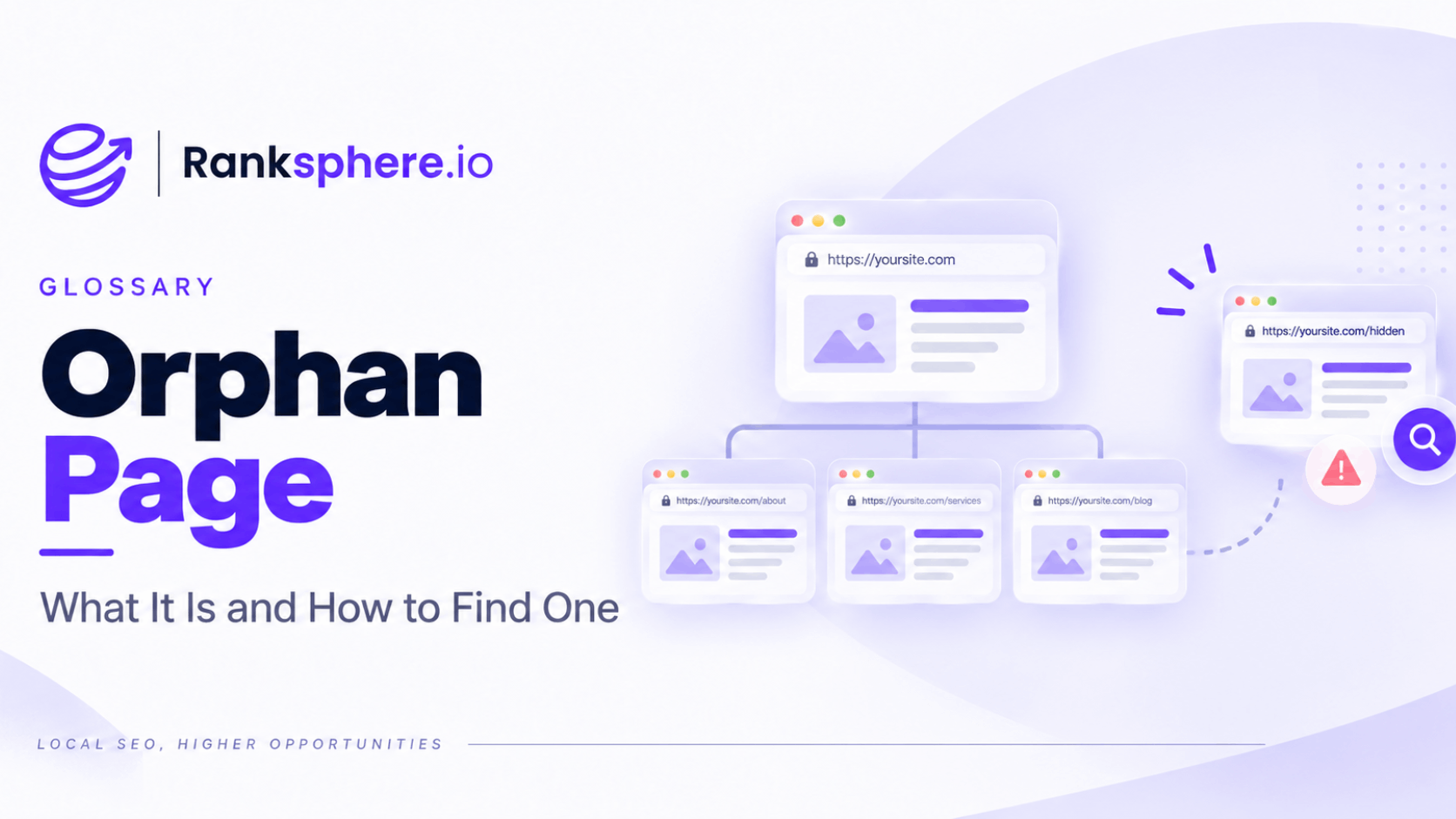
An orphan page is a webpage that has no internal links pointing to it from anywhere else on the same website.
The page may still exist, load normally and even be known to search engines, but it is disconnected from the site's internal structure.
That makes orphan pages easy to miss.
Unlike a broken page, there may be no obvious technical error. The URL works. The content looks finished. The problem is simply that visitors and search engines have no normal internal route to reach it.
For important service, product, location or content pages, that is usually a sign the site's architecture needs attention.
Why orphan pages matter
Search engines discover many URLs by following links.
If no page on your site links to a URL, Google may still discover it through:
- An XML sitemap
- An external backlink
- A previous crawl
- Search Console
- Other historical signals
But the absence of internal links means your own website provides very little context about where the page belongs.
That can affect both discovery and understanding.
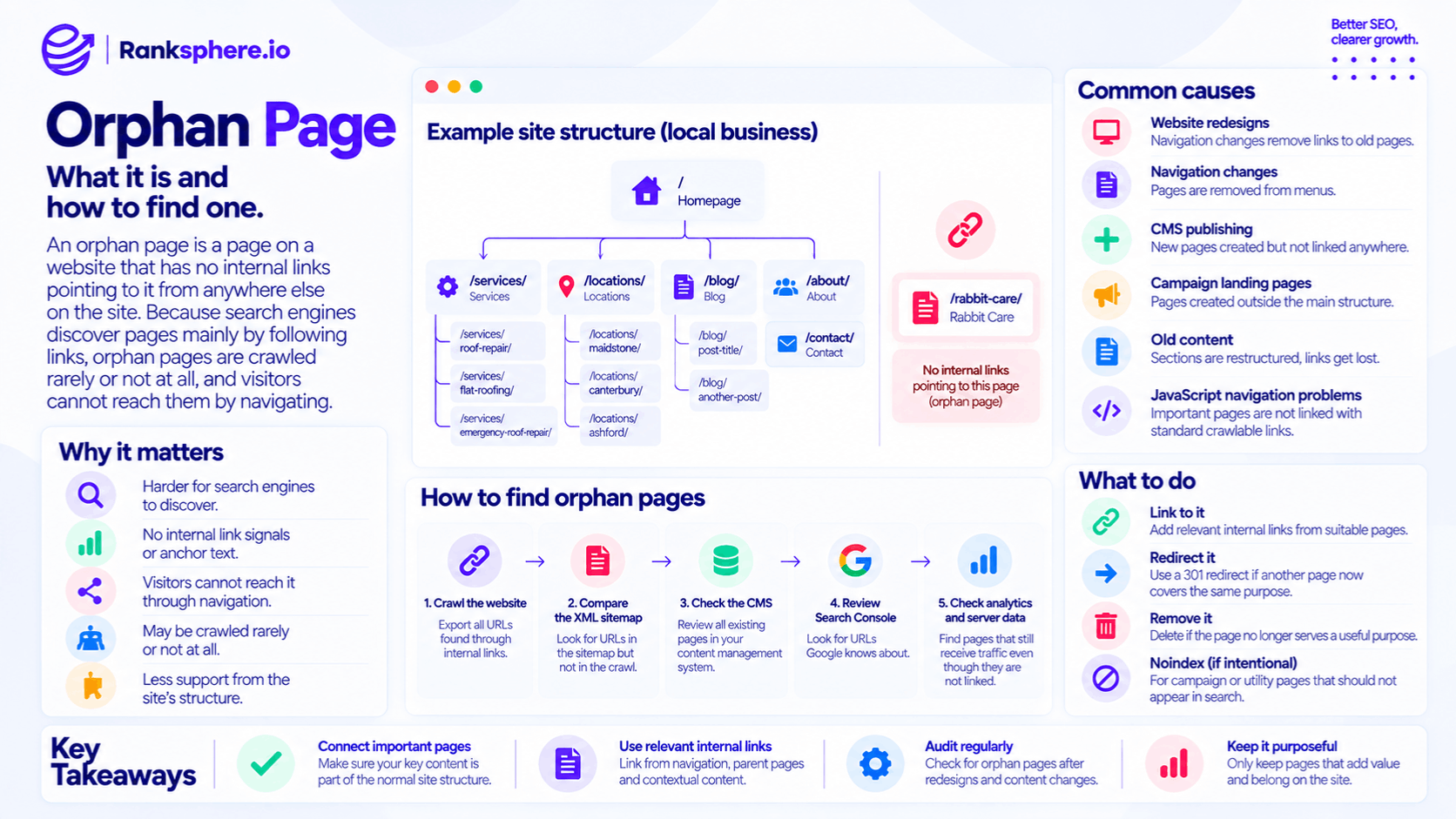
An orphan page may have:
- Fewer opportunities to be discovered through normal crawling
- No internal link signals showing how it relates to other pages
- No internal anchor text describing the destination
- No natural route for visitors navigating the site
- Less support from the wider site structure
Being orphaned does not automatically mean a page will not index or rank.
It means the page is disconnected from the internal architecture that should help explain its role.
Orphan pages and crawling
Crawling often happens through links.
Googlebot discovers one page, follows links from that page, discovers more URLs and continues through the site.
An orphan page breaks that chain because nothing on the website points to it.
A sitemap can still help Google discover the URL, but discovery and internal integration are not the same thing.
The sitemap says:
“This URL exists.”
Internal links help explain:
“This page belongs here, relates to these pages and has a role within the site.”
That is why important pages should normally be connected through both a clean site structure and an accurate sitemap.
Orphan pages and indexing
An orphan page can be indexed.
It can also remain unindexed.
There is no single Search Console status that automatically means:
“This page is orphaned.”
Depending on the situation, an orphan URL may appear as:
- Indexed
- Crawled – currently not indexed
- Discovered – currently not indexed
- Another exclusion status
Those statuses need to be investigated rather than treated as proof of an orphan-page problem.
If an important page is not being indexed, check its internal linking alongside:
- Content quality
- Canonical tags
- noindex directives
- Crawlability
- Duplication
- XML sitemap inclusion
Internal linking may be one part of the issue, but it is not always the whole explanation.
How orphan pages are created
Most orphan pages are accidental.
They usually appear after website changes rather than because someone deliberately created a disconnected URL.
Common causes include:
Website redesigns
A redesign can change navigation and remove links to old pages without deleting those pages themselves.
The URLs remain live but no longer have a route through the website.
This is one of the most common ways valuable pages become orphaned.
Navigation changes
A service may once have appeared in the main menu.
Later, the menu is simplified and the link disappears.
If no other page links to that service, it becomes orphaned.
CMS publishing
Someone creates a new page directly in the CMS but forgets to add it to:
- Navigation
- A parent page
- Related articles
- Service pages
- Location pages
The page exists but remains disconnected.
Campaign landing pages
Landing pages for paid advertising, email or temporary promotions are often created outside the normal site structure.
This can be deliberate.
If the page is not intended for organic search, that may be perfectly reasonable.
Old content
A blog post or service page may remain live after:
- Its category is removed
- Related-content links disappear
- The surrounding section is restructured
Over time, nothing points to it anymore.
JavaScript navigation problems
Some navigation systems create interactions that work for users but do not expose standard crawlable links cleanly.
If an important page can only be reached through a JavaScript interaction rather than a normal link, review how the navigation is implemented.
Important destinations should be available through crawlable links wherever practical.
How to find orphan pages
Finding orphan pages is different from finding most other technical SEO issues.
A normal site crawl starts with one or more URLs and follows internal links.
By definition, a truly orphaned page has no internal link pointing to it.
So a link-based crawl alone may never discover it.
The usual method is to compare different URL sources.
Step 1: Crawl the website
Run a crawl and export every URL discovered through internal links.
This represents the site's connected structure.
Step 2: Compare the XML sitemap
Compare the crawl results against the URLs listed in your XML sitemap.
A URL that appears in the sitemap but not in the crawl deserves investigation.
It may be orphaned, or there may be another reason the crawler did not reach it.
Step 3: Compare the CMS
Export or review the URLs that actually exist in your content management system.
This may uncover pages that:
- Still exist
- Are not in the sitemap
- Receive no internal links
- Were forgotten after a redesign
Step 4: Review Search Console
Google Search Console can reveal URLs Google knows about even when your own site crawl does not find them.
That makes it a useful second source when looking for disconnected content.
Step 5: Check analytics and server data
Analytics can uncover pages that still receive visitors through:
- Old external links
- Bookmarks
- Direct traffic
- Old campaigns
A page receiving traffic while remaining absent from your site's internal crawl is worth reviewing.
Server logs can also reveal URLs search engine crawlers continue to access even though they are no longer linked internally.
Why a normal crawl can miss orphan pages
Suppose your website has 100 pages.
A crawler starts on the homepage and follows every internal link it finds.
It discovers 94 pages.
You might assume the website contains 94 URLs.
But your CMS shows 100.
The missing six may be:
- Orphaned
- Blocked
- Inaccessible through the crawl path
- Generated in another way
This is why orphan-page auditing is fundamentally a comparison task.
You need more than one source of URLs.
Ranksphere's website audit compares crawl results against sitemap and page data to help identify pages that may be disconnected from the site's internal structure.
What should you do with an orphan page?
Finding an orphan page does not automatically mean you should add a link to it.
First decide whether the page still deserves to exist.
There are usually three main options.
Link to it
If the page is useful and should be part of the website, reconnect it.
Add relevant internal links from pages where the destination genuinely helps the reader.
Depending on the page, this could include:
- A parent service page
- A related blog article
- A location hub
- Navigation
- Breadcrumbs
- Related-content modules
The best link placement depends on how the page fits into the site.
Redirect it
If another page now covers the same purpose, consolidation may be cleaner.
Use a 301 redirect when the old page has been permanently replaced by a relevant alternative.
Also update any remaining references to point directly to the final URL.
Remove it
If the page serves no useful purpose and has no suitable replacement, removing it may be appropriate.
A proper 404 is perfectly acceptable when content is genuinely gone.
Do not keep a low-value page live solely because it already exists.
Deliberately orphaned pages
Not every orphan page is a mistake.
Some pages are intentionally excluded from normal navigation.
Examples may include:
- Paid advertising landing pages
- Email campaign pages
- Temporary promotion pages
- Private utility pages
If those pages should not appear in organic search, use an appropriate noindex directive rather than relying on the absence of internal links.
Being orphaned is not a reliable indexing-control method.
Search engines may still discover the URL through other sources.
Orphan pages and internal linking
The most common fix for a valuable orphan page is improving internal linking.
But avoid linking from a random page simply to remove the orphan label.
The link should make sense.
For example, if an orphaned page covers:
Emergency Boiler Repair
useful sources might include:
- The main boiler services page
- An article about boiler breakdowns
- A heating services hub
- Relevant location pages
A link from an unrelated article about bathroom renovations would technically remove the orphan status but provide little value to the visitor.
The goal is not merely to create one link.
It is to put the page back into the correct part of the website.
Are footer links enough?
A footer link is still an internal link.
So technically, adding one can mean the page is no longer orphaned.
But that does not automatically make it the best architectural solution.
If the page is an important service, it should usually have links from pages that naturally relate to that service as well.
For example:
Roof Repair
might be linked from:
- Roofing services
- Storm damage guides
- Relevant location pages
- Roof maintenance content
A footer can support navigation, but contextual and structural links often provide visitors with a clearer reason to visit the page.
Orphan pages after a redesign
Website redesigns deserve particular attention because they can silently create orphan pages at scale.
Imagine the old site has:
Services → Animals We Treat → Rabbit Care
The new navigation removes the Animals We Treat section.
The rabbit care page is not deleted.
It still loads at exactly the same URL.
But nothing on the new site links to it.
From a visual perspective, everything looks fine.
From an architectural perspective, an entire page has disappeared from the website's navigation while continuing to exist on the server.
After a redesign or migration, compare:
- Old site URLs
- New crawl results
- XML sitemap
- CMS pages
- Search Console data
This helps catch content that survived the migration but lost its internal connections.
Orphan pages vs pages that are simply hard to find
A true orphan page has no incoming internal links.
That is different from a page that is simply buried deep in the site.
For example:
Homepage → Resources → Guides → Heating → Boiler → Repairs
still contains an internal path.
The page is not orphaned.
It may have a site architecture problem, but it is still connected.
This distinction matters when diagnosing the issue.
Do not call every poorly linked page an orphan.
Common orphan page mistakes
- Assuming the XML sitemap is enough. A sitemap supports discovery but does not replace a useful internal structure.
- Trying to improve the copy before checking internal links. The first problem may be architectural rather than editorial.
- Using a standard crawl as the only source. A crawler following internal links may never find truly orphaned pages.
- Ignoring orphan pages after a redesign. Navigation changes frequently create them.
- Adding a random link purely to remove the orphan status. Connect the page from genuinely relevant content.
- Assuming every non-indexed page is orphaned. Indexing problems can have many causes.
- Assuming every orphan page should be indexed. Some campaign or utility pages are intentionally separate.
- Relying on orphaning to keep pages out of search. Use proper indexing controls instead.
- Keeping obsolete orphan pages indefinitely. Consolidate or remove them if they no longer serve a purpose.
Orphan page best practices
- Make internal linking part of the publishing process.
- Connect every important page to a logical part of the site.
- Audit for orphan pages after redesigns and migrations.
- Compare crawl data with your sitemap, CMS and Search Console.
- Use contextual internal links where they genuinely help readers.
- Review old campaign and seasonal pages periodically.
- Do not rely on a sitemap as the page's only connection to the site.
- Use noindex when an intentionally unlinked page should stay out of search.
- Redirect obsolete pages when a relevant replacement exists.
- Remove pages that no longer serve a useful purpose.
Example
“Ashcombe Veterinary redesigns its website.
Nearly a year later, the practice notices that its rabbit care page no longer attracts the organic traffic it once did.
The page still exists.
The URL has not changed.
The content is still there.
But during the redesign, the old Animals We Treat navigation section was removed.
That section had contained the main internal link to the rabbit care page.
The new website does not link to it anywhere else.
Google can still discover the URL through the sitemap and historical information, so the page is not necessarily invisible.
But it has become disconnected from the rest of the site's structure.
The practice reviews where rabbit care actually belongs and adds useful links from:
- The main veterinary services page
- A guide about caring for small animals
- A related vaccination article
The page is now part of the website again rather than simply existing at an isolated URL.
That is the important distinction with orphan pages: the problem is not that the page has disappeared. It is that the rest of the website behaves as though it does not exist.”
See also
- Internal linking — how orphan pages are reconnected to the site
- Crawling — how search engines discover URLs
- Site architecture — the wider structure that prevents pages becoming isolated
- XML sitemap — another way search engines can discover a URL
- Indexing — whether a discovered page is stored and eligible to appear in search
- Google Search Console — useful for investigating known and non-indexed URLs