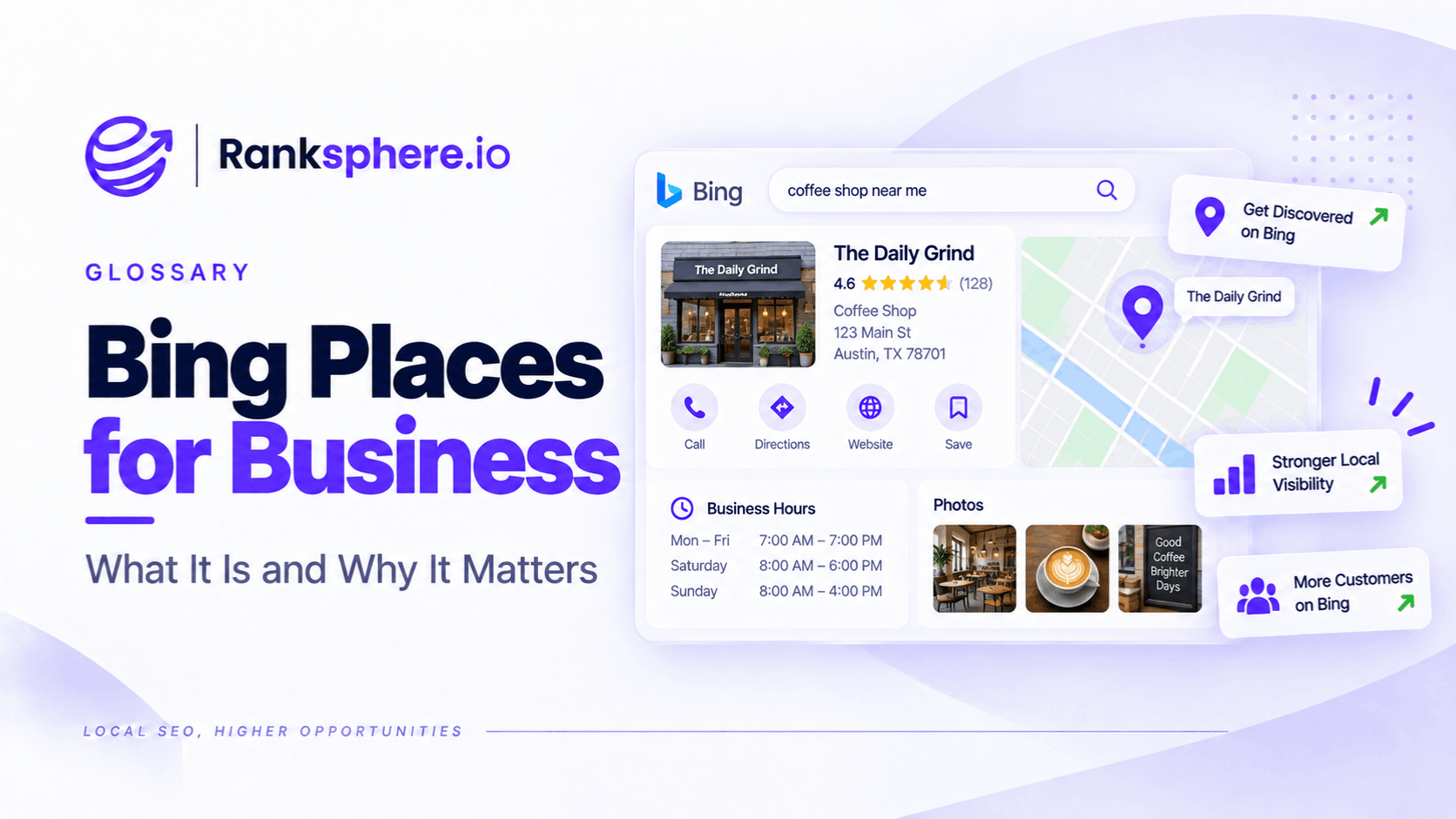
Bing Places for Business is Microsoft's platform for claiming and managing business information that can appear in Bing Search and Bing Maps.
Businesses can use it to manage details such as:
- Business name
- Address
- Phone number
- Website
- Opening hours
- Categories
- Services
- Photos
Microsoft says businesses can use Bing Places to claim an existing listing or add a new one, complete the profile and verify it. The platform is free to use, although availability and individual features can vary by country or region.
For most local businesses, Bing will not deserve the same amount of attention as Google Business Profile.
But that does not mean it should be ignored.
The better way to think about Bing Places is:
a relatively low-maintenance listing that helps keep the business accurately represented across Microsoft's local-search ecosystem.
What is Bing Places for Business?
Bing Places for Business lets business owners manage how their business is represented in Bing's local results.
Microsoft directs businesses to Bing Places when they need to add or change business information appearing in Bing Maps search results.
The platform can be relevant to:
- Single-location businesses
- Service-area businesses
- Multi-location companies
Bing's own Places site also supports bulk workflows for businesses managing larger numbers of locations.
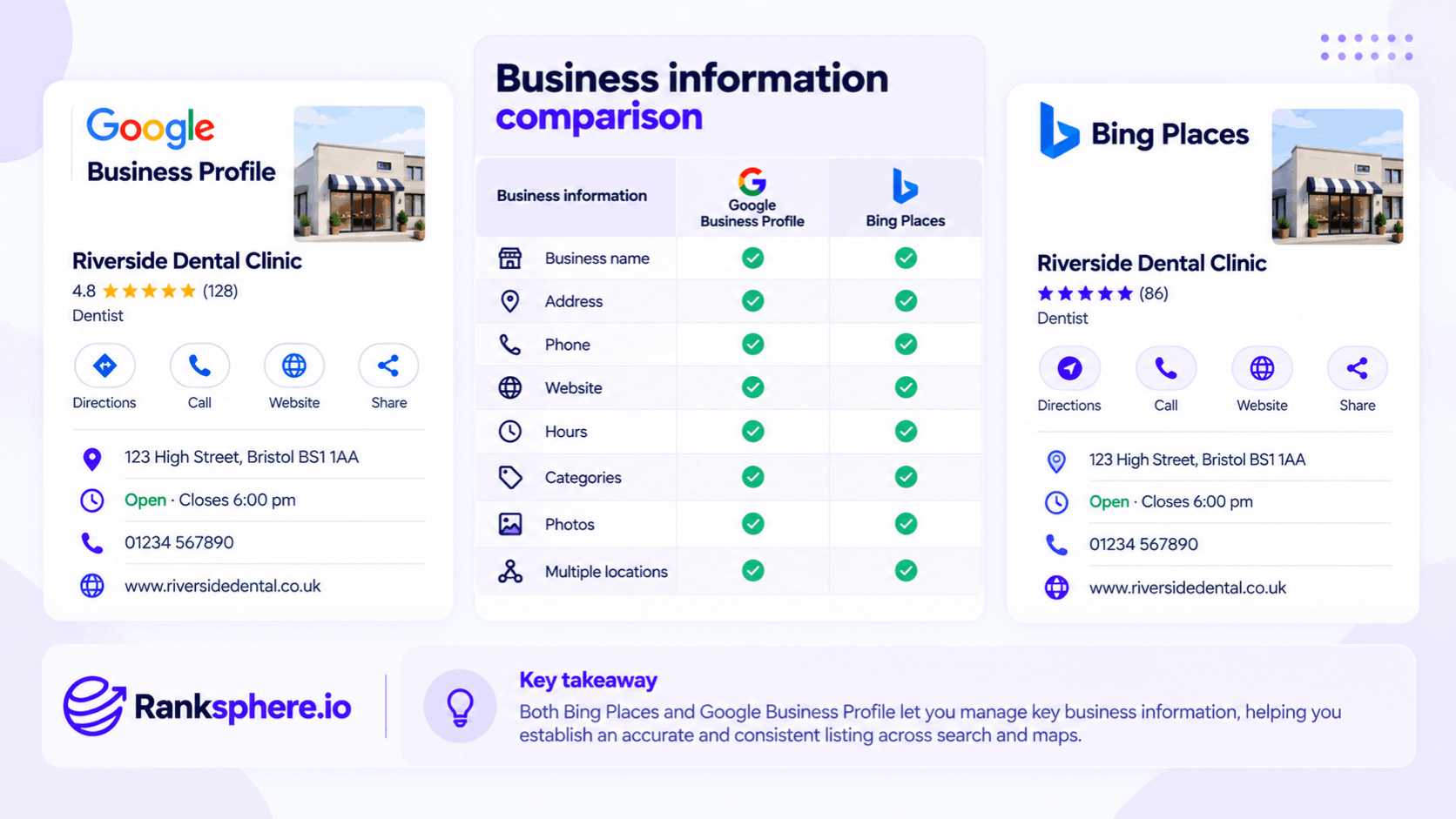
Bing Places vs Google Business Profile
Bing Places and Google Business Profile serve broadly similar purposes.
Both allow a local business to maintain important information associated with search and maps.
For example:
| Business information | Google Business Profile | Bing Places |
| Business name | Yes | Yes |
| Address | Yes | Yes |
| Phone | Yes | Yes |
| Website | Yes | Yes |
| Hours | Yes | Yes |
| Categories | Yes | Yes |
| Photos | Yes | Yes |
| Multiple locations | Yes | Yes |
The platforms are not identical, and individual fields and features can differ.
The important point is that both help establish an accurate customer-facing business listing.
Is Bing Places worth setting up?
For most local businesses, yes — provided the effort remains proportionate.
Bing generally represents a smaller share of search activity than Google in many markets.
But the correct question is not simply:
Does Bing have less traffic than Google?
It is:
Does maintaining an accurate listing cost little enough that the additional visibility is worthwhile?
For many businesses, the answer is yes.
Once the listing is established, ongoing maintenance is usually tied to real business changes such as:
- New address
- New phone number
- Different opening hours
- Rebrand
- New website
That makes it more of a local presence-management task than a channel requiring constant optimisation.
Bing's audience varies by market
Avoid making assumptions such as:
“Bing users are all older.”
or:
“Bing is mainly desktop.”
Audience characteristics vary by:
- Country
- Device
- Industry
- Workplace environment
Microsoft products and Windows can give Bing exposure in contexts different from Google's.
For certain businesses, that audience may still be commercially useful.
The only reliable way to know its value is to look at the business's actual traffic and enquiries.
Bing Places and Microsoft's wider search ecosystem
Bing is more than a traditional list of search results.
Microsoft describes Bing as supporting:
- Search
- Rich answers
- Maps
- AI-powered answers
When someone searches for a business, Bing may return details such as its location and opening hours, and Microsoft explicitly says businesses can claim and maintain that information through Bing Places.
That creates a straightforward reason to maintain the listing:
you want Microsoft's search systems to have accurate first-party business information.
What about Microsoft Copilot?
Some Microsoft Copilot products use Bing Search when web access is enabled.
Microsoft documents Copilot experiences that create Bing search queries to retrieve current information from the web.
That makes maintaining a strong Bing presence sensible.
But do not turn this into:
“Bing Places directly feeds Copilot answers.”
The relationship is more complicated.
Copilot can use Bing Search.
Bing Search can return local business information.
Bing Places helps businesses maintain information within Bing's ecosystem.
That does not mean every Copilot answer about a business is generated directly from the Bing Places record.
Bing Places and AI search
The broader lesson is similar to other AI-search platforms:
accurate source information matters.
A business should make sure its:
- Address
- Phone number
- Hours
- Website
- Categories
are correct wherever major search platforms maintain them.
That is useful whether the customer encounters the business through:
- Conventional search
- Maps
- AI-assisted search
There is no separate “Bing AI optimisation” field that needs to be filled in.
How to add a business to Bing Places
Microsoft describes a basic process built around three steps:
- Claim or add the listing.
- Complete the business information.
- Verify the listing.
Before creating anything new, search for the business first.
Bing may already have a listing.
If the correct listing exists, claim it rather than creating another one unnecessarily.
Claim an existing listing
Search Bing Places for:
- Business name
- Address
- Phone number
If an existing listing accurately represents the business, claim it and begin reviewing the information.
This can help avoid unnecessary duplicates.
If the business cannot find an appropriate existing record, it can create a new listing.
Import from Google Business Profile
Bing Places supports importing business information from Google Business Profile.
This can save time by bringing existing location information into Bing rather than requiring every field to be entered again manually.
Microsoft support material has described Google Business Profile imports as a way to create or update Bing Places listings.
That makes the import particularly useful for businesses that already maintain:
- Accurate Google listings
- Several locations
- Large sets of business information
But import should not mean:
click once and assume everything is correct forever.
Check imported information
After importing, review the listing field by field.
Check:
- Business name
- Address
- Phone number
- Website
- Opening hours
- Categories
- Photos
Data can fail to transfer as expected, fields can be interpreted differently and the Google listing itself could already contain old information.
Import is a starting point.
Not quality control.
Verification
Bing Places requires businesses to verify their listings.
Microsoft's Bing Places documentation currently references verification methods including:
- Business address
- Phone
depending on what is available for the business.
Verification options can vary.
Do not promise a client:
“You will definitely verify by phone.”
The available method depends on the profile and Microsoft's systems.
Verification protects the listing
Microsoft describes verification as a way to help protect a listing from unauthorised changes.
Once claimed, the business should maintain control of:
- Login credentials
- Recovery information
- User access
Treat local listings as business assets.
Do not leave them tied permanently to an individual employee or former agency account where avoidable.
Complete the core business information
At minimum, review:
- Name
- Address
- Phone
- Website
- Hours
- Categories
These are the practical details customers need most.
A listing containing beautiful photos but an outdated phone number is still a poor listing.
Accuracy comes first.
NAP accuracy
NAP stands for:
Name, Address and Phone number.
The facts represented in Bing Places should agree with the real business and other important listings.
For example:
Fine
21 King Street
and:
21 King St
These describe the same address.
Problem
Google:
21 King Street
Bing:
83 Market Road
when the business moved years ago.
Focus on meaningful contradictions.
Not punctuation.
NAP does not need to be character-for-character identical
Old local SEO guidance sometimes implies that every citation must contain exactly the same:
- Capitalisation
- Abbreviation
- Formatting
That is too rigid.
Search systems can understand common variations.
The priority is factual accuracy.
Your Bing listing should not contain:
- Old telephone numbers
- Former addresses
- Previous business names used incorrectly
because those can genuinely confuse customers and search systems.
Opening hours
Check regular opening hours carefully.
Also update them whenever the business:
- Changes staffing
- Changes trading patterns
- Moves
- Alters seasonal hours
An outdated Bing listing can still send a customer to a closed business.
The fact that Bing may generate fewer visits than Google does not make a wrong opening time harmless.
Categories
Choose categories that accurately represent what the business is.
Do not select every remotely related category simply to cover more search terms.
Category selection should describe the actual business.
For example:
A solicitor specialising in family law should not add unrelated legal categories merely because the phrases have search demand.
Accuracy remains the safest optimisation strategy.
Services
Where Bing allows service information to be added, use it to describe what the business genuinely provides.
Avoid:
- Keyword stuffing
- Aspirational services
- Services offered at another branch but not this one
For multi-location businesses, service information may need to vary by location.
Photos
Bing Places supports business photos.
Useful images might include:
- Exterior
- Interior
- Team
- Completed work
- Products
As with other local platforms, real photographs generally provide more customer information than generic stock imagery.
Do not spend disproportionate effort trying to “optimise” Bing photo metadata.
Focus on accurate visual representation.
Business website
Make sure the listed website is:
- Correct
- Live
- Secure
- Appropriate for the location
For multi-location companies, a branch listing may be better linked to the relevant branch page than to a generic corporate homepage.
The appropriate destination depends on the site architecture.
Bing Places for service-area businesses
Microsoft's Bing Places site acknowledges businesses that provide services at customer locations, and notes that certain businesses may hide their address in search results while still providing a valid address to Bing.
That is important for:
- Plumbers
- Electricians
- Cleaners
- Other mobile service businesses
Do not publish a residential or non-customer-facing address simply for local SEO.
Use the platform's appropriate service-area setup.
Multi-location Bing Places management
Larger organisations can manage multiple business locations rather than manually operating completely independent workflows for each one.
Bing Places supports bulk workflows for businesses with larger numbers of locations.
This matters for companies with:
- Shops
- Clinics
- Offices
- Franchises
But bulk management should not mean forcing every branch to have identical data.
Consistency does not mean identical locations
One branch may have:
- Different opening hours
- Different phone number
- Different services
- Different photos
The management process should be consistent.
The underlying branch data should still reflect reality.
That distinction matters across every local listing platform.
Bing Places and citations
A Bing listing can be treated as part of the broader citation ecosystem.
A citation is an online reference to business information such as:
- Name
- Address
- Phone
- Website
Bing is worth particular attention because it is a major search platform rather than an obscure directory.
That does not mean one Bing listing will transform rankings.
It means it is an important place where inaccurate information is worth correcting.
Does Bing Places improve Google rankings?
Do not sell Bing Places as:
“Set this up and your Google rankings will improve.”
There is no defensible direct formula like that.
The primary reasons to maintain Bing Places are:
- Bing visibility
- Customer accuracy
- Broader presence-management quality
Citation consistency is useful.
It should not be presented as a magic ranking mechanism.
Bing Places and entity understanding
A consistent presence across reputable platforms can help create a clearer public picture of a business.
That connects with the wider concept of an entity.
But avoid saying:
one wrong Bing listing weakens your entity score.
Google and Microsoft do not expose such a score.
The practical issue is easier to understand:
If major sources disagree about:
- Where the business is
- What it is called
- How to contact it
there is more ambiguity.
Fix the conflicting information.
Duplicate Bing listings
Duplicates can happen.
For example:
A business might have:
- Current location
- Old location
- Duplicate imported listing
Microsoft's current support guidance tells business owners to use Bing Places to claim or update business information, and Bing support workflows can be used where listing problems remain.
During a citation audit, look for:
- Duplicate names
- Old addresses
- Old phone numbers
and investigate which listing represents the actual business.
Search by old business information
Do not search only using the current business name.
Also try:
- Previous address
- Old phone number
- Former name
This is particularly useful after:
- Relocation
- Rebranding
- Acquisition
Legacy listings are often discovered through the information the company stopped using years ago.
Bing Places after a relocation
A move is one of the most important times to review local citations.
Update Bing alongside other major platforms when:
- Address changes
- Phone changes
- Website location page changes
Do not wait until somebody reports that Bing Maps is sending customers to the old premises.
Bing Places after a rebrand
A rebrand should trigger another review.
Check:
- Business name
- Logo
- Website
- Photos
- Phone number
- Categories where relevant
Historic information may remain elsewhere in the local ecosystem even after the website changes.
A citation audit can help identify those remnants.
Where Bing Places fits in local SEO priorities
For most local businesses, Google Business Profile will normally require more active management because of its role within Google Search and Maps.
Bing Places usually requires less ongoing attention.
That does not mean the correct strategy is:
Google first, Apple second, Bing third for every business.
Priority depends on:
- Customer behaviour
- Market
- Device mix
- Business type
Apple Business Connect may deserve substantial attention for businesses with a strong Apple Maps audience.
Bing may matter more for another business.
Use the platforms your customers actually encounter.
Bing Places is usually maintenance, not a campaign
For most small businesses, there is little reason to build an elaborate monthly Bing Places optimisation programme.
A sensible process is:
- Claim it.
- Verify it.
- Correct the data.
- Review it when the business changes.
- Audit it periodically.
That keeps effort proportionate.
Do not measure effort in minutes
Avoid promising:
“This takes twenty minutes.”
For a clean single-location profile with a successful Google import, setup may indeed be quick.
But another business may face:
- Verification delays
- Duplicate listings
- Publishing issues
- Multi-location cleanup
Describe it as relatively low maintenance rather than attaching one universal setup time.
When should Bing Places be reviewed?
A fixed annual check can be useful as a minimum operational habit for a stable business.
But event-triggered reviews matter more.
Review the listing when the business changes:
- Address
- Phone
- Hours
- Website
- Brand
- Services
You should not wait ten months to correct a wrong phone number because the annual audit is not due yet.
Bing Places during client onboarding
Client onboarding is a sensible time to check whether the listing:
- Exists
- Is claimed
- Is verified
- Contains accurate information
If the profile is already correct, the task may take very little work.
If it contains outdated information, add the necessary corrections to the local SEO plan.
Bing Places reporting
For many businesses, Bing Places does not need a large dedicated section in every monthly SEO report.
If it produces meaningful traffic, leads or visibility for the client, report that.
If not, it can remain part of broader:
- Citation management
- Presence management
- Local listing maintenance
Do not manufacture a KPI simply because the platform exists.
Ranksphere and Bing citations
Ranksphere's citation management covers 500+ directories including the major platforms, helping businesses identify inaccurate or outdated listing information across the wider citation ecosystem.
That is particularly useful after:
- Moves
- Rebrands
- Phone-number changes
because old business information can remain live long after the company's main website and Google profile have been corrected.
Common Bing Places mistakes
- Ignoring the listing completely because Bing has less search volume than Google.
- Giving Bing the same operational priority as Google without considering actual customer usage.
- Assuming setup always takes a fixed number of minutes.
- Importing from Google and never reviewing the transferred information.
- Expecting every listing to receive the same verification method.
- Treating NAP consistency as character-for-character formatting.
- Leaving an old address live after relocation.
- Leaving old phone numbers attached to the business.
- Ignoring duplicate listings.
- Copying identical details across branches that genuinely differ.
- Claiming Bing Places directly feeds every Microsoft or third-party AI assistant.
- Promising that a Bing citation will directly improve Google rankings.
- Reporting Bing simply because it exists rather than because the data is useful.
Bing Places best practices
- Claim or create the correct listing.
- Use Google Business Profile import where it saves time and is available.
- Review imported data before publishing or leaving it unattended.
- Complete the verification process offered for the listing.
- Keep business name, address, phone and website factually accurate.
- Use categories that genuinely describe the business.
- Add useful current photos.
- Use location-specific data for multi-location companies.
- Audit duplicates and historic addresses.
- Update Bing whenever major business information changes.
- Include it in periodic citation audits.
- Keep the management effort proportionate to its actual value for the business.
Example
“Halston Legal reviews its local citations after relocating.
Its:
- Website
- Google Business Profile
- Main directories
all show the new office.
Bing does not.
The Bing listing still contains:
- The firm's former address
- An old office photograph
- A practice area the firm no longer promotes
The team initially dismisses it because Bing contributes relatively little direct website traffic.
But the problem is not simply traffic.
Someone finding the firm through Bing Search or Bing Maps can still receive incorrect information.
And the listing leaves one major public source contradicting the business's current:
- Website
- Google listing
- Other important citations
The firm claims the correct listing through Bing Places and updates the information.
Where the Google Business Profile import is useful, it uses that to reduce manual entry, then checks every imported field rather than assuming the transfer is perfect.
The old address is removed from the current business information.
The phone number, hours, website and categories are reviewed.
The firm's direct Bing traffic does not suddenly explode.
That was never the objective.
The improvement is much simpler:
customers using Bing now see the correct business.
The company has also removed an unnecessary contradiction from its wider online presence.
That is the right way to think about Bing Places for Business.
It is rarely the centre of a local SEO strategy, but it is an important enough local-search platform that accurate business information should not be left unclaimed, outdated or contradictory simply because another search engine sends more traffic.”
See also
- Citation — the wider ecosystem of third-party business references
- NAP — the core name, address and phone information that should remain factually accurate
- Apple Business Connect — another important non-Google local listing platform
- Google Business Profile — the primary Google Search and Maps business listing
- Citation audit — identifying incorrect, duplicated and outdated business information
- Entity — how search systems distinguish real businesses and other identifiable things