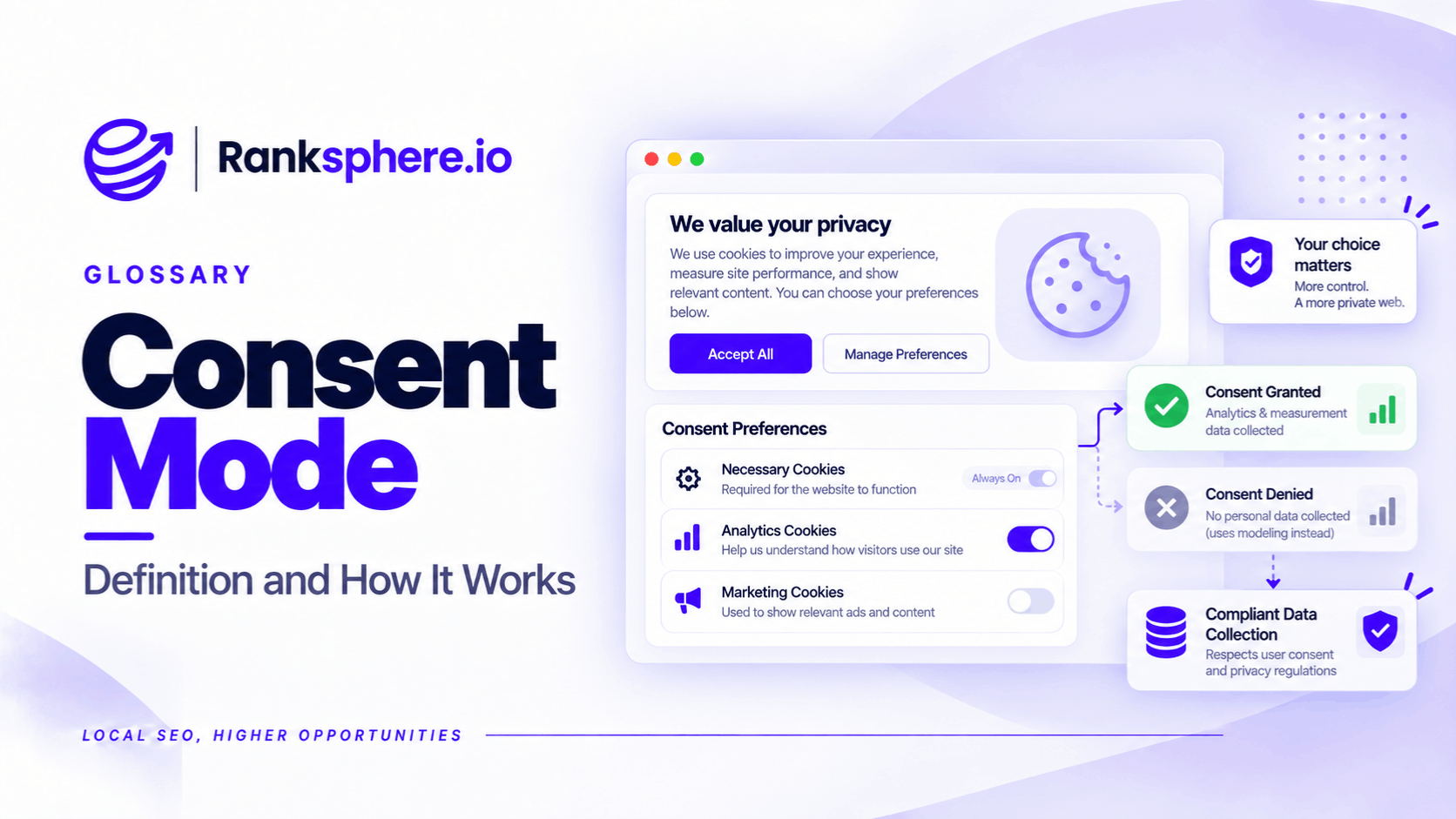
Google Consent Mode is a mechanism that changes how Google Analytics and advertising tags behave based on a website visitor's consent choices.
For example, someone visiting a dental practice's website may accept or reject analytics cookies through a consent banner.
If they accept, Google Analytics can collect data according to the permissions granted. If they decline, the tags must respect that decision, and the amount of measurement data available may be reduced.
This affects how businesses interpret their website reports.
A decline in reported sessions or conversions doesn't always mean fewer people visited the website or contacted the business. Sometimes, it reflects changes in what analytics can measure.
Consent Mode helps Google tags respond to consent choices. It doesn't collect consent itself, make a website legally compliant, or guarantee that missing analytics data will be recovered.
Why Does Google Consent Mode Exist?
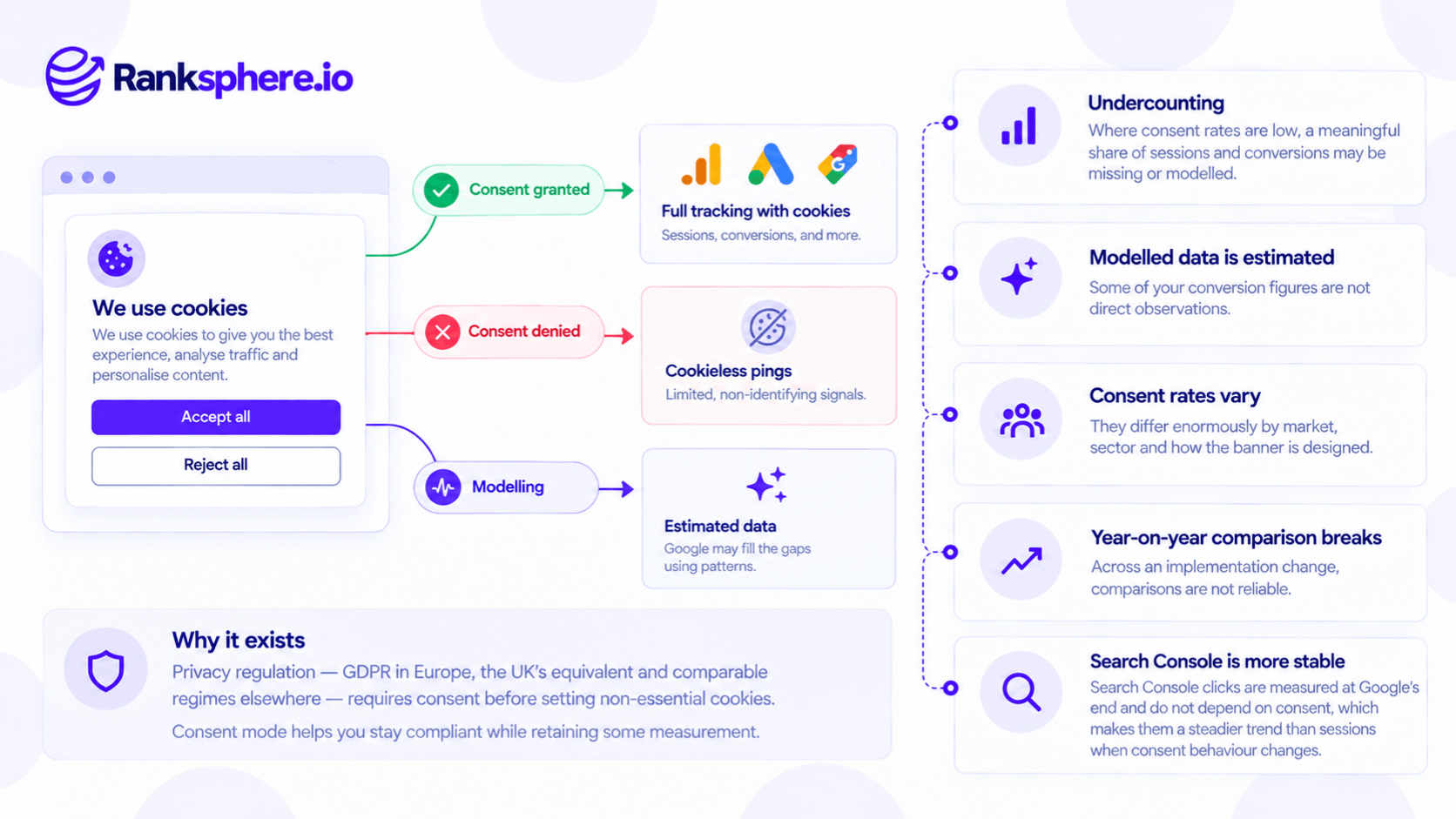
Privacy regulations, including the GDPR in the European Union and the UK's privacy and electronic communications rules, restrict how businesses use certain cookies and tracking technologies.
In many circumstances, businesses must obtain valid consent before using non-essential analytics or advertising cookies.
If a visitor declines, the website must respect that choice.
However, this creates a measurement problem.
For example, a local business may receive enquiries from people who decline analytics cookies. Those customers still exist, but their activity may not appear in Google Analytics 4 in the same way as activity from consenting visitors.
Google introduced Consent Mode to help its measurement products respond appropriately to these choices.
It can also support modelling that estimates some missing activity when Google's eligibility requirements are met.
How Does Google Consent Mode Work?
Consent Mode communicates consent states to supported Google tags.
These states control whether certain types of storage and data use are permitted.
Consent Mode v2 includes four key parameters:
| Consent parameter | What it controls |
|---|---|
| analytics_storage | Storage used for analytics, including analytics cookies |
| ad_storage | Storage associated with advertising |
| ad_user_data | Whether user data may be sent to Google for advertising purposes |
| ad_personalization | Whether data may be used for personalised advertising |
Each parameter can have a granted or denied state.
For example, a visitor might consent to analytics cookies but decline advertising cookies.
The website's consent implementation should communicate those choices to the relevant Google tags.
The exact behaviour depends on the consent configuration and which Google services the business uses.
Basic vs Advanced Consent Mode
Google supports two implementation approaches.
This difference is important because it determines what happens when someone doesn't grant consent.
Basic Consent Mode
With basic consent mode, Google tags are blocked until the visitor grants the relevant consent.
If the visitor declines, the blocked Google tags don't send measurement information.
For example, someone may visit a plumbing website, decline analytics cookies, and submit an enquiry.
The business may receive the enquiry, but GA4 may not record that visitor's session or conversion through the blocked tag.
Basic consent mode can still support certain Google Ads modelling approaches, but it doesn't provide the cookieless measurement signals used by advanced consent mode.
Advanced Consent Mode
With advanced consent mode, Google tags load with the appropriate default consent states.
When relevant consent is denied, supported tags can send limited cookieless signals.
These signals may include consent status and certain information associated with page or measurement activity, depending on the implementation.
They aren't equivalent to normal cookie-based tracking.
Google can use eligible data to improve its measurement models.
However, advanced consent mode must still be implemented in accordance with applicable privacy requirements.
It shouldn't be assumed that sending cookieless signals is legally permissible in every situation.
What's the Difference?
| Basic consent mode | Advanced consent mode | |
|---|---|---|
| Google tags before consent | Blocked | Loaded with consent defaults |
| If relevant consent is denied | Blocked tags send no measurement data | Limited cookieless signals may be sent |
| Measurement gaps | Can be substantial | May be reduced through eligible modelling |
| GA4 behavioural modelling | Not supported through the basic implementation | Possible when eligibility requirements are met |
| Legal compliance | Requires a compliant consent implementation | Requires a compliant consent implementation |
Neither option automatically makes a website compliant with privacy law.
The appropriate approach depends on the business's legal obligations, consent management setup, and measurement requirements.
What Is Consent Mode Modelling?
Modelling is Google's process of estimating certain activity that cannot be observed through normal tracking.
For example, if some visitors consent to analytics cookies while others decline, Google may use information from consenting users and eligible cookieless signals to estimate missing behaviour.
These estimates can help reduce reporting gaps.
However, modelled data is not the same as directly observed data.
A model estimates what may have happened based on available information.
It doesn't identify every non-consenting visitor or reconstruct their complete journey.
Does GA4 Automatically Model Missing Sessions?
No.
GA4 behavioural modelling requires sufficient data and an eligible implementation.
Google's published prerequisites include:
- Advanced consent mode implemented across relevant pages
- At least 1,000 daily events with analytics consent denied for at least seven days
- At least 1,000 daily users sending events with analytics consent granted for at least seven of the previous 28 days
Meeting these thresholds doesn't guarantee eligibility.
Google also evaluates whether its model has enough reliable information.
This matters for local businesses.
A dental practice receiving a few hundred website visits each month is unlikely to meet the published GA4 behavioural modelling thresholds.
Its analytics may therefore remain incomplete rather than being automatically adjusted to account for everyone who declined consent.
Google Ads conversion modelling has its own eligibility requirements and shouldn't be confused with GA4 behavioural modelling.
How Consent Mode Affects Your GA4 Reports
Consent Mode can change the amount of information available in analytics.
The effect varies according to consent rates, implementation type, traffic volume, and reporting configuration.
Sessions and Users May Be Undercounted
If analytics tags are blocked for visitors who decline consent, their activity may not appear in GA4.
For example, a roofing company's website might receive the same number of visitors before and after a consent banner is introduced.
However, GA4 may record fewer sessions after implementation.
That doesn't automatically mean website traffic declined.
It may reflect a change in measurement.
Conversions May Be Missing or Modelled
A visitor might submit a contact form without consenting to analytics tracking.
The business receives the enquiry, but the form submission may not be recorded as a GA4 key event.
Where eligible modelling is available, some missing conversions or user behaviour may be estimated.
Businesses should distinguish directly observed data from modelled results wherever the platform provides that information.
Consent Rates Vary
Consent behaviour differs according to the country, audience, website, and consent experience.
For example, a local service business operating in one market may see different consent behaviour from a business serving customers elsewhere.
This means two websites with similar actual traffic can report different amounts of analytics activity.
There isn't one universal percentage that can safely be added to compensate for missing visitors.
Historical Comparisons Can Become Misleading
Suppose a practice installs a consent banner in March.
GA4 sessions decline immediately afterward.
Comparing February with April without considering the implementation change could produce the wrong conclusion.
The business may attribute the change to SEO, advertising, or website performance when the measurement setup has changed.
The deployment date should therefore be recorded and included in relevant reports.
Google Consent Mode vs Google Search Console
Google Search Console provides a separate view of search performance.
It reports information such as:
- Search clicks
- Impressions
- Average position
- Queries
- Search landing pages
These metrics are measured through Google's Search systems rather than through the website's GA4 cookies.
That makes Search Console particularly useful when a consent implementation changes website analytics collection.
For example, if GA4 sessions fall sharply after a new cookie banner is deployed but Search Console clicks remain broadly stable, the difference may indicate a measurement change.
However, the two tools don't measure exactly the same thing.
A Search Console click isn't the same as a GA4 session, and the figures shouldn't be expected to match.
Search Console also doesn't independently confirm whether customers submitted forms or completed bookings.
What About Google Business Profile Performance?
Local businesses can also review Google Business Profile performance.
This includes supported measures of how customers interact with the business profile through Google Search and Maps.
For example, a dental practice may monitor calls initiated from its Business Profile and other available interactions.
These measurements don't depend on the practice's website GA4 consent banner.
However, profile interactions have their own measurement definitions and limitations.
A call click doesn't necessarily mean a completed conversation or confirmed appointment.
Google Business Profile performance is useful as a separate reporting source, not a complete replacement for website analytics.
Cookie Banner Design and Consent Mode
The consent banner determines how visitors communicate their choices.
Its design affects both accessibility and the information available for measurement.
For example, a banner that makes acceptance prominent but hides rejection behind several additional steps may raise compliance concerns.
The requirements depend on applicable law, but good consent design generally includes:
- Clear information about cookie purposes
- Appropriate choices for accepting and rejecting optional tracking
- No preselected consent where affirmative consent is required
- A way to change or withdraw consent
- Clear separation between necessary and optional technologies
Businesses shouldn't design banners solely to maximise analytics collection.
They should first ensure that the experience complies with applicable requirements.
Check the Mobile Experience
A poorly designed consent banner can create usability problems.
For example, a large banner may cover the telephone number or appointment button on a mobile service page.
This may prevent customers from taking the action they intended.
The problem is especially noticeable above the fold, where important contact options may become obscured.
Review the banner on mobile devices as well as desktop.
How to Report SEO Performance After Consent Mode Changes
When consent implementation changes, reporting should reflect the measurement limitations.
Record the Implementation Date
Document when the consent banner or tag configuration changed.
For example:
"March 12 — Updated cookie consent implementation."
This gives future reports useful context.
Compare Independent Data Sources
Review Search Console clicks alongside GA4 sessions.
For local businesses, consider relevant Google Business Profile interactions and actual enquiries where independently recorded.
If search clicks remain stable but GA4 activity declines, investigate the consent setup before concluding that SEO performance has deteriorated.
Identify Modelled Data Where Available
If GA4 uses behavioural modelling, explain that some reported activity is estimated.
Don't present modelled conversions as if every event was directly observed.
Check for Technical Errors
Not every decline following a consent change is necessarily expected.
A consent management platform may be configured incorrectly, causing tags to remain blocked even after users grant permission.
Check whether:
- Consent defaults are set correctly
- Consent updates are communicated
- Tags respect the appropriate states
- Google Tag Manager triggers behave as expected
- Conversion tracking still works after consent is granted
Google Tag Assistant can help test consent implementation.
Avoid Inventing Adjustment Factors
If sessions decline by 25% after introducing a banner, don't automatically multiply future reports by a fixed percentage.
The missing activity may vary by device, channel, location, and audience.
Unless a supported measurement model is available, the missing quantity is uncertain.
Common Consent Mode Mistakes
- Assuming Consent Mode is a consent banner. It communicates consent states; a separate mechanism must obtain the visitor's choices.
- Assuming Consent Mode guarantees legal compliance. The full implementation must meet applicable requirements.
- Confusing basic and advanced consent mode. They transmit different amounts of information when consent is denied.
- Assuming GA4 always fills reporting gaps. Behavioural modelling requires sufficient data and eligibility.
- Treating modelled conversions as directly observed. Estimates and recorded events aren't identical.
- Diagnosing a consent-related reporting decline as an SEO problem. Review independent metrics before drawing conclusions.
- Ignoring the implementation date. Historical comparisons can become misleading.
- Optimising the banner purely for acceptance. Consent must be valid under the applicable legal framework.
- Blocking important contact options on mobile. Consent interfaces shouldn't unnecessarily obstruct the website.
- Failing to test tag behaviour. Incorrect implementations can create additional measurement problems.
Consent Mode Best Practices
- Understand the consent rules applying to your website.
- Use an appropriate consent management solution.
- Choose basic or advanced consent mode based on the applicable requirements.
- Configure and test consent states correctly.
- Keep consent choices clear and accessible.
- Document changes to banners and tracking configurations.
- Explain missing and modelled analytics data in client reports.
- Use Search Console to monitor search performance separately.
- Review Google Business Profile interactions for local reporting.
- Track actual enquiries through appropriate business systems.
- Check the consent banner's impact on mobile usability.
- Don't assume all missing data can be recovered through modelling.
The objective is to respect visitor choices while interpreting the available analytics as accurately as possible.
Example of Consent Mode Affecting a Dental Practice's Reporting
Consider a hypothetical dental practice that introduces a new consent banner in March.
Before the change, its GA4 reports show relatively stable website traffic and enquiry activity.
After the banner is deployed, reported sessions and tracked form submissions decline.
The practice's SEO agency initially suspects a performance problem.
What the Agency Investigates
The agency checks Search Console.
Organic search clicks remain broadly similar to the previous period.
The team also reviews Google Business Profile performance and the practice's appointment records.
These sources don't show an equivalent decline.
The agency then examines the new consent setup.
It finds that analytics tracking is blocked when visitors decline consent.
The practice also doesn't have enough traffic to qualify for GA4 behavioural modelling.
What the Numbers Mean
Some visitors are still using the website and submitting enquiries, but their activity isn't being captured through ordinary GA4 tracking.
The agency cannot determine the exact number of missing sessions simply from the reported decline.
It also can't assume that every difference between Search Console and GA4 is caused by consent.
However, the timing of the change and the independent reporting sources provide strong reasons to investigate measurement before making major SEO decisions.
How Reporting Changes
The agency records the consent implementation date in its monthly reports.
It uses:
- Search Console for search clicks and impressions
- GA4 for available on-site behaviour
- Google Business Profile performance for profile interactions
- Appointment and enquiry records for actual business outcomes
It also explains that GA4 data may be incomplete where visitors decline analytics consent.
Example
“The original reports suggested that website performance had declined.
Further investigation showed that the measurement process had changed.
The business needed to understand the difference before deciding whether its SEO strategy required adjustments.
Consent Mode doesn't make missing data disappear. It changes how Google measures activity when visitors grant or deny consent.
For local businesses and SEO agencies, the practical lesson is to understand the implementation, recognise reporting limitations, and avoid treating every change in analytics as a change in business performance.”
See Also
- Google Analytics 4 — Website analytics affected by consent settings.
- Sessions and Users — Metrics that may be incomplete when tracking is restricted.
- Google Search Console — Search performance data independent of the website's analytics cookie banner.
- Google Business Profile Performance — Measuring customer interactions with a Google Business Profile.
- Attribution — Understanding which marketing channels contribute to conversions.
- Above the Fold — How cookie banners can interfere with important mobile page elements.