Content Delivery Network (CDN)
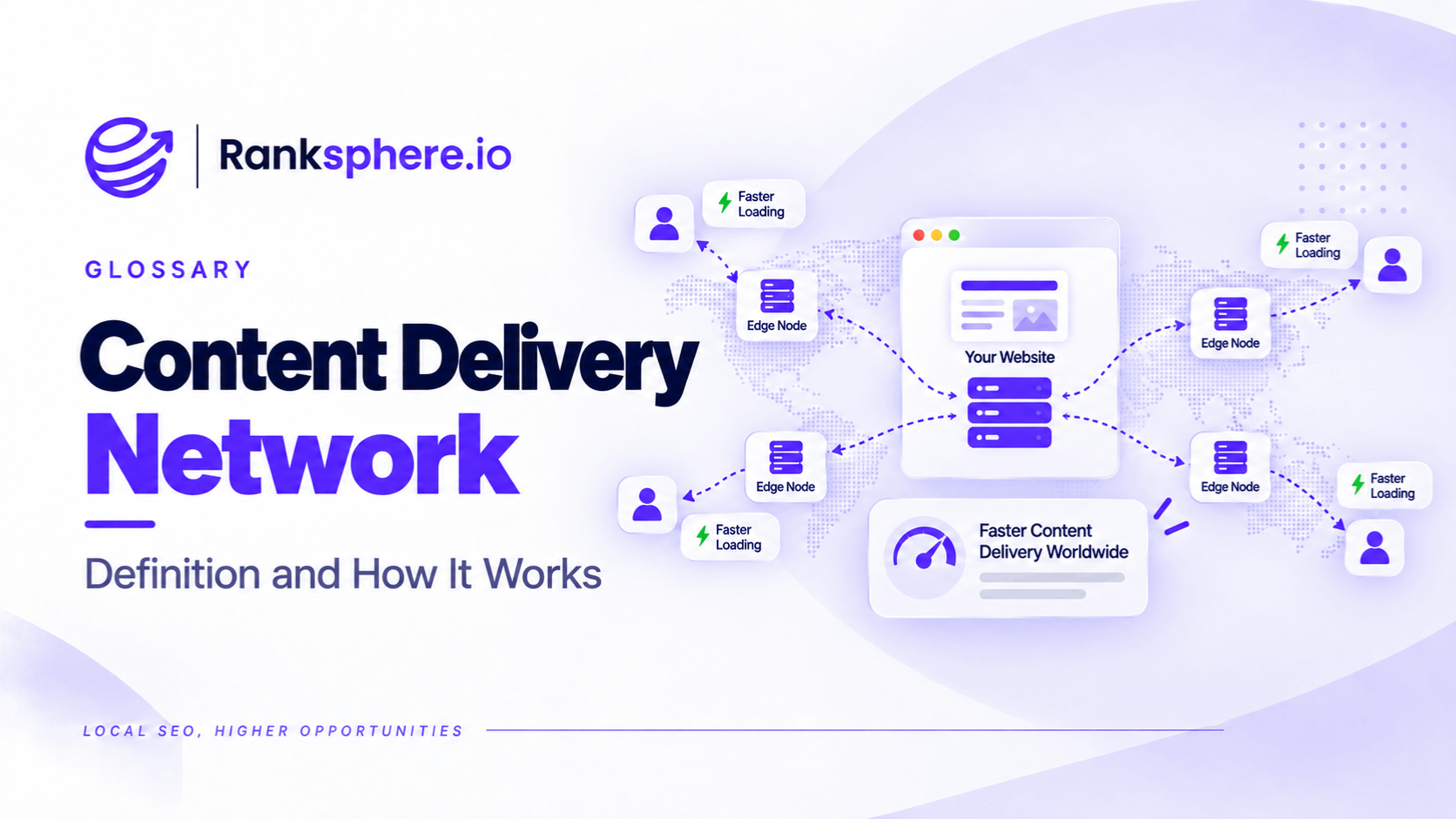
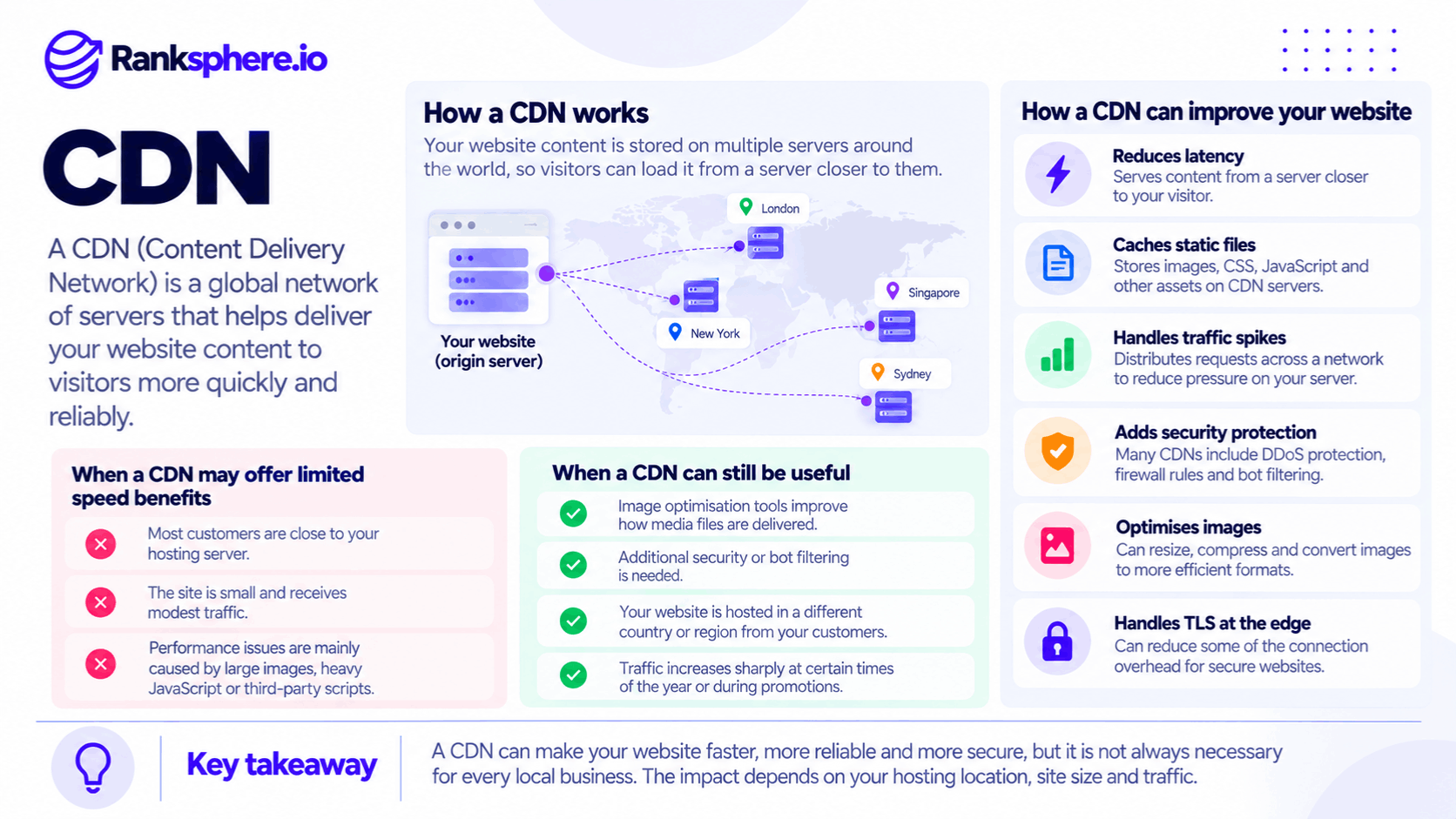
A content delivery network (CDN) is a network of servers distributed across different geographic locations that helps deliver website content to visitors more efficiently.
Instead of every visitor requesting files directly from the website's main hosting server, a CDN can serve cached content from a nearby server, often called an edge server.
For example, imagine a website hosted in London receiving a visitor from Sydney.
Without a CDN, the visitor's browser may need to request files from the London server. With a CDN, certain files can be delivered from an edge location closer to Sydney.
This can reduce the time needed to transfer data and improve website loading performance.
CDNs can also provide caching, image optimisation, traffic management, and security features.
However, not every local business needs a CDN to make its website faster.
If most customers are in the same region as the hosting server, the performance benefit from geographic distribution may be limited.
The value depends on the website's existing performance, hosting location, traffic patterns, and the features offered by the CDN.
How Does a Content Delivery Network Work?
When someone visits a website, their browser requests the files needed to display the page.These may include:
- HTML documents
- Images
- CSS stylesheets
- JavaScript files
- Fonts
- Videos and other media
Normally, these requests may be served by the website's origin server, where the website is hosted.
A CDN introduces another layer between visitors and the origin.
When the requested content is already cached at an appropriate CDN location, the CDN may serve that content directly.
If the content isn't cached, the CDN can request it from the origin server and, depending on its caching rules, store a copy for future requests.
This reduces repeated requests to the origin and can improve delivery times.
Reducing Network Latency
Latency is the delay between sending a request and receiving a response.
Geographic distance can contribute to latency because data must travel through networks between the visitor and the server.
For example, a visitor in Australia accessing a website hosted in the United Kingdom may experience greater network latency than someone accessing the same website from London.
A CDN with an edge server near the Australian visitor can reduce that distance for cacheable content.
However, geographic distance isn't the only factor affecting latency.
Network routing, server performance, connection setup, and caching behaviour also matter.
Caching Website Files
CDNs commonly cache static website files, such as:
- Images
- CSS
- JavaScript
- Fonts
- Downloadable assets
When those files are requested repeatedly, the CDN can serve cached copies without contacting the origin server each time.
This can reduce server workload and improve loading times.
Some CDNs also support caching HTML or other dynamic responses, but this requires appropriate configuration.
For example, a public service page may be suitable for caching, while a personalised account page usually needs more careful handling.
Handling Traffic Spikes
A CDN can help distribute requests during periods of high traffic.
For example, a local roofing company might receive a sudden increase in website visits after a major storm.
If the CDN serves cached images, stylesheets, and other resources, the origin server may have fewer requests to process.
This can help the website remain responsive.
However, a CDN doesn't guarantee that the website will remain available during every traffic spike.
Requests requiring uncached server-side processing may still place substantial demand on the origin.
Website Security and DDoS Protection
Many CDN providers offer security features such as:
- DDoS mitigation
- Web application firewall rules
- Bot management
- Rate limiting
- Traffic filtering
These features can help protect websites from unwanted or malicious requests.
For a local business, security may be a stronger reason to use a CDN than global content distribution.
However, security settings need to be configured carefully to avoid blocking legitimate visitors and search engine crawlers.
Image Optimisation
Some CDN services can optimise images during delivery.
Depending on the provider and configuration, this may include:
- Image compression
- Resizing
- Converting images to modern formats
- Delivering appropriately sized images for different devices
These features can reduce the amount of data visitors download.
For image-heavy local business websites, this may provide a more noticeable performance improvement than geographic distribution alone.
However, image optimisation isn't automatically included or enabled with every CDN.
HTTPS and TLS at the Edge
CDNs can also handle HTTPS connections at their edge servers.
This allows visitors to establish secure connections with the CDN rather than connecting directly to the origin for every request.
Depending on the provider, network conditions, and configuration, this may improve connection performance.
However, the connection between the CDN and the origin server also needs to be secured appropriately.
Does a Local Business Website Need a CDN?
A CDN can be useful, but it shouldn't be treated as an automatic requirement for every website.
For most local businesses, the decision should begin with the website's actual performance problems.
When a CDN May Offer Limited Benefits
A CDN may provide relatively little speed improvement when:
- Most visitors are located in one geographic region.
- The website's hosting server is already close to those visitors.
- Traffic levels are modest.
- The site is small and loads efficiently.
- The main performance problems come from JavaScript, layout shifts, or inefficient page design.
For example, a small dental practice serving one town may already have a fast website hosted within the same country.
Adding a global CDN may not make a meaningful difference to its loading performance.
That doesn't mean the CDN has no value, but speed alone may not justify the cost.
When a CDN Is Worth Considering
A CDN may be more useful when:
- The hosting server is far from the website's main audience.
- The website receives visitors from multiple countries.
- Large images or other static resources account for substantial loading time.
- Traffic increases sharply during particular periods.
- The business wants additional security and bot protection.
- The CDN offers useful image optimisation or caching capabilities.
For example, a UK plumbing company may discover that its low-cost hosting provider serves its website from a US data centre.
In that situation, a CDN with UK edge locations could reduce latency for local visitors.
However, the actual benefit should be measured rather than assumed.
What Problems Can't a CDN Fix?
A CDN can improve content delivery, but it doesn't automatically resolve every website performance problem.
This is important when businesses are trying to improve page speed or Core Web Vitals.
Large, Unoptimised Images
Consider a homepage containing a 3 MB photograph.
A CDN may deliver the image from a server closer to the visitor.
However, if the CDN isn't configured to optimise the image, the visitor may still need to download the same 3 MB file.
The image could arrive with less network delay, but its file size remains unnecessarily large.
Compressing the image, selecting an appropriate format, and serving the correct dimensions can make a substantial difference.
These are important parts of image SEO and website performance optimisation.
A CDN with image optimisation features can help, but it shouldn't replace proper image handling.
Third-Party Scripts
Local business websites often use third-party tools such as:
- Live chat widgets
- Analytics scripts
- Booking systems
- Advertising pixels
- Embedded maps
These resources may load from servers controlled by external providers.
A CDN serving your website's files doesn't automatically optimise those third-party scripts.
If the scripts consume substantial processing time or delay rendering, the underlying problem may remain.
Slow Server-Side Processing
A CDN can reduce network latency and serve cached responses efficiently.
However, uncached requests may still depend on the origin server.
For example, a website with slow database queries or inefficient server-side code may continue experiencing delays.
This can affect time to first byte, or TTFB.
Caching HTML at the CDN may reduce TTFB for eligible requests, but fixing the underlying server problem may still be necessary.
Render-Blocking Resources
Render-blocking CSS and JavaScript can delay how quickly a browser displays a webpage.
A CDN may deliver these files faster, but it doesn't automatically change how the browser processes them.
You may still need to:
- Remove unnecessary CSS
- Reduce JavaScript
- Defer non-critical scripts
- Improve resource loading priorities
These changes address how the page is built and rendered, rather than simply where its files are delivered from.
Layout Shifts and JavaScript Execution
A CDN also doesn't automatically fix problems such as:
- Images without reserved dimensions
- Content moving during page load
- Heavy JavaScript execution
- Poor interaction responsiveness
- Unnecessary third-party scripts
These issues can affect Core Web Vitals, particularly Cumulative Layout Shift (CLS) and Interaction to Next Paint (INP).
A CDN may improve some loading-related metrics, but passing Core Web Vitals depends on the actual causes of the problems.
Ranksphere's website audit tool helps identify website performance and technical SEO issues so businesses can investigate the areas that need improvement.
How a CDN Affects Core Web Vitals
Google's Core Web Vitals measure important aspects of the user experience.
The three primary metrics are:
- Largest Contentful Paint (LCP) — Measures how quickly the largest visible content element loads.
- Interaction to Next Paint (INP) — Measures responsiveness to user interactions.
- Cumulative Layout Shift (CLS) — Measures unexpected visual movement.
A CDN may improve LCP by reducing delivery times for important resources.
For example, if the largest visible element is an image, faster delivery and effective image optimisation may help it load sooner.
However, a CDN is less likely to resolve INP problems caused by heavy JavaScript processing or CLS problems caused by unstable layouts.
The impact depends on the bottleneck.
This is why website owners should examine performance measurements before investing in infrastructure changes.
A CDN can be part of the solution, but it shouldn't be the first assumption whenever a performance report shows a problem.
CDN Implementation Issues That Affect SEO
CDNs can improve performance and security, but incorrect configurations may create technical SEO problems.
1. Cached Content Not Updating
A CDN may continue serving an older cached version of a file after the website has been updated.
For example, a business changes its opening hours or replaces a homepage image, but some visitors continue seeing the previous version.
This can happen when caching rules or invalidation procedures aren't configured correctly.
Website owners should understand how to clear or invalidate cached content when necessary.
2. Incorrect HTTPS Configuration
A CDN commonly handles HTTPS connections between visitors and the edge server.
There is also a connection between the CDN and the origin server.
Both need appropriate security settings.
Misconfigured certificates or encryption modes can cause connection errors, redirect loops, or insecure connections.
Review the provider's recommended HTTPS configuration rather than assuming that enabling HTTPS at the edge secures the entire connection.
3. Server Logs Becoming Incomplete
When a CDN serves cached content, the request may not reach the origin server.
This means origin server logs won't necessarily record every request handled by the CDN.
That matters for log file analysis, especially when investigating search engine crawling behaviour.
For a more complete picture, you may need access to both CDN logs and origin server logs.
The exact information available depends on the provider and logging configuration.
4. Accidentally Blocking Search Engine Crawlers
Some CDNs offer aggressive bot protection.
If these rules are configured incorrectly, they may block legitimate search engine crawlers.
For example, Googlebot could receive a 403 response or another access restriction instead of the intended webpage.
That may interfere with crawling and indexing.
A temporary block doesn't automatically remove an entire website from Google's index, but persistent restrictions can create serious visibility problems.
After deploying or changing CDN security rules, verify that legitimate search engine crawlers can access important pages.
5. Incorrect Geographic Redirects
Some websites use a CDN to redirect visitors based on geographic location.
For example, visitors from one country may be redirected to a regional version of the website.
This can cause problems if search engine crawlers are automatically redirected away from content they need to access.
Googlebot may not always crawl from the geographic location you expect.
When managing regional websites, avoid relying entirely on IP-based redirects to determine which version search engines can access.
Common CDN Mistakes
Website owners often make the following mistakes when implementing a content delivery network:
- Adding a CDN without identifying the performance problem. Geographic delivery may not be the main cause of slow loading.
- Assuming a CDN automatically improves Core Web Vitals. JavaScript execution, layout instability, and other issues may remain.
- Leaving large images unoptimised. A CDN without image optimisation may still deliver unnecessarily large files.
- Blocking legitimate crawlers. Aggressive bot protection can interfere with search engine access.
- Forgetting to clear outdated cached content. Visitors may continue seeing previous versions of pages or files.
- Ignoring CDN and origin log differences. Cached requests may not appear in the origin logs.
- Misconfiguring HTTPS. Incorrect security settings can cause connection errors.
- Paying for global distribution without a clear need. A local website serving one area may gain little from worldwide edge coverage.
CDN Best Practices for Local Businesses
Before adding or changing a CDN:
- Identify the main causes of slow loading through performance testing.
- Check where the website's origin server is hosted.
- Review the geographic distribution of your visitors.
- Optimise important images and unnecessary scripts.
- Choose a CDN with features that match the website's needs.
- Enable image optimisation where appropriate.
- Understand how caching and cache invalidation work.
- Configure HTTPS securely between visitors, CDN servers, and the origin.
- Verify that legitimate search engine crawlers aren't blocked.
- Review CDN security settings after deployment.
- Check Core Web Vitals before and after making changes.
- Understand where request logs are stored and what they capture.
For most small local business websites, improving image sizes, reducing unnecessary scripts, and fixing server performance issues may provide more value than adding another infrastructure layer.
A CDN becomes more useful when it solves an identified problem or provides security and reliability features the business actually needs.
Example of a CDN and Website Speed Problem
Consider a hypothetical physiotherapy clinic called Oakfield Physiotherapy.
The clinic's website is hosted in the same country as most of its patients.
However, its mobile performance report shows a Largest Contentful Paint of 4.1 seconds at the 75th percentile.
The developer assumes geographic content delivery is the problem and adds a CDN.
The deployment works correctly, and the CDN begins serving eligible website resources.
However, after enough new field data becomes available, the clinic sees little improvement in its LCP results.
What the Developer Discovers
A closer performance review reveals that the homepage uses a large, uncompressed hero photograph.
The image is approximately 3.2 MB and is displayed prominently near the top of the page.
The CDN delivers the image, but image optimisation hasn't been enabled.
Visitors are still downloading an unnecessarily large file.
The problem wasn't primarily the distance between the visitor and the hosting server.
It was the size and loading behaviour of the main image.
How the Clinic Improves Performance
The developer makes several changes:
- Compresses the hero image
- Creates a more efficient WebP version
- Serves an appropriately sized image
- Sets explicit image dimensions
- Reviews how the image is prioritised during loading
These changes reduce unnecessary image data and help the browser load the main content more efficiently.
The developer then measures performance again using appropriate testing tools and later reviews updated field data.
For illustration, the optimised page might eventually show an LCP of 1.9 seconds at the 75th percentile, although the actual result would depend on device conditions, visitors, caching, and other factors.
Example Shows
“The CDN wasn't necessarily a bad addition.
Its caching and security features may still be useful.
However, it had been introduced to solve a performance problem without first identifying the cause.
The more effective improvement came from optimising the website's largest image.
A CDN can make content delivery faster, but it doesn't automatically make an inefficient webpage efficient.
For local businesses, the best approach is to identify what's slowing the website down, make the necessary improvements, and use a CDN when its caching, delivery, security, or optimisation features provide measurable value.”
See Also
- Page Speed — Understanding the factors that affect website loading performance.
- Core Web Vitals — Measuring loading speed, responsiveness, and visual stability.
- Time to First Byte — Understanding how quickly a server or cache begins responding.
- Image SEO — Optimising images for search and website performance.
- HTTPS — Securing website connections.
- Log File Analysis — Reviewing requests recorded by servers and CDN infrastructure.