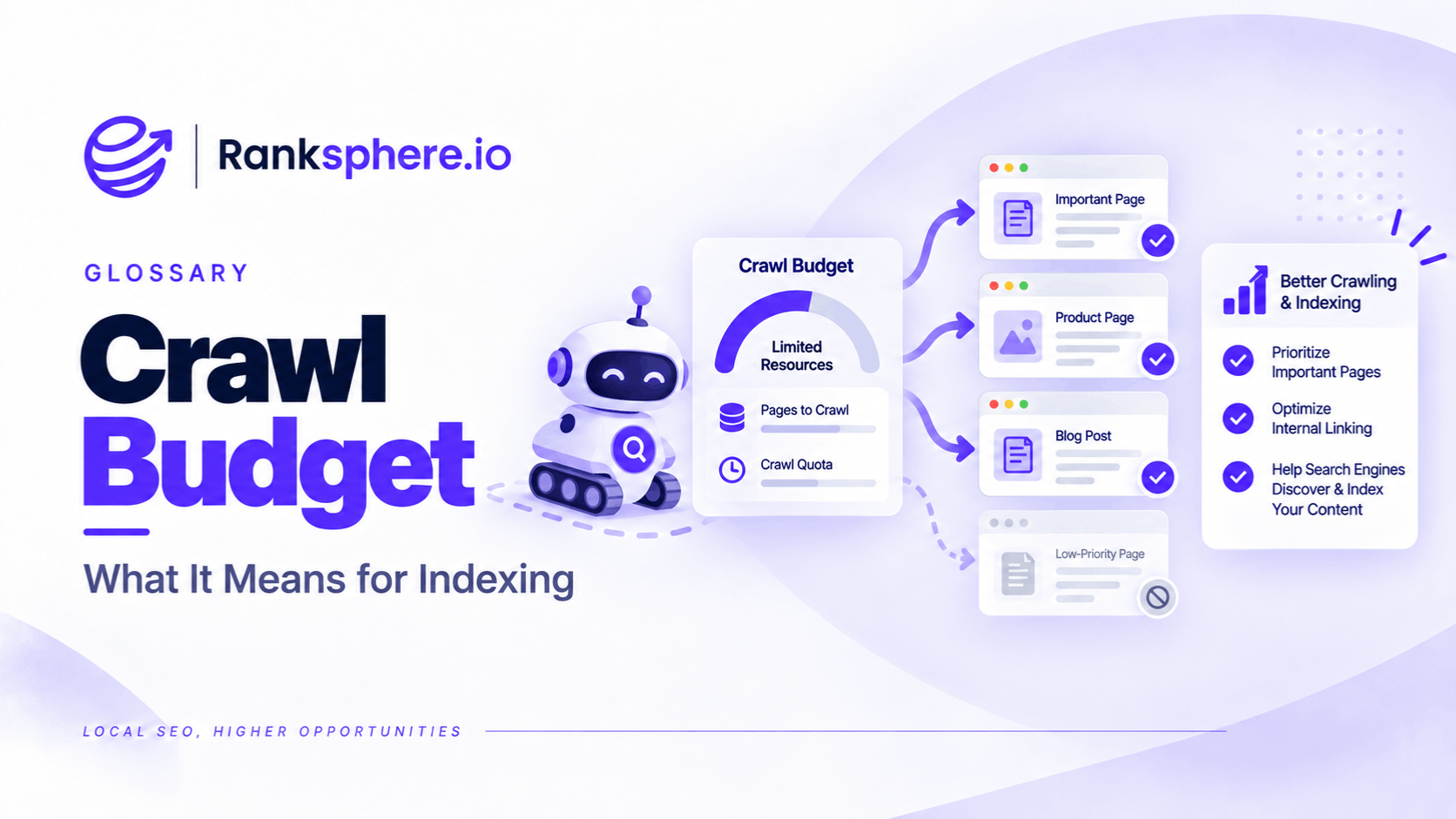
Crawl budget describes how much crawling Google can and wants to perform on a website.
It is not a fixed allowance such as:
“Google will crawl exactly 500 URLs from this site every day.”
Google defines crawl budget through two main components:
- Crawl capacity limit — how much crawling the site can handle without creating server problems
- Crawl demand — how much Google wants to crawl the site's URLs
Together, these determine the set of URLs Google is prepared and able to crawl.
For most small local-business websites, this is not something that needs active optimisation.
A site with:
- 30 pages
- 100 pages
- 500 pages
is normally far removed from the types of sites Google's crawl-budget guidance is designed for.
The more important questions are usually:
Can Google discover the important pages?
Can Google crawl them?
Are they indexable?
Are they useful enough to deserve indexing?
Those are different problems from crawl budget.
What is crawl budget?
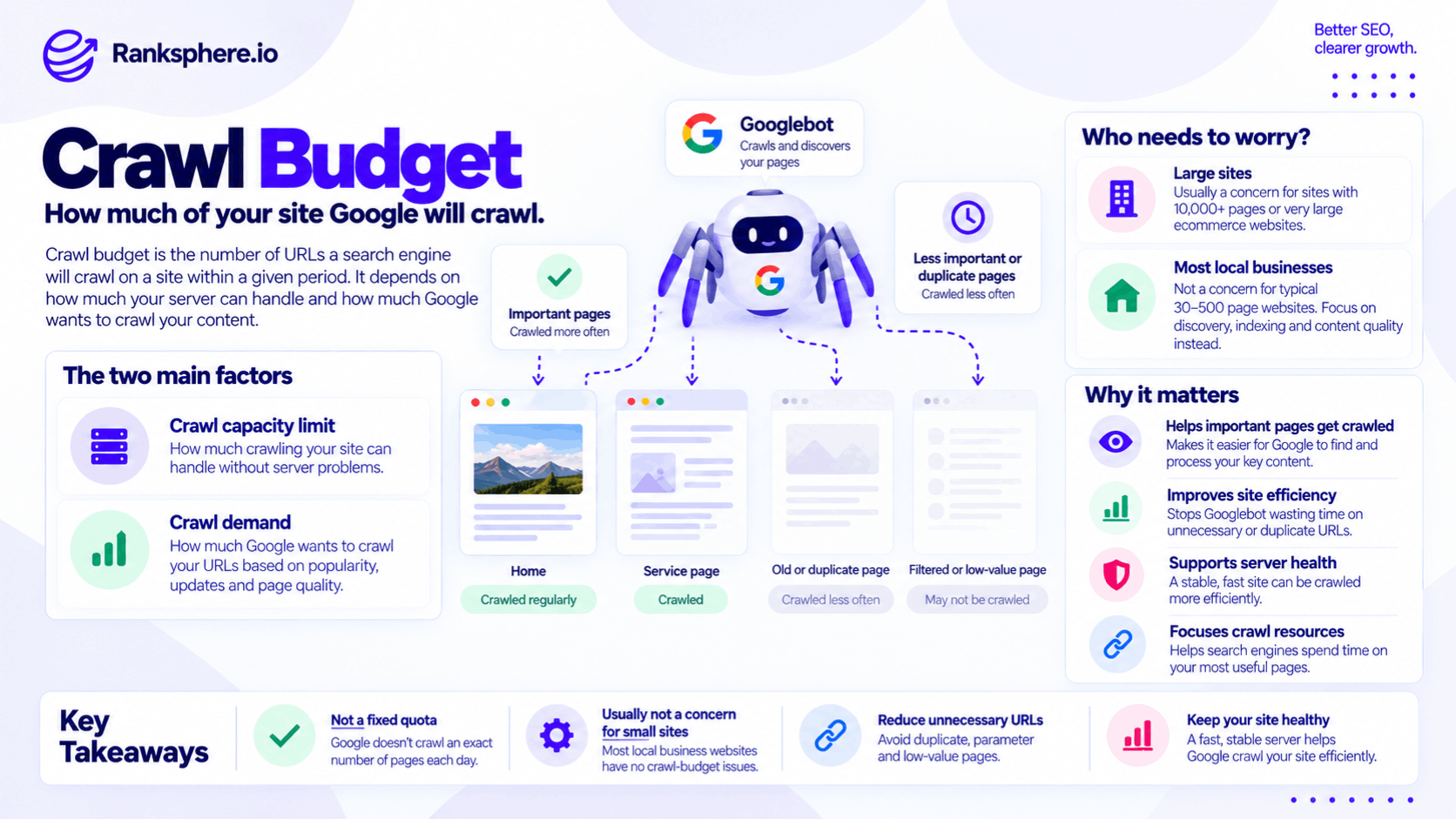
The web contains far more URLs than any search engine can crawl continuously.
Google therefore has to decide:
- How much crawling a website can technically support.
- Which URLs are worth crawling or recrawling.
Google refers to the resources it can and wants to devote to crawling a site as its crawl budget.
For a very large ecommerce website with millions of URLs, inefficient crawling can become a genuine technical SEO problem.
For a small dental practice with 40 pages, it usually is not.
Crawl budget is not a fixed quota
Avoid explaining crawl budget as:
“The number of pages Google lets you have crawled each day.”
That makes it sound like a strict allowance that can run out.
Google's crawling is dynamic.
The amount can change according to factors including:
- Server health
- Site size
- Content changes
- URL quality
- Popularity
- Google's own crawling resources
Google may crawl one part of a site frequently and another far less often.
There is no public:
“Your site has 4,000 crawl credits remaining.”
metric.
Crawl capacity
The first component is crawl capacity.
Google wants to crawl websites without overwhelming their servers.
Its systems therefore monitor how the site responds.
Google says crawl capacity can decrease when it encounters things such as:
- Slow responses
- Increased latency
- HTTP 5xx server errors
- HTTP 429 rate-limiting responses
If the server remains healthy and demand exists, Google can increase crawling.
This is why server performance can matter for genuinely large sites.
Crawl capacity is not page speed SEO
Do not confuse crawl capacity with:
“A faster website automatically ranks higher because Google crawls more.”
That is not what Google's documentation says.
A faster and more reliable server can allow Googlebot to fetch more efficiently where crawl capacity is genuinely limiting.
It does not mean:
reduce TTFB by 100ms → Google crawls twice as much → rankings increase.
Crawl efficiency and ranking are different issues.
Crawl demand
The second component is crawl demand.
Googlebot does not necessarily want to recrawl every known URL at the same frequency.
Google says crawl demand is influenced by factors including:
- Site size
- Update frequency
- Page quality and relevance
- URL popularity
- Content freshness
Google also considers the site's perceived URL inventory — the collection of URLs it knows about and may attempt to crawl.
That last point is particularly important for large websites.
URL inventory matters
Suppose an ecommerce site contains:
50,000 useful product and category pages
but filters and parameters generate:
3 million crawlable URLs.
Google now has a much larger URL space to process.
Examples might include:
?colour=red
?colour=blue
?sort=price
?sort=rating
?size=large
and combinations of several parameters.
The underlying catalogue may be manageable.
The generated URL space may not be.
That is the type of situation where crawl efficiency starts to matter.
Who actually needs to worry about crawl budget?
Google's current advanced crawl-budget guidance is aimed primarily at sites such as:
- Very large sites with around 1 million or more unique pages that change moderately often
- Sites with around 10,000 or more unique pages where content changes very frequently
- Sites with a large proportion of URLs reported as “Discovered – currently not indexed”
Google describes those numbers as rough guidance rather than strict thresholds.
That is very different from the typical local-business website.
Small sites usually do not have a crawl-budget problem
Google's Search Console documentation says that if a site has fewer than around 1,000 pages, the owner should generally not need to worry about the detailed crawling information in the Crawl Stats report.
That means a:
- 40-page dental site
- 80-page roofing site
- 150-page solicitor site
normally has more important SEO priorities.
That does not mean Google guarantees every URL will be crawled immediately.
Individual pages can still have:
- Discovery problems
- Internal-linking problems
- robots.txt blocks
- noindex
- Canonicalisation issues
Those need diagnosing individually.
Crawl budget vs crawling
Crawling and crawl budget are related but not identical concepts.
Crawling is the process of Googlebot fetching URLs.
Crawl budget is relevant when the amount of crawling Google can or wants to perform becomes a constraint.
A page failing to get crawled does not automatically mean:
“We ran out of crawl budget.”
Google might simply not know the URL exists.
Or it may be:
- Blocked
- Poorly linked
- Low priority
- Newly discovered
Diagnose before assigning the cause.
Crawling and indexing are different
This is one of the most important distinctions in technical SEO.
A URL can be:
- Discovered
- Crawled
- Processed
- Indexed
Crawling does not guarantee indexing.
Google explicitly says that after crawling, pages still need to be evaluated, consolidated and assessed before entering the index.
See indexing for the separate process.
“Crawled – currently not indexed” is not a crawl-budget diagnosis
If Search Console says:
Crawled – currently not indexed
Google has already crawled the URL.
So crawl budget did not prevent that particular crawl.
The issue is that Google has not currently indexed the page.
Possible areas to investigate include:
- Content usefulness
- Duplication
- Canonicalisation
- Search demand
- Technical configuration
Do not automatically conclude:
“The page is thin.”
And do not automatically conclude:
“Google ran out of crawl budget.”
The Search Console status itself does not prove either explanation.
“Discovered – currently not indexed” is more relevant
Crawl-budget investigation becomes more reasonable when Google knows about many URLs but is not getting around to crawling them.
That is why Google's current crawl-budget guidance specifically identifies sites with a large proportion of URLs in:
Discovered – currently not indexed
as one of the groups that may need to investigate crawl efficiency.
Even then, crawl budget is only one possible part of the diagnosis.
Faceted navigation
Faceted navigation is one of the classic sources of enormous URL inventories.
For example, an ecommerce category might allow filters for:
- Size
- Colour
- Price
- Brand
- Material
Users need those filters.
Search engines do not necessarily need a crawlable URL for every possible combination.
Without careful controls, a relatively small product catalogue can create an enormous crawl space.
That is a genuine crawl-management issue.
Parameter URLs
Parameters can also create multiple URLs pointing to substantially the same information.
For example:
/shoes/?sort=price
/shoes/?sort=name
/shoes/?session=1234
If these combinations are crawlable at scale, Google may spend resources repeatedly processing similar URLs.
The solution depends on why those URLs exist.
Do not apply one technical fix blindly.
Duplicate URLs
Duplicate content itself is not automatically a spam violation.
But large numbers of duplicate URLs can make crawling less efficient.
Google says canonicalisation helps it select a representative URL from sets of duplicates, and duplicate versions are generally crawled less frequently once Google understands the relationship.
See canonical tags for the wider topic.
Canonical tags do not prevent crawling
This distinction matters.
A canonical tag says, in effect:
“We prefer this URL as the representative version.”
It does not mean:
“Never crawl the duplicate URL again.”
Google may still crawl duplicate URLs while discovering and validating canonical relationships.
A canonical is also a signal rather than an absolute command.
If the real objective is to prevent crawling of an unnecessary URL pattern on a very large site, another mechanism may be more appropriate.
robots.txt and crawl budget
For genuinely large sites, Google specifically recommends using robots.txt to block crawling of URL patterns that Google does not need to crawl at all.
Examples might include:
- Certain infinite filter combinations
- Repeated sort variants
- Unimportant generated URLs
But use this carefully.
robots.txt controls crawling.
It is not a general-purpose tool for controlling indexing.
robots.txt does not guarantee removal from search
If you block a URL with robots.txt, Google cannot crawl the page's content.
However, Google may still know the URL exists from links and potentially show the URL in results without a normal snippet.
So do not use:
Disallow
when the actual objective is simply:
“I want Google to crawl this page but not index it.”
Those are different requirements.
noindex is not a crawl-budget control
A noindex directive requires Google to fetch the page so it can see the directive.
That makes it useful for controlling indexing.
It does not stop the crawl itself.
Google's large-site guidance specifically warns against using noindex simply as a crawl-budget management mechanism because Google still needs to request the page before dropping it from Search.
Choose controls according to what you actually want Google to do.
Internal search results
Large websites can sometimes generate thousands of internal search-result URLs.
For example:
/search?q=red+trainers
/search?q=cheap+red+trainers
/search?q=mens+red+trainers
If those URLs can be generated endlessly and followed by crawlers, they can create an unnecessarily large URL space.
This is much more relevant to crawl budget than whether a 50-page local-business site contains three old blog posts.
Redirect chains
Long redirect chains create unnecessary crawling.
For example:
URL A → URL B → URL C → URL D
Google's Crawl Stats report counts each server-side redirect request separately, and Google recommends avoiding long redirect chains because they can negatively affect crawling.
Where practical, update:
URL A → URL D
directly.
The benefit is not only crawl budget.
It also makes the site:
- Cleaner
- Faster
- Easier to maintain
Soft 404s
A soft 404 occurs when a page effectively says:
“Nothing useful is here.”
but returns a normal successful status such as HTTP 200 rather than the appropriate error response.
At scale, broken or low-value URLs can add to unnecessary crawling.
Fix them because the technical behaviour is wrong.
Do not obsess over a handful of soft 404s on a small site under the banner of:
“crawl budget optimisation.”
Thin content
Large inventories of genuinely low-value URLs can contribute to poor crawl efficiency.
But thin content should not simply mean:
short page.
And the correct action is not automatically:
delete it to save crawl budget.
Depending on the page, the right decision might be:
- Improve
- Consolidate
- Remove
- Leave it alone
Evaluate its purpose first.
Slow servers
Server health is one of the clearest genuine crawl-capacity considerations.
Google says that when:
- Response times increase
- 5xx errors increase
- Rate limiting occurs
Googlebot can reduce crawling automatically to avoid overloading the server.
For very large sites, that can slow discovery and refreshing of important pages.
For a small local site, persistent server failures are still a serious problem.
But the bigger concern is usually:
the website is unreliable
rather than:
we are losing crawl budget.
Improve server performance for the right reason
If a server routinely:
- Times out
- Returns errors
- Takes several seconds to respond
fix it.
That improves:
- User experience
- Site reliability
- Crawlability
Do not sell the project solely as:
“unlocking additional crawl budget.”
The wider technical benefits are more important.
Sitemaps and crawl budget
An XML sitemap helps Google discover important URLs.
It can also indicate when content has genuinely changed through an accurate lastmod value.
But repeatedly submitting the same unchanged sitemap does not create more crawl budget.
Google specifically advises against resubmitting an unchanged sitemap several times per day and says a sitemap does not guarantee that URLs will be crawled immediately.
Use sitemaps for discovery.
Not as a button for:
“crawl my site harder.”
Keep sitemaps clean
For most sites, a sitemap should contain URLs you actually want Google to consider for Search.
Avoid filling it with:
- Redirecting URLs
- Non-canonical duplicates
- URLs you do not want indexed
Google recommends including the canonical URLs you want appearing in Search.
That is useful sitemap hygiene whether or not crawl budget is a concern.
Internal linking helps discovery
Important pages should also be connected through normal crawlable internal links.
Google uses links to find pages.
Do not rely solely on:
- XML sitemap
- Search box
- JavaScript interaction
for discovering important content.
A logical site structure helps both:
- Users
- Crawlers
Nofollow is not a crawl-budget strategy
Do not use nofollow on normal internal links simply to try to funnel Googlebot towards other pages.
See nofollow for the wider topic.
If a page is important enough to link to internally for users, it usually does not make sense to treat that internal relationship as something search engines should ignore purely to manipulate crawling.
Use site architecture and proper URL controls instead.
Crawl-rate settings no longer exist in Search Console
Older crawl-budget advice often says:
“Adjust Google's crawl rate in Search Console.”
That is outdated.
Google retired the Search Console Crawl Rate Limiter on 8 January 2024.
Google said improvements to its automated crawling systems had made the tool unnecessary.
Googlebot now adjusts its behaviour automatically based partly on how the server responds.
You cannot tell Google to crawl faster
Google's current Search Console guidance explicitly says:
you cannot tell Google to increase your crawl rate.
For genuinely large sites, the practical levers are things such as:
- Healthy server capacity
- Cleaner URL inventory
- Useful content
- Better crawling efficiency
Trying to find a hidden:
“increase crawl budget”
setting is wasted effort.
Search Console Crawl Stats
If there is a genuine reason to investigate crawling, Search Console's Crawl Stats report can show information including:
- Total crawl requests
- Download size
- Average response time
- Host status
- Response codes
- File types
- Crawl purpose
- Googlebot type
This can help identify whether Google is encountering:
- Slow responses
- Availability problems
- Unexpected URL patterns
But Google itself describes the report as primarily for advanced users.
Do not panic over crawl fluctuations
Crawl volume naturally changes.
A spike or drop does not automatically mean something is wrong.
For example, crawling may change because:
- The site published many new URLs
- A migration occurred
- Content changed
- Google's demand changed
Look for persistent patterns and actual problems.
Do not make technical changes simply because the crawl graph moved.
Crawl budget and site migrations
Large site migrations can temporarily increase crawl demand because Google needs to discover and process changed URLs.
This is one reason migrations should use:
- Clean redirects
- Updated internal links
- Updated sitemaps
For a substantial site, reducing unnecessary redirect chains becomes particularly useful during this process.
Crawl budget and JavaScript
JavaScript-heavy sites can make crawling and rendering more resource-intensive.
But do not reduce every JavaScript SEO problem to:
crawl budget.
The important questions include:
- Can Google discover the URLs?
- Can Google render the content?
- Are important links crawlable?
Crawl resources are only one part of the issue.
Crawl budget and ecommerce
Ecommerce is one of the areas where crawl management genuinely matters.
A store may have:
30,000 products
but expose:
5 million URLs
through:
- Filters
- Sorting
- Tracking parameters
- Pagination
- Internal search
The main task is usually not:
increase Google's crawl budget.
It is:
stop creating an unnecessarily enormous crawl space.
That is a much more useful way to frame the work.
Reduce unnecessary URL space
On sites where crawl budget genuinely matters, the strongest approach is usually to make the crawlable URL inventory cleaner.
That may involve:
- Removing useless generated URLs
- Consolidating duplicates
- Controlling faceted navigation
- Fixing redirect chains
- Cleaning internal links
- Correcting technical errors
The objective is not to manipulate Google into granting more crawl resources.
It is to help Google spend the existing resources on URLs that matter.
Do not remove useful pages simply to save crawl budget
A page should not be deleted merely because:
“we want Googlebot to have fewer URLs.”
If a page serves users and has a legitimate purpose, keep it.
Removing useful content from a 300-page website to conserve crawl budget is unlikely to solve anything.
Make content decisions based on:
- User value
- Search purpose
- Business purpose
not an imaginary crawl quota.
Do not prune pages simply because they do not rank
Likewise:
does not rank
does not mean:
should be deleted.
A page may exist for:
- Existing customers
- Support
- Sales
- Compliance
A content or technical audit should determine the appropriate action.
Crawl budget should not become an excuse for indiscriminate pruning.
Crawl budget vs index bloat
These concepts overlap but are not identical.
Crawl budget
Concerns how search engines allocate crawling resources.
Index bloat
Usually describes situations where large numbers of low-value or unintended URLs enter the search index.
A site can have:
- Crawl inefficiency without serious index bloat
- Index bloat without Google being crawl-budget constrained
Diagnose them separately.
Crawl budget vs canonicalisation
Canonicalisation decides which URL Google treats as the representative version of substantially duplicate content.
Crawl budget concerns crawling allocation.
Canonicalisation can make crawling more efficient over time because Google tends to crawl recognised duplicate versions less frequently.
But adding a canonical tag is not the same as blocking a URL from crawling.
Crawl budget vs indexing
The simplest model is:
Crawling: Google fetches the URL.
Indexing: Google decides whether and how the content belongs in its searchable index.
Ranking: Google decides when and where indexed content may appear.
Crawl budget belongs primarily to the first stage.
Do not use it as a catch-all explanation for problems in the second or third.
Ranksphere and crawl-budget prioritisation
Ranksphere's smart tasks prioritise technical findings by impact, helping teams distinguish genuine technical priorities from audit warnings that may have little practical effect.
That is especially useful for crawl-budget findings.
A large marketplace with millions of generated URLs may need immediate crawl management.
A 50-page local business usually does not.
The warning needs context.
Common crawl budget mistakes
- Treating crawl budget as a fixed daily URL allowance.
- Worrying about it on a small local-business website with no evidence of a crawl problem.
- Assuming every unindexed page was missed because Google ran out of crawl budget.
- Calling “Crawled – currently not indexed” a crawl-budget issue even though Google already crawled the page.
- Treating “Crawled – currently not indexed” as proof of thin content.
- Blocking important pages in robots.txt simply to reduce crawling.
- Assuming a canonical tag prevents duplicate URLs from being crawled.
- Using noindex as though it prevents crawling.
- Deleting useful pages to save an imaginary crawl allowance.
- Nofollowing internal links to manipulate crawl distribution.
- Submitting unchanged sitemaps repeatedly to encourage more crawling.
- Looking for a Search Console crawl-rate setting that no longer exists.
- Ignoring genuine server errors on a site where crawling actually is constrained.
- Allowing faceted navigation or parameters to create millions of unnecessary URLs.
Crawl budget best practices
- Do not optimise crawl budget unless there is evidence it is actually a constraint.
- For small sites, prioritise discovery, crawlability, indexing and content quality instead.
- Use Search Console Crawl Stats when the site is large enough or has genuine crawl symptoms.
- Keep servers stable and investigate persistent 5xx errors or severe latency.
- Control unnecessary URL proliferation on large sites.
- Consolidate genuine duplicate URLs appropriately.
- Use canonical tags for canonicalisation, not as crawl-blocking directives.
- Use robots.txt only when you genuinely do not want certain URL patterns crawled.
- Avoid long redirect chains.
- Keep sitemaps focused on useful canonical URLs.
- Do not delete or consolidate content solely to reduce page count.
- Keep crawling and indexing conceptually separate.
Example
“Arden Plumbing has a 38-page website.
An automated SEO audit returns more than a hundred technical warnings, including:
“Possible crawl budget waste.”
The initial reaction is to start blocking URLs and removing pages.
Before changing anything, the team checks Search Console.
The site has:
- No meaningful host-availability problems
- No enormous parameter-generated URL inventory
- No faceted navigation
- No evidence that important URLs are waiting to be crawled because Google cannot reach them
At 38 pages, crawl-budget optimisation is not the problem worth solving.
During the same review, however, the team finds something much more important.
One service page contains an accidental:
noindex
directive left behind by a template configuration.
Google can crawl the page.
The page simply is not eligible for normal indexing while that directive remains.
The team fixes the noindex configuration and checks the rest of the template.
Nothing is:
- Deleted to save crawl budget
- Blocked unnecessarily in robots.txt
- Nofollowed internally
The audit warning was not useless.
It simply lacked context.
That is the main lesson with crawl budget:
for very large or rapidly changing websites, crawl efficiency can be an important technical SEO problem. For most local-business sites, it is usually not the bottleneck. Check the evidence before optimising something that Google may already be handling perfectly well.”
See also
- Crawling — how search engines discover and fetch URLs
- Indexing — the separate decision about whether content enters the searchable index
- Technical SEO — the broader discipline crawl management belongs to
- Thin content — pages that provide insufficient value for their purpose
- Robots.txt — controlling which URL paths crawlers may request
- Index bloat — excessive low-value or unintended URLs appearing in the index