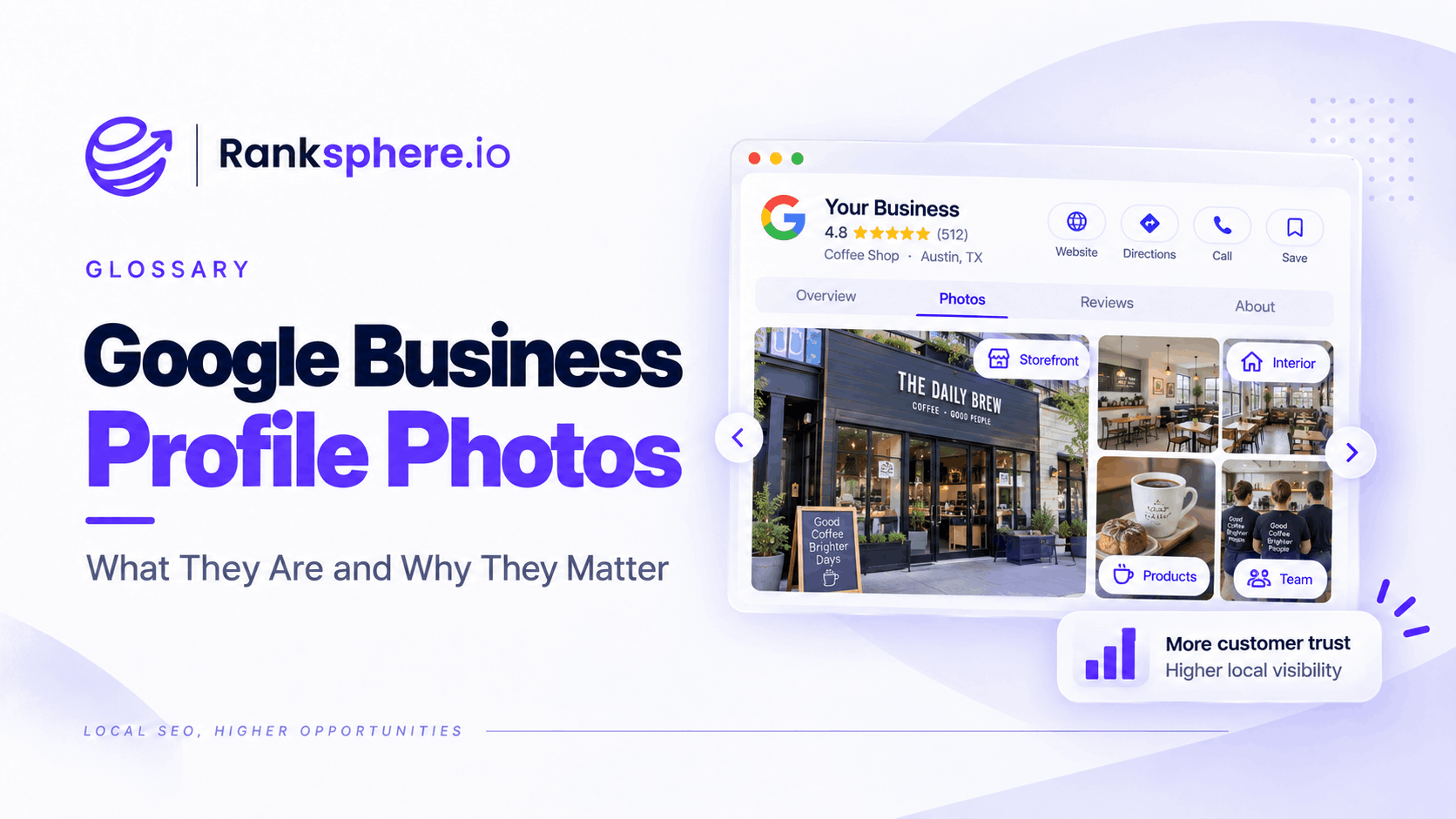
Google Business Profile photos are the images shown with a business across Google Search and Maps.
They can be uploaded by:
- The business
- Customers
- Other Google users where contribution features are available
Photos help potential customers understand what a business looks like, what it offers and what they can expect before visiting or making contact.
For a local business, that can matter at the moment someone is comparing several options in the local pack.
A current photo of:
- The premises
- The team
- Completed work
- Products
- Treatment rooms
- Food
often tells a prospective customer more than a generic marketing image ever could.
The goal is not to upload as many photos as possible.
It is to make sure the images accurately represent the business people will actually experience.
What are Google Business Profile photos?
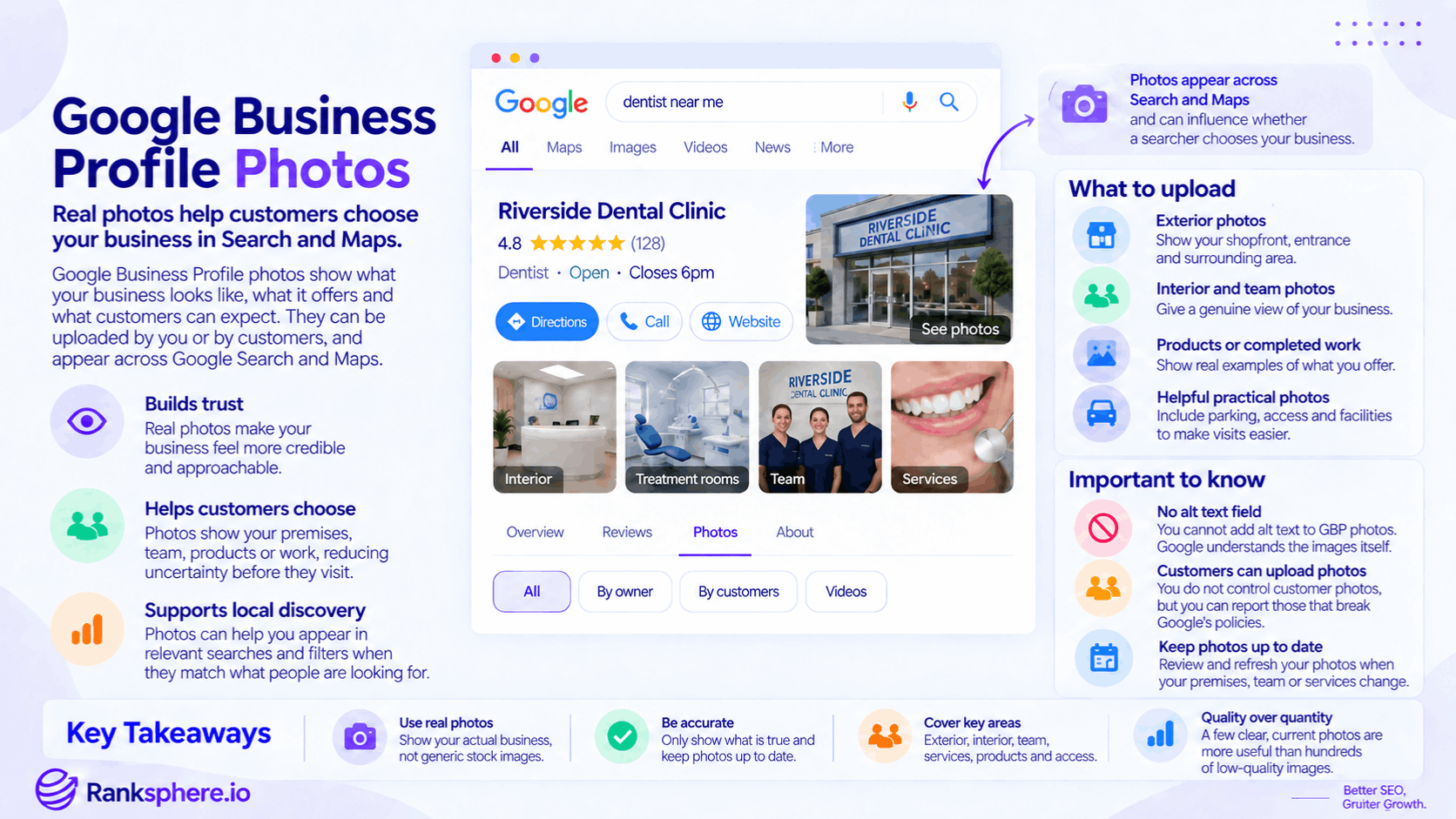
Google Business Profile photos are visual content associated with a local business listing.
Depending on the business and Google's interface, customers may see images in:
- Search results
- Google Maps
- The Business Profile
- Photo galleries
- Other Google local experiences
These images can help answer practical questions such as:
What does the entrance look like?
Is this a real clinic?
What type of work does this builder complete?
What does the restaurant actually serve?
For many businesses, photos are part of the decision process rather than decoration.
Why Google Business Profile photos matter
Photos can influence how comfortable someone feels choosing a business.
Imagine two barbers appearing next to each other in Google.
Both have:
- Similar ratings
- Similar review counts
- Similar locations
One profile has three old images.
The other has current photos showing:
- The shop
- The team
- Recent cuts
- The interior
The second listing gives the searcher much more information.
That does not guarantee the second business receives the click.
But it reduces uncertainty.
That is the real value of strong Business Profile photography.
Photos can help customers choose
Local search is often a comparison exercise.
A customer may open several businesses before deciding which one to:
- Call
- Visit
- Book
- Buy from
Photos can help communicate things that text cannot explain as quickly.
For example:
A hotel can describe its rooms.
A photograph shows them.
A landscaper can say:
We install porcelain patios.
A photograph shows the quality of the finished work.
For visually driven services, this can be particularly persuasive.
Photos build trust
Real photographs can make a Business Profile feel more credible.
Useful examples include:
- Actual premises
- Real employees
- Current equipment
- Completed projects
- Genuine products
This matters because local customers often want reassurance that:
the business exists
and:
it actually does what it claims to do.
Generic stock photography provides far less evidence of either.
Photos can reduce uncertainty before a visit
Some of the most useful Business Profile photos are not promotional at all.
They simply make a customer's visit easier.
For example:
- Building entrance
- Parking area
- Reception
- Accessible entrance
- Shopfront
- Where to check in
These images can be especially valuable for businesses where customers visit unfamiliar premises.
Google can understand image content
Google has sophisticated image-recognition systems capable of analysing visual content.
Business Profile photos do not have the same editable alt text field that website images do.
That means businesses cannot write a custom alternative-text description for each GBP photo in the way they can on their own website.
Google instead relies on its own systems and the wider context around the image.
This is another reason the photograph itself should clearly show what it is meant to represent.
Photos and Ask Maps
Ask Maps allows users to ask conversational questions about places.
Google can interpret a wide range of Maps information when answering those questions.
However, avoid presenting Business Profile photos as a confirmed standalone Ask Maps optimisation factor.
Google has not published a formula saying:
Upload photo X and Ask Maps will answer question Y.
The practical approach is simpler:
Make sure the business's visual and factual information accurately reflects the real place.
Photos are not a direct ranking shortcut
Uploading more photos does not automatically mean higher local rankings.
Do not turn the advice into:
Competitor has 100 photos, so we need 101.
Local visibility depends on a much broader combination of factors.
Photos are best treated as:
- Customer information
- Trust content
- Conversion support
- Profile maintenance
rather than a simple ranking lever.
Google Business Profile photo types
Google supports several kinds of visual content associated with Business Profiles.
The exact presentation can vary, but the main categories include:
- Logo
- Cover photo
- Business-uploaded photos
- Customer-uploaded photos
- Videos
Each serves a different purpose.
Logo
The logo helps identify the brand visually.
Use a clean, current version of the real business logo.
Avoid:
- Old branding
- Promotional banners
- Text-heavy graphics
The logo should work at relatively small display sizes.
Google controls exactly where and how it appears.
Cover photo
A cover photo lets the business indicate an image it would prefer to represent the listing prominently.
But setting a cover photo does not guarantee that Google will always show it as the first or primary image.
Google can choose different images depending on:
- Search context
- Device
- User
- Interface
Choose a strong cover photo, but do not build the entire visual strategy around the assumption that it will always appear first.
Additional business photos
These are the images the business can upload to show customers what it actually offers.
Useful categories depend on the business.
They might include:
- Exterior
- Interior
- Team
- Services
- Completed work
- Products
- Food
- Facilities
- Parking
- Accessibility
The best collection normally covers several aspects of the customer experience rather than showing the same subject repeatedly.
Customer photos
Customers can also upload photographs to Google.
These may show:
- Products
- Meals
- Premises
- Work completed
- Their own experience
Business owners do not have complete control over customer-uploaded imagery.
If a customer photo is simply unflattering but does not violate Google's policies, the business generally cannot remove it merely because it prefers a different image.
Content that genuinely violates Google's policies can be reported.
Customer photos can be valuable
Do not treat every user-uploaded image as a problem.
Authentic customer photos can make a profile more useful.
For example, restaurant customers may upload current images of:
- Dishes
- Portions
- Seating
- Atmosphere
Potential customers may trust those images precisely because they did not come from the business's marketing department.
Monitor them.
Do not try to control everything.
Videos
Businesses and users may also be able to contribute videos.
Short clips can be useful for showing:
- Premises
- Finished work
- Product demonstrations
- Atmosphere
- Facilities
Google applies technical requirements and moderation to uploaded media, so check current platform requirements when preparing a large video-upload programme rather than relying on an old length or file-size limit.
There is no GBP photo alt text field
This is an important distinction from website SEO.
For a normal website image, alt text can provide a textual alternative for accessibility and image understanding.
Google Business Profile does not provide business owners with an equivalent editable alt-text field for individual photos.
You therefore cannot optimise GBP images by writing:
Emergency plumber repairing burst pipe in Maidstone
into a dedicated alt field.
No such field exists.
Do file names matter?
Using descriptive file names before uploading is sensible for internal organisation.
For example:
dental-clinic-reception.jpg
is easier for your team to understand than:
IMG_4521.jpg
But there is no strong evidence that renaming Google Business Profile photos provides a meaningful local ranking advantage.
Do not spend significant SEO time renaming hundreds of files purely for ranking purposes.
File naming is housekeeping.
The actual visual content is far more important.
What about image geotagging?
Image geotagging involves adding geographic coordinates to EXIF metadata before uploading a photograph.
It has been promoted for years as a local SEO tactic.
There is no convincing evidence that adding GPS coordinates to Business Profile photos improves local rankings.
Do not confuse:
photo taken at a location
with:
Google uses EXIF coordinates as a local ranking signal.
Those are different claims.
If your local SEO strategy depends on geotagging JPEG files, effort is probably better spent elsewhere.
Use real photographs where possible
For most local businesses, genuine photography is more useful than generic stock imagery.
A real photo can show:
- What customers will see
- Who they may meet
- What work looks like
- What the premises are like
Stock photography cannot do that.
That does not mean every stock image is inherently harmful.
There may be legitimate uses elsewhere in marketing.
But for Business Profile imagery intended to represent:
this specific business
real photographs are usually more informative.
Exterior photos
Exterior photographs are particularly useful for businesses customers visit.
Take images from angles customers are likely to see when approaching.
Try to show:
- Shopfront
- Signage
- Entrance
- Building context
A photograph that helps someone recognise the premises can be more useful than a heavily edited promotional image.
Interior photos
Show the areas customers genuinely use.
Examples include:
- Reception
- Waiting room
- Treatment room
- Dining area
- Shop floor
- Showroom
Keep them current.
If the business has undergone a major refurbishment, old interior images may create the wrong expectations.
Team photos
Team photography can make service businesses feel more human and familiar.
Examples include:
- Dentists
- Solicitors
- Barbers
- Physiotherapists
- Tradespeople
Use current employees.
Do not leave former staff prominently displayed indefinitely if the image no longer represents the business.
Where identifying staff publicly is appropriate, make sure the business is comfortable doing so.
Completed work
For trades and project-based services, completed-work photography can be especially useful.
Examples include:
- Driveways
- Roofing
- Landscaping
- Kitchens
- Signage
- Flooring
These images give customers direct evidence of what the business produces.
Aim for:
- Clear photography
- Good lighting
- Genuine work
rather than heavily processed images that make the result difficult to assess.
Before-and-after photos
Where appropriate, before-and-after photography can be particularly useful.
It can work well for:
- Landscaping
- Cleaning
- Renovation
- Restoration
- Decorating
Make sure both images genuinely represent the same project.
Do not use unrelated before and after images to exaggerate results.
Products
Retail businesses can show:
- Products
- Displays
- Seasonal ranges
- Popular items
Use current images.
A customer should not discover after arriving that the product prominently shown on Google disappeared two years ago.
Food and hospitality
Restaurants, cafés and hospitality businesses have an obvious visual advantage.
Useful photographs include:
- Real dishes
- Drinks
- Seating
- Outdoor areas
- Interior atmosphere
Avoid editing food so heavily that the actual dish looks completely different.
Expectation gaps create bad customer experiences.
Parking and access
These are some of the most useful photos a local business can upload.
For example:
- Car park entrance
- Accessible entrance
- Ramp
- Main doorway
- Reception entrance
They are particularly valuable for:
- Clinics
- Restaurants
- Hotels
- Professional offices
Not every image needs to sell.
Some should simply help.
Photo quality matters
Business Profile photos do not need to look like a professional advertising shoot.
But they should normally be:
- Clear
- Well lit
- In focus
- Representative
Avoid images that are:
- Extremely dark
- Blurry
- Heavily filtered
- Misleading
The goal is to help someone understand the business.
Avoid excessive text overlays
Do not turn every photograph into an advertisement.
A photo covered in:
BEST DENTIST IN MANCHESTER – CALL NOW – 20% OFF
is much less useful as a photograph of the actual practice.
Promotional graphics have other places in marketing.
The core Business Profile gallery should mainly help customers see the business.
Keep branding current
If the company has:
- Rebranded
- Moved
- Changed signage
- Refurbished
update the photo library accordingly.
Old images are particularly confusing when they show a storefront or logo customers will no longer see.
You can remove your own outdated photos
Business-uploaded photos that no longer represent the company should be reviewed and removed where appropriate.
Examples include:
- Former premises
- Old branding
- Discontinued products
- Former team members
Do not delete useful older photographs simply because they are old.
Age alone does not make an image bad.
The question is whether it still accurately represents the business.
Customer photos require a different approach
You generally cannot remove another person's legitimate contribution just because:
- It is not professionally shot
- You dislike it
- A newer photo would look better
If the content violates Google's policies, report it through the appropriate process.
Otherwise, accept that customer-created content forms part of the public profile.
How often should you upload photos?
There is no Google rule saying:
Upload one photo every week
or:
Add four photos every month.
Use a cadence the business can sustain.
For some businesses, that might mean monthly.
For a trades company completing visual projects every week, uploads could happen more frequently.
For a professional office that rarely changes, less frequent updates may be enough.
The important thing is that the profile continues to represent the business accurately.
Fresh photos are useful, but not a proven ranking signal
A current photo library can reassure customers that:
- The premises still look the same
- The business is operating
- The services are current
But do not tell clients:
Google rewards you for uploading fresh photos every month.
There is no published rule establishing monthly photo freshness as a direct local ranking factor.
Update photos for customers first.
Audit the photo library periodically
A useful photo audit asks:
- Does the exterior still look like this?
- Is the branding current?
- Are these employees still here?
- Do we still sell these products?
- Are there useful customer photos?
- Are there inappropriate images that should be reported?
- Are important areas missing?
That is more valuable than simply counting images.
Google Business Profile photos for multiple locations
Photo management becomes more complicated for multi-location businesses.
Do not upload the same generic branch photo to every location if the branches look different.
Each profile should represent:
that location.
For example:
Location A may have:
- Street parking
- Modern reception
- Small treatment rooms
while Location B has:
- Private car park
- Older premises
- Larger waiting area
The photos should show those differences accurately.
Ranksphere's GBP management keeps photo libraries current across locations, helping teams maintain profile imagery without losing track of which photos belong to which branch.
Photos and E-E-A-T
Real business photography can support the broader impression that a company has genuine first-hand experience.
For example:
A roofing company showing:
- Its team
- Actual sites
- Completed roofs
provides stronger evidence of real activity than a site built entirely from generic roofing stock images.
That fits naturally with the broader idea of experience.
But do not turn this into:
Real GBP photos increase your E-E-A-T score.
Google does not provide such a score, and E-E-A-T should not be treated as a single local ranking metric.
Photos and conversions
Photos can influence conversion without changing rankings.
A business might remain:
Position 2
but become more attractive when customers compare it with:
Position 1
and:
Position 3.
That distinction matters.
SEO is not only about getting into the result.
It is also about what happens once the customer sees the business.
Measure more than rankings
If you improve a Business Profile's photography, look at broader performance where possible.
Depending on available data, that might include:
- Profile interactions
- Calls
- Website visits
- Bookings
Do not assume any change was caused solely by the photos.
Reviews, seasonality, ranking changes, advertising and other factors can move at the same time.
Look for trends rather than claiming simple causation.
Common Google Business Profile photo mistakes
- Using outdated images that no longer represent the business.
- Uploading only at profile setup and never reviewing the gallery again.
- Treating photo quantity as a ranking competition.
- Assuming recent uploads are a confirmed local ranking signal.
- Claiming descriptive file names meaningfully improve GBP rankings.
- Spending time geotagging images based on unsupported ranking claims.
- Using generic stock imagery where real photographs would provide more useful information.
- Ignoring customer-uploaded photos.
- Trying to remove legitimate customer images simply because they are unflattering.
- Keeping former premises or outdated branding visible after a move or rebrand.
- Uploading nearly identical images repeatedly.
- Covering photos with excessive promotional text.
- Assuming a cover photo will always be displayed first.
- Treating photographs as a substitute for accurate Business Profile information.
- Claiming photos directly improve E-E-A-T or Ask Maps visibility without evidence.
Google Business Profile photo best practices
- Use real images of the actual business wherever possible.
- Show the exterior and entrance for customer-facing locations.
- Include useful interior photos.
- Show real staff where appropriate.
- Photograph completed work for visual service businesses.
- Include current products or menu items where relevant.
- Add practical photos showing parking and access.
- Choose a strong cover image without assuming Google will always display it first.
- Keep images clear, current and representative.
- Review business-uploaded photos after a move, rebrand or refurbishment.
- Monitor customer photos periodically.
- Report only customer content that genuinely violates policy.
- Use descriptive file names for organisation, not as a ranking tactic.
- Skip EXIF geotagging unless you have another legitimate reason to use it.
- Update the library when the business has something genuinely useful to show.
- Measure customer actions alongside rankings rather than assuming photo changes caused performance changes.
Example
“Ashcroft Barbers has four Business Profile photos.
All four were uploaded when the shop opened several years ago.
Two show an old frontage that was replaced during a later refurbishment.
Another barber two streets away has a much fuller gallery showing:
- Current cuts
- Barbers at work
- Interior
- Shopfront
- Customer-uploaded images
Both businesses have comparable ratings and review counts.
Ashcroft does not assume:
The competitor ranks because it has more photos.
Instead, it looks at the profiles from a customer's perspective.
One business shows exactly what someone can expect today.
Ashcroft does not.
The shop takes new photographs of:
- The current exterior
- Interior
- Team
- Recent haircuts
Staff begin photographing selected finished cuts, with the customer's permission where necessary, whenever they have something useful to add.
Old business-uploaded images that no longer represent the shop are removed.
Over time, the profile becomes a much more accurate picture of the business.
If calls or profile interactions later increase, the team reviews those trends alongside:
- Ranking position
- Reviews
- Seasonal demand
rather than claiming that photos alone caused the improvement.
That is the useful role of Google Business Profile photography:
not to satisfy an image-count target or chase an unproven ranking signal, but to help customers see the real business, understand what it offers and feel more confident choosing it.”
See also
- Google Business Profile — where business photos are managed
- Alt text — accessibility text used on websites rather than Business Profile photos
- Local pack — where customers may first encounter the business
- Ask Maps — conversational place discovery within Google Maps
- Google Posts — another visual communication surface within the Business Profile ecosystem
- E-E-A-T — the broader concept of demonstrating real experience and credibility