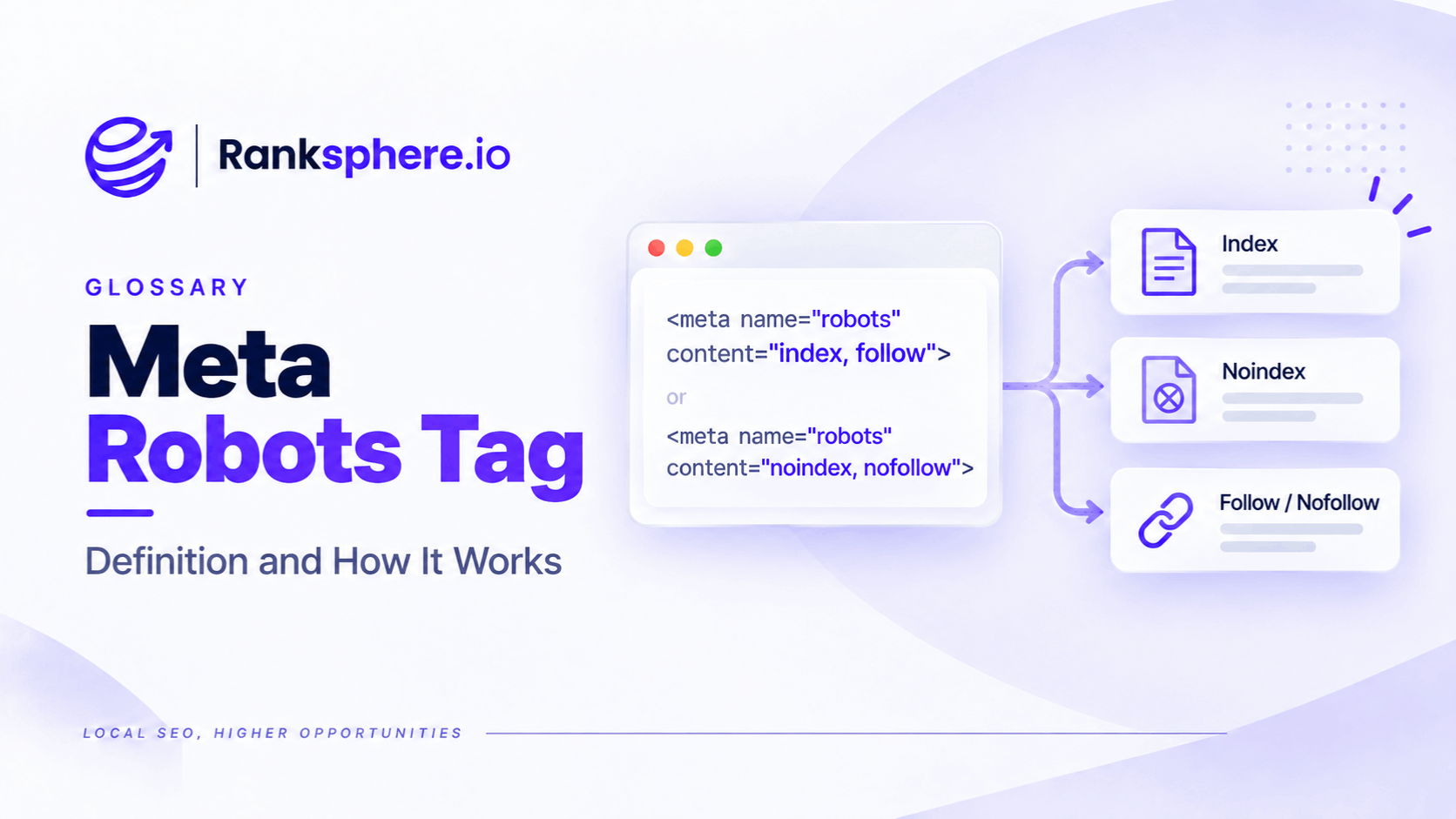
The meta robots tag tells search engines whether they can index a webpage, follow its links, and display its content in search results. For non-HTML files, such as PDFs and images, similar instructions can be provided through the X-Robots-Tag HTTP response header.
Most website owners are familiar with noindex, but that's only one of several available directives.
Others control how much content Google can display in search snippets, the size of image previews, and whether page content can be used as a direct input for AI Overviews and AI Mode.
Understanding these settings matters because a single incorrect directive can prevent an important page from appearing in Google Search.
How Does the Meta Robots Tag Work?
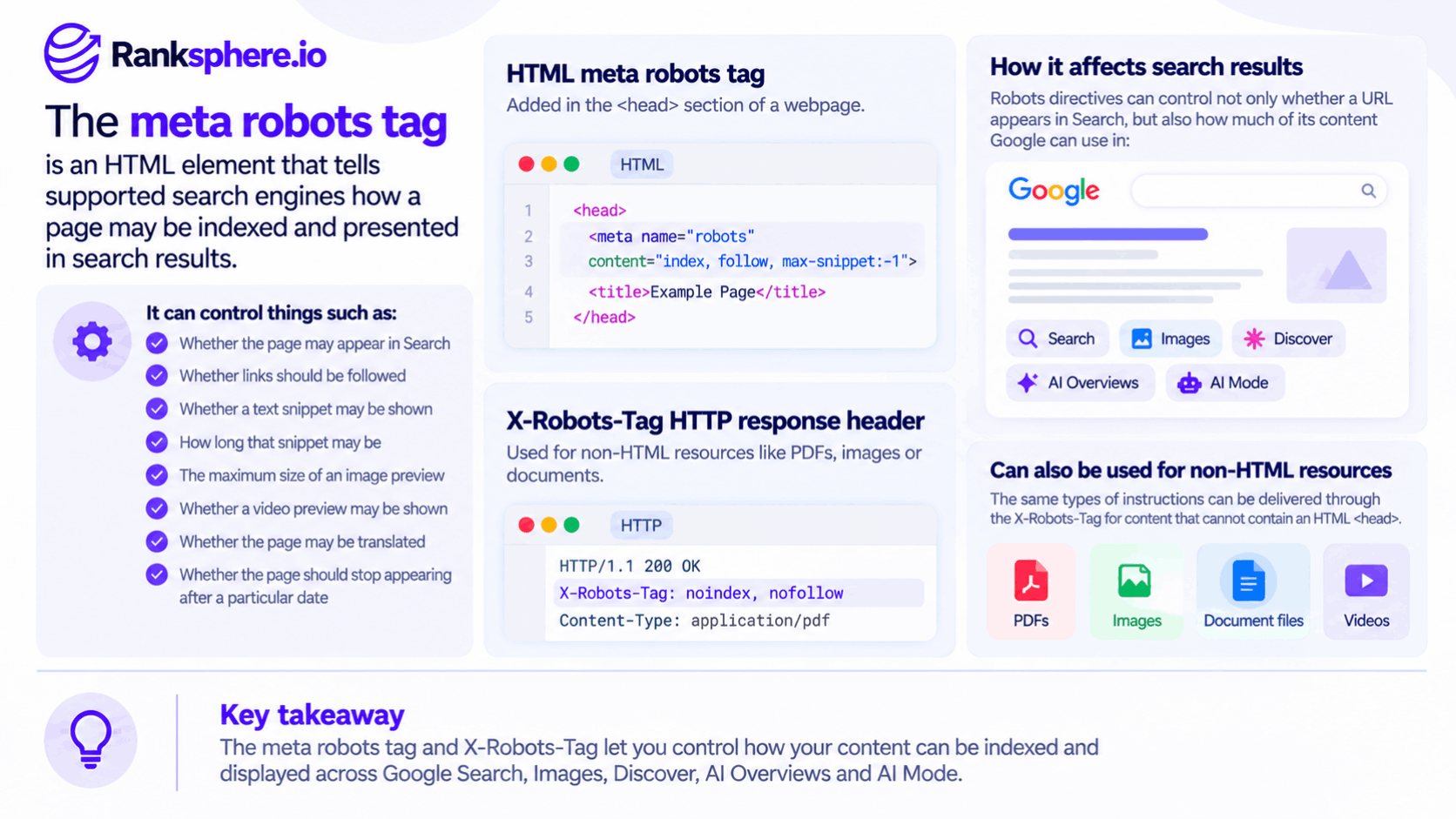
The meta robots tag sits inside the head section of an HTML page.
For example, a page using noindex tells supported search engines not to include that page in their search results.
A page using noindex, nofollow tells them not to index the page or follow its links.
The robots directive applies to crawlers that support it. You can also target Google specifically using googlebot, although most websites have little reason to set separate instructions.
For non-HTML resources, such as PDFs, images, and spreadsheets, the instructions can be sent through an HTTP response header.
For example:
X-Robots-Tag: noindex
This tells supported search engines not to index the resource.
Why Robots Directives Must Be Crawlable
One of the most common mistakes is blocking a URL in robots.txt while also expecting Google to follow its noindex directive.
Google needs to access a URL before it can read its robots meta tag or X-Robots-Tag header.
If crawling is blocked, Google may never discover the instruction.
The URL could still appear in search results if Google learns about it through links or other sources.
The distinction is straightforward:
- robots.txt controls whether crawlers can access a URL.
- noindex controls whether a crawled URL can appear in search results.
If you want Google to remove a page from its index using noindex, make sure Google can crawl the page.
Meta Robots Directives and What They Do
Google supports several robots directives, each designed for a different purpose.
Indexing and Link-Following Directives
- index / noindex — Controls whether a page may appear in search results. Indexing is allowed by default unless another restriction applies.
- follow / nofollow — Controls whether Google may follow links on the page. Following is allowed by default.
- none — Equivalent to noindex, nofollow.
- all — Allows unrestricted indexing and serving. This is already the default, so adding it is generally unnecessary.
- indexifembedded — Allows otherwise noindex content to be indexed when embedded within another page. It only works alongside noindex.
For pages you want excluded from Google Search, noindex is usually sufficient. You don't need to add follow simply because an older SEO checklist recommends it.
Search Snippet and Preview Directives
These directives control how Google may present your content in search results.
- nosnippet — Prevents Google from displaying a text snippet or video preview. It also prevents page content from being used as a direct input for AI Overviews and AI Mode.
- max-snippet:[number] — Sets the maximum number of characters Google can use in a text snippet. A value of 0 is equivalent to nosnippet, while -1 lets Google choose the length.
- max-image-preview:[none|standard|large] — Controls the maximum image preview size Google may display.
- max-video-preview:[number] — Limits the duration of a video preview in seconds.
- noimageindex — Tells Google not to index images on the page.
- notranslate — Prevents Google from offering a translated version of the page in search results.
- unavailable_after:[date] — Tells Google to stop showing a page in search results after a specified date or time.
There is also data-nosnippet, an HTML attribute that lets you exclude specific sections of a page from search snippets without restricting the entire page.
Is noarchive Still Supported?
Older SEO guides often include noarchive, which was used to prevent Google from showing cached copies of webpages.
Google no longer uses this directive because cached links have been removed from Google Search.
You may still encounter noarchive in older website configurations, but it should not be treated as an active Google Search control.
How Meta Robots Tags Affect AI Overviews and AI Mode
Robots directives are no longer relevant only to traditional search snippets.
Google also uses certain preview controls to determine how website content can be used in its AI-powered search features.
Two directives are particularly important.
nosnippet and max-snippet
The nosnippet directive prevents Google from displaying a text snippet for a page. Google also states that it prevents that page's content from being used as a direct input for AI Overviews and AI Mode.
The max-snippet directive works differently. Rather than suppressing the entire snippet, it limits the amount of text Google may use.
These controls give publishers some control over how their content is presented and used.
However, there is a trade-off.
Applying nosnippet broadly can remove useful information from ordinary search results while also restricting how the content is used in Google's AI features.
For a local business trying to attract customers through search, that may not be desirable.
A page doesn't need nosnippet simply because it contains AI-related content or because AI Overviews exist.
Use it when you have a specific reason to restrict previews.
Can You Opt Out of Google AI Overviews?
Google provides controls such as noindex, nosnippet, max-snippet, and data-nosnippet to restrict how content appears or is used in Search.
These controls have different effects, and they shouldn't be confused with the Google-Extended crawler control, which applies to certain uses in other Google AI systems.
Google Search Console also provides reporting for visibility in generative AI features, including AI Overviews, AI Mode, and generative AI experiences in Discover.
However, performance reporting is not the same as an opt-out setting.
Before restricting content, consider what you're trying to achieve and how the directive could affect your visibility in ordinary search results.
You can learn more about measuring visibility in impressions.
Should You Use max-image-preview?
For image-heavy websites, max-image-preview can be useful.
It permits Google to display larger image previews where appropriate.
That may be relevant to businesses that rely on visual content, such as:
- Roofing and construction companies
- Restaurants
- Hotels
- Interior designers
- Online retailers
However, allowing larger previews does not guarantee that Google will display them.
It also doesn't directly improve rankings or guarantee inclusion in AI Overviews.
The directive simply gives Google permission to use a larger image preview.
Where Meta Robots Tag Problems Usually Come From
Some of the most damaging indexing problems happen during routine website changes.
Common causes include:
- Staging settings accidentally carried over to the live website
- SEO plugins applying noindex to an entire page template
- Theme defaults affecting custom post types
- Developers adding noindex during testing and forgetting to remove it
- Server-level X-Robots-Tag headers overriding page settings
These issues can go unnoticed because the website may look and function normally.
Visitors can open the pages, but Google may be instructed not to index them.
After a launch, migration, redesign, or major website update, check the Page indexing report in Google Search Console.
Look for pages excluded because of a noindex directive.
You can also use URL Inspection to examine an individual page and determine whether Google is allowed to index it.
Ranksphere's website audit tool helps you review technical SEO issues across your website, making it easier to investigate problems affecting multiple pages.
Common Meta Robots Tag Mistakes
Several mistakes appear repeatedly in technical SEO audits.
- Blocking a page in robots.txt while using noindex. Google may never see the indexing instruction.
- Using noindex when the page should remain searchable. This can remove valuable content from search results.
- Applying nosnippet across an entire website. This restricts ordinary search previews and certain uses in Google's AI features.
- Ignoring X-Robots-Tag headers. A server-level directive can affect indexing even when the HTML page looks correctly configured.
- Forgetting downloadable files. PDFs can appear independently in Google Search and may need their own indexing instructions.
- Leaving staging directives enabled. A development setting can accidentally prevent live pages from being indexed.
- Combining conflicting directives. Instructions from a CMS, SEO plugin, or server can overlap, with Google applying the more restrictive valid rule.
The solution isn't to add more directives. It's to make sure each one serves a clear purpose.
Meta Robots Tag Best Practices
A few checks can prevent most indexing mistakes.
- Keep pages crawlable when Google needs to read their robots directives.
- Use noindex only for pages and resources that should not appear in search results.
- Remember that index and follow are already the defaults.
- Use X-Robots-Tag for PDFs and other non-HTML resources when appropriate.
- Consider max-image-preview for pages where larger images are desirable.
- Avoid nosnippet unless you have a clear reason to restrict text and video previews.
- Check both HTML directives and HTTP response headers when investigating indexing issues.
- Review robots settings after website launches, redesigns, migrations, and CMS changes.
Most importantly, don't apply robots directives simply because an SEO plugin or checklist recommends them.
Every restriction should have a reason.
Example
“Consider a dental practice that publishes patient-information guides on its website.
The practice has webpages explaining dental implants, root-canal treatment, and aftercare. It also provides downloadable PDF versions that patients can print.
After several months, the team notices that some PDFs are appearing in Google Search instead of the corresponding webpages.
The practice would prefer visitors to land on the webpages, where they can find additional information and book an appointment.
Adding a noindex meta tag to the website template won't solve the problem because the PDF files are separate resources.
Instead, the developer can configure the relevant PDF responses to include:
X-Robots-Tag: noindex
This tells Google not to index those PDF files while keeping them available for visitors to download.
The practice should not also block the PDF URLs in robots.txt, because Google needs to access the files to read the HTTP header.
Once Google recrawls and processes the URLs, the PDFs can be removed from its search results.
That doesn't guarantee the corresponding webpages will rank higher. It simply prevents the PDFs from appearing independently when they are not intended to.
The example illustrates an important point: indexing instructions must be applied to the actual resource you want to control.
For an HTML webpage, that usually means a meta robots tag. For PDFs and other non-HTML files, the X-Robots-Tag HTTP header is often the appropriate option.
The meta robots tag may be a small part of a website's technical setup, but it can have a significant effect on search visibility. Understanding what each directive does helps you avoid accidental indexing problems and make better decisions about how your content appears in Google Search.”
See Also
- Noindex — Preventing a page or resource from appearing in search results.
- Robots.txt — Controlling which URLs search engines can crawl.
- Indexing — Understanding how search engines discover and store webpages.
- Nofollow — Understanding link-following instructions.
- Impressions — Measuring how often content appears in search results.
- Technical SEO — Managing the technical factors that affect crawling, indexing, and search visibility.