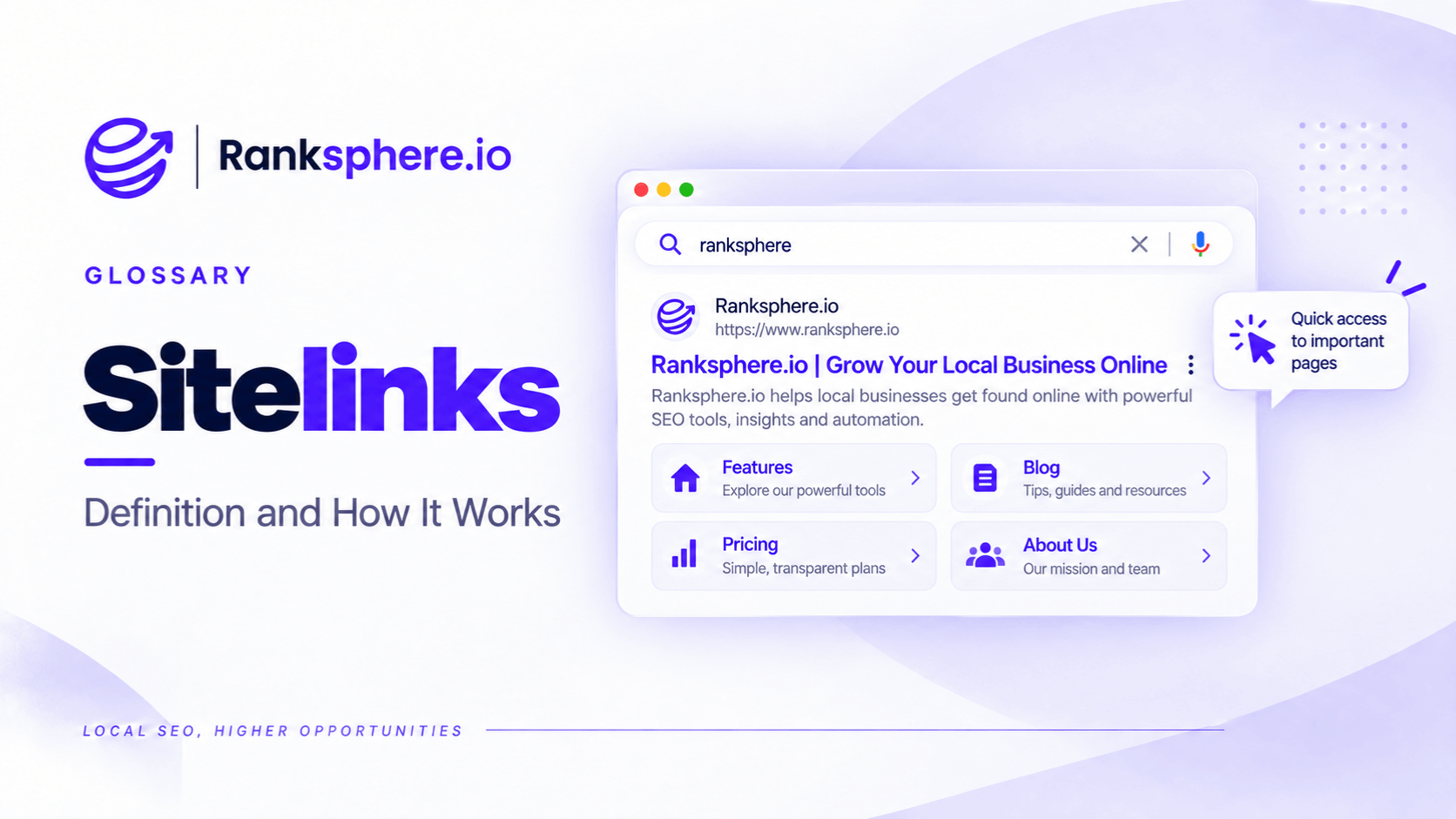
Sitelinks are additional links that Google sometimes displays beneath a website's main search result. They help people navigate directly to relevant pages without first visiting the homepage.
For example, someone searching for a dental practice by name might see links to its treatments, appointment booking, contact information, and pricing pages.
Instead of opening the homepage and searching for what they need, they can go straight to the relevant section.
Google generates sitelinks automatically. Website owners cannot manually choose which links appear, submit them for approval, or guarantee their inclusion in search results.
Sitelinks are particularly common for branded searches, where someone is already looking for a specific business or website.
For local businesses, they can make important information easier to find and reduce the steps a potential customer needs to take before making an enquiry.
However, sitelinks are not a ranking feature that businesses can activate through a plugin or schema markup. Their appearance depends on Google's automated systems.
What Do Google Sitelinks Look Like?
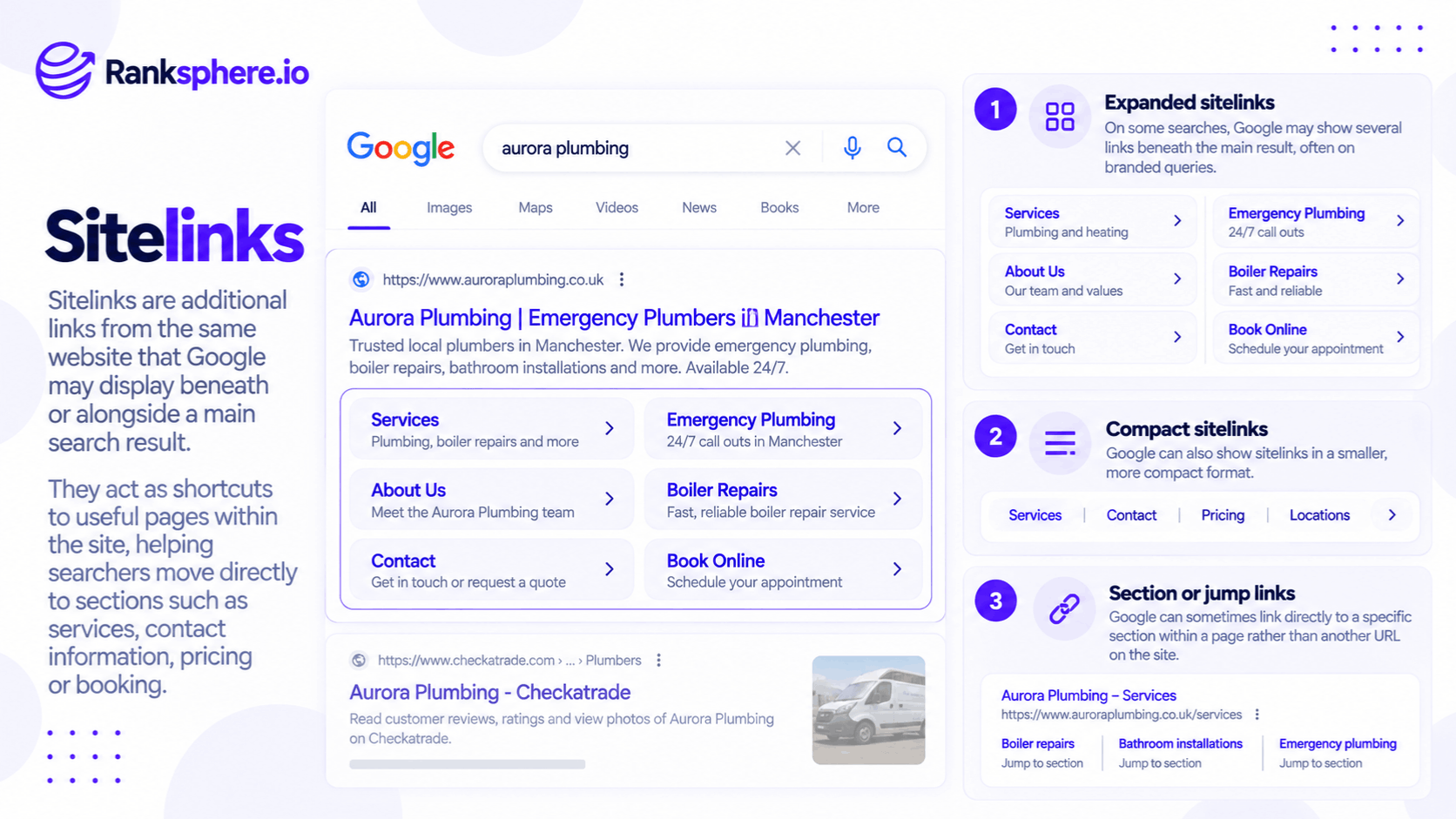
Sitelinks can appear in different layouts depending on the search query, device, and result.
Expanded Sitelinks
Expanded sitelinks appear as a group of links beneath the main search result.
For example, a search for a dental practice might display:
- Dental Treatments
- Book an Appointment
- Meet the Team
- Fees
- Contact Us
Some layouts also include short descriptions.
These expanded links are often associated with navigational or branded searches, although Google decides when they are useful.
Compact Sitelinks
Compact sitelinks appear as a smaller set of links beneath a search result.
They may be displayed in a row or another condensed layout, depending on the device.
For example, a roofing company could have sitelinks to its roof repair, roof replacement, and contact pages.
The format may change between mobile and desktop search results.
Jump-to Links
Google can also display links that take visitors to a specific section within a webpage.
For example, an article about roof replacement might have links to sections covering costs, materials, and installation times.
These differ from traditional sitelinks because they point to sections within one page rather than separate pages across a website.
Clear headings and meaningful page structure can help Google understand those sections.
A table of contents can also help visitors navigate a long article, although adding one doesn't guarantee jump links in search results.
Sitelinks Search Box — Discontinued
Google previously displayed a search box within certain search results, allowing users to search directly within a website.
This was called the sitelinks search box.
However, Google discontinued the sitelinks search box starting November 21, 2024.
The change applied globally.
Google confirmed that removing the feature didn't affect ordinary sitelinks or search rankings.
It is no longer something website owners need to optimise for.
How Does Google Choose Sitelinks?
Google's systems analyse a website's link structure to identify shortcuts that may help users find information.
Google only displays sitelinks when its systems determine they are useful and relevant to the search.
Website owners cannot directly control the selection.
However, Google documents several ways to improve the information its systems use.
Site Architecture
A logical site architecture helps organise important pages.
For example, a dental practice might structure its website around:
- Home
- Treatments
- About
- Fees
- New Patients
- Contact
Treatment pages can then sit within the relevant section.
This makes the relationship between pages easier for visitors and search engines to understand.
However, Google doesn't publish a required number of navigation items or a maximum page depth for sitelinks.
The important thing is a clear, usable structure.
Internal Linking
Google examines how pages link to one another.
Good internal linking helps visitors discover relevant pages and allows search engines to understand the relationships between them.
For example, a dental implants page might link to treatment costs, consultations, and aftercare information.
Important pages should be accessible through relevant links rather than hidden in difficult-to-navigate sections.
Clear Page Titles and Headings
Google recommends informative, relevant, and concise page titles and headings.
For example:
Dental Implant Costs
This clearly communicates the purpose of the page.
A title such as "Everything You Need to Know" provides less context.
Clear labels help users understand where a link will take them.
They also provide useful information to Google's systems.
Descriptive Anchor Text
Anchor text is the clickable text used in a link.
For example:
View our dental implant treatments.
This gives readers a clearer idea of the destination than:
Click here.
Google recommends concise, relevant anchor text for internal links.
However, repeatedly forcing exact-match keywords into links isn't necessary.
Breadcrumb Navigation
Breadcrumb navigation shows a page's position within a website's hierarchy.
For example:
Home → Treatments → Dental Implants
Breadcrumbs help visitors move between related sections and provide additional context about website structure.
They can support navigation, although they don't guarantee that Google will display sitelinks.
Can You Add Sitelinks to Google Manually?
No.
Google doesn't offer a setting in Search Console that allows businesses to select or request regular organic sitelinks.
There is also no dedicated structured data type that guarantees their appearance.
For example, adding navigation markup or a list of important URLs to a webpage doesn't instruct Google to display those pages as sitelinks.
Google decides whether to show them and which destinations are most relevant.
This is worth understanding when evaluating SEO services.
An agency can improve website navigation, internal linking, titles, and page structure.
However, it cannot guarantee that Google will generate a particular set of sitelinks.
How to Improve Your Chances of Getting Sitelinks
You cannot force Google to display sitelinks, but you can make your website easier to navigate and understand.
1. Keep Your Main Navigation Clear
The main menu should help visitors find important sections quickly.
For example, a plumbing business may need clear links to:
- Plumbing Services
- Boiler Repairs
- Emergency Plumbing
- About
- Contact
Avoid unnecessary navigation items that make important pages difficult to find.
However, reducing the menu to a specific number of links isn't a confirmed Google sitelinks requirement.
2. Make Important Pages Easy to Reach
Pages such as services, contact information, booking, and pricing should be easy to find where relevant.
For example, a dental practice shouldn't require visitors to navigate through several unrelated pages before reaching appointment booking information.
Improve the navigation because it helps users, not simply to influence sitelinks.
3. Write Distinct Page Titles
Each important page should have a title that accurately describes its purpose.
For example:
- Dental Treatments
- Dental Implant Costs
- Meet Our Dentists
- Book an Appointment
Avoid generic titles that could apply to several different pages.
4. Use Relevant Internal Links
Link to important pages from other relevant sections of the website.
For example, a treatment overview page can link to individual treatment pages.
Use natural, descriptive anchor text.
Don't create excessive links solely to make certain pages appear more important.
5. Review Outdated or Unnecessary Pages
Check whether old pages are still linked prominently.
For example, a dental practice may have a staff page for a dentist who no longer works there.
If the information is outdated, update the page or handle it appropriately.
The correct action depends on whether the page still serves a useful purpose.
6. Audit Your Website Structure
A website audit can help identify problems with navigation, internal links, and important page accessibility.
Ranksphere's Website Audit Tool helps review technical website issues, including internal linking and site structure.
This can help identify areas worth improving.
However, an audit cannot tell Google which sitelinks to display.
How to Remove Unwanted Sitelinks
Google previously offered a sitelink demotion feature in Search Console.
Website owners could use it to indicate that a particular URL shouldn't appear as a sitelink.
That feature was retired, and there is no direct replacement.
Today, the available options are indirect.
Review the Page's Internal Links
Check why the unwanted page may be prominent within the website.
For example, an outdated article might be linked from the homepage and several navigation sections.
If those links no longer help visitors, consider updating or removing them.
However, changing internal links doesn't guarantee Google will stop displaying the page as a sitelink.
Improve Navigation Labels
If the links displayed by Google are confusing, review the relevant page titles, headings, and internal link text.
Clearer descriptions may help Google's systems understand the destination.
Update or Redirect Outdated Pages
If a page has permanently moved, a relevant permanent redirect may be appropriate.
For example, if a dental practice has replaced an old treatment page with an updated one, the old URL may be redirected to the new equivalent.
Redirects should lead to genuinely relevant destinations.
Use Noindex Only When Appropriate
Google recommends considering noindex when a page needs to be removed from search results.
However, noindex removes a page's eligibility for Google Search indexing generally, not just its appearance as a sitelink.
That makes it unsuitable for a useful page that you simply don't want displayed beneath a particular search result.
For example, a business shouldn't noindex its contact page merely because it would prefer Google to display its booking page instead.
Use noindex only when removing the page from organic search is genuinely the intended outcome.
Do Sitelinks Improve SEO?
Sitelinks can improve how a search result is presented, but they shouldn't be confused with a direct ranking improvement.
They Can Make Navigation Easier
Someone looking for appointment information may be able to reach the booking page directly.
This reduces the number of steps required to find the information.
They May Improve Search Result Engagement
Sitelinks provide additional navigation options within the same search result.
That can make the listing more useful.
However, they don't guarantee a higher click-through rate or more conversions.
They Don't Automatically Improve Rankings
Having sitelinks doesn't mean Google has awarded a website a special ranking boost.
They are a search appearance feature generated when Google's systems consider them useful.
They Don't Replace Website SEO
A business still needs relevant content, accessible pages, appropriate internal links, and a well-organised website.
Sitelinks are a possible result of a clear website structure, not a substitute for SEO work.
Common Sitelinks SEO Mistakes
- Treating sitelinks as a guaranteed deliverable. Google decides whether to display them.
- Looking for sitelinks schema. No structured data type guarantees regular organic sitelinks.
- Trying to use the retired demotion tool. It is no longer available.
- Optimising for the discontinued sitelinks search box. Google removed this feature in November 2024.
- Using unclear page titles. Generic titles make destinations harder to understand.
- Overcomplicating navigation. Important pages can become difficult for visitors to find.
- Adding unnecessary internal links. Repetition doesn't guarantee sitelink selection.
- Using noindex to remove only a sitelink. This can remove the entire page from search eligibility.
- Expecting immediate changes. Google determines when to update search appearances.
- Focusing on sitelinks instead of usability. Better navigation should be the primary objective.
Sitelinks Best Practices
- Build a logical website hierarchy.
- Keep the main navigation clear and useful.
- Make important pages easy to reach.
- Write descriptive, distinct page titles.
- Use informative headings.
- Link internally with relevant anchor text.
- Add breadcrumbs where they improve navigation.
- Update or redirect outdated pages appropriately.
- Review unwanted sitelinks before making changes.
- Reserve noindex for pages that shouldn't appear in search.
- Check branded search results periodically.
- Treat sitelinks as an automated search feature, not a guaranteed SEO outcome.
These practices are worthwhile even if Google never displays expanded sitelinks for the website.
Example of Sitelinks for a Dental Practice
Consider a hypothetical dental practice called Redhill Dental.
When someone searches for the practice by name, Google displays several sitelinks.
However, they point to pages that aren't especially useful to prospective patients.
For example:
- An old charity event article
- The privacy policy
- A former dentist's staff profile
- An outdated information page
Meanwhile, the practice's treatments, pricing, and appointment pages aren't displayed as sitelinks.
What the Agency Finds
The agency reviews the website structure.
It discovers that:
- The main navigation contains too many unrelated links.
- Treatment pages are difficult to reach.
- Several important pages have vague titles.
- The old charity article is linked prominently throughout the website.
- The former dentist's profile remains accessible through staff navigation.
These issues make navigation less useful, regardless of the sitelinks Google has selected.
What the Agency Changes
The agency reorganises the navigation around the information patients are most likely to need.
The updated menu includes:
- Treatments
- Fees
- New Patients
- About
- Contact
- Book an Appointment
Important treatment pages receive clearer titles and are linked from the relevant sections.
The charity article remains available where appropriate but is no longer promoted through unrelated navigation.
The outdated staff profile is reviewed and handled based on whether the page still serves a useful purpose.
What Happens Next?
The agency periodically checks the practice's branded search results.
Google may eventually choose a different set of sitelinks as it processes the website changes.
However, the agency cannot guarantee which pages will appear or when any change will happen.
The immediate improvement is that patients can find the information they need more easily.
Example Shows
“The original problem wasn't simply that Google had chosen the wrong sitelinks.
The website itself had a confusing structure.
Improving navigation, page titles, and internal linking helped address that underlying problem.
Any improvement in sitelinks would be a possible additional benefit.
Sitelinks are generated by Google, not requested by website owners.
For local businesses, the best approach is to build a website that makes important pages easy to find. Google may then display some of those pages as sitelinks when they are useful for a particular search.”
See Also
- SERP Feature — Additional elements that appear within search results.
- Site Architecture — Organising website pages into a logical hierarchy.
- Internal Linking — Connecting important pages within a website.
- Title Tag — Helping users and search engines understand a page's subject.
- Breadcrumb Navigation — Showing the relationship between pages and sections.
- Brand SERP — The search results displayed when someone searches for a business or brand name