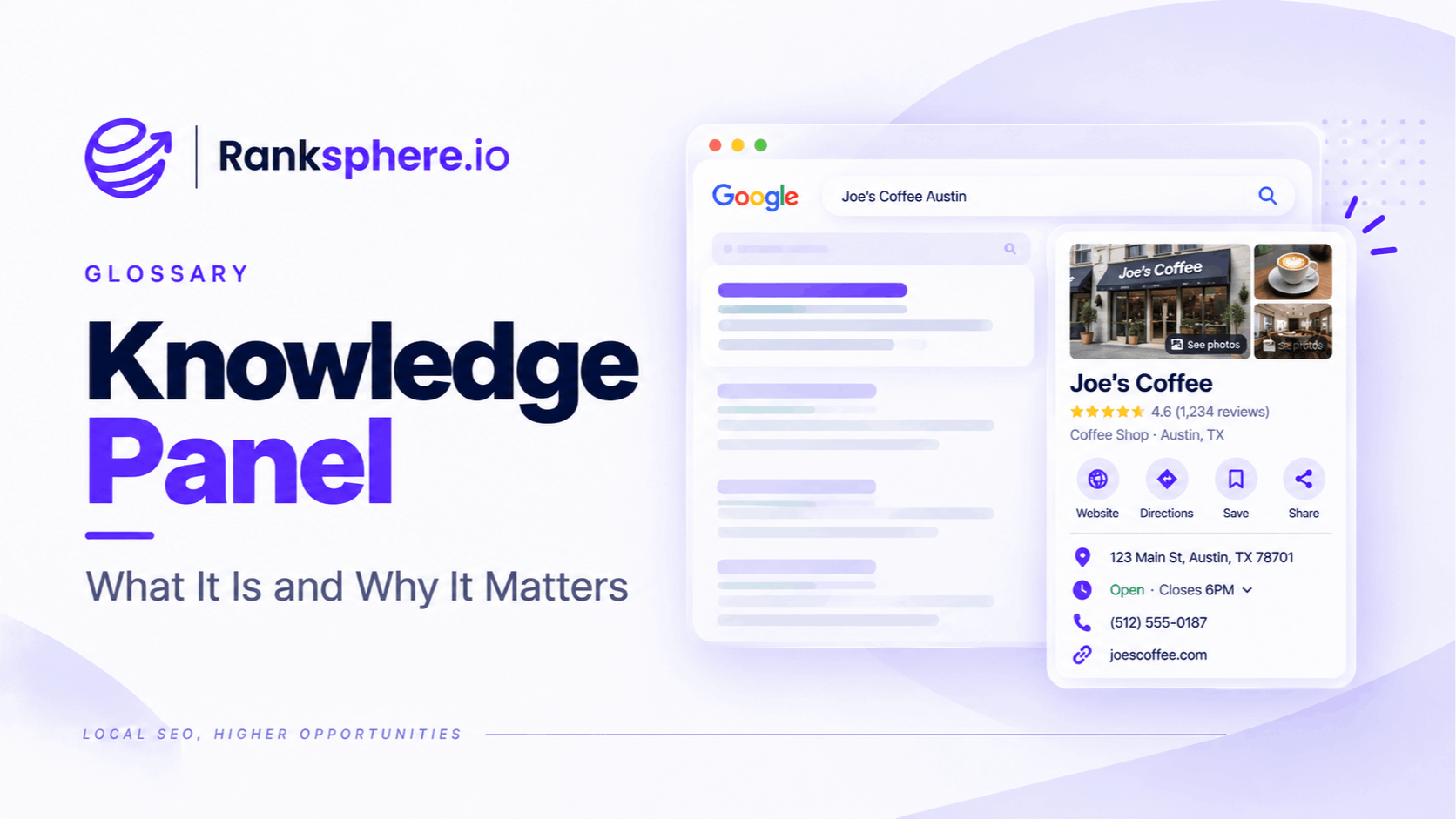
A knowledge panel is an information box Google may show in search results when it recognises a person, business, place, organisation or other entity.
The panel brings together key facts about that entity so users can understand important information without visiting several different pages.
For a local business, this information is often closely connected to its Google Business Profile.
A branded search for a business may show details such as:
- Business name
- Address
- Opening hours
- Phone number
- Website
- Reviews
- Photos
- Directions
That type of result is sometimes casually referred to as a knowledge panel, although Google's local business interfaces and broader entity Knowledge Panels are not always exactly the same product.
The useful distinction is simple:
Google Business Profile manages much of the information shown for a local business.
The Knowledge Graph helps Google understand the underlying entity.
What is a Google Knowledge Panel?
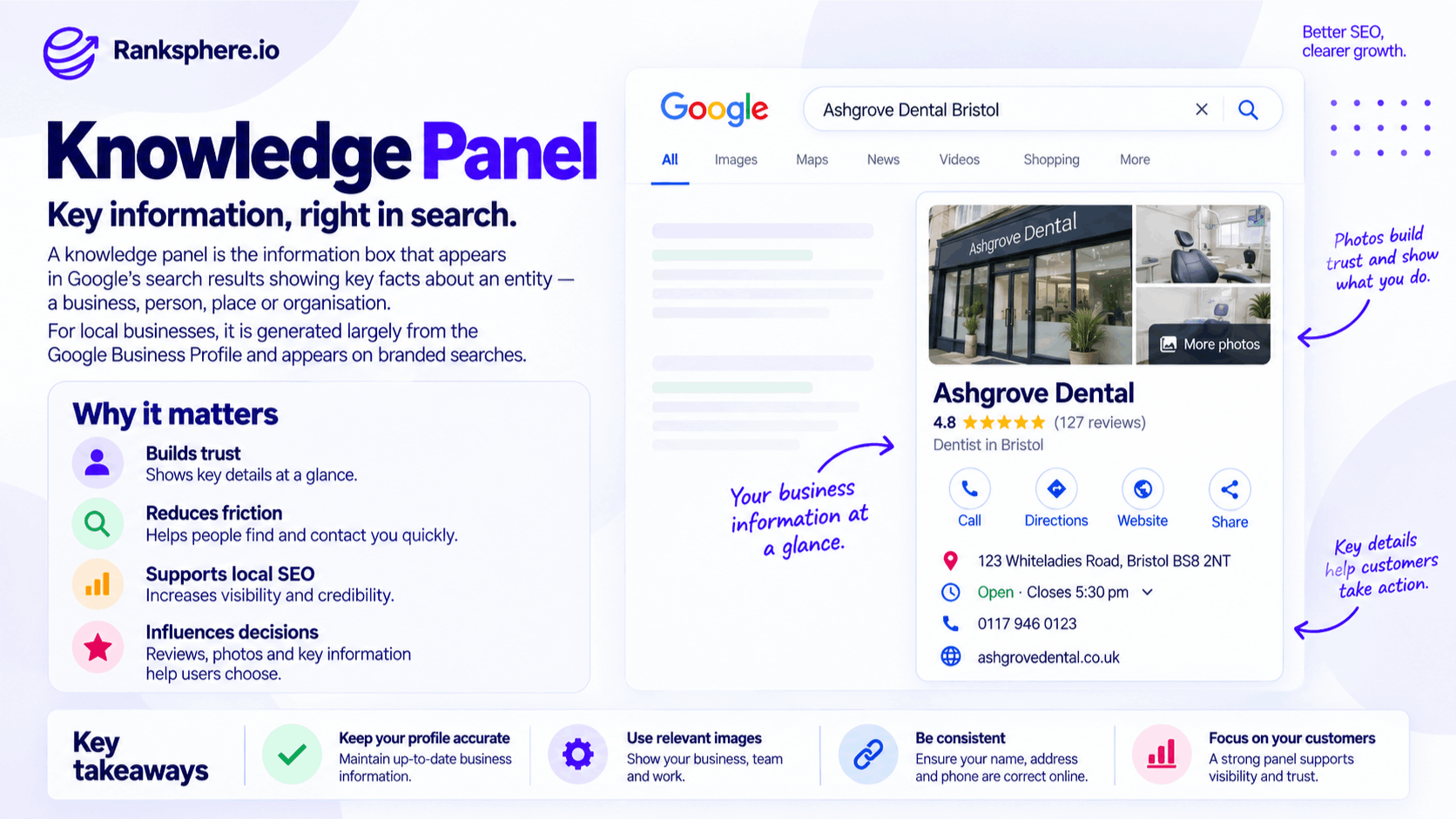
A Google Knowledge Panel presents information about a recognised entity.
That entity might be:
- A company
- A person
- A landmark
- A university
- A sports team
- A local business
The exact information displayed depends on the entity and the search.
For example, a panel for a famous author might show:
- Date of birth
- Books
- Awards
- Related people
A panel or business information box for a local restaurant might instead show:
- Address
- Hours
- Reviews
- Phone number
- Photos
- Directions
Google decides what information is useful for that particular entity and query.
Knowledge Panel vs Google Business Profile
These two are closely related, but they are not the same thing.
A Google Business Profile is the profile a local business can claim and manage.
It lets the business provide information such as:
- Business name
- Category
- Address or service area
- Phone number
- Website
- Hours
- Services
- Photos
Google may then use that information across:
- Search
- Maps
- Local results
- Business information panels
The visible panel is the search interface.
The Business Profile is one of the important sources behind it.
Knowledge Panel vs Knowledge Graph
The Knowledge Graph and a knowledge panel are also different.
A simple way to think about them is:
Knowledge Graph = Google's underlying understanding of entities and relationships
Knowledge Panel = one way some of that information may be displayed in Search
The panel is the visible result.
The Knowledge Graph is part of the underlying entity system.
A business can be clearly understood by Google without receiving a large Wikipedia-style knowledge panel.
What appears in a local business panel?
The content varies by business, query, country and device.
Depending on what Google has available, a local business result may include:
- Business name
- Primary category
- Address
- Phone number
- Website
- Directions
- Opening hours
- Reviews and rating
- Photos
- Services
- Attributes
- Booking options
- Busy periods
- Related businesses or entities
Not every business receives every feature.
Google can also change the interface over time.
That is why businesses should focus on maintaining accurate underlying information rather than trying to control the exact layout.
Reviews in the knowledge panel
Reviews can be highly visible in local business results.
Users may see:
- Average rating
- Number of reviews
- Individual review excerpts
This makes reviews important for both visibility and customer decision-making.
A potential customer searching specifically for the business may encounter its rating before visiting the website.
That is one reason ongoing review management matters.
But reviews should not be treated simply as decoration for a knowledge panel.
They reflect genuine customer experience and contribute to the wider online reputation of the business.
Photos
Photos can also play an important role in how a local business appears.
Depending on the business, useful images might include:
- Exterior
- Interior
- Team
- Products
- Completed work
- Logo
Use genuine, current photography wherever possible.
For a customer trying to decide between several businesses, real images often communicate more than generic stock photography.
Opening hours
Incorrect opening hours can create immediate problems.
A potential customer searching:
Is [business] open today?
may rely on the information displayed directly in Google rather than visiting the website.
Keep:
- Standard hours
- Holiday hours
- Temporary closures
up to date.
This is especially important around:
- Public holidays
- Seasonal periods
- Temporary changes
Services and attributes
Google Business Profile allows many businesses to provide additional information about what they offer.
Depending on the category, that can include:
- Services
- Amenities
- Accessibility information
- Payment options
- Appointment options
Complete the fields that genuinely apply.
Do not add services or attributes simply because you think they may improve SEO.
Accuracy matters more.
Related businesses
Google may sometimes display related entities or businesses around a branded result.
That could give a user other options to explore.
This is one reason branded search should not be treated as automatically “won” simply because the user already knows the company name.
The business still needs to present:
- Accurate information
- Strong reviews
- Useful photos
- Clear opening hours
A branded search is still part of the customer journey.
How does a local business get a knowledge panel?
There is no separate form where a local business applies specifically for a knowledge panel.
The practical route is to establish and maintain an accurate Google Business Profile.
Start by:
- Claiming the correct business profile.
- Completing verification.
- Providing accurate business information.
- Maintaining hours, services and categories.
- Adding genuine photographs.
- Building and responding to customer reviews.
Google decides how that information appears in Search.
A verified profile improves your ability to manage business information, but it does not guarantee a particular panel design or feature set.
Complete the Google Business Profile
Do not leave important fields empty simply because the business already appears in Google.
Review:
- Business name
- Primary category
- Secondary categories
- Address or service area
- Phone number
- Website
- Opening hours
- Services
- Attributes
- Photos
The profile should represent the business accurately.
Do not add information simply to make it appear more complete.
Keep NAP accurate
NAP refers to:
Name
Address
Phone number
The underlying information should remain accurate across important sources.
It does not have to be character-for-character identical.
For example:
10 High Street
and:
10 High St
can represent the same location.
The real problem is conflicting information such as:
- Old addresses
- Previous phone numbers
- Incorrect business names
Fix meaningful inconsistencies rather than obsessing over punctuation.
Does schema markup create a Knowledge Panel?
No.
LocalBusiness schema can help describe a local business on its own website.
It may include information such as:
- Business name
- Address
- Phone
- Opening hours
- URL
That structured information can help search engines interpret the page.
But adding schema does not guarantee:
- A Knowledge Panel
- Better local rankings
- A particular panel feature
Structured data describes the business.
Google still decides what information to use and display.
What about sameAs?
The sameAs property can reference authoritative profiles associated with the same entity.
For example:
- Relevant professional profiles
This can add useful identity context.
But it should not be treated as a direct command to create or expand a Knowledge Panel.
Use it where it accurately represents the business.
Do not add every directory profile you can find.
Ranksphere's schema generator produces valid LocalBusiness markup including sameAs, helping create structured business information where those relationships are appropriate.
Claiming a local business panel
For a local business, management normally happens through Google Business Profile.
If something such as:
- Address
- Opening hours
- Phone number
- Category
is wrong, check the Business Profile first.
Update the underlying information there rather than trying to edit only what appears on the search page.
Claiming a non-local Knowledge Panel
A broader Knowledge Panel for:
- A person
- Organisation
- Brand
- Public figure
can work differently.
Where Google provides a claim option, an authorised representative may be able to verify their relationship to the entity and suggest changes.
Claiming the panel does not provide complete editorial control.
Google still determines which information appears.
Can anyone edit a Knowledge Panel?
Users can sometimes suggest changes to information shown in Google.
For local businesses, suggested edits may affect Business Profile information.
That means businesses should periodically check for:
- Incorrect hours
- Wrong categories
- Address changes
- Closure status
- Other unexpected updates
Do not assume every edit comes from a competitor.
Suggestions can come from:
- Customers
- Local users
- Google systems
- Other data sources
The important thing is to monitor the profile and correct inaccurate information promptly.
Business marked permanently closed
One particularly serious error is a business being shown as:
Permanently closed
when it is still operating.
That can immediately discourage:
- Calls
- Visits
- Directions
- Bookings
If this happens, review the Business Profile and use the appropriate correction process.
Also investigate whether inaccurate information exists elsewhere.
Do not assume changing one field guarantees every Google surface will update immediately.
Monitoring profile changes
Google Business Profile information can change over time.
Set up whatever account notifications are available and review important profile details regularly.
Pay particular attention to:
- Business name
- Category
- Hours
- Phone
- Address
- Website
- Closure status
For multi-location businesses, this becomes even more important because manually checking every profile can be time-consuming.
Ranksphere's GBP management keeps profile data complete and monitored across locations, helping teams identify changes that might otherwise go unnoticed.
Can you buy a Google Knowledge Panel?
No legitimate company can guarantee that Google will create a Knowledge Panel simply because you pay them.
An SEO consultant may legitimately help with:
- Entity clarity
- Structured data
- Business Profile optimisation
- Citation corrections
- Website information
Those activities may improve the quality and consistency of information available to Google.
That is different from selling:
“Guaranteed Google Knowledge Panel inclusion.”
Be cautious with anyone making that promise.
Does every business need a Knowledge Panel?
No.
A business does not need a large Wikipedia-style panel to succeed in search.
For most local companies, more important goals include:
- Accurate Google Business Profile information
- Strong local visibility
- Useful website pages
- Genuine reviews
- Correct contact details
- Easy booking or enquiry
Do not make obtaining a Knowledge Panel an SEO objective for its own sake.
The objective is to make the business easy to find and understand.
Knowledge Panels and entity SEO
A Knowledge Panel can be one visible sign that Google has information about an entity.
But entity SEO should not be reduced to:
“How do we get a panel?”
The broader work is making the organisation easy to identify.
That includes:
- Clear business information
- Accurate profiles
- Consistent underlying data
- Relevant structured data
- Legitimate third-party references
Even if no panel appears, those improvements can still be useful.
Knowledge Panels and AI search
Clear entity information can also support search experiences that use generative AI.
If an AI system needs to answer:
What time does Ashgrove Dental close today?
it needs reliable information about:
- Which Ashgrove Dental
- Which location
- Current opening hours
Maintaining accurate business data helps reduce ambiguity.
But do not assume a Knowledge Panel automatically causes a business to appear in AI-generated answers.
The systems are related through Google's wider understanding of entities and Search, but there is no simple:
Knowledge Panel → AI citation
rule.
Knowledge Panels and local search
Knowledge panels, business information panels and the local pack can all draw from overlapping local business information.
But they serve different user experiences.
The local pack helps people compare nearby businesses.
A branded business panel helps someone understand one specific business.
Both depend on maintaining accurate underlying information.
Common Knowledge Panel mistakes
- Thinking a Knowledge Panel can simply be purchased.
- Confusing the Knowledge Panel with the Knowledge Graph.
- Assuming every verified business automatically receives the same panel.
- Treating the panel as nothing more than a copy of Google Business Profile.
- Ignoring profile information after verification.
- Assuming Google Posts, Q&A or every other feature always appears.
- Leaving opening hours or services outdated.
- Believing LocalBusiness schema automatically creates a panel.
- Treating sameAs as a Knowledge Panel trigger.
- Ignoring customer reviews because the website ranks well.
- Assuming every suggested edit is malicious.
- Expecting profile corrections to appear everywhere instantly.
Knowledge Panel best practices
- Claim and verify the correct Google Business Profile.
- Keep business information accurate and current.
- Choose categories that genuinely describe the business.
- Maintain opening and holiday hours.
- Add useful, original photographs.
- Build and respond to genuine reviews.
- Check important profile details regularly.
- Correct inaccurate information at its source.
- Keep core entity information consistent across important websites.
- Use LocalBusiness schema accurately where appropriate.
- Treat sameAs as supporting identity information, not a panel guarantee.
- Focus on helping customers rather than trying to fill every possible search feature.
Example
“Trentham Opticians searches its business name and discovers that Google is showing the practice as:
Permanently closed
The business is still operating.
The mistake matters immediately because someone searching specifically for Trentham Opticians may assume there is no reason to:
- Call
- Visit
- Request directions
- Book an appointment
The practice corrects the business information through its Google Business Profile and reviews other important sources to make sure the closure status is not being repeated elsewhere.
While checking the profile, the team finds several other neglected areas.
Opening hours need updating.
The service information is incomplete.
The photographs are several years old.
The business description no longer reflects the services the practice provides.
Those are corrected too.
The lesson is not simply:
“Check your Knowledge Panel.”
It is that the search result shown for your own brand is part of the customer experience.
If the information is incomplete or wrong, the website may never get the chance to correct the impression.
A strong local business panel starts with accurate information, active profile management and a clear underlying business identity — not with trying to manipulate the panel itself.”
See also
- Knowledge graph — Google's underlying system for understanding entities and their relationships
- Google Business Profile — an important source of local business information
- Entity — the person, business, place or organisation represented
- Online review — customer feedback that can appear prominently in local search
- Google Posts — updates businesses can publish through Google Business Profile
- Local pack — Google's prominent group of local business results