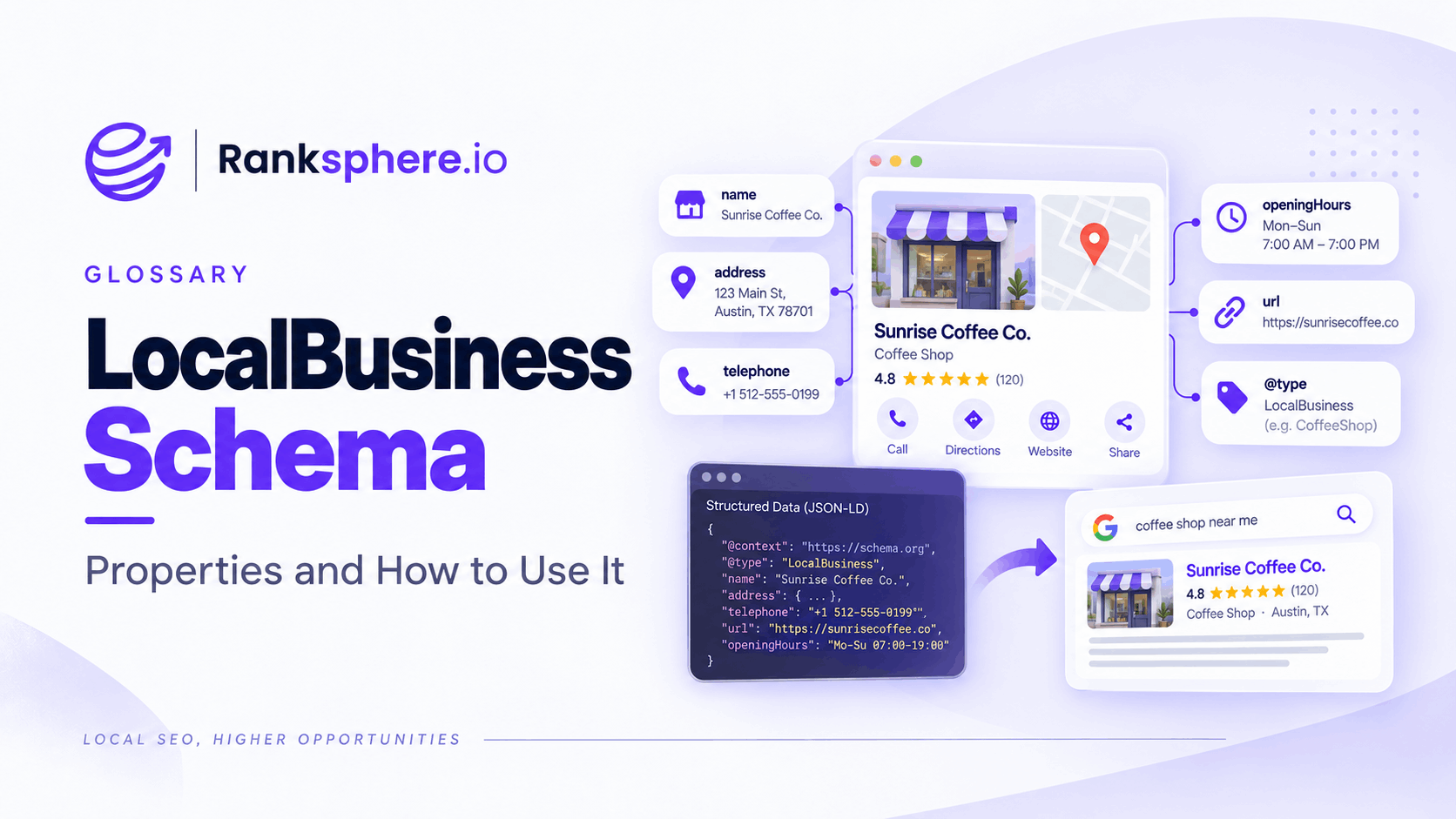
LocalBusiness schema is structured data used to describe a local business or individual business location in a machine-readable format.
It can provide information such as the business name, address, telephone number, opening hours, geographic coordinates and website. More specific Schema.org types can also identify what kind of business it is, such as a dentist, restaurant, plumber or roofing contractor.
LocalBusiness is a subtype of Organization, and Google recommends using the most specific appropriate subtype when one exists.
For local SEO, the purpose is straightforward: make important business information easier for search engines to interpret without relying entirely on the surrounding page copy.
LocalBusiness structured data is part of the wider use of schema markup.
Why LocalBusiness schema matters
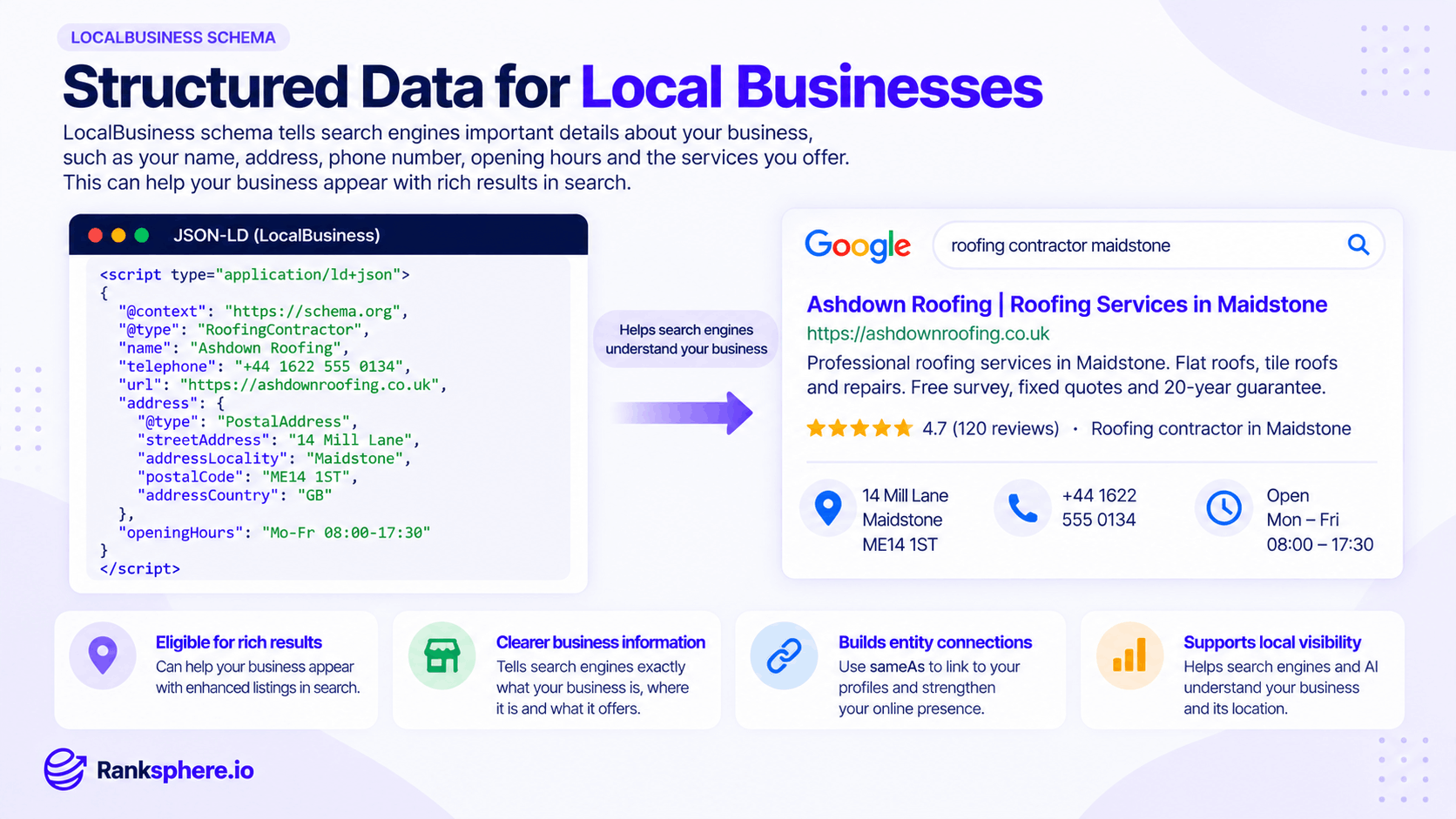
A local business website already contains information such as its name, address, telephone number and opening hours.
Structured data provides another way to describe that information explicitly.
For example, instead of leaving Google to determine that a block of text is a postal address, LocalBusiness markup can identify each part of that address directly.
Google says LocalBusiness structured data can provide details such as business hours, departments and other business information that may be used in Search and Maps experiences.
It can help:
- Identify the business or individual location more clearly
- Describe important business details in a structured format
- Reinforce information already shown on the website
- Distinguish separate locations within a multi-location business
- Support Google's understanding of opening hours, address and other local-business information
- Make qualifying pages eligible for supported search features
It should support the website content, not replace it.
LocalBusiness schema and local SEO
LocalBusiness schema is useful because local SEO depends heavily on Google understanding what the business is, where it operates and which real-world entity the website represents.
That information should also be consistent with your Google Business Profile, important citations and the visible information on your website.
This does not mean every source needs identical punctuation or abbreviations.
For example:
14 Mill Lane
and:
14 Mill Ln
can still describe the same address.
More important problems would be:
- Different telephone numbers
- An outdated address
- Incorrect opening hours
- The wrong branch details
- An old business name
See NAP consistency for more on keeping core business information aligned.
Choosing the right LocalBusiness subtype
LocalBusiness is a broad Schema.org type with many more specific subtypes.
Where an accurate subtype exists, use it rather than defaulting automatically to the generic LocalBusiness type. Google specifically recommends using the most specific applicable subtype.
Examples include:
- Dentist
- LegalService
- Plumber
- Electrician
- RoofingContractor
- Restaurant
- CafeOrCoffeeShop
- Bakery
- AutoRepair
- AutoDealer
Schema.org's hierarchy includes categories such as HomeAndConstructionBusiness, with more specific types including Electrician, Plumber and RoofingContractor.
This is similar in principle to choosing accurate Google Business Profile categories: use the description that genuinely matches the business rather than choosing something simply because it sounds broader or more competitive.
If more than one business type genuinely applies, Google's LocalBusiness documentation also supports specifying multiple types as an array.
What LocalBusiness schema looks like
A basic JSON-LD implementation might look like this:
<script type="application/ld+json">
{
"@context": "https://schema.org",
"@type": "RoofingContractor",
"name": "Ashdown Roofing",
"url": "https://ashdownroofing.co.uk/",
"telephone": "+44 1622 555 0134",
"address": {
"@type": "PostalAddress",
"streetAddress": "14 Mill Lane",
"addressLocality": "Maidstone",
"postalCode": "ME14 1ST",
"addressCountry": "GB"
},
"openingHoursSpecification": {
"@type": "OpeningHoursSpecification",
"dayOfWeek": [
"Monday",
"Tuesday",
"Wednesday",
"Thursday",
"Friday"
],
"opens": "08:00",
"closes": "17:30"
}
}
</script>
The exact properties you need depend on the business.
Do not add properties simply because a plugin or schema generator offers them. Use information that genuinely applies.
Important LocalBusiness properties
Google and Schema.org support a range of properties for describing local businesses.
Name
name identifies the business or individual branch.
Use the real business name rather than adding keywords or locations purely for SEO.
Address
address describes the physical location using PostalAddress.
For Google's LocalBusiness rich-result implementation, the physical address and business name are required properties.
The address can include:
- Street address
- Town or city
- Region
- Postcode
- Country
Telephone
telephone gives the main contact number.
Where possible, include the country code and make sure the number is current.
URL
url should identify the appropriate page for the business.
For a single-location business, this may be the homepage.
For a multi-location organisation, a branch-specific LocalBusiness entity may use the relevant location page.
Geo coordinates
The geo property can provide latitude and longitude for the physical business location.
Google lists geo as a recommended LocalBusiness property and specifies sufficient coordinate precision for supported implementations.
Opening hours
Opening hours can be represented using properties such as openingHoursSpecification.
This is particularly useful when different days have different opening times.
Keep the information current when bank holidays, seasonal schedules or permanent business hours change.
Area served
areaServed describes the geographical area where an organisation or service is provided. Schema.org allows values such as a place, administrative area or text description.
It can be useful when describing the geographic coverage of a service area business.
Do not use areaServed as a way to claim dozens of locations where the business has no genuine presence.
SameAs
Schema.org's sameAs property can point to another URL that clearly identifies the same entity. Its purpose is entity identification rather than simply collecting as many links as possible.
Suitable examples can include authoritative profiles or identity pages that genuinely represent the same business.
It is useful when appropriate, but it should not be treated as a mandatory LocalBusiness property or a ranking tactic.
LocalBusiness schema for service area businesses
Service area businesses need extra care.
A plumber, mobile locksmith or other business may serve customers at their premises rather than receiving customers at its own location.
The website can still explain the service area, and areaServed can be used where appropriate to describe the geographic coverage.
However, Google's LocalBusiness rich-result documentation requires a physical address for eligibility.
That means you should not invent a customer-facing address simply to complete the markup.
Your structured data should reflect the real business model and the information legitimately associated with the business.
For a service area business, accuracy matters more than trying to fill every LocalBusiness property.
LocalBusiness schema for multiple locations
A multi-location business should make each individual location clear.
Google's documentation says each local business location should be defined as its own LocalBusiness entity.
In practice, the cleanest setup is usually to associate location-specific structured data with the page that describes that location.
For example:
example.com/locations/maidstone/
would describe the Maidstone branch.
example.com/locations/canterbury/
would describe the Canterbury branch.
Each location can have its own:
- Address
- Telephone number
- Opening hours
- Coordinates
- Relevant URL
- Business subtype
Avoid placing one branch's details across every location page.
See multi-location SEO for the wider approach to managing location pages.
Organization schema and LocalBusiness schema
LocalBusiness itself is a subtype of Organization, so these are not completely separate concepts.
Google recommends following applicable Organization fields alongside its LocalBusiness requirements.
For a company with several branches, you might use broader Organization information for the overall brand while defining individual locations as LocalBusiness entities.
The exact implementation depends on how the website is structured.
What matters is that the markup represents the real relationship between:
- The overall organisation
- Individual branches
- Their respective pages
- Their real-world locations
Do not add multiple unrelated schema blocks that describe the same entity differently.
LocalBusiness schema and Google Business Profile
Your website schema and Google Business Profile should describe the same real business.
Check important details such as:
- Business name
- Address
- Telephone number
- Opening hours
- Business type
- Website
- Individual branch information
They do not need to use identical formatting in every field, but they should not contradict one another.
If the profile says the business closes at 17:00 and the website schema says 19:00, one of them needs updating.
Structured data should remove ambiguity rather than create more of it.
LocalBusiness schema and reviews
Be careful with review and rating markup.
Adding AggregateRating to your LocalBusiness schema does not automatically produce review stars.
Google's LocalBusiness documentation specifically says its aggregateRating recommendation applies to sites that capture reviews about other local businesses.
Google also does not show self-serving review snippets for LocalBusiness and Organization entities when the business controls the reviews on its own site.
See review schema before adding rating markup simply to try to generate stars.
Does LocalBusiness schema improve local rankings?
LocalBusiness schema should not be treated as a direct ranking shortcut.
Its main purpose is to provide clear structured information about the business.
It can help search engines interpret the entity and can support eligible search features, but adding a JSON-LD block will not compensate for:
- A weak Google Business Profile
- Poor reviews
- Thin location pages
- Incorrect business information
- Weak local relevance
- Low-quality content
Use LocalBusiness schema because it accurately describes the business, not because you expect it to move a map ranking by itself.
Validating LocalBusiness schema
After adding structured data, test it rather than assuming the implementation works.
Google recommends using its Rich Results Test and checking how Google sees the page through URL Inspection.
Validation can help identify:
- Missing required fields
- Invalid values
- Syntax problems
- Incorrect property structures
- Unsupported markup
Remember that valid markup does not guarantee a special search result.
It tells you the implementation is technically acceptable for the relevant feature.
Ranksphere's schema generator builds LocalBusiness markup from your business data, reducing the need to write JSON-LD manually and helping avoid common formatting mistakes.
Common LocalBusiness schema mistakes
- Using inaccurate business information. Structured data should reflect the real business.
- Assuming NAP must be character-for-character identical everywhere. Consistency matters, but harmless formatting differences are not the same as conflicting business data.
- Using the head office details for every branch. Each location should describe its own real-world information.
- Using generic LocalBusiness when a more accurate subtype exists. Google recommends the most specific suitable subtype.
- Inventing an address for a service area business. Do not create business information simply to satisfy a schema field.
- Adding every property available. More markup is not automatically better.
- Using AggregateRating purely to chase review stars. Self-serving local-business review snippets are restricted.
- Trusting plugin defaults without reviewing them. Automatically generated markup can contain old or incomplete information.
- Creating conflicting schema blocks. Several definitions of the same business should not disagree.
- Forgetting to update schema after business changes. Old telephone numbers, addresses and opening hours can remain hidden in templates long after the visible site has changed.
LocalBusiness schema best practices
- Use the most specific accurate business subtype.
- Make sure structured data reflects the visible business information.
- Keep important details consistent with the Google Business Profile.
- Define individual locations separately on multi-location websites.
- Use accurate address, telephone and opening-hour information.
- Use areaServed only for genuine service coverage.
- Use sameAs for authoritative pages that clearly identify the same entity, not as a link-building field.
- Do not add ratings or other properties that cannot be supported.
- Validate structured data after implementation.
- Recheck it after redesigns, migrations and changes to business details.
Example
“Hartland Veterinary operates three clinics.
When the website is reviewed, the team discovers that its schema plugin was configured only once when the site launched.
As a result, every location page contains the same business information: the head office address, the same telephone number and generic business markup.
The visible pages show the correct individual clinic details, but the structured data tells a different story.
The site is reorganised so that each clinic page describes the location it actually represents.
Each location now contains its own:
- Address
- Telephone number
- Opening hours
- Geographic details
- Page URL
- Appropriate business information
The broader website still represents Hartland Veterinary as one organisation, while individual location pages clearly identify the separate clinics.
The benefit is not a guaranteed ranking increase.
It is something more fundamental: the visible website and the structured data now agree about which business each page represents and where that business is located.
That is what a good LocalBusiness schema should achieve.”
See also
- Schema markup — structured data and how it works
- NAP — keeping core business information accurate and consistent
- Review schema — when ratings may and may not qualify for review snippets
- Multi-location SEO — managing separate business locations correctly
- Google Business Profile — the local business information customers see across Google
- Service area business — businesses that travel to customers rather than serving them at a public location