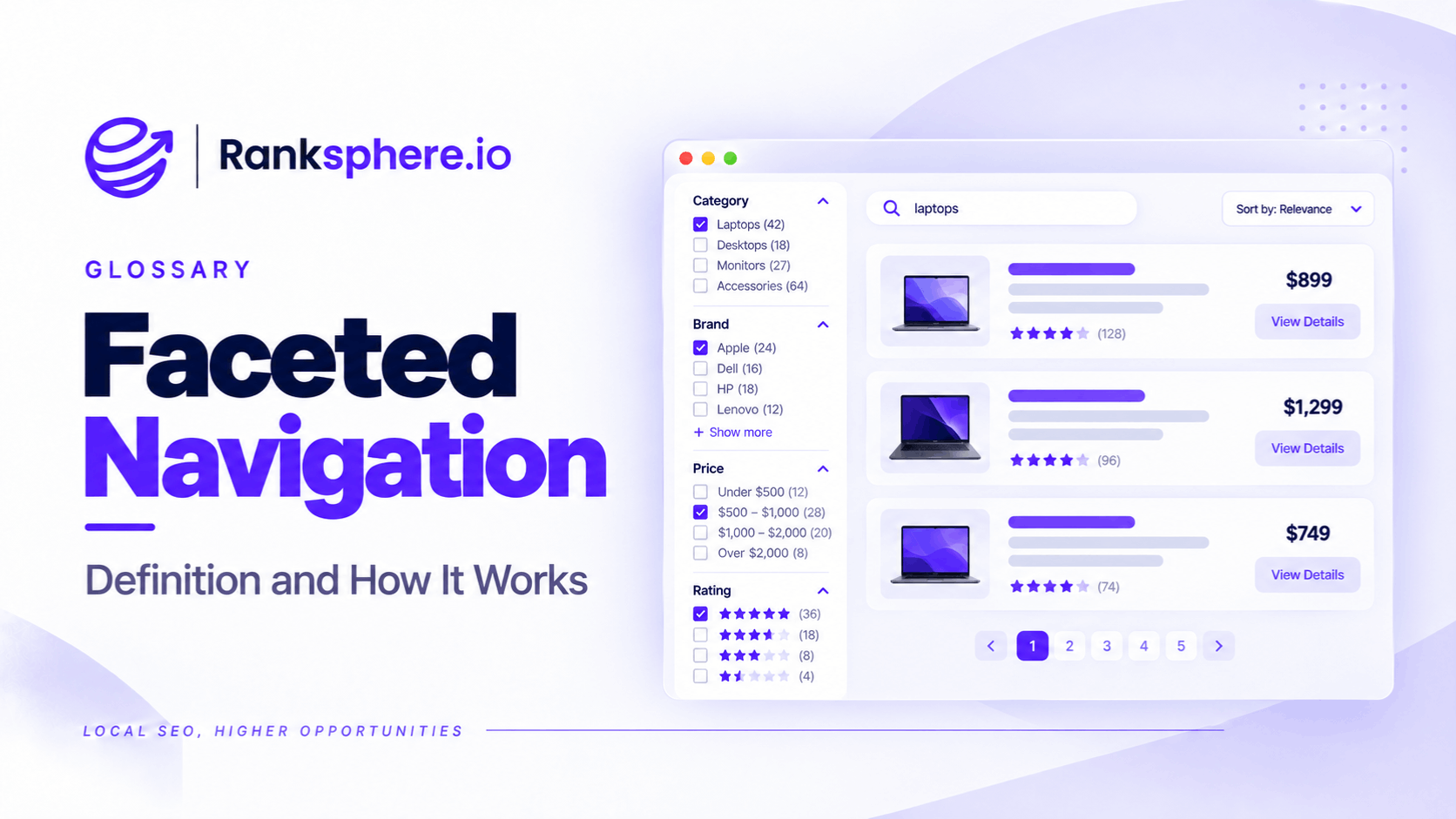
Faceted navigation is a filtering system that allows users to narrow down products, services, or search results using multiple attributes, such as price, colour, size, brand, or location.
You've probably used it when shopping online. Select a brand, choose a size, set a price range, and the website updates the results to match.
It's useful for visitors, but it can create serious technical SEO problems when every filter combination generates a separate URL.
For example, a website with five filters offering six options each could theoretically generate 7,776 combinations if one option is selected from each filter. Allowing multiple selections or adding sorting parameters can increase that number substantially.
Most of these URLs may display overlapping content, and many provide little value as standalone search results.
The challenge isn't faceted navigation itself. It's allowing search engines to discover and crawl large numbers of URLs that were never intended to rank.
Why Faceted Navigation Can Cause SEO Problems
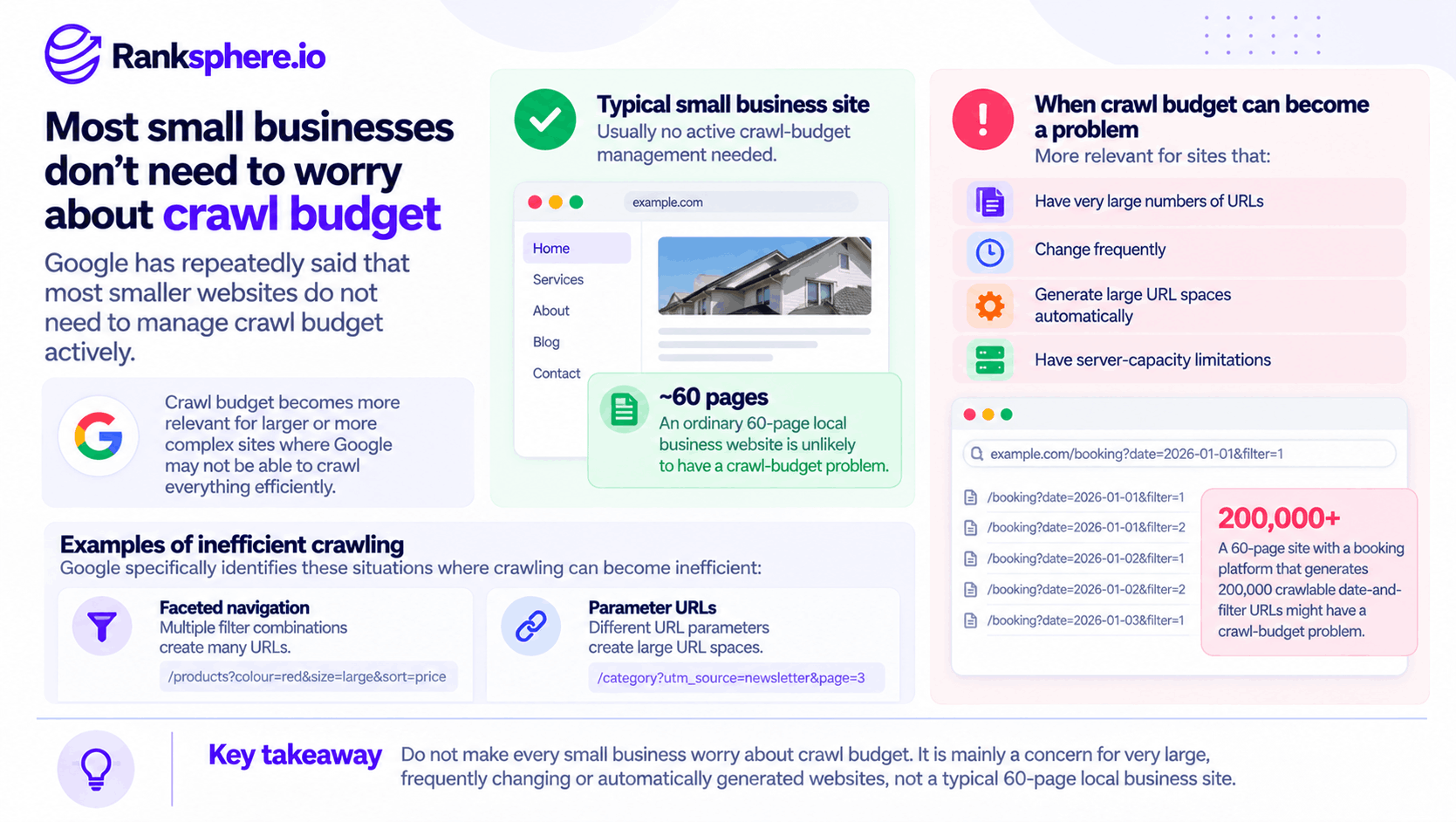
Google identifies faceted navigation as a common cause of excessive crawling. When filters generate thousands of URLs, Googlebot may spend time accessing variations of the same content instead of discovering important pages.
The main problems include:
- Crawl budget waste — Search engines may spend crawling resources on filter combinations rather than important new or updated pages. This is particularly relevant to large websites.
- Index bloat — Large numbers of low-value filtered URLs may become indexed, making it harder to manage search visibility.
- Duplicate content — Different filter combinations may return substantially similar products, listings, or information.
- Keyword cannibalisation — Filtered pages may compete with category pages for similar search queries.
- Diluted link equity — Internal and external links may point to multiple variations instead of concentrating signals on the preferred pages.
The scale makes faceted navigation different from an ordinary duplicate-content problem.
Instead of two similar pages, a filtering system may produce thousands of URL variations across a single website.
Not all of them will necessarily be indexed, but search engines may still spend resources discovering and crawling them.
Which Faceted Navigation Pages Should Be Indexed?
Not every filtered page should be blocked from Google.
Some filters represent genuine search demand and can help visitors find exactly what they're looking for.
For example, someone searching for "men's waterproof hiking boots" may benefit from a dedicated category page showing waterproof hiking boots rather than a general footwear category.
The question is whether the filtered page deserves to appear independently in search results.
Filtered Pages Worth Indexing
Consider allowing a filtered page to be indexed when it:
- Targets a search query people actually use
- Displays enough relevant products or listings
- Offers a useful result that a broader category page doesn't provide
- Has a clear purpose beyond rearranging existing content
- Can remain useful as products, availability, or listings change
Examples might include a product category filtered by a popular brand, a specific product type, or a combination with meaningful search demand.
However, search demand alone isn't enough. The page also needs to provide useful results.
Filtered Pages That Usually Don't Need Indexing
Some filter combinations serve a useful purpose for visitors but offer little value as separate search results.
Common examples include:
- Sorting options — Arranging the same products from lowest to highest price doesn't usually justify another indexed page.
- View settings — Switching between grid and list view doesn't create meaningful new content.
- Complex filter combinations — Multiple narrow selections often create URLs with little independent search demand.
- Empty or invalid results — Filter combinations returning no useful results shouldn't become indexable pages.
- Session and tracking parameters — These usually don't change the underlying content in a meaningful way.
Consider a URL representing "blue running shoes, size 9, under £50, sorted by customer rating."
That combination may be useful for someone shopping, but it doesn't automatically deserve a separate page in Google Search.
There is no fixed rule that every combination using more than two filters must be excluded. What matters is whether the page satisfies a genuine search need and provides enough value to stand on its own.
How to Manage Faceted Navigation for SEO
The best solution depends on whether you want a filtered URL to be crawled, indexed, or accessible only through the website's filtering interface.
Several methods are available, but they aren't interchangeable.
1. Canonical Tags
A canonical tag helps search engines identify the preferred version of similar or duplicate pages.
For example, a filtered category page may point to the main category URL when the filtered view doesn't need independent search visibility.
This can help consolidate indexing signals and reduce unnecessary URL duplication.
However, canonical tags are signals rather than absolute instructions.
Google may still crawl filtered URLs, and it may select a different canonical if the pages don't appear sufficiently similar.
Canonicalisation is therefore useful for appropriate variations, but it shouldn't be treated as a guaranteed solution to excessive crawling.
2. Noindex
The noindex directive tells supported search engines not to include a page in search results.
It can be useful when a filtered page needs to remain accessible but shouldn't appear independently in Google Search.
However, Google must crawl the URL to discover the noindex directive.
If a website generates thousands of filter URLs, allowing Google to crawl all of them simply to read noindex may still consume significant crawling resources.
3. Robots.txt
A robots.txt file can prevent Googlebot from crawling selected URL patterns.
Google recommends this approach for faceted URLs that don't need to appear in search results, particularly when the filtering system creates a very large number of combinations.
For example, a website might block unnecessary sorting parameters while allowing important category and product pages to be crawled.
However, robots.txt controls crawling, not indexing.
A blocked URL may still be known to Google through links or other signals.
You should also avoid combining a robots.txt block with noindex when Google needs to crawl the page to read the noindex instruction.
4. Nofollow on Filter Links
Adding rel="nofollow" to links pointing to unnecessary filter combinations may discourage Google from following them.
However, it's not a reliable way to prevent crawling.
Google may discover those URLs through other links, sitemaps, or external websites.
Its documentation also notes that this approach is less effective when other links to the same URLs don't carry the same restriction.
Nofollow should therefore be treated as a supporting measure rather than the main solution.
5. JavaScript Filtering Without Creating Crawlable URLs
Some filters don't need separate URLs at all.
For example, changing a product listing from grid view to list view may only need to update the interface.
In these cases, filtering can be handled without creating additional crawlable URLs.
URL fragments may also be suitable for filter states that aren't intended to appear independently in search results.
However, this approach shouldn't be used for pages you want Google to discover and index as separate destinations.
6. Dedicated URLs for Valuable Filter Combinations
Some filtered views deserve their own search-friendly pages.
For example, a popular product category filtered by brand or type may have enough search demand to justify a dedicated URL.
These pages can be designed with:
- A descriptive URL
- A relevant page title
- A clear heading
- Useful product or listing results
- Appropriate internal links
The important point is to create these pages deliberately rather than letting every possible filter combination become a separate SEO landing page.
7. Handle Empty and Invalid Filter Combinations
Google also recommends returning an appropriate 404 status code for filter combinations that have no results, contain duplicate filters, or use invalid values.
This helps crawlers avoid wasting resources on URLs that cannot provide useful content.
Where filter URLs must remain crawlable, consistent parameter formatting and a logical filter order also help prevent unnecessary URL duplication.
Ranksphere's website audit tool can help identify duplicate and near-duplicate pages, providing a starting point for investigating websites with large numbers of similar URLs.
How Faceted Navigation Affects Local Business Websites
Faceted navigation is commonly associated with e-commerce, but local businesses can encounter the same problems.
Any website that lets visitors combine multiple filters may generate unnecessary URLs.
Examples include:
- Business directories — Filtering businesses by location, category, rating, or service.
- Medical practices — Treatment finders that combine services, providers, and locations.
- Multi-location businesses — Location selectors that generate a new URL for every filter combination.
- Booking platforms — Systems that create URLs for different dates, services, locations, or availability options.
Booking systems deserve particular attention.
Imagine a clinic with 40 useful webpages. Its booking system generates a new URL for every available appointment date and service combination.
Within a few months, Google may discover thousands of additional URLs containing nearly identical booking information.
The website itself hasn't grown meaningfully, but the number of crawlable URLs has increased.
If those URLs have no value as standalone search results, they should be controlled at the booking-system level rather than managed individually.
Common Faceted Navigation SEO Mistakes
Several problems occur when websites introduce filtering without considering how search engines will handle the resulting URLs.
- Blocking every filtered URL in robots.txt. Some filtered pages may target valuable search queries and deserve to remain crawlable.
- Combining robots.txt with noindex. If crawling is blocked, Google cannot read the noindex directive.
- Canonicalising pages that should rank independently. Valuable filtered pages may lose the opportunity to appear as separate search results.
- Allowing sorting options to generate unnecessary URLs. Different sorting orders often display the same content in a different sequence.
- Assuming faceted navigation only affects e-commerce. Directories, booking systems, and multi-location websites can create similar problems.
- Ignoring empty filter combinations. Invalid or empty result pages can increase crawling without providing value.
- Fixing individual URLs without addressing the filtering system. Removing a few URLs won't solve the problem if the website continues generating thousands more.
The underlying issue is often how the website creates and links to filtered URLs, not just whether those URLs are indexed.
Faceted Navigation Best Practices
A good faceted navigation setup should make filtering easy for visitors without creating unnecessary work for search engines.
Follow these principles:
- Decide which filtered views deserve independent search visibility.
- Allow valuable category and filtered pages to be crawled and indexed where appropriate.
- Use canonical tags for suitable duplicate or near-duplicate variations.
- Use robots.txt to prevent crawling of large groups of unnecessary filtered URLs.
- Avoid creating separate crawlable URLs for sorting and display preferences that have no search value.
- Use dedicated, descriptive URLs for valuable filter combinations.
- Return appropriate status codes for invalid or empty filter combinations.
- Keep filter parameters consistent so the same combination doesn't generate multiple URL variations.
- Monitor indexed and discovered URLs through Google Search Console.
- Address excessive URL generation at the website or application level rather than fixing each URL individually.
It's also worth reviewing server logs on larger websites to understand how much crawling activity goes toward filtered URLs.
A large number of discovered URLs doesn't automatically mean Google has indexed all of them. The objective is to identify where unnecessary URL generation is affecting crawl efficiency and search visibility.
Example
“Consider a hypothetical veterinary group with several clinics.
The business launches an online appointment booking system that lets visitors filter by clinic, service, and available date.
The booking experience works well for patients, but the system creates a separate URL for every combination.
After several months, the website has thousands of additional booking URLs alongside its main service and location pages.
Many of the booking URLs contain similar information. Others become outdated when appointment availability changes.
The team notices a growing number of parameter-based URLs in Google Search Console.
Before making changes, the developers review which URLs Google is discovering, crawling, and indexing.
They find that the individual appointment-date combinations have no meaningful value as standalone search results.
The team updates the booking system so that selecting dates and appointment times no longer generates unnecessary crawlable URLs.
The main clinic and service pages remain accessible to search engines, while patients can continue using the booking interface normally.
For previously generated URLs, the team chooses appropriate handling based on whether those URLs need to remain accessible, whether they have already been indexed, and whether Google needs to crawl them to process removal instructions.
The goal isn't to eliminate filtering.
It's to keep the booking experience useful without creating thousands of unnecessary search URLs.
The result should be a cleaner URL structure and fewer opportunities for crawlers to spend resources on outdated or repetitive booking combinations.
Faceted navigation isn't inherently bad for SEO. The problem begins when every filter selection becomes another crawlable URL, regardless of whether that page has any search value.
The best approach is to keep useful filters for visitors, make genuinely valuable filtered pages available to search engines, and prevent unnecessary combinations from creating an endless supply of low-value URLs.”
See Also
- Crawl Budget — How search engines allocate crawling resources.
- Index Bloat — When large numbers of unnecessary URLs enter a search index.
- Canonical Tag — Identifying the preferred version of similar pages.
- Noindex — Preventing pages from appearing in search results.
- Duplicate Content — Understanding substantially similar content across different URLs.
- Pagination — Managing content spread across multiple listing pages.