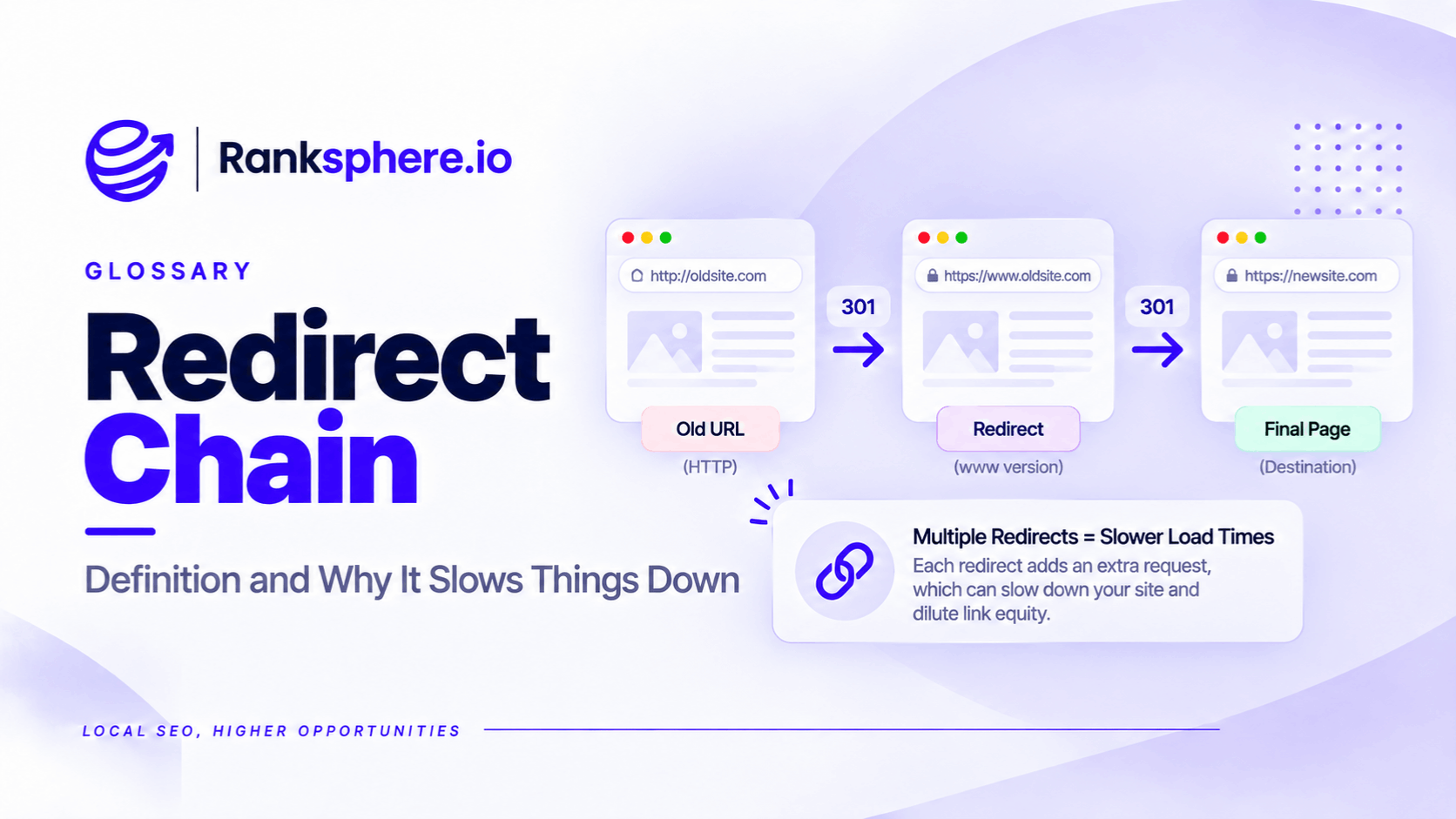
A redirect chain occurs when one URL redirects to another URL, which then redirects again before reaching the final destination.
For example, a visitor might open an old service page and pass through three redirects before reaching the current version.
The page may still load correctly, but each additional redirect can increase loading time and create unnecessary work for search engine crawlers.
Redirect chains commonly develop when websites are redesigned, URLs are changed or content is moved several times without updating the original redirect rules.
The problem isn't that redirects are bad for SEO. It's that old redirects are left pointing to other redirects instead of the final page.
How Does a Redirect Chain Work?
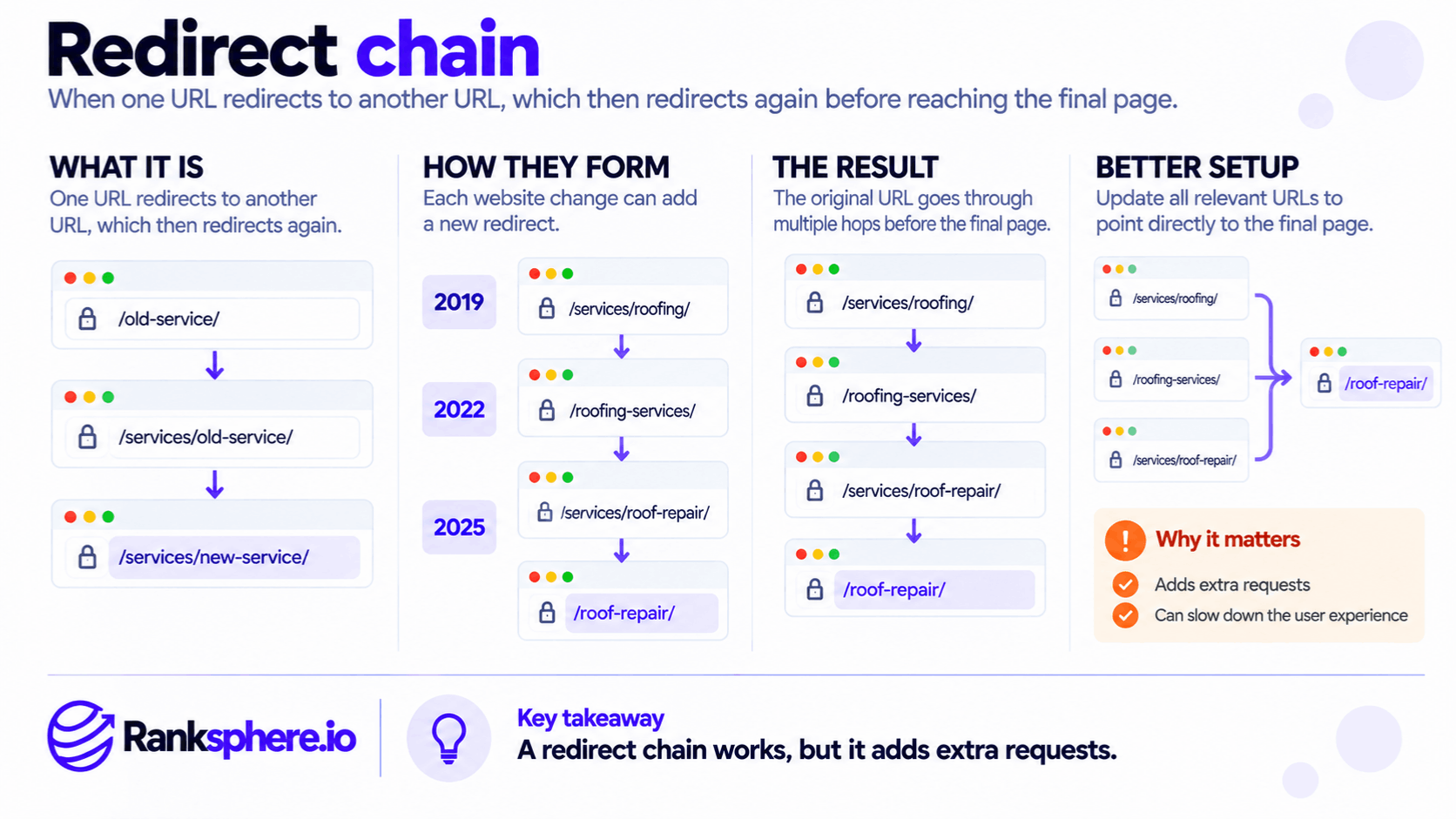
Consider a roofing company that has changed its website structure several times.
In 2019, its roofing page was located at:
example.com/services/roofing
The company later moved it to:
example.com/roofing-services
A permanent redirect was added.
During another redesign in 2022, the page moved again to:
example.com/services/roof-repair
Then, in 2025, the page moved to:
example.com/roof-repair
The original URL now follows this path:
<box border radius="lg" padding={3} gap={2}> <box background="surface-secondary" radius="md" padding={3} align="center" gap={1}> <text color="secondary" size="xs">Original URL</text> <text weight="medium" textAlign="center">/services/roofing</text> </box> <row justify="center" align="center" gap={2}> <icon name="arrow-down" color="secondary"/> <caption>301 redirect</caption> </row> <box background="surface-secondary" radius="md" padding={3} align="center" gap={1}> <text weight="medium" textAlign="center">/roofing-services</text> </box> <row justify="center" align="center" gap={2}> <icon name="arrow-down" color="secondary"/> <caption>301 redirect</caption> </row> <box background="surface-secondary" radius="md" padding={3} align="center" gap={1}> <text weight="medium" textAlign="center">/services/roof-repair</text> </box> <row justify="center" align="center" gap={2}> <icon name="arrow-down" color="secondary"/> <caption>301 redirect</caption> </row> <box background="rgba(22,163,74,0.07)" border={{size:1,color:"success"}} radius="md" padding={3} align="center" gap={1}> <text color="success" weight="medium">/roof-repair</text> <caption>Final destination</caption> </box> </box>
A visitor eventually reaches the correct page, but the browser must process three redirects first.
If an old backlink still points to the 2019 URL, visitors following that link encounter the same chain.
The cleaner approach is to make every old URL redirect directly to /roof-repair.
How Do Redirect Chains Affect SEO?
1. Slower Page Loading
Each redirect requires an additional request before the browser can reach the destination.
Depending on the connection and server configuration, this can add noticeable delays.
Redirects can contribute to a higher Time to First Byte for the overall navigation.
This is particularly worth checking on mobile connections.
However, one ordinary redirect doesn't automatically cause poor Core Web Vitals or lower rankings.
2. Less Efficient Crawling
Search engine crawlers must follow redirects to discover the final page.
Google explicitly advises avoiding long redirect chains because they can negatively affect crawling.
For larger websites, repeated requests also consume resources within the site's crawl budget.
For a small local business website, crawl budget is rarely the main concern. Loading delays and broken redirect rules are usually more immediate problems.
3. More Complicated URL Consolidation
Permanent redirects help Google understand that content has moved to a new URL.
Google confirms that properly implemented permanent redirects don't inherently cause a loss of PageRank.
The concern with long chains is therefore not a fixed amount of link equity disappearing at every hop.
Instead, chains introduce additional processing and increase the chances of something going wrong.
4. Greater Risk of Broken Pages
A redirect chain depends on every step functioning correctly.
If a rule is removed or points to a missing page, the original URL may stop working.
This becomes particularly risky when several developers, plugins or hosting systems manage redirects independently.
How Many Redirects Are Too Many?
Googlebot can follow up to 10 redirect hops for general web crawling.
However, Google recommends redirecting to the final destination directly.
If a chain cannot be avoided, Google's migration guidance recommends keeping it short, ideally no more than three redirects and fewer than five.
For website maintenance, a practical target is one direct redirect from each old URL to its final destination.
The important distinction is that having two redirects doesn't automatically mean a ranking penalty. It means there may be an unnecessary step worth removing.
What Is a Redirect Loop?
A redirect loop happens when URLs repeatedly redirect to one another without reaching a final page.
For example:
/roofing → /roof-repair → /roofing
Unlike an ordinary redirect chain, the browser cannot reach the intended destination.
Visitors may see a "too many redirects" error.
Loops can occur when redirect rules conflict, such as when a CMS plugin and server configuration apply opposing instructions.
These problems should be fixed promptly because they make the affected page inaccessible.
How to Find Redirect Chains
A technical website crawler can identify URLs that pass through multiple redirects.
You should also review older URLs that may no longer appear in the current navigation.
Useful checks include:
- Reviewing redirect rules added during previous redesigns.
- Checking internal links for URLs that redirect.
- Inspecting the XML sitemap for outdated URLs.
- Testing old pages that have valuable external backlinks.
- Checking important website links on external business profiles.
For example, a business may have updated its website twice but left the original URL in its Google Business Profile.
Customers clicking through may encounter a redirect chain without the business realising it.
Ranksphere's Website Audit Tool helps identify redirect and internal linking issues that need attention.
How to Fix a Redirect Chain
The main objective is to make each old URL point directly to the correct final destination.
Using the roofing example:
| Old URL | Correct redirect destination |
|---|---|
| /services/roofing | /roof-repair |
| /roofing-services | /roof-repair |
| /services/roof-repair | /roof-repair |
Keep the redirect rules for the old URLs, because people and external websites may still use them.
Then update internal links, canonical URLs, XML sitemaps and important external links you control.
Avoid redirecting every obsolete URL to the homepage. Redirect it to the most relevant replacement page instead.
Google recommends keeping permanent redirects for at least one year after a move and notes that retaining them longer can benefit users following old links.
During a site migration, review existing redirect rules rather than simply adding new ones to the end of the chain.
Common Redirect Chain Mistakes
- Adding redirects without checking older rules. This creates unnecessary hops.
- Removing intermediate redirects entirely. Older links may stop working.
- Leaving internal links pointing to outdated URLs. Visitors still encounter avoidable redirects.
- Including redirected URLs in XML sitemaps. Sitemaps should generally contain the final, canonical URLs.
- Ignoring external business profile links. These can continue pointing to old pages.
- Confusing chains with loops. Loops prevent visitors from reaching the destination.
- Assuming every redirect loses PageRank. Google does not support that blanket claim.
Redirect Chain Best Practices
Use direct permanent redirects when URLs move permanently.
Check existing redirect rules during every website redesign or migration.
Update internal links so visitors reach the final page without unnecessary redirects.
Keep old redirect sources working and review important links from business profiles and external platforms.
Run a crawl after launch to check for chains, loops and broken destinations.
Example of Redirect Chains on a Roofing Website
Consider a hypothetical roofing company called Ashdown Roofing.
The company has redesigned its website three times, and every previous developer added new redirects without reviewing the older ones.
An audit identifies dozens of URLs passing through multiple redirects.
Some old URLs are still linked from relevant trade publications.
What the Agency Finds
The company's current service pages work correctly, but links pointing to older versions take several steps to reach them.
Its Google Business Profile also links to a page that has moved twice.
The issue has gone unnoticed because customers eventually reach the correct destination.
What the Agency Changes
The agency maps the old URLs to their current equivalents.
It updates the redirect rules so each old address points directly to the final page.
It also corrects internal links, the sitemap and the Business Profile website URL.
Example
“The work reduces unnecessary requests and makes the website's URL structure easier to maintain.
It doesn't guarantee an improvement in search rankings.
However, it removes avoidable delays and reduces the risk of old links breaking during future changes.
A redirect should help people and search engines find a moved page. It shouldn't send them through the history of every website redesign.”
See Also
- 301 Redirect — Permanently sending visitors and crawlers to a new URL.
- 302 Redirect — Redirecting temporarily without signalling a permanent move.
- Site Migration — Managing URL changes and redirects during website moves.
- Internal Linking — Ensuring links point to the correct destination pages.
- Crawl Budget — Understanding how search engines allocate crawling resources.
- Time to First Byte — Measuring the delay before a webpage starts responding.