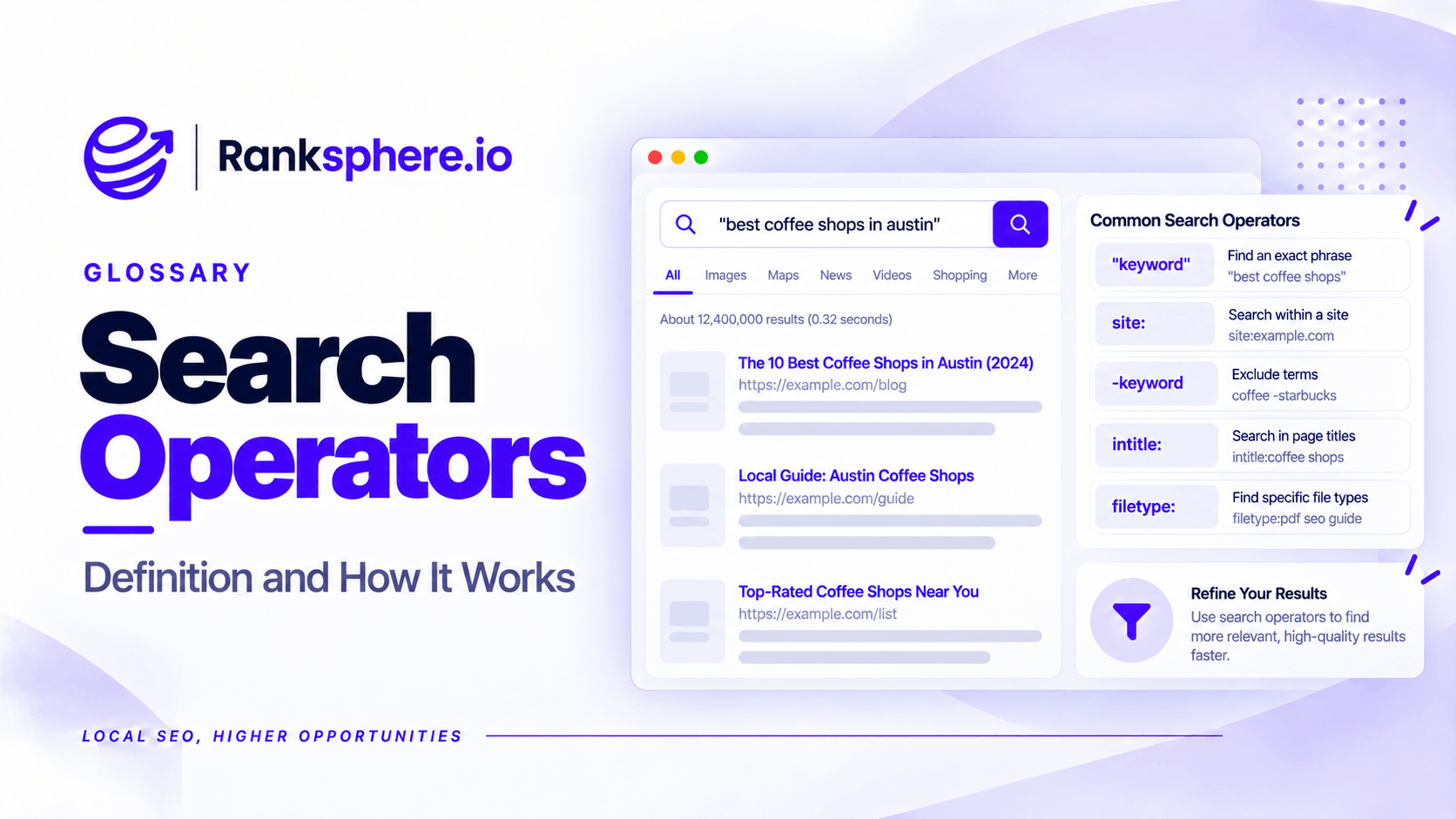
Search operators are commands and symbols added to a Google search query to narrow or refine the results.
For example, you can use search operators to find pages from a specific website, look for an exact phrase, or exclude certain domains from the results.
They are useful for SEO because they help uncover information that may be difficult to find through an ordinary search.
A local SEO specialist might use them to find outdated directory listings, identify websites mentioning a business, or investigate whether Google is showing a particular page.
However, Google search operators are diagnostic tools, not authoritative SEO reports.
Their results can be incomplete, and they shouldn't replace Google Search Console or a proper website audit.
Which Google Search Operators Are Useful for SEO?
You don't need to memorise dozens of commands. A small number covers most practical SEO tasks.
| Operator | What it does | Example |
|---|---|---|
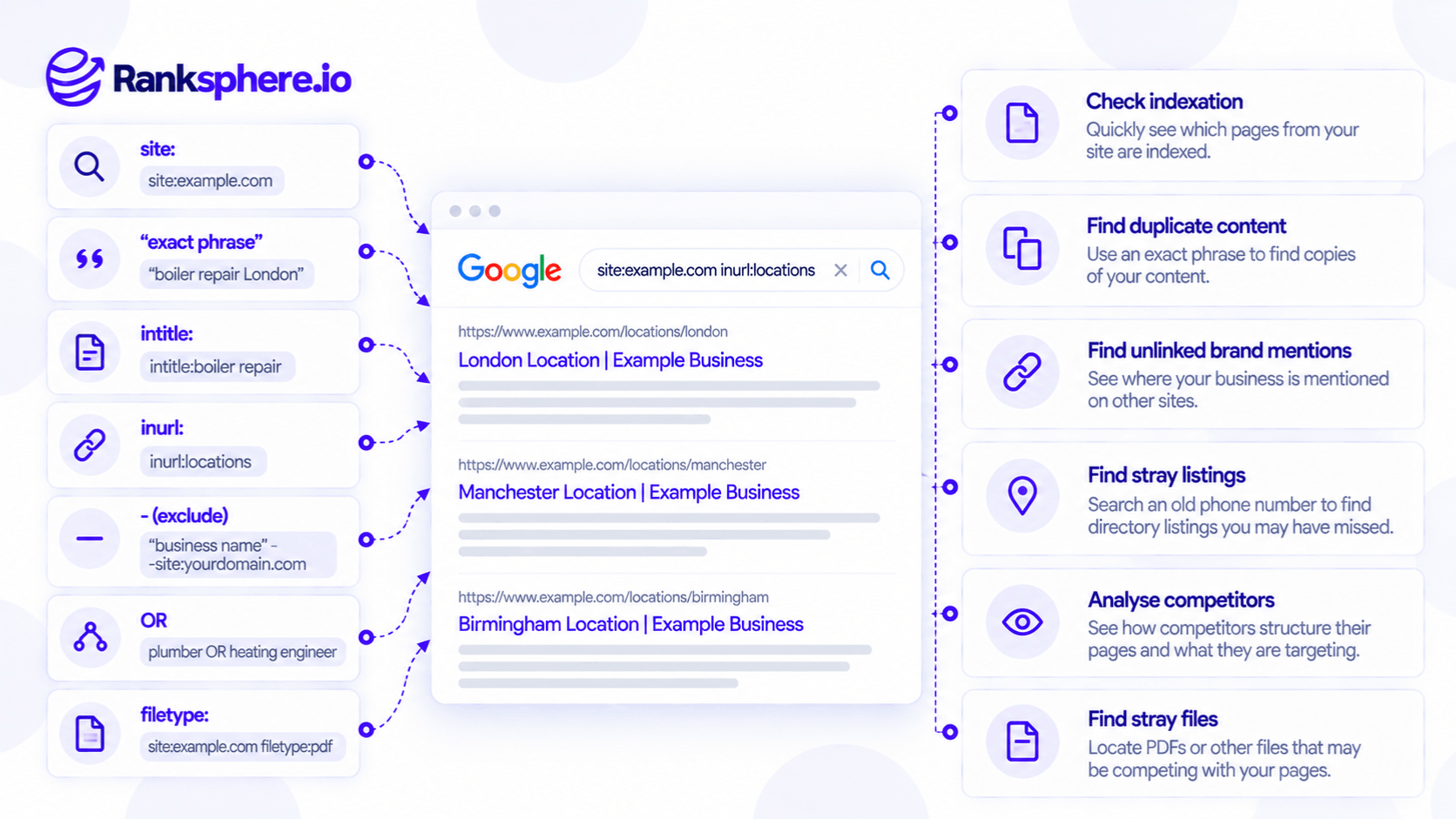
| site: | Limits results to a domain or URL prefix | site:example.com |
| " " | Searches for an exact phrase | "emergency roof repairs" |
| intitle: | Looks for a term in the page title | intitle:roofing |
| inurl: | Looks for a term in the URL | inurl:services |
| - | Excludes a term or domain | "Example Roofing" -site:example.com |
| OR | Searches for either of two terms | plumber OR electrician |
| filetype: | Limits results to a file type | site:example.com filetype:pdf |
| before: | Filters results by date | roof repairs before:2025 |
| after: | Filters results by date | roof repairs after:2025 |
Operators can also be combined.
For example:
site:example.com inurl:locations
This can help identify URLs containing "locations" on a particular website.
However, the results are only a starting point. Google doesn't guarantee that every matching page will appear.
How to Use the Site Search Operator
The site: operator restricts Google results to a particular domain, URL, or URL prefix.
For example:
site:example.com
This returns pages from the specified domain that Google chooses to display.
You can also investigate a specific section:
site:example.com/services/
For a roofing business, this might help identify which service pages appear in Google's results.
Can Site Search Tell You How Many Pages Are Indexed?
Not reliably.
Google states that site: queries don't necessarily return every indexed URL.
The estimated result count can also fluctuate.
For example, seeing 120 results from a site: search doesn't establish that Google has indexed exactly 120 pages.
Likewise, a missing URL doesn't prove that it isn't indexed.
For an important page, use the URL Inspection tool in Google Search Console.
The Page indexing report is also more useful for investigating wider indexing issues.
Finding Duplicate or Copied Content
Quotation marks tell Google to search for a specific phrase.
For example:
"Our experienced roofers provide reliable repairs across Wiltshire"
This can help find other websites containing the same wording.
If the phrase appears on an unfamiliar domain, investigate whether the content has been copied.
See duplicate content.
However, matching text alone doesn't prove plagiarism or an SEO violation.
The wording might be licensed, syndicated, quoted with permission, or repeated for another legitimate reason.
Search operators can reveal potential duplication, but the context still needs checking.
Finding Unlinked Brand Mentions
Search operators can also help identify websites mentioning a business.
For example:
"Example Roofing" -site:exampleroofing.com
This searches for the business name while excluding its own website.
Results may include:
- Local news articles
- Business directories
- Industry websites
- Blog posts
- Event announcements
Some mentions may already contain a link. Others may not.
An unlinked brand mention can be worth investigating if the source is relevant.
For example, if a local newspaper mentions a roofing company but doesn't link to its website, the company could politely ask whether adding a useful link would be appropriate.
However, not every mention needs a backlink, and outreach doesn't guarantee that a publisher will add one.
Finding Outdated Business Listings
One of the most useful applications for local SEO is searching for old contact information.
For example, imagine a veterinary practice changed its telephone number two years ago.
Searching its business name may show mostly accurate results.
But searching the old telephone number in quotation marks could reveal directory listings that still contain outdated information.
For example:
"01234 567890"
The same approach works for previous addresses and old business names.
This can support a citation audit, particularly when a business has moved, changed its name, or updated its contact details.
Why Search the Old Number?
An outdated number may appear on websites that aren't easily found through a normal business name search.
For example, an old directory entry could use an abbreviated business name or an outdated trading name.
Searching the number itself provides another way to find it.
However, Google won't necessarily return every directory containing the information.
A dedicated citation audit may uncover additional listings.
Using Search Operators for Competitor Research
Search operators can help you understand how competitors organise their websites.
For example:
site:competitor.com inurl:locations
This may reveal pages organised under a locations section.
Another search might be:
site:competitor.com intitle:roofing
This can help find competitor pages with roofing-related titles.
These searches may reveal useful patterns in website structure and content coverage.
However, they don't establish which pages generate traffic or contribute to conversions.
Use the results to identify questions worth investigating, not to assume that a competitor's structure is automatically better.
What About the Related Operator?
Older SEO guides often recommend:
related:example.com
Google discontinued support for the related: search operator in 2023.
It should no longer be included as a working technique for finding competitors.
This is one reason to check the publication date of search operator guides before using them.
Finding PDFs and Other Files
The filetype: operator helps locate particular document formats.
For example:
site:example.com filetype:pdf
This can reveal PDFs appearing in Google's results from a website.
An SEO specialist might use it to investigate:
- Outdated brochures
- Old price lists
- Product documents
- Downloadable guides
For example, a dental practice may have an old treatment price guide that remains accessible through Google Search.
Finding the document gives the practice an opportunity to check whether the information is still accurate.
However, don't assume every indexed PDF is a problem.
Some documents are useful resources that customers actively need.
The goal is to review them, not remove them indiscriminately.
What Search Operators Cannot Tell You
Search operators have several limitations.
They Don't Provide a Complete Indexing Report
The site: operator isn't a substitute for Search Console.
Google may omit indexed pages from a particular search result set.
This is especially relevant when investigating index bloat.
Results Can Vary by Location
Google uses location information when determining which results are relevant.
For example, searching for local roofing services from Bristol may produce different results from searching in Manchester.
Incognito mode can reduce some account-related personalisation, but it doesn't eliminate location-based differences.
Results Can Change Over Time
Google continuously updates its search results and index.
A page found through an operator today may not appear in the same position tomorrow.
Operators Don't Reveal Private Website Data
A competitor's indexed URLs don't tell you their actual organic traffic, enquiries, or Search Console performance.
Those require other data sources or estimates.
Some Operators Are No Longer Supported
Google has retired certain operators over time.
Avoid relying on long, outdated lists without checking the current documentation.
Practical Search Operators for Local SEO
For a local business, these searches provide a useful starting point:
| Task | Example search |
|---|---|
| Review pages on your website | site:example.com |
| Check a service section | site:example.com/services/ |
| Find old telephone listings | "01234 567890" |
| Find previous address mentions | "15 High Street, Bristol" |
| Find brand mentions elsewhere | "Example Roofing" -site:example.com |
| Investigate copied content | "A distinctive sentence from your page" |
| Find indexed PDFs | site:example.com filetype:pdf |
| Explore competitor location pages | site:competitor.com inurl:locations |
Treat these searches as clues.
If you find an unexpected result, verify it through the original website, Search Console, or another appropriate source.
Common Search Operator Mistakes
- Treating site: counts as exact. Google doesn't guarantee complete results.
- Assuming a missing page isn't indexed. Check URL Inspection instead.
- Using retired operators. The related: operator is no longer supported.
- Assuming incognito eliminates location effects. Results can still vary geographically.
- Treating matching text as proof of plagiarism. Duplication may have legitimate explanations.
- Assuming every brand mention is unlinked. Open the result and check.
- Forgetting old business contact details. Previous telephone numbers and addresses can uncover outdated citations.
- Relying entirely on search operators for competitor analysis. They provide only a limited view.
Search Operator Best Practices
- Use search operators for quick research and investigation.
- Combine commands when appropriate.
- Search old contact information during citation audits.
- Use exact phrases to investigate copied content.
- Review brand mentions for relevant outreach opportunities.
- Check Search Console before making indexing conclusions.
- Keep geographic differences in mind.
- Verify unexpected results using independent evidence.
- Refer to Google's current documentation rather than outdated operator lists.
The value of search operators is their simplicity.
They can help uncover potential problems in seconds, but more reliable tools are needed to establish the full picture.
Example of Search Operators in a Local Citation Audit
Consider a hypothetical veterinary practice called Hollow Lane Veterinary.
The practice changed its telephone number several years ago.
It has since updated its website and Google Business Profile, but some customers occasionally report finding an old number online.
What the Agency Investigates
The agency begins with a normal search for the practice's name.
Most visible results contain the correct number.
It then searches for the previous telephone number in quotation marks.
This reveals several older directory entries containing outdated information.
Some use a previous trading name, making them harder to find through a standard brand search.
What the Agency Does
The team records the affected websites and checks whether the information can be updated.
It prioritises directories that customers are likely to use and investigates whether any data providers are distributing outdated records.
It also reviews the practice's existing Google Business Profile information to check for duplicate or inaccurate listings.
The agency doesn't assume that every result represents a live citation or that two profiles should automatically be merged.
Example
“The business name search appeared to show mostly accurate information.
The old telephone number search revealed additional records that needed attention.
The search operator didn't replace the citation audit. It helped identify information that the agency might otherwise have missed.
Google search operators are most useful as quick diagnostic tools, not as a source of definitive SEO data.
For local businesses, their practical value is in finding outdated citations, identifying potential duplicate content, checking brand mentions, and exploring indexed website content.”
See Also
- Citation Audit — Identifying incorrect or outdated business listings.
- Duplicate Content — Understanding repeated content across URLs and websites.
- Brand Mention — Finding references to a business across the web.
- Index Bloat — Investigating unnecessary URLs appearing in search.
- Google Search Console — Checking indexing and organic search performance.
- Competitor Analysis — Reviewing competitor websites, content, and search strategies.