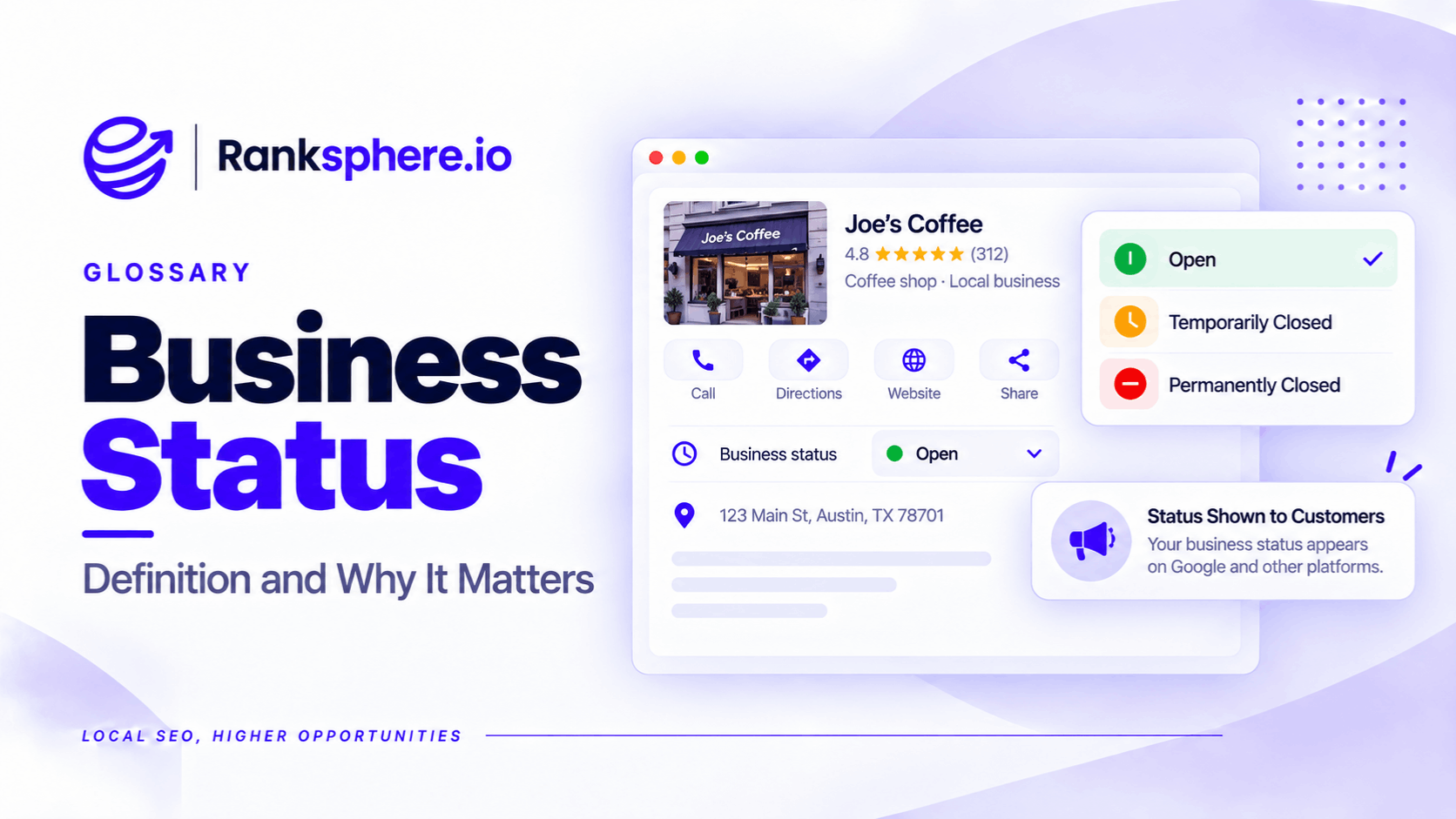
Google Business Profile status indicates whether a business is open, temporarily closed or permanently closed on Google Search and Maps.
It helps customers understand whether a business is operating before they call, request directions or visit.
For local businesses, choosing the wrong status can create serious problems.
A business marked temporarily closed may appear less prominently for some local searches. A business incorrectly marked permanently closed may discourage customers from contacting it altogether.
The status should reflect whether the business is actually operating, not simply whether it is open at a particular moment.
Google provides separate options for regular opening hours, special hours and temporary or permanent closure.
Understanding the difference helps businesses avoid unnecessary disruption to their local visibility.
What Are the Three Google Business Profile Statuses?
| Status | What it means | When to use it |
|---|---|---|
| Open | The business is operating normally | Active businesses, including those currently outside their opening hours |
| Temporarily closed | The business has stopped operating for a period but intends to reopen | Extended closures, off-season periods or indefinite temporary closures |
| Permanently closed | The business has permanently ceased operating at the location | Genuine permanent closures or applicable location changes |
An open business can still display "Closed now" outside its regular business hours.
That is different from being marked temporarily closed.
For example, a dental practice that closes at 6 pm remains an operating business even though customers cannot visit after that time.
Does Temporarily Closed Affect Google Rankings?
It can.
Google confirms that temporarily closed businesses may rank below open businesses for broad searches.
For example, when someone searches for "dentist near me", Google may prioritise practices that are currently operating over those marked temporarily closed.
However, the effect depends on factors such as the business category, search query and availability of other matching businesses.
Google does not confirm that temporarily closed profiles disappear from the local pack.
A temporarily closed business can also remain visible when someone searches for it by name.
The practical risk is that customers looking for an available service may choose another business.
This is why the status should only be used when it accurately describes the business's operations.
When Should You Mark a Business Temporarily Closed?
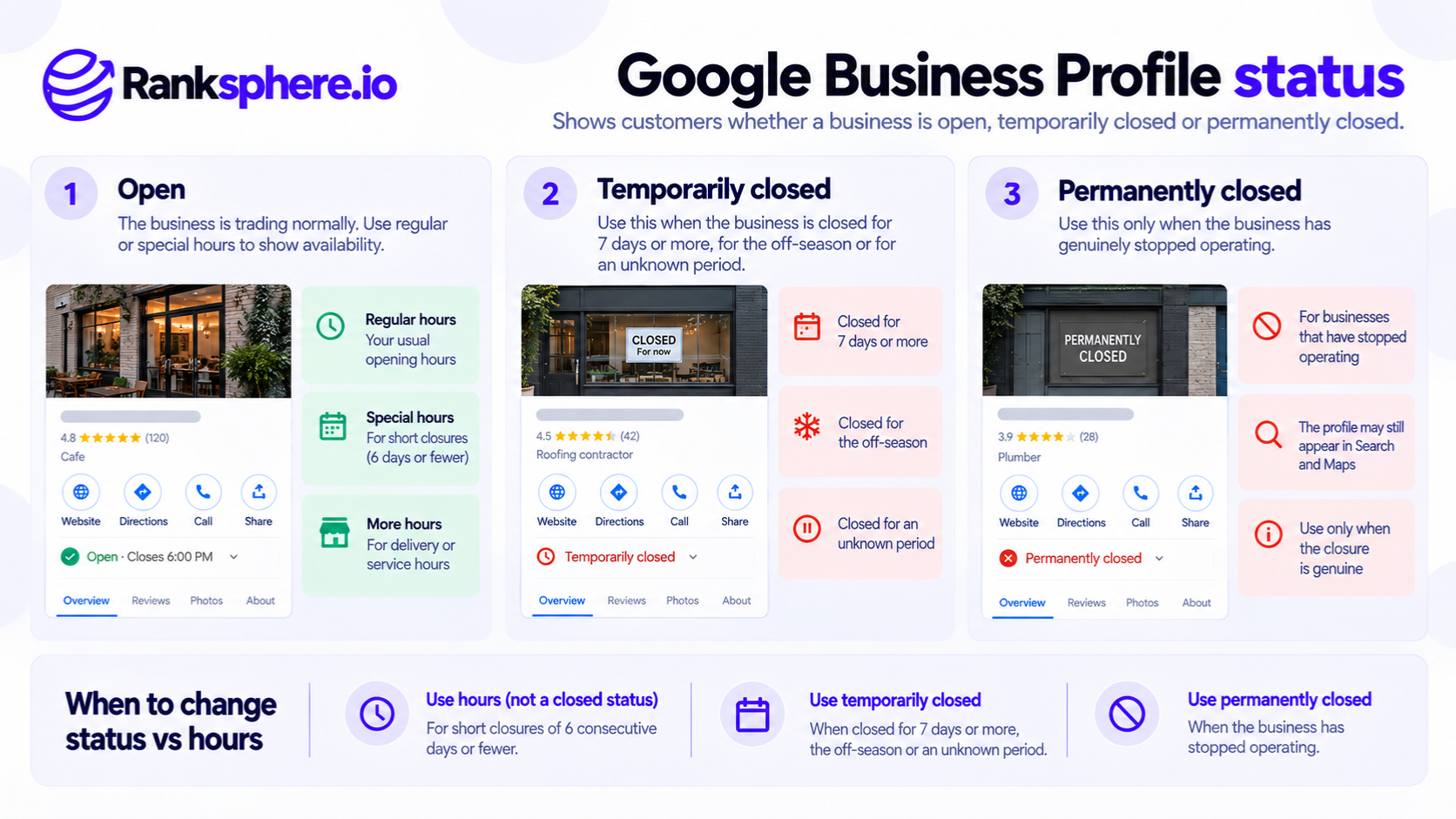
Google recommends using Temporarily closed when a business is closed for more than seven days, closed for the off-season or closed indefinitely with an intention to reopen.
Examples include:
- A restaurant undergoing an extended refurbishment.
- A seasonal attraction closed for several months.
- A shop temporarily unable to operate.
- A practice closing for an extended period before reopening.
For closures lasting seven days or less, Google recommends using special hours instead.
For example, a dental practice closing for a bank holiday weekend should normally update its special hours rather than mark the whole business temporarily closed.
If some services remain available during a closure, ensure the profile accurately describes the operating arrangements. Different circumstances may require changes to opening hours or available business attributes.
The important question is whether the business is genuinely closed or operating under different arrangements.
What Happens When a Business Is Permanently Closed?
Marking a Business Profile permanently closed tells Google and potential customers that the business has ceased operating at that location.
Google may continue displaying the profile in Search and Maps, particularly when someone searches for the business by name.
However, the listing will indicate that the business is permanently closed.
That creates an obvious problem if the status is wrong.
Someone searching for the company may see the closure label and choose a competitor without attempting to contact the business.
The error is particularly visible in a brand SERP, where the business's profile may be a prominent part of the search results.
Can You Reverse Permanently Closed?
Yes.
Google provides a process for reopening businesses that were incorrectly marked closed or have genuinely resumed operations.
However, not every closure should be reversed.
If the old profile represents a location that has permanently ceased operating, Google may require a different approach.
Reopening can also involve additional verification or support, depending on the circumstances.
It is therefore incorrect to describe the status as irreversible, but equally unwise to assume every correction will be immediate.
How to Reopen a Business Marked Closed by Mistake
If the business is operating but Google shows it as closed, investigate promptly.
Google's current process generally involves:
- Sign in to the Google Account managing the Business Profile.
- Find the business on Google Search or Maps.
- Select Edit profile, then the relevant hours or business status settings.
- Choose Open with main hours, or another appropriate open status.
- Confirm the correct opening hours and save.
If the change cannot be made or does not appear correctly, use Google's Business Profile support process.
Check whether other information has changed, including the address, telephone number and website.
Continue monitoring the profile until the public status is correct.
For businesses managing several locations, Google also supports bulk status changes through Business Profile Manager.
Business Status vs Special Hours
One of the most common mistakes is using business status to describe a short-term change in opening hours.
These settings serve different purposes.
Special hours are for temporary adjustments such as public holidays, special events and closures of seven days or less.
Temporarily closed is for longer closures or other situations covered by Google's closure guidance.
For example, a veterinary practice closed on Christmas Day should use special hours.
A seasonal attraction closing for the winter may be better represented as temporarily closed.
Accurate information matters more than trying to keep the profile marked open for ranking purposes.
What About Business Relocation or Rebranding?
A business that changes address or name should not automatically mark its existing profile permanently closed and create a replacement.
The correct process depends on the type of business and the nature of the change.
For many businesses, Google allows address updates, although verification may be required.
However, Google's policies also identify businesses whose identity is closely tied to their physical location, such as certain hospitality and entertainment businesses. In these situations, a move may require closing the old profile and creating a new one.
See business relocation.
A genuine rebrand may also be handled differently from a completely new business replacing the old one.
Creating unnecessary replacement profiles can result in a duplicate listing and complicate management of reviews and business information.
Review Google's current rules before making major location or identity changes.
Can Someone Else Mark Your Business Closed?
Google allows users to suggest edits to business information, including reporting that a location has closed.
Google may also update information using other available sources.
This means a closure status can sometimes change without the business owner deliberately selecting it.
However, an unexpected change is not automatically evidence of a malicious competitor.
It may result from outdated information, an incorrect suggestion or another data issue.
If the status is wrong, correct it through the supported process and investigate whether other information needs updating.
Ranksphere's GBP Management Tool helps businesses manage supported profile information across locations.
Regularly reviewing business information can help teams identify unexpected changes before they remain unnoticed for extended periods.
What If the Business Is Genuinely Closing?
If a business permanently ceases operating, its profile should accurately reflect that closure.
Google recommends marking the business permanently closed.
Simply removing the profile from your account does not necessarily remove the listing from Google Search and Maps.
Where another branch remains open, ensure its information is accurate so customers can find the alternative location.
Review handling also depends on whether the business has genuinely moved, changed identity or permanently ceased trading.
Do not assume reviews can simply be transferred between unrelated profiles.
Common Business Status Mistakes
- Using temporarily closed for a short holiday. Google generally recommends special hours for closures of seven days or less.
- Leaving temporarily closed active after reopening. Update the profile when operations resume.
- Marking a relocating business permanently closed without checking the applicable rules.
- Creating a replacement profile unnecessarily. This can lead to duplicates and verification complications.
- Ignoring an incorrect permanent closure. Customers may assume the business no longer exists.
- Removing a profile instead of correctly marking a genuine closure.
- Assuming every unexpected edit is malicious. Investigate before drawing conclusions.
Business Status Best Practices
Keep the profile's operating status accurate.
Use regular and special hours for normal schedules and short closures.
Use temporary closure status when the business genuinely stops operating under Google's relevant guidance.
Check profiles regularly for unexpected status changes.
When reopening, confirm the public listing reflects the correct status and hours.
Before relocating, rebranding or creating a replacement profile, review Google's policies for the business category and circumstances.
Example of an Incorrect Business Closure
Consider a hypothetical optician called Trentham Opticians.
The practice is operating normally, but its Google Business Profile unexpectedly displays Permanently closed.
Customers searching for the practice may assume it has shut and look elsewhere.
What the Practice Finds
The owner discovers the incorrect status during a routine profile check.
The team also notices fewer telephone enquiries, although it cannot establish how many were caused by the Google listing.
The practice investigates the change but cannot immediately determine its source.
What the Practice Does
The owner uses the profile management settings to request the correct open status.
The team checks the business's hours, address and contact information.
After the public listing is corrected, staff continue reviewing it regularly.
Example
“A business status error can affect customer decisions even when the website and other marketing channels are working properly.
The correction may be straightforward in some cases and require further verification or support in others.
There is no guaranteed ranking recovery timetable.
Business status is a small setting with a substantial customer-facing consequence. Keeping it accurate is more important than trying to use it to influence rankings.”
See Also
- Business Hours — Managing regular and special opening hours.
- Business Relocation — Updating information when a business moves.
- Brand SERP — How a business appears when customers search for its name.
- Duplicate Listing — Problems caused by multiple profiles for the same business.
- Google Business Profile — Managing business information on Google Search and Maps.
- Negative SEO — Understanding unwanted changes and other potential threats to business visibility.