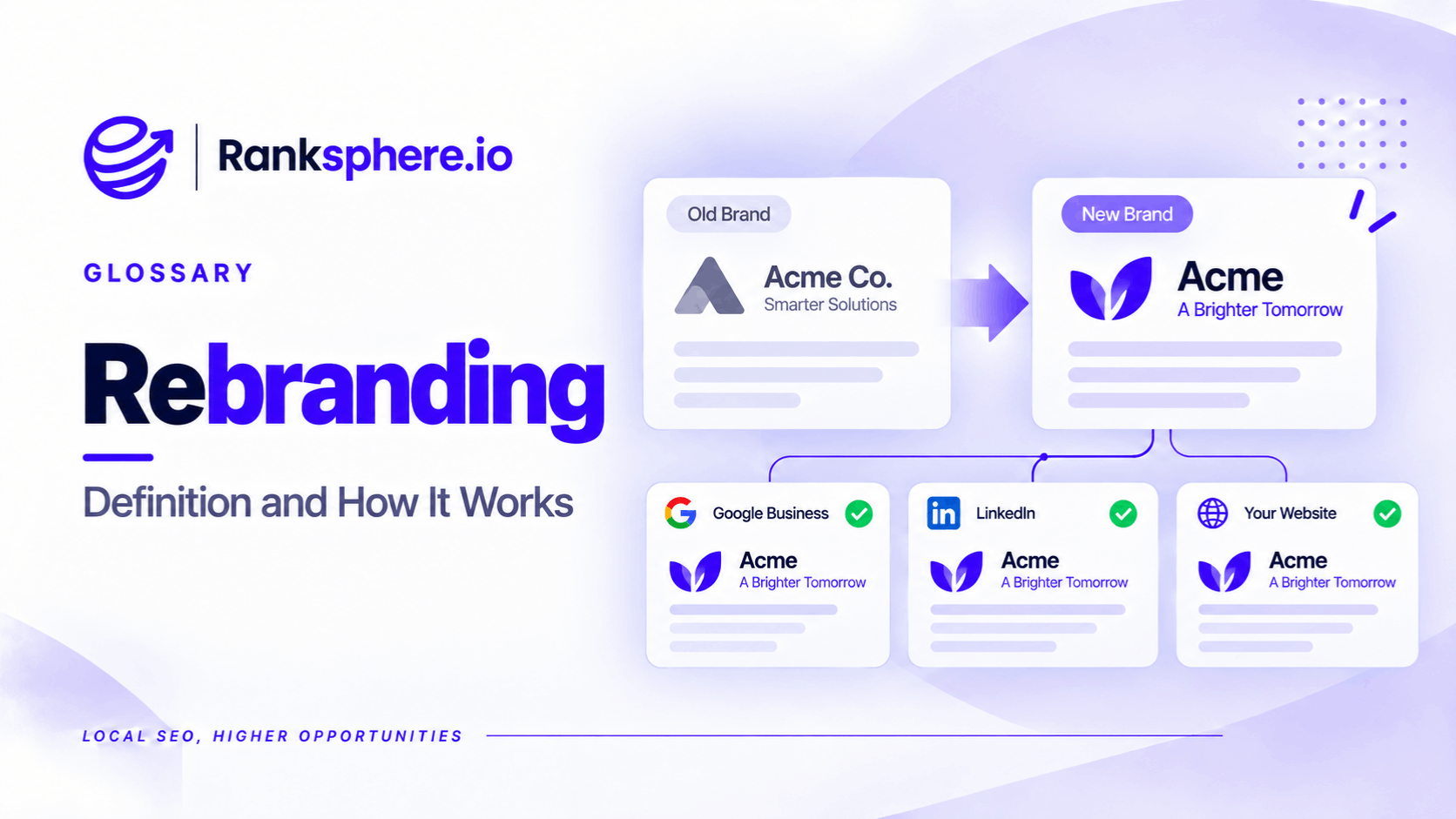
Business rebranding is the process of changing a company's trading name, brand identity or public image. It may also involve changing the website's domain name.
For local SEO, a rebrand affects more than logos and marketing materials. It changes how customers, directories and search engines recognise the business.
A company may have spent years building reviews, earning backlinks and establishing its name across the web. When that name changes, the information needs to be updated without losing the connections to the original business.
Three areas deserve particular attention: Google Business Profile reviews, existing entity information and website visibility.
The biggest SEO risk isn't the new business name itself. It's changing the identity without properly managing everything connected to the old one.
How Does Rebranding Affect Local SEO?
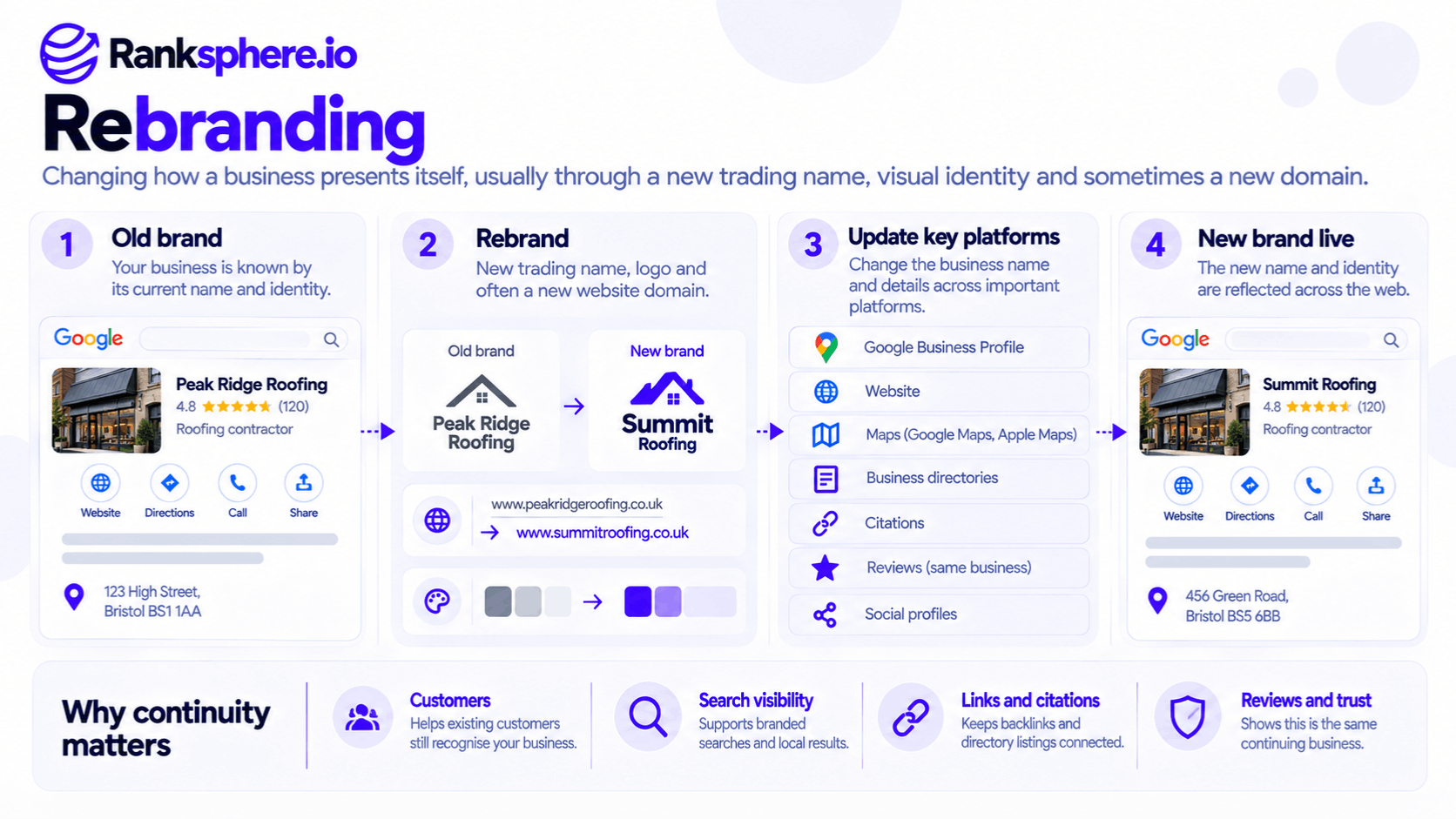
A business rebrand can affect several parts of its online visibility.
Google Business Profile and Reviews
A business's Google Business Profile may contain years of customer reviews, photographs and business information.
For a minor name change involving the same business, Google generally allows the existing profile and reviews to remain.
However, significant changes to the business's identity may be treated differently.
Google states that a business changing its name in a way that no longer meets its criteria for an existing business may be considered a new business. Reviews may not be retained in every situation.
Business Recognition
Search engines encounter information about a business across its website, directories, links and other sources.
When some platforms use the new name and others retain the old one, customers and search systems may encounter inconsistent information.
This doesn't automatically mean Google loses its understanding of the business. It does, however, make a coordinated update worthwhile.
Branded Searches
Customers may continue searching for the previous business name long after the rebrand.
These branded keywords can remain useful sources of website traffic and customer enquiries.
The new website should make it clear that the business has changed its name.
Website and Domain Changes
If the business moves to a new domain, it must manage a full site migration.
Incorrect redirects, broken links or indexing problems can affect organic search visibility.
Local Citations
Existing citations may continue displaying the former business name.
These records should be reviewed and updated where necessary.
Should You Create a New Google Business Profile After Rebranding?
Not automatically.
If the same business makes a minor name change, updating its existing profile is generally the appropriate approach.
This is similar to many business relocation situations, where Google recommends maintaining the existing profile rather than creating an unnecessary replacement.
However, the rules depend on whether the business remains substantially the same.
For example, a law firm adjusting its name after a minor branding change may qualify for an update.
If a completely different business replaces it, renaming the old profile may misrepresent the new company.
Google can reject significant business identity changes.
Creating another profile without checking the rules can also result in a duplicate listing.
Before making changes, confirm that the new branding accurately represents the same business and that its real-world signage, website and other materials support the name.
Google may request additional verification following a name change.
Should You Change Your Website Domain?
A rebrand doesn't always require a new domain.
If the existing domain remains suitable, keeping it avoids the technical risks of moving every website URL.
For example, a dental practice changing its trading name may be able to retain a short domain that doesn't contain the old brand.
However, if the domain prominently features the previous business name, moving may be appropriate.
Google supports domain migrations, but they require careful preparation.
Map old URLs to their new equivalents, implement permanent redirects and update internal links, canonical URLs and sitemaps.
Google recommends server-side permanent redirects, such as 301 or 308, when URLs move permanently.
Search visibility may fluctuate while Google processes the move.
A new domain doesn't automatically erase the value of existing backlinks, but a poorly implemented migration can make that value harder to preserve.
Where practical, avoid combining a domain migration with unnecessary changes to the site's content and structure.
Business Rebranding SEO Checklist
The safest approach is to prepare the new identity before changing public-facing systems.
Before the Rebrand
Record current geo-grid ranking coverage, Business Profile interactions and branded search performance.
Export relevant data from Google Search Console.
Audit directory listings under the old business name and confirm the new NAP details.
Determine whether the Business Profile change qualifies as an existing business or requires a different approach under Google's policies.
During the Rebrand
Update the website's business name, contact details, About page and relevant LocalBusiness schema.
Update the Google Business Profile according to the applicable identity rules.
Correct major directories and relevant data aggregators, along with social and industry profiles.
If the domain changes, implement and test permanent redirects before launch.
Ranksphere's Local Citation Management Tool helps businesses review listings across more than 500 directories and identify records still displaying outdated information.
After the Rebrand
Monitor Business Profile status, reviews and website indexing.
Review search results for both business names, including the brand SERP.
Contact important websites that link to the former domain and request updates where appropriate.
Repeat citation checks after several weeks, as changes across third-party platforms may take time.
Should You Mention the Old Business Name?
Usually, yes, during the transition.
A brief statement such as "Formerly known as [old business name]" can help returning customers recognise the new identity.
It may be appropriate on the homepage, About page or a dedicated rebranding announcement.
There is no Google requirement to retain the statement for a particular number of months.
Keep it for as long as it provides useful context.
Avoid removing every reference to the former name before customers and important business listings have been updated.
Common Business Rebranding Mistakes
- Creating a new Business Profile without checking eligibility. The existing profile may be the correct one to update.
- Assuming every review will transfer. Significant identity changes may be treated differently.
- Moving domains without permanent redirects. Old links and URLs can stop working.
- Changing too many systems without a plan. Problems become harder to diagnose.
- Forgetting old branded searches. Customers may continue using the previous name.
- Updating Google but ignoring citations. Conflicting business details remain online.
- Skipping baseline reporting. It becomes difficult to evaluate changes after launch.
Business Rebranding Best Practices
Confirm how Google's Business Profile policies apply before changing the business name.
Keep existing profiles and reviews where the business qualifies to retain them.
Avoid a domain migration unless there is a clear reason to move.
When URLs change, map and redirect them properly.
Update important third-party references, preserve useful connections to the previous name and monitor search performance during the transition.
Example of Rebranding a Law Firm
Consider a hypothetical family law firm that changes its name after a partner leaves.
The business also decides to move its website to a domain matching the new name.
What Goes Wrong
The agency creates a new Google Business Profile without confirming whether the existing one should be retained.
It also launches the new domain without a complete redirect map.
Several local directories and professional association listings continue showing the former name and website.
The firm subsequently notices changes in organic traffic and customer enquiries.
What the Agency Finds
An audit identifies broken legacy URLs, inconsistent business details and separate Business Profiles requiring investigation.
The agency cannot assume the reviews from the previous profile will automatically transfer.
It also cannot attribute the traffic changes to one cause because several changes happened together.
What the Agency Does
The team checks Google's rules for the business identity change and seeks support for any eligible profile correction.
It fixes website redirects, updates important links and corrects outdated listings.
It also adds a clear explanation of the rebrand to the website so existing clients can recognise the business.
Example
“The rebrand itself was not necessarily the problem.
The business changed several important parts of its online identity without a coordinated transition plan.
Successful rebranding SEO means helping customers and search engines connect the new business identity with the established business, while following Google's rules about when that identity remains the same.”
See Also
- Business Relocation — Managing location changes without unnecessary profile duplication.
- Site Migration — Moving a website to a new domain or URL structure.
- Entity — How search systems identify businesses and organisations.
- Duplicate Listing — Problems created by multiple profiles for the same business.
- Citation Audit — Finding outdated business names and details across directories.
- Branded Keywords — Monitoring searches for the current and former business names.