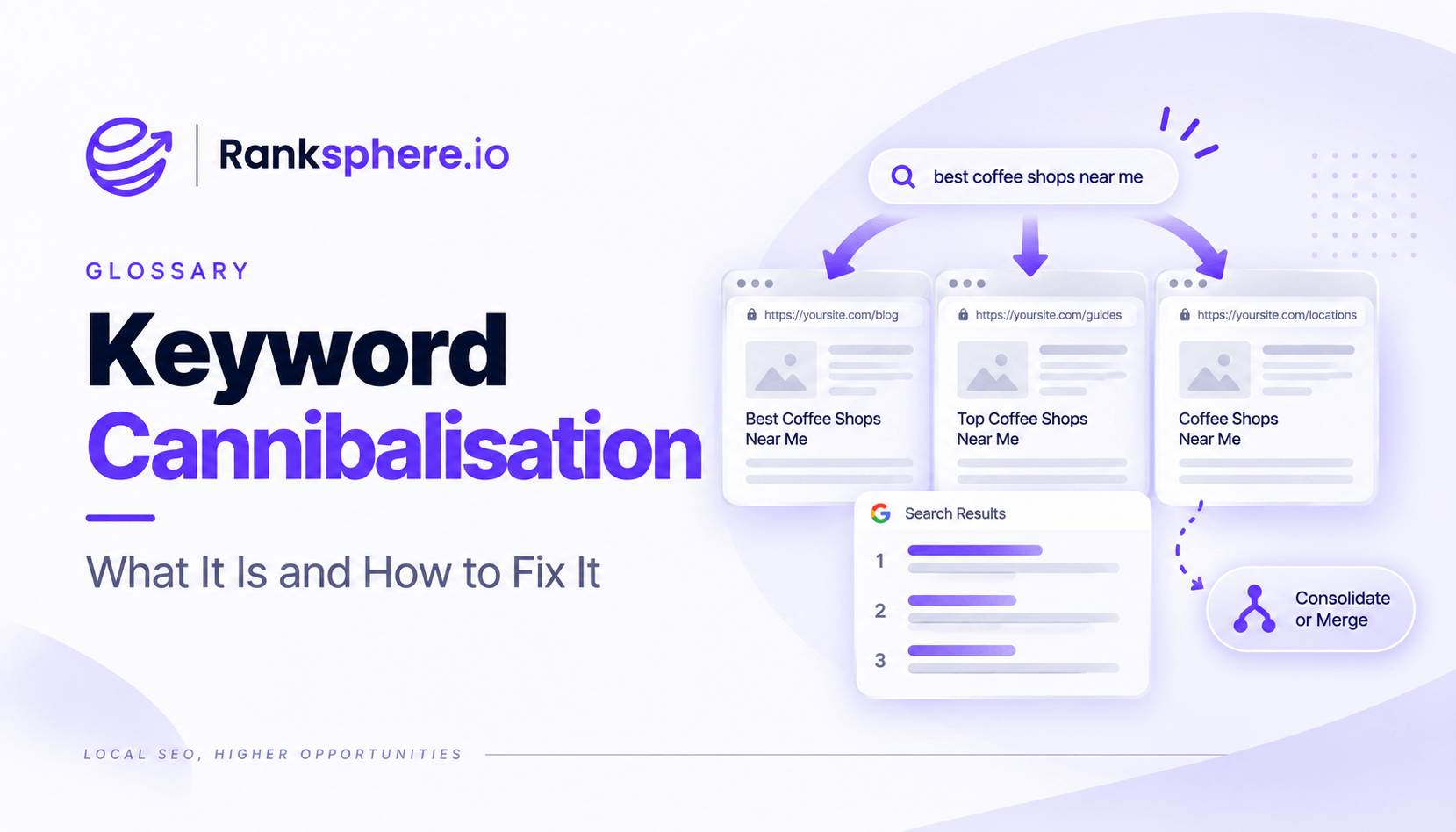
Keyword cannibalisation happens when multiple pages on the same website compete for the same search intent in a way that makes it harder for Google to identify which page should rank.
It is often misunderstood.
Having two pages appear for the same keyword is not automatically a problem. Websites regularly rank more than one URL for related searches, and that can be perfectly healthy.
Cannibalisation becomes an issue when similar pages are trying to do the same job. Google may start showing a less useful page, switching between URLs or struggling to establish one clear result for the query.
The important question is not simply, “Do two pages rank for this keyword?”
It is, “Are these pages competing for the same searcher and the same purpose?”
How to tell if keyword cannibalisation is happening
Similar content on its own is not enough to diagnose keyword cannibalisation.
Look at what is actually happening in search.
Common signs include:
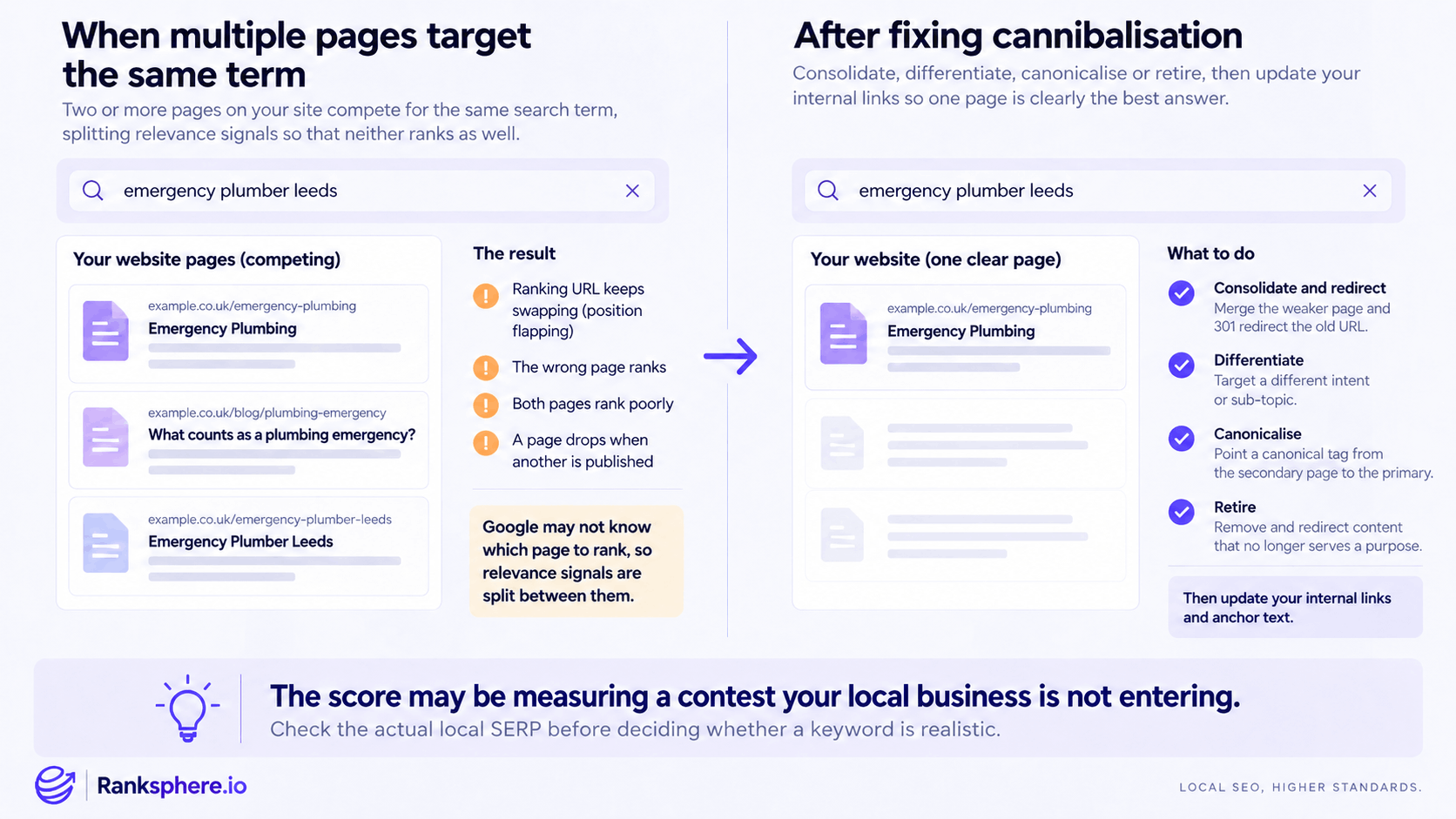
- The ranking URL keeps changing. One page appears for the query one week and another takes its place later.
- The wrong page is ranking. For example, an informational article appears when you would rather have your main service page ranking for the commercial query.
- Several similar pages struggle around the same positions. None becomes the clear result for a topic the site should be competitive for.
- An established page loses visibility after a very similar page is published.
- Google consistently chooses a weaker or less relevant URL.
None of these symptoms proves cannibalisation on its own, but together they are a good reason to investigate.
If one page ranks strongly and another related page simply receives occasional impressions, you may not have a problem at all.
What causes keyword cannibalisation?
Keyword cannibalisation usually develops gradually.
A website grows, new pages are published, old content stays live and nobody keeps track of which page is supposed to target which topic.
Common causes include:
- Several service pages covering almost the same offer
- Old and new blog posts answering the same question
- A location page overlapping heavily with a main service page
- Product and category pages targeting the same search
- Separate pages created for minor long-tail keyword variations
- Old pages remaining indexed after replacement content is published
- Internal links pointing inconsistently between several pages covering the same topic
The most important factor is search intent.
Two pages can mention the same keyword and still deserve to exist if they satisfy different needs.
For example, a service page for boiler repair and an article explaining how to tell if a boiler needs repairing are related, but they serve different search intent.
Two nearly identical boiler repair service pages aimed at the same customer are much more likely to create a problem.
How to find keyword cannibalisation
Google Search Console is one of the most useful places to investigate potential cannibalisation because it shows which URLs are receiving impressions for specific queries.
A practical process is:
- Open the Performance report
- Filter by the keyword or query you want to investigate
- Open the Pages view
- Check which URLs are receiving impressions and clicks
- Compare their performance over time
- Look for URL switching, unexpected pages or overlapping intent
Do not assume that seeing several URLs means you need to fix something.
Open the pages and ask whether they genuinely answer the same search intent.
You can also review:
- Page titles and H1s
- Internal anchor text
- Organic landing pages
- Existing keyword-to-page mapping
- Content similarity
- Changes in rankings after new pages were published
Ranksphere's website audit surfaces near-duplicate pages and thin content across a site, helping you identify pages that may be worth reviewing more closely for overlap.
How to fix keyword cannibalisation
There is no single fix for every cannibalisation problem.
The right solution depends on why the pages overlap and whether both still deserve to exist.
Consolidate and redirect
If two pages serve essentially the same intent and neither needs to remain separate, combine the strongest material into one page.
Then use a 301 redirect from the retired URL to the page you want to keep.
This is often the cleanest option when two pages are doing the same job.
Differentiate the pages
Sometimes both URLs are useful, but their purpose is unclear.
In that case, give each page a distinct role.
For example:
- One page targets a commercial service
- Another answers an informational question
- One page covers a broader category
- Another focuses on a specific sub-service
Update the headings, copy, metadata and internal links so the difference is clear to both users and search engines.
Use a canonical tag where appropriate
A canonical tag can be appropriate when multiple substantially similar URLs need to remain accessible but you want to indicate a preferred version for indexing.
It should not be used as a general-purpose fix for two genuinely different pages that simply happen to target similar keywords.
If the pages serve different purposes, differentiation is usually the better solution.
Retire outdated content
Sometimes the second page simply no longer needs to exist.
If an old article or service page has been replaced by something better, remove it and redirect the URL to the most relevant live page where appropriate.
Leaving outdated pages indexed indefinitely can make the site harder to manage and increase topic overlap over time.
Internal links after fixing cannibalisation
Do not stop after changing or redirecting the pages.
Review your internal links as well.
If important pages throughout the site still point to an outdated or secondary URL, you are continuing to send mixed signals about which page matters most.
After consolidation:
- Update internal links to point directly to the preferred page
- Review anchor text so it accurately describes the destination
- Remove links to pages that have been retired
- Check navigation, related-content modules and breadcrumbs where relevant
A 301 redirect will handle old URLs, but direct internal links to the final destination are cleaner for users and search engines.
Common keyword cannibalisation mistakes
- Assuming two ranking pages automatically mean cannibalisation. Multiple URLs can rank for the same topic without causing a problem.
- Looking only at keyword similarity. Search intent matters more than whether two pages use the same phrase.
- Combining pages that serve different purposes. You may lose useful content without fixing anything.
- Using a canonical tag as the default solution. Canonicals are designed for duplicate or substantially similar URLs, not every instance of topic overlap.
- Deleting useful pages without redirecting them. This can waste existing links, traffic and history.
- Fixing the content but ignoring internal links. Your own linking structure may continue pointing Google towards the wrong page.
- Creating one page for every keyword variation. Closely related searches usually belong together on a stronger page.
- Changing pages without checking Search Console first. Diagnose the problem before trying to solve it.
Keyword cannibalisation best practices
- Create a keyword-to-page map. Know which page owns each important topic before creating additional content.
- Group keywords by intent. Similar wording does not always mean the queries belong on the same page.
- Check Search Console before consolidating anything. Look for real ranking behaviour rather than assumptions.
- Choose the fix based on the reason for the overlap. Consolidate, differentiate, canonicalise or retire as appropriate.
- Update internal links after page changes. Reinforce the page you actually want users and Google to reach.
- Review older content regularly. New pages often create overlap with articles written years earlier.
- Avoid unnecessary location or service pages. Every page should have a clear reason to exist.
- Measure the result after making changes. Watch which URL ranks, impressions, clicks and average position over the following weeks.
Example
“Caldwell Plumbing has three pages related to emergency plumbing:
- A main emergency plumbing service page
- An article explaining what counts as a plumbing emergency
- A location page targeting emergency plumbing in Leeds
Google Search Console shows that both the main service page and the Leeds page regularly receive impressions for “emergency plumber Leeds.”
The ranking URL also changes between the two.
The blog post is different. It appears mostly for informational questions such as “what is considered a plumbing emergency,” so there is a clear reason for it to remain separate.
The two commercial pages need closer attention.
After reviewing them, Caldwell finds that the Leeds page says almost the same thing as the main emergency plumbing page, with only a few references to the city added.
Rather than keeping two pages competing for essentially the same customer, the useful local information is added to the stronger service page and the redundant URL is redirected.
The team then updates internal links that still point to the retired page.
The site is now clearer: one page handles the emergency plumbing service, while the article answers informational questions around the topic.
That is what fixing keyword cannibalisation should achieve. It is not about forcing every keyword onto one URL. It is about giving each useful page a clear purpose and removing unnecessary competition between pages that are trying to do the same job.”
See also
- Keyword research — planning which topics and searches belong on each page
- Search intent — deciding whether two pages genuinely need to coexist
- Canonical tag — identifying a preferred URL when substantially similar pages must remain available
- 301 redirect — permanently sending an old URL to the preferred replacement
- Anchor text — how internal links help reinforce the purpose of a page
- Google Search Console — one of the most useful tools for diagnosing competing URLs