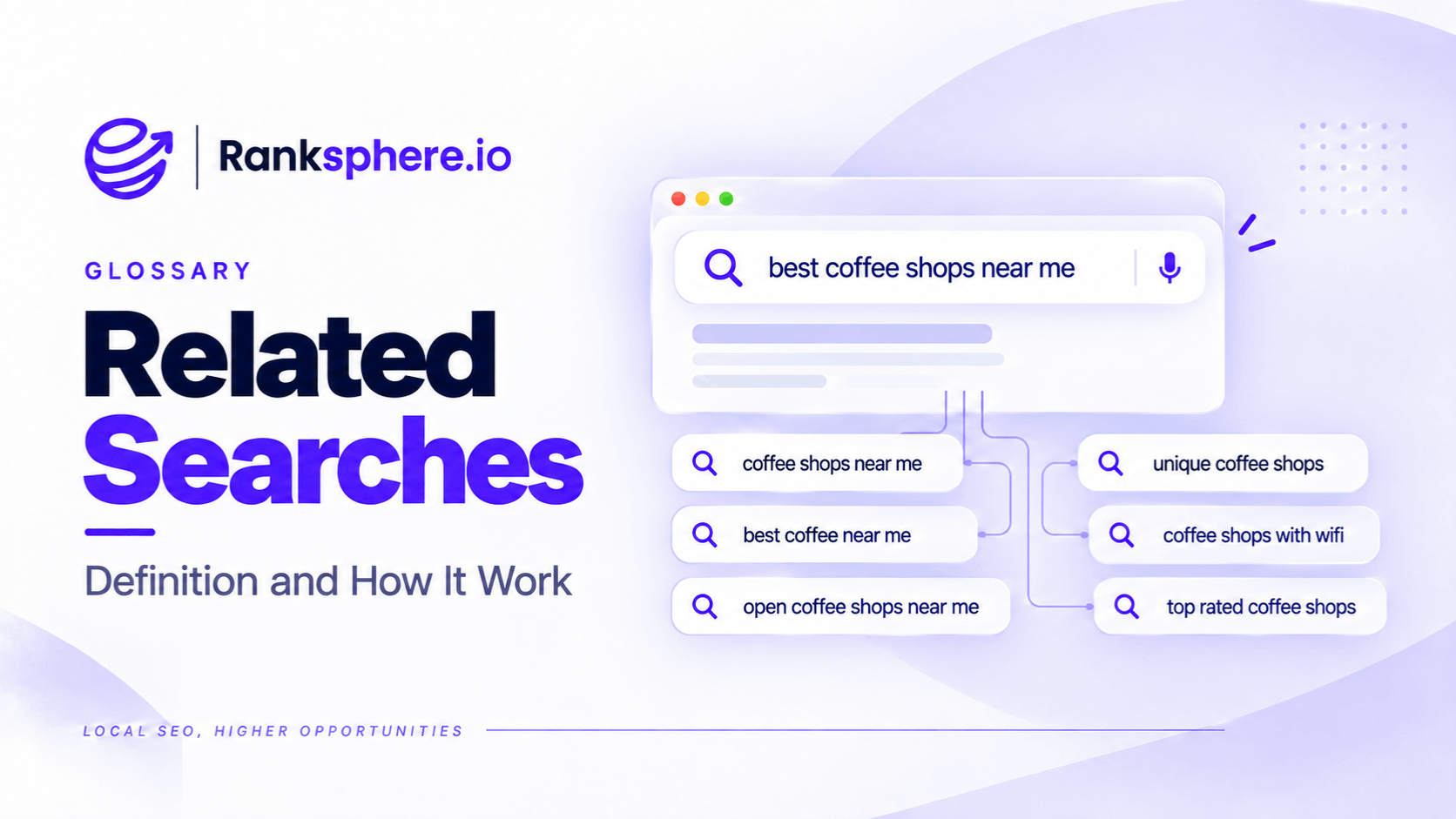
Related searches are suggestions Google displays to help people explore queries connected to their original search. They often appear near the bottom of a search results page, although their placement and presentation can vary.
For example, someone searching for "boiler repair" might see suggestions about boiler replacement costs, common boiler problems, or emergency heating services.
These suggestions can reveal useful topics, alternative search phrases, and questions that a business may not have considered.
For SEO, related searches are a free source of keyword ideas. They're particularly useful for local businesses researching specific services and customer concerns that keyword tools may overlook.
However, a related search suggestion doesn't tell you how often people search for that term or whether it's worth creating a separate page.
The real value comes from using these suggestions to discover topics, then checking their relevance and search intent before adding them to a content strategy.
How Do Google Related Searches Work?
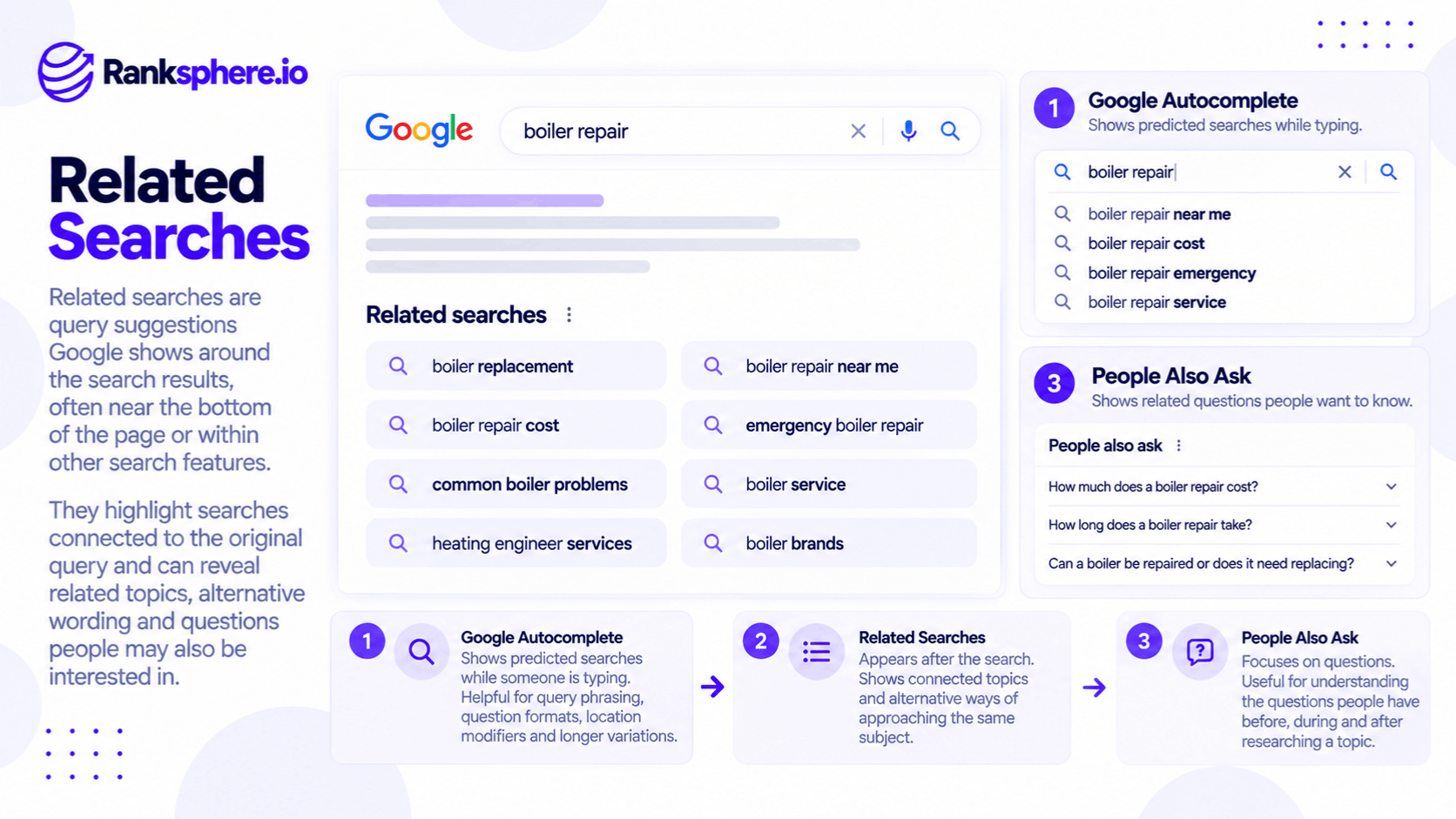
Google uses its search systems to identify queries related to what someone is searching for.
The suggestions may reflect connections between topics, different ways of expressing a question, or other relevant searches.
For example, someone searching for "roof repair" might encounter suggestions related to:
- Roof repair costs
- Emergency roof repairs
- Roof leak detection
- Repairing damaged roof tiles
- Roof replacement
These are illustrative examples; the actual suggestions depend on the search and may change over time.
Related searches aren't a complete record of what people searched immediately before or after the original query.
They're suggestions generated by Google's systems to help users explore relevant searches.
The selection can also vary according to factors such as location, language, search settings, and Google's results interface.
This makes related searches useful for research, but not a substitute for search volume or performance data.
Related Searches vs Google Autocomplete vs People Also Ask
Google offers several search features that can help businesses discover relevant questions and keywords.
Although they're related, each serves a different purpose.
| Feature | What it shows | Best use for SEO |
|---|---|---|
| Related searches | Queries connected to a completed search | Discovering adjacent subjects and alternative search directions |
| Google Autocomplete | Predictions displayed while typing | Finding query variations and common search phrasing |
| People Also Ask | Questions related to a search, with expandable answers | Identifying specific questions to address |
Google Autocomplete
Google Autocomplete predicts searches as someone types.
For example, entering "boiler repair" might generate predictions about prices, emergency services, or particular boiler faults.
Google explains that autocomplete predictions draw on real searches and can be influenced by location, language, trends, and previous activity.
Autocomplete is useful when researching how people phrase searches.
Related Searches
Related searches appear after a search has been performed.
Rather than simply completing the words someone has typed, they can introduce connected topics.
For example, a search about boiler repair might lead to related queries about replacement costs or specific heating problems.
This can help identify subjects that belong in the same content plan.
People Also Ask
People Also Ask presents questions related to a search.
For example, someone researching boiler repairs might encounter questions such as:
- Is it worth repairing an old boiler?
- How long does a boiler repair take?
- When should a boiler be replaced?
These questions can help businesses identify information customers want before making a decision.
However, appearing in People Also Ask doesn't automatically mean a question has high search volume.
How to Use Related Searches for Keyword Research
Related searches are most useful when they're part of a repeatable research process.
You don't need an expensive tool to get started.
1. Start With a Main Service Keyword
Choose a service or subject relevant to the business.
For example, a veterinary practice might start with:
Emergency vet
Search the term in Google and review the related suggestions that appear.
Record any queries that seem relevant to the practice and its customers.
Don't assume every suggestion deserves its own article.
2. Explore the Related Suggestions
Open a relevant suggestion and examine the new search results.
You may discover further related searches or questions.
For example, research beginning with "emergency vet" could lead to subjects involving:
- Out-of-hours appointments
- Emergency consultation costs
- Symptoms requiring urgent attention
- Pet poisoning
- Emergency treatment availability
These are potential research directions rather than a guaranteed set of suggestions.
Following connected searches can help uncover questions that weren't obvious from the original keyword.
3. Research From the Target Location
Search results can vary geographically.
For example, someone searching for a service in Manchester may see different local results from someone searching in Bristol.
When conducting local keyword research, use an appropriate location setting or research environment.
You can also include the town or city in the query.
For example:
Emergency vet Maidstone
This helps focus the research on the intended area.
However, adding a location doesn't guarantee that every suggestion comes exclusively from people in that town.
4. Reduce Personalisation
Previous search activity may influence parts of the Google Search experience.
Using a private browsing window can reduce some personalisation associated with your normal signed-in browsing activity.
However, incognito mode doesn't make results completely neutral.
Google may still use location, language, and other contextual information.
For more consistent research, record the search location and settings used.
5. Group Suggestions Into Topics
After collecting related searches, organise them by subject and intent.
For example, a veterinary practice might identify these groups:
Emergency veterinary care
- Emergency vet appointments
- Out-of-hours veterinary services
- When to call an emergency vet
Veterinary costs
- Emergency vet consultation costs
- Out-of-hours charges
- Pet insurance and emergency treatment
Pet health emergencies
- What to do if a dog eats chocolate
- Symptoms of poisoning in dogs
- When breathing problems require urgent veterinary attention
These groups can help inform topic clusters.
However, grouping related questions doesn't mean every topic requires a separate URL.
The business should consider how much information each question needs and whether the search intent differs.
6. Check the Search Results Before Creating Content
Once you've identified a promising query, search it directly.
Look at what Google currently displays.
For example:
- Are the results informational articles?
- Are local businesses appearing?
- Are there service pages?
- Are comparison guides common?
- Are authoritative health or industry sources prominent?
The results help establish what people are likely trying to accomplish.
Only then should you decide what type of content to create.
What Can Related Searches Tell You?
Related searches can reveal useful patterns that might not be obvious from a business's original keyword list.
Adjacent Customer Questions
A customer researching one service may also be interested in related decisions.
For example, someone researching roof repairs may want to understand whether replacement would be more economical.
A roofing business could address that comparison in an existing guide or a dedicated article.
Content Gaps
Related searches can reveal subjects missing from a website.
For example, a dental practice may have a detailed dental implants page but little information about treatment costs or recovery.
If related searches repeatedly point towards these questions, they may be worth reviewing.
This connects with content gap analysis.
However, a topic appearing in related searches doesn't prove that competitors are failing to cover it.
You still need to review the existing results.
Comparison and Research Intent
Some suggestions contain words such as:
- Best
- Versus
- Alternatives
- Reviews
- Cost
- Comparison
These may indicate that someone is evaluating different options.
For example, "flat roof repair vs replacement" suggests a different need from "emergency roof repair near me."
The first is primarily a comparison question.
The second may indicate a need to find a service provider.
Local Search Variations
Related searches may include nearby towns, neighbourhoods, or different ways of describing a service.
These suggestions can help identify geographic variations worth researching.
However, don't automatically create location pages for every town mentioned.
Location pages should contain genuine, useful information about the business's services in that area.
Potential Commercial Interest
Suggestions about pricing, availability, booking, or nearby providers may be relevant to people considering a purchase or appointment.
For example, "emergency vet cost" may indicate that a pet owner wants to understand the financial implications of treatment.
However, commercial value cannot be determined from the wording alone.
The query still needs to be evaluated against the business's services and customer needs.
What Related Searches Cannot Tell You
Related searches are useful for discovering ideas, but they have important limitations.
They Don't Provide Search Volume
A related search doesn't show how many people search for that phrase each month.
Its appearance also doesn't establish a minimum search volume.
Some suggestions may relate to specific or emerging topics that keyword tools report as having little or no measurable volume.
However, that doesn't prove that Google related searches consistently uncover more valuable keywords than paid research tools.
See search volume for more information.
They Don't Confirm Search Intent
A query may appear relevant while serving a different audience.
For example, "roof repair materials" may attract people looking to purchase products rather than hire a contractor.
Review the search results before selecting the query for a commercial service page.
Understanding search intent helps prevent content from targeting the wrong audience.
They Don't Measure Keyword Difficulty
Related searches don't provide a reliable measure of how difficult a query is to rank for.
A suggestion may lead to search results dominated by major publishers, national businesses, or highly specialised resources.
Competition should be evaluated separately.
They Don't Establish Commercial Value
A keyword may attract search interest without generating enquiries.
For example, a veterinary practice might publish an article about common dog breeds.
The topic may be relevant to pet owners, but it doesn't necessarily attract people looking to book veterinary services.
Content priorities should reflect both the audience's needs and the business's objectives.
How to Turn Related Searches Into a Content Plan
Collecting keyword ideas is only the first step.
The next task is deciding what to do with them.
Match Queries to Existing Pages
Before creating a new article, check whether an existing page already addresses the subject.
For example, a roofing company may already have a roof repair guide.
If related searches reveal questions about repair costs, it may be more useful to improve the existing guide than create another page covering substantially the same intent.
Identify Distinct Search Intent
Some queries require different pages.
For example:
Roof repair cost
A pricing guide may be appropriate.
Emergency roof repair near me
A local service page may be more useful.
Roof repair vs replacement
A comparison guide may better address the question.
The decision should follow the reader's needs rather than the number of keyword variations collected.
Build Relevant Topic Groups
Organise related questions around central subjects.
For example, a physiotherapy clinic might develop resources covering:
- Lower back pain
- Sports injuries
- Knee pain
- Physiotherapy treatment costs
- Appointment preparation
Each topic should relate to the clinic's actual services and expertise.
Prioritise Topics That Matter to Customers
Not every idea needs to be published.
A business should prioritise questions that:
- Customers regularly ask
- Relate to its services
- Have a clear search purpose
- Aren't adequately answered on the website
- Can be addressed with accurate, useful information
This approach connects related search research with keyword mapping.
The goal is to create a useful content plan rather than a separate page for every suggested search.
Related Searches and Local Rank Tracking
Related searches help identify what people may want to know.
Rank tracking answers a different question: how visible is the business for selected searches?
For example, a landscaping company might discover related queries about:
- Garden landscaping costs
- Patio installation
- Garden redesign
- Landscaping near me
After researching the intent and choosing relevant keywords, the business can monitor its visibility.
Ranksphere's Local Rank Tracker allows businesses to track selected keywords across geographic search points using geo-grid heatmaps.
This helps show where the business appears more or less prominently in local results.
However, rank tracking doesn't establish how frequently people search for a suggested query or whether the resulting visitors become customers.
Related searches and rank tracking provide different information and should be used together where relevant.
Common Related Searches Mistakes
- Treating every suggestion as a keyword opportunity. Some suggestions may be irrelevant to the business.
- Assuming related searches provide volume data. Google doesn't display monthly search counts alongside them.
- Creating one page per suggestion. Closely related queries often share the same intent.
- Ignoring geographic context. Results can vary depending on location and search settings.
- Relying entirely on incognito mode. Private browsing reduces some personalisation but doesn't eliminate geographic or contextual differences.
- Skipping search intent research. A relevant-looking keyword may attract the wrong audience.
- Assuming every suggestion represents commercial demand. Some searches are informational.
- Ignoring existing website content. A useful answer may already exist and only need improvement.
- Collecting keywords without prioritising them. A long list isn't a content strategy.
Related Searches Best Practices
When using related searches for SEO research:
- Start with your main services or customer questions.
- Review the suggestions Google displays.
- Explore promising suggestions to discover related subjects.
- Combine findings with Autocomplete and People Also Ask.
- Research using an appropriate geographic context.
- Record the location and settings used.
- Group similar queries by subject and intent.
- Check the search results before creating content.
- Compare new ideas with existing website pages.
- Prioritise subjects relevant to the business.
- Avoid creating unnecessary duplicate articles.
- Review suggestions periodically because they may change.
Related searches are most useful when they help reveal customer questions that the website doesn't yet answer well.
Example of Related Searches for a Veterinary Practice
Consider a hypothetical veterinary practice called Thornbury Veterinary.
The practice wants to improve its website content to answer more questions from local pet owners.
Its existing keyword research focuses on broad terms such as:
- Veterinary clinic
- Emergency vet
- Pet vaccinations
- Vet appointments
These keywords are relevant, but they don't reveal every concern potential clients may have.
What the Practice Discovers
The marketing team begins exploring Google related searches around emergency veterinary care.
It identifies potential research topics involving:
- Out-of-hours consultation costs
- When a pet needs emergency treatment
- Emergency treatment and pet insurance
- Signs of poisoning
- What to do when a pet has difficulty breathing
The team then speaks with the clinic's reception staff.
They confirm that several of these questions are regularly asked by callers.
That provides a stronger reason to address the topics than their appearance in Google alone.
How the Practice Plans Its Content
The practice groups the questions into a small number of useful resources.
For example:
Emergency Veterinary Appointments
Explains when and how to contact the practice for urgent care, including accurate information about its availability.
Out-of-Hours Veterinary Costs
Explains the practice's actual fees, where applicable, and factors that may affect the final cost.
Common Pet Emergencies
Provides professionally reviewed guidance on recognising potentially serious symptoms and seeking appropriate veterinary assistance.
The articles are reviewed by qualified veterinary professionals before publication.
They also clearly explain when owners should seek urgent care rather than rely on information found online.
How the Practice Measures Results
After publishing, the practice reviews relevant Google Search Console queries and organic traffic.
It also checks whether visitors use the pages to find appropriate contact information and book appointments.
However, the practice doesn't assume that a suggested query has high search volume or that publishing an article will guarantee new clients.
Example Shows
“The most useful result wasn't the number of keyword ideas collected.
It was identifying genuine customer concerns that the website hadn't addressed clearly.
By combining related search research with questions already asked at reception, the practice developed content based on real information needs.
Related searches are a starting point for understanding what else people want to know, not a ready-made list of pages to publish.
For local businesses, the best approach is to explore the suggestions, confirm the intent, and turn relevant findings into useful content that answers real customer questions.”
See Also
- Google Autocomplete — Discovering search predictions and alternative keyword phrasing.
- People Also Ask — Identifying questions Google displays in search results.
- Keyword Research — Finding relevant queries and assessing search opportunities.
- Content Gap — Identifying important topics missing from a website.
- Keyword Mapping — Assigning keyword groups to appropriate pages.
- Search Volume — Understanding estimated demand for particular search queries.