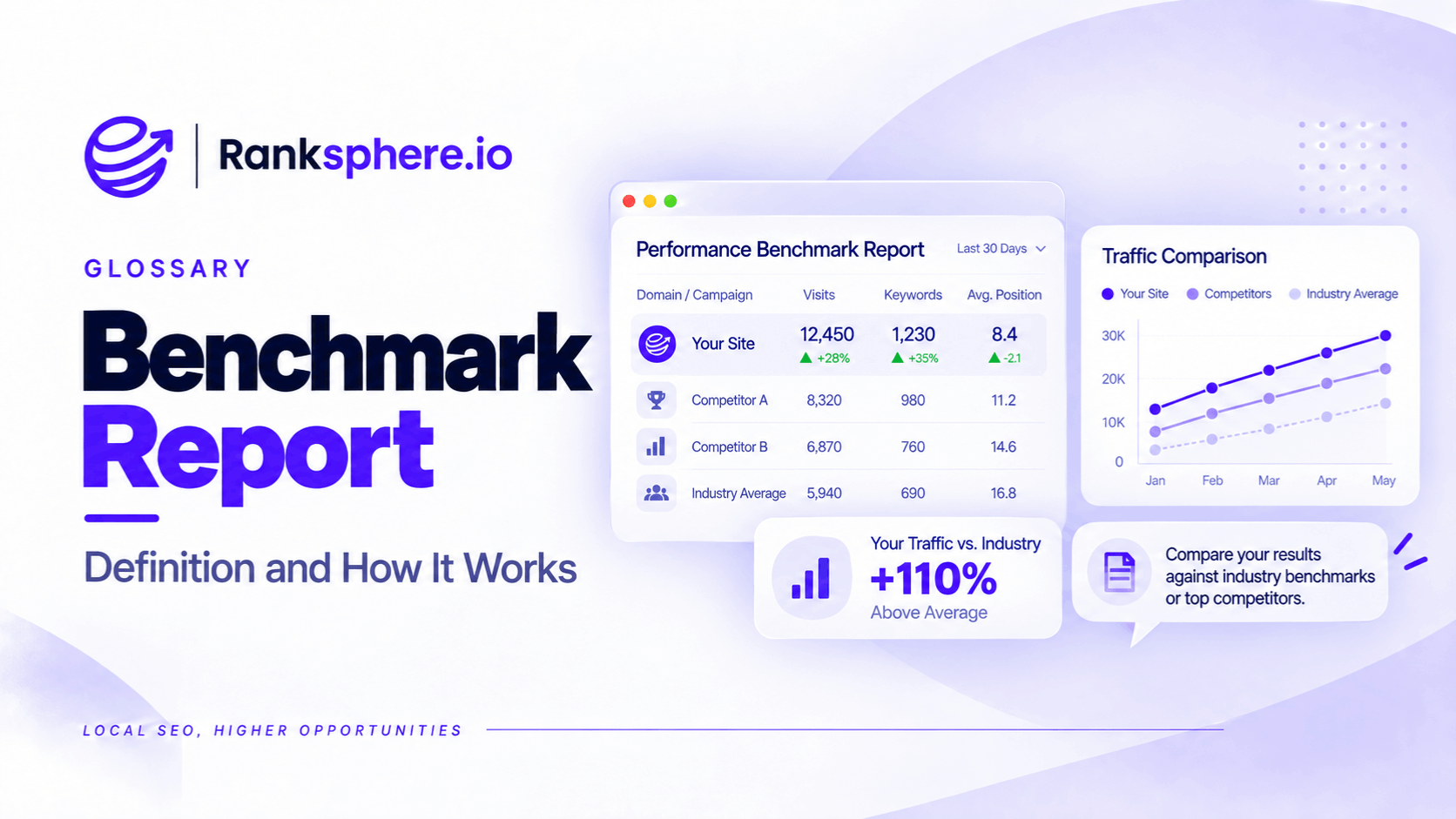
A benchmark report records a business's performance at a specific point in time, providing a baseline for measuring future progress. In SEO, it's usually created at the beginning of a client engagement, before any optimisation work begins.
The term can also describe a report that compares a business against competitors or industry averages.
For SEO agencies, the initial performance benchmark is particularly important.
Imagine taking over a dental practice's local SEO and improving its Google Business Profile, updating service pages, and building a review strategy.
Five months later, the client asks a reasonable question:
"What has actually improved since we started?"
Without reliable starting data, that question becomes difficult to answer.
You may be able to show current rankings, website traffic, and Google Business Profile actions, but you can't accurately compare them with conditions before the work began.
A benchmark report solves this problem by recording where the business started and establishing a consistent way to measure changes over time.
Why Is a Benchmark Report Important for SEO?
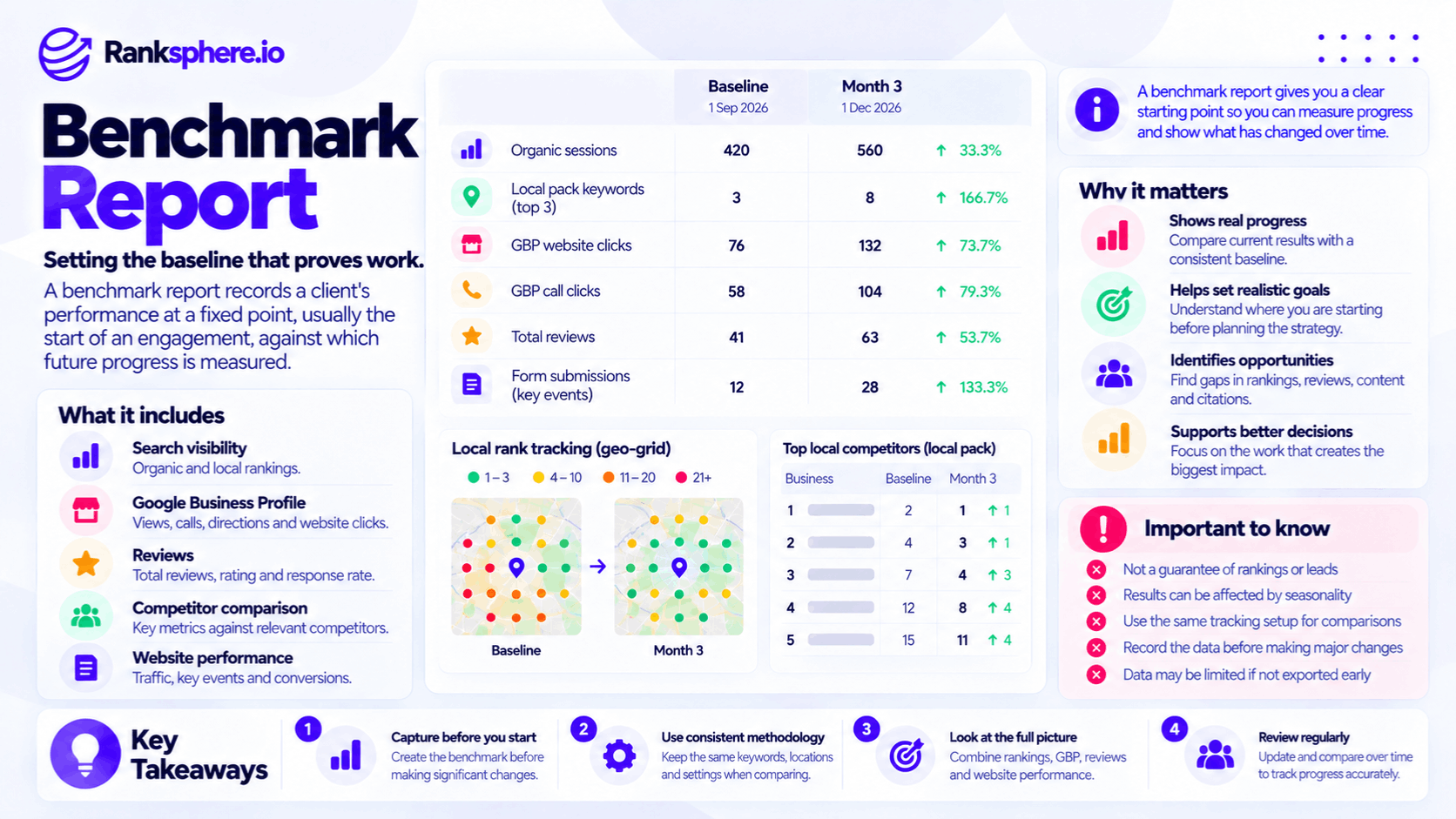
SEO results aren't always immediate or easy to attribute to a single activity.
Search rankings fluctuate, customer demand changes throughout the year, and competitors continue making improvements of their own.
That's why agencies need a documented starting point.
A benchmark report helps you:
- Compare performance before and after an SEO campaign
- Identify areas that need improvement
- Set realistic performance targets
- Track progress across reporting periods
- Explain changes to clients using historical data
- Compare a business with relevant local competitors
It also helps prevent disagreements.
For example, a client might remember receiving more calls before hiring an agency, even when the available data suggests otherwise.
A properly documented baseline provides a more reliable reference than memory.
However, a benchmark report doesn't automatically prove that every improvement was caused by the agency's work.
It establishes what changed. Determining why it changed requires additional analysis.
What Should an SEO Benchmark Report Include?
A useful benchmark report should capture the metrics you'll need when evaluating progress later.
For local businesses, that means going beyond website traffic and keyword rankings.
1. Local Search Rankings and Grid Coverage
Local rankings can vary depending on where someone searches.
A business might rank highly near its address but appear much lower in surrounding neighbourhoods.
That's why geo-grid rank tracking is useful when establishing a local SEO baseline.
A geo-grid scan measures how a business appears for selected keywords across multiple locations within a defined area.
For example, a dental practice might track:
- Dentist near me
- Dental implants
- Emergency dentist
- Root canal treatment
The initial scan provides a visual record of rankings across the service area.
Future scans can then be compared with the same keywords and geographic settings to identify where visibility has improved or declined.
For a local SEO client, this can be more informative than recording a single ranking position.
2. Google Business Profile Performance
A local SEO benchmark should include available Google Business Profile performance data.
Depending on the business and supported features, useful metrics may include:
- Phone call button clicks
- Direction requests
- Website clicks
- Booking interactions
- Profile views
- Search terms associated with profile discovery
These metrics help establish how people interact with the business through Google Search and Maps.
They also provide context that website analytics cannot capture.
For example, someone might call a business directly from Google Maps without visiting its website.
If the benchmark only includes website traffic, that interaction won't be represented.
Where historical data is available, record a meaningful period before the engagement begins so future reports can account for normal fluctuations.
3. Google Reviews and Reputation
Customer reviews can influence how people evaluate local businesses.
An initial review benchmark should record:
- Total review count
- Average star rating
- Review velocity
- Number of unanswered reviews
- Review response rate
- Recent review activity
For example, a dental practice might begin with 85 reviews, an average rating of 4.3 stars, and several recent reviews awaiting responses.
Future reports can then show whether the practice is receiving more reviews, responding more consistently, and improving its overall reputation.
However, changes in average rating should be interpreted carefully, particularly when the total number of reviews is small.
4. Google Search Console Performance
Google Search Console provides information about how a website performs in Google Search.
For a benchmark report, record:
- Total clicks
- Total impressions
- Average click-through rate
- Average position
- Search queries
- Landing pages receiving search traffic
- Relevant country and device breakdowns
Exporting up to twelve months of available data can provide useful context for seasonal changes.
For example, a roofing company may receive more search demand during particular weather conditions or seasons.
Comparing only one month before and after optimisation could produce a misleading conclusion.
Google Search Console generally retains 16 months of performance data in its standard reports, so historical exports should be saved before older information becomes unavailable.
5. Local Citation Accuracy
A local SEO benchmark should also record the condition of the business's existing directory listings.
A local citation typically includes business information such as its name, address, and phone number.
An initial citation audit may identify:
- Accurate listings
- Incomplete listings
- Inconsistent business information
- Missing directory listings
- Duplicate listings
- Outdated contact details
Recording these issues before work begins makes it easier to demonstrate which listings were reviewed and what changed.
It also establishes a clear starting point for citation management.
6. Website Conversions and Enquiries
Website traffic alone doesn't explain whether a business is receiving more customers.
A benchmark report should include the conversions the business currently measures.
Examples include:
- Contact form submissions
- Appointment bookings
- Quote requests
- Tracked phone calls
- Phone-number clicks
- Purchases
Where possible, distinguish completed enquiries from actions that merely indicate interest.
For example, a phone-number click doesn't confirm that a call connected.
If conversion tracking isn't configured correctly, document that limitation in the initial report.
Improving measurement may be one of the first tasks in the engagement, but the agency shouldn't present newly tracked actions as genuine growth without accounting for the change in tracking.
7. Competitor Performance
A benchmark report can include a comparison with relevant local competitors.
For example, a dental practice might compare its visibility with two or three competing practices serving the same area.
Useful comparison points include:
- Local grid rankings
- Share of local voice
- Review counts and ratings
- Business Profile categories
- Relevant website content
- Visibility for target keywords
Competitor benchmarking helps explain the business's position in the local market.
For example, an improvement in rankings is useful, but it becomes more meaningful when you can also see whether competitors improved during the same period.
Keep the competitor list consistent where practical, and document any changes.
8. Screenshots of Important Pages and Profiles
Not every useful benchmark is numerical.
Screenshots can preserve the condition of important assets before optimisation.
Examples include:
- Google Business Profile information
- Primary and secondary categories
- Website homepage
- Service pages
- Location pages
- Search result appearances
- Business listings requiring correction
These records can help demonstrate what changed during the engagement.
However, screenshots should supplement exported data rather than replace it.
A screenshot of a dashboard rarely provides enough detail for future analysis.
Why You Should Export Benchmark Data
One of the most common mistakes is saving screenshots of performance dashboards without exporting the underlying data.
The problem becomes obvious months later.
Historical data may no longer be available, reporting tools may have changed, and screenshots may not contain the details needed for a useful comparison.
Search Console Data Has a Retention Limit
Google Search Console generally provides up to 16 months of performance data through its standard reporting interface.
If an agency begins an engagement without exporting historical information, some pre-engagement data may become unavailable during a long-term campaign.
For example, an agency reviewing performance eighteen months later cannot assume that the original historical figures will still be accessible.
Exporting the data early preserves the starting point.
Google Business Profile Data Should Also Be Archived
Google Business Profile provides historical performance information, but the available date range and export options depend on the reporting method.
Some tools retain more historical information than others.
For example, Ranksphere provides at least 18 months of Google Business Profile performance insights for connected profiles.
However, an agency shouldn't assume every reporting tool or native interface will preserve the same history.
Exporting or otherwise archiving available performance data helps maintain continuity.
Store Reports Somewhere the Team Can Access
Benchmark data shouldn't exist only in an account manager's inbox or personal computer.
Use a shared location where authorised team members can retrieve it.
Store:
- Raw data exports
- Initial geo-grid scans
- Review and citation audit results
- Website performance reports
- Competitor comparisons
- Relevant screenshots
- Measurement notes
Label the files clearly with the business, reporting period, and collection date.
This makes it easier to compare reports later, even if the account manager changes.
Maintain a Historical Archive
Don't export performance data only once.
Schedule regular exports so the agency retains a consistent record as the engagement continues.
This can help preserve information beyond the retention limits of individual reporting platforms.
Ranksphere's white-label reporting helps agencies present local SEO performance in client-ready reports, making the original benchmark useful as the starting point for ongoing comparisons.
When Should You Create an SEO Benchmark Report?
The best time to establish a benchmark is before implementing changes that could affect performance.
Ideally, this happens during the first stage of client onboarding.
For example, an agency might use its opening days to:
- Secure platform access
- Record current rankings
- Export historical search data
- Review Google Business Profile performance
- Document reviews and citations
- Check existing conversion tracking
- Identify relevant competitors
The exact timeline depends on the size of the business and the complexity of the engagement.
A single-location business may need less preparation than a franchise with dozens of locations.
Why the Timing Matters
Imagine discovering that a Google Business Profile uses an incorrect primary category.
It may be tempting to correct it immediately.
However, if the agency changes the category before recording the existing setup and rankings, it loses part of the original baseline.
Future reports may show improvements, but the comparison won't capture the complete starting position.
This doesn't mean agencies should delay urgent repairs or critical business changes unnecessarily.
It means they should document the existing condition before making changes whenever practical.
A short, organised benchmarking process can prevent reporting problems that last for the entire engagement.
Benchmark Reports vs Competitor Benchmarking
The term benchmark report can refer to two related types of analysis.
The first measures a business against its own historical performance.
The second compares it against external benchmarks, such as competitors or industry averages.
Both can be useful, but they answer different questions.
Historical Performance Benchmarking
Historical benchmarking compares current performance with an earlier period.
For example:
- Local rankings at onboarding versus six months later
- Review count before and after a review management campaign
- Website enquiries before and after conversion improvements
- Google Business Profile actions across comparable periods
This is the foundation of ongoing SEO reporting.
However, seasonal patterns and tracking changes must be considered when interpreting the results.
Competitor Benchmarking
Competitor benchmarking compares a business against other businesses competing for similar customers.
For local SEO, this may include:
- Geo-grid visibility
- Review counts
- Average ratings
- Relevant business categories
- Website content coverage
- Local search performance
The strongest comparisons use identifiable competitors operating in the same market.
For example, a roofing company in Bristol may learn more from comparing itself with three nearby roofing businesses than from comparing its metrics with a national home-services average.
Competitor benchmarking also requires consistency.
If different competitors, keywords, or geographic settings are used each month, changes may reflect the measurement setup rather than genuine market movement.
Industry Benchmarking
Industry benchmarking compares a business's metrics with published averages.
Examples include average:
- Conversion rates
- Click-through rates
- Engagement rates
- Website traffic levels
- Lead generation performance
These figures can provide general context, but they should be treated cautiously.
Definitions, sample sizes, attribution methods, and business models can vary considerably.
As explained in conversion rate, comparing performance figures without understanding how they were measured can produce misleading conclusions.
For most local businesses, historical performance and carefully selected local competitors provide more useful reference points than broad industry averages.
Common Benchmark Reporting Mistakes
Several mistakes can make an SEO benchmark unreliable or difficult to use later.
- Starting optimisation before recording a baseline. Changes made before measurement may be difficult to evaluate accurately.
- Saving screenshots instead of exporting data. Historical information may become unavailable as reporting windows expire.
- Capturing only website traffic. Local search also generates calls, direction requests, and other Google Business Profile actions.
- Ignoring review and citation data. These are important parts of ongoing local SEO work.
- Comparing different measurement setups. Changes in keywords, geo-grid locations, analytics configuration, or tracking methods can distort results.
- Using industry averages without context. Published benchmarks may rely on different definitions and samples.
- Storing data in one person's inbox. Important historical records can be lost when team responsibilities change.
- Assuming every improvement was caused by the agency. Search demand, competitors, seasonality, and other factors may also influence results.
- Failing to review the baseline with the client. Disagreements are more likely when the starting figures were never explained or agreed upon.
SEO Benchmark Report Best Practices
A useful benchmark report should be accurate, repeatable, and easy to compare with future results.
Follow these practices:
- Create the initial report before making significant optimisation changes.
- Export historical data rather than relying only on screenshots.
- Include local rankings, Google Business Profile performance, reviews, citations, and website metrics.
- Record meaningful conversions and clearly note measurement limitations.
- Compare the business with relevant local competitors.
- Keep keywords, geographic settings, and other measurement conditions consistent.
- Store the baseline in a shared, organised location.
- Export data regularly to maintain a historical record.
- Review the initial figures with the client.
- Use the baseline consistently in monthly and quarterly reports.
The objective isn't to collect as many statistics as possible.
It's to preserve the information needed to answer whether performance has changed and what those changes mean for the business.
Example of an SEO Benchmark Report
Consider a hypothetical dental practice that hires an SEO agency to improve its local search visibility.
The agency begins working immediately.
During the first few weeks, the team:
- Updates the Google Business Profile
- Corrects the primary business category
- Establishes a review response process
- Rewrites several service pages
- Fixes outdated business information
These may all be useful improvements.
However, the agency doesn't complete an initial benchmark report.
What Happens Five Months Later?
The dental practice asks how much its visibility has improved since the engagement began.
The agency can show its current rankings, review count, and search performance.
But the team has several problems.
No geo-grid scan was completed before optimisation.
The initial Google Business Profile configuration wasn't documented.
Some earlier reporting information isn't available in the agency's saved records.
The first ranking comparison was created after several important changes had already been made.
As a result, the agency cannot provide a complete before-and-after comparison.
The work may have helped the practice, but the available information isn't sufficient to measure the full change from the original starting point.
How the Agency Changes Its Onboarding Process
The agency introduces a standard benchmarking stage for future clients.
Before beginning routine optimisation, it records:
- Initial geo-grid rankings
- Google Business Profile performance
- Review counts and response activity
- Citation accuracy
- Historical Search Console data
- Website conversions
- Competitor visibility
- Screenshots of important pages and profile information
The information is stored centrally and reviewed with the client.
Future reports use the benchmark as the starting point, with consistent settings and reporting periods wherever possible.
Example Shows
“A benchmark report doesn't improve rankings or generate enquiries by itself.
Its value is in making future progress measurable.
Without a baseline, an agency may complete useful work but struggle to demonstrate what changed.
With a documented starting point, it can show improvements, declines, and areas that still need attention.
An SEO benchmark report should be one of the first deliverables in an engagement, not something created after optimisation has already begun.
It establishes the evidence needed for accurate reporting, better decisions, and clearer conversations about performance.”
See Also
- Client Onboarding — Establishing access, expectations, and the initial performance baseline.
- Geo-Grid Rank Tracking — Measuring local search visibility across geographic locations.
- White-Label Reporting — Presenting SEO performance under an agency's branding.
- KPI — Defining the performance indicators used to evaluate progress.
- Local SEO Audit — Identifying existing optimisation opportunities and technical issues.
- Competitor Analysis — Evaluating competing businesses and their search visibility.