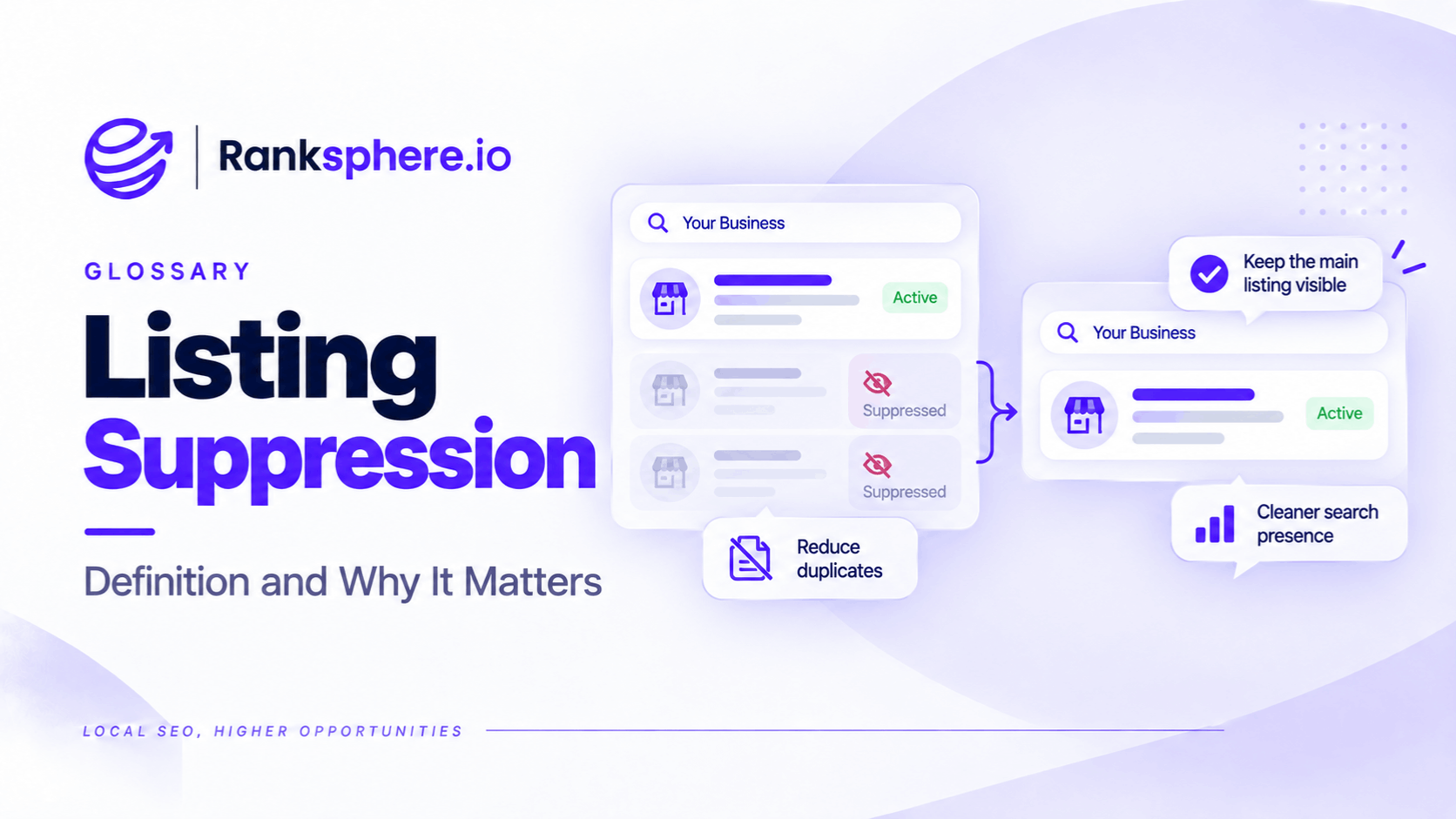
Listing suppression is a term used in local SEO to describe a situation where a Google Business Profile stops appearing, or becomes significantly less visible, in local search results without an obvious suspension notice.
The business may still have access to its profile, and the information may appear normal in the management dashboard. However, customers struggle to find the listing through Google Search or Google Maps.
For example, an electrical contractor might suddenly stop appearing for searches where it previously ranked well. The owner can still manage the profile, but calls and other customer interactions have declined.
This is different from a formal Google Business Profile suspension, where Google has taken an identifiable enforcement action.
However, listing suppression isn't an officially documented Google penalty category. A sudden loss of visibility can have several causes, including verification issues, duplicate profiles, eligibility problems, or changes in local rankings.
The challenge is identifying what has actually happened before attempting to fix it.
Listing Suppression vs Google Business Profile Suspension
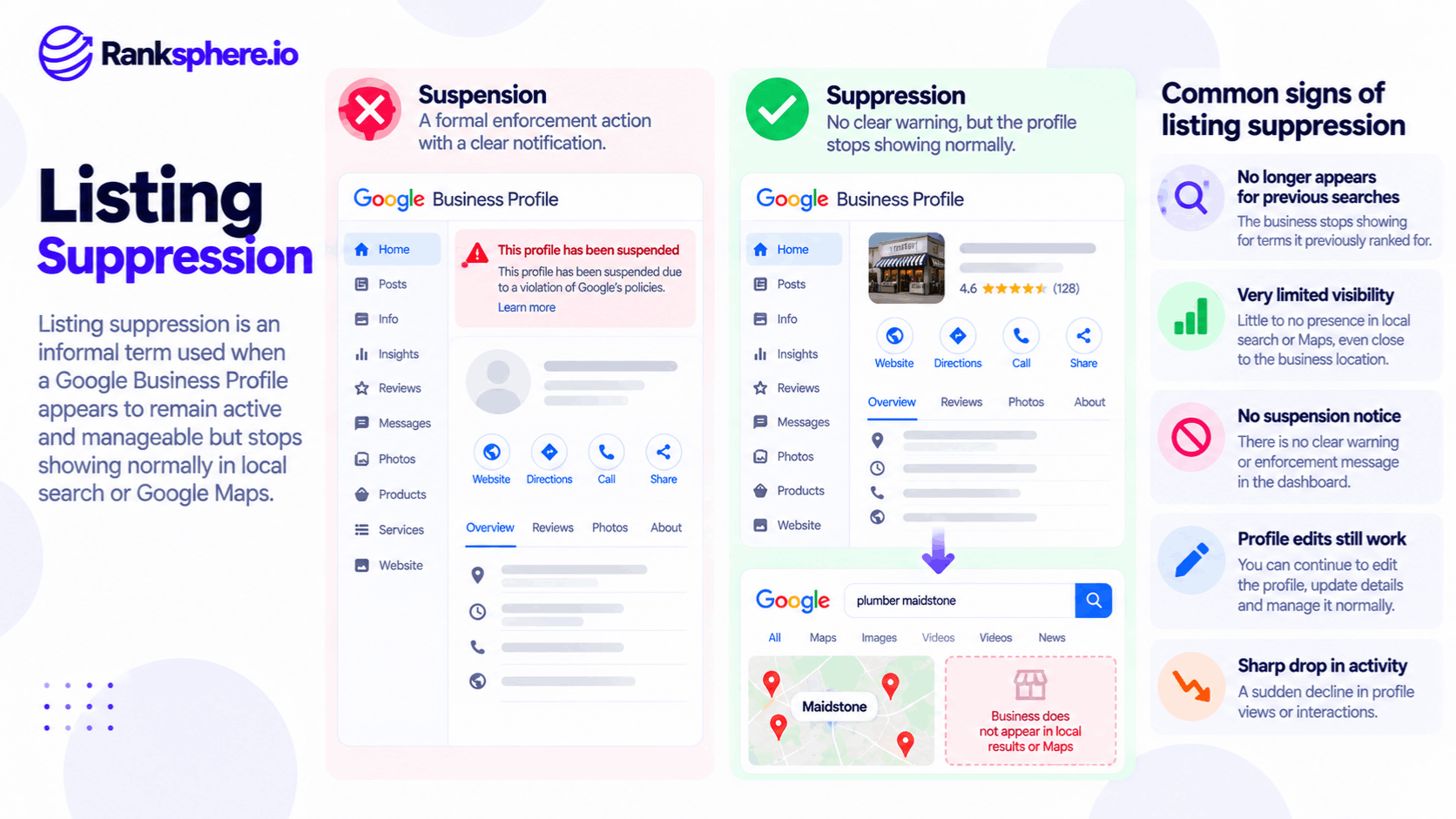
The terms are sometimes used interchangeably, but they describe different situations.
| Listing suppression | Profile suspension | |
|---|---|---|
| Meaning | Practitioner term for unexplained loss of visibility | Formal Google enforcement action |
| Notification | May be no obvious warning | Google generally provides a status or notice |
| Profile access | May remain available | May be restricted |
| Public visibility | Can decline or disappear | May be removed or restricted |
| Appeal process | No separate suppression appeal | Official appeal process available for eligible decisions |
| Next step | Investigate the cause | Review and address the enforcement decision |
A suspension is a documented profile status. Listing suppression is a description of symptoms.
That distinction matters because a business may spend time improving its rankings when the actual problem involves its eligibility or verification status.
What Can Cause Listing Suppression?
Google doesn't publish a specific list of listing suppression triggers.
However, several issues can explain why a Google Business Profile stops appearing as expected.
1. Business Address Eligibility
Google has rules about which addresses businesses can display on their profiles.
For example, an electrician operating from home and visiting customers shouldn't present the residential property as a public storefront if customers aren't served there.
Other situations worth checking include:
- Virtual offices that don't meet Google's eligibility requirements
- Shared workspaces without an eligible business presence
- Mailing addresses used as business locations
- Incorrectly displayed residential addresses
- Locations where the business doesn't actually operate
An address that doesn't comply with Google's requirements can create profile problems.
However, an address issue doesn't automatically prove that Google has applied an undisclosed suppression penalty.
2. Incorrect Service-Area Business Setup
A service area business provides services at customers' locations.
Examples include plumbers, electricians, cleaners, and some roofing contractors.
If a business doesn't receive customers at its address, Google generally requires that address to be hidden from the public profile.
For example, a mobile electrician working from home should configure the profile to reflect the way the business actually operates.
Incorrect setup can create eligibility or verification problems.
3. Duplicate Business Profiles
A business may have more than one Google Business Profile without realising it.
For example, a previous marketing agency might have created a listing before the current owner established another one.
Google may identify one profile as a duplicate, or information may become associated with a different listing.
If the original profile disappears, check whether another listing represents the same business.
4. Verification Problems
Google may require a business to verify or reverify its profile.
This can happen after certain changes to important business information.
If the profile isn't fully verified, its public visibility or available features may be affected.
Check the profile's current verification status before assuming that rankings have been suppressed.
5. Significant Profile Changes
Changes to a business's name, address, category, or operating information may require additional review.
For example, moving to a new address may result in a verification request.
A visibility decline following an edit doesn't necessarily mean the edit triggered a penalty.
Check whether the change was accepted and whether Google requires further action.
6. Conflicting Business Information
A business may have different contact details across directories and other websites.
For example, an electrical contractor may still have an old address listed on several local business directories.
These inconsistencies can confuse customers and make it harder to maintain accurate business information.
Correcting outdated NAP information is good practice.
However, Google hasn't confirmed that ordinary NAP inconsistencies automatically cause hidden listing suppression.
7. Changes in Local Rankings
Sometimes the business hasn't experienced a profile restriction at all.
Its rankings may simply have changed.
Local results vary based on relevance, distance, prominence, competition, and the searcher's location.
A business might appear prominently near its premises but not show within the tracked positions several miles away.
This is why a ranking decline needs to be investigated before attributing it to suppression.
How to Identify Possible Listing Suppression
Start by establishing whether the profile is still publicly accessible.
Then check whether Google has reported any formal issue.
Step 1 — Search for Your Exact Business Name
Search Google for the full business name and town.
For example:
Copperline Electrical Maidstone
If the listing doesn't appear, try searching with the telephone number or address.
A business that cannot be found using its distinctive name may have a more serious discovery or profile issue than one that has dropped for a competitive keyword.
However, a missing branded result doesn't conclusively prove suppression.
It can also indicate an incorrect business name, duplicate listing, verification issue, or another visibility problem.
Step 2 — Check Google Maps
Open Google Maps and search for the business directly.
Check whether:
- The profile appears under its correct name
- Its address and telephone number are accurate
- Another listing represents the business
- The profile is marked as closed
- Its existing Maps link still works
If the direct listing link works but the business doesn't appear for relevant searches, the issue may relate to ranking or discovery rather than complete removal.
Step 3 — Review Profile Status
Sign in to the Google account managing the profile.
Check for:
- Suspension or disabling notices
- Verification requests
- Profile restrictions
- Rejected edits
- Pending business information changes
If Google has formally suspended the profile, follow the applicable appeal process.
If no enforcement action appears, continue investigating rather than assuming suppression.
Step 4 — Check Local Rankings Across Multiple Locations
A geo-grid rank tracking scan helps identify how a business appears at different search locations.
For example, an electrician might rank in the local top three near its base but appear much lower in surrounding towns.
If the business suddenly disappears from every tracked point, that is worth investigating.
However, absence from a grid doesn't necessarily mean the profile is being hidden by Google.
It may simply fall outside the ranking positions measured.
Step 5 — Review Google Business Profile Performance
Check Google Business Profile performance for sudden changes.
Pay attention to:
- Profile views
- Calls
- Website clicks
- Direction requests, where relevant
- The date the decline began
Compare the trend with previous periods.
A sharp decline may help identify when the problem started, but it doesn't establish the cause.
Seasonality, search demand, reporting changes, and competition can all affect these metrics.
How to Fix a Google Business Profile That Isn't Showing
There is no universal solution because listing suppression isn't a defined Google enforcement status.
The appropriate action depends on what the investigation reveals.
1. Correct Eligibility Problems
Review Google's business representation requirements.
For example, if a home-based electrician has incorrectly displayed its residential address as a storefront, the business may need to update its profile to reflect its actual service-area operations.
Only make changes that accurately represent the business.
Don't modify information simply to experiment with rankings.
2. Resolve Verification Requirements
If Google requests verification or reverification, complete the relevant process.
The available verification methods depend on the business and Google's requirements.
Avoid creating a replacement profile while the original is being reviewed.
3. Investigate Duplicate Listings
Check whether another Google Business Profile represents the same business.
If a duplicate exists, follow Google's official process for resolving duplicate profiles.
If two genuinely separate businesses have been incorrectly combined, explain the issue through the relevant support or appeal process.
4. Correct Inaccurate Business Information
Review the name, address, telephone number, categories, and services shown on the profile.
Also check important external directories.
Ranksphere's Local Citation Management checks business information across more than 500 directories, helping identify inconsistent, incomplete, and duplicate listings.
Correcting outdated information improves data accuracy, although it doesn't guarantee a recovery in Google Maps rankings.
5. Gather Supporting Evidence
If Google support needs to review the business, prepare relevant documents.
Depending on the issue, this may include:
- Business registration documents
- Applicable licences
- Utility bills
- Photographs of permanent business signage
- Evidence of legitimate operations
- Accurate business location details
The evidence required varies by issue.
Submit genuine information that supports the business's eligibility.
6. Contact Google Business Profile Support
If the profile remains difficult to find and there is no clear suspension or verification notice, contact Google Business Profile support.
Describe the observable problem rather than assuming a hidden penalty.
For example, explain that the profile remains accessible but isn't appearing for searches using the exact business name and location.
Provide the profile details, relevant dates, and any evidence requested.
If a formal suspension is identified, use Google's official appeal process instead.
How to Prevent Avoidable Profile Visibility Problems
Not every ranking decline can be prevented, but businesses can reduce unnecessary profile issues by maintaining accurate information.
Use an Eligible Business Address
Make sure the profile reflects how the business actually operates.
Storefront businesses should meet Google's requirements for receiving customers at their location.
Service-area businesses should follow the appropriate address visibility rules.
Keep Business Information Accurate
Maintain current contact details across the Google Business Profile and important directory listings.
The goal isn't to force every address into identical wording.
It's to avoid contradictory information about where the business operates and how customers can contact it.
Avoid Unnecessary Profile Edits
Update business information when it genuinely changes.
However, avoid repeatedly changing the business name, primary category, or address without a clear reason.
Some updates may require additional review or verification.
There is no confirmed rule that spacing edits a certain number of days apart prevents suppression.
Check for Duplicate Profiles
Review existing listings during business relocations, rebranding, and agency handovers.
This can help prevent unnecessary duplicate profile creation.
Monitor Visibility Regularly
Monitor local rankings and Google Business Profile performance.
A sudden change doesn't automatically mean suppression, but early monitoring can help identify problems while they're still recent.
Common Listing Suppression Mistakes
- Assuming every ranking collapse is suppression. Local rankings can change without enforcement.
- Ignoring profile verification. An unverified profile may have visibility limitations.
- Skipping branded searches. Checking the exact business name is a useful early diagnostic step.
- Creating another Business Profile. This can introduce duplicate problems.
- Making repeated major edits. Unnecessary changes can complicate troubleshooting.
- Ignoring address eligibility. A genuine business can still have an incorrectly configured profile.
- Treating NAP inconsistencies as proof of suppression. Accurate data matters, but the cause must be established.
- Assuming no suspension notice means everything is normal. Other issues may still affect visibility.
Listing Suppression Best Practices
When a Google Business Profile suddenly loses visibility:
- Search the exact business name and town.
- Check the listing directly in Google Maps.
- Review suspension and verification status.
- Look for duplicate or incorrectly merged profiles.
- Investigate recent profile changes.
- Compare rankings across multiple geographic locations.
- Review Google Business Profile performance trends.
- Verify compliance with Google's eligibility requirements.
- Correct inaccurate business information.
- Prepare appropriate evidence before contacting support.
- Avoid creating unnecessary replacement profiles.
- Use the official appeal process if Google confirms a formal enforcement action.
The objective is to identify the actual cause before investing time in changes that may not address the problem.
Example of a Google Business Profile Visibility Problem
Consider a hypothetical electrical contractor called Copperline Electrical.
The company operates from a residential address and visits customers across its service area.
For several years, its Google Business Profile has publicly displayed the residential property as though it were a customer-facing business location.
However, customers aren't served at that address.
What Happens?
The business notices a sharp decline in calls and profile visibility.
The agency initially suspects a Google algorithm update.
A local rank tracking scan then shows that the company is missing from the tracked positions across most of its service area.
The owner can still access the Business Profile, and no obvious suspension notice appears.
The agency also struggles to find the listing through a search for the exact business name and town.
These symptoms suggest a significant visibility problem, but they don't establish why it happened.
What the Agency Discovers
The agency reviews the profile's eligibility and verification status.
It discovers that the residential address is publicly displayed even though the business doesn't receive customers there.
The agency also finds several directory listings containing outdated contact information.
The profile configuration needs correcting regardless of whether it caused the visibility decline.
How the Business Responds
The agency:
- Confirms the business's actual operating model.
- Reviews the profile's verification and restriction status.
- Checks for duplicate listings.
- Updates the profile to accurately represent a service-area business.
- Hides the residential address from public view where required.
- Corrects outdated directory information.
- Contacts Google Business Profile support if the visibility issue remains unresolved.
The team then monitors profile visibility and customer interactions.
Any later recovery should be measured rather than automatically attributed to a specific correction.
Example Shows
“The initial response focused on improving rankings.
However, the business first needed to establish whether its profile was eligible, verified, and publicly accessible.
The case illustrates why unexplained visibility loss should be investigated systematically rather than immediately treated as an algorithm problem.
Listing suppression describes an unexplained visibility problem, not a confirmed Google penalty.
For local businesses, the most useful approach is to check the profile's status, investigate possible causes, correct genuine problems, and use Google's official support channels when necessary.”
See Also
- Google Business Profile Suspension — Understanding formal suspensions and appeals.
- Service Area Business — Setting up a profile for businesses that visit customers.
- NAP — Maintaining accurate business names, addresses, and phone numbers.
- Geo-Grid Rank Tracking — Measuring rankings across different search locations.
- Google Business Profile Performance — Reviewing profile visibility and customer actions.
- Citation Audit — Identifying inaccurate and duplicate business information.