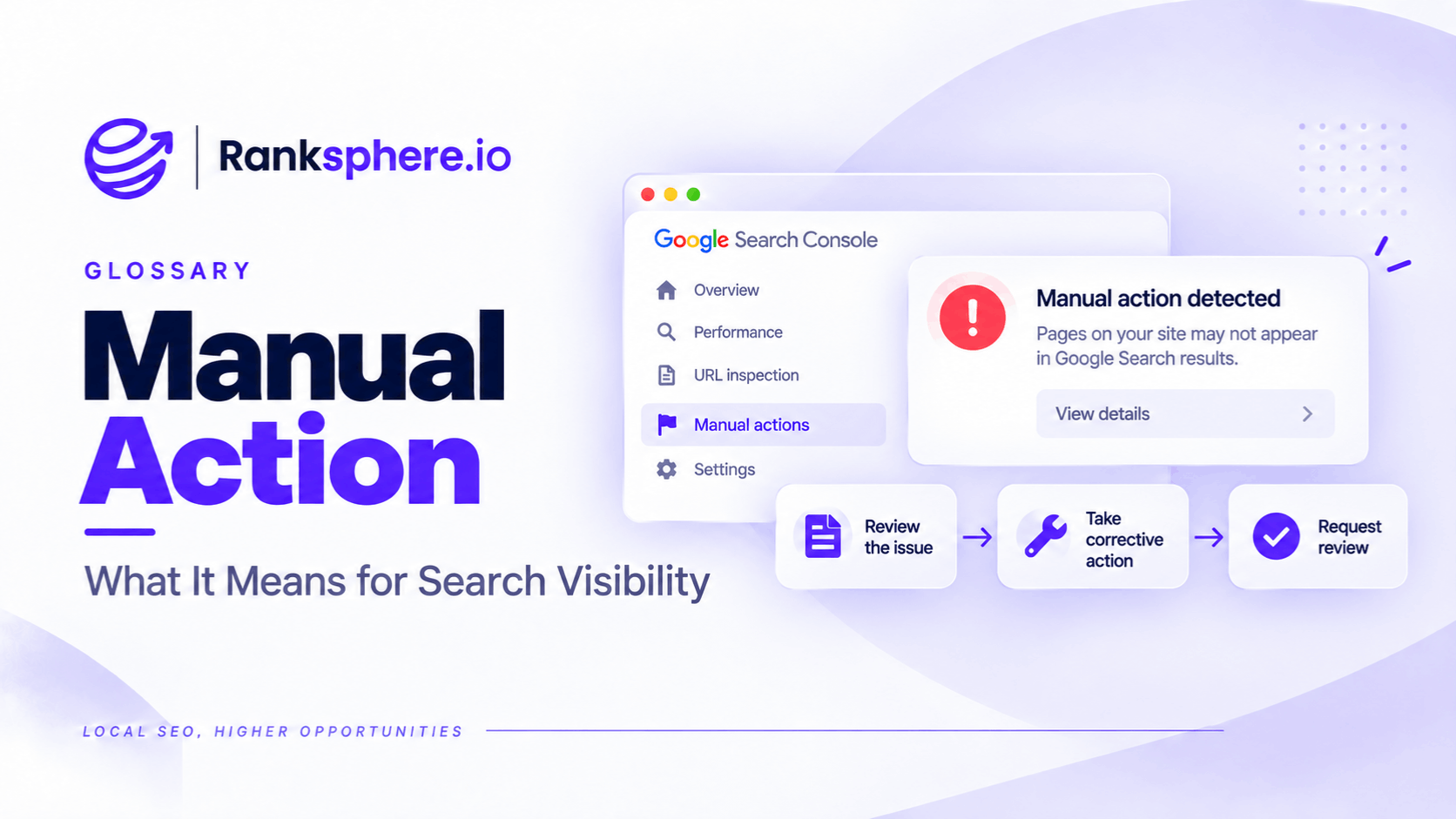
A manual action is a restriction Google applies when a human reviewer determines that a website or specific pages violate its spam policies.
It can cause affected pages to rank lower or disappear from Google Search results.
Unlike an algorithmic ranking change, a manual action is reported in Google Search Console. Website owners can see the type of violation, review the affected areas, and submit a reconsideration request after fixing the problem.
The distinction matters because not every drop in organic traffic is a Google penalty.
A business might lose rankings after a Google algorithm update, a technical website problem, or a change in search demand. None of those automatically means the site has received a manual action.
Before paying for penalty recovery, check whether Google has actually issued a manual action.
This is particularly important when an SEO agency claims that a website has been penalised because it has hundreds of supposedly harmful backlinks.
Third-party toxic link scores are not evidence of a Google penalty, and using the disavow tool without a valid reason can create unnecessary work.
Manual Action vs Algorithmic Ranking Changes
A manual action and an algorithmic ranking decline are different problems.
| Manual action | Algorithmic ranking change | |
|---|---|---|
| Cause | A human reviewer identifies a policy violation | Google's automated systems reassess search results |
| Search Console notification | Yes | No dedicated manual action notice |
| Possible impact | Lower rankings or removal from results | Rankings and visibility may increase or decrease |
| Reconsideration request | Available after resolving the violation | Not available |
| Recovery | Google reviews the submitted fixes | Depends on the issue and subsequent reassessment |
For example, a website that participates in manipulative link schemes may receive a manual action for unnatural links.
Another website may lose traffic after a ranking system reassesses its content.
The symptoms can look similar, but the response should be different.
If the Manual actions report says "No issues detected," Google has not reported an active manual action for that Search Console property.
That doesn't prove the website is healthy.
It simply means the decline needs to be investigated elsewhere.
Possible causes include technical issues, indexing problems, competition, changes in search intent, or a Google algorithm update.
How to Check for a Google Manual Action
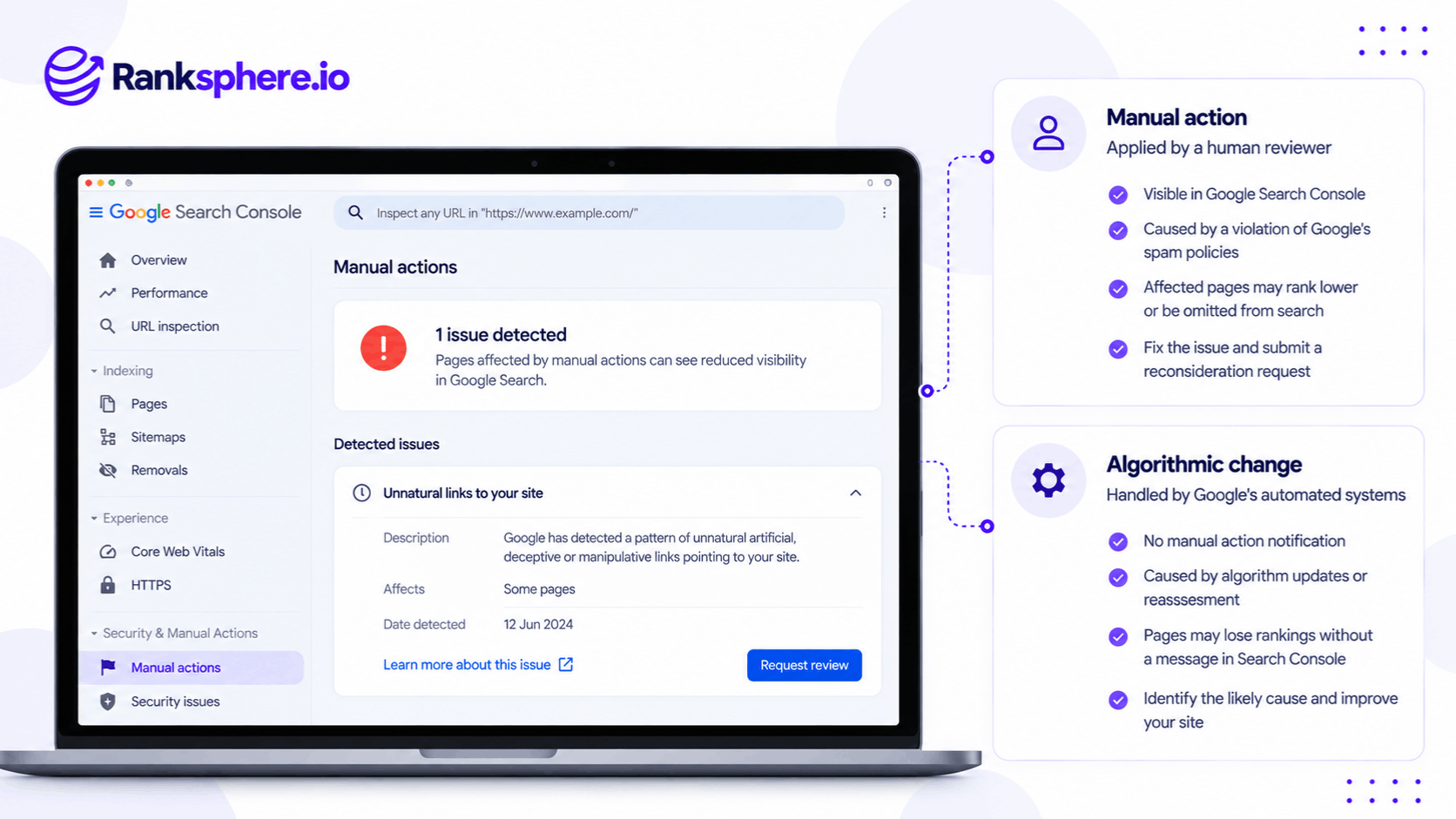
Google provides a dedicated report in Google Search Console.
To check your website:
- Open Google Search Console.
- Select the relevant verified website property.
- In the left-hand navigation, open Security & Manual Actions.
- Select Manual actions.
- Review the report.
If the report displays "No issues detected," there is no active manual action reported for that property.
If Google has issued an action, the report provides information about the violation.
Depending on the action, you may see the affected page patterns or sections.
Why Search Console Access Matters
Search Console access should be secured during client onboarding.
Without access, an agency cannot reliably check the property's Manual actions report.
This is particularly important when taking over a website that previously worked with another SEO provider.
Before diagnosing a ranking decline as a penalty, verify the evidence.
Common Types of Google Manual Actions
Google documents several types of manual actions.
The following are particularly relevant to websites operated by local businesses and SEO agencies.
Unnatural Links to Your Site
Google may issue a manual action when it identifies a pattern of unnatural links intended to manipulate search rankings.
For example, a business might have purchased large numbers of links from websites created primarily to sell ranking signals.
However, the presence of low-quality or unfamiliar backlinks doesn't automatically mean the website has violated Google's policies.
Many legitimate websites acquire unwanted links through scrapers, automated directories, and other sources.
A third-party link score alone cannot establish that a manual action exists.
Unnatural Links From Your Site
This action relates to websites that use outbound links to manipulate rankings.
For example, a website may publish paid links that pass ranking signals without appropriately qualifying them.
Google's link spam policies address attempts to manipulate rankings through these arrangements.
Thin Content With Little or No Added Value
Google may take action against pages that provide little original value and are created primarily to manipulate search results.
Examples may include large groups of low-value doorway pages or substantially unoriginal content.
However, a short page isn't automatically thin content.
A concise service page can be useful if it answers the customer's questions.
The concern is the purpose and value of the content, not simply its word count.
Scaled Content Abuse
Scaled content abuse involves producing large amounts of content primarily to manipulate search rankings rather than help users.
The policy applies regardless of whether the content is generated by people, automation, or a combination of methods.
For example, an agency creating hundreds of near-identical location pages solely to capture geographic searches may create a policy risk.
However, publishing content with AI assistance isn't automatically a violation.
See AI-generated content.
Structured Data Issues
Google may issue manual actions for structured data that violates its guidelines.
For example, a website might add misleading review markup to make itself eligible for rich results it does not qualify for.
The issue isn't simply using schema markup.
It's using structured data in a way that misrepresents the content or violates Google's requirements.
A structured data manual action may affect eligibility for rich results without necessarily changing the page's ordinary organic ranking.
User-Generated Spam
Websites that allow comments, forum posts, or other user contributions can attract spam.
For example, an unmoderated blog might contain hundreds of comments linking to unrelated commercial websites.
Google may take manual action when user-generated spam violates its policies.
Businesses should moderate public contributions and remove inappropriate content.
Cloaking and Sneaky Redirects
Cloaking involves showing materially different content to search engines and users in ways intended to manipulate search results.
Sneaky redirects can send visitors to unexpected destinations rather than the content Google was led to expect.
These practices may trigger manual action when they violate Google's spam policies.
What About Hacked Websites?
A hacked website is an important issue, but it shouldn't automatically be treated as a manual action.
Google has a separate Security Issues report in Search Console for detected security problems.
These may include:
- Hacked content
- Malware
- Phishing
- Harmful downloads
- Other security threats
A compromised website can also contain injected spam or redirects that create search problems.
However, website owners should check the Security Issues report separately from the Manual actions report.
The remediation process depends on the specific issue.
A security review is not necessarily the same as a manual action reconsideration request.
Site-Wide vs Partial Manual Actions
Google manual actions can affect an entire website or only certain parts of it.
Site-Wide Manual Actions
A site-wide action affects the entire site covered by the action.
For example, Google may identify serious or widespread spam policy violations.
The impact can be substantial because the restriction isn't limited to one group of pages.
Partial Manual Actions
A partial action affects specific pages, directories, or sections.
For example, a manual action might apply to a group of pages containing spam rather than the entire website.
These actions can be harder to notice through overall traffic reports.
A website might continue receiving organic visits while a particular section loses visibility.
This is one reason to review the Manual actions report rather than relying only on website traffic.
How to Recover From a Google Manual Action
If Search Console confirms a manual action, Google provides a reconsideration process.
However, the violations must be addressed before submitting the request.
Step 1 — Read the Manual Action Details
Open the report and identify:
- The type of violation
- The affected pages or sections
- Any examples provided
- Google's relevant policy guidance
Avoid making broad changes before understanding the specific issue.
Step 2 — Fix the Violations
The appropriate correction depends on the manual action.
For example, a website with manipulative links may need to remove or address those links.
A website with spam-generated pages may need to remove or substantially improve the violating content.
For structured data problems, the website may need to correct or remove ineligible markup.
Fix the issue across all affected pages rather than changing only the example URLs Google provides.
Step 3 — Document the Work
Keep a record of the corrections.
For example:
- Pages removed or updated
- Links addressed
- Structured data corrected
- Spam removed
- Preventive measures introduced
This information helps explain what changed.
Step 4 — Submit a Reconsideration Request
After resolving the violations, submit a reconsideration request through Search Console.
A useful request explains:
- What caused the violation
- What was done to correct it
- How the changes were verified
- What measures will prevent the problem recurring
The request should be accurate and supported by the work completed.
Step 5 — Wait for Google's Review
Google reviews the submitted request and communicates its decision through Search Console.
Review times can vary.
Submitting repeated requests while one is pending doesn't speed up the process.
If Google revokes the manual action, that doesn't guarantee the website will return to its previous rankings.
The pages still need to compete under Google's normal ranking systems.
Should You Use the Disavow Tool for Toxic Backlinks?
Not every website with suspicious-looking backlinks needs to use Google's disavow tool.
Google recommends considering it when both of the following apply:
- The website has a considerable number of spammy, artificial, or low-quality links.
- Those links have caused a manual action or are likely to cause one.
For example, a business that previously purchased manipulative backlinks may have a legitimate reason to investigate and address them.
However, a website that simply attracts scraper links or irrelevant directory links doesn't necessarily need a disavow file.
Disavowing legitimate links by mistake can harm search performance.
The decision should be based on evidence of manipulative linking, not an automated toxicity score.
What to Investigate When There Is No Manual Action
If Search Console reports no manual action, investigate other explanations for the visibility decline.
For example:
- Indexing problems: Important pages may have been excluded from Google Search.
- Technical changes: Redirects, canonical tags, robots directives, or website migrations may affect visibility.
- Algorithmic changes: Google's systems may have reassessed the website.
- Competitor improvements: Other websites may now better satisfy the relevant searches.
- Search demand: Fewer people may be looking for the services.
- SERP changes: New features, advertisements, or local results may affect organic clicks.
Changes to the SERP can also reduce traffic without a corresponding loss of ranking position.
For example, a search query may now display a larger local pack or other search features above the organic results.
Ranksphere's Website Audit Tool helps identify technical website issues that may affect search performance.
However, an audit cannot replace Search Console's Manual actions report or independently confirm that Google has issued a manual action.
Common Manual Action Mistakes
- Assuming every traffic decline is a penalty. A ranking drop is not proof of manual enforcement.
- Buying penalty recovery without checking Search Console. The manual action should be verified first.
- Treating toxic link scores as Google warnings. These are third-party metrics.
- Disavowing links unnecessarily. Google's tool is intended for specific circumstances.
- Confusing manual actions with algorithm updates. The recovery processes differ.
- Ignoring partial actions. Specific pages may be affected while the rest of the site remains visible.
- Submitting reconsideration requests before fixing the problem. Google expects the violations to be resolved.
- Assuming action removal restores old rankings. Normal ranking considerations still apply.
- Overlooking the Security Issues report. Hacked content and malware may require separate remediation.
- Waiting for an algorithm update when a manual action is active. An actual manual action requires corrective work and review.
Manual Action Best Practices
- Verify Search Console access when onboarding a website.
- Check the Manual actions report when visibility drops sharply.
- Review the Security Issues report separately.
- Read the exact violation before making changes.
- Identify the affected pages or sections.
- Correct all instances of the reported issue.
- Document the remediation work.
- Submit a reconsideration request only after resolving the violations.
- Avoid unnecessary disavow submissions.
- Monitor Search Console messages and review decisions.
- Investigate technical, algorithmic, and competitive causes when no manual action exists.
The main principle is simple: diagnose the problem before paying to fix it.
Example
“Consider a hypothetical accountancy firm approached by an SEO agency.
The agency claims the firm's website has hundreds of toxic backlinks and recommends an expensive Google penalty recovery project.
The report includes unfamiliar domains, directory mirrors, and links from websites the firm has never contacted.
The agency argues that Google must be penalising the website because of these links.
Before agreeing to the work, the accountancy firm opens Google Search Console.
It navigates to the Manual actions report.
The result is:
No issues detected.
That establishes that Google has not reported an active manual action for the property.
It does not establish whether the website has other ranking problems or whether any particular backlink is being ignored by Google's systems.
The business reviews its search performance and technical website information.
It checks whether important pages remain indexed and whether changes in traffic correspond to specific queries or pages.
The firm also reviews its backlink history to determine whether there is evidence of deliberate manipulative linking.
The presence of hundreds of unfamiliar links alone isn't sufficient evidence.”
See Also
- Reconsideration Request — How to request a review after fixing a manual action.
- Google Search Console — Where manual actions and security issues are reported.
- Google Algorithm Update — Understanding ranking changes caused by Google's systems.
- Disavow — When Google's backlink disavow tool may be appropriate.
- Toxic Link — Understanding third-party backlink toxicity assessments.
- Google Search Essentials — Google's technical requirements, spam policies, and key best practices.