Internal site search is the search function on a website that allows visitors to find pages, products, services or information without browsing through the navigation menu.
For SEO, it has two important uses.
First, it reveals what visitors are looking for, including questions your website may not answer clearly.
Second, its search results pages need to be managed carefully. If Google indexes hundreds of search URLs, they can create unnecessary pages and expose the website to search spam.
The most valuable part of internal site search isn't the search box itself. It's the information people enter into it.
For local businesses, even a small number of searches can highlight missing service information, unclear navigation or questions potential customers want answered before making an enquiry.
Why Internal Site Search Matters for SEO
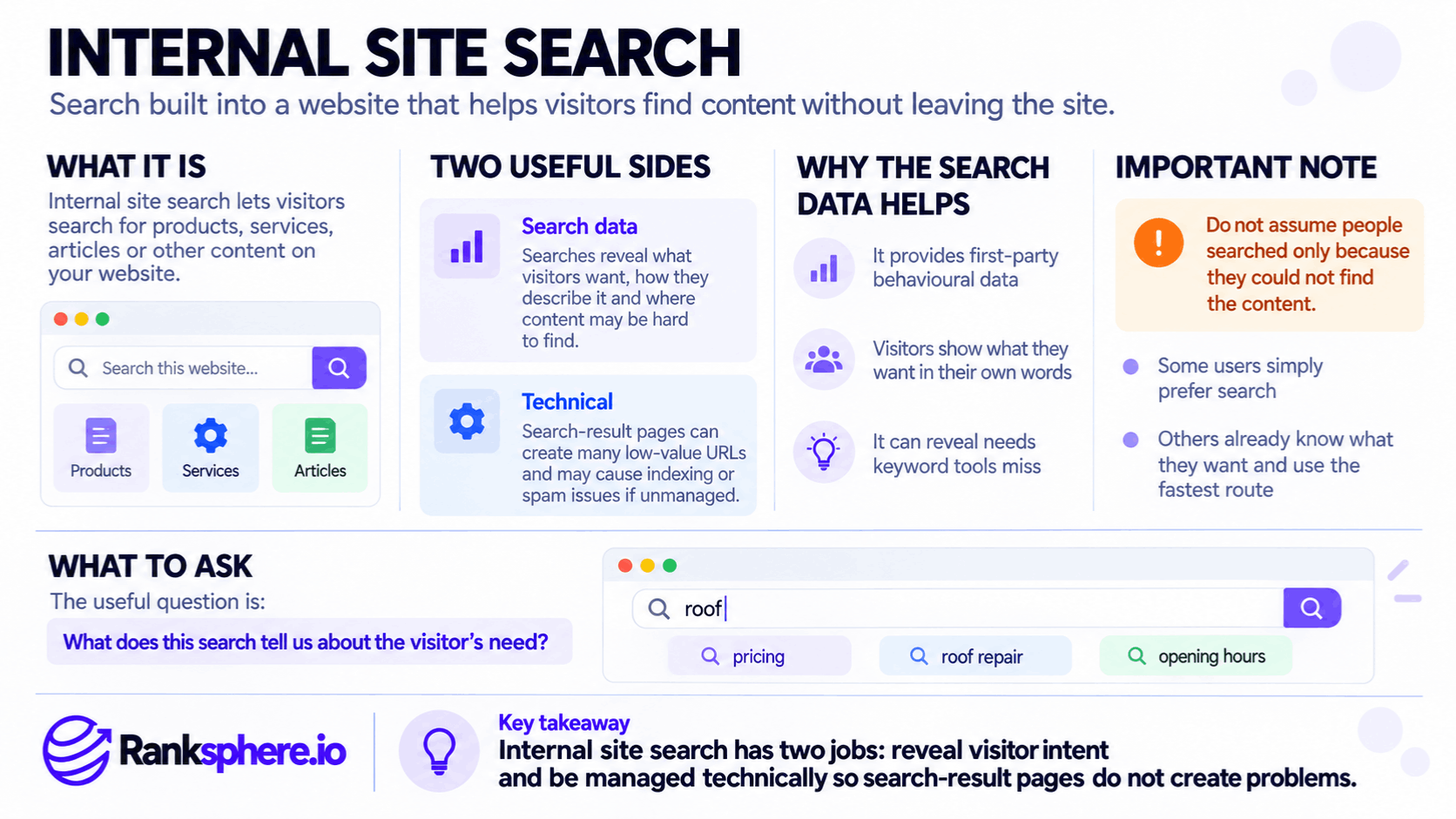
When someone uses your website's search function, they provide a clue about what they expected to find.
For example, a visitor to a veterinary practice might search for:
- Emergency appointments
- Rabbit vaccinations
- Consultation prices
- Weekend opening hours
Those searches can reveal several different problems.
Missing Content
Repeated searches for a subject your website doesn't cover may indicate a content gap.
For example, if visitors regularly search for emergency veterinary care but the website has no relevant page, the practice may need to explain that service more clearly.
However, search demand alone doesn't mean you should create a page. First confirm that the topic genuinely relates to what the business offers.
Poor Navigation
Sometimes visitors search for content that already exists.
A dental practice might have a detailed pricing page, but visitors still repeatedly search for "treatment costs".
That suggests the information may be difficult to find.
The solution could be a clearer menu label or better internal linking, rather than another article.
Customer Language
Internal searches show how visitors describe their needs.
A roofing company may call a service "roofline repairs", while customers search for "broken gutter" or "leaking fascia".
These phrases can inform keyword research, website copy and relevant Google Business Profile services.
However, a handful of searches doesn't establish overall market demand. Treat the data as direct customer feedback, not a complete keyword research dataset.
How to Track Internal Site Search in GA4
Google Analytics 4 (GA4) supports internal site search tracking through enhanced measurement.
When configured correctly, GA4 records the view_search_results event.
For example, a visitor might search for "dental implants", producing this URL:
https://example.com/?s=dental+implantsGA4 recognises several common search parameters by default, including q, s, search, query and keyword.
To check your setup:
- Open your GA4 web data stream.
- Review the Enhanced measurement settings.
- Confirm that Site search is enabled.
- Check that your website's search parameter is recognised.
- Perform a test search and verify that the event is collected.
If your search function uses a different parameter, you may be able to configure it within enhanced measurement.
If the website uses JavaScript to display search results without a recognised URL parameter, manual event tracking may be required.
The important event is view_search_results, with search_term containing the visitor's query.
Search terms can then be analysed through an appropriate GA4 report or exploration.
One limitation: GA4 doesn't automatically tell you whether a search returned zero results. That usually requires additional tracking or information from the search platform.
Why Internal Search Results Should Usually Be Noindexed
Internal search can generate a large number of URLs.
For example:
example.com/?s=emergency+plumber
example.com/?s=roof+repair
example.com/?s=roofing+prices
Each query may create a different results page, even though the pages largely display content available elsewhere on the website.
Allowing large numbers of these URLs into Google Search can contribute to index bloat.
It may also create a spam risk.
Attackers sometimes submit searches containing promotional or irrelevant phrases, hoping search engines will index the resulting pages under a legitimate website's domain.
Google has specifically warned about abuse of internal search results for this purpose.
Use Noindex for Search Results Pages
A common approach is to apply a noindex directive to internal search results pages:
<meta name="robots" content="noindex">This tells supporting search engines not to index those pages.
However, Google must be able to crawl the pages to discover the directive.
Don't assume that adding a robots.txt Disallow rule alongside noindex provides stronger protection.
If Google is blocked from crawling the page, it cannot read the noindex instruction.
For websites generating extremely large or abusive search URL spaces, additional controls may be needed to manage crawling and spam. The appropriate configuration depends on the site's behaviour.
Check Whether Search Results Are Already Indexed
Use Google Search Console's Page indexing report and URL Inspection tool to investigate individual search results URLs.
You can also use search operators for a preliminary check, such as:
site:example.com/?s=However, Google's site: operator isn't a complete indexing report. Its results shouldn't be treated as an exact count.
Exclude internal search URLs from XML sitemaps and avoid creating permanent navigation links to arbitrary search results.
Ranksphere's Website Audit Tool can help identify technical and indexing issues that warrant investigation.
How to Use Internal Search Data to Improve Your Website
Review the actual terms visitors use, rather than focusing only on the total number of searches.
Start with searches that return no useful results.
If visitors repeatedly search for a service the business provides, consider improving an existing page or creating a dedicated service page.
If the content already exists, investigate why people cannot find it.
Searches about pricing may indicate that visitors want clearer cost information. Where exact prices depend on the job, explain the factors affecting the final quote.
Also look for searches about services the business doesn't provide.
These may suggest demand worth investigating, but they don't automatically justify creating pages advertising unavailable services.
For a small website, reading 30 actual searches may be more informative than studying a large keyword export without knowing the visitors' circumstances.
Does Every Website Need Internal Site Search?
No.
A local business website with fifteen or twenty well-organised pages may not need a search box.
Clear navigation, service pages and contact information might serve visitors better.
Internal site search becomes more useful when a website contains substantial content, such as a large blog, resource library, product catalogue or knowledge base.
If you offer search, make sure it works reliably and that you can learn from how people use it.
For smaller websites without search functionality, similar insights may come from customer emails, telephone enquiries, contact forms and reception staff.
Common Internal Site Search Mistakes
- Not reviewing search queries. Valuable information about visitor needs goes unused.
- Ignoring zero-result searches. These can reveal missing information or poor search functionality.
- Assuming GA4 automatically tracks every search implementation. JavaScript-based searches may require custom tracking.
- Allowing search results pages to be indexed unnecessarily. This can create large numbers of low-value URLs.
- Blocking search pages in robots.txt while relying on noindex. Google cannot read a directive on a page it cannot crawl.
- Creating new content for every search term. Some searches are irrelevant or concern services the business doesn't offer.
- Adding search to a small website without a clear need. Better navigation may be more useful.
Internal Site Search Best Practices
Review internal search queries regularly, even when the volume is small.
Prioritise searches that return no results and recurring questions about important services.
Use the findings to improve navigation, service pages and customer-facing information.
Verify that GA4 is collecting search events correctly.
Keep internal search results out of Google's index through an appropriate technical configuration, and monitor for attempts to generate spam URLs.
Example of Internal Site Search for a Veterinary Practice
Consider a hypothetical veterinary practice that has enabled internal site search but never reviewed the data.
During an audit, the agency notices repeated searches for "out of hours", "emergency vet" and "consultation prices".
Several searches produce no useful results.
What the Agency Finds
The practice does offer out-of-hours care, but the information appears only briefly on its contact page.
Its consultation pricing is also difficult to locate.
Visitors are searching for information the website should make easier to find.
What the Agency Changes
The practice creates a clear emergency care page explaining the service, availability and contact process.
It also improves its pricing information and adds links to both pages from relevant sections of the website.
Separately, the agency finds internal search result URLs that Google can index and implements an appropriate noindex configuration.
Example
“The search queries reveal practical problems that ordinary keyword reports might not identify.
The improvements make important information easier for visitors to find, while the technical changes reduce unnecessary indexable URLs.
There's no guarantee that the new pages will rank higher or generate more enquiries. Their immediate value is answering questions visitors were already asking.
Internal site search is most useful when it becomes a source of decisions, not just another analytics report.”
See Also
- Content Gap — Identifying useful information missing from a website.
- Index Bloat — Unnecessary URLs appearing in search indexes.
- Noindex — Preventing search engines from indexing selected pages.
- Google Analytics 4 — Measuring website search activity and user behaviour.
- Keyword Research — Understanding how people search for information and services.
- Site Architecture — Organising website content so visitors can find it easily.