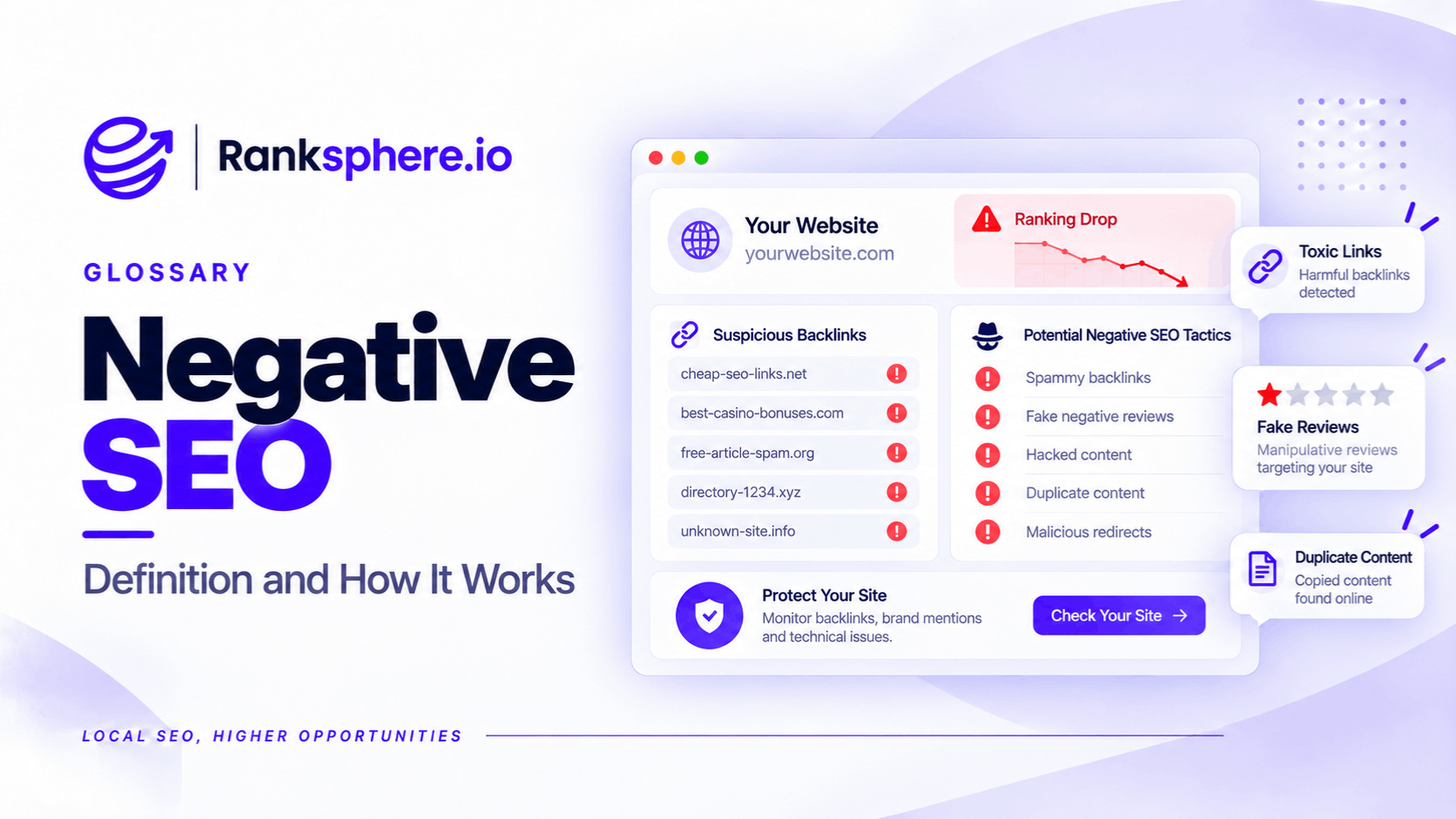
Negative SEO is the practice of deliberately attempting to damage another website's search rankings, visibility, or online reputation.
It can involve creating spam backlinks, publishing fake reviews, submitting misleading business information, copying website content, or attempting to compromise a website.
For example, someone might submit false information suggesting that a legitimate business has permanently closed. If Google accepts the change, potential customers may see incorrect opening status information when searching for the business.
However, not every suspicious backlink, negative review, or ranking decline is evidence of an attack.
The most important part of dealing with negative SEO is separating genuine threats from ordinary search performance problems.
This matters because some SEO services use the fear of competitor attacks to sell unnecessary toxic link audits and disavow services.
For most local businesses, protecting their Google Business Profile, customer reviews, and website security is more useful than constantly monitoring unfamiliar backlinks.
Can Negative SEO Backlinks Harm Your Website?
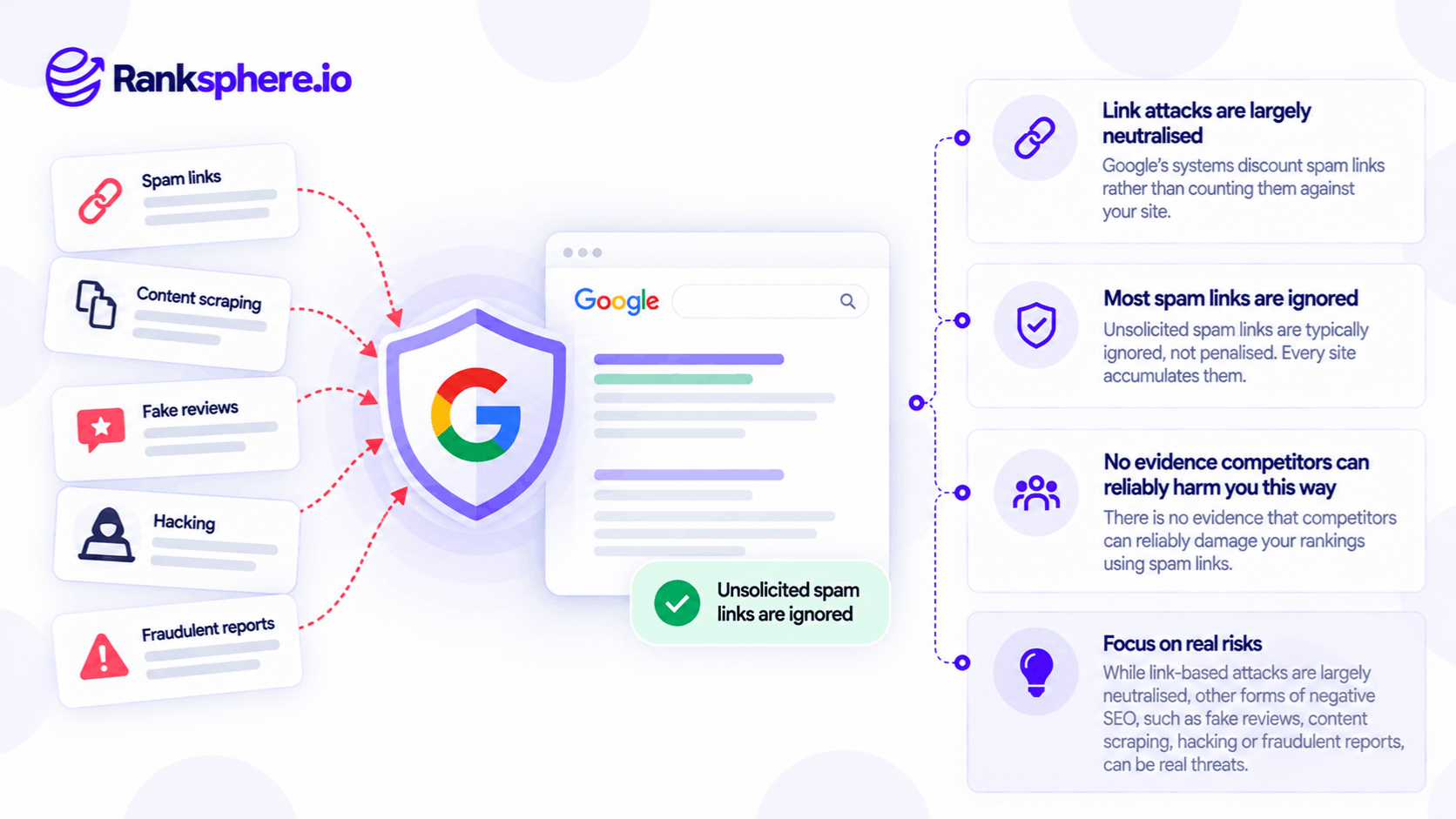
The best-known negative SEO tactic involves creating large numbers of low-quality backlinks to a competitor's website.
The intention is to make Google believe the targeted website is participating in manipulative link building.
For example, someone might generate thousands of links from unrelated websites or automated directories.
Historically, this was a greater concern because Google's link spam enforcement could penalise websites associated with manipulative backlink patterns.
Google's spam detection systems have since become more sophisticated.
Google says its systems work to detect and neutralise the effects of link spam.
That means a sudden increase in suspicious backlinks doesn't automatically result in a ranking penalty.
Should You Disavow Suspicious Links?
Usually, unsolicited spam links alone aren't a reason to submit a disavow file.
For example, a local plumbing company may discover backlinks from unfamiliar directories, scraper websites, or automatically generated pages.
That doesn't necessarily indicate a negative SEO attack.
Google recommends considering disavowal when there are substantial spammy or artificial links and those links have caused, or are likely to cause, a manual action.
A third-party toxicity score isn't enough to establish that risk.
Check the manual action report in Google Search Console and investigate the site's actual link history before taking action.
A clean manual action report is reassuring, but it doesn't prove that every backlink is harmless.
The key is to avoid disavowing legitimate links simply because a tool classifies them as suspicious.
What Types of Negative SEO Are Genuine Risks?
Negative SEO isn't limited to backlinks.
Several other tactics can create problems for local businesses, particularly when they affect the information customers see on Google.
1. Fake Negative Reviews
Someone may publish reviews describing experiences that never happened.
For example, an optician could receive several one-star reviews from accounts that don't appear to represent genuine customers.
If those reviews remain visible, they may influence how potential customers evaluate the practice.
Fake reviews can also affect the business's displayed rating.
However, a sudden increase in negative feedback doesn't automatically prove malicious activity. The business should investigate before making accusations.
If reviews violate Google's policies, report them through the appropriate review removal process.
Only policy-violating reviews qualify for removal. Google won't remove a legitimate negative review simply because the business disagrees with it.
2. Unauthorised Google Business Profile Changes
Google accepts suggested edits from users and updates from other sources.
These changes can affect information displayed on a Google Business Profile.
For example, incorrect changes might involve:
- Opening hours
- Telephone numbers
- Business addresses
- Website details
- Business operating status
Google may notify the owner about certain suggested changes, but some updates can be applied without prior approval.
This makes profile monitoring important.
A business incorrectly marked permanently closed could lose enquiries from customers who believe it is no longer operating.
The change might be malicious, but it could also result from inaccurate public information or an honest mistake.
Correct the information first rather than assuming an attack.
3. False Business Reports
Someone may attempt to report a legitimate business as fraudulent or ineligible.
Google provides reporting processes for misleading business information and suspected violations.
These include pathways for reporting businesses that may not genuinely exist.
See business redressal.
However, submitting a report doesn't automatically suspend the business.
Google evaluates reports and other available evidence.
If a legitimate profile is restricted or suspended, the owner should review the stated reason and follow Google's applicable appeal process.
There is no reliable basis for assuming that every unexpected suspension was caused by a competitor.
4. Content Scraping
Content scraping occurs when another website copies material from your site.
For example, someone might copy a roofing company's service descriptions and publish them across several other websites.
Google generally attempts to identify appropriate canonical sources and avoid showing redundant content unnecessarily.
However, copied content can still create problems, particularly when another website republishes large amounts of material or misrepresents its origin.
If content is copied without permission, investigate the source and consider the appropriate copyright or website reporting process.
Don't assume that duplicate content automatically creates a Google penalty for the original website.
5. Website Hacking
Website compromise is one of the more serious threats.
An attacker might:
- Add spam pages
- Insert unwanted redirects
- Change website content
- Inject malicious code
- Create unauthorised accounts
For example, a local business could discover that its website is redirecting some visitors to unrelated commercial pages.
A compromised website may receive security warnings, experience indexing problems, or become subject to spam enforcement depending on what has happened.
Google Search Console provides a Security Issues report that can help identify certain detected problems.
Hacking should be treated as a security incident, not merely a ranking problem.
6. Fake or Misleading Business Listings
A competitor or other third party may create misleading business information intended to divert customers.
For example, someone might publish an unauthorised listing using a business's name with an incorrect telephone number.
This could confuse customers or direct enquiries elsewhere.
However, duplicate and inaccurate listings aren't always malicious.
They can also result from old directories, automated data sources, or genuine administrative mistakes.
Investigate the listing before deciding how to report or correct it.
How to Protect Your Business From Negative SEO
Most businesses don't need specialist negative SEO protection software.
They need reliable monitoring and a process for responding to suspicious changes.
Monitor Your Google Business Profile
Check important information regularly.
For example, review:
- Business name
- Opening hours
- Contact details
- Website URL
- Address or service area
- Business status
Google may notify owners about certain suggested edits, but notifications shouldn't replace periodic checks.
Incorrect information can also become visible in the brand SERP, where customers search directly for your business.
Monitor Customer Reviews
Watch for unusual changes in review activity.
For example, several similar one-star reviews appearing within a short period may justify further investigation.
Document suspicious reviews and report those that appear to violate Google's policies.
Continue requesting genuine customer feedback through a neutral, policy-compliant process.
However, collecting additional reviews shouldn't replace reporting abusive activity, and it doesn't guarantee that the effect of fake reviews will disappear.
Keep Your Website Secure
Website security should be part of routine maintenance.
Important measures include:
- Keeping software and plugins updated
- Using strong, unique passwords
- Enabling multifactor authentication
- Restricting administrative access
- Maintaining reliable backups
- Monitoring unexpected website changes
These steps reduce the risk of unauthorised access, although no single measure guarantees complete protection.
Check Google Search Console
Google Search Console provides information about indexing, search performance, manual actions, and detected security issues.
If rankings decline unexpectedly, review the relevant reports.
A manual action notification or security warning deserves attention.
However, a traffic decline without those warnings isn't sufficient evidence of negative SEO.
Keep Business Information Accurate
Maintain consistent NAP information across important business listings.
For example, the business's website, Google Business Profile, and major directories should display accurate contact details.
This helps customers find the correct information and makes inconsistencies easier to identify.
Review Profile Ownership
Make sure authorised people control the business's Google Business Profile.
Review Google Business Profile ownership and user access periodically.
Remove access that is no longer required, particularly when employees or agencies leave.
This helps prevent unauthorised changes originating from accounts that previously had legitimate access.
What to Do if You Suspect a Negative SEO Attack
Before taking action, identify what has actually happened.
For example, if organic traffic has declined, check whether:
- Important pages remain indexed
- Search rankings have changed
- Search demand has fallen
- A technical issue affects the website
- Google has reported a manual action
- Search results have changed
- A recent Google algorithm update may be relevant
If the problem involves Google Business Profile, inspect the visible information and available change notifications.
If it involves suspicious reviews, document the activity and use Google's reporting process.
If the website has been compromised, prioritise securing the site and removing malicious changes.
Don't begin with the assumption that a competitor is responsible.
Evidence should determine the response, not the possibility of an attack.
Common Negative SEO Mistakes
- Assuming unfamiliar backlinks are malicious. Most websites accumulate links they didn't request.
- Buying preventive disavow services. Disavowal isn't routine website maintenance.
- Treating every traffic decline as an attack. Rankings change for many legitimate reasons.
- Ignoring Google Business Profile changes. Incorrect contact details or operating status can directly affect customers.
- Failing to investigate suspicious reviews. Genuine policy violations should be documented and reported.
- Neglecting website security. Compromised websites can experience serious search and customer trust problems.
- Assuming every incorrect listing is fraudulent. Some errors come from outdated or automated data.
- Retaliating against competitors. Submitting false reports or fake reviews creates additional policy and legal risks.
Negative SEO Best Practices
- Check your Google Business Profile regularly.
- Monitor reviews for suspicious patterns.
- Keep website software and credentials secure.
- Use multifactor authentication where available.
- Review Search Console for manual actions and security problems.
- Maintain accurate business information across important listings.
- Check profile ownership and user permissions.
- Investigate unexpected rankings changes before assuming malicious activity.
- Report genuine policy violations through the appropriate Google process.
- Use the disavow tool only when justified by evidence.
The objective isn't to eliminate every suspicious signal associated with your business.
It's to protect the information, accounts, and website features that customers depend on.
Example of a Negative SEO Concern at a Local Business
Consider a hypothetical optician called Trentham Opticians.
The practice notices that enquiries have declined over several weeks.
The owner worries that a competitor may be using negative SEO.
An agency suggests investigating suspicious backlinks.
What the Business Discovers
Before purchasing the backlink audit, the owner searches for the practice by name.
The Google Business Profile is displaying an incorrect permanently closed status.
This could explain why some potential customers have stopped contacting the practice.
However, the owner doesn't know whether the information came from a malicious report, an inaccurate public source, or an ordinary error.
How the Business Responds
The owner reviews the profile and follows Google's process to correct the inaccurate status.
The practice also checks its website, contact information, and other important listings.
Once the correct operating status is restored, the team continues monitoring enquiries and profile interactions.
The owner also enables available notifications and introduces regular profile checks.
Example
“The original concern was that spam backlinks might be harming search rankings.
The investigation instead identified inaccurate business information that customers could see directly.
There was no evidence establishing that a competitor caused the problem.
Correcting the listing was more immediately relevant than purchasing a speculative backlink recovery service.
The business still needs to monitor performance to understand the full effect of the error.
Negative SEO is a real category of malicious activity, but not every suspicious link or ranking decline represents an attack.
For local businesses, the practical priorities are usually accurate Google Business Profile information, genuine customer reviews, secure websites, and reliable monitoring.
These measures address identifiable risks without spending money on problems that may not exist.”
See Also
- Toxic Link — Understanding third-party backlink toxicity scores.
- Disavow — When Google's disavow tool may be appropriate.
- Fake Review — Identifying and reporting reviews that violate Google's policies.
- Business Redressal — Reporting misleading business information and suspected violations.
- Brand SERP — Monitoring what customers see when searching for your business.
- Manual Action — Understanding Google's human-reviewed spam enforcement.