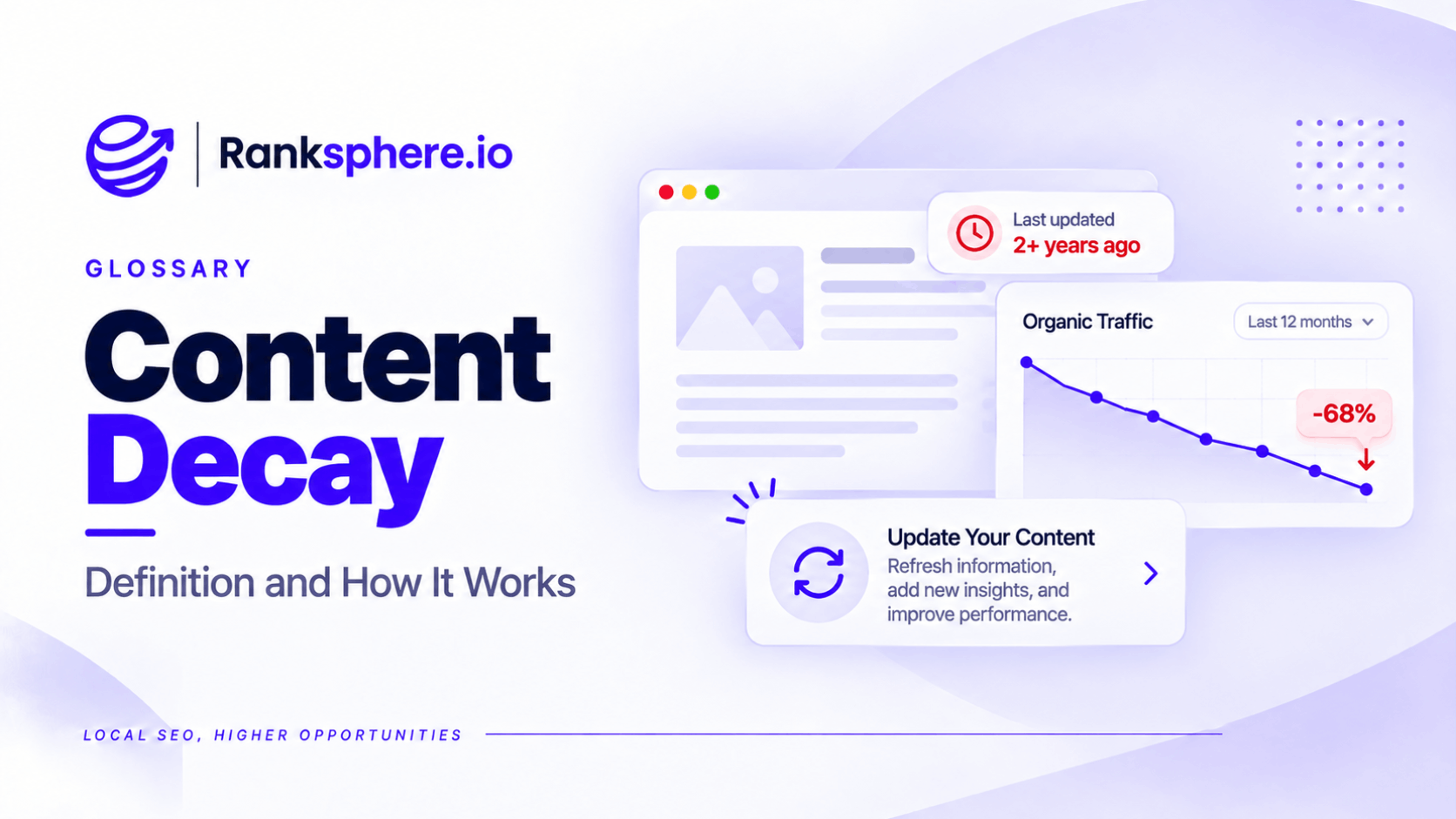
Content decay is the gradual decline in a webpage's organic search traffic, rankings, or visibility after it has previously performed well.
It can happen when information becomes outdated, competing pages improve, search intent changes, or Google's results page evolves.
For example, a mortgage guide that attracted steady traffic for several years may begin losing visitors because it still references outdated lending rules and interest rates.
The page hasn't necessarily become poorly written. It may simply be less useful than it was when first published.
Content decay is the problem to investigate. A content refresh is one possible solution.
Not every traffic decline is content decay, and not every declining page needs to be rewritten.
Understanding what changed is the first step.
Why Content Decay Matters for SEO
Content decay is easy to overlook when reviewing a website's overall performance.
For example, a business might publish ten new blog articles that attract additional visitors.
At the same time, three of its most valuable service guides could be losing traffic.
The site's total organic traffic may look stable, even though pages responsible for important enquiries are performing worse.
This is why content performance should be monitored at page level rather than only through website-wide totals.
A page that previously generated enquiries may deserve attention before its performance deteriorates further.
What Causes Content Decay?
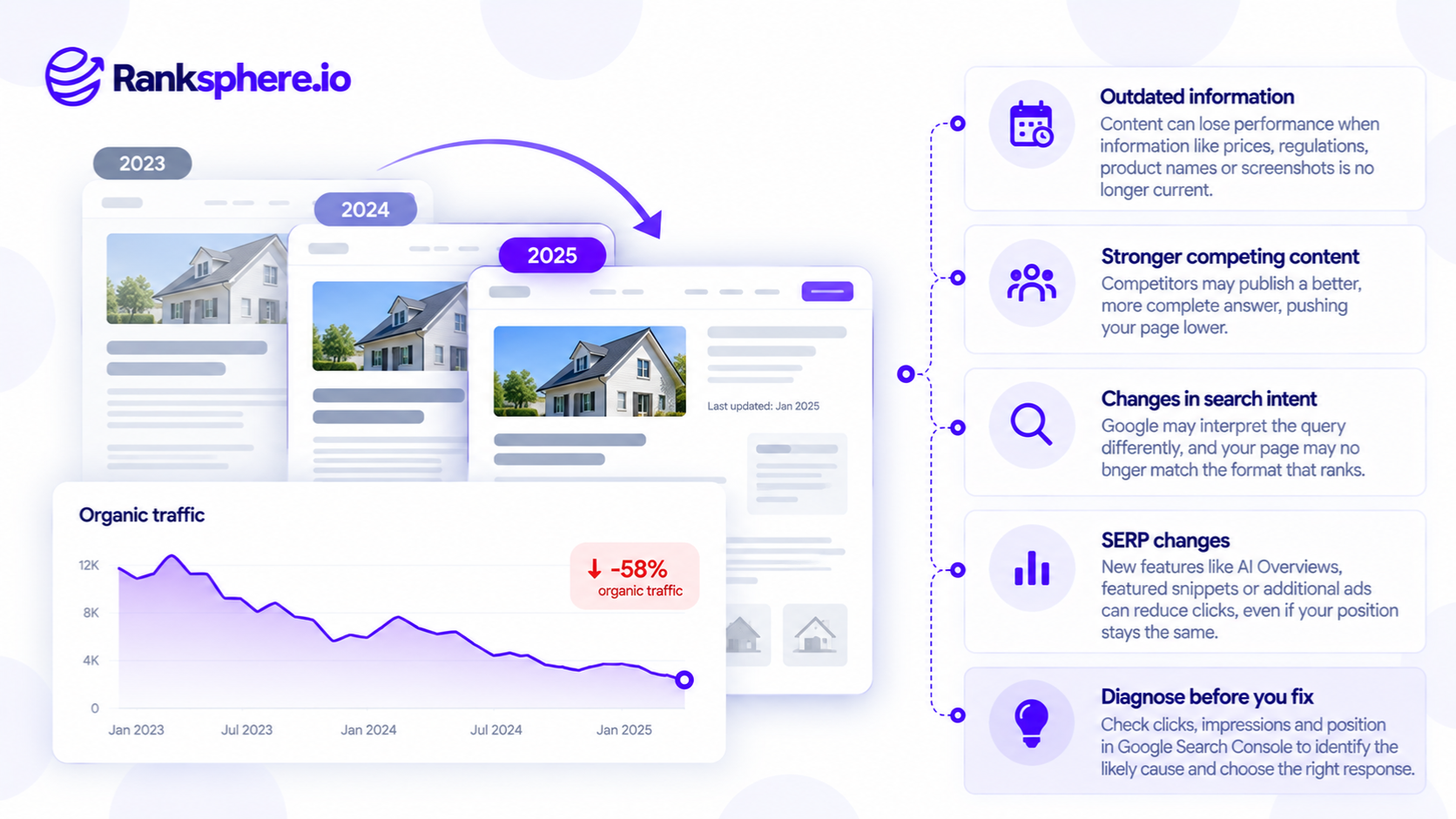
There are four common explanations for a page losing search performance.
Each requires a different response.
1. The Content Becomes Outdated
Information can lose relevance over time.
For example, a financial services article may contain:
- Old interest rates
- Outdated lending criteria
- Expired government schemes
- Incorrect regulatory information
- Broken links to external resources
The page may have been accurate when published but no longer answer the reader's questions correctly.
This is particularly important for topics involving finance, healthcare, law, and other areas where inaccurate information can affect important decisions.
What to do: Review the facts, replace outdated information, and check whether the page still answers the intended question.
Changing the publication date alone doesn't address the problem.
2. Competitors Publish Better Content
A page may lose rankings because competing websites now provide more useful information.
For example, a roofing company's guide to roof repairs may have ranked well for several years.
A competitor then publishes a more comprehensive guide covering repair costs, warning signs, photographs, and when professional help is needed.
Google may determine that the competing page is more relevant to certain searches.
This doesn't necessarily mean the original page has violated Google's guidelines.
It means the competition has changed.
What to do: Compare the pages objectively and identify information or improvements that would genuinely help readers.
Avoid adding unnecessary words simply to make the article longer.
3. Search Intent Changes
Search intent describes what someone is trying to accomplish when they search.
A query that previously returned mostly informational guides may begin showing more product comparisons, service pages, or other formats.
For example, a business might have an educational article ranking for a keyword that increasingly attracts people looking to book a service.
The article may no longer match the dominant intent.
What to do: Review the current search results and determine whether the page can reasonably meet the updated intent.
Sometimes restructuring the content makes sense.
In other cases, a separate page may be more appropriate.
However, don't force a commercial page into an informational topic solely because competitors appear to be doing so.
4. The Search Results Page Changes
A page can lose clicks even when its rankings remain relatively stable.
For example, Google may introduce or expand search features such as:
- AI Overviews
- Featured snippets
- Local results
- Shopping results
- Additional advertising placements
These changes can affect how users interact with the SERP.
A page may continue receiving impressions but attract fewer clicks.
This is better described as a change in search visibility or click-through behaviour than as traditional content decay.
What to do: Investigate the current search results before changing the content.
A rewrite won't necessarily resolve a decline caused primarily by changes in search features.
How to Identify Content Decay in Google Search Console
Google Search Console is one of the most useful tools for investigating declining organic search performance.
It lets you compare clicks, impressions, average position, and individual queries over time.
Step 1 — Compare Relevant Periods
Open the Performance report in Search Console.
Choose a comparison period appropriate to the business.
For example, compare the last three months against the same three months in the previous year.
Year-on-year comparisons are particularly useful for businesses affected by seasonality.
A garden centre may naturally receive fewer visits in November than in May.
That doesn't automatically mean its content has declined in quality.
Search Console provides up to 16 months of performance data in its standard interface. For longer comparisons, historical exports or other stored reporting data may be necessary.
Step 2 — Find Pages Losing Traffic
Open the Pages tab.
Compare clicks between the selected periods and sort by the largest declines.
This helps identify pages that may be underperforming.
However, losing clicks isn't sufficient evidence of content decay.
The next step is to investigate why.
Step 3 — Review Impressions and Average Position
Different patterns can suggest different causes.
| Search Console pattern | What to investigate |
|---|---|
| Clicks fall, impressions remain stable | Click-through rate, snippets, search features, or query mix |
| Rankings decline over time | Competition, content relevance, algorithm changes, technical issues |
| Impressions and clicks both decline | Demand, rankings, indexing, or seasonal changes |
| Position remains stable, clicks decline | SERP presentation, click-through behaviour, changes in queries |
| One page declines while others remain stable | Page-specific content, technical, or competitive issues |
These patterns are clues rather than definitive diagnoses.
For example, average position is an aggregated metric.
A stable average position can hide changes across individual queries, locations, or devices.
Always investigate the queries responsible for the decline.
Step 4 — Check the Current Search Results
Search for the important queries associated with the page.
Look at:
- Which pages now rank
- What questions they answer
- Whether the dominant content format has changed
- Whether new search features are appearing
- Whether your page contains outdated information
This helps determine whether the problem relates to content quality, relevance, or the search results themselves.
Step 5 — Rule Out Technical Problems
Not every ranking decline is caused by content.
Check whether the page has:
- An accidental noindex directive
- Incorrect canonical tags
- Broken internal links
- Redirect problems
- Server errors
- Important content removed during a redesign
Ranksphere's Website Audit Tool can help identify technical and on-page issues worth investigating.
However, an audit cannot independently prove that a page is suffering from content decay. That diagnosis requires performance data and a review of the page's search context.
Which Pages Should You Refresh First?
Not every declining page deserves the same amount of work.
Prioritisation should depend on the page's value and whether its problems can realistically be addressed.
Prioritise Commercially Valuable Pages
Start with pages that contribute to enquiries, bookings, or revenue.
For example, a dental implant service page that previously generated appointment enquiries may be more important than an informational article that attracted traffic but no meaningful business outcomes.
Consider:
- Historical organic traffic
- Enquiries and conversions
- Commercial relevance
- Current search demand
- The scale of the decline
- The likely effort required to improve the page
A page losing 100 valuable visits may deserve more attention than one losing 1,000 visits from unrelated searches.
Refresh Pages With Outdated Information
Pages containing incorrect figures, obsolete products, or superseded guidance are natural refresh candidates.
For example, a mortgage guide should be reviewed when the lending information it provides changes.
Correcting important inaccuracies is worthwhile even if the page hasn't experienced a measurable traffic decline.
Improve Pages That Competitors Have Overtaken
If competing content is more useful, investigate what your page is missing.
That might include clearer explanations, original examples, updated information, or better answers to common questions.
The objective isn't to copy a competing page.
It's to make your content more useful for its intended audience.
Reconsider Pages That No Longer Match Search Intent
Sometimes a page needs restructuring rather than minor editing.
For example, an informational article may need a clearer comparison section if the query increasingly attracts people evaluating alternatives.
However, some intent changes aren't worth pursuing.
If the page cannot credibly meet the dominant intent, accepting the decline or targeting a more appropriate query may be sensible.
Consider Content Pruning Carefully
Content pruning involves removing, consolidating, or otherwise addressing content that no longer serves a useful purpose.
However, low traffic alone isn't a reason to delete a page.
A specialist service page may receive little traffic but still be important to customers.
Google also doesn't recommend removing large amounts of content simply to make a website appear fresher.
Evaluate each page's purpose before deciding whether to update, consolidate, retain, or remove it.
How to Fix Content Decay
Once the cause is clear, choose an appropriate response.
Update Outdated Information
Correct facts, examples, prices, product information, and other details that are no longer accurate.
For example, a financial advice article may need revised mortgage examples and references to current lending guidance.
Where appropriate, cite authoritative sources.
Improve the Content's Usefulness
Review whether the page answers the questions visitors actually have.
For example, a roofing guide may benefit from explaining repair costs, the factors affecting quotations, and when professional inspection is necessary.
Add information because it helps readers, not because the article needs to reach a particular word count.
Improve the Page Structure
Sometimes the information is useful but difficult to navigate.
Clear headings, descriptive links, relevant examples, and logical sections can make the page easier to understand.
However, formatting changes alone shouldn't be expected to reverse a significant ranking decline.
Keep the Existing URL Where Appropriate
For an ordinary content refresh, retaining the existing URL is usually sensible.
This preserves the existing address used by internal links, external links, and returning visitors.
Creating a new URL unnecessarily can introduce redirect work and make performance comparisons harder.
A new URL may be appropriate when the page's purpose or topic changes substantially, but it shouldn't be the default response to content decay.
Measure Performance After the Refresh
Monitor the page's relevant queries, impressions, clicks, and conversions after changes are made.
Google may need time to recrawl and reassess the content.
There is no guaranteed recovery timeframe.
Some improvements may have little effect on rankings, particularly when the original decline was caused by factors outside the page itself.
How to Prevent Content Decay
Content maintenance should be part of an ongoing SEO process.
Waiting until a page loses most of its traffic can make it harder to understand when and why performance changed.
A practical routine might include:
- Reviewing the highest-value pages at least annually
- Updating time-sensitive information when it changes
- Monitoring important pages in Search Console
- Investigating major performance changes after a Google algorithm update
- Allocating maintenance time alongside new content production
- Running a periodic content audit
Businesses producing content regularly should account for maintenance when planning content velocity.
For example, an agency publishing four new articles each month may also need time to maintain its most important existing pages.
The exact review frequency depends on the topic.
An article explaining a stable concept may require less frequent attention than a page covering tax thresholds, lending rules, or changing product specifications.
Common Content Decay Mistakes
- Watching total traffic instead of individual pages. New content can mask declines elsewhere.
- Confusing seasonality with content decay. Demand naturally changes throughout the year.
- Changing the publication date without improving the page. A newer date isn't a substitute for accurate information.
- Assuming every click decline is caused by content quality. Search features and changing demand can affect traffic.
- Ignoring search intent. A well-written page may no longer match what users want.
- Refreshing pages without checking technical issues. A broken canonical or noindex directive won't be solved by rewriting content.
- Publishing the refreshed article at a new URL unnecessarily. This can create avoidable migration work.
- Deleting low-traffic pages automatically. Some pages remain valuable despite limited search traffic.
- Expecting immediate ranking recovery. Google doesn't guarantee that a refresh will restore previous positions.
- Updating only after a major decline. Preventive reviews can catch problems earlier.
Content Decay Best Practices
- Monitor important pages individually, not just overall organic traffic.
- Compare year-on-year performance where seasonality matters.
- Review query-level data before diagnosing a decline.
- Check competitors and current search results.
- Rule out technical and indexing problems.
- Prioritise pages by business value.
- Correct outdated information promptly.
- Improve content based on genuine user needs.
- Keep existing URLs when the page's purpose remains the same.
- Monitor results without assuming that every change causes a ranking improvement.
- Allocate time for ongoing content maintenance.
The goal isn't to keep every page at its previous traffic peak.
It's to maintain accurate, useful content and protect the pages that contribute most to the website's objectives.
Example of Content Decay on a Financial Services Website
Consider a hypothetical financial services company called Aldenham Financial.
Its guide to first-time buyer mortgages performed well for several years.
The article attracted organic traffic and helped visitors understand their mortgage options.
Over time, however, its search performance begins to decline.
What the Agency Finds
The agency reviews the page's performance in Search Console.
It identifies a decline across several important queries.
The team then checks the current search results and compares the guide with competing pages.
The content still reads well, but parts of it are outdated.
It references a mortgage scheme that has closed, uses old interest rate examples, and includes information that no longer reflects current lending conditions.
The problem isn't simply that the article is old.
It's that some of the information is no longer useful or accurate.
What the Agency Changes
The agency refreshes the existing page.
It:
- Corrects outdated financial information
- Removes references to the closed scheme
- Rebuilds the mortgage examples
- Adds answers to recurring customer questions
- Removes unnecessary introductory text
- Reviews relevant external sources
The URL remains unchanged because the guide still serves the same purpose.
How Results Are Measured
After publication, the agency monitors relevant queries, impressions, clicks, and enquiries.
If performance improves, that provides useful evidence that the changes may have helped.
However, the agency doesn't assume that every improvement was caused by the refresh.
Other factors, including market demand, competition, and changes to Google's ranking systems, may also contribute.
What the Business Learns
“The guide had been treated as evergreen content because the topic remained relevant.
But the underlying financial information was time-sensitive.
The business introduces an annual review of its most valuable pages, with additional updates whenever important lending rules or product information change.
This helps prevent inaccurate information from remaining online for long periods.
Content decay isn't simply what happens when a page gets old. It happens when the page's search performance declines and its relevance, usefulness, or visibility needs to be reassessed.
For businesses and SEO agencies, the most effective approach is to diagnose the cause, prioritise valuable pages, and make improvements that genuinely help readers.”
See Also
- Content Refresh — Updating existing content to maintain accuracy and usefulness.
- Evergreen Content — Content that remains relevant over time but may still need maintenance.
- Content Audit — Reviewing website content to identify problems and opportunities.
- Seasonality — Understanding recurring changes in search demand.
- Google Algorithm Update — How search system changes may affect rankings.
- Zero-Click Search — Searches where users find information without visiting a website.