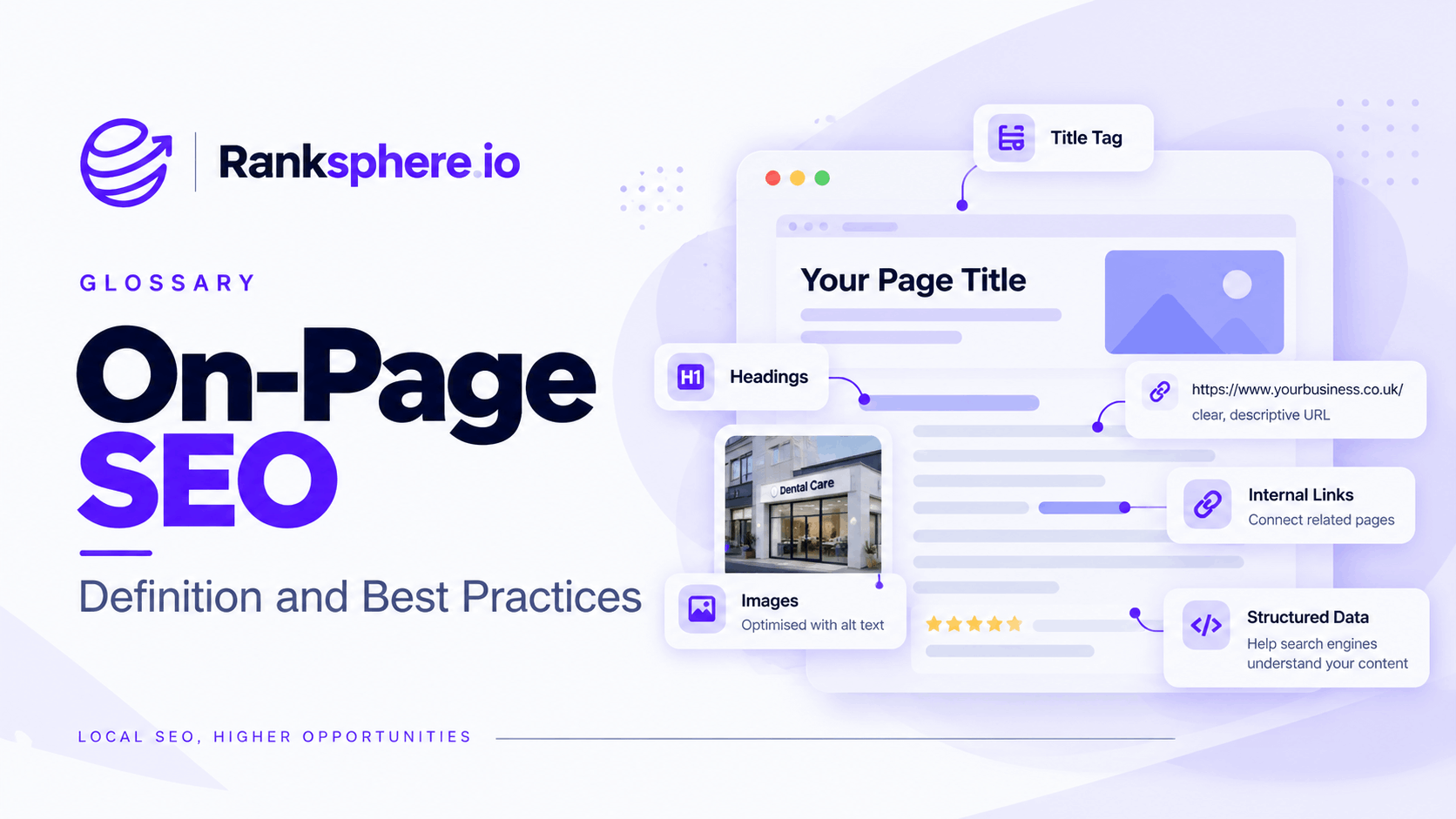
On-page SEO is the process of improving the content and elements on an individual webpage so that search engines can understand it and visitors can quickly find what they are looking for.
It includes everything from the page copy and title tag to headings, internal links, images, URLs and structured data.
Unlike off-page SEO, which involves signals such as links and reputation, on-page SEO focuses largely on elements you can control directly on your own website.
That makes it one of the most practical areas of SEO to improve.
But good on-page optimisation is not about placing a keyword in a certain number of locations. It starts with something much simpler: creating the right page for the searcher's needs.
Why on-page SEO matters
On-page SEO helps search engines understand what a page is about while making the page easier and more useful for the person reading it.
Those two goals should work together.
A page might include the right keywords, title and headings, but if it does not satisfy the searcher's intent, those elements will only take it so far.
Likewise, a useful page can still underperform if search engines cannot clearly understand its topic or if the search result does not encourage people to click.
Good on-page SEO helps you:
- Make the purpose of a page clear
- Match content more closely to search intent
- Improve how pages are organised and understood
- Strengthen internal connections between related content
- Improve how search results are presented to potential visitors
- Support commercial pages with relevant, useful information
- Make important services and locations easier to find
For local businesses, on-page SEO works alongside the local pack and Google Business Profile.
The profile may play a major role in local discovery, but the website still needs to explain your services, answer customer questions and turn visitors into enquiries.
What does on-page SEO include?
On-page SEO covers several elements, but they do not all carry equal importance.
Start with the page itself, then work through the supporting elements.
Content
The content is the foundation.
Before changing title tags, headings or schema, ask whether the page actually provides what the searcher came looking for.
Good content should:
- Match the intended search
- Answer important questions clearly
- Include enough detail to be useful
- Stay focused on the page's purpose
- Be accurate and current
- Give the reader a clear next step where appropriate
The goal is not to make every page longer.
It is to make it complete enough for the job it needs to do.
Title tag
The title tag helps describe the topic of a page and is often used as the title shown in Google's search results.
A good title should tell both the search engine and the potential visitor what they can expect from the page.
Avoid generic titles such as:
Services | Company Name
when something more descriptive would be useful.
For example:
Emergency Boiler Repair in Bristol | Company Name
gives the searcher much more information.
Title tags can also influence click-through rate, although Google may sometimes rewrite the title displayed in search.
Heading tags
Heading tags give a page structure.
Your H1 should make the main subject clear, while H2s and H3s help organise supporting information.
Headings are useful for search engines, but they are just as important for people.
Most visitors scan a page before reading it properly, so good headings should make it easy to understand what each section covers.
Do not force keywords into every heading.
Use them where they genuinely help describe the section.
Internal links
Internal links connect related pages on your website.
They help visitors move through the site and help search engines understand relationships between pages.
For example, a guide about boiler pressure might naturally link to:
- Boiler repair
- Boiler servicing
- Emergency heating services
Use descriptive anchor text that tells the reader what they will find after clicking.
Internal linking is especially useful for directing authority and attention towards important commercial pages.
URLs
A good URL should be simple, readable and descriptive.
For example:
/boiler-repair/
is clearer than:
/services/page?id=427
You do not need to force every keyword variation into the URL.
Keep it concise and make the subject obvious.
Changing established URLs purely for SEO can create unnecessary work, so only rewrite existing URLs when there is a clear reason.
Meta descriptions
A meta description summarises what a page contains.
Google does not use the meta description as a direct ranking signal, but the text shown beneath a search result can influence whether someone chooses to click.
A useful description should:
- Explain what the page offers
- Match the likely search intent
- Include useful specifics where appropriate
- Avoid vague marketing language
Google can generate its own snippet from page content, so the description you write is not guaranteed to appear exactly as entered.
Images and alt text
Images can improve a page when they genuinely help explain the service, product, process or subject.
Use descriptive file names where practical, compress large images and provide appropriate alt text.
Alt text primarily helps describe meaningful images for people using screen readers and can also give search engines additional context.
It should describe the image naturally rather than becoming another place to stuff keywords.
Schema markup
Schema markup gives search engines structured information about the entities and content on a page.
Depending on the page, structured data might describe:
- A local business
- A product
- An article
- A service
- An event
- A person
Schema can help search engines interpret information more clearly, but it does not compensate for weak content.
Get the page right first, then add the appropriate structured data.
How to prioritise on-page SEO
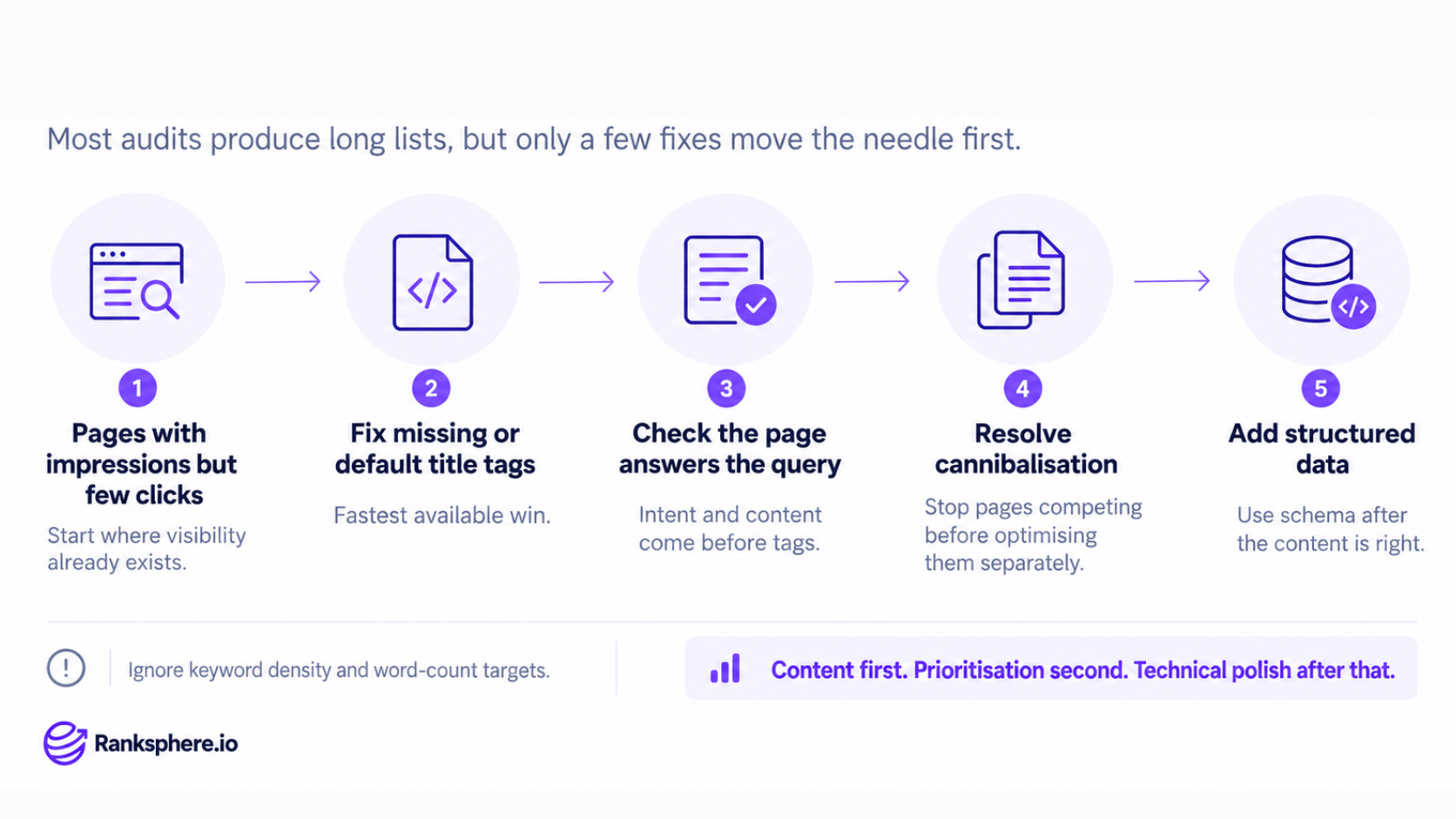
One of the biggest problems with on-page audits is that they often create enormous checklists without explaining what should be fixed first.
Not every recommendation deserves equal attention.
A more useful order is:
- Check whether the page matches the intended search intent
- Review pages already receiving impressions and traffic
- Fix missing, duplicated or unhelpful title tags
- Improve weak or incomplete content
- Review headings and page structure
- Strengthen relevant internal links
- Resolve competing pages where genuine keyword cannibalisation exists
- Improve images and accessibility
- Add appropriate structured data
- Monitor the result
Ranksphere's smart tasks turn audit findings into a prioritised list, helping you focus on changes that matter instead of working through a long checklist in no particular order.
On-page SEO for local businesses
Local service and location pages need some additional attention because they have to prove that the business is relevant to both the service and the place being searched.
A strong local page might include:
- The service being offered
- The location or service area
- Real information about how the service works
- Prices or pricing factors where appropriate
- Frequently asked questions
- Customer examples or case studies
- Contact details
- Opening or availability information
- Directions or useful local information where relevant
Your business details should also remain consistent with your NAP information elsewhere online.
When appropriate, add LocalBusiness schema using accurate business and location information.
Avoid thin location pages
One of the most common local SEO mistakes is creating dozens of location pages that are almost identical.
For example:
Plumber in Bristol
Plumber in Bath
Plumber in Cardiff
If every page contains the same paragraphs with only the city name changed, the pages provide very little unique value.
A location page should exist because there is something genuinely useful to say about serving that area.
That might include:
- Services available there
- Areas or neighbourhoods covered
- Local projects
- Customer reviews from the area
- Travel or access information
- Relevant case studies
- Local service considerations
You do not need to manufacture unnecessary local detail.
Just make sure each page has a clear purpose beyond swapping place names.
Keyword use in on-page SEO
Keywords still matter, but modern on-page SEO is not about achieving a particular keyword density.
There is no useful percentage you need to hit.
Use the primary topic naturally in important places where it helps explain the page, such as:
- The title
- H1
- Introduction
- Relevant headings
- Body copy
- Internal anchor text where appropriate
Then cover related questions and terminology naturally.
For an on-page SEO article, that might mean discussing:
- Content optimisation
- Search intent
- Title tags
- Internal links
- Meta descriptions
- Heading structure
- Structured data
The page should sound like it was written to explain the subject, not to satisfy a keyword counter.
On-page SEO and search intent
One of the most important parts of on-page optimisation happens before you start editing the page.
Check what Google currently shows for the target search.
If most results are:
- Guides, users probably want information
- Service pages, the intent may be transactional
- Comparison pages, the intent may be commercial
- Local results, location is probably important
A beautifully optimised service page will still struggle if the searcher wants an informational guide.
This is why search intent should guide the page before individual SEO elements are adjusted.
Common on-page SEO mistakes
- Optimising a page that does not match the search intent. The basic page purpose needs fixing first.
- Chasing keyword density. Natural topical coverage matters more than reaching a percentage.
- Writing generic title tags. Make the purpose of the page clear.
- Adding keywords to every heading. Headings should help readers navigate the page.
- Following arbitrary word-count targets. A page should be as detailed as necessary, not as long as a competitor.
- Creating near-identical location pages. Each useful page needs a genuine reason to exist.
- Adding schema to weak content. Structured data describes content; it does not replace it.
- Ignoring internal links. Strong pages should help users discover related and commercially important content.
- Changing URLs unnecessarily. A cleaner URL is not always worth the disruption of changing an established one.
- Optimising every page equally. Prioritise pages with real search opportunity and business value.
On-page SEO best practices
- Start with search intent. Understand what the page needs to accomplish.
- Write for the visitor first. Make the answer easy to find.
- Give each page a clear purpose.
- Use keywords naturally rather than repeatedly.
- Write descriptive title tags and headings.
- Keep URLs simple and readable.
- Use useful internal links with descriptive anchor text.
- Optimise images for speed and accessibility.
- Add structured data where it accurately describes the page.
- Review important pages after major content or service changes.
- Measure impressions, clicks and conversions after optimisation.
Example
“Westgate Physiotherapy has eleven service pages.
Most contain around a few short paragraphs and use title tags in the same format:
Service Name | Westgate Physiotherapy
Rather than rewriting all eleven pages immediately, the team starts with Search Console.
Two pages already receive meaningful impressions: one covering sports injuries and another covering lower back pain.
Those pages are reviewed first.
Instead of adding more keywords, the team improves the information customers actually need:
- What treatment may involve
- What happens at the first appointment
- Common questions
- Pricing information
- When someone should seek further medical advice
- How to book
The titles and headings are rewritten to describe each page more clearly, and relevant internal links are added from related content.
The remaining service pages are reviewed separately rather than automatically expanding them to match the same word count.
The result is a more focused website with stronger pages where there is already evidence of search demand.
That is what good on-page SEO should do: improve the pages that matter by making them clearer, more useful and easier for both people and search engines to understand.”
See also
- Title tag — the HTML title that helps describe a page in search
- Meta description — descriptive copy that may appear beneath a search result
- Heading tags — structure that makes content easier to scan and understand
- Schema markup — structured data that provides additional context about a page
- Search intent — the reason behind the query a page is trying to satisfy
- Technical SEO — the site-level work that supports crawling, indexing and performance