Google My Business (GMB) is the former name of Google Business Profile, the free tool businesses use to manage how their information appears on Google Search and Maps.
Google renamed the product in November 2021 and gradually moved individual profile management into Google Search and Maps rather than the old GMB dashboard.
The name changed, but the purpose remained largely the same: helping customers find accurate business information, read reviews, view photographs and contact local businesses.
The term Google My Business is still widely used, particularly in older SEO guides, software descriptions and agency proposals.
The name itself isn't a problem. The bigger concern is following outdated instructions for features Google has changed or discontinued.
Why Did Google My Business Change Its Name?
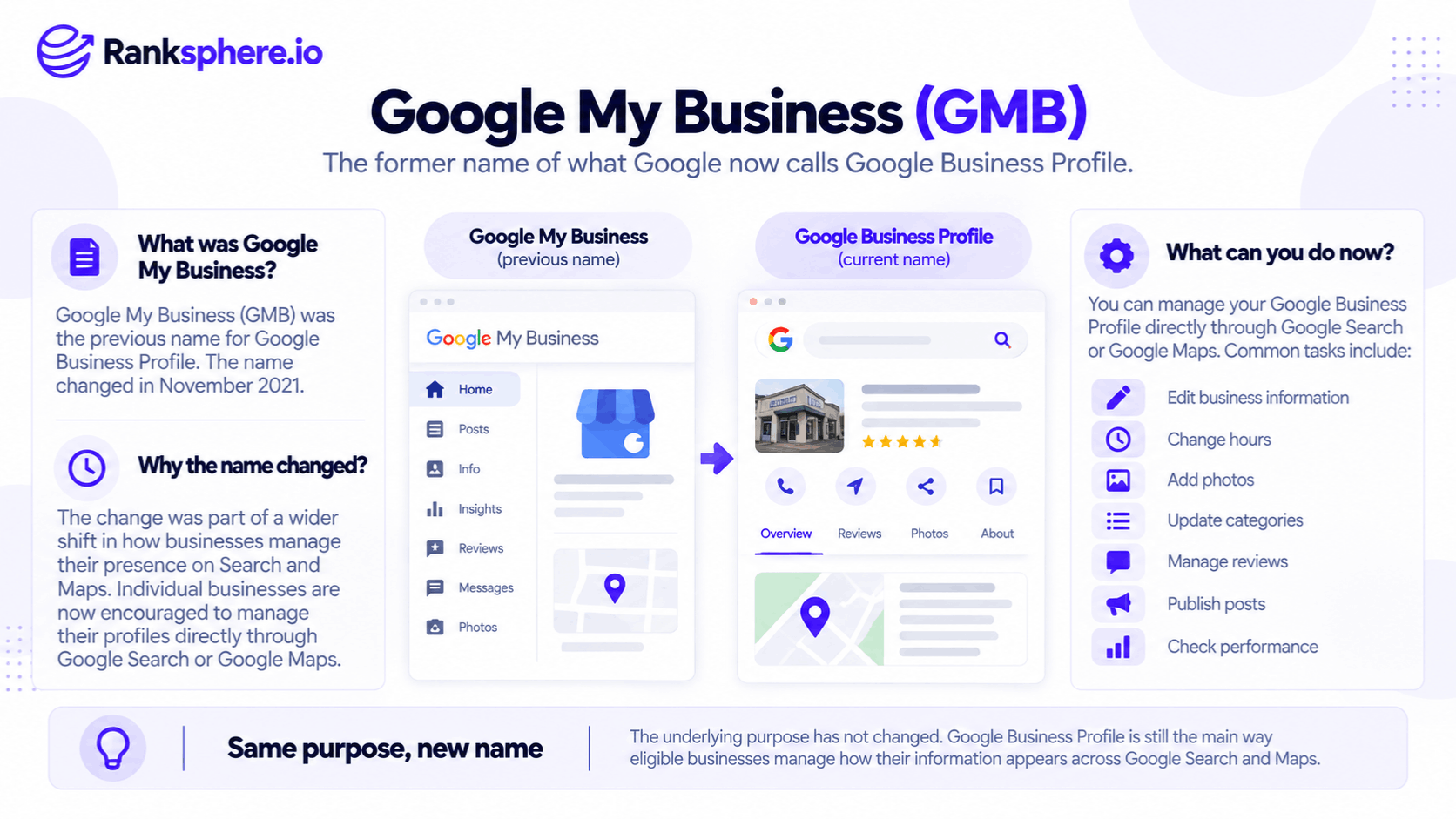
Google announced the rebrand in November 2021 as part of a broader change to how businesses manage their profiles.
Instead of requiring smaller businesses to use a separate dashboard, Google encouraged them to make updates directly through Search or Maps.
For example, a restaurant owner can sign in to the Google Account associated with the business and search for the restaurant's name.
From there, the owner can access supported profile management options.
The transition also included retiring the standalone Google My Business mobile app in 2022.
However, Google didn't eliminate every centralised management tool.
Business Profile Manager remains available, particularly for organisations managing multiple locations.
What Changed From Google My Business to Google Business Profile?
The main changes involved the name, management interface and supported features.
| Previously | What applies now |
|---|---|
| Google My Business | Google Business Profile |
| Standalone GMB mobile app | Profile management through Google Search and Maps |
| Older GMB web dashboard | Direct management in Search and Maps |
| Centralised multi-location management | Business Profile Manager remains available |
| Google-hosted chat | Discontinued in July 2024 |
| Call history | Discontinued in July 2024 |
The changes matter because older tutorials may show buttons, menus or workflows that no longer exist.
For example, an article written in 2020 might instruct businesses to open the GMB mobile app to update opening hours.
That is no longer the standard management process.
Can You Still Use Google Business Profile Manager?
Yes.
Google Business Profile Manager remains available for organisations managing multiple business locations.
For example, a dental group operating clinics across several cities may need to manage location groups, user permissions and business information in bulk.
This is particularly relevant to multi-location SEO.
Google supports bulk management through Business Profile Manager, while individual profiles can be managed through Search and Maps.
The old Google My Business dashboard and today's Business Profile Manager shouldn't be treated as identical products.
Which Google My Business Features Have Been Discontinued?
Several features described in older GMB tutorials are no longer available in their original form.
Google Business Profile Messaging
Google retired its original Google Business Profile messaging feature on July 31, 2024.
Businesses can no longer use the former Google-hosted chat inbox.
However, eligible verified businesses in supported regions can provide WhatsApp or text messaging contact options through their profiles.
These external messaging options are different from the old GMB chat system.
Call History
Google also discontinued Business Profile call history on July 31, 2024.
This doesn't mean businesses can no longer receive calls from their profiles.
Google continues to support telephone contact and relevant call interaction metrics.
Call history and call performance are separate features.
Short Names
Google previously offered short names and custom profile URLs.
That feature was discontinued, so older instructions about creating or editing a GMB short name should not be followed.
Businesses should use their current profile links and supported sharing options instead.
Questions and Answers
Google's traditional Business Profile Q&A experience has also undergone changes as Maps introduces more AI-powered ways for customers to ask about places.
Newer features such as Ask Maps should not be confused with the older owner-managed Q&A workflow.
Businesses shouldn't assume that old instructions for creating or populating Q&A entries remain available across current Google interfaces.
Instead, review the current product and Google's documentation before including Q&A tasks in an SEO checklist.
Google Posts
Google Posts remain available, allowing eligible businesses to share updates, offers and events.
However, supported formats, interface options and publishing requirements have changed over time.
Agencies should check current documentation rather than rely on screenshots from the GMB era.
What Features Are Still Available?
Despite the rebrand and product changes, businesses can still manage important profile information.
These include:
- Google Business Profile categories
- Business services
- Business attributes
- Opening hours
- Business descriptions and contact details
- Customer reviews and responses
- Business photographs
- Google Posts
- Business Profile performance
- Profile verification
Some options depend on the business category, region, verification status or other eligibility conditions.
For example, a restaurant may have different profile features from a service-area plumbing company.
The fundamentals remain important: businesses should maintain accurate information and provide customers with useful details.
How Do You Manage Google My Business Today?
To manage an existing Google Business Profile:
- Sign in to the Google Account associated with the business.
- Open Google Search or Google Maps.
- Search for your business name and location, or search for my business.
- Select the appropriate management option.
- Update the information you need to change.
You can also use Google Maps to access supported profile management features.
For agencies managing multiple businesses, an appropriate management platform may simplify the process.
Ranksphere's GBP Management Tool helps businesses and agencies manage supported profile information across locations from one dashboard.
It doesn't restore discontinued Google features, but it can reduce the need to manage each location separately.
Should You Still Call It Google My Business?
The official product name is Google Business Profile.
Use that name in new website content, client reports, onboarding documents and internal procedures.
However, acknowledging the previous name can be helpful.
For example:
"Google Business Profile, formerly Google My Business (GMB), allows businesses to manage their information on Google Search and Maps."
This helps readers recognise the product even if they're familiar with the older terminology.
There's no need to repeat both names throughout an article.
Use the current product name consistently after explaining the change.
Why Older Google My Business Guides Can Be Misleading
The issue with older GMB tutorials isn't simply terminology.
Google regularly introduces, changes and retires features.
For example, a local SEO checklist from 2022 might include instructions for:
- Managing enquiries through Google's built-in messaging inbox
- Configuring a Business Profile short name
- Using an older dashboard interface
- Managing features that have since changed
Following those instructions can waste time or leave businesses without a working process.
For agencies, this is a documentation problem as much as an SEO problem.
Checklists should have owners and review dates, especially when they depend on third-party platforms.
Businesses should also maintain assets they control, including their websites, customer records and accurate citation information.
No external platform guarantees that every feature will remain available indefinitely.
Common Google My Business Mistakes
- Using outdated tutorials. The interface and feature set have changed.
- Looking for the old mobile app. Google retired the standalone GMB app in 2022.
- Assuming the original chat feature still exists. It was discontinued in July 2024.
- Confusing call history with call metrics. Google removed the former, not every call-related measurement.
- Assuming all messaging is unavailable. WhatsApp and SMS contact options are supported for eligible profiles in selected regions.
- Following old Q&A instructions without verification. AI-powered Maps experiences and traditional Q&A aren't interchangeable.
- Keeping obsolete steps in agency checklists. These can create confusion during onboarding.
Google My Business Best Practices
Use Google Business Profile as the current name in professional materials.
Manage individual profiles through Google Search or Maps and use Business Profile Manager where appropriate for multi-location work.
Keep categories, services, hours and other business information accurate.
Review old SEO guides before applying their recommendations.
Update internal procedures when Google changes supported features, and give every operational checklist a review date.
Example of an Outdated Google My Business Checklist
Consider a hypothetical SEO agency onboarding several dental practices.
The agency still uses a checklist written in 2023.
It includes instructions to enable the old Google-hosted messaging feature, configure a short name and follow outdated Q&A procedures.
What the Agency Discovers
During onboarding, an account manager notices that some options no longer appear.
Instead of reporting the problem, previous team members had simply skipped those steps.
The checklist remained unchanged.
Eventually, a client asks why its Business Profile doesn't have the messaging feature described in the agency's proposal.
The agency realises that its documentation is out of date.
What the Agency Changes
The team reviews Google's current Business Profile documentation.
It removes retired tasks and adds checks for supported contact methods, accurate services, business attributes and website information.
It also assigns an owner to review the checklist regularly.
Example
“The agency's problem wasn't using the old GMB name.
It was continuing to follow procedures that no longer reflected the product.
Updating the checklist reduced confusion and made the onboarding process more reliable.
Google My Business and Google Business Profile refer to the same underlying business listing product, but the way businesses manage that product has changed considerably.
For local businesses and SEO agencies, understanding the current features matters much more than the name itself.”
See Also
- Google Business Profile — The current name and business management platform.
- Ask Maps — AI-powered information and discovery in Google Maps.
- Google Business Profile Messaging — The discontinued chat service and current contact alternatives.
- Google Business Profile Verification — Confirming a business's eligibility and management access.
- Local SEO — Improving visibility in location-based searches.
- Client Onboarding — Establishing current processes, access and management responsibilities.